How to efficient cull, sort and tag day's of burst pictures of one subject like a carrace

Right,
finaly some time free for plain computer hobby and thus photo organising and editing…

Does any one has sometimes that feeling that you shot too much pictures for your own good?
i did. i have from two camera’s serveral day’s from serveral carshows/races thousant of images to cull. sort and rate before i can even start editing in DxO ( i don’t like to cull/tag/sort/rate wile editing which cost me too much distraction and time.)

So my work so far:
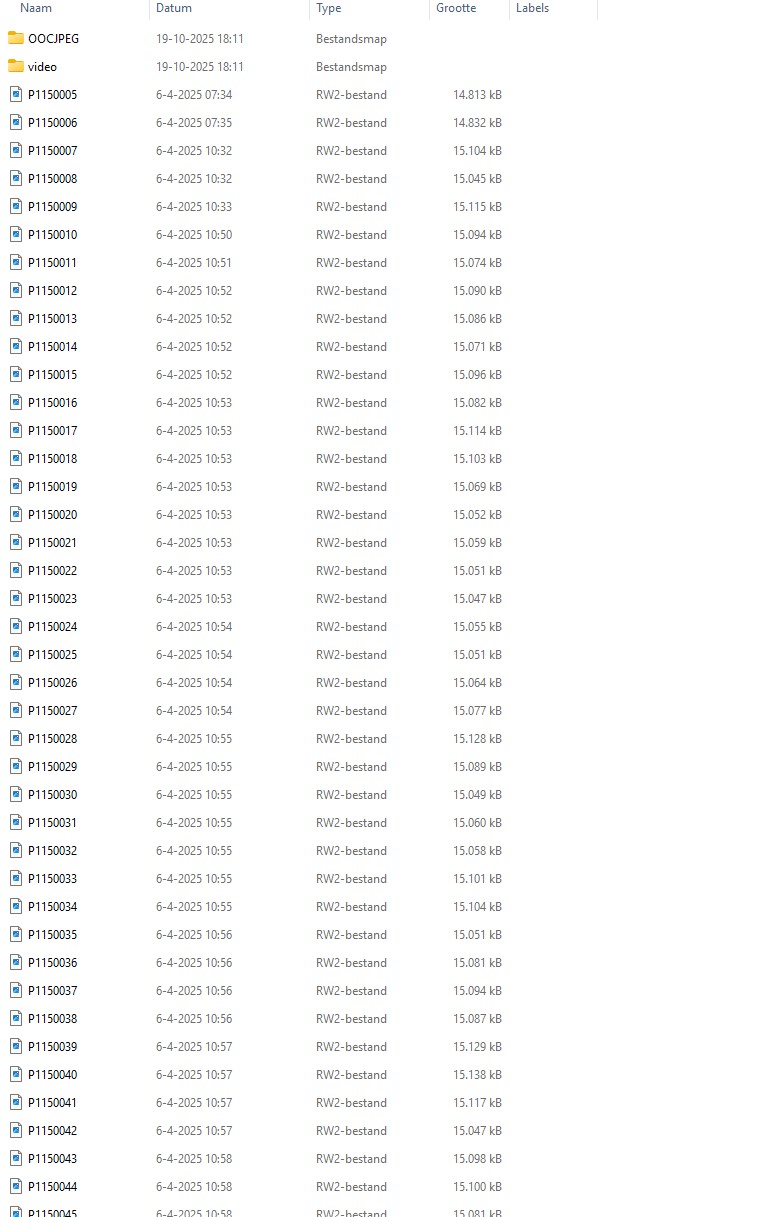
1: drag all images out there burst 1 burst2 burst 3 burst x folders in the rootfolder of that day.
2 delete all OCC jpegs which has a RW2 file sibling. ( they are only for pre TV viewing purposes.)
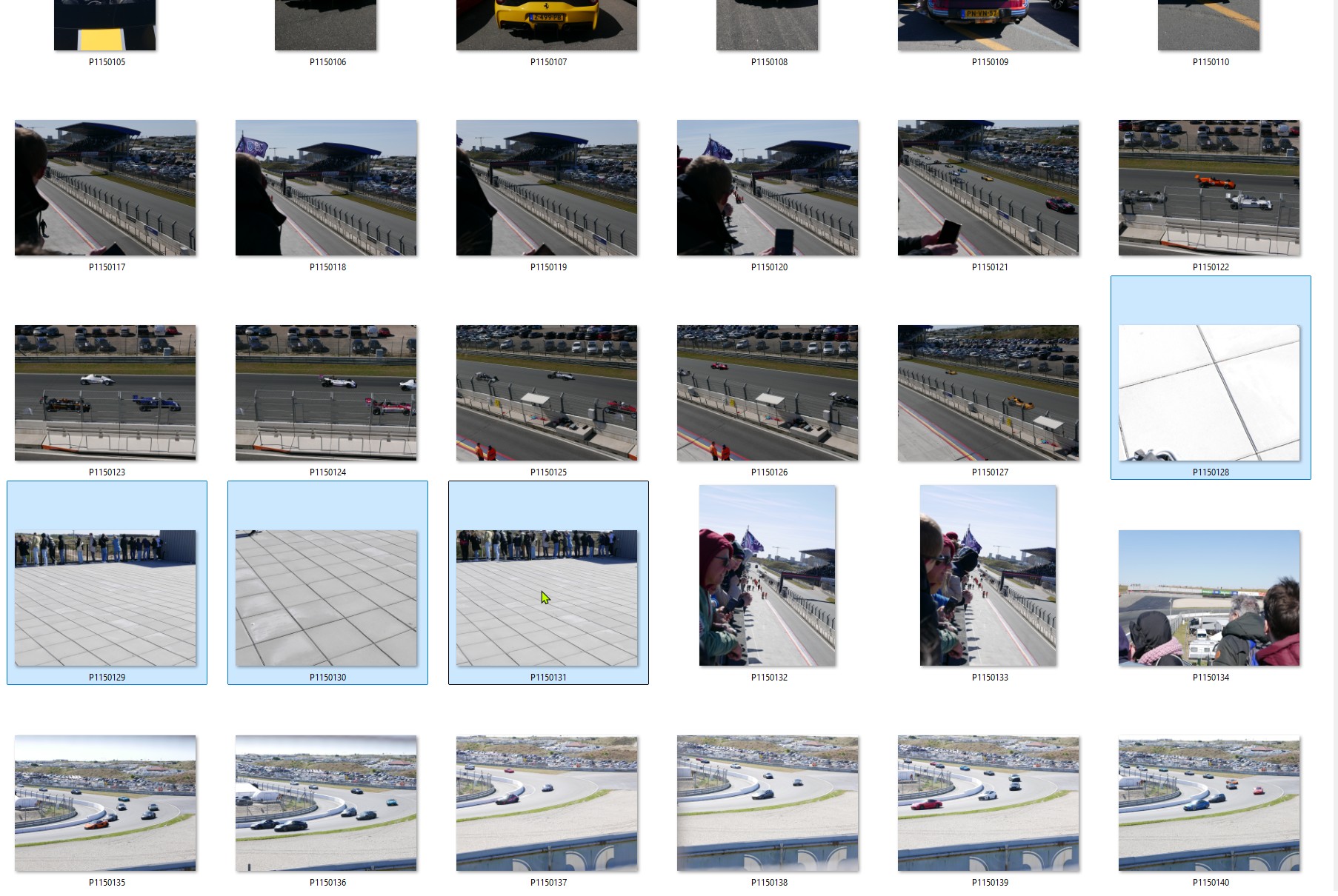
3 Delete all blurry, subject (half) out of frame , ugly framing, etc. The offious badone’s
so far so good This is handlabor but not that difficult aldoh i believe that LR has a AI routine for this which maybe can shorten this first part.
( replace the folder in the folder “ready for iptc & rating”

next part: ( and i am now in this part of my culling:)
you shoot cars serveral times a day and serveral days and with more then one photographer and thus camera.
So i thought sort all cars on there car number which you see on de car.
of each day. ( This way you have a overview of possible rating level. (lots of them? delete all what’s “Nah not that good” , not many? better a Nah then Nothing principle)
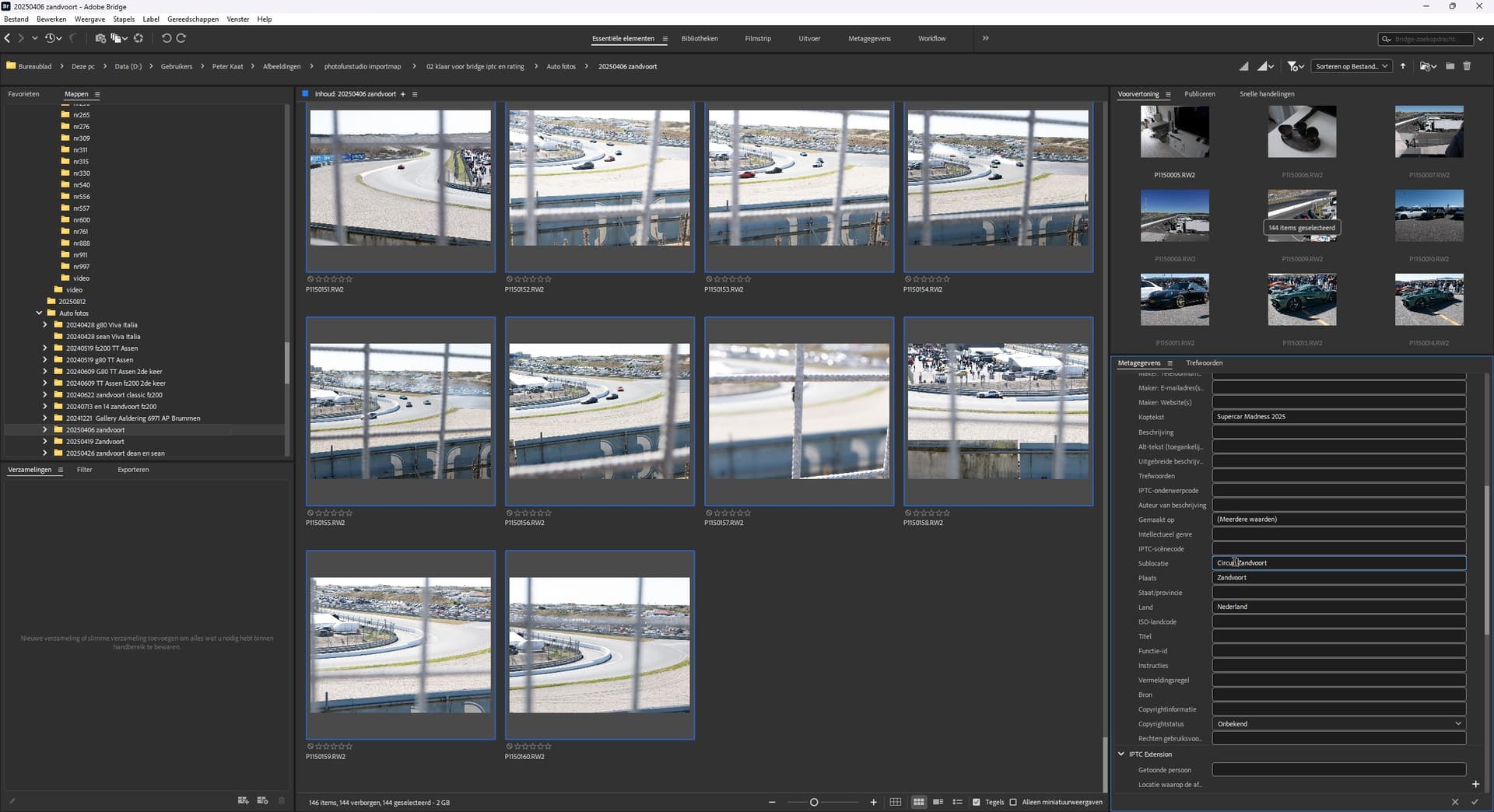
So before combine them all in one folder use, in my case Bridge 2025, to edit metadata and keywords basics. shooter, where, what kind of subject. not jet ferrari xxxx or something but the main common info.

Then try to combine all folders with the same car in one folder. (thus of all day’s and all camera’s per event)

(run a last cull for quality purposes)

then this folder i move to “ready for editing in DxO”

edit and adjust rating add some extra iptc metadata like gps and detailed info if needed.

export and move after one viewing on screen to the archieve so it can be seen when ever i like.

finally move the RW2 folder to the archive for Rw2’s and backup the dop files in a sub folder in case of f…kup by me or a program.

This pipeline was suiting me fine in the past but car- racing ánd 2 camera’s but one editor ( my son isn’t that organised i call it lazy but well he’s 17 so too busy with new things i think… ) is causing indigestion in this pipeline…

Somehow i think this must be able to go faster to the real editing fase.
It cost me day’s, maybe more day’s then i/we shoot files … :scream:

i am very certain that i am not the only one who’s camera’s produce sometimes too much images for your own comfort.

How do you cull sort this kind of shooting files?

After quick initial cleanup, I let my wife do the rest :wink:
I have too personal attitude towards my photos.
Another method is to get angry for whatever reason.
The choice should also have some “pissing dog photos”,
not to get boring, keeping the “rhythm”.
Try to make a “story”, if possible.

1 Like

I recently discovered Photo Mechanic and others have recommended IMatch to me as well.

Photo Mechanic is stupidly fast to load large folders of RAW files and let you navigate them, colour code them, rate them and so on.

I got triggered happy at a bird sanctuary a couple of weeks ago (no birds were harmed) but I did have a LOT of images to sort through and it made it a breeze. I’d highly recommend something like that.

I WOULDN’T recommend PhotoLab for this part of the process, it’s too slow (and that’s OK, it’s just that other apps do it better).

With that in mind, if I’m only trying to cull a lot of files down to the ones I want to keep then I’ll hop into one of these applications and get rid of anything badly taken (blurry, poor exposure, someone’s blinking etc.) then look at remaining duplicates (if any) and try and pick favourites to reduce it all down to the photos I want to keep.

LoL
I tryed to let my son doing the labor because he has more free time then me but he’s ignoring my requests.

I having a break, watching two blooks doing stupid things on YT.
Sort like TopgearS roadtrips.

After diner i go do some more.

@Fineus photomechanic is a grownup tool. ( don’t know the cost but maybe i have a look on it to see how much it can automate selection and organising.)

Absolutely it’s not cheap! I think IMatch is a cheaper but very capable alternative so that might be worth a look.

Failing that, I do find IrfanView is really fast to load and browse RAW files BUT it’s more cumbersome for picking what you want to keep. I’m not sure if it can tag or rate anything, but you can set up a “delete image” key so that when you press it it’ll just delete that image to the recycle bin and move you on to the next one. If you’re sure about what you want to keep, this can be quite a quick but linear and unforgiving process. Not ideal, but cheap as chips, as it’s freeware!

@OXiDant You were going to buy a nice fast “toy” (computer) which means, if you don’t touch AI then PhotoLab can handle more than it otherwise would so you have to be less fastidious with your preparation before heading for PhotoLab.

Did that happen?

Which part of the process is the most tedious and taking the most time?

With respect to backing up as you go this utility exists and it “just”(!?) needs polishing if it would be useful. But its controls would be in English so …

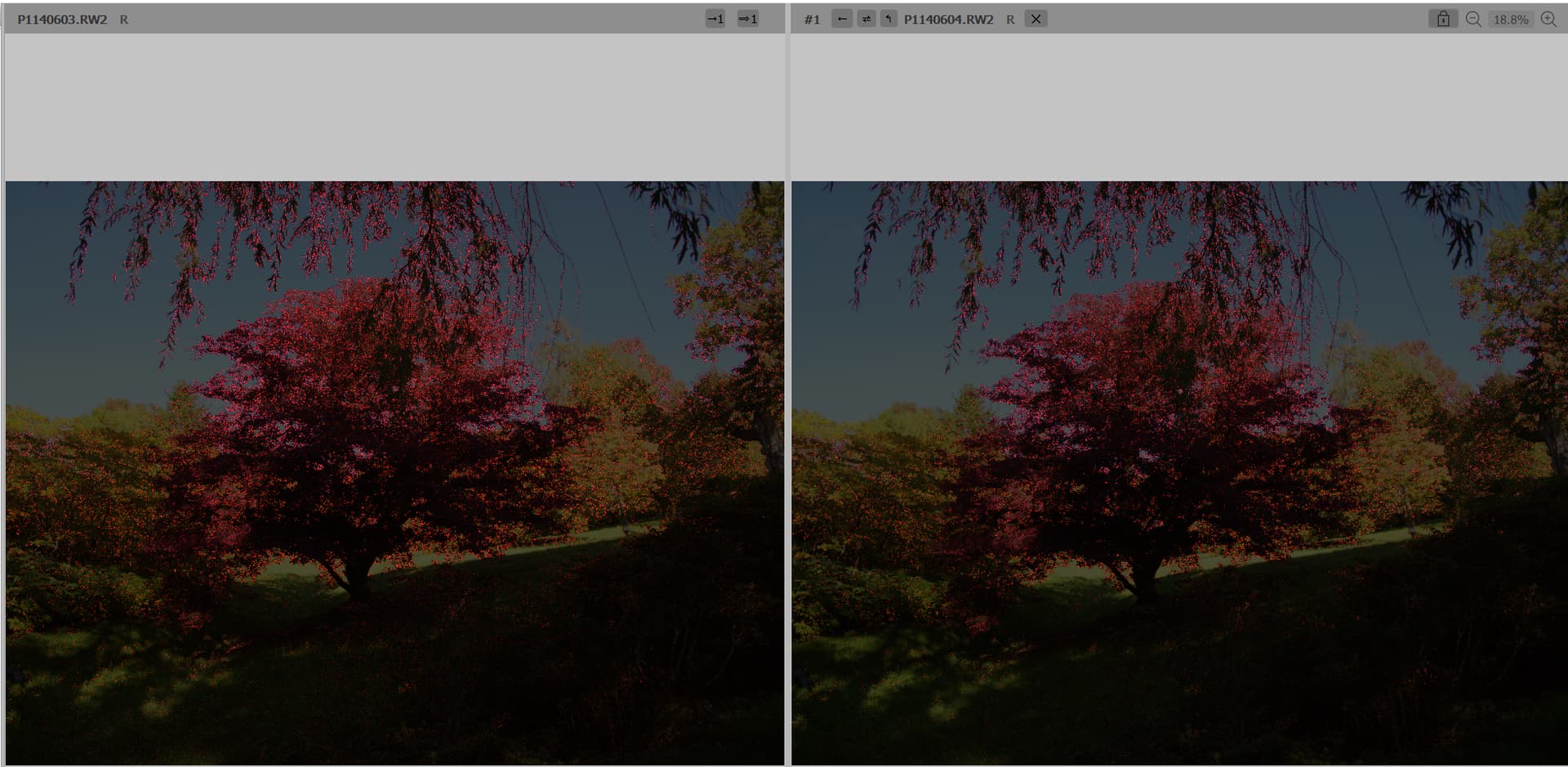
Guess which is the sharper?

But protecting your images at various stages and knowing where you are at any stage is the only way you can prevent losing work and provide a route out of any chaos you may inflict later.

What product do you use for basic culling?

With respect to automating “disposing” of Jpgs what are the “rules”?

e.g. If the RW2 exists and has a ‘Rating’ > 4 it will be retained but the JPG can be scrapped. If the ‘Rating’ is 2 or less both can be canned. If the ‘Rating’ = 3 then ??

Where are the JPGs stored in relation to their RW2 counterpart.

It is unlikely that I can write anything new to help with your current predicament but if you want to we can see if there are any “patterns” to your processing schema that can actually be automated.

BUT any such attempt at automation must have sufficient backup space available to prevent any untoward loss of data through bad coding or bad user handling (still bad coding).

@Fineus We are into the IMatch versus something else again discussion, FatsRawViewer in my case (and I have a licence for IMatch) but why load up a DAM when big lumps of images are going to be “junked” but @OXiDant may well already have is “favourite” reviewing program anyway.

If you haven’t used FRV, the reason I originally bought it was this feature

in fact the windowing facility came later but the sharpness comparison has been there from the beginning I believe. One of my cameras in particular was fast and easy to use in burst mode. But the camera refocussed between each image so which was the sharpest hence my purchase of FRV.

Plus FRV can handle DOPs and can be configured for xmp sidecar files as well and you can configure a single keystroke to consign an image to “other” and you can choose the name of “other”.

The program is built for culling and it costs around £20 cheaper than IMatch by about £100 (but buy IMatchi if you need a DAM) actually buy both, I did. As for Photo Mechanic, with or without the “Plus” version it is “big bucks”.

It beats FRV with its metadata handling, FRV “only” does ‘Rating’, ‘Colour’ and ‘Description’, IMatch does way more as does PM but XnViewMP is also a viewer not a DAM but it can handle more metadata than FRV and guess what, I have that installed as well (and I paid a donation but that is optional).

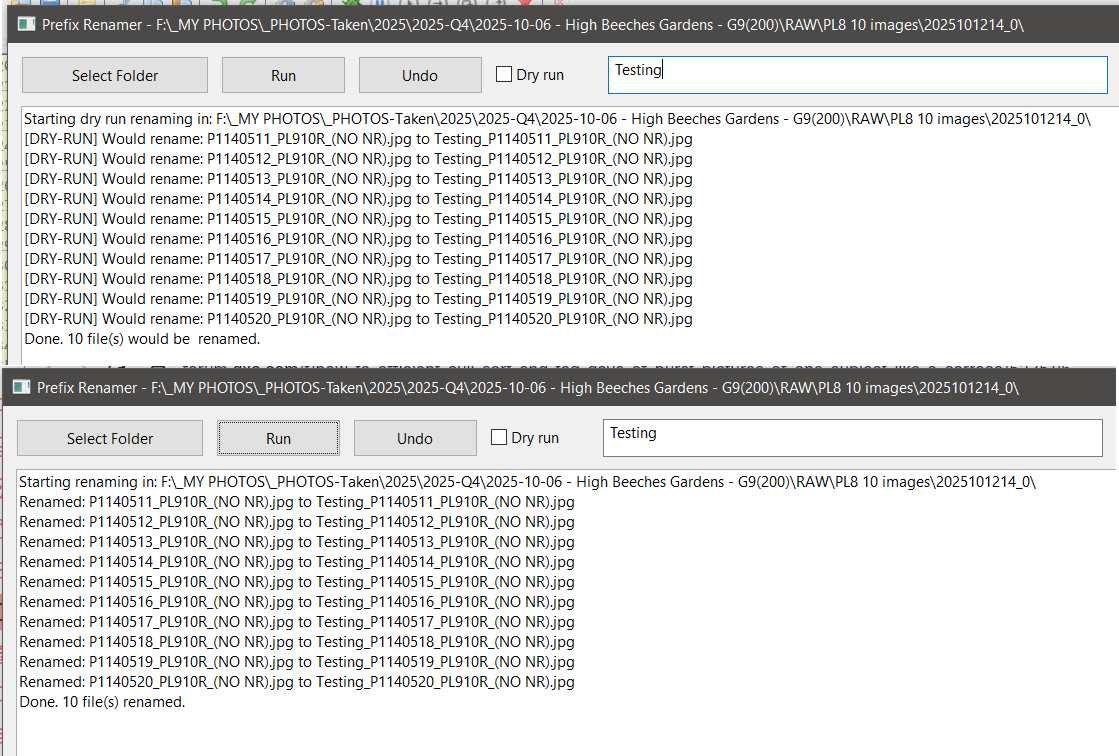
PS:- @OXiDant The images from your camera (G9) and your sons (G90) are both going to be RW2 and and will almost certainly have different ranges which should help to keep them apart (ish) . This program already exists and I have used it to put prefixes on the front of my files

1 Like

don’t know exactly what you wrote here, but i don’t use any AI. i am on PL8.
The most tedious part ( and mind dulling) of my proces is preselection of probably keepers and to tag and iptc filling for archive (so i can order and reorder and find them later)

step1) good old windows explorer.
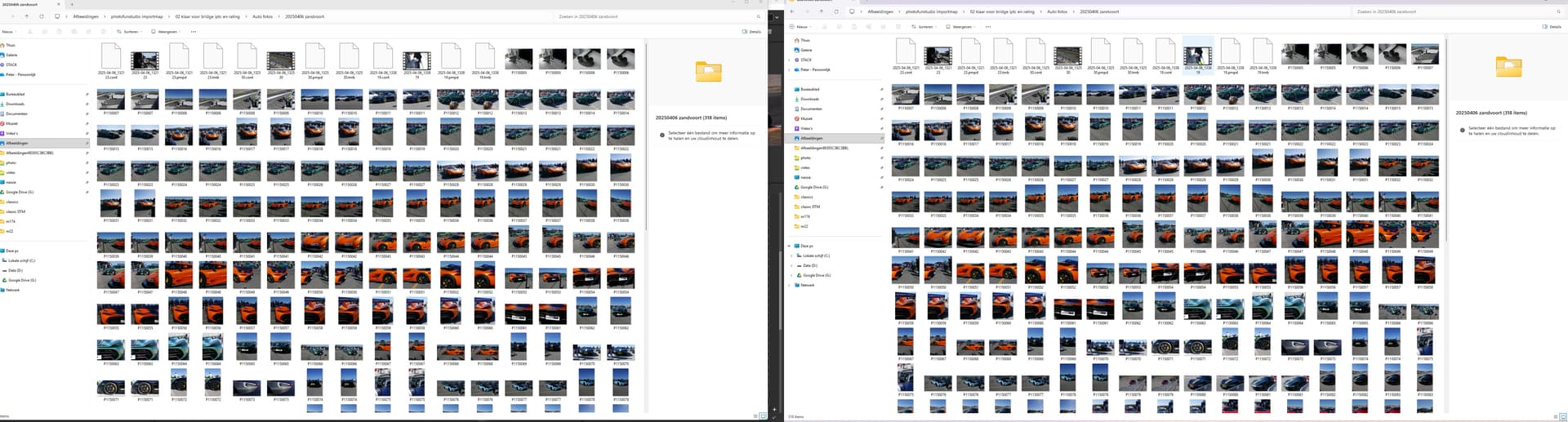
set up 2 screens: ( so i can drag from one screen into the other screen in an other folder/ create a new folder like “nr211” which holds car(s) with a number 211 sticked to the side)


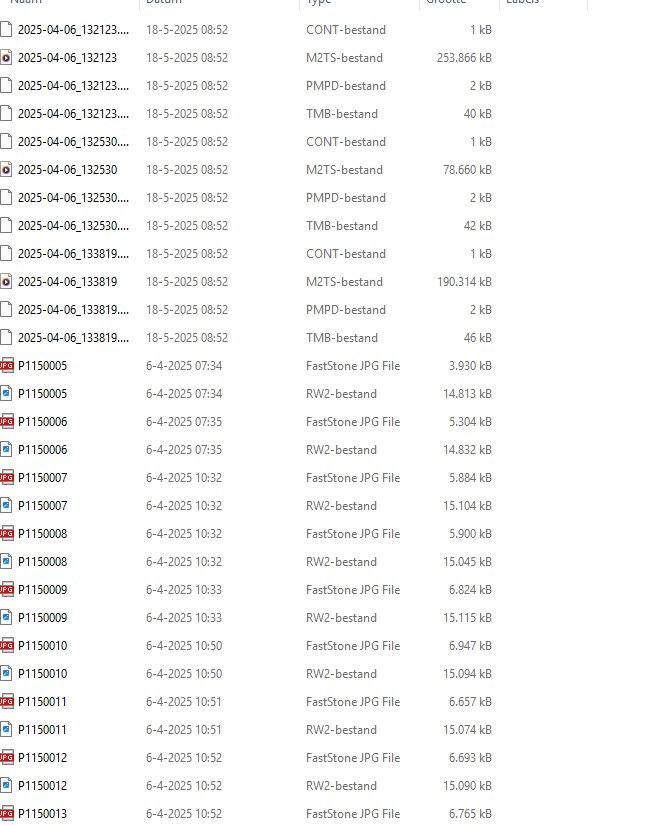
then search for "panorama jpegs out of camera which haven’t a RW2.
( easy to spot because :

then sort video and oocjpeg to folders

step 2 covert to “extralarge pictograms” so i can spot easy low fruit misshots faster

Step 4
do a run by windows picture viewer: easy arrow => and Del button: to spot the less offious “wrongs” ( it has a quick auto exposure correction build in so i can see if its over or under exposed beond repair. (FRV can be used in this matter also.)
(All this is quite fast and easy to do. )
yes dragging burst images out there subfolder in the date main folder is a bit tedious but this part is quite “fast” under 1000 images.
(sub task empty windows trashcan so i have less images to see if i need to restore a deleted image which i hit delete too fast or wrong.) if i use FRV then i have two extra folders
FRV
(normally i use FRV in the last stage after making XMP iptc/metadata files in Adobe Bridge 2025.)
So in this example i am done fast culling.
Stage iptc/metadata => Bridge 2025:
select all and push in "who made them? "
Where is it?
What was the event.

still easy and fast select all.

Then the tedious work starts again:
( in this matter my son needs to come to name the cars type and such. if i can’t find them on numberplate information.)
Wile i am doing this further selection is done parallel by deleting in bridge.
double click on image starts up FVR for detailed comparison and some rating with stars ( -* is not very good delete after edtingproces if i have enough others, 0 or *** good enough ( i don’t bother often to rate the “well enough” so 0 =*** and /* are geesh i did well on this one! ( pad on the back and take some extra effort in editing later for finishing.)
Colors i am trying to remember to use for group of almost the same shots for stacking or something .

after this stage i move the folder to : folder “ready for editing in DxO”
And here only here i open DxOPL.

Which i would like to have automated?
1 dragging burst images out there sub folders.
that’s dumb “select all” “drag to former folder” go back “double click on next burstfolder nrx” select all etc.
2 move on command all OOCjpegs siblings of RW2 in to a subfolder named OOCjpegs. ( Aldoh this isn’t a longwinded movement so minor issue.
3 probably a more difficult selection:
the unsharp/blurry one’s. and the empty ones ( no subject in it.)
after a fast human review to deselect those i wana keep in the selection a one button hit delete.

for comparing 2 or more images i use FastStone imageViewer in RW2 and processed files. ( works faster then FRV for me) i havend tryed DxOPLv8 compare viewer yet to see if this can be used quickly also.

FRV i also use to give me some extra clues about exposure limitations, AWB mishaps and such to support DXOpl’s toolset.

renaming files?
Hmm, i have sins a short time “two camera’s who shoot simultanisly in one place” so i am not have given it a propper thought how to merge or not merge those folders and there content.

in my present stand on this:
folder with Archive RW2
i think it would be split G80 and G9 but in the same event folder.
( tagging would give me enough search and select possibility’s)
on the export side:
shotnumber_event.jpg ( shotnumber is camera selective)
but maybe i decide to use a rename function to merge them together in a data and shot-time selective sequence to one viewing flow.

An other thing i am thinking of is using a form of aftershot Time Laps modus to give it a more fluid viewing experience on the manny( too manny?) stills in combination with some MP4 video. ( use the bursts stills as video frames so to speak.)
Davincy Resolve can pull this of IF i can master there controls on this which is an other story… (i am still looking for a freeware quick and dirty video editor application to have some fast cooking video editing. ) D.R. is too much knobs and buttons and posibility’s to remember for once in a wile usage.

Peter

1 Like

@OXiDant That will teach me to write a long post to you, “what ye sow so shall ye reap”, for “ye” read “you”.

I don’t know what you use and suspected you were still on PL8 but I thought I should include the caveat, i.e. PL 9AI is slowing down even previously fast machines.

I will continue to read your response and get back to you later,

Regards

Bryan

1 Like

You know me : if you tikkle me i will be awake and kicking :rofl:

i will stay on plv8 this year and see what i doing next year.
( i have too much other things to clean ,adjust, re-think, re-organise in my pc workflow.)

i have taken a new pasword manager protonpass ( Bitwarden was second best but proton looked easier to maintane. So that i need to graps and organise also.
And some other applications i need to learn again.
Damnn the netflix, prime, HBOplus and such which sucking up time :roll_eyes:

take your time i will be here for a wile.

Peter

@OXiDant

Well, I shoot alone, almost always with RAW + OOC JPEG, and occasionally with 2 cameras. If the images are to be merged, it’s important that both cameras are set to the same time. Otherwise, I first had to correct the time information recorded in the metadata.

So … I copy all the images to my computer (in separate folders if I have 2 cameras with different times!), while the original images remain on the memory card as a temporary backup.

As shown here: UI, export and crop tool suggestions - #2 by Wolfgang, I rename all images on the computer.

  • screenshot 2
    The folder and images have the same leading name/title, followed by the sorting criterion, the 4-digit image number of the camera → YYYY-MM-DD_description_1111

  • screenshot 4 + 5
    For images from 2 cameras, the sorting criterion is the time, followed by the respective 4-digit image number (in screenshot 4) → YYYY-MM-DD_description_hms_1111

Once the images have been renamed, I use FastPictureViewer to go through the folder (multiple times) and delete anything I don’t like. The viewer only shows the JPG of the raw and JPEG files, but deletes both. I don’t use ratings, etc. The viewer can display images at 100% and 300% at the touch of a button. That’s enough for me to make a spontaneous assessment.
At concerts, I often create (short) series. For better/timely comparison, I sometimes sort musicians into subfolders.

.

Photographing together is certainly exciting – and challenging when it comes to sorting and deleting. After all, you don’t want to spoil each other’s fun. :slight_smile:

.

I’ve written more here → Custom templates for filenames of exported files - #2 by Wolfgang or here → Bulk rename - keep connection between RAW and jpg - #8 by Wolfgang. … That is, you can also rename, etc., after editing, but this is unnecessarily complicated and should be limited to individual cases.

1 Like

Sorry to ask basic questions, but bird photography seems to have a similar challenge for which I have to be much more decisive and willing to cull poorer quality images which become time-sucking traps.

What is the end goal for your car racing photography. Do you need an image of each and every car? What type image, and how many images do you hope to get at each car race? What is your criteria for a “keeper”? Can you cull more photos before adding metadata, thereby reducing this time requirement? Perhaps only car number in first pass if that really helps speed up workflow. Consider using color ratings or a program such as PM or iMatch to help automate this metadata. Why do you need to sort out these images into separate folder before culling?

Strictly a hobbit here. Initially, my bird photography was simply an aid to learning species IDs. So keeping at least one image per species was a goal for each outing, even if the image was poor. Deciding between various medium or lower quality images can be very slow, especially if trying to “improve” the image with post processing and adding metadata.

Now I can be more selective, looking for higher quality images, interesting action or pose, and the “story” to share with others. I still take perhaps 200-1000 photos on a day’s outing but my decision-making is much faster with clearer goals for what is a “keeper”. I also delay metadata until culling most photos.

This is what works for me.

  1. copy all photos to a working directory, leaving originals on the card. This can be a single day or multiple days of photos.
  2. Cull out all obvious junk and casual photos used for on-on site ID reviews. (can do 500+ images/hr). This is done with a “reject” flag. For obvious keepers I use a “select” flag. Sometimes I am more selective than others depending on my “mood” about the photos from that day.
  3. Sometimes I share a “slide show” of images for others in the group if requested.
  4. Cull out “duplicates” from bursts or similar photos, rating the preferred “pose(s)” for post processing. (25-100/hr, or 0.5-2 minutes per image).
  5. Add metadata, ratings, and keywords only to these “keepers”. Timing depends on the images, but generally can add location and GPS as a group, then specifics on an image-by-image basis.
  6. Move to library folders and backup. Clean up camera cards only after backups are completed.

From here the post-processing starts. The really good photos are easy. The mediocre photos take more time to “rescue”. The latter never finishes :stuck_out_tongue_winking_eye:

2 Likes

FastRawViewer costs something like $15, is multi-platform and is even better for culling than PhotoMechanic.

And this isn’t envy towards the more expensive software. I have copies of both, I prefer FastRawViewer for culling.

PhotoMechanic is the tool on macOS for metadata management.

1 Like

in this i have made a rule of thumb:
delete all of both camera’s:

  • if is not sharp/out of focus
  • subject is not (completly) in frame ( except those who are closeups)

The metadata input i do myself mostly, because it’s best to have One Hand on those tags and iptc fill ins.

the end selection : i do mine he’s doing his.
( i hope i can persuade him to start actual editing rawfiles instead of just use the plain oocjpegs to send over to his friends.)

merging/ renaming yes i will look at your commends about how and when.
so option 1 is just after bridge iptc/metadata (xmp files)
if the application can handle rename file and xmp file.
other wize just before creating a xmp file.

personaly i think i would only rename at the back for viewing purposes on my TV screen to create a certain sequence wile i keep my originals as close as possible to the camera’s output name.
i don’t know if that’s brining me in to muddy waters doh.

1 Like

Guess what … I have a copy of FRV and still prefer FPV because of the speed in fullscreen mode. I don’t need thumbnails to “judge”, but I do want to see the full size.

Btw, I only use metadata for renaming, nothing more (no keywords …).

go from bottom question towards up.
1 i am a pure hobbist, none of my photo’s will see ( on purpose that is) the daylight of public viewing other then here or elsware for learning and enjoyment.
( and i am not that good, i just enjoy myself)
2 metadata DAM’s i try not to buy expensive applications which need to upgrade every year or so if i can avoid it by using what i have already
3 keepers?
sharp and or nice to look at, memorylane purposes, plain reviewing a day of fun with my son. yep very low standards :rofl:

rw2 storage is cheap so if i tag it correctly i can find the good and best if i like to re edit or re-export or God forbit even print on paper.

why do i need to use seperate folders?
to keep track of my progres during the day’s hours weeks i find some time to proceed, some photo’s are from last year and i ment 2024!

1 Like

You are using FilmPack to cull? Godspeed, Wolfgang.

FYI, FastRawViewer allows you to toggle the full size RAW image with a press of the Z key.

To maintain consistence across programs, I’ve programmed that Z for zoom hotkey into PhotoLab as well via KeyboardMaestro.

Alec,

please read what I’ve written … FastPictureViewer
and I’m not going to discuss with you what / how I’m working.

But thanks for your “help”.

Everybody needs to find the joy in their hobby. :+1:

I find joy in exploring nature. The act of photography and discovery of how a photo expresses that experience is part of that joy.

However, I feel anxiety when having lots of unreviewed/processed images cluttering up my SSDs. My goal is to save fewer mediocre images and do a better processing job on the one’s I keep. Hence my continuing effort to streamline the culling process so I can spend more time on the joyful images.

4 Likes

Before my son got hooked on carshows and car racingdays i was keeping up with my image shot to edit done.
I like to wander around and use my walk and shoot methode when we are having a day out. That result in 50 to 300 images depending on the type of daytrip.

But when my son and his friend started to ask if i could drive them towards car events because that and that ferrari is to see, and that and that mcclaren and bugati i bought myself a new secondhand G9 so he could use my old G80 and i bought a extra lens to fit on mine or his body. That caused days of 1000-2000plus images per body…
Camera default on burst… in race time and lots and lots of detail images in car showing modus. When i was starting be satishfied i hand over my G9 with the best lens for the job to my son and watched how he having fun.
Only problem is the amount of files coming out of those sd’s :smiley:

22 october we are going boatfishing in the Biesbosch, small 2 hour drive, 12hours on the boat, 2 hour drive back.
I am thinking to NOT bring my G80 12-200mm oly so i can focus on fishing and try to win the contest of most catches. LoL
But as you can see here you can see some nice birds to photograph…
Maybe i take one body and two lenses with me. ( i have waterproof lenscases special for this kind of smallcarry days.)
:slight_smile:

1 Like

I’ve only recently started using burst mode and then only for bird photos and then only in certain situations.

I’ve seen people with massive, expensive cameras stand in front of a bird that “might be about to fly” and take something like a hundred photos across several bursts. I took two, and published one of those. It shows a stationary bird, which didn’t fly away.

Do I miss some shots when I don’t “spray and pray?” Sure. But even when I do burst, it’s a carefully timed burst, not just a slow frame rate movie.

Now when it comes to cars, I would have thought they’d be a lot more predictable. Not that car races are my thing, but I doubt I’d take bursts at all.

Aircraft are my thing and my record for a single day at an air show is 900. None in burst mode. Probably covering 50 different types or type combinations. Plus different situations, like parked, taking off, flying, flying inverted, etc.

These days I might decide to use burst mode for an opposing pass, but even then it’s the luck of the draw unless your burst mode is very, very fast.