Reached 500 comments in this thread 
1 Like
IMO in the hands of a master, PhotoLab can put out better quality if you’re prepared to be patient with it, and learn some of its quirks.
Millions of people use Lightroom, however, and it works just fine for them - including professionally.
Adobe pushed me away with their shitty business practices and a subscription model where as soon as the money stops, the product stops. I dislike paying substantial money and never owning the product.
But…
DxO are been more and more anti-consumer lately, I believe it started with moving core functions like contrast tools and Luma masking into a paid add-on (FilmPack) but this can also be found in their poor (and now paid) support, their lack of communication, their apparent disinterest in doing what customers are asking for (and those requests often aren’t ridiculous).
I wouldn’t expect significantly better care for customers from Adobe, but many of their features already work better (as you say, masking and AI especially). Plus for your money you get cloud storage, a working mobile phone app, and other stuff that DxO doesn’t provide.
DxO need a shake-up. The quality of PhotoLab’s output is their saving grace right now, and if Lightroom catches up with that or surpasses it then I see little reason to support a company that doesn’t seem to support us.
(Edit: Also, this comment was held in “moderation” limbo for 5 hours)
4 Likes
@andras.csore The example I showed had not been used for any exports otherwise the patched version would have released some memory after 60 seconds or thereabouts.
In fact I am surprised about the amount of VRAM being used because I didn’t think I had used AI in any of the images I was using!? But somewhere along the line I must have encountered one or more images with AI!
When I closed PL91 I got
.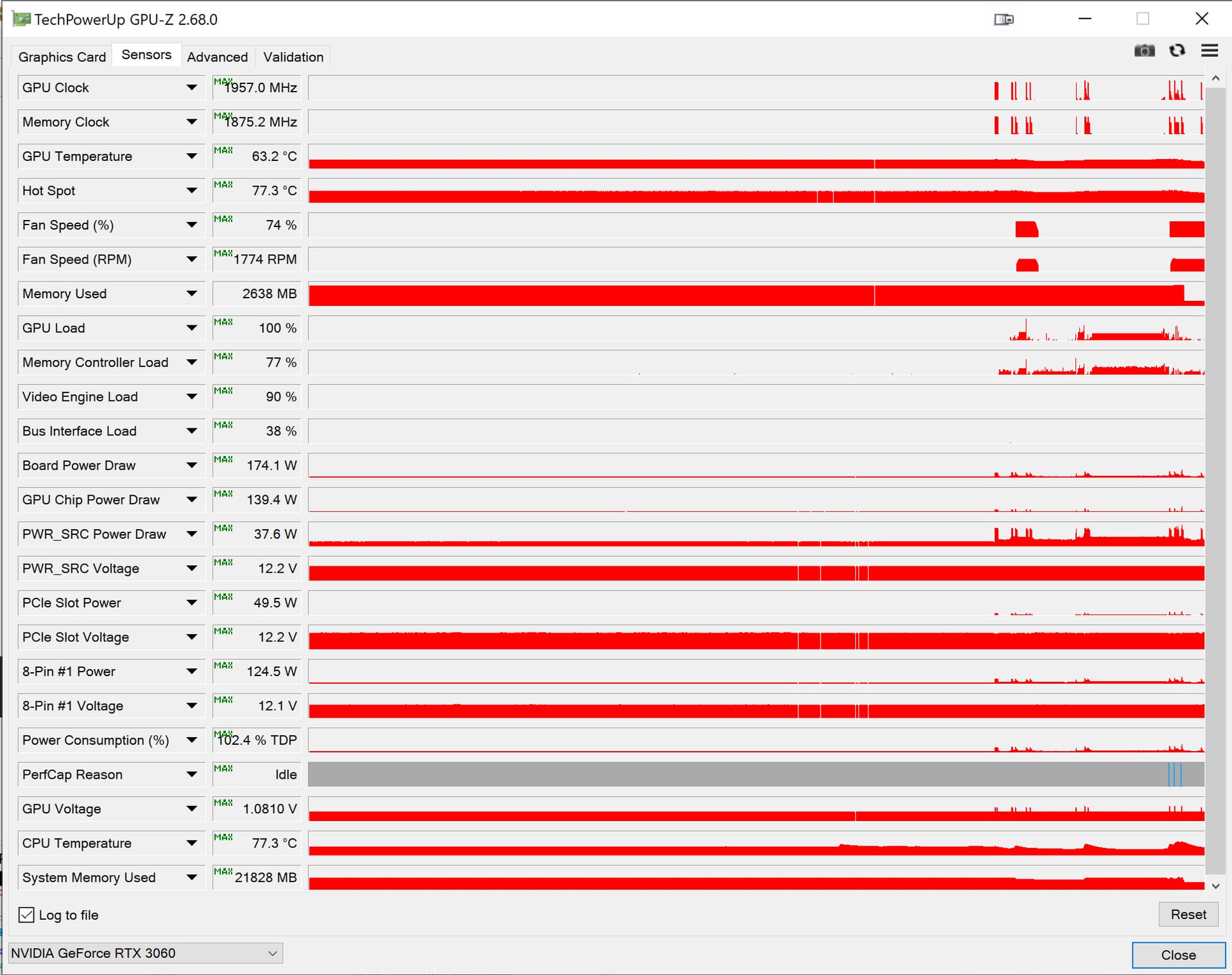
I am sorry but as far as I can tell when PL9.1 takes VRAM for whatever reason it doesn’t relinquish it until
- It terminates
- After a sleep
Welcome to the club. I have got quite a few posts over the last years “held for moderation” or what we will call it. The big problem here has not just stopped with that because in reality some posts have been “buried” for good since the moderator have seemed to forgot some of those posts for good. What I expect is a moderation that just states that these messages are censored and are not going to be published or that they urge me to change some of the text, but what actually happened with many of them was that they just got “buried” for good “officially waiting for an approval”. Maybe it’s just a mistake but for me it is definitely a mistake that ought to be corrected because it just causes unnecessary confusion and bad will.
I think it’s my “first time” so maybe an honour but I wonder what the criteria is - it’s certainly an auto-moderation setting as the post went straight into moderation as soon as I posted it.
Number of times mentioning certain companies perhaps?
An update of the issue with AI masks causing “internal errors” from DXO -
"Hello John,
Thank you for providing the diagnostics. We’ve reviewed the information and confirmed that your GPU is already updated to the latest driver version. However, we understand that you’re still experiencing issues.
Please note that I will escalate this case to our development team for further review, as they are currently working on a permanent fix for this issue. I’ll make sure to keep you updated as soon as we have more information.
Kind regards,
Gee - DxO Labs Support Team"
3 Likes
Appreciate the update, though it sounds like there’s no concrete news.
Why they haven’t put out a public statement about this is beyond me. It shouldn’t be something said only to people seeking support tickets.
2 Likes
Agreed, it’s frustrating and frankly poor service from DXO.
1 Like
I can understand why DXO hasn’t announced anything yet about the AI mask problem.
The expectation is currently very high that something better will come. But that takes time. Only “please wait” slogans are hardly helpful either.
In my personal opinion, DXO has attempted to incorporate an AI masking function into their excellent program for noise reduction and correcting all image errors, which was more a marketing decision than a response to customer demand.
Now they need to find a way to get it back on a positive track.And I believe that not only AI specialists are required, but also strategists and marketing people.
Personally, I can live with that and wait. Also, because the AI part is not the most important thing for me in image editing at the moment.
3 Likes
But they take the money from the customer and keep quiet about the fact that the product is not ready/faulty. This cannot go on…
2 Likes
I would say that (we) customers likely welcome a functioning, rapid masking tool driven by AI. Being able to one-click select a subject, background, sky etc. is a powerful thing.
The trouble is that for many of us it works at a crawl, and in some cases not at all, forcing a hard-restart of the program.
It’s one of their flagship features for PL9.
You’re right that “please wait” statements aren’t entirely helpful, but they are better than what we’re getting now which is so much silence (unless a support ticket is published).
If DxO said “we’re aware of the problems and working on fixes and performance enhancements” then while that still leaves us stuck with what we have, we at least can know they’re aware and actively working on it.
They haven’t even told us that. I can’t think of one company that has been praised for ignoring their customers, and I don’t think that’ll start with DxO.
2 Likes
Hard to say really. I have really hard to see a pattern.
Strange that we don´t hear anything for weeks on what is going on and then they release a new version that is actually worse than the previous. I did not expect that to happen really.
As already said: both Capture One and Lightroom seems to fix this for a “yesterdays configuration” like mine with 16 GB RAW and 8 GB VRAM on a 3060 Ti-card.
2 Likes
I have just tried PL v9.2.0 build 524 and I still get an Internal Error when doing an export to disc.
1 Like
What kind of hardware are you running PL on?
TorsteinH I have a LENOVO ThinkPad P1 Gen 8 with Intel Core Ultra 9 Installed RAM 32.0 GB with a NVIDIA RTX PRO 2000 Blackwell Generation GPU.
The only problem I can think of with this hardware configuration is the amount of vram on the GPU. (8GB?) Anyway, it should have worked!
2 Likes
You can mimic a control point in Lr by combining the radial mask and a colour range mask. Perhaps not so convenient but then you do have the benefit of being able to manipulate the shape of the radial mask in Lr.
Maybe. I remember trying to mimic a radial mask in Photolab using two Control Points but I prefer the real thing like the one in Capture One:-)
3 Likes
This would be so easy to implement I sometimes think that DXO want to limit their success.  I find it frustrating.
2 Likes
Je suis agacé par les problèmes de lenteur de PL9 et par la non-prévisibilité du fonctionnement.
J’ai travaillé une bonne partie de l’après-midi avec ces problèmes ; exemples :
- je clique sur la barre d’onglets Luminosité/Couleur/Détail… et il met jusqu’à 5 secondes pour changer d’onglet ; bon sang, il n’y a rien à calculer !
- idem si je clique sur Plein écran ; avec PL8, la réactivité était très bonne
- c’est vrai sur plein d’autres actions comme de demander un format 16/9 qui ne s’affiche pas ou pas tout de suite.
J’avais déjà noté que si j’affiche des centaines d’images, PL recalcule les vignettes mais ce n’était pas très long avec PL8 puis, une fois calculées (on voit par exemple les couleurs la luminosité ou le cadrage qui se modifie), le changement d’image était très rapide.
Je viens de faire un essai sur un répertoire de 200 images avec PL8 et 9.
et là, PL8 et 9 fonctionnent tous les deux à peu près à la même vitesse.
Que se passe-t-il donc ? PL9 sature-t-il au bout d’un moment sa mémoire et je l’aurais réinitialisé en changeant de jeu d’image ? (je travaille exclusivement en mode projet). Est-ce un problème de mise à jour de la base de données, maintes fois évoqué ?
Pour info, j’ai un MacBook Pro M1 Max sous Tahoe avec 32 Go de mémoire et j’ai désactivé le rendu HQ et DP.
Encore un détail : le raccourci clavier ne fonctionne toujours pas en 9.2 ; un raccourci clavier, c’est quand même vachement compliqué, au moins 5’ de travail…
1 Like