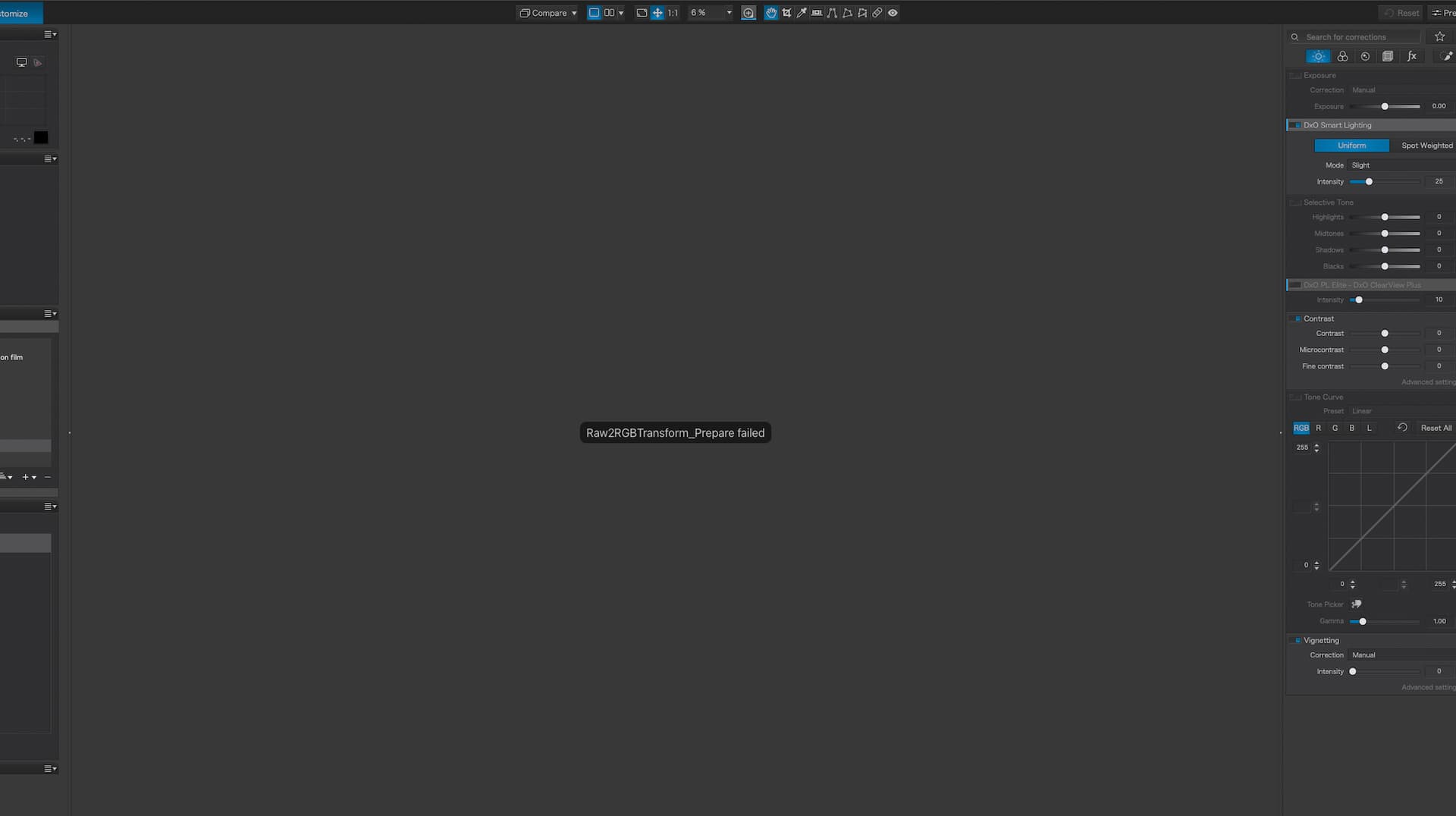
I’ve also been experiencing issues with PL9, coming from PL7 which very rarely crashed or experienced problems.
Most recently, trying to edit DNGs from my Ricoh GRiii (supported camera) doesn’t work. I keep seeing this error over the image (“Raw2RGBTransform_Prepare failed”):
That is true, but people do crop their images. And, if you crop your images more than a modest amount after using Topaz you will end up with a very significant and visible loss of fine detail. Even if you don’t notice the fine detail loss there is the definite effect of smoothing which makes images especially images of people look less natural…
Has anyone with a RTX 3060 Ti had any Ai masking success with driver 576.40? I’ve just back re-installed that previous driver from the 581.15. I can’t test as my trial ran out yesterday.
Rtx 3060 12GB newest driver , no problems at all, except AI automask. All other ai masking works perfect. Easy to avoid using automasking until this is fixed.
Exactly the same situation with my Radeon. Apparently, it has nothing to do with who manufactures the graphics card chipset. After all, the drivers are also different.
Stenis
(Sten-Åke Sändh (Sony, Win 11, PL 6, CO 16, PM Plus 6, XnView))
370
Is there more users than I that also have seen that these premade AI-masks often are leaving halos and pretty sharp unnatural edges and so can also hoovering and clicking do? Sometimes I have felt it looks far better after refining those AI-masks with the now much improved local Auto Brush or Brush or just use the brush carefully from start. Postprocessing animal pictures also often get better hand-panting the animal with the Brush and then copying that mask and inverting it instead of using any form of auto masking of object and background when it isn´t working. If I use that method there will be no sharp edges or halos of auto masking. I think the inverting method gives better results if quality of the results is important.
I´m just trying to be pragmatic - AI-masking is not necessary best in every given situation especially since we now have got very much improved Brush-tools. I feel the upgrade to version 9 is almost worth it just because of that reason strangely enough.
I agree that AI masking is not always the best solution. I have often edited an image and been dissatisfied with the result. Then I started over and used different tools. Experience teaches you to know the tools and use them correctly.
By the way:
Why do we still take photos? Shouldn’t AI create the images directly? Then we wouldn’t need to do any post-processing.
The normal brush / eraser (Alt + …) is not improved.
I’m still missing an option to paint (draw) straight lines … w/o AI needed
(1st mouse click, press + hold a modifier key, 2nd mouse click to connect/create the straight line).
And for curves, simply use short lines to approximate.
2 Likes
Stenis
(Sten-Åke Sändh (Sony, Win 11, PL 6, CO 16, PM Plus 6, XnView))
374
One thing I really wonder about is the path Adobe seems to have taken. I ´m fine with Photoshop getting all this AI because that is a tool for creators but if Lightroom also will get these tools I think it will blur the lines between photograph postprocessing and something totally different. I think it is good as it is in Photolab and Capture One still. Hope it stays that way. It is also good to keep photography tools clean from generative AI just because avoiding to compromising credibility to much.
1 Like
Stenis
(Sten-Åke Sändh (Sony, Win 11, PL 6, CO 16, PM Plus 6, XnView))
375
I think my workflows works really great now the way I use Photolab 9. I feel there is nothing that I can´t do that I want to do with my pictures.
When exporting a lot of animal pictures using the hoovering - click selection - method with Sony ARW RAW, without using the premade AI-mask presets and having around two-three masks per picture and the Deep Prime 3 activated I get an average export-time of 6 seconds. If not using layers at all with a RAW-export just using normal editing tool without any AI but still using Deep Prime 3 it just takes 3-4 seconds in general to export, and that is half the time it used to take with Photolab 8 and Deep Prime XD2s.
I’m comfortable with AI removal tools as it can be invaluable to remove minor distractions from an image (e.g. a tree branch).
The generative stuff I’m not so sure about. I already see people on social media swapping out their sky backgrounds for glorious fake sunsets, or a sky that simply wasn’t there at the time. People lap it up because it looks pretty, but it’s fake. That doesn’t sit comfortably with me.
Right now generative Ai is killing photography and it is doing it fast.
Stenis
(Sten-Åke Sändh (Sony, Win 11, PL 6, CO 16, PM Plus 6, XnView))
378
Using the Retouch in Photolab or AI in Topaz to delete unwanted objects is not all that different - we exchange pixels in both cases. Swapping skies seems to be very popular but it doesn´t stop there does it
That is true, and I am OK with deleting unwanted objects, especially if your photography is creative or doing so doesn’t undermine the nature of the image.
(The ethics of doing it for photography intended to report something historic/journalistic is another kettle of fish!)
But yeah, far less keen on the extreme end of creative/generative AI for photography. I don’t mind if you want to call it “digital art” but not photography.
1 Like
Stenis
(Sten-Åke Sändh (Sony, Win 11, PL 6, CO 16, PM Plus 6, XnView))
380
Before in the analog days I considered myself being very much “documentary” but it is hard to claim that I think with digital postprocessing these days but what is the real difference between picking up a disturbing old Cola-can before taking the picture and doing it in postprocessing? The picture may well look exactly the same - if not examined with a looking glas or in 200%.
I’ve recently gotten into car photography a bit more - nothing professional - but part of it can involve e.g. cleaning up the odd leaf or stone from the tarmac in front of the car.
I guess that’s whitewashed, as you say, but it makes for a cleaner image. In the case of that car photography though, I make no claims of being a documentary journalist.