You have mentioned game drivers, Many of us here do not use game drivers because they are sometimes less stable than the Studio drivers which are generally tested more before being released. I am using the 572.83 Studio Driver, although at this point these older drivers are probably identical ,
Both 572.83 and 566.36 were Studio drivers. However, in theory it may happen that some “game” drivers are more stable than “studio”. NVIDIA has monthly release cycle for studio drivers, probably freezing new feature introduction for a while, but sometimes the very next “game driver” may fix some studio driver problems without introducing too many bugs on its own. IIRC, I’ve seen it happen, when I was hit by a bug which reported wrong temperature after waking from a sleep – first fix for that was in a game driver. BTW, dealing with waking from sleep mode, including sometimes OS black screens, is a never-ending problem, it seems.
Stenis
(Sten-Åke Sändh (Sony, Win 11, PL 6, CO 16, PM Plus 6, XnView))
345
I think a lot of us has might have developed expectations on Photolab 9 that might not synch all that well with reality not just when we look at Photolab but in general when it comes to AI-driven masking and high end noise reduction and sharpening features. I’m just thinking of how slow a software like Topaz is when performing its magics in real time.
With my three years old PC I have no delays scrolling fast through my pictures now in Photolab 9. When stopping it takes 1 max a couple of seconds including Deep Prime 3 rendering in real time for a a preview to shine! In Topaz it takes a looooong time normally and that might be fine concerning the results -sometimes
Also, with the AI-masing with presets. Before I could spend an hour trying to refine an animal portrait with the brushes in Local Adjustments. Today just hoovering and a click and probably even a better result instantly but we have nothing good to say when it takes 2-3-4-5 sekonds for a premade AI-mask preset to get a mask done.
The only thing that takes real time seriously is opening a folder in Photolab that contains a lot of pictures but even that can be handled by using projects or an external DAM for instant external searches and we can even use any external even free software like XnView or the filemanagement in a PC or Mac.
There are simple ways to speed up our workflows if we are open for them and not just blinded by all sorts of frustrations that might not even have Photolab as the original source.
It is fair to say Topaz is slow to work its magic - you’re right there! I would make one distinction though - it’s pretty quick to boot up its AI masking tool (whether it’s set to subject detection or user-powered object detection via clicking on something, much like PhotoLab’s similar functionality).
I do have small delays scrolling through new images (in PL9.1) but credit where it’s due, it’s an awful lot faster than I’ve observed in previous versions so they’ve done good there. I would say that scrolling through edited images is very slow still for me. It takes a while to generate a preview for any image I’ve worked on previously. I’m not sure what’s going on in the background but it feels like no preview is cached between sessions.
It’d be really nice to click a button “generate previews” and have it work through the whole folder generating fast previews for five minutes that I could quickly jump in to. I’d go and make a cup of tea or something.
And - as you say - clicking on an object in AI masking generally does a good job for me too. It’s fairly rapid (although it takes a little while to “boot up” and allow anything to be selected when first enabled).
It’s not all bad news with PL9. There’s some great improvements (I love the auto-brush where previously I never used it) and performance improvements too. It’s a shame that AI masking doesn’t entirely work but that doesn’t mean I think the whole PL9 program is a bad thing, it just needs… quality of life time spent on it.
Having tried the trial (my copy expires in 2 days) I don’t feel I’m in a rush to hand over money yet.
That’s a fair summary and like you my trial ends in two days. I too see no reason to rush for the upgrade notwithstanding the improvements
3 Likes
Stenis
(Sten-Åke Sändh (Sony, Win 11, PL 6, CO 16, PM Plus 6, XnView))
348
I did upgrade Photolab a week ago and I´m fine with that but I do hesitate to buy Filmpack 8. I think I will have to take it on a testride with a bunch of repro-photographed color-negatives.
I cannot downgrade due to the Nvenc memory leak issues (2-3 times a month leading to complete system lockups). This is fixed in 581.29+.
I’m currently using PL9 only (on a limited basis) as an advanced version of PureRAW (better lens sharpening) to batch-render DNGs with optical corrections only; then ACR or C1 for the actual edits - AI masking is one of several features that don’t quite work right, it’s just the icing on the cake that makes PL9 more useless besides as a pre-processor. If PureRAW had the same advanced controls for what it does (including EV adjustment in preview), I would never open PL9.
1 Like
Stenis
(Sten-Åke Sändh (Sony, Win 11, PL 6, CO 16, PM Plus 6, XnView))
353
I can verify that too. I gave both 581.29 Studio and 581.42 Gaming a try just to test but it did not do it at all. I downgraded to the 572.83 again because that works without problems as I use it.
I think still it works fine now for me if I just avoid using the premade AI-masks. Even if I succeed in using the premade masks it is so much more demanding for system resources when exporting, printing or rendering previews with Deep Prime 3 too that I will not go there.
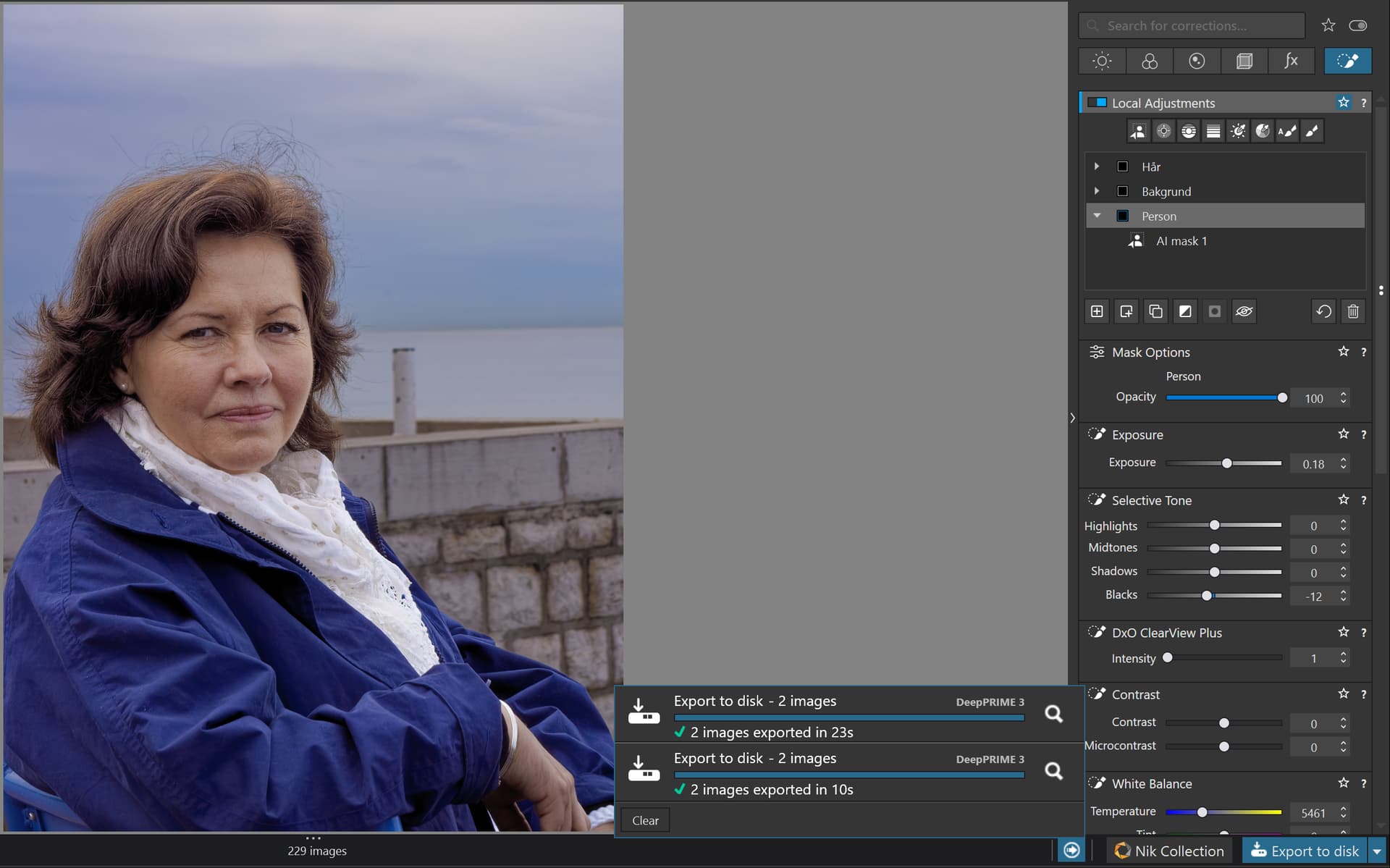
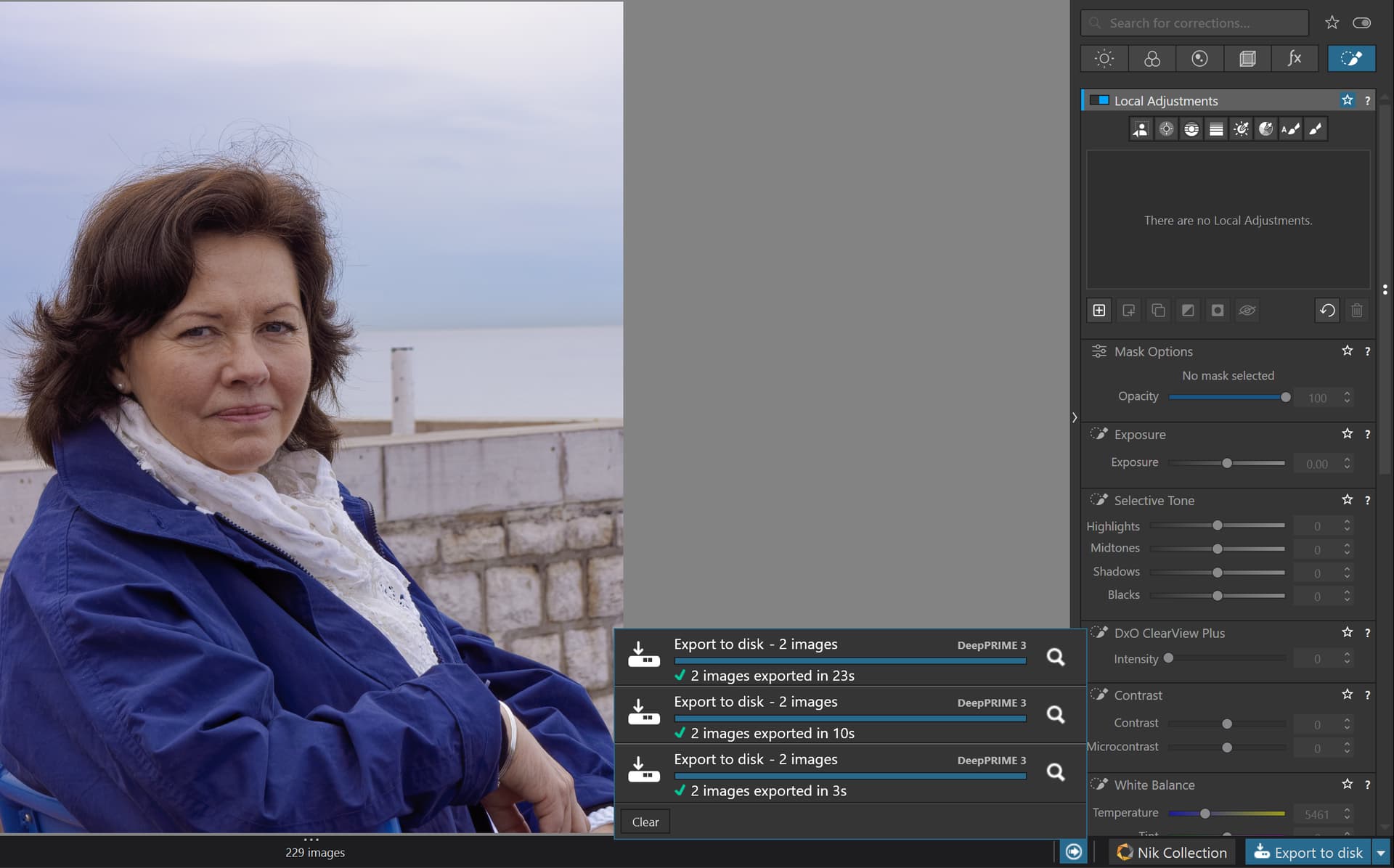
I reinstalled the 572.83-driver and the export now of my test picture now took 23 sec for one 24 Mp and one 4K JPEG. This picture contains three masks. One for the person, one for the hair and one for the background all applied freely with the hoovering select method. When I reexported both pictures were exported together in 10 sec. That is OK for me.
The last thing I did was to restart both Windows and Photolab to clear all caching. Still the export of this picture, which is an old NEX 7 24 Mp RAW-picture, took 3 seconds with Deep Prime 3 activated. So, for me it absolutely looks like Deep Prime 3 is a little faster than Deep Prime XD2s. For the record it is also quite a lot of adjustments done to this picture even before the masking was done in the first example. In the later ones only the masks were deleted.
I understand the conundrum you’re in and have no solution for you other than waiting for Nvidia and DxO together to fix the driver issue. I assume you’re using the Nvenc encoder for either gaming or streaming. I don’t think that most of us on this site are gamers so reverting to an earlier driver that works is probably not a big deal unless they’re using other software that has issues with older drivers.
I’m using Davinci Resolve … Not a gamer (-> Studio driver). There are other tools besides DXO PL, the ask to compromise your system’s stability to make it work is a bridge too far (for me).
No argument. It comes down to choices and what is important to you.
Mark
1 Like
Stenis
(Sten-Åke Sändh (Sony, Win 11, PL 6, CO 16, PM Plus 6, XnView))
357
As I have written before there is both a learning curve not just with Photolab 9 but also to AI-functions in general for all users. Application local AI is generally faster than using an AI-API over the net BUT there is always a price sticking to local solutions and that is that we all sooner or later will bump into demands to high for the system resources available locally. A lot of Photolab 9 users/testers have experienced that already and facing that you have the choice to upgrade or use another software that suit your gear better. In Photolab we do not have the possibility to hook up to any external AI-API resources (free or commercial) BUT, that is a situation shared with other softwares too.
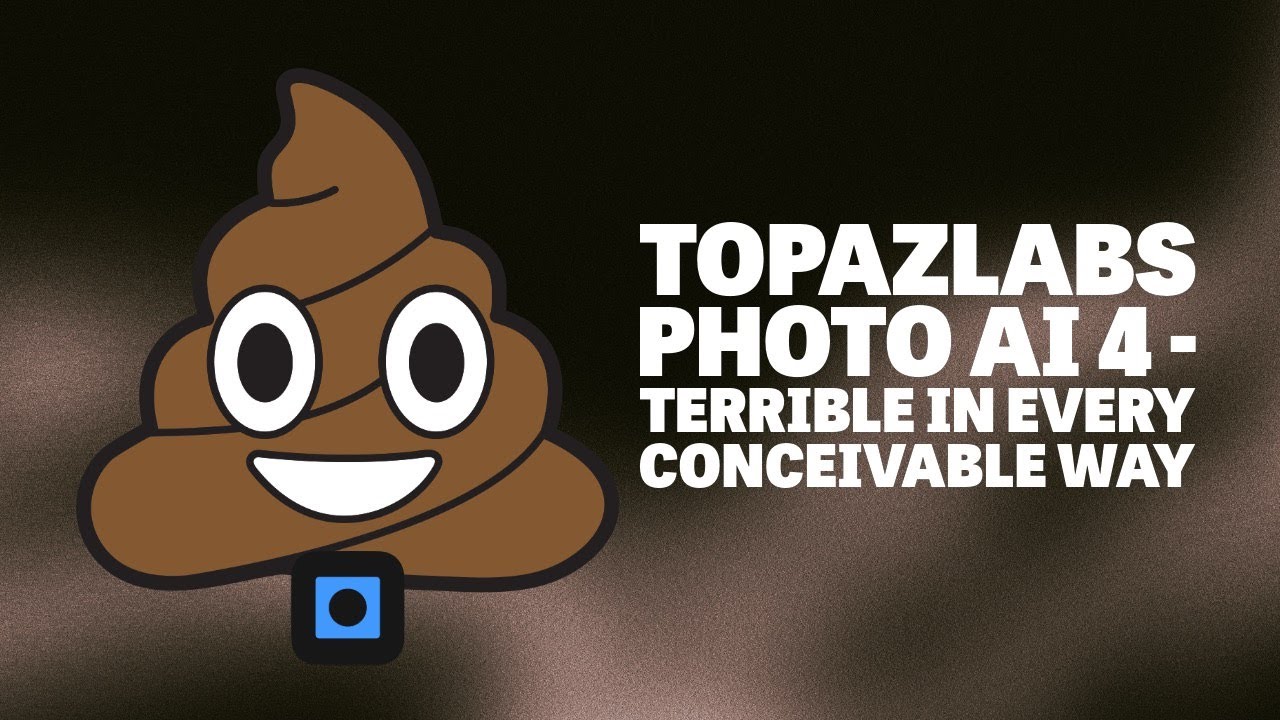
Maybee you will find Andy Hutchinssons review of the release of Topaz Photo AI 4 in May this year enlighting. Andy H is one of few competent software reviewer with integrity enough to write what he sees and thinks. I have version 4 of Topaz Photo AI myself and can just say I agree 100% in what he is saying. Maybe it can give some here a broader perspective of software releases in general and application specific AI-tools in particular. Photolab 9 is far more polished than Topaz ever have been and when using Topaz you are litterally paying for beeing a part of Topaz Beta-test team.
There is an AI-API cloudservice for example when using a function called “Super Focus” that was litterally marked as Beta in earlier version 3. Now you have to pay for it and it is pretty expensive too.
For those who need newer nVidia drivers, this isn’t fun. I’m fortunate to be one who has been able to stay with the recommended workaround driver since it was released. Now that PL9.1 is out, I’ve decided to give it a try. So far, no instabilities or errors. It’s performing very well with my RTX 3080. But I’m just getting started. I’ll be spending more time evaluating this release than I have previous releases. Even waiting for PL9.1 was unusual for me - but I’m glad I did.
I absolutely agree with the video. I have Topaz Sharpen AI. At first glance the results it gave me seem incredibly good but that was until I recently compared them with the same raw images processed In PL9.
When I zoomed in to the Topaz processed images I saw that virtually all of the very fine detail was smoothed over and in many cases was no longer visible. The results at first seemed very pleasing but at what cost. I checked over 100 images I had processed over the summer and realized that the Sharpen AI results were like a magic trick that misdirects the audience so they don’t see what is actually happening, that is, of course until you look behind the curtain and see that the magician is just an ordinary person and not a WIzard after all.
I was really angry at myself for falling for the promise of AI as used by Topaz. I have since deleted all their software. I suspect that many users, especially those who are less experienced or have lower expectations, would be very pleased with the results but I have learned my lesson. Unfortunately it seems that this is the direction we are heading, into a world with lower standards to meet the lower expectations of the general public.
It is not just Topaz that is the problem. I have owned and updated licenses for ON1 PhotoRaw since the 2018 version and have noticed something similar. Since pre AI, ON1 only allows users to zoom into images up to 400% and I know why. When you zoom into their exported images at greater zoom levels in other software you quickly see that they start to fall apart with smoothing and an incredible loss of fine and very fine detail compared to the same images processed in PhotoLab. Most users probably don’t even notice the degradation which is sad. It is shocking that some professionals claim to use ON1. The sharpening and noise reduction is abysmal.
These are only some of the reasons I am very loyal to PhotoLab despite the many valid complaints and criticisms . Rant over.
I neither defend Topaz, nor its recent ham-handed switch to the rental model. Topaz Photo AI is a very, very poor RAW editor. Andy is right about that. However, the usual workflow here is to edit RAW files in PL, then export either linear DNGs or TIFFs to TPAI, if needed, for sharpening and/or upscaling. There, TPAI can do an excellent job if care is taken with the settings. Ditto for linear DNGs or RGB files from other sources, scanners, etc. The TPAI remove feature also gets my honorable mention.
That’s what I found myself using Topaz for. I’d not replace PhotoLab with it, but it’s potent for dealing with issues in motion blur etc. if used sparingly and correctly. Full disclosure - I’m not using all the tools (e.g. dust and scratch removal).
I’d re-evaluate if I were trying to create images for people who pixel-peep past 400% but the vast majority don’t do this. My main concern would be; “does this look good printed to a reasonable size, and on a screen?”
I’m getting away from myself though and would like to clarify that when I’ve mentioned Topaz working where PhotoLab has not, I refer to its AI subject detection. That works very well for me where PhotoLab throws errors.
(Sneaky Edit) Just to say though that Andy Hutchinson is hilarious in his Topaz review and I can’t fault his examples - as I say my big point with all this is the AI masking, not that (Topaz) is a fantastic product through and through!
Now ‘we’ ‘pay the price’ of AI. Not just us as users, but also DxO itself. Users with their nerves, time, may buy a new GPU, and may lose a bit of trust. DxO with some reputation, and i don’t want to be in their ‘head of test department’ position.
May ‘we’ underestimate of AI issues and requirements.
Seems AI may ‘not come cheap’ in the end of the day.
Personally i expect few quality and especially performance issues (especially in older machines), but nothing very serious (may just slow and less responsible)
As DxO come to the “AI masking game” may few thing need to be iron out - at least i expect it. Like AI model (masking) size and performance I guess DxO choose AI model (and engine) what they think is great and good quality, may also some more future proof / easy to upgrade. But its need some GPU VRAM, not just a few GB. Others like LR has more time to tune the masking AI size (trim down)
I guess as few AI mask quality issue, like ‘Sky’ frankly not the best (at the moment) - DxO well aware of this ( i think its impossible to not see it), but they may think users work around with chrome/luma masks until mask AI is tuned. I think that’s one sign the release its rushed. But for business purposes they ‘need’ to put ‘Sky’ model - as other hand reviewers noted: ‘But no SKY preset!’
In other hand i just amazed how good AI mask works in some cases, example: glass surfaces (glass cubes with very high exposure, just near visible, but maybe cubes and similar square objects is easy)).
Hardware requirement (GPU VRAM) is some way a real world problem - especially if you not in the budget (to upgrade GPU), or use older notebook. And that’s a pain point.
Anyhow, premium software and feature may require good (powerful) hardware.
However in CPU mode works fine - what is good. Of course performance as-it-is the CPU (and memory) speed (see previously ‘no budget for new GPU’)
I think nVidia driver issues is serious flaw on release, but may not the way as think first. DxO describe workaround (driver downgrade) for nVidia relatively fast, and provide new version. What nice.
However, i think the communication of the things may can be better. I don’t know how can be communicate good, i think with some relaxed way. Real world testing may has some serious problems or under powered. May they concentrate more on AI quality as much as possible, and hope other like hardware and driver issues not raise too much cases.
May they rush too much to release.
I also think (or at least as i see the forum comments GPU VRAM amount and problems is not really consistent.
We get a few nice thing on PL9 like AI Auto brush (what i really miss from ages), and even that is a big step.
Frankly, in the ‘beginning’ i try to ‘debug’ the things, like GPU VRAM amount and PL9 behaviour, but i lost after a while., Many thanks for forum colleagues whom take care of that, like @BHAYT and others, to collect experience and helps out others, and I think its great!
Overall i think the release was a bit to rushed. I not say its not ready, but rushed. And also ‘we’ learn the AI ‘price’.
I know its not relaxed some of us, but that’s what i think.