Exported images are blurry and distortion is not corrected.
Preview in PL is ok.
You should test…
The same problem has also been reported on the latest release of version 8.
Both must share the same Export code/logic.
1 Like
Multiple threads on this. Report it to DxO. If they get a lot of reports they may act quickly.
My thinking is the lens correction module is not applied on export, which if true could be a relatively easy fix.
No such problem here, but I’m on Win11 24H2.
Yes, same problem here (macOS sequoia) 
indeed on this one I am inclined to agree.
Checked some files I exported yesterday all with 9.3.
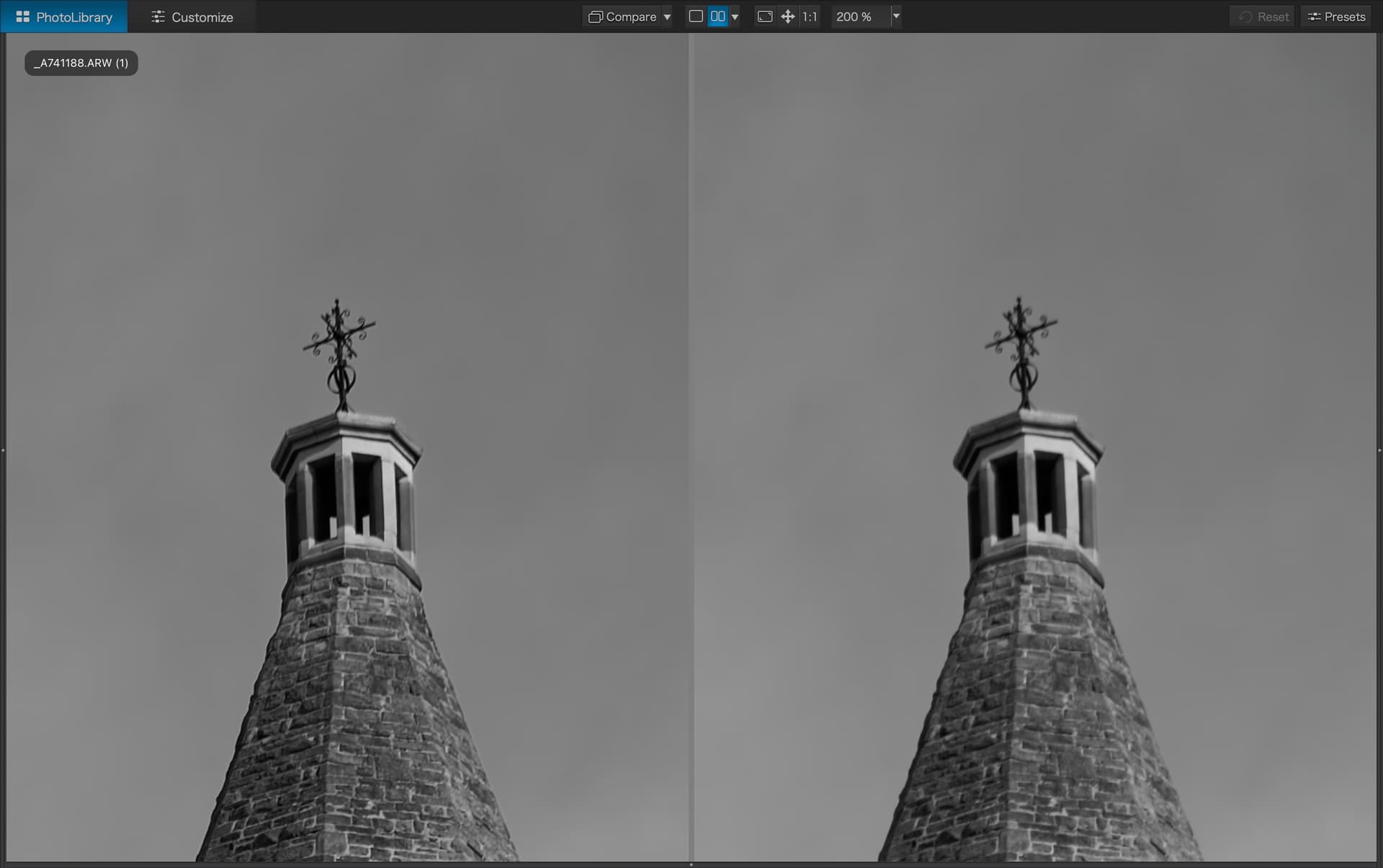
Of the files I exported only one is good or at least unnoticeable but that is one of my daughter so I won’t share here however here’s two that are noticeable at 100% which is passable but not acceptable and at 200% where its obviously softer and lacking the detail of the edited raw.
Raw ‘edit’ on left processed and exported jpg on right.
100%
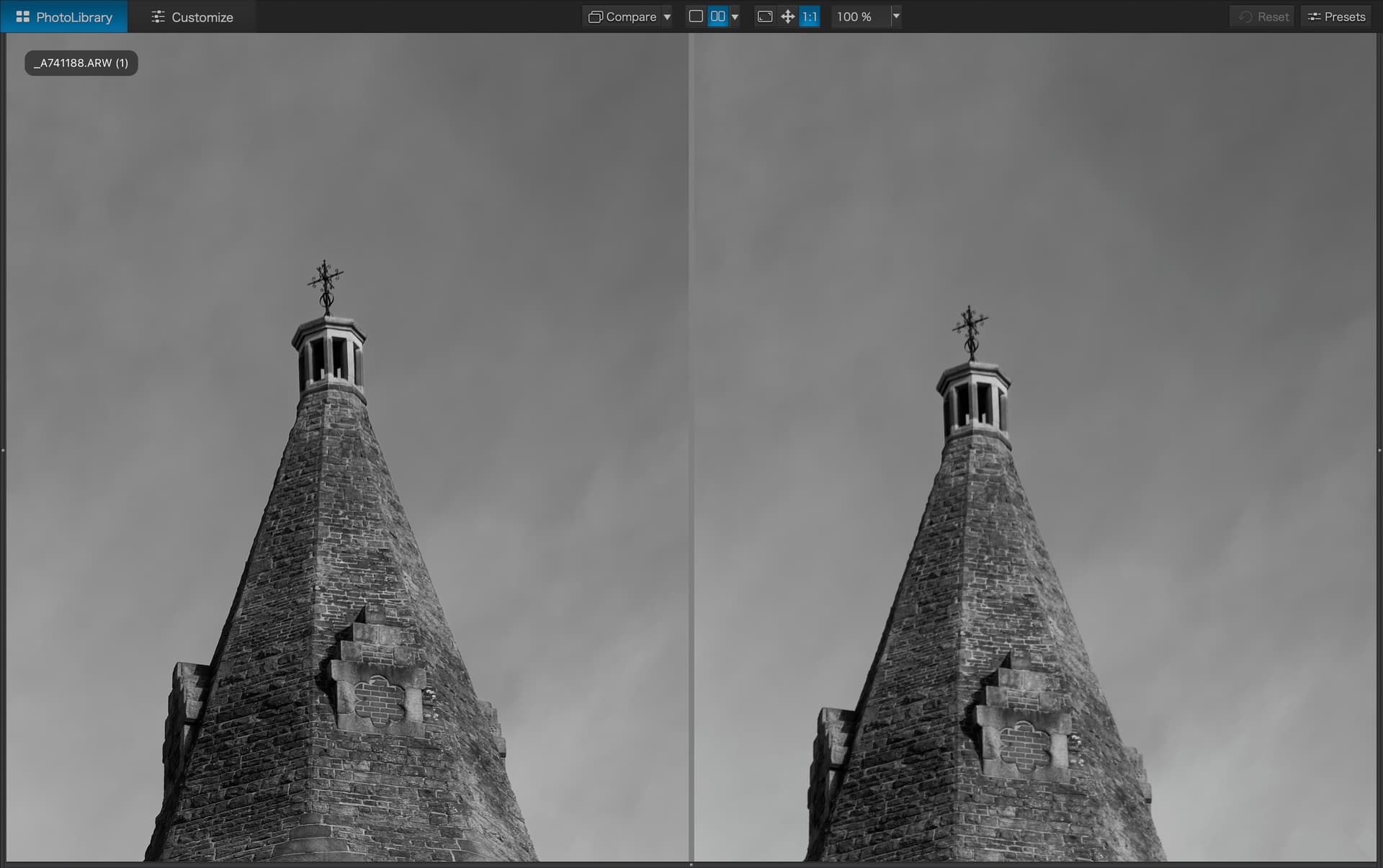
200%
100%
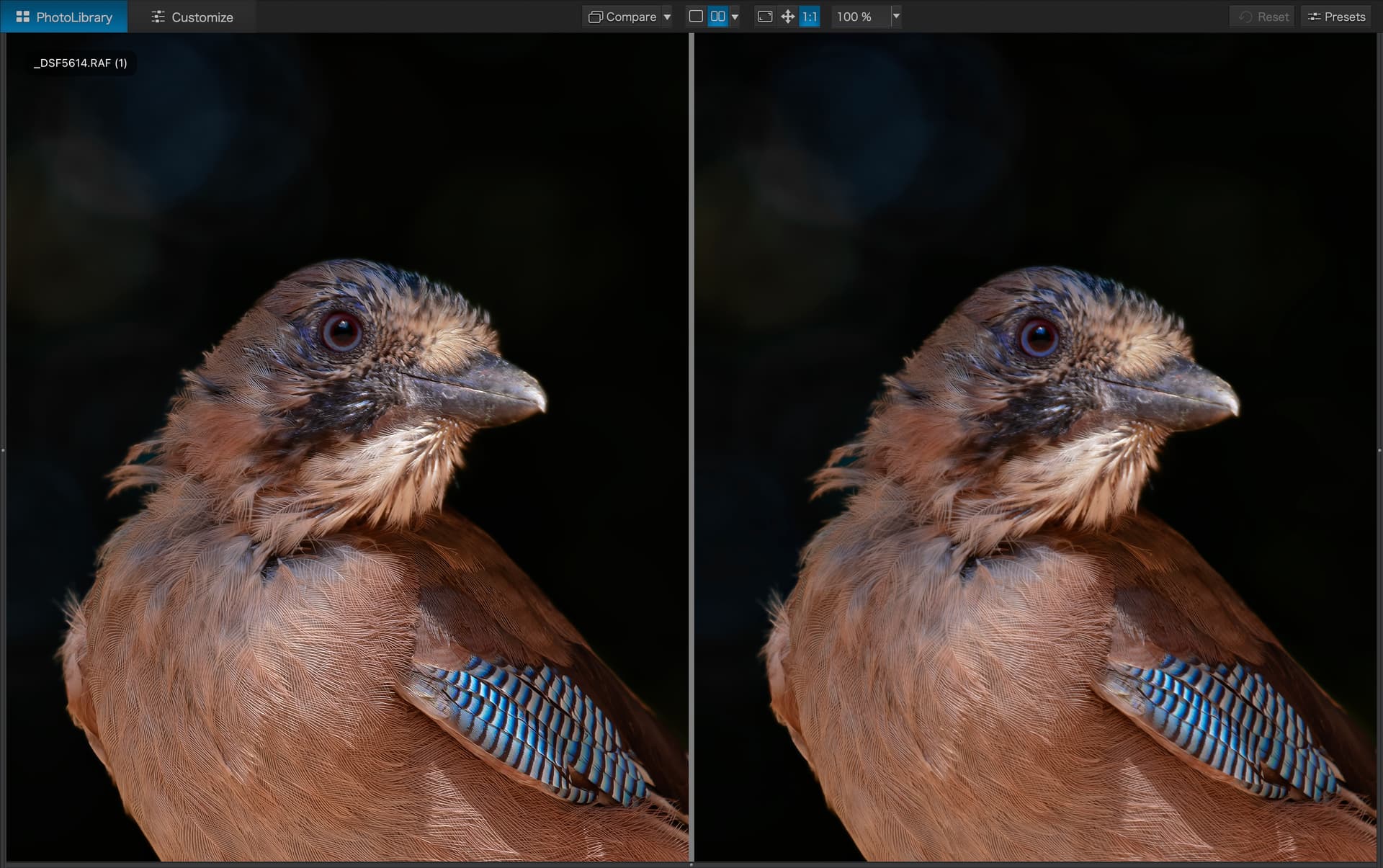
200%
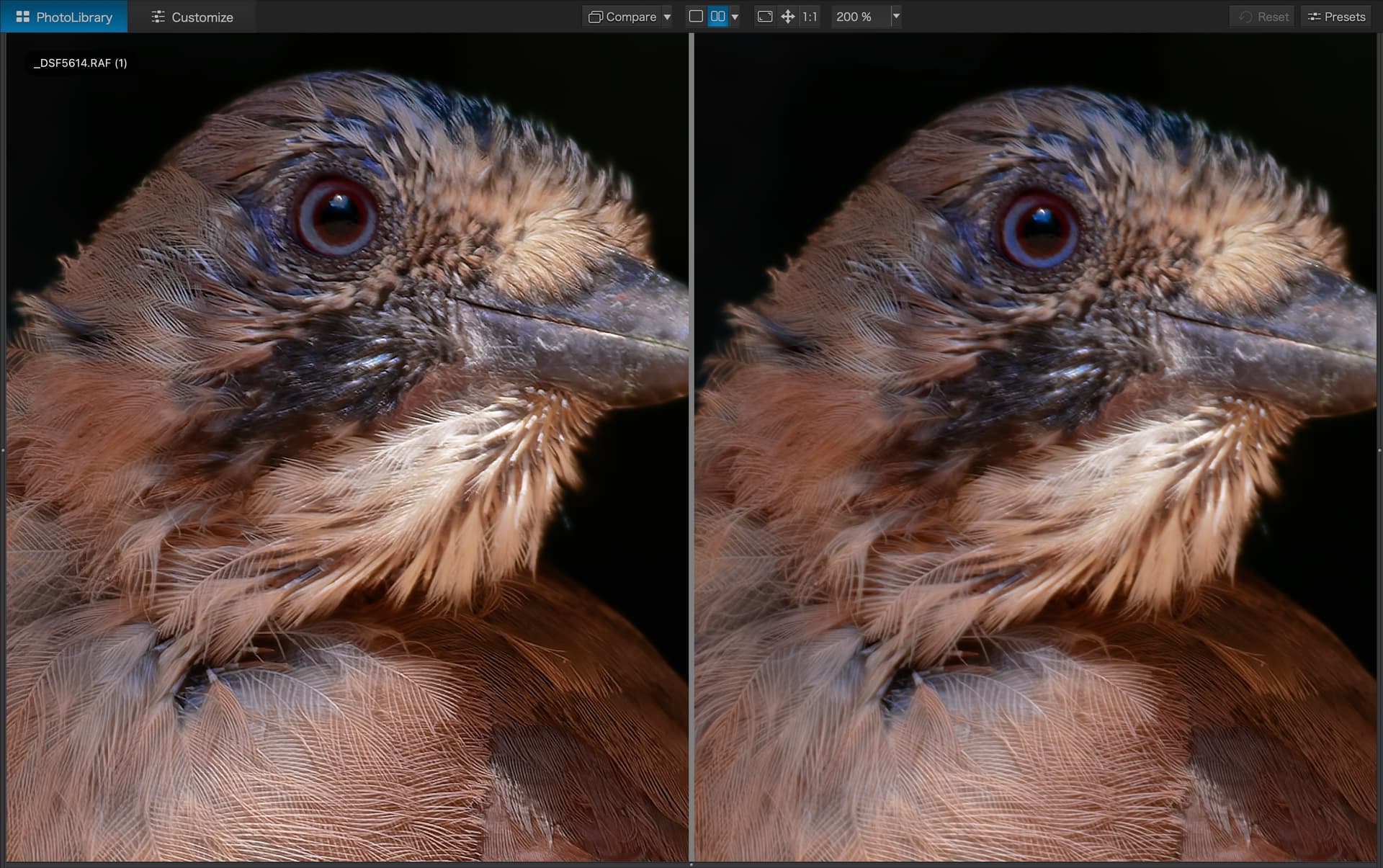
Not good at all really. It’s no good having a ‘great’ (you can argue elsewhere regarding the issues some/a lot are experiencing in other areas) raw editor if it can’t then export those files correctly.
As someone who fortunately wasn’t experiencing those other issues and went ahead and purchased PL9 (9.2 was my download version which now annoyingly I didn’t keep a copy of) this has made me wish I had waited until my trial was nearly over. Shame.
1 Like
I don’t see any obvious sharpness difference (yet) but I do see that the distortion is different.
Using Kaleidoscope, comparison of image, exported from 9.2.1, with copy also exported from 9.2.1…
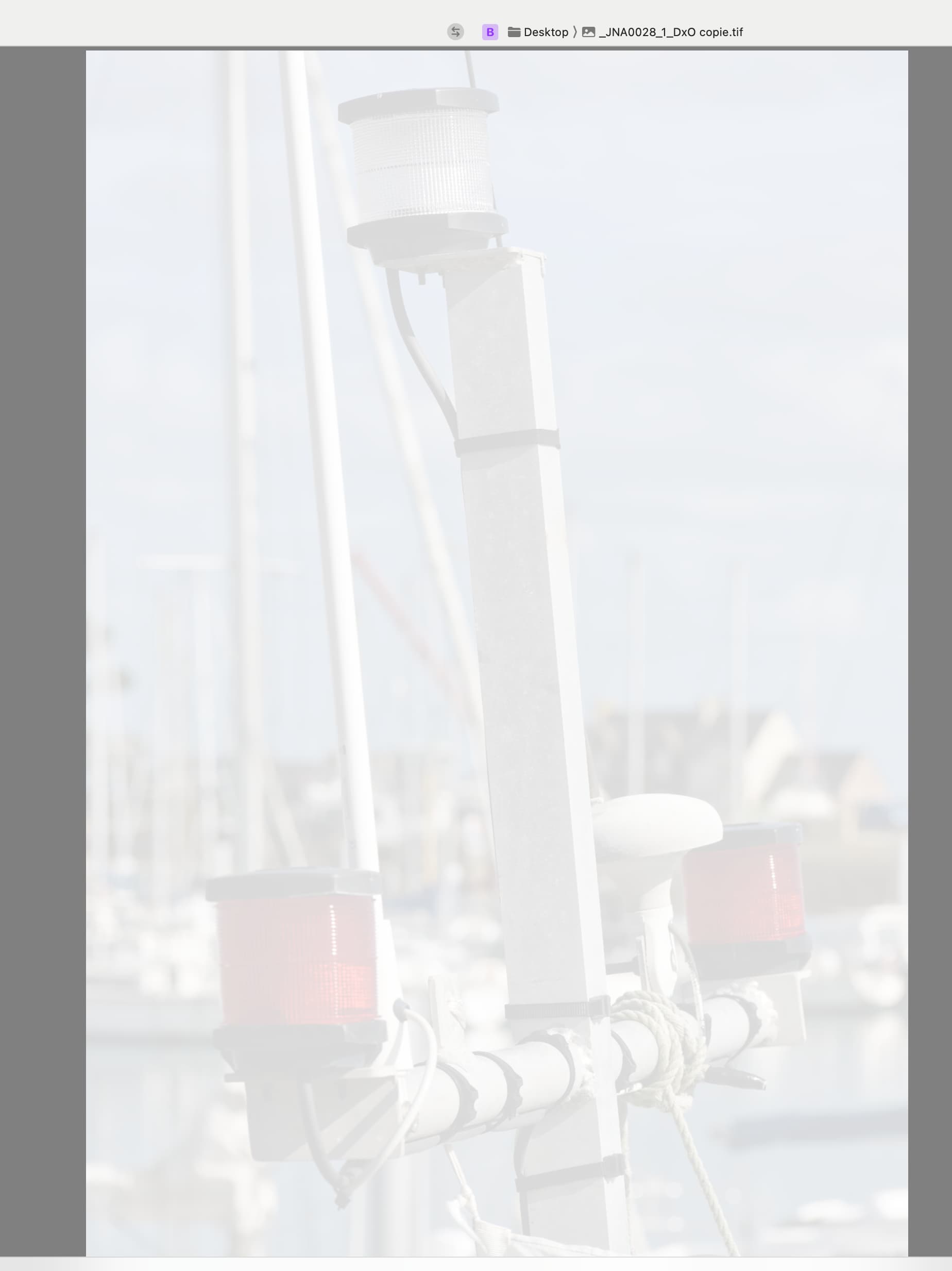
Comparison of image, exported from 9.2.1, with copy also exported from 9.3…
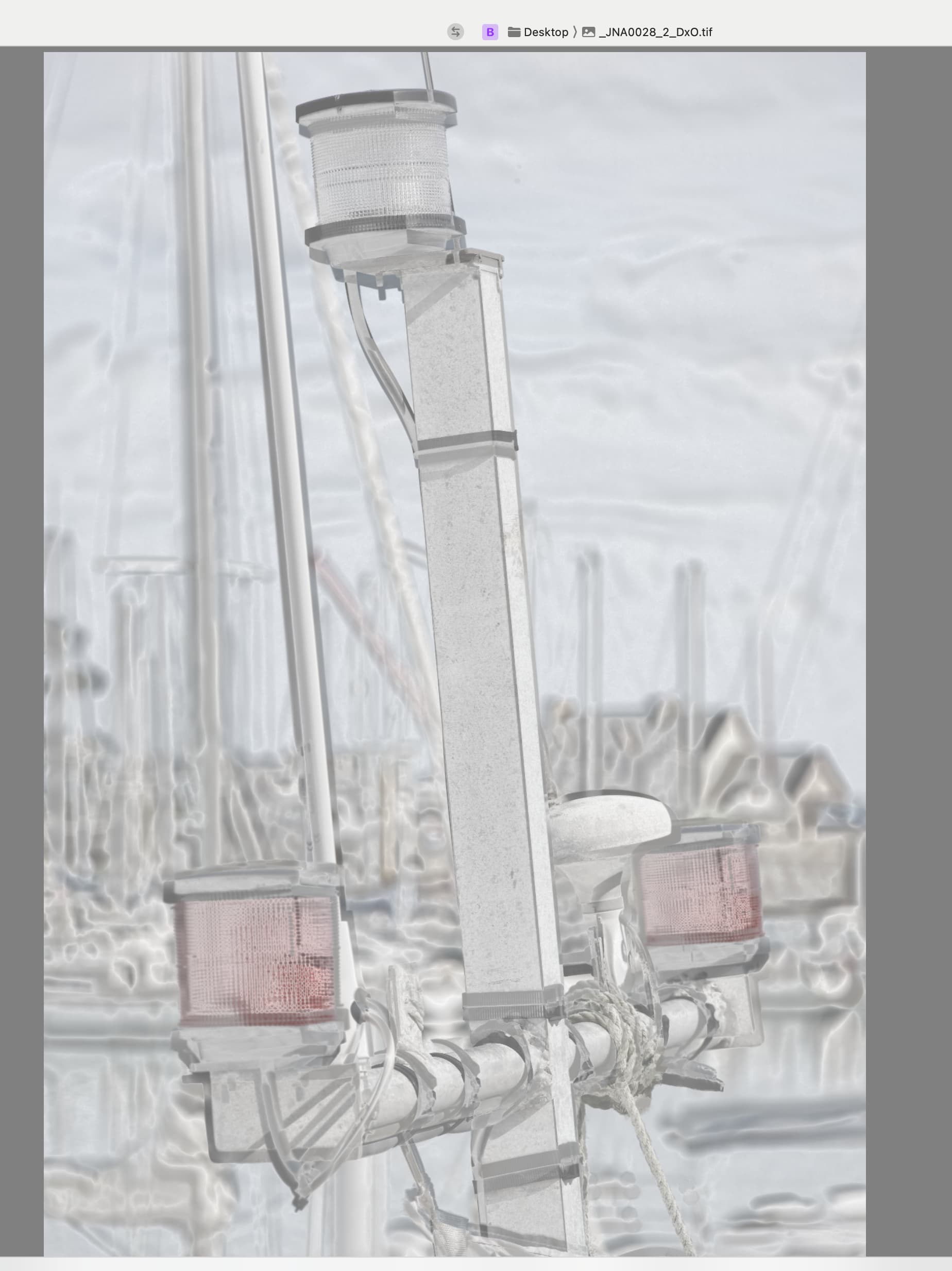
Same issue for me on Sequoia.
I’ve placed a ticket to support.
Probably wishful thinking but be nice if DxO would allow a means of downloading previous releases for situations such as this.
Going forward I will start keeping a copy of ‘good’ releases just in case.
1 Like
Indeed. This is something several of us have been doing for many versions.
The procedure is to copy the app bundle and rename the copy to the old full version name. In this case, PhotoLab 9 copie.app becomes PhotoLab 9.2.1.app.
Then run the original version PhotoLab 9.app and allow the upgrade.
If you have already run the upgrade before doing this, you should be able to recover the previous bundle from your Time Machine backup.
1 Like
Yup. I’ve absolutely kept copies of the last “good” version for situations such as this.
One thing I’m not clear on - on Windows at least - is what happens when DxO updates their AI library models (the bits that are downloaded during installation, rather than the OG PhotoLab executable).
Does an older version download older AI models / add-ons? Or do they over-write those and only make the very latest ones available?
Is there any likelihood of compatibility issues if we’re trying to run the latest e.g. 9.3.0 AI models on version 9.1?
Is it impossible to run the latest AI models with an older version, as it’ll always look for the AI model it was told to look for?
And indeed… what happens if DxO decides to stop hosting an AI model in the location PhotoLab is looking for it when it installs? Does the install fail?
Should we be backing up AI models as well as the PhotoLab executable?
I have weekly differential backups of ALL of my system dating back almost 12 months both on cloud and my NAS… Stuff like this is getting more and more frequent…
1 Like
If only I had that kind of storage space!  My main issue on my Windows install is how to actually find the AI models in order to back them up. I’m not sure where PhotoLab puts itself (not just the initial install folder, but I feel it’s deployed elsewhere too).
So it’s not just as neat as zipping it all up and dumping it in an archive… not that I’ve found, anyway!
Backblaze! Quite affordable, compared to other options!
I am running test RAWs through PL7, PL9 and ON1.
As it stands PL7 is winning but I suspect because I am more used to it. ON1 is very close behind and I am still going up a steep learning curve there. PL9…………….. it’s disasterous. Without using any masking, the results are nowhere near as good as PL7.
Bearing in mind that the X-Trans DP should produce great results for my Fuji……. it simply doesn’t.
I’ll take a look, thank you!
Here are example file. The first is using PureRAW 4, with perfect results (seems unaffected by what is going on with PL 8); second is the PL 8 processed DNG, showing less noise than the RAW but clearly more softness; and the last is the RAW. All are cropped heavily.
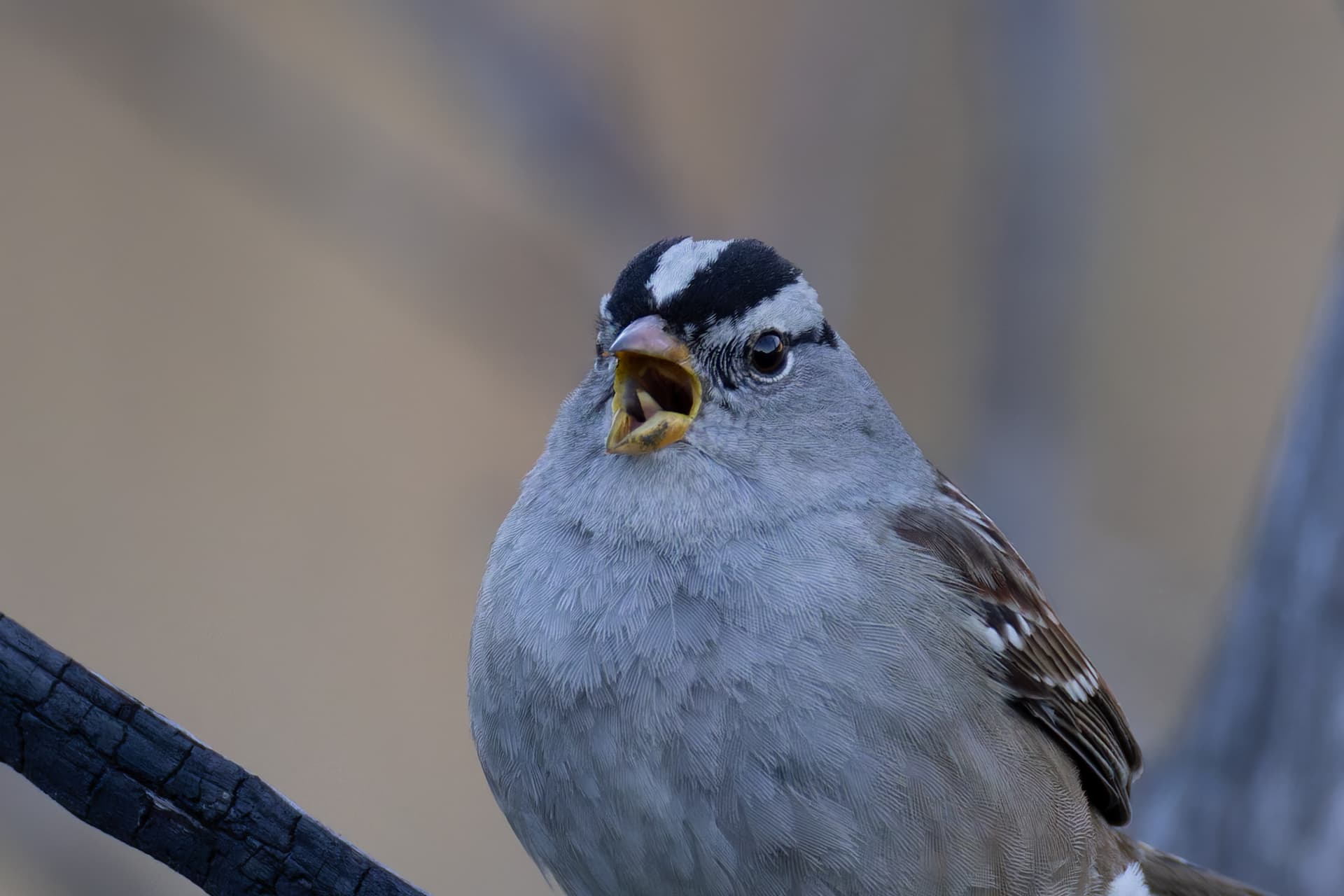
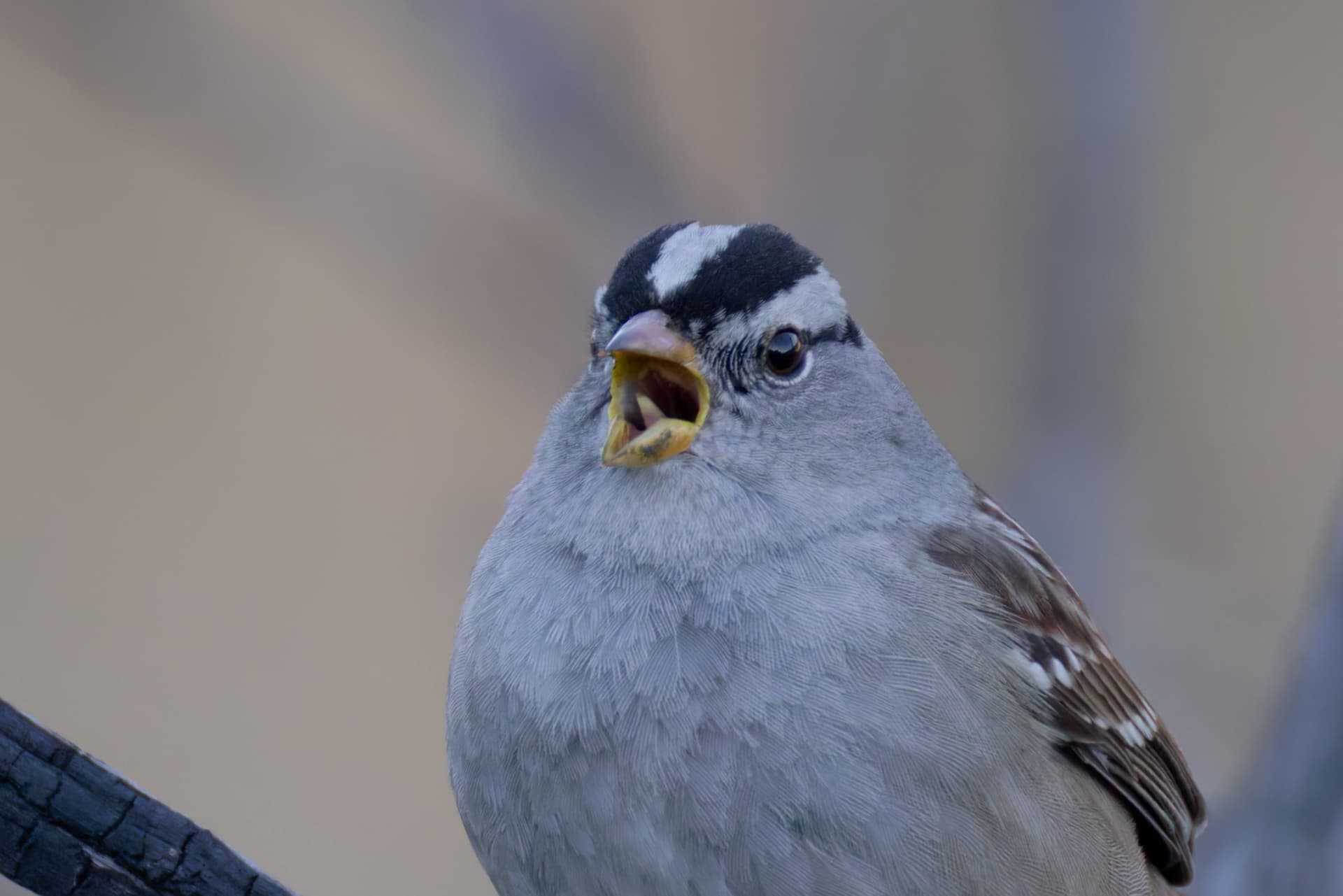
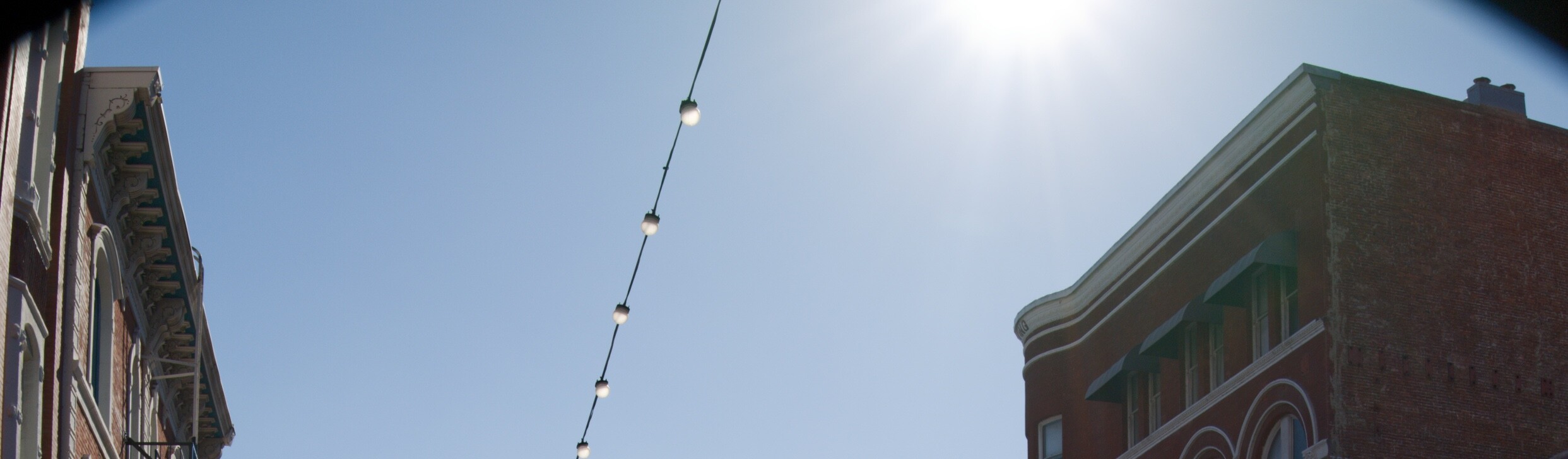
I’m having the same issue since the upgrade. macOS Tahoe, 9.3.0 build 33. The preview looks fine within the application, but now my exports are getting nasty vignetting.
Wow, that looks bad. Well if you report it, it might get looked at before PL10. Then again….
If you have a naturally sharp lens, the difference won’t be so obvious. Find a shot made with a cheaper lens that benefits more from LSO.