About that!
Brand new machine with nothing installed of importance as of yet so hadn’t got around to setting up Time Machine.
Will be keeping install files moving forward though.
About that!
Brand new machine with nothing installed of importance as of yet so hadn’t got around to setting up Time Machine.
Will be keeping install files moving forward though.
Had a quick play before work using the same B&W ‘Tower” shot I posted earlier in the thread.
Wanted to quickly see if turning any of the modules off recreated the result in the preview that we then get with the export.
So won’t claim it to be my idea and apologies to whoever suggested it may be this but I can recall which forum user said it. Anyway. Created a new VC and removed:
Denoising & Demosaicing
Lens Sharpness and Optimisation
Chromatic Aberration, and,
Distortion.
Removing all of them resulted in the preview matching the exported file expect the preview was noisier.
Turning Denoising and Denosiacing/Chromatic Aberration and Distortion back on bt leaving Lens Sharpness and Optimisation OFF results in the two images ‘matching’.
So as the aforementioned forum user speculated it seems for whatever reason when exporting the Lens side is being omitted.
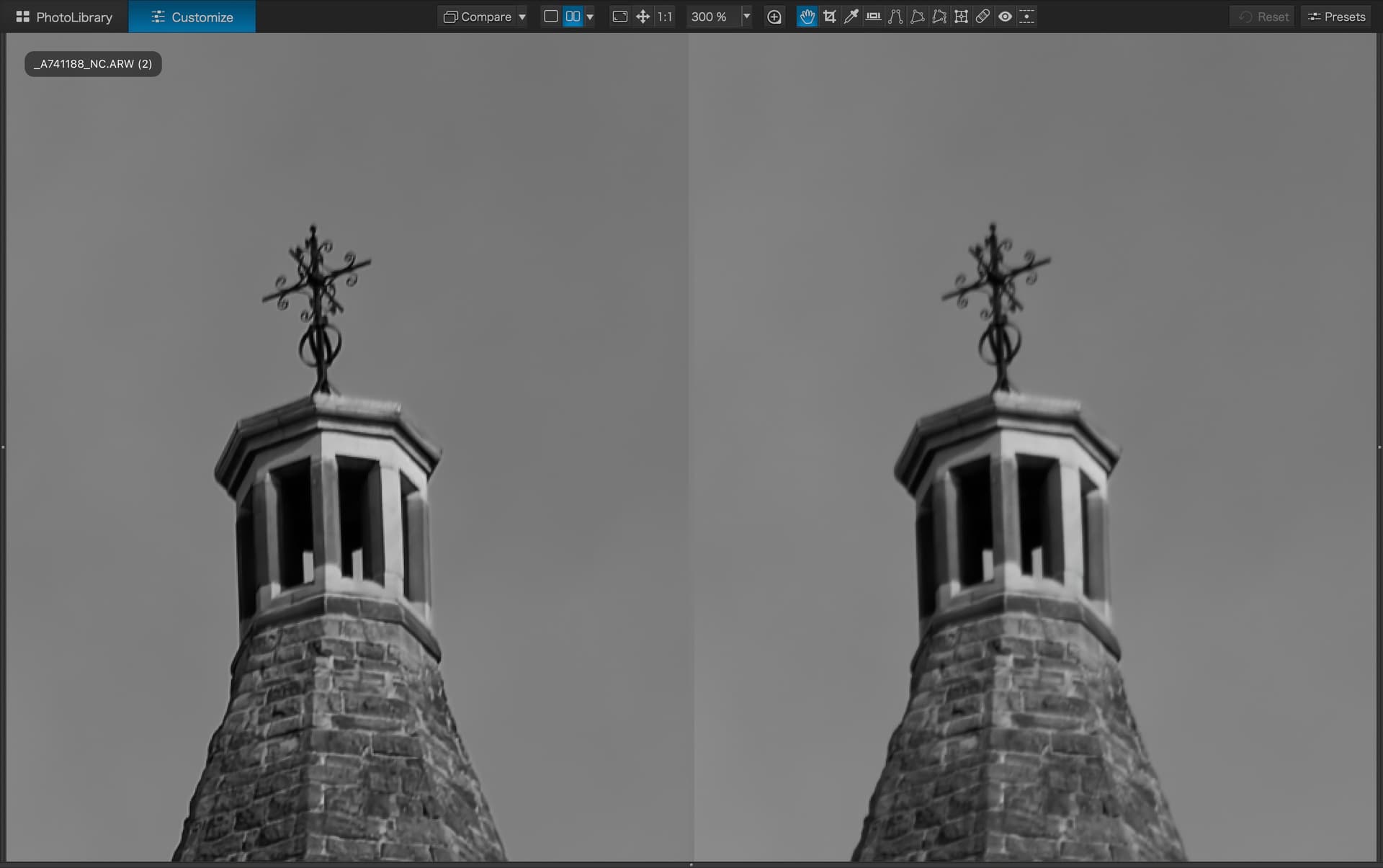
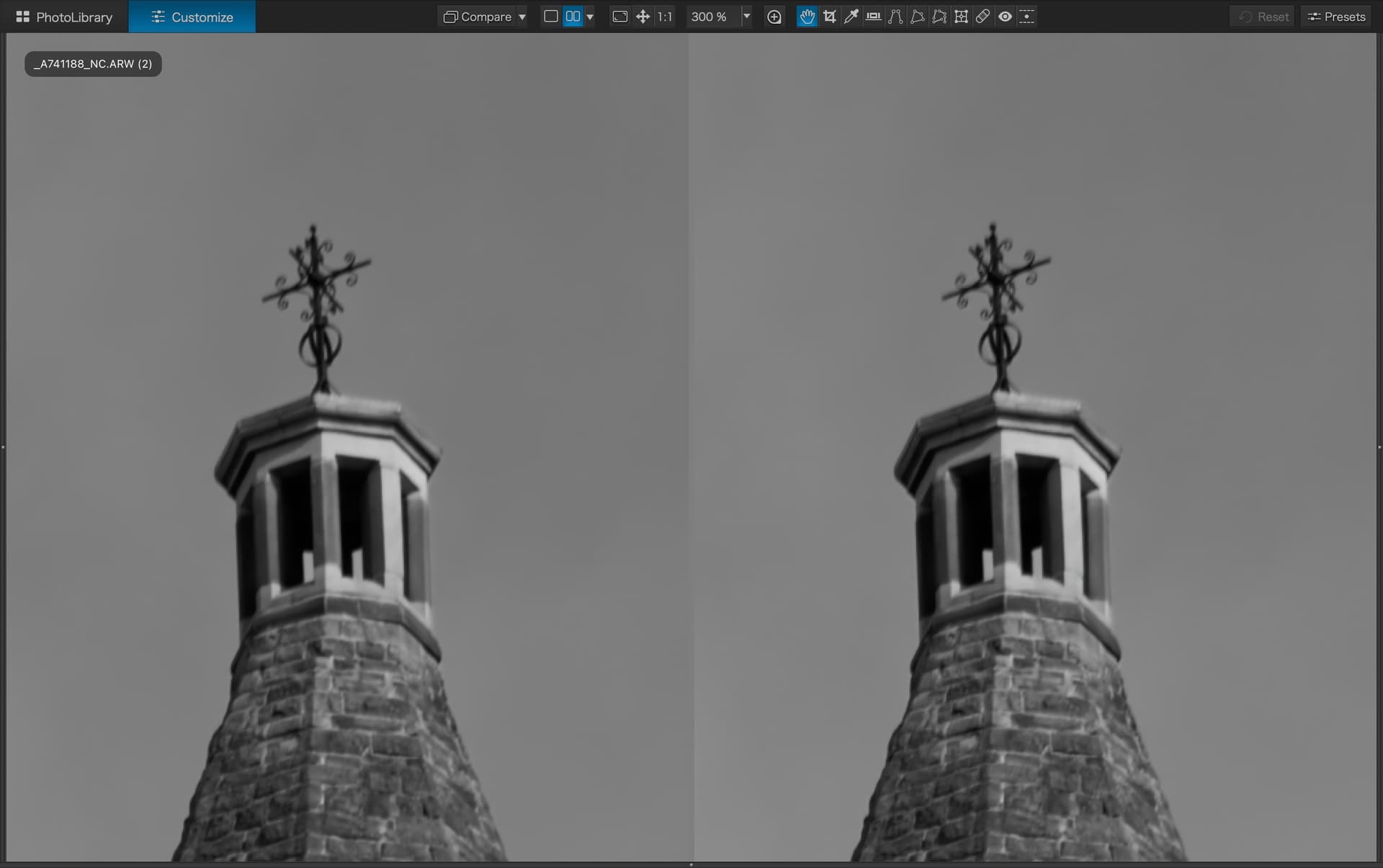
Some crops at 300% (as easier to see).
Left preview/right jpg export
With Lens Sharpness & Optimisation ON
With lens Sharpness & Optimisation OFF
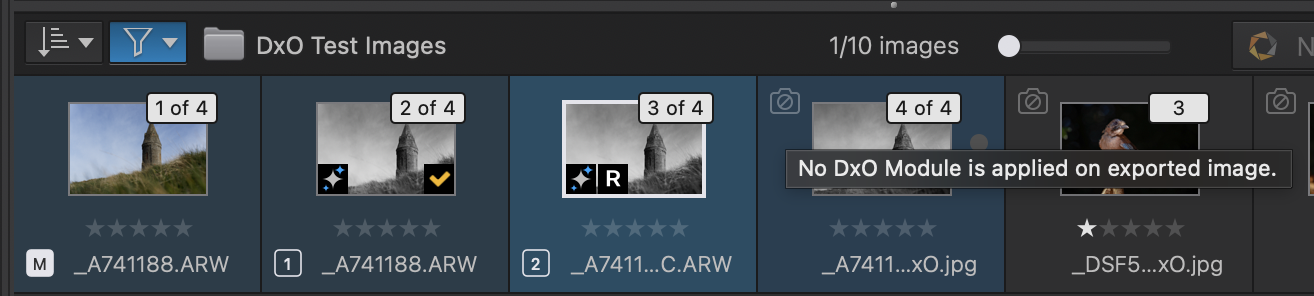
As an aside. I haven’t used PL for a good while now and can’t recall if this is normal behaviour or another indication something is ‘broken’ but did/do exported files always show this in the filmstrip?
If not normal then another indication/proof that exported files are missing the Lens correction.
EDIT: I have submitted a ticket now anyway to add another voice to the mix. I will still say we should be hearing something form DxO though so we aren’t all just shouting into the void!
 Important Information (macOS users only)
We want to inform you that we identified an issue affecting DxO PhotoLab 7, 8, and 9 (macOS) following this week’s release. The problem was first reported yesterday by community members in several forum threads, and we want to thank you for bringing it to our attention so quickly.
Issue overview
A bug caused by DxO Modules not being applied during export.
As a consequence, certain optical corrections—Distortion, Vignetting, and Lens Sharpness—were not being correctly applied in exported images, even though they appeared correctly enabled in the interface.
Hotfix released
The update is live, and the “Check for updates” dialog will enable the download of the fix.
Please note: Version numbers remain unchanged, as this is a hotfix:
PhotoLab 7.19
PhotoLab 8.11
PhotoLab 9.3
We apologize for any inconvenience this issue may have caused in your workflow.
Well a quick re-export of the two images I posted at the beginning indeed shows that build 35 appears to be fixed so thanks to DxO for a rapid response on this one.