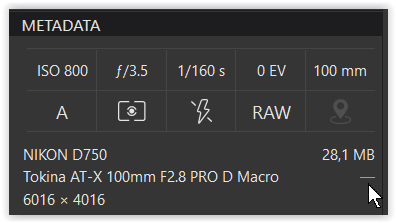
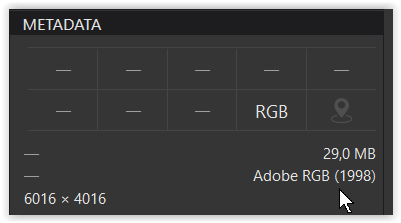
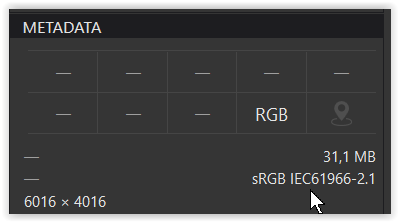
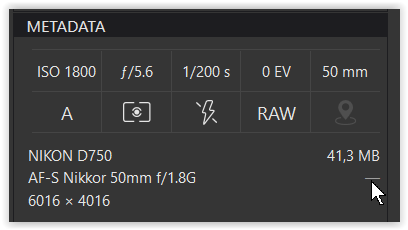
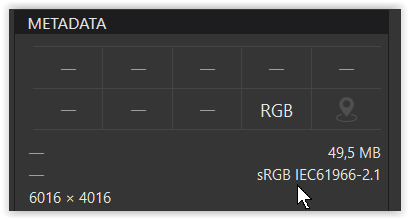
In the case of an sRGB export as shown in your screenshot, PhotoLab does not embed any profile. It simply indicates in the metadata that the ColorSpace value (Tag-ID A001) is “calibrated.” Depending on the software reading the metadata, this may be translated as ColorSpace “1,” Calibrated, or sRGB: they are identical: this corresponds to the sRGB IEC61966-2.1 profile. Note the date contained in the profile name: 1966.
In the case of an export with a profile other than sRGB, the ColorSpace value is “uncalibrated.” It is necessary to embed the profile. This is reflected in the metadata by two sections: ICC-Header and ICC_Profile, which describe the profile’s characteristics. For example, Adobe RGB (1998). You can verify this in the ALL metadata of ExifTool or any other similar Exif reader. These sections obviously don’t exist when exporting to sRGB.
One thing to be careful about is that some software (ACDSee, for example, but also others) allows you to choose a default input profile in the absence of an embedded profile. If you set something other than sRGB, this can cause color issues on the display.
In ExifTool → ExifIFD
I didn’t see (or realized) an explicit “color” entry and even no “uncalibrated”,
while the → Nikon Maker notes show “Color space = AdobeRGB”
Exports from PL8 as JPEG with “AdobeRGB (1998)”
as well as “As Shot” seem to be identical.
ExifTool → ExifIFD then showed “Color space = sRGB”
So the last one is no embedded ICC profile, but a color tag.
Now, what’s important to me, the applications that I regularly use recognize this “sRGB” indicator correctly, i.e. FastPictureViewer and IrfanView and for editing PL as well as old PS and LR. I also have copies of FRV, FSV and AP, ON1, but use them to a much lesser extent. – And my file managers (Win 10 Explorer, Total Commander) cannot handle CM anyway.
I had already prepared the above answer, when I read your reply.
Since my goal is print, not social media content, I don’t usually work with sRGB. This used to be a problem when I ordered photo books (before using PL) and had to send the images in sRGB. After the complaint, the color cast was corrected.
… If you set something other than sRGB, this can cause color issues on the display.
Well, this I know. But thank you too for alerting me to these side effects.
I have participated in most of these discussions and I know that this is a lost cause. That’s why I am writing briefly. I have no time to waste! If at least one person has understood that the Adobe’s sRGB profile is not the only sRGB profile that exists, then there is minimal progress in terms of color management.
There is a workaround for people who need it: Through a custom profile. For those who are not perfectionists - if you want, remove the Adobe profiles. It’s as if in our time Samsung and Apple have caught on to the trend with vibrant colors. Color accuracy? - that’s a thing of the past!
I’m having a lot of trouble understanding your answer…
You seem to want to wage war against Adobe. Why not. But you’re clearly not using the right weapons!
Can you explain to me what Adobe’s sRGB profile stands for?
Adobe isn’t the originator of any profile of that name. The sRGB IEC61966-2.1 profile has absolutely nothing to do with Adobe since it was defined in 1966 by the International Commission on Illumination. To my knowledge, Adobe was still far from existing at that time. And it’s the only sRGB profile that exists. Well, almost, since there are variants that have become obsolete, like Nikon sRGB.
All other profiles normally used in photography are logically named RGBxxx.
There is indeed a commonly used profile with a wider color space, and this one is indeed Adobe’s: the Adobe RGB (1998) profile. Since there are other profiles created by others, just as legitimate (ProPhoto, etc.),
Since PhotoLab allows the use of any ICC profile for export, I really don’t see what the problem would be.
It looks like you are correct. I tried exporting TIFFs with PL7 and PL8 and then opening in Affinity Photo, and with both I got the “unprofiled” warning that you first mentioned.
Well, your question brings us full circle, doesn’t it? As has been made clear in this thread, DxO PL by default provides sRGB color tags instead of embedding actual ICC color profiles. In my view, this is contrary to color management best practices (if selected), but it is not a bug. As for Affinity, had an actual ICC color profile been embedded, it would probably have just opened the files without a hitch. That’s just an educated guess because I don’t have Affinity on my PC, but that is what most color managed applications or browsers would do. The Affinity warnings and notifications seem appropriate to me, not a fault.
I don’t know how Affinity behaves, but with Photoshop, it’s clear:
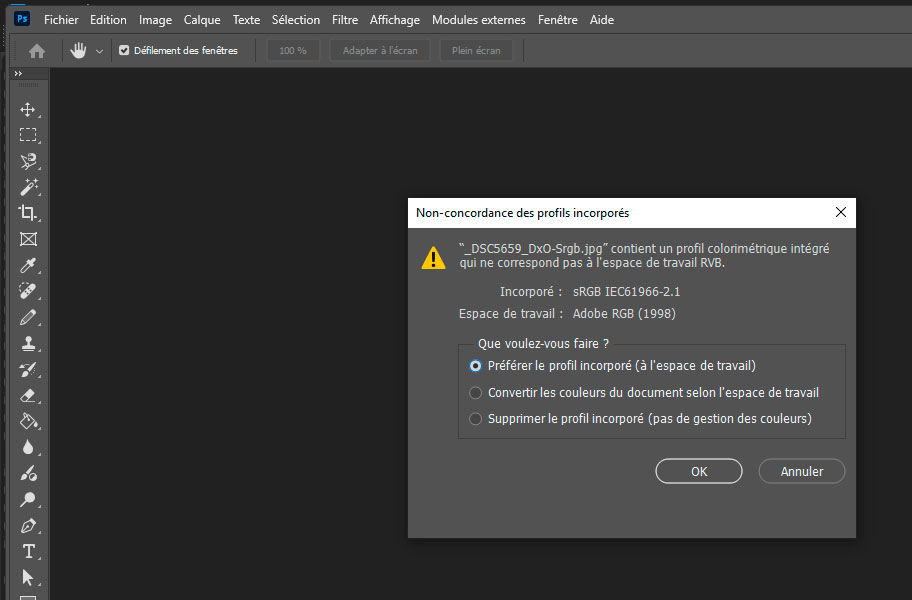
If I open a PhotoLab export file with an sRGB profile in Photoshop, and I’ve set the RGB working space to Adobe RGB (for example), the dialog box that opens indicates that I have a profile mismatch, which is normal.
I’m translating, as Adobe doesn’t allow you to choose a language other than the system language:
_DSC5659_DxO_Srgb.jpg contains an embedded color profile that doesn’t match the RGB working space.
Embedded: sRGB IEC61966-2.1
Working Space: Adobe RGB (1998)
So, logically, Photoshop considers the sRGB profile to be embedded, even though it isn’t actually embedded in the jpg file.
This is how any bitmap software should behave…
Thanks - my first thought was that Affinity is seeing ambiguity in the TIFF color metadata. Another possibility is that Affinity internal rules for handling JPEGs and TIFFs are just different - i.e., sRGB color tags are OK for a JPEG, but it’s expecting an embedded actual ICC color profile for a TIFF. Hope the Affinity forum people can help.
Actually IEC 61966-2-1:1999 standard was released in 1999, based on joint work of HP and Microsoft published in 1996. But yes, Adobe RGB (1998) is a different thing.
The IEC61966-2.1 sRGB profile is indeed the one released in 1999. It takes into account the evolution of hardware for displaying colors. But it does not call into question the basis of the older sRGB profile, which corresponds to the gamut. If you display an RGB image prior to 1999, it will be displayed with the exact colors, even if the hardware that displays it today did not yet exist.
All good, but members should also be aware that the 1999 sRGB profile was superseded in 2014 / 2015 by newer ICC profiles. See ICC link below where several “flavors” of the profiles can be downloaded and used at no cost. The sRGB_IEC61966-2-1 profile is still available for legacy purposes.
Please note: These profiles are additional options that cannot replace the basic sRGB IEC61966-2.1 profile.
Note: 2.1 is not a version of the basic sRGB profile, but corresponds to the numbering of the part of the IEC standard dealing with color management.
These profiles must be embedded in image files, unlike the basic profile.
To my knowledge, I do not believe that these profiles have a very common use today, even if they are undoubtedly used by colorimetry specialists (I at least knew one “self-proclaimed” for whom it was the miracle cure!). In my opinion, these profiles were useful for specific purposes.
Of course, they can be used in PhotoLab, like any other ICC profile. But others are probably much more suited to everyday photography, including high-quality photography, such as Adobe RGB. Especially now that monitors displaying Adobe RGB are more available, and photo printers often have a gamut covering this color space.
As for the basic profile, sRGB IEC61966-2.1, it’s far from obsolete… for the simple reason that, to my knowledge, it’s the one mostly (if not exclusively) used by camera manufacturers that offer basic sRGB and Adobe RGB output for JPEGs. And since the number of jpeg files using this profile is astronomical, it is not going to disappear any time soon.
This reminds me of those attempts to impose new, more modern solutions that ultimately fell into oblivion. For example, JPEG 2000 (which had some serious advantages) was supposed to supplant JPEG. We now know what happened…
I am neither peddling these newer ICC profiles nor suggesting that the IEC 61966-2-1:1999 profile is obsolete. I did emphasize in earlier posts that color management best practice is to always embed an actual ICC color profile (not color tags) at export. For this purpose, I also provided a link to Elle Stone’s superb sRGB ICC color profiles which are widely used in open source imaging applications. And that’s about it for me on this topic.
Rest assured, I have no problem with sRGB ICC profiles as long as they are used knowingly, which is clearly your case.
Afterwards, there may be some slight differences in the interpretation of the texts when the speakers’ native language is not English, which is my case. Even with precautions, the translations are sometimes a bit rough…
Hi, I just had one last question about this. If a photo contest I am submitting to asks for sRGB, do you think they would care if it was sRGB-elle instead of the classic sRGB profile? I’ve asked the contest too but they don’t seem to understand the concept as much.