AI Animals doesn't recognize leopards

So far I have been reasonably happy with the results added to PL9. There are however two issues that needs attention. One being their Catalogue system that is causing issues but that I can ignore for now as I use IMatch as my DAM system. Plenty raised on this subject elsewhere.

However, the AI Animal, AI Subject, and the Auto Brush tools don’t work with leopards. As seen below the best of the bad is AI Animals, but as seen it does a really bad job with the selection.

I have tried other tools in PL9 and the worst is the Auto Brush which does a worse job than PL8.

If I try and select the animal again, I get a different selection. Does anybody have an idea as to what I can do?

I have selected a photo that is not the best so happy to share the RAW with DXO if any developer or other user in the forum is looking for a sample.

Thanks
Andre

Firstly, that is a Cheetah!

Secondly, the colour of the animal is very similar to the grass and the spots also cause issues so very difficult mask.

Try the Auto Mask painting option which should do a much better job.

1 Like

Can you post your raw file please?

2 Likes

I think using the predefined “Animal”-preset sometimes is too challenging for the system. In fact, especially leopards sometimes are extremely difficult to spot i real life. Often it is only their tails that of some reason have difficulties to control when they try to hide in the trees. Often it just hangs right down and betrays them


Leopard in an Acasia in the Serengeti Plains.
In this case the preset did not work and that is why DXO even have provided the maybe best tool of them all and that is the possibility to just hoover over the areas of interest and click one or a few times to fix it. Extremely useful with pictures like this.


Just a couple of clicks with “Add a selection” activated and then a fine tuning with the Local Adjustment Brush - both adding mask as is or refining with the Alt-key pressed down. Sometimes even Auto Brush is to prefer and even that can be used to delete with the Alt-key. If one likes to add submasks that can be done too with pressing the Shift-key.

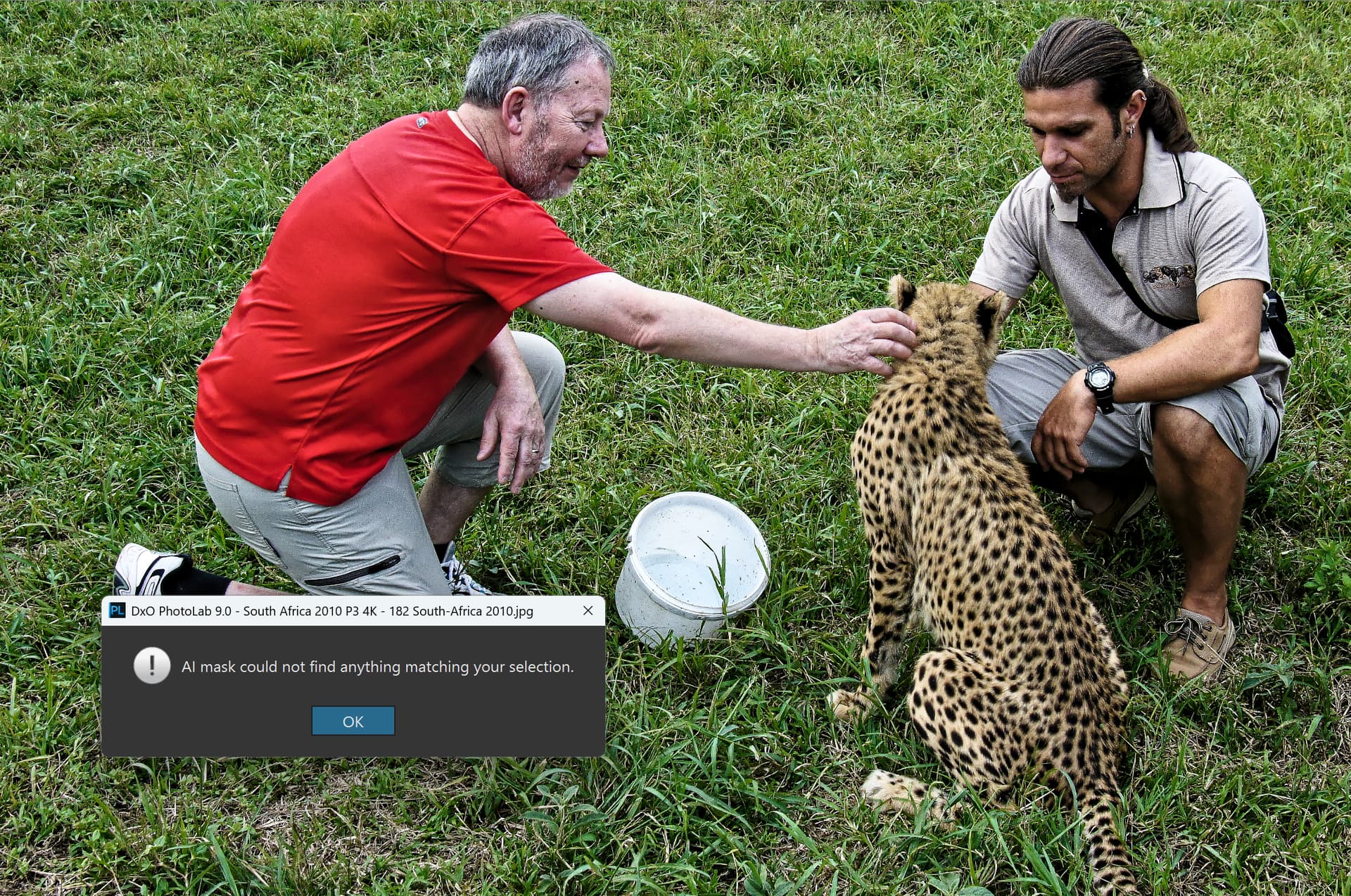
A Chetah example from a rehab centre in Mpumalanga in South-Africa. Here they took care of injured animals that had got injured in traps and cubs that had lost their mothers. No lions just Cheetahs, Caracals, Servals and Wild Cats.


Even here a miss with a much bigger “animal area” to work with. I just don´t know why because the presets seem to use a bigger AI-model that takes seconds why the hoovering method is just instant and never seems to cause any problems like temporary locks or wait states etc. Also note that it has always been when using the presets that I have experienced my rare moments of crashes. Never with the “hoovering” method of automatic masking.


With the free hand masking method, it was instant and just took two clicks to fix. The left back foot was missed and took an extra click.


Finally, an example where the preset “Animals” worked. Here we can emphasize sharpening and in the “Background”-mask we can add some blur instead if we like.


Finished result


“Animals” failed even with this Caracal-picture which is pretty bad. I think DXO has some more work to do here. Still wondering why, the free hand method works even here instantly.

I have to say I prefer the free hand method to the use of the premade presets because it opens for a much more natural and faster workflow. I just love it because it is much more effective too. It is good that the presets exist for beginners but for seasoned users the free hand method is just so much better. There are situations where I still after using Capture One AI-masking for years with the free hand method that works there too sometimes prefer the preset masks when retouch portraits. In C1 we got presets just recently for the eyes Iris and Sclera and using them is far more effective than doing it like in Photolab by free hand, since there are no presets for that yet in Photolab.

So my recommendation for you that still are glued to the preset metafor is to just leave it and use the free hand automatic method instead, like Keith already have suggested. Aborting part of your workflow all the time for the AI-menues is just ineffective and mostly totally unnessessary. Just study some videos about Advanced Masking in Photolab 9. The ones I have seen have been very helpful.

If a preset fails there is always a possibility to fix it on free hand. I have never seen it fail completely yet.

2 Likes

Explain this

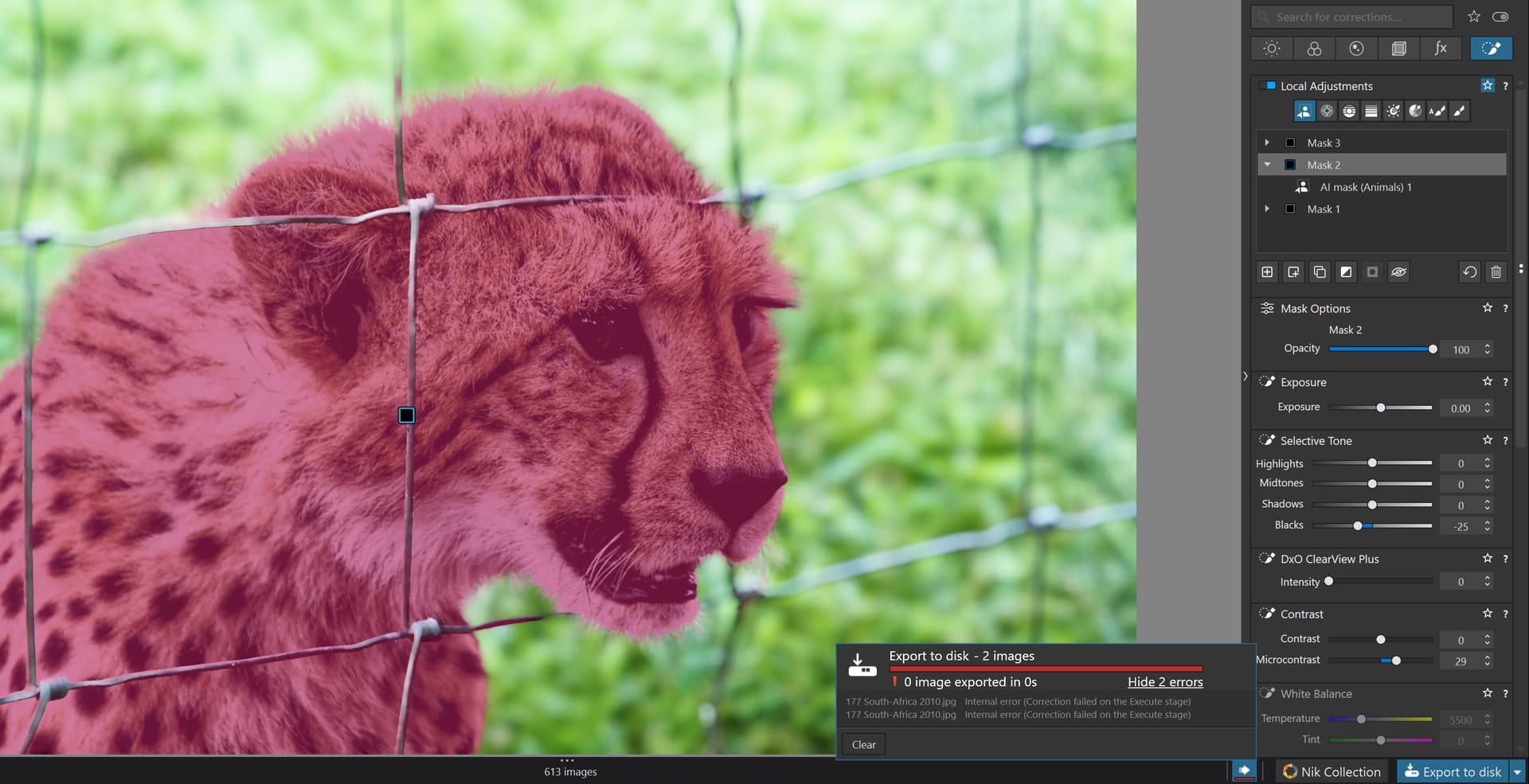
This picture with three masks made with the “hoovering method” and tweaked a little with exposure, blur etc. was exported in full size and 4K simultaneously in 100% quality (as big as it gets) took 6 seconds. You can verify that because the masks are not named with the presets used and have names like Mask 1, Mask 2 …

This same picture I managed to mask with “Animal” and “Background” presets (look in the mask-listing to the right. I managed to do that with letting the mouse hoover over the respective preset in the menu a few second to let the mask be displayed before selection. Tweaks in this picture like the first. This time the export failed!!!

The first two pictures were exported just in six seconds!! Since they are JPEG-files they were not exported with Deep Prime. These pictures are JPEG-originals.

The second picture made with the preset masks were impossible to export without a crash.

Even this has so far convinced me to avoid the preset masks. I also think the hoovering auto mask was better (details a the edges than the presets).

My fault - was working on the leopard image as well and in sending the cheetah picture my brain must have switched off.

1 Like

I am trying to share the RAW file but the only thing I can upload is the .dop file for some reason. Keep getting told the RAW file I want to upload is not a RAW file.
Will need to check what the issue is.

Lets’ see if this works. Link to Google Drive

Try zipping the two files together then send.

The file exceeds the limits even when zipped. Let me know if the link above works

Tried this and it works so much better. Thank you

In general, cats are masters of camouflage. For example, a snow leopard is difficult to spot in its natural environment, sometimes even from a distance of several meters. So this could be quite a challenge for AI. :grin:

1 Like

Hi Everyone
I followed the advice noted above by @KeithRJ and @Stenis and from the guidance shown in the attached video.
AI Masks in DxO PhotoLab 9 — 3 Examples & Advanced Masking Techniques

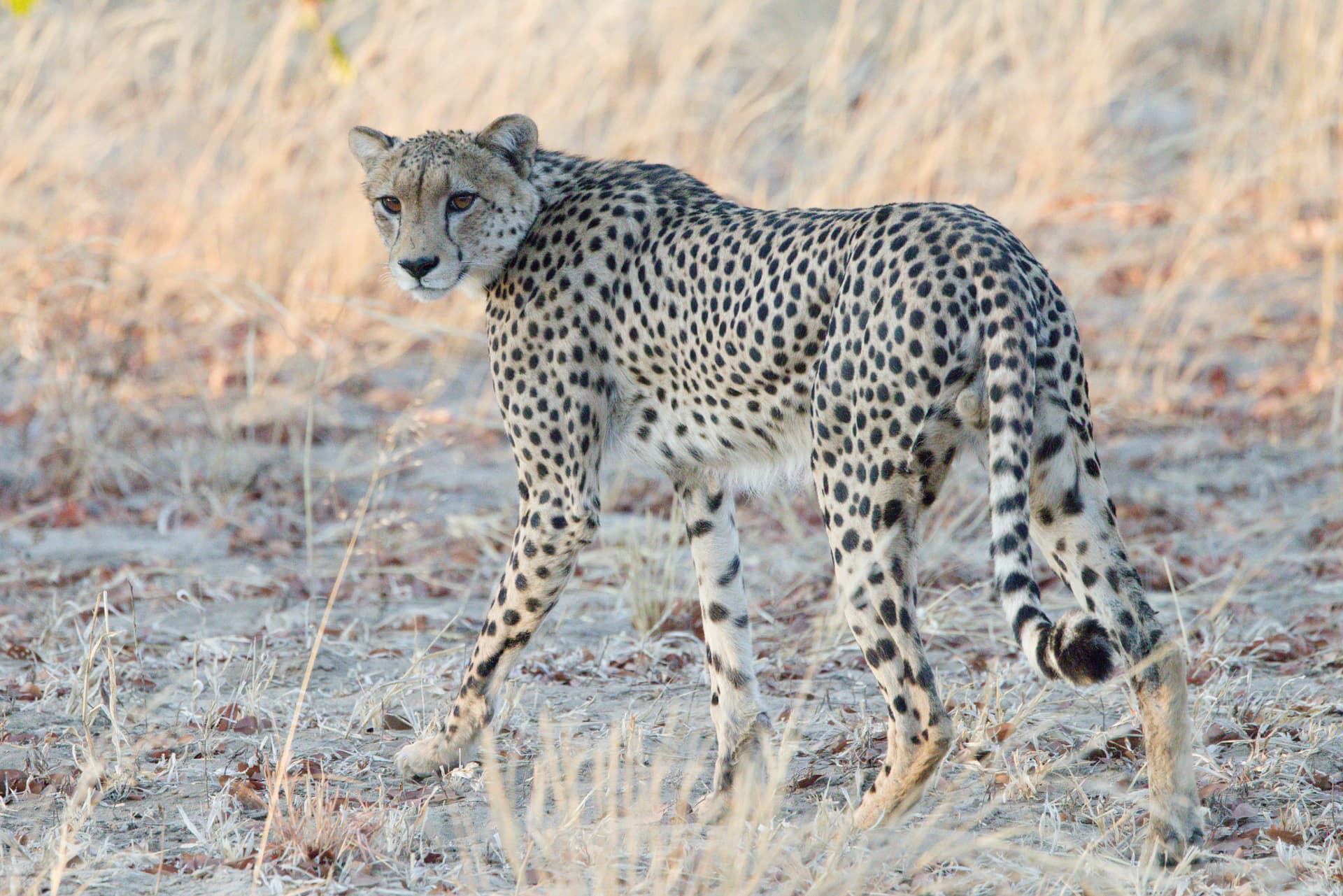
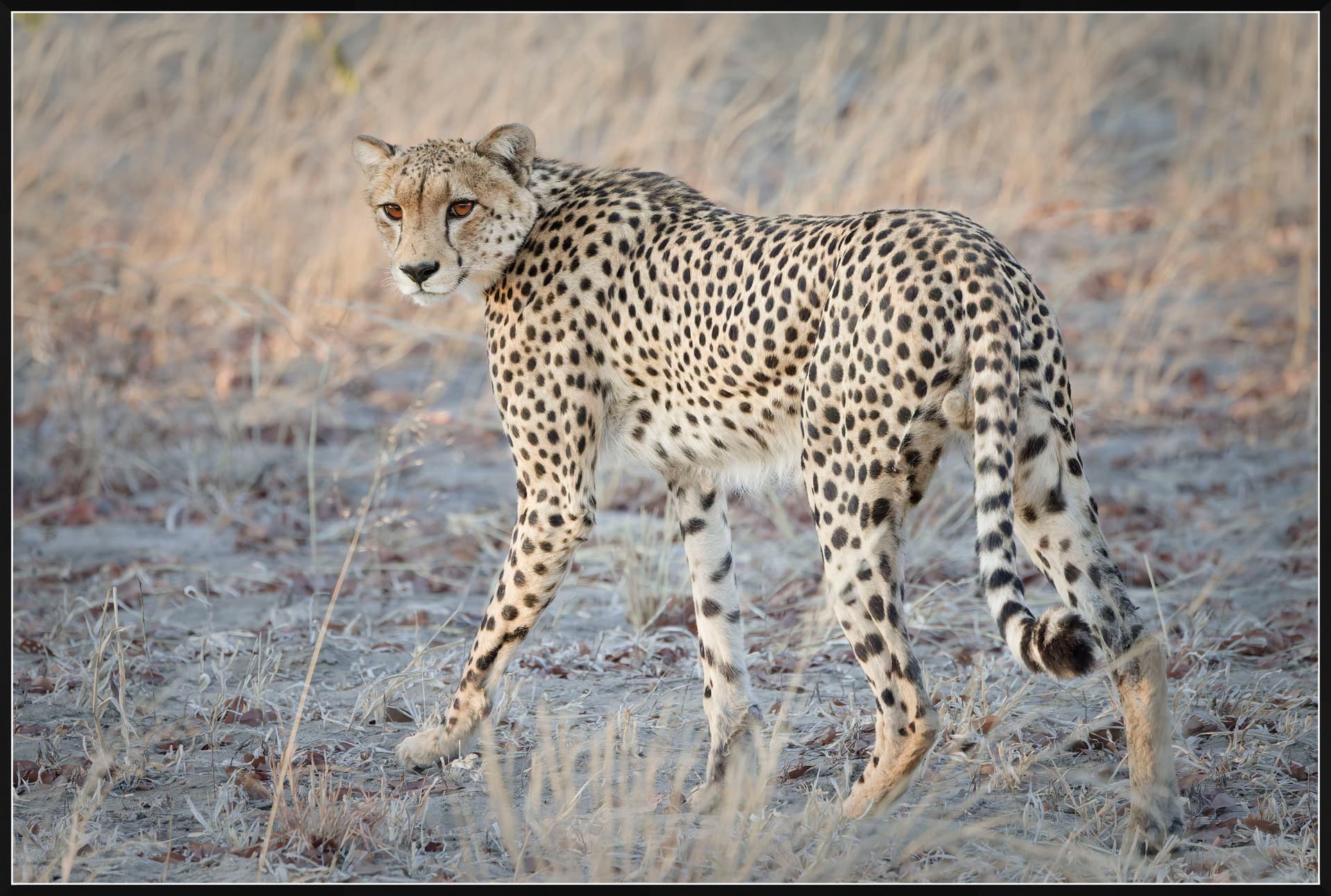
Avoiding the presets and just hovering the AI selection over the cheetah to select it followed by a negative mask to refine some edges I managed to get a really good selection and turned an average photo into something I really like. Attached is the before (just crop added) and after with the adjustments made.


Thank you for the help and hope others learn from this as well. Now to tackle the leopard :grinning:
.

4 Likes

I did something similar with a jackal photo I took recently.


Original


Edited

Lovely!

There is one thing I wonder. I think we need the preset masks in the future if we want to use them when we want to use a single edit ed picture as an AI-preset. It seems that quite a few can´t do that now.

Well still it is good to be able to use the auto masking by the hoovering method that seems to use much less resources and are much faster too. It is much faster and more natural too.

It is just hard to understand why the AI-premade standard masks are so much slower and so much more demanding than when we use the automasking.

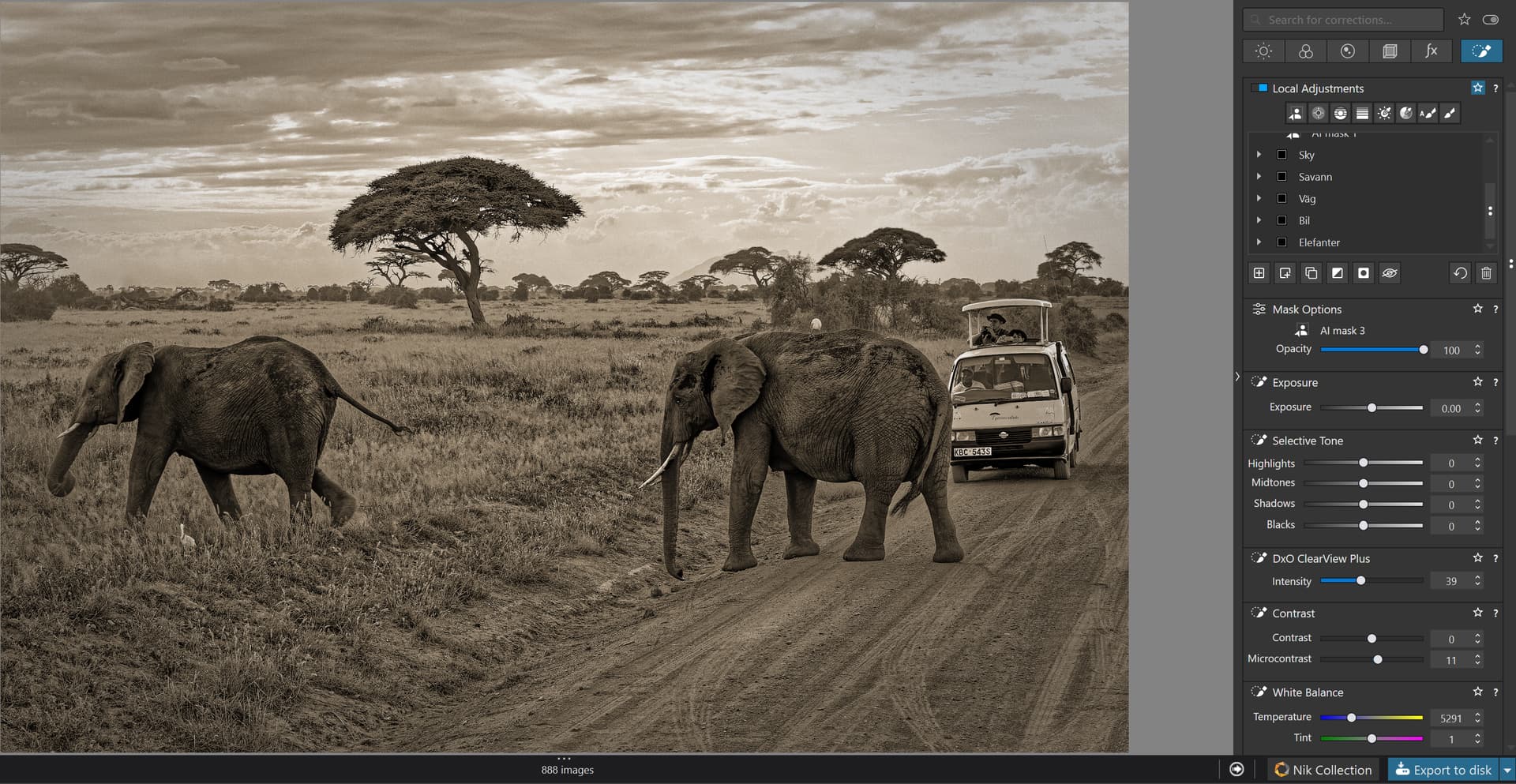
In this Sony ARW-rawpicture I have used six main masks with submasks too in some cases. I have made a lot of changes and all are changed in som ways. I have exported two JPEG-variants in 100 % quality at the same time: one in full size and one in 4K. It worked fine to export and took 34 sec. for both together.

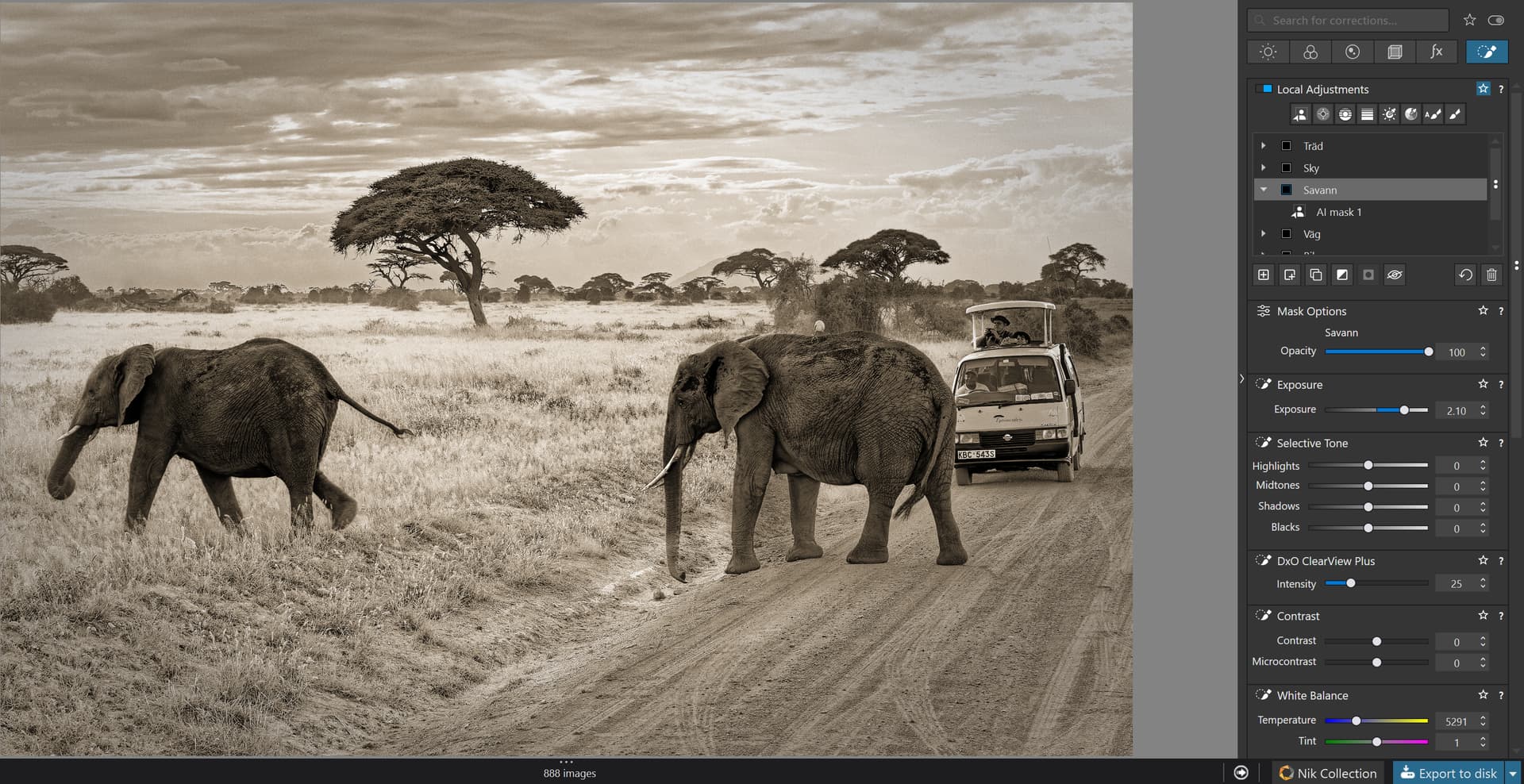
In the picture below I have changed the masks “Vägen” (the road) and “Savannen” (the savanna) and increased the exposure before reexporting. This time it took 33 sec… Sometimes reexport gets much faster.

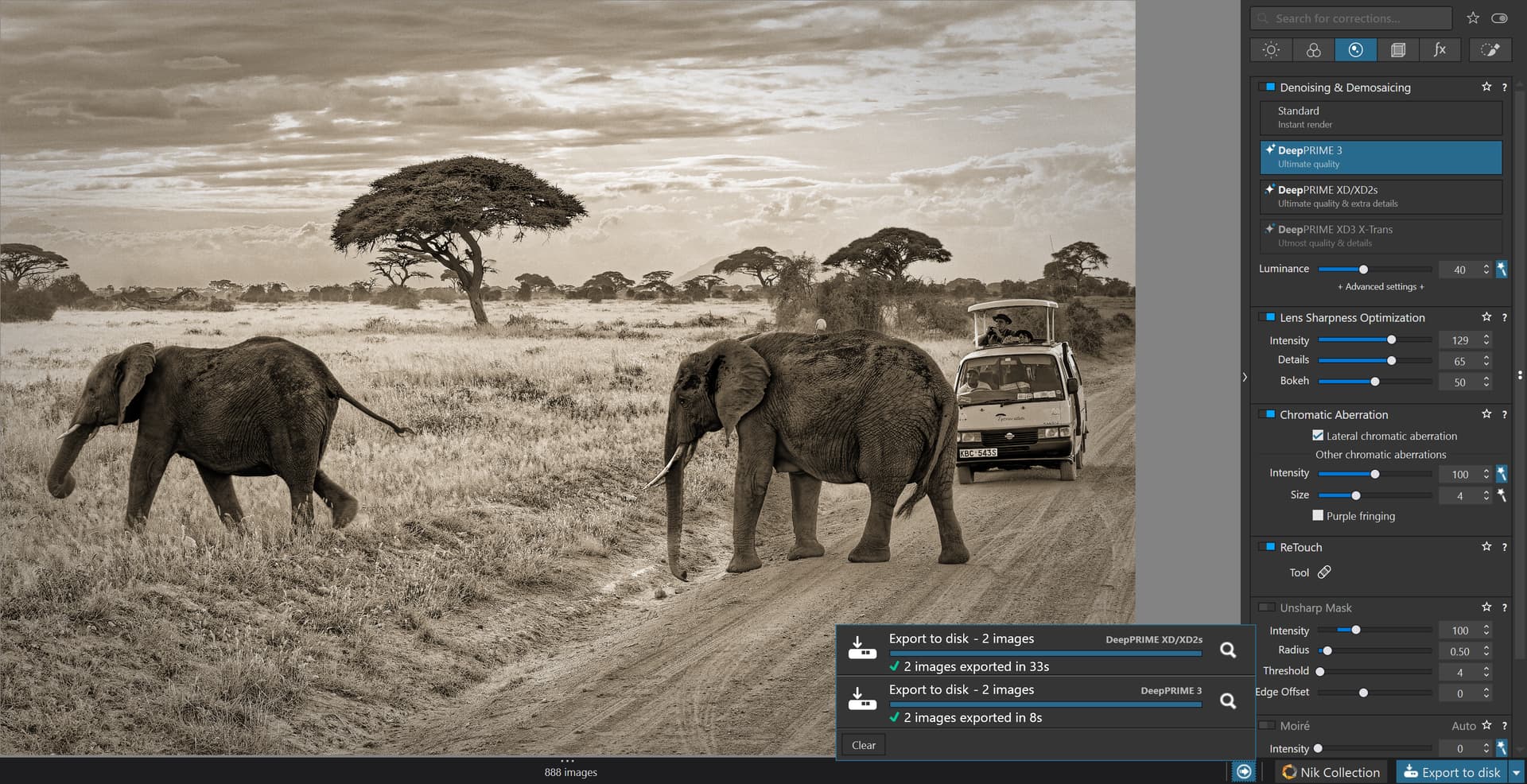
The last picture is even that reexported but that time I just changed from using the older Deep Prime XD2s to the new version 3. That export just took 8 sec. for both.

My conclusion of these examples is that despite I used very many masks and updated a lot of differens masks and submasks there are no tendences to instability. Using the automasking hoovering teqnique works really well already. Reexport seems to speed up the process often. Maybe Deep Prime 3 is faster than the older version 2.

For now I think it is best to avoid to use the predefined masks because they seem to demand much more system resources. than when we use freehand hoovering and the automasking system. If you do that you will get far less problems with system crashes and restarts. It is also far more fast and effective to solely rely on the hoovering free hand method than to abort your flow in order to activate and select masking options from a menu.

I have used the Nvidea Geforce RTX 572.83 driver to my 3060 Ti GPU-card with 8 GB and from what I have seen it seems to works fine now. Try for yourselves I think you can trust the system already now as long as you avoid the prebuilt AI-masks until DXO has fixed the problems with those. You will most likely be able to do everything the prebuilt masks promised to do but didn´t even with the automasking way of doing it.

1 Like

Today 17 sept version 9.02 was released.

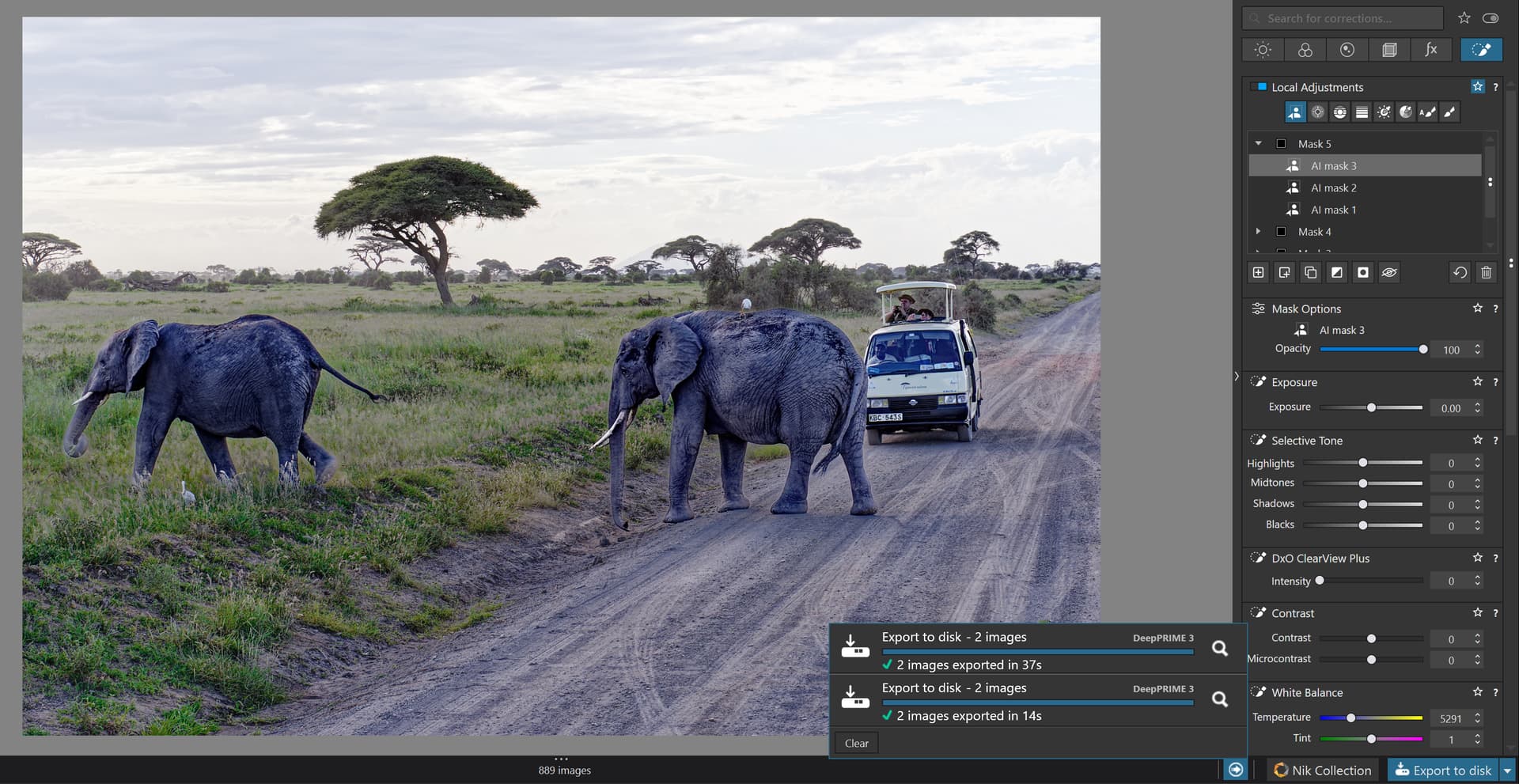
I added a lots of predefined AI-presets like Animal, Vehicle etc. and even a Control Line for the sky and exported and it worked!!

So I urge users that have some time to test to use specifically the predefined AI-masks and export and print. A you can see my test did not crash and I managed to export too. The export time of my two test pictures are about the same as with using the free hoovering masking method - 37 sec for one full and one in 4K in 100% quality. The reexport was a lot faster and was 14 sec for these two pictures.

If we are lucky the problem will besolved now. Still it has be to be tested even with the last version of the Nvidia driver - even for the older RTX-cards