Win 8.7.1 DO NOT USE Keyword List renaming until you have read this

DO NOT USE the ‘Keyword List’ keyword renaming facility unless all images that use the renamed keyword are currently selected e.g. by using the search function and then selecting the images that the search locates.

This topic is related to my previous post Win PL8.7.1 Fails to update XMP sidecar when Keyword spelling changed but is hopefully shorter and demonstrates the “fall-out” from the current bug that DxO have managed to engineer.

The test was prompted by trying to repeat a test done by @platypus on a Mac that he added to my original topic.

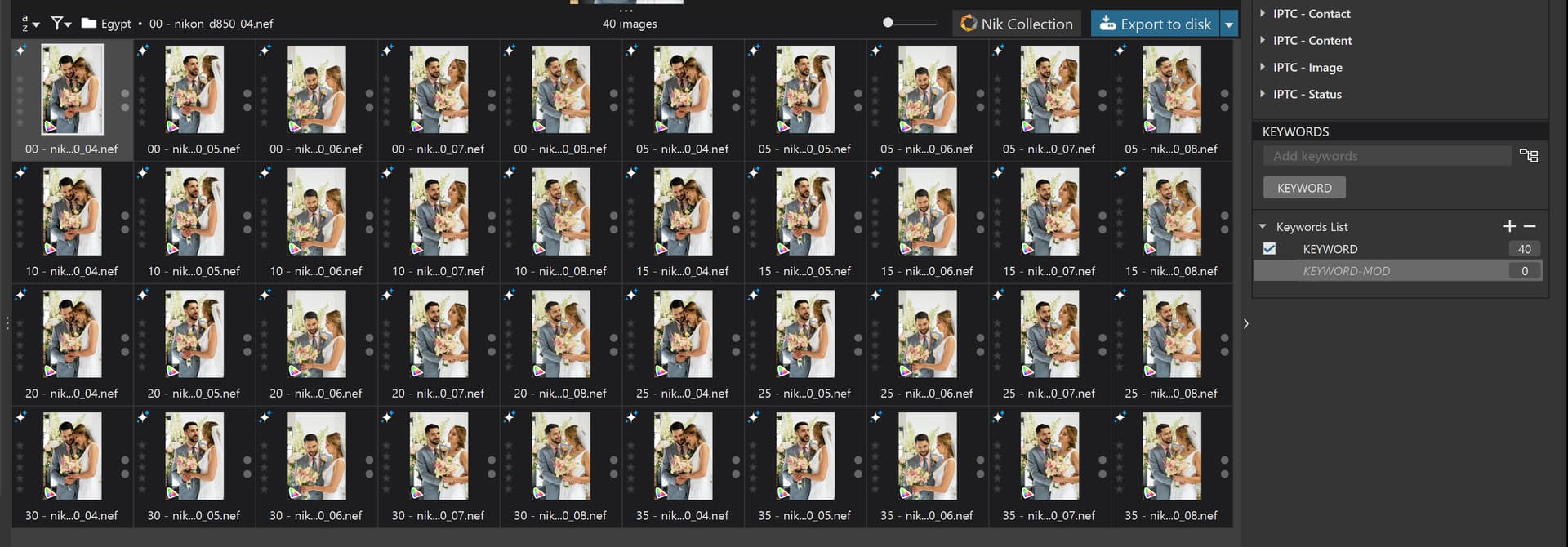
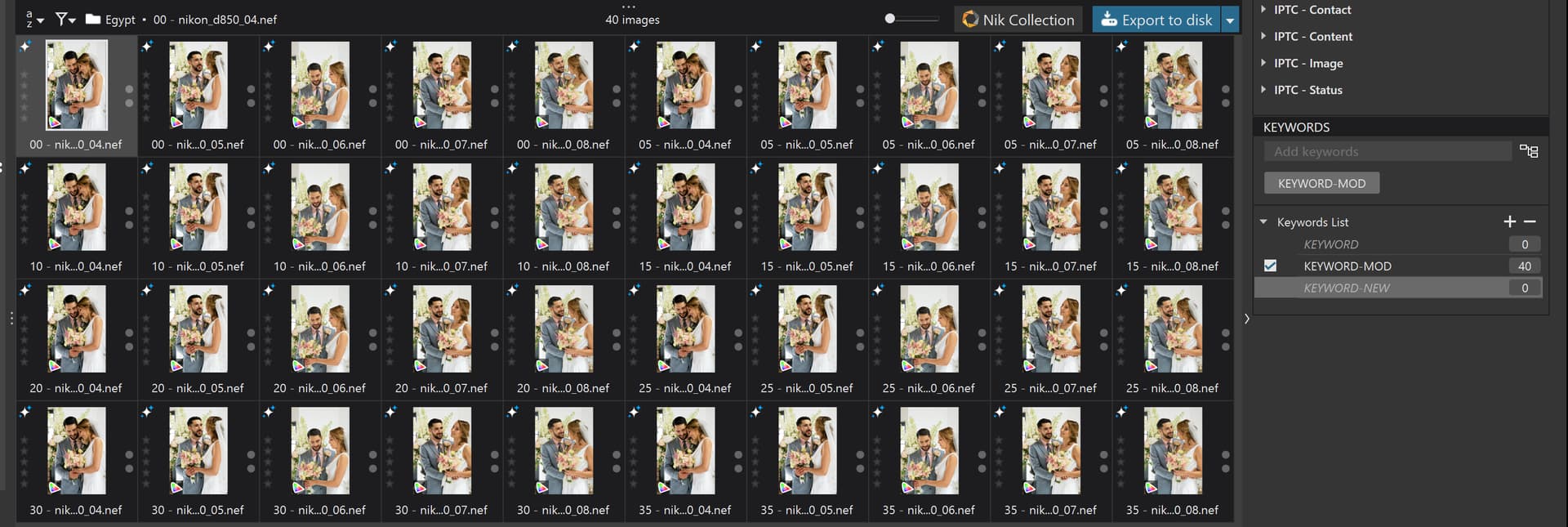
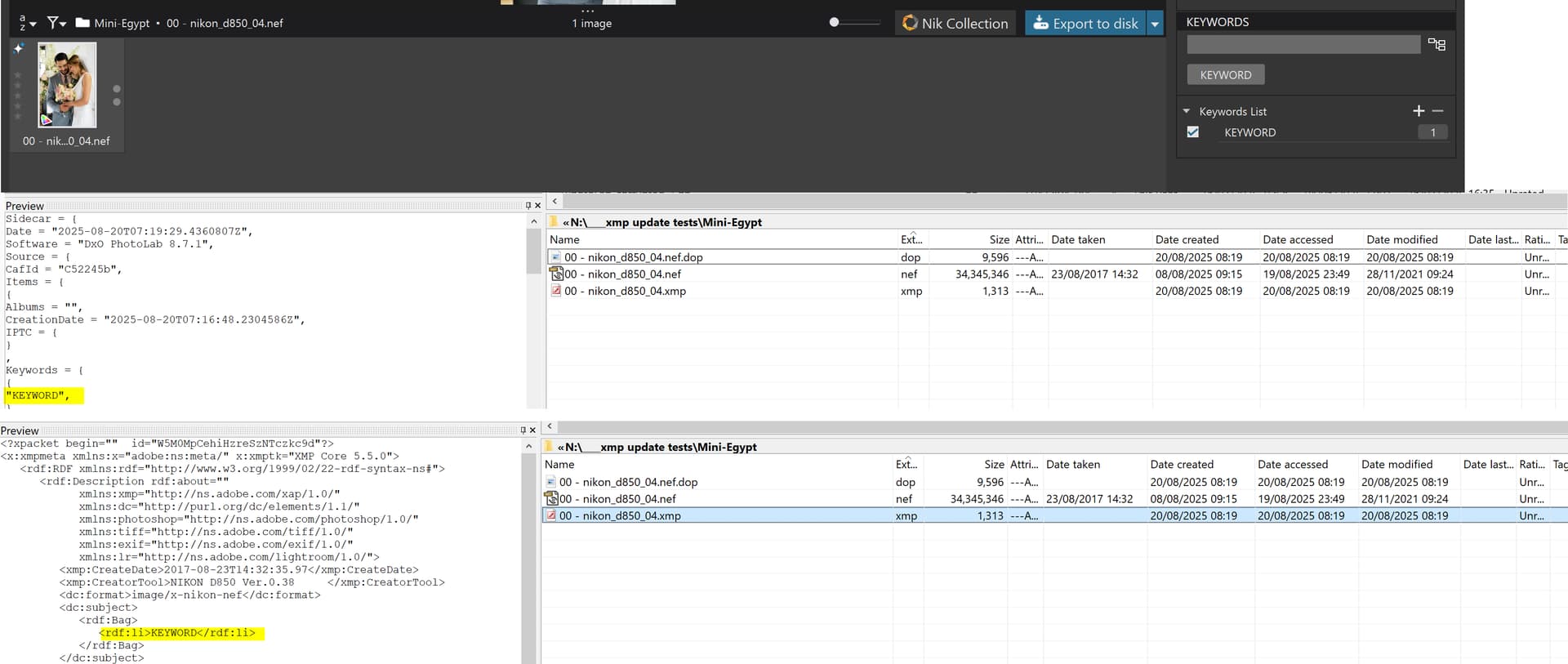
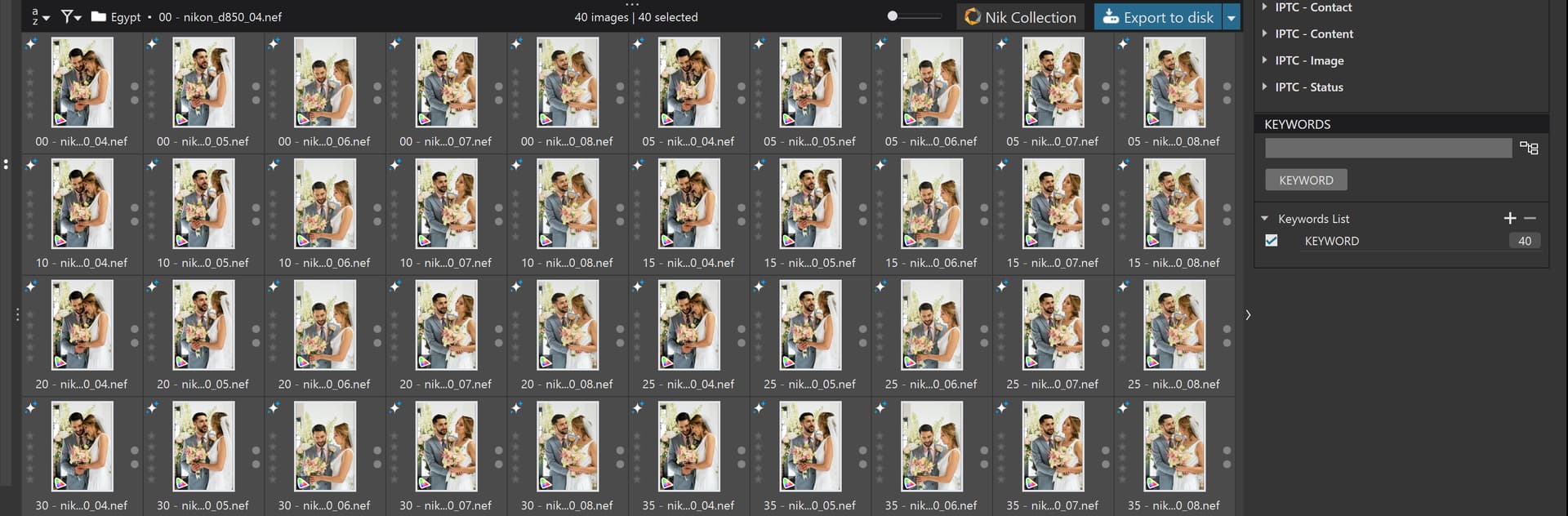
  1. I created a new directory containing 40 images and selected all the images and added a new keyword “KEYWORD”.
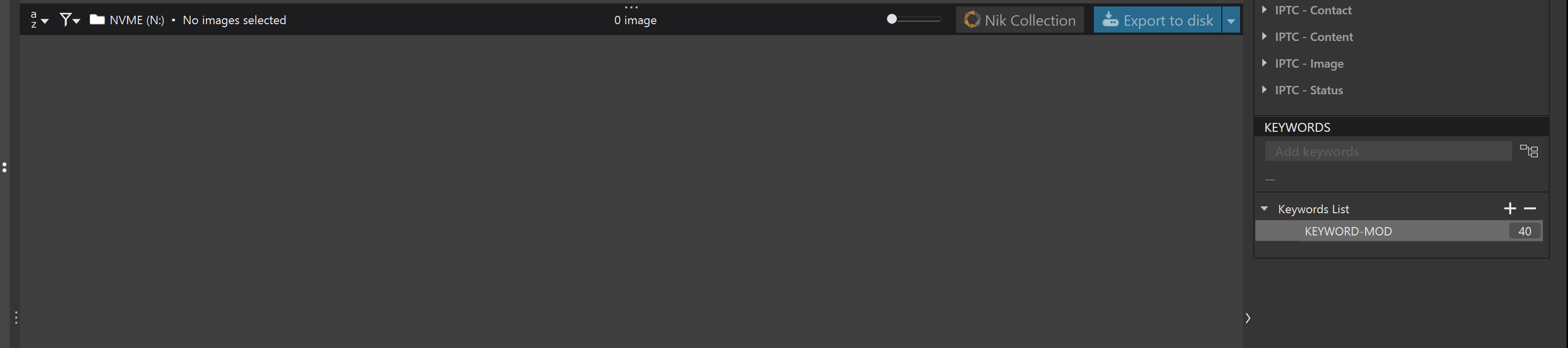
  2. I then moved to a new empty directory and used the ‘Keyword List’ function to change “KEYWORD” to “KEYWORD-MOD” and PhotoLab indicated I now had 40 images with the “KEYWORD-MOD” keyword.
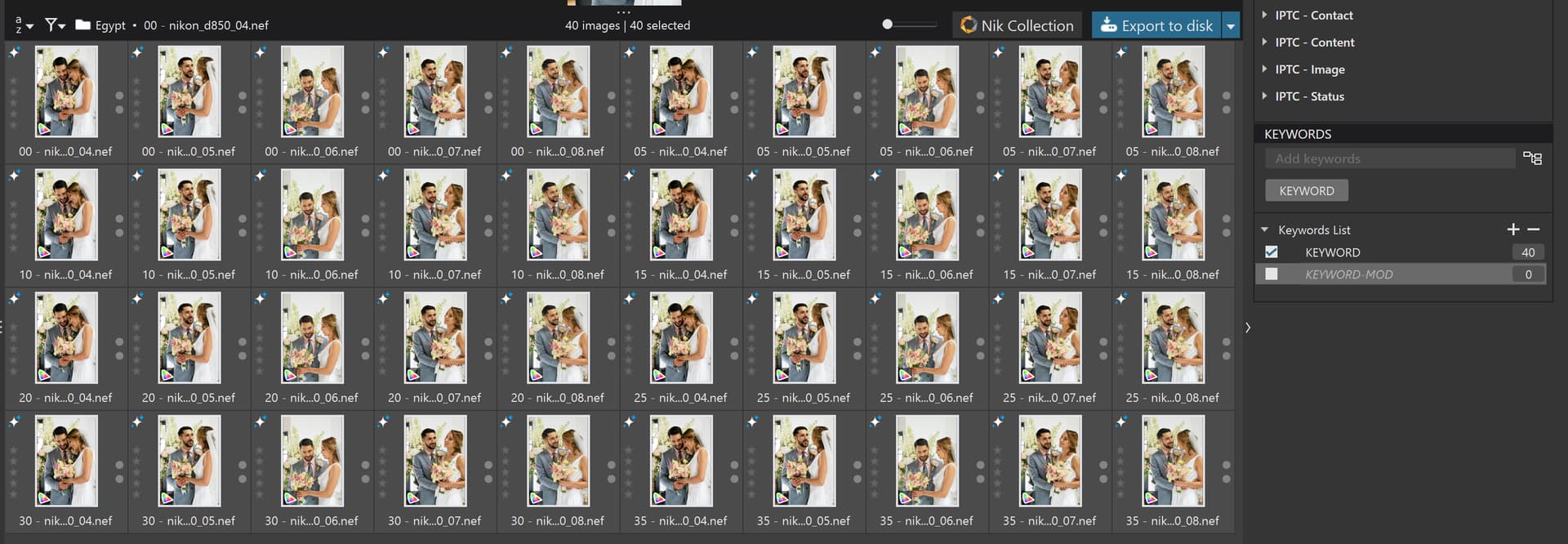
  3. I then moved back to the original directory and discovered I no longer had any “KEYWORD-MOD” images I now had 40 images identified as having the keyword of “KEYWORD”?

How could this happen, very simply, given the messed up code in PhotoLab!

As I stated in the related topic, PhotoLab is not updating the xmp sidecar with the changed keyword but is updating the DOP.

So, when I rediscovered the directory, PhotoLab read the xmp sidecar files and decided that the data in there took precedence over the contents of the database and the contents of the DOP.

So it took the keyword data from the xmp sidecar file, i.e. “KEYWORD” (because DxPL had not bothered to update it) and used that to update the DOP and xmp sidecar (and database) details, effectively reversing the changes I had made.

I would suggest that DxO examine and fix the code to update the xmp sidecar file @DxO_Support-Team and I am further concerned that it accepted the “old” xmp sidecar files and overwrote the later keyword details in the database!?

The discussions between myself and @platypus will almost certainly continue over in the original topic but hopefully this is a bit more succinct and highlights the dangers of this DxO Bug.

The corroborating evidence:-

Throughout the testing I was running “my” Python Folder Monitor (PFM) program to track the file events in the folder and the logs clearly show NO xmp sidecar updates when “KEYWORD” was changed to “KEYWORD-MOD” .
Using a MacBook Pro, PL 8.7.2. build 48, the “Rename Keyword” functions appear to work as expected in my quick test. Perhaps a different sequence of actions.

  1. Selected 22 images in my test folder and added “Keyword One”. Unselected all images. Checking the .dop and .xmp files for 2 of the 22 images. This new “Keyword One” was in shown in both type files.
  2. Switched to a different folder in PL’s PhotoLibrary window so none of the target images were selected. Right-clicked “Keyword One” and renamed to “Second Keyword”. Checked the .dop and .xmp files. The “Second Keyword” was correctly updated in the files.
  3. Switched back to the text folder and selected five of the target images. Clicked in the keyword section to rename to “Keyword Three”. The keyword was updated for all 22 images. The .xmp and .dop files were updated to the new keyword also.

The MacBook was updated to 15.6 last night.

@swmurray Thank you for your reply, it appears that the particular scenario I presented, and it was executed twice, because the first time I failed to get the snapshot of the “KEYWORD-MOD” counts and DOP and xmp sidecar files before moving back to the original directory, when the keyword “reverted”.

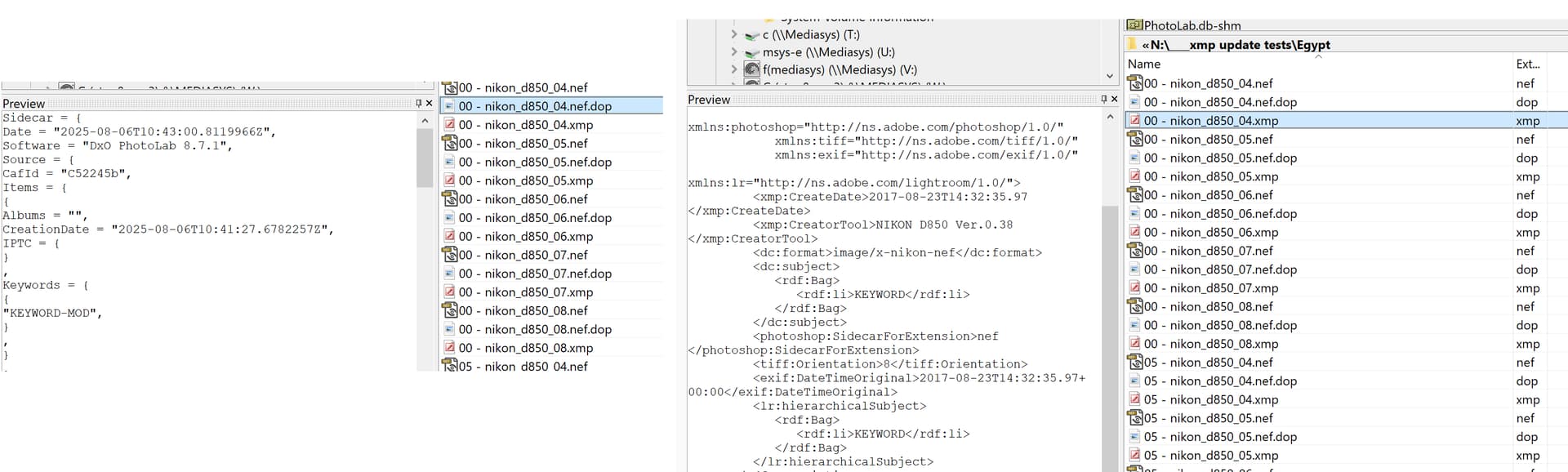
I knew nothing had been written to the xmp sidecar because my PFM program showed only this in its log , i.e. while “KEYWORD-MOD” was being written to the DOPs there was no sign of any file activity for the xmp sidecar files.

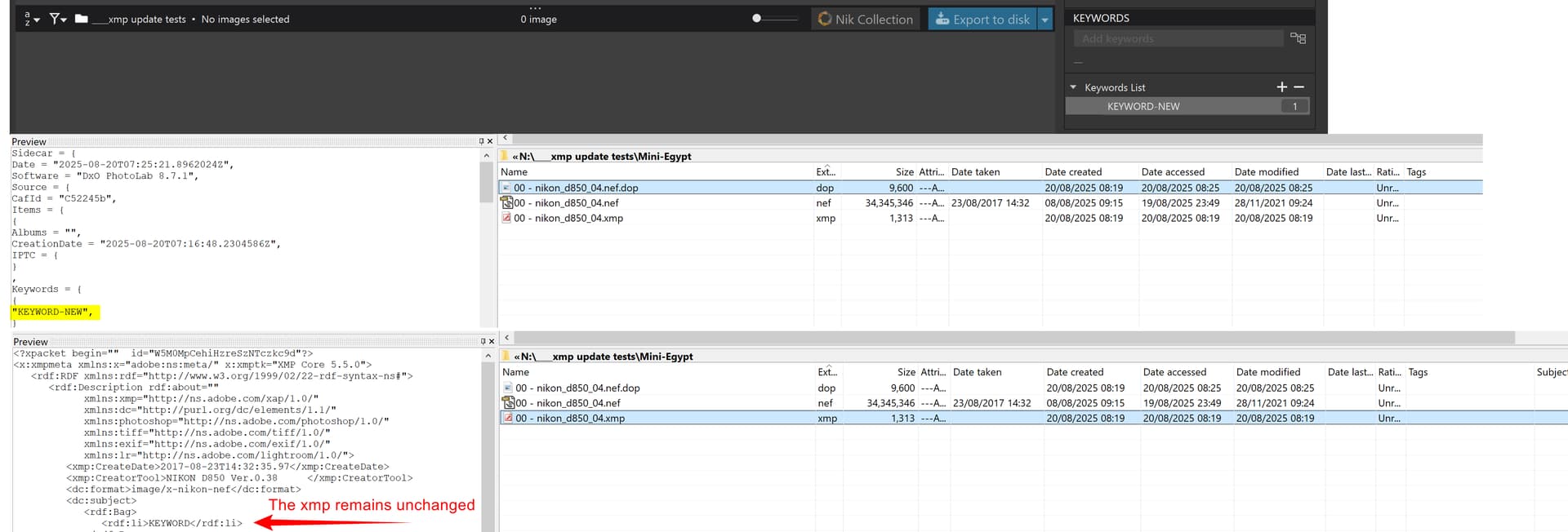
Now, with the images unselected. change "KEYWORD" to "KEYWORD-MOD":-

Examinstaion of the DOPS showed "KEYWORD-MOD" but the xmp sidecar files still show "KEYWORD", as previous tests have shown

2025-08-06 11:43:00.811996 - FILE - N:\____XMP UPDATE TESTS\EGYPT\00 - nikon_d850_04.nef.dop - FILE - deleted
2025-08-06 11:43:00.823514 - FILE - N:\____XMP UPDATE TESTS\EGYPT\00 - nikon_d850_04.nef.dop - FILE - created
2025-08-06 11:43:00.832522 - FILE - N:\____XMP UPDATE TESTS\EGYPT\00 - nikon_d850_04.nef.dop - FILE - modified

2025-08-06 11:43:00.841530 - FILE - N:\____XMP UPDATE TESTS\EGYPT\00 - nikon_d850_05.nef.dop - FILE - deleted
2025-08-06 11:43:00.851539 - FILE - N:\____XMP UPDATE TESTS\EGYPT\00 - nikon_d850_05.nef.dop - FILE - created
2025-08-06 11:43:00.860548 - FILE - N:\____XMP UPDATE TESTS\EGYPT\00 - nikon_d850_05.nef.dop - FILE - modified

Hum… I tried a few more times and get your results - the .dop file updates but not the .xmp. The .dop timestamps update, but not the .xmps. Played around with some other actionis and got some to update, but not all 22 files. No idea why. This concerns me, as I generally ignore the database and only use Projects for temporary working groups, relying on the .dops and .xmps to be “correct”. Will test more later.

1 Like

Consider this:

  • PhotoLab stores keywords in its proprietary .dop sidecars and in .xmp files
  • Depending on how PhotoLab’s handling of these files is set in the preferences, files are updated or not and this also depended on whether images were selected or not - at least in some of my tests. Occasionally, an xmp sidecar contained the “old” keyword as well as the “new” keyword in the flat and hierarchical sections respectively. Very odd indeed!
  • After deleting the database and other by-files (related items that reside wherever they might be), my tests did not show any unexpected keyword presence in the sidecars I checked during the tests.

Imo, PhotoLab seems to build up some kind of wonkiness during use. This manifests itself e.g. in keyword handling, but also in relation to editing and modifying presets (I reported the latter in a ticket).

My single point of definition for keywords is Lightroom Classic and I prevent PhotoLab from messing up things by leaving xmp-sync off and by not automatically importing and exporting .dop sidecars.

@BHAYT , I propose you open a support ticket in that matter.
https://support.dxo.com/hc/en-us/requests/new

@platypus Thank you for the reminder but I did that yesterday, referencing both of the related topics, so they should have a lot more information than the “useless” support ticket system allows!

@swmurray When I first detected that there was a risk that xmp sidecars were not being updated I was concerned that this would would have knock on effects with other software the user might be using.

However, the test that I performed and reported here showed just how disastrous it can be even within the PhotoLab domain.

Plus what is going on with the PhotoLab processes that they take the xmp sidecar which has already been used and decide it is the correct source of the keyword data, even after changes have been made whose date/timestamps should be later than those of the xmp sidecar file!?

Plus, although my tests appear to be black or white, i.e. they have all been reproducible, it is possible that I have been “lucky” and results for other tests might be more shades of grey or black and white, i.e. more variable and less predictable in their outcome.

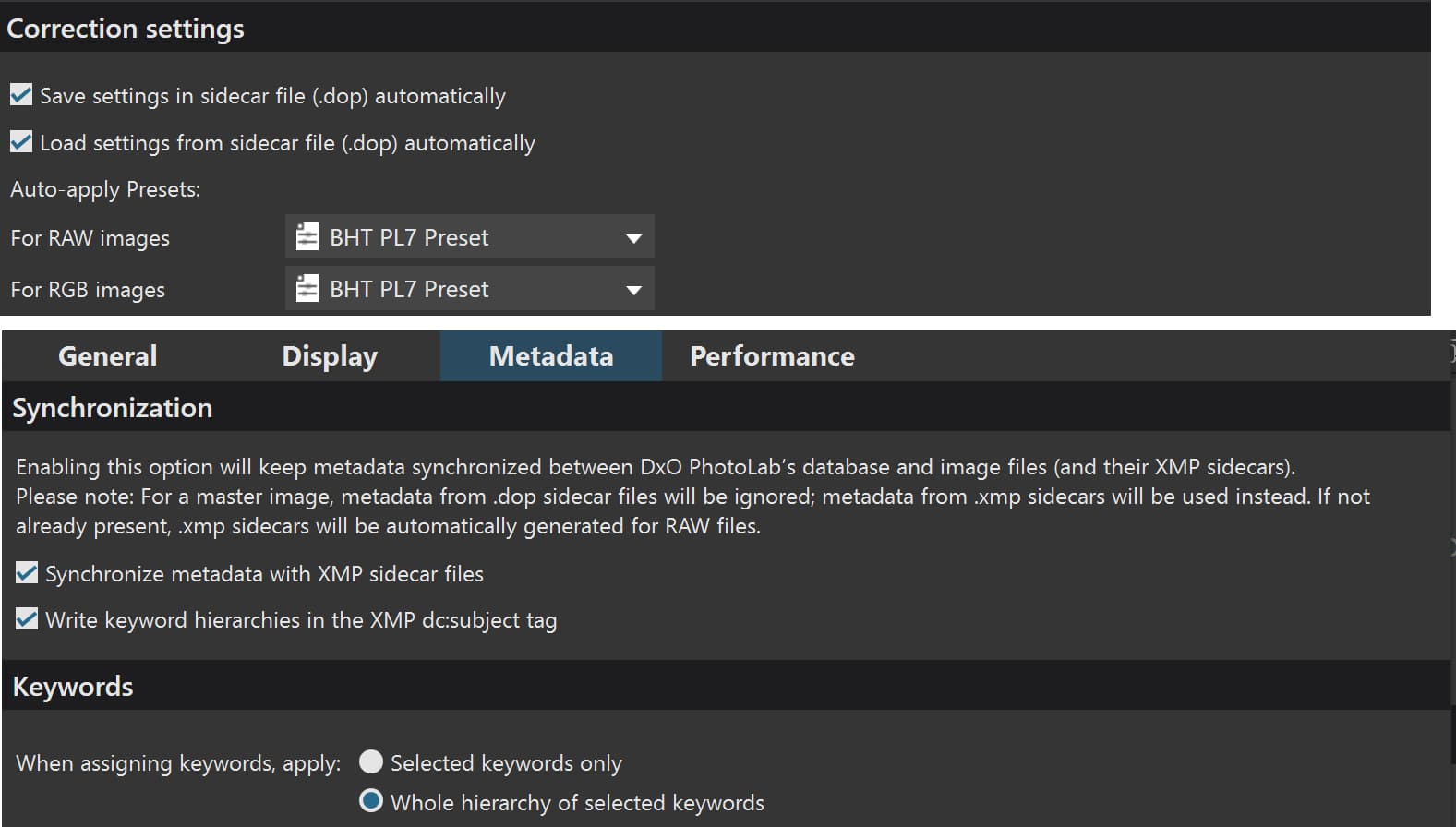
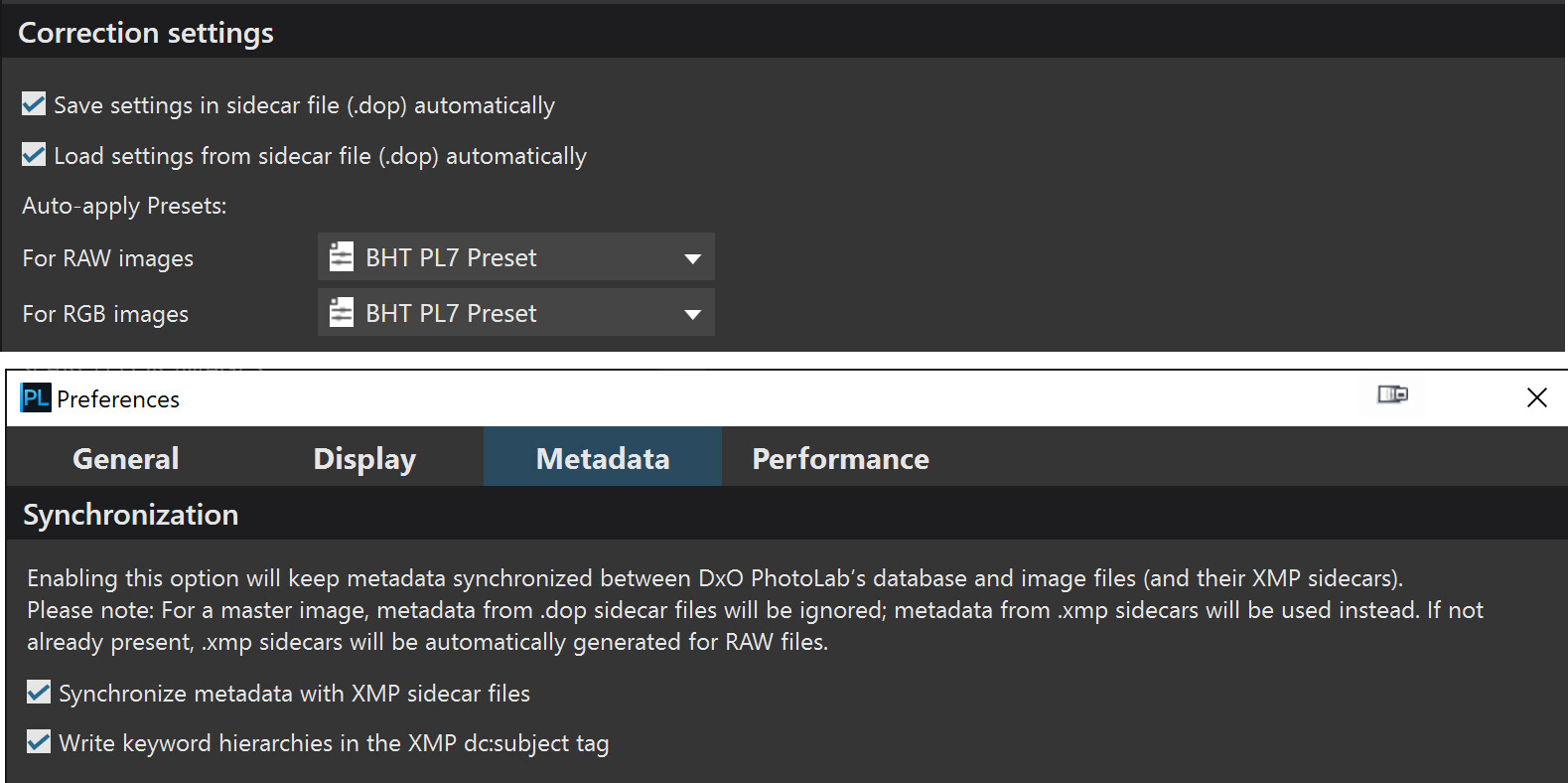
@platypus I know about your workflow, and understand the reasons behind it, but for the purpose of my tests I kept all options on, i.e. DOP reads and writes and xmp sidecar so when discovering an image for the first time (please note first time) the edits come from the DOP (if one exists) and the metadata from the xmp sidecar (if one exists).

So I selected all the images and switched from the “restored” “KEYWORD” to the now empty “KEYWORD-MOD” and moved to an empty directory and changed “KEYWORD-MOD” to “KEYWORD-NEW” and returned to the original directory and the images had reverted to “KEYWORD-MOD”.

How could such a blatant error have got through DxO testing!?

Currently I have the “luxury” of three folder monitor programs

  1. A product by Nodesoft called Folder Monitor, available only for Windows and freeware.
  2. A Python script I refer to as PFM (Python Folder Monitor) based upon some WatchDog code I found online and “enhanced” with additional logging.
  3. A PureBasic program based around some code from the PureBasic forum which I thought was doing a good job until I used it on these tests and it failed to detect most of the changes that are taking place, so back to the drawing board with that one!

All three work using an Operating System hook that allows the program to request the OS to pass details of any folder events back to the program. This is almost certainly the way that PhotoLab get its prompts for folder activity, e.g. Lightroom changing keyword details, except that DxO don’t allow one way synchronisation!

There appears to be an app called “Folder Monitoring” available on the Mac but how good it is I have no idea.

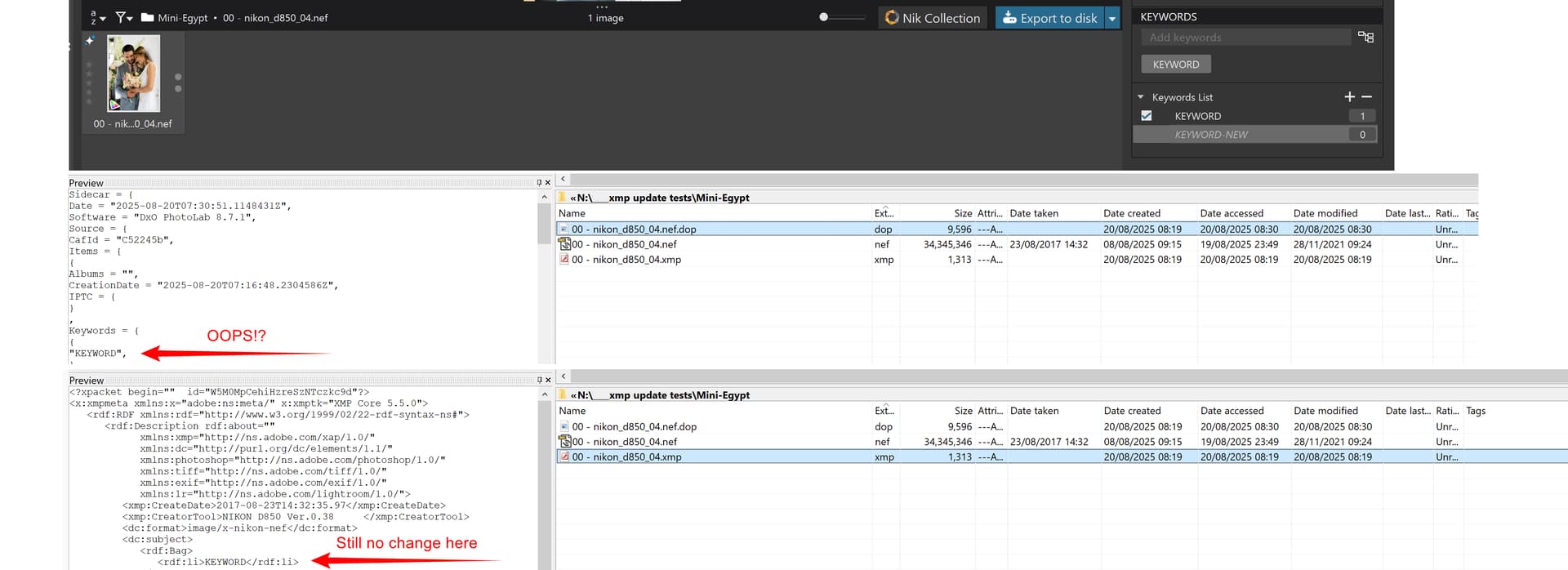
Some snapshots for the latest test.

@platypus It has been a little while but DxO responded by apologising for the documentation obviously not being clear enough and that the xmp options needed to be set before the ‘xmp’ sidecar file would be updated to make it easier to understand!

I wasn’t going to include the actual response but decided the issue was important enough that I shouldn’t paraphrase and am certainly not going to identify the author because the information may well have come from the Software engineers but @DxO_Support-Team, @Musashi, @Fabrice-B is this really best that DxO can do?

Start of DxO response:-

Hello Bryan,

Thank you for your patience while we checked in with our development team regarding the behavior you reported. I’ve just received confirmation from them and wanted to share the details with you.

By default, DxO PhotoLab writes metadata only into its own DOP sidecar files. This is why, when you make changes such as adjusting keyword spelling, those updates are immediately reflected in the DOP but not automatically in the XMP sidecar file.

If you’d like PhotoLab to update the XMP sidecar, you have two options:

    • Manual synchronization: Use the menu path File → Metadata → Write to image to write the current metadata into the XMP sidecar.
    • Automatic synchronization: Enable the option in Preferences to automatically keep the XMP sidecar in sync with changes you make in PhotoLab.

This flexibility is designed so that you can decide whether you want PhotoLab to manage metadata internally only, or to keep it synchronized for broader interoperability.

I realize this workflow detail may not have been obvious at first, and I truly appreciate your attention to it.

Thanks again for your patience and for helping us improve the clarity of our documentation.

End of DxO Response:-

This is my response to this reply exactly as entered on the support site and I have included evidence from another retest I ran this morning. This is the way that support will receive a submission, using the forum I can intersperse relevant snapshots with the text, even if it annoys some other forum users.

Start of submission:-
So to re-iterate:

  1. If the setting was off the the initial test would not have changed both the ‘dop’ AND the ‘xmp’ sidecar files would it (!?), i.e. I provided evidence that showed both files being updated, therefore the option was obviously ON at that point in the test.

  2. After the keyword change with all the images de-selected, I provided snapshots which showed the ‘dop’ had been changed but this time the ‘xmp’ sidecar had no corresponding change . Your response from engineering indicated that if the option was on (it was) then the update of the xmp sidecar would have taken place. It hasn’t so ERROR NUMBER 1!

  3. Returning to the image directory the images reverted to the keyword in the ‘xmp’ sidecar file, indicating (again) that the option was on and PhotoLab was taking the normal action and loading the ‘xmp’ sidecar keywords automatically which had remained unchanged as a result of error number 1.

  4. BUT that 'xmp, sidecar was old history but PhotoLab chose to use it again as if it had never seen it before! But is has seen it before, it had just created it, and the rather “crude” mechanism that PhotoLab uses to determine whether it is seeing something new in the image metadata (in the ‘xmp’ sidecar in this case) erroneously decided the data was new and promptly reloaded it ERROR NUMBER two.

  5. I repeated the test again yesterday evening, a number of times. It is almost as easy to repeat as it is to come up with some response which is the polite way of suggesting that the user should “Read the Manual”. I would respectfully suggest that I don’t need to read the manual (in this particular instance) but the engineers certainly do need to read the problem description.

The problem remains and needs to be fixed if any credibility is to be restored to PhotoLab Keywording.

While the wording of the DxO response was very “polite”, i.e. that the documentation “isn’t clear”, it still amounts to “RTFM”. Hopefully the attached will make my error submission clear enough for the engineers to understand.

END of Sumission

and included the following snapshots, the in the number of snapshots that can be directly added to a submission needs some creativity