Just received this card and I still have crashing issues with AI masks. I downloaded and installed the oldest release on their site - 576.02 - still crashes.
The problem in not just the driver, There is also an issue using the AI Mask presets list which DxO needs to address. Instead, try manually selecting the areas you want to mask using the circled tools.
Mark
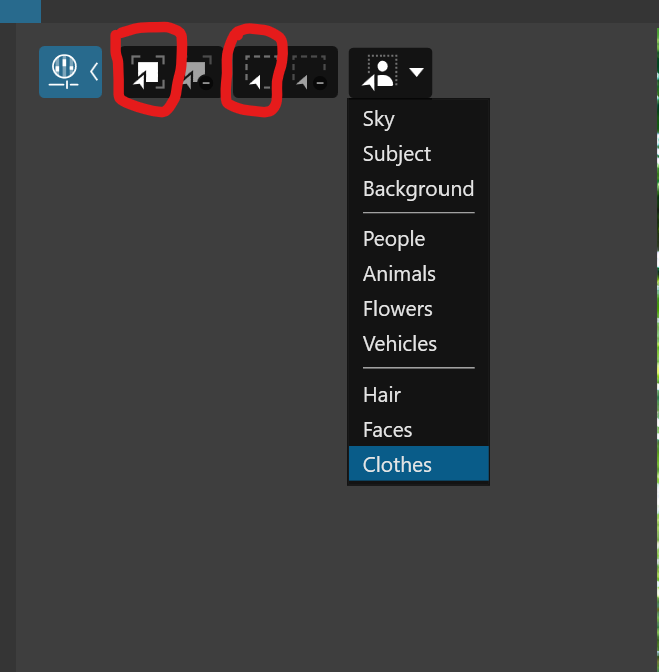
I have tried that and it still crashed out. I have tried several drivers versions.
I am thinking I may need to do a fresh install of PL9 as I installed it over PL8. Could that be the problem>
What do you mean by you installed it over PL8? All PhotoLab versions are separate installs. They don’t overlay previous versions.
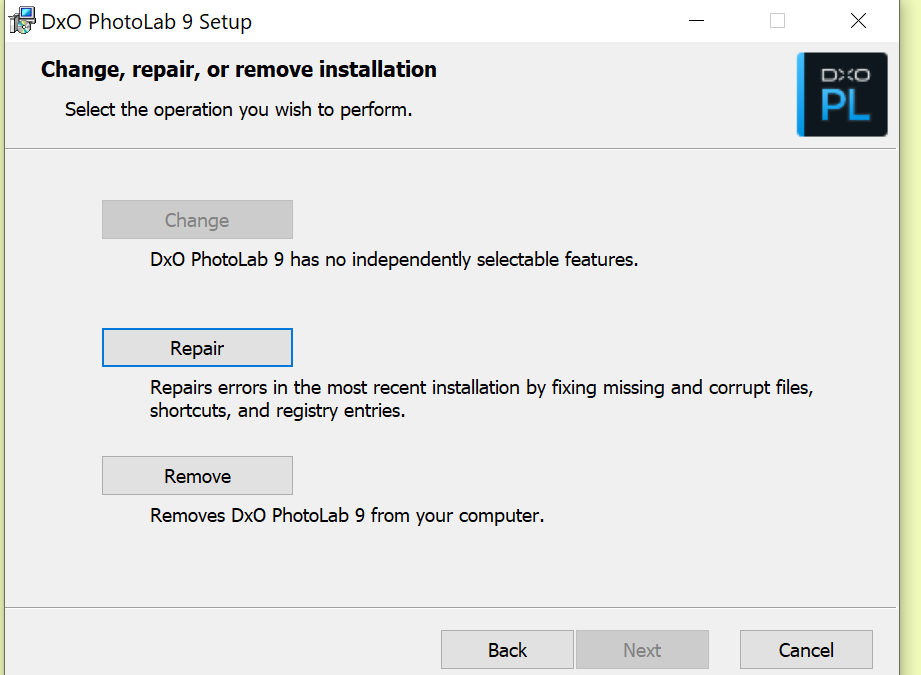
The first thing to confirm, assuming you are on Windows, is whether you have already installed PL 9.02. If so, again assuming you are on Windows, run the repair feature by reinstalling the 9,02 upgrade file. It will give you the option to repair the installed version. See below… The chances are this will not fix the issue you are having but you won’t know for certain if you don’t try.
Mark
1 Like
Repair fixed all of the issue!
I have the latest Studio Driver installed (from 9/10/25) and I can use the preset masks as well as the base AI masks. I used many preset and base masks on 1 image and no crashes and no lag! I tried several different images from many different dates of shots. All are perfect with the AI masks.
2 Likes
Forgot to mention that I installed PL9 and it kept all of my settings from PL8. I was thinking I might need to wipe out all of my setting and delete all crumbs of Photolab from my computer (I have upgrade from 6 ,7, 8 and now 9 while keeping all of the original settings from my original install setup. This way I would have no previous setting and/or history of PL. With all of these reviewers testing PL9 without issue, my guess is they were starting fresh with version 9 and no previous versions on their computers.
In the end, I think there was something corrupt in my previous install of PL8 settings that came about over time and the repair function fixed what ever it was.
@RaceDog I am glad you have resolved the issue because I was surprised to see any issue with your 5060Ti having just bought and installed one recently.
It seems to be impervious to most of the problems being encountered amongst other users?
But what size 5060Ti did you buy?
I decided to go for the 16GB card, hedging my bets for the future, I hope(d)!
However, I did get this in one of my test runs, 15555MB of VRAM just selecting an image after an XD2s export after a ‘Sleep’.
Please note that forcing a ‘Sleep’ results in GPU memory being “flushed”, so I use it to separate browsing and setting options etc. from exports, from time to time.
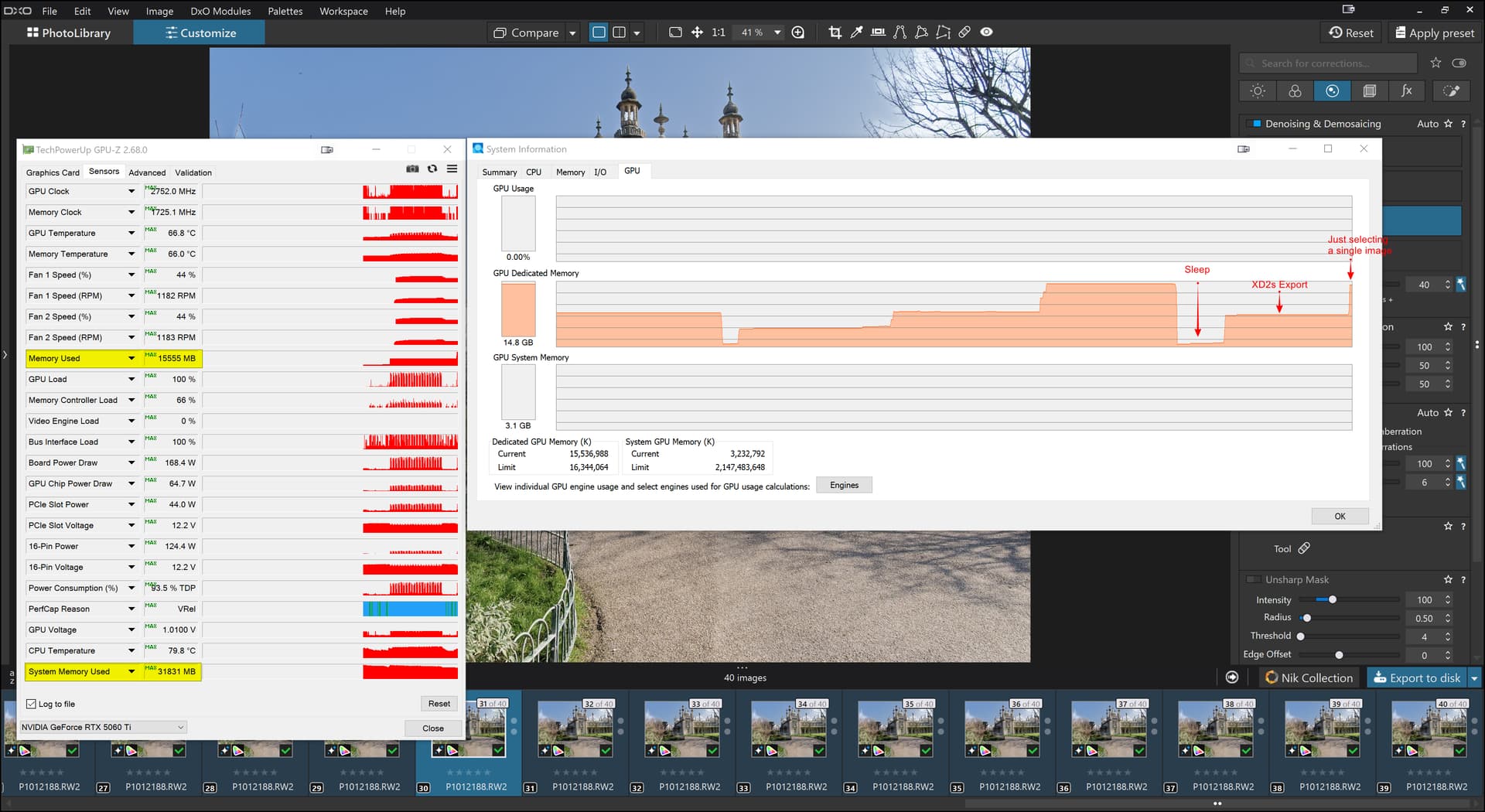
and please look at the system memory usage, 31831MB of RAM!!!
Those figures effectively max out my 5900X(32GB) with RTX 5060Ti(16GB)!?
1 Like
I see windows computers didn’t change since I switched to Macs 12 years ago. I used to always have to mess with drivers to keep my Windows machines working, there is always apps that breaks because of drivers. Things havent changed I can see.
@RaceDog - thank-you for your post and I’m glad you got things working. No such luck here with the newer of my PCs. Did a clean install of PL9 after removing every trace of all DxO applications. PL9 will still crash occasionally at startup, the featured AI masks consistently produce the internal error message, etc. By the way, Topaz Photo AI runs flawlessly on this PC including all advanced AI modules and no other application is affected. I’ve experimented with older and newer NVIDIA drivers - a red herring. It’s a waste of my time trying anything further until DxO addresses its problem - three weeks now! I have an older PC that I can use as PL backup until then. I suppose my punishment has fit the crime of being an early adopter.
Windows 11 Pro
Intel Core Ultra 9 285K
DDR5-5600 64GB
NVIDIA GeForce RTX 4070 SUPER 12GB with latest studio driver
NVME PCle Gen4 M.2 SSDs (primary and secondary)
467 / 5.000
After a lengthy discussion with NVIDIA support, I’m now using the Studio driver version 572.83 (March 2025) for my GeForce RTX 4070TI. This driver works flawlessly, even with the AI masks from PL 9. According to NVIDIA support, the bug has been identified and will be fixed in a future driver version. Important: When using version 572.83 in the NVIDIA app, reset the PL9 application from “optimized” to default.
2 Likes
@eriepa One of the things that worries me about the problems with PL9 is that some, like you, with system much more powerful than mine are experiencing problems when most of the time I am not?
So we have your machine CPU scoring 67,656(5095) and the GPU scoring 29,990 versus my 5900X scoring 38,977 and 22,852 for the CPU and GPU respectively!?
With RAM it is 64GB versus my 32GB and I have one Gen4 NVME but it is used for the PL database, Cache and for reading and writing my test images from and too but the boot drives is a SATA SSD.
The only place my system exceeds yours is in GPU memory, 16GB versus 12GB
So why are you efforts failing while most of mine on the 5900X are succeeding?
Have you got a test image and DOP that causes you grief so that I can try to break my system?
@Bytewurm You have me puzzled by this statement, where is this option you are referring to!?
Many of us have been using Nvidia driver 572.83 successfully as the workaround. However, in addition to mentioning the driver, thank you very much for posting the feedback from Nvidia regarding this issue.
Mark
I think he may be referring to Windows application performance optimization which if I recall correctly can be modifiedn on an application by application basis. I don’t recall the settings offhand but I think among other things it controls background and foreground application processing.
Mark
@mwsilvers You are narrowing it down but I am still none the wiser!?
Plus as @RaceDog indicated the 5060Ti won’t run with 572.63 the earliest we can run with is
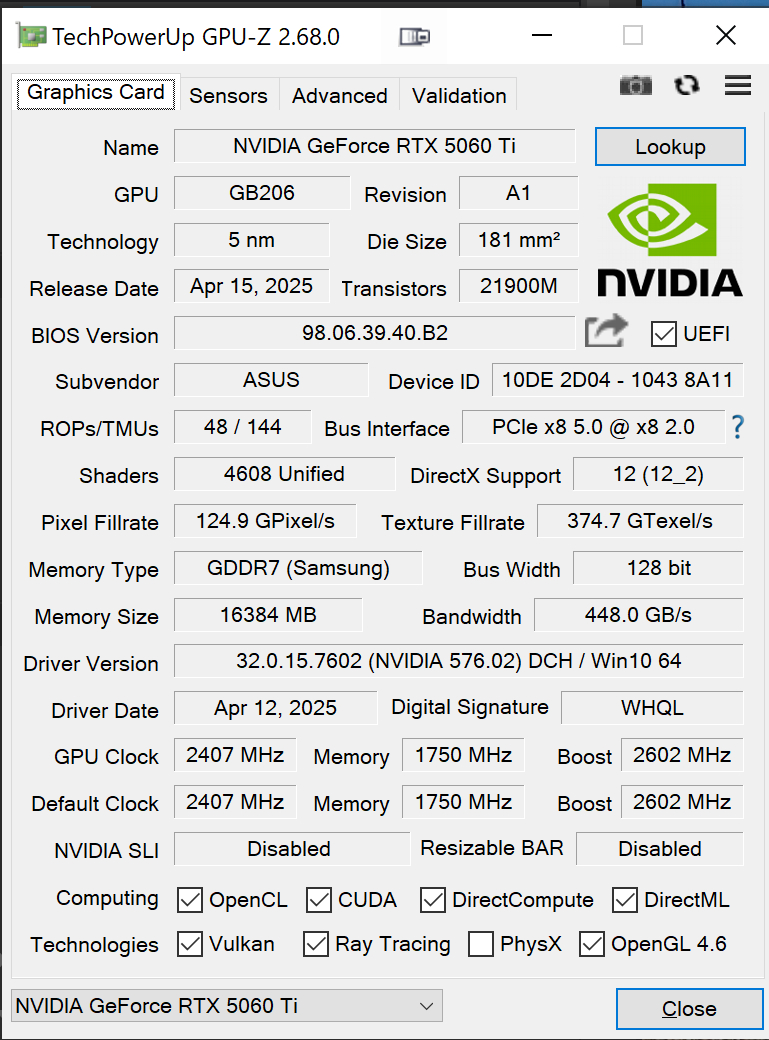
and it doesn’t seem to make any difference to me, it works(!?) as well as the latest drivers, no faster and no slower and both can “eat” VRAM like there was no tomorrow!
I’m still on Windows 10, perhaps MS has expanded the optimization functionality on Windows 11.
Mark
1 Like
Thank- you - that’s encouraging news.
Launch NVIDIA App, go to ‘Graphics’ section → ‘Program Settings’ tab.
In my case I don’t see any difference between what NVIDIA has set for PL9 and the Global Settings. But I’m using 4070 with 576.80 driver.
@Wlodek Thank you my settings for PL9 and PL8 currently appear to be optimised but PL7 does not!? I didn’t know these options existed and have never done anything about them. Currently both my Ryzen system are Win 10.
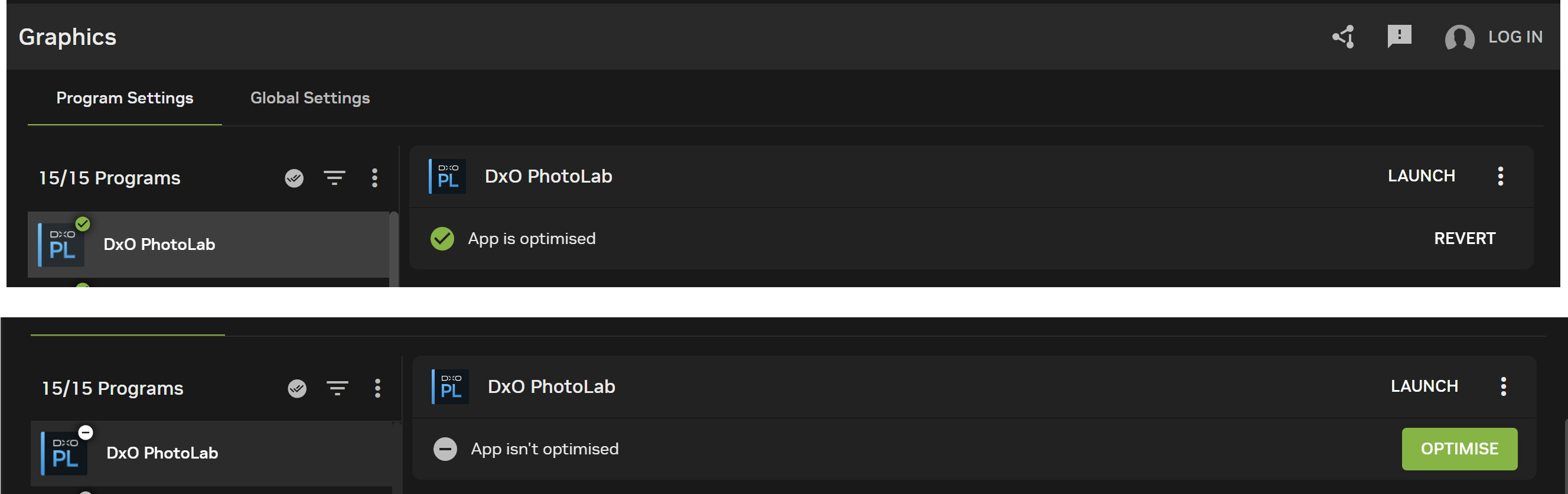
Presumably, ‘REVERT’ would restore the machine to a non-optimised state?
The 5900X with 5060Ti(16GB) seems to be able to handle everything I have “thrown” at it (so far) and so had the 3060(12GB), originally in the 5900X but now in the 5600G, until yesterday!
I got the “classic” PL9 error immediately I tried to create an AI mask for the sky
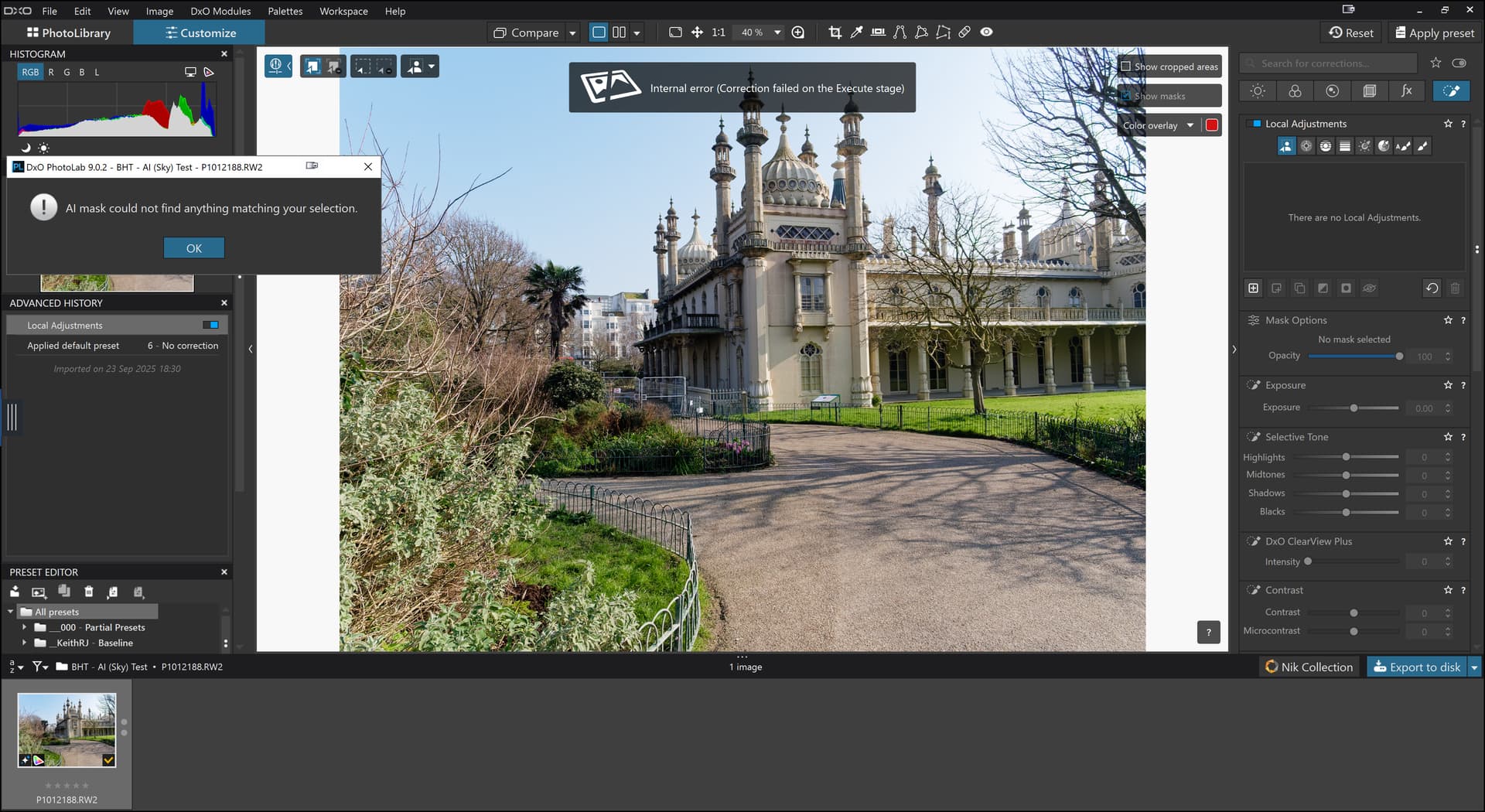
and the same thing happened when I tried to open an image that had been edited and exported successfully by PL902 on the 5900X(5060Ti). As soon as I selected the image in PL902 on the 5600G (3060) it produced the same error message!?
Did you also get nvlddmkm event 153 in Win System EventLog?
Yes, perverse. Some unholy alliance of DxO, NVIDIA, and Microsoft I presume. I mentioned my backup PC previously. PL9 runs acceptably well there (specs below). RGB, ProRaw, RAW files - all AI masking models – a bit leisurely, but no real problems editing or exporting.
Windows 11 Pro
Intel Core i7-8700K @ 3.7 GHz
NVIDIA GeForce GTX 1060 6GB, with studio driver, 560.94
SDRAM DDR4 3000 (32 GB)
Samsung SSD 970 EVO M.2 2280 500 GB (primary)
Samsung SSD 860 EVO 2TB (secondary)