Well, I rechecked, uninstalled, even went back to 5.4.0.506 (Win) and it still chrashes …
Let me show this later in detail (have to go shopping etc). 
First a snippet from the VP 5 User guide (pdf) → page 66 .
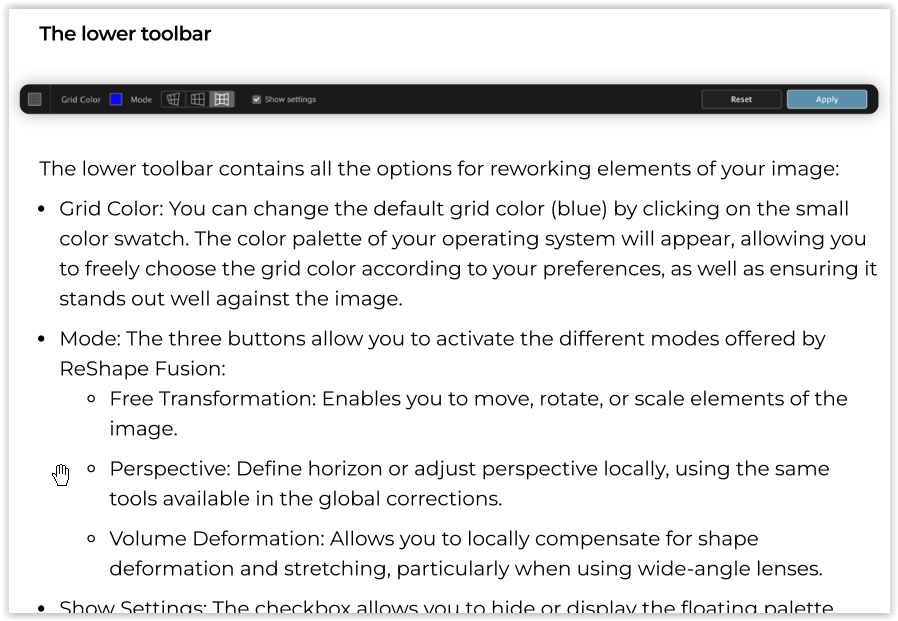
DxO added Mode buttons for the renewed ReShape Fusion, the most important change from VP 4, to put them in the very lower left corner, next to the companion-options Grid (and Line) color of its predecessor.
.
VP 4

.
VP 5 (Free Transform)

which by default starts with Move, the functionality of VP 4 ReShape
.
VP 5 (Perspective) **))

.
VP 5 (Volume Deformation)
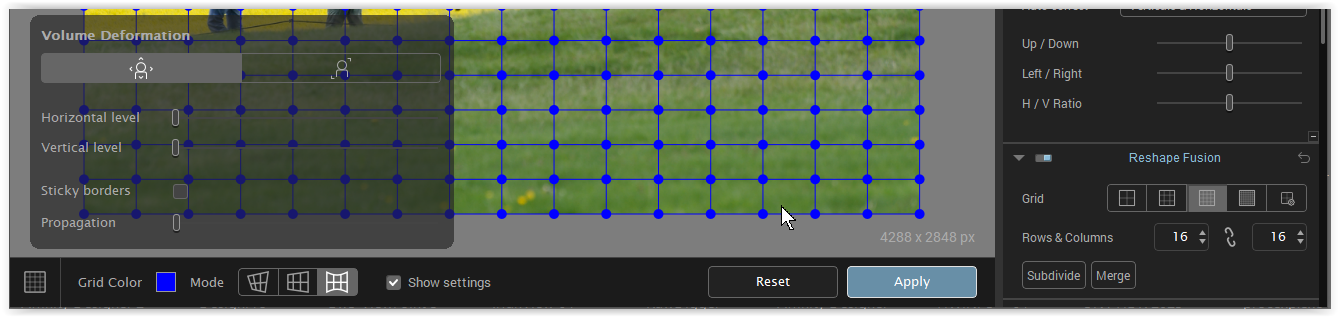
It looks like DxO tried to separate global (right) and local (below) adjustments, but then crammed important tools into a corner, keeping them small and “unimportant” out of sight, while everything else happens on the right.
Aside from this serious GUI issue and the fact that VP 5 apparently wasn’t thoroughly tested, the screenshot of VP 5 (Perspective) shows the bug. **))
-
There are additional (forgotten?) “Reset” and “Apply” buttons. The latter is grayed out and crashes the application when used, while the regular (not grayed out) “Apply” button on the right does nothing – neither adjusts anything nor crashes the app. -
The “blue nodes” are not activated – and prevent you from selecting anything that could then be adjusted.
**)) after further examination !!
- The additional “Reset” and “Apply” buttons are also present in PL8.7.1_633 / VP5.5.1_542 (Win)
.
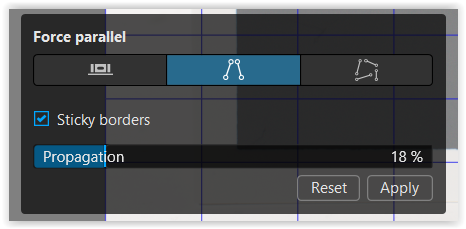
and come to life after pulling those lines
.
likewise in VP5 Standalone
.
In the embedded version, I can “Apply” this customization
(but the “Reset” button doesn’t work and have to use “General Reset”,
.
whereas in the standalone version, the “Apply” button crashes the application …
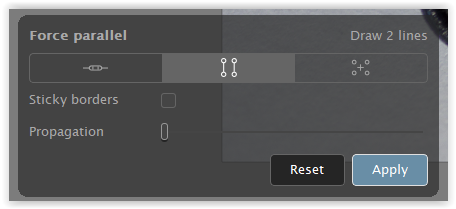
There is definitely still room for improvement!!