The following issue has plagued me in DXO Pure RAW version 5, and now also in Version 6. I believe it’s something that I am doing, and that it’s a simple solution, but I’ve seemingly tried everything to solve it.
Here goes:
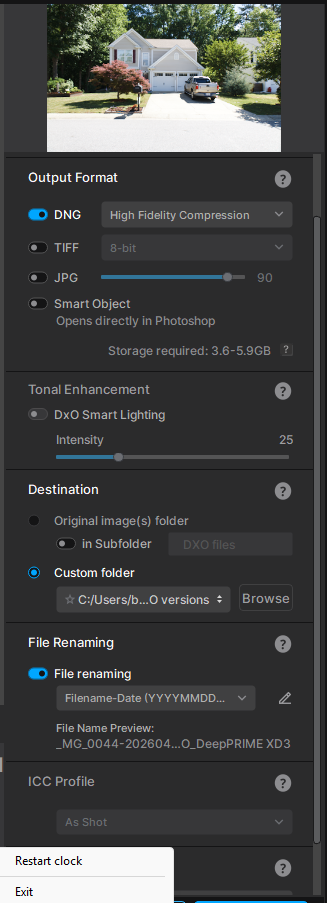
The issue involves choosing the output folder - which normally, is a simple scenario (one would think), but somehow what I choose is not where the converted DNG files are winding up going to.
For example - If I choose the simple route of selecting the original images folder, and begin the batch conversion process, only the first image in that folder will be converted and placed where I selected (but only the first image). All of the remaining images are then routed to another folder - of let’s say from a camera’s files that I may have worked with several months earlier.
Even when I select a subfolder within the original images folder, the same scenario occurs - that is, only the first image goes into the correct folder that I chose, and then the remaining images go to another camera’s folder. Then I tried creating a custom folder and chose that in Pure RAW - but still the same scenario, in that only the first image is converted and sent there, but the rest wind up somewhere else.
For example, in the screen shot below, I have a custom folder selected - just for a test - and that subject folder is a folder named DXO and placed it on my desktop. My original images folder is located on an external drive (in my case Drive H, as I have a half-dozen external drives where I store my images - both raw and processed). Yet, only the first image converted is placed in that custom folder (no matter where it might be), with the rest going somewhere else.
Yet, as I said, regardless of where the destination folder may be located (whether on a C drive, or some external drive), only the very first image being converted winds up there, with the remaining images being placed in a camera whose images I may have worked on weeks or months ago.
Folks - I know it is something simple that I’m failing to do, but I don’t know what it is. When the job is done, I make sure that all the jobs are deleted in my
queue - but still the same thing happens.
If it helps, a few months ago I did a job for the older Olympus E-620. In my current job, I am using images created with the Canon R8 - but other than the first image, which goes to the folder I selected, it begins putting all the rest of the images in the E-620’s folder.
Unfortunately, you’re not the only one who has had this problem over the past few years:
I see that you’ve posted about this before yourself. Why have you started a new, identical topic instead of continuing the discussion in the existing topic? What progress, if any, have you made with DxO support?
Yes, I did - but received no cures for the issue. So I thought I’d start one again.
All I know is that this issue is so frustrating - a real software problem that surprisingly, hasn’t been taken care of with subsequent releases.
As it stands now, I’m beginning to steer clear of Pure RAW, and becoming accustomed to using the excellent Aiarty Image Enhancer software, which has similar processing procedures, with excellent results - and where you designate the images to go, they go there (not just one).
I hope that somehow DXO remedies this software glitch.
J’ai le même le problème avec la version 6. Le support me propose de mettre à jour Windows ainsi que les drivers…
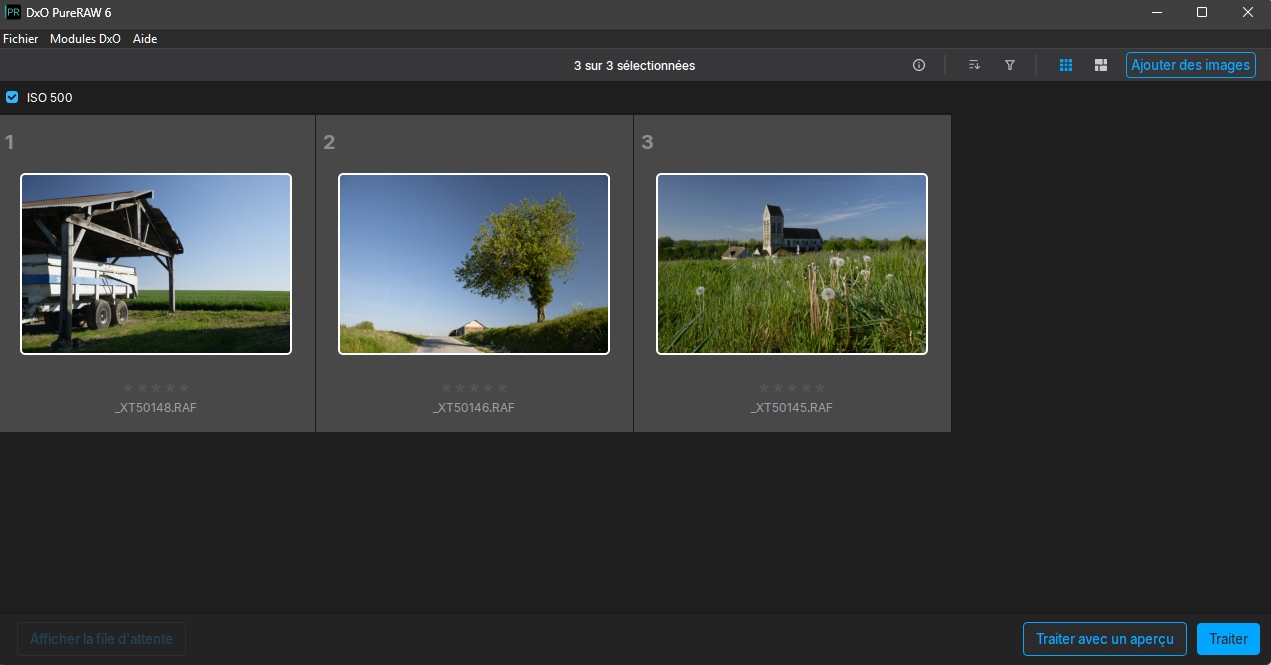
Ma solution est de ne pas utiliser “Traiter avec aperçu” mais Traiter. Je change le dossier de destination et autres paramètres dans la nouvelle fenêtre.
Merci pour la suggestion. J’ai essayé ça - toujours pas de chance. Il s’agit d’un très grave problème logiciel (non résolu) qui a gâché mon expérience avec les produits DXO. Il devrait s’agir d’un scénario simple dans lequel, lorsque vous choisissez un dossier de destination, c’est là que les images doivent être placées. Nous ne devrions pas avoir à envisager le scénario dans lequel la première photo va à la destination souhaitée, mais toutes les autres images finissent ailleurs. Je dois ensuite jouer à “trouvez-moi si vous pouvez” pour localiser le reste des images.
In English:
Thanks for the suggestion. I tried that - still no luck. This is a really bad (unresolved) software glitch that has ruined my experience with DXO products. It should be a simple scenario, in which when you choose a destination folder, that’s where the images should go. We should not have to deal with the scenario whereby the first photo goes to the desired destination, but then every other image winds up somewhere else. I then have to play “find me if you can” to locate the rest of the images.
This is my work around and contrary to what somebody said, it works every time.
I too use Capture One, so this will work for you.
Let’s say I have 100 images to process from Photomechanic . I’ll put ONE image, say the first one from the 100 into PR6, then select the output folder, in your case the Session ‘capture’ folder. I then process that one image. Check the folder and the image should be there.
I will then select ALL 100 images and put them into PR6. I double check the destination folder is the last one you processed into, it should be. When you go to process the 100 images you will get a pop up warning box saying there is a duplicate image in the destination folder, click OVERWRITE. The process will then start and all should be fine.
Bingo - yes, that works, all of the images are going into the folder I outputted. This is great. DXO wanted me to download diagnostic software and for me to take a video of my workflow and what’s happening. I don’t have Capture One - I do everything in Photoshop via ACR.
So yes, one after another image is now going to the desired destination folder. Even though it’s an extra step to take for something that should be a simple (and proven) scenario, at least it gets me where I want to go.
Thank you so much, and I will copy and paste your posting and send it to DXO support.