Differences depend on image tonality, sometimes they are easily seen sometimes less so. You’ll notice a difference if you look at the sky… DxO Smart Lighting can help improve - or harm - an image. There simply is no single cure for all ailments…
Maybe tomorrow I will practice using Smart Lighting in a controlled manner, as Joanna suggested. I’ve never yet attempted that. I may be slow, but eventually my “toolbox” is growing. 
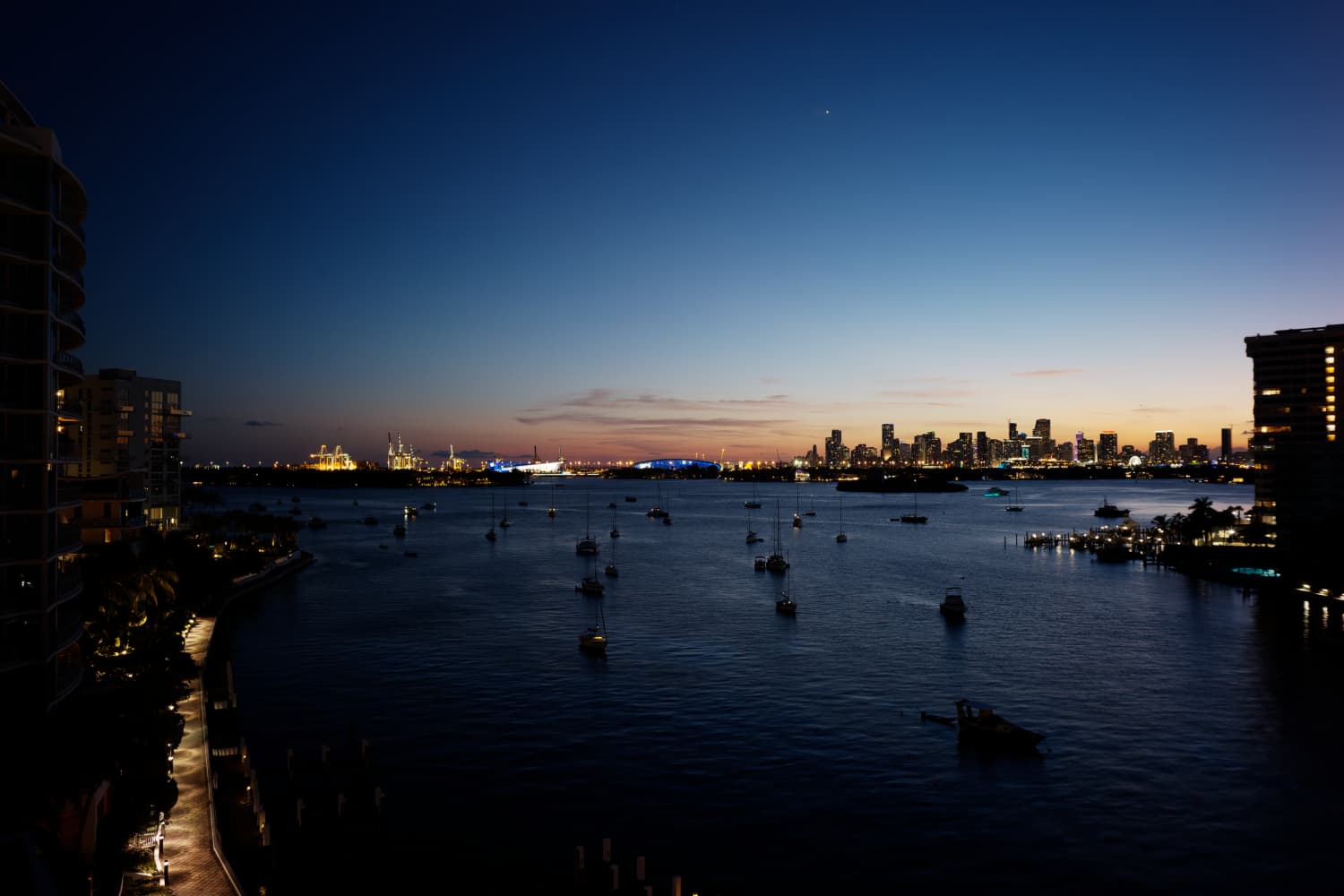
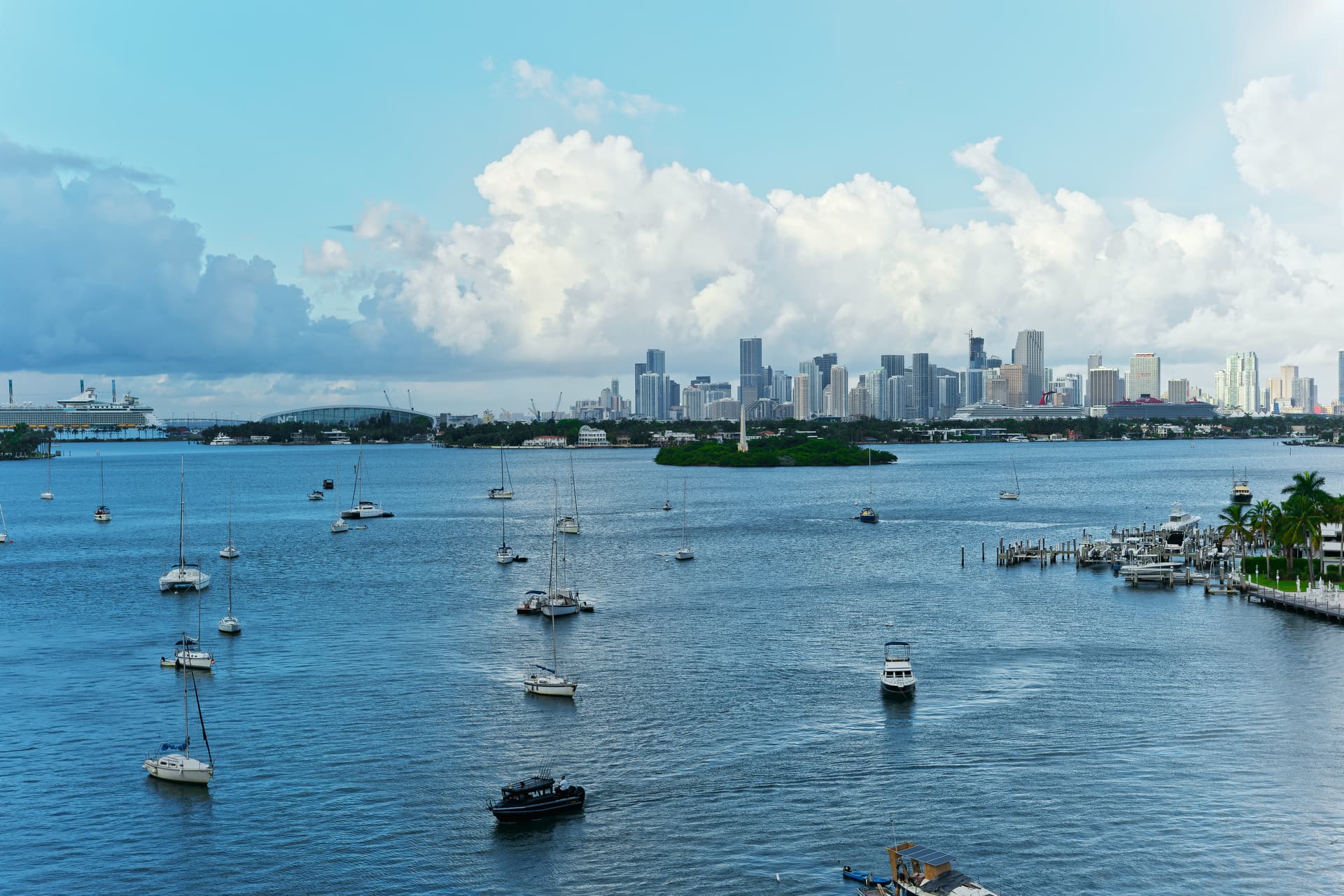
I took a series of photos this evening, using my Leica M10 with a Voigtlander lens on it, set to f/8. Unfortunately, the sky was totally boring, meaning I don’t think this image is worth working on.
What it will be useful for though, is a comparison of either of my Nikon 24mm lenses on my D750, with a rather inexpensive Voigtlander 25 mm lens on my M10.
As I see it, there is no comparison. I look at the details at 100%, and this makes me think I’m wasting my time with the D750 unless I buy better lenses for it.
It’s not exactly a 1:1 comparison, as I mounted my Visoflex finder on top of my M10, so it sort of acted like a DSLR. Focusing was simply set to infinity, and forget. I used the histogram that shows up in “Live View” in the Leica to judge the exposure.
So many “little things”, such as I can easily see the details on the crane on top of two buildings, while with the D750 and my lenses, it looked nothing like this. There was a gap in the right edge of the histogram before the edge of the screen, and that pretty closely matches what I see here - but when I made the image lighter to get a better histogram in the camera, it looked like it was going to be too bright. Maybe I should have trusted the histogram more.
The camera was on a tripod of course, and I bought one of this $25 shutter release buttons that are supposed to make it easier to release the shutter without moving the camera. That worked as intended. I’m also surprised that I can see so many details on the small boats. There is ‘noise’ in my full size image, but PL4 will probably fix that.
I had all the Optometry corrections turned on, so Joanna isn’t going to frown at that again. I could have used a lower ISO for less noise, but then I’d have a much longer shutter speed. I suspect 800 might be more appropriate, but if Deep Prime fixes the grain, I’ll be happy to continue using 1600.
I’m real curious what you all think about this image compared with what I can do with my Nikon. For special photos like this, I think I’m better off with my Leica kit.
The image is still pretty much from the camera, hardly any editing. It’s never going to be a great image, as the sky is empty, but it’s a great comparison against what I could do with my Nikon D750 and my two 24mm Nikon lenses. It’s too dark, and too… well, whatever. but it’s useful for a comparison, for the future.
L1003139 | 2021-09-30-Sunset Biscayne Bay.dng (26.4 MB)
L1003139 | 2021-09-30-Sunset Biscayne Bay.dng.dop (10.7 KB)
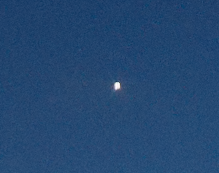
Venus - no retouching needed:
From where did you get the dng from the Leica?
When I compare the DNG from your NEF created by PL than there is a huge difference.
Sensorsize Leica:5952x3968=23617536
Leice DNG filesize 27715569
Sensorsize NEF:6127x4016=24606032. Only 1.04 times Leica
NEF DNG file size 95175530. And now 3.43 times Leica.
It seems to me that the Leica contains a RAW file and the NEF a tif-file.
If they are both created with PL, why that differences.
George
The Leica produces DNG files as its native DNG format. If you have a DNG from the Nikon, that will have been produced by PhotoLab
Ah, that way.
George
I don’t understand. I did what I always do, copied the files from my memory card to my computer, and started editing with PL4.
Here’s another file from my Leica, which I haven’t edited in PL4:
L1003130 | 2021-09-30-Sunset Biscayne Bay.dng (27.3 MB)
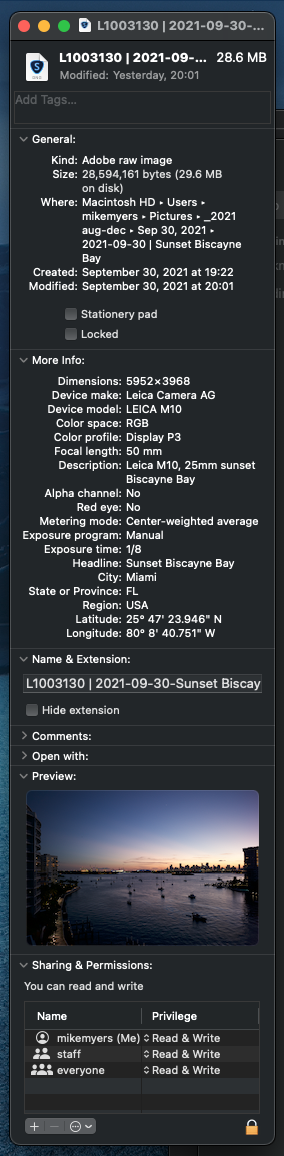
I did view it in PL4, so maybe it is processed, but that shouldn’t change the original dng file??
Dimensions are also 5952 x 3968.
Both cameras are rated at 24 megapixels.
What do you mean by “NEF DNG file size”?
…and here’s my “get info” screen for an un-processed file from my Nikon:
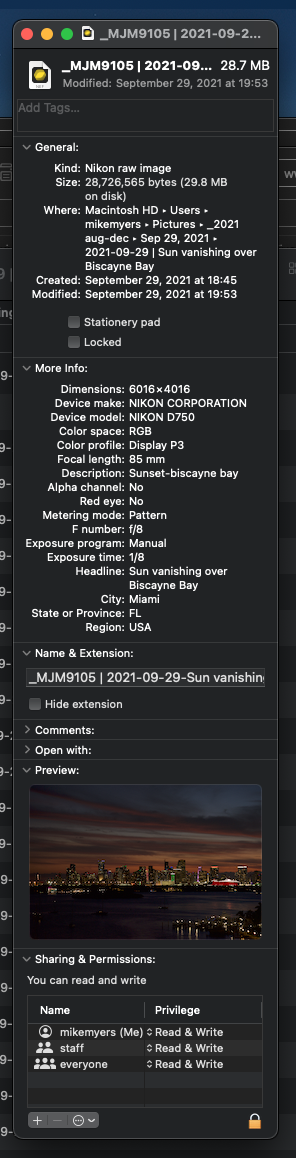
Oops, I woke up too early - had I waited, Joanna would have already answered.
Going back to sleep - it’s 3am here.
Wow! Interesting.
My impression is that the Leica is, at the same time, both sharper and less detailed in some areas, if that makes much sense  I’ll come back to that later.
I do notice how little work it takes with the Leica image to get a very nice image but, to start with, here’s an export from my version…


Now to the “detail” of the matter.
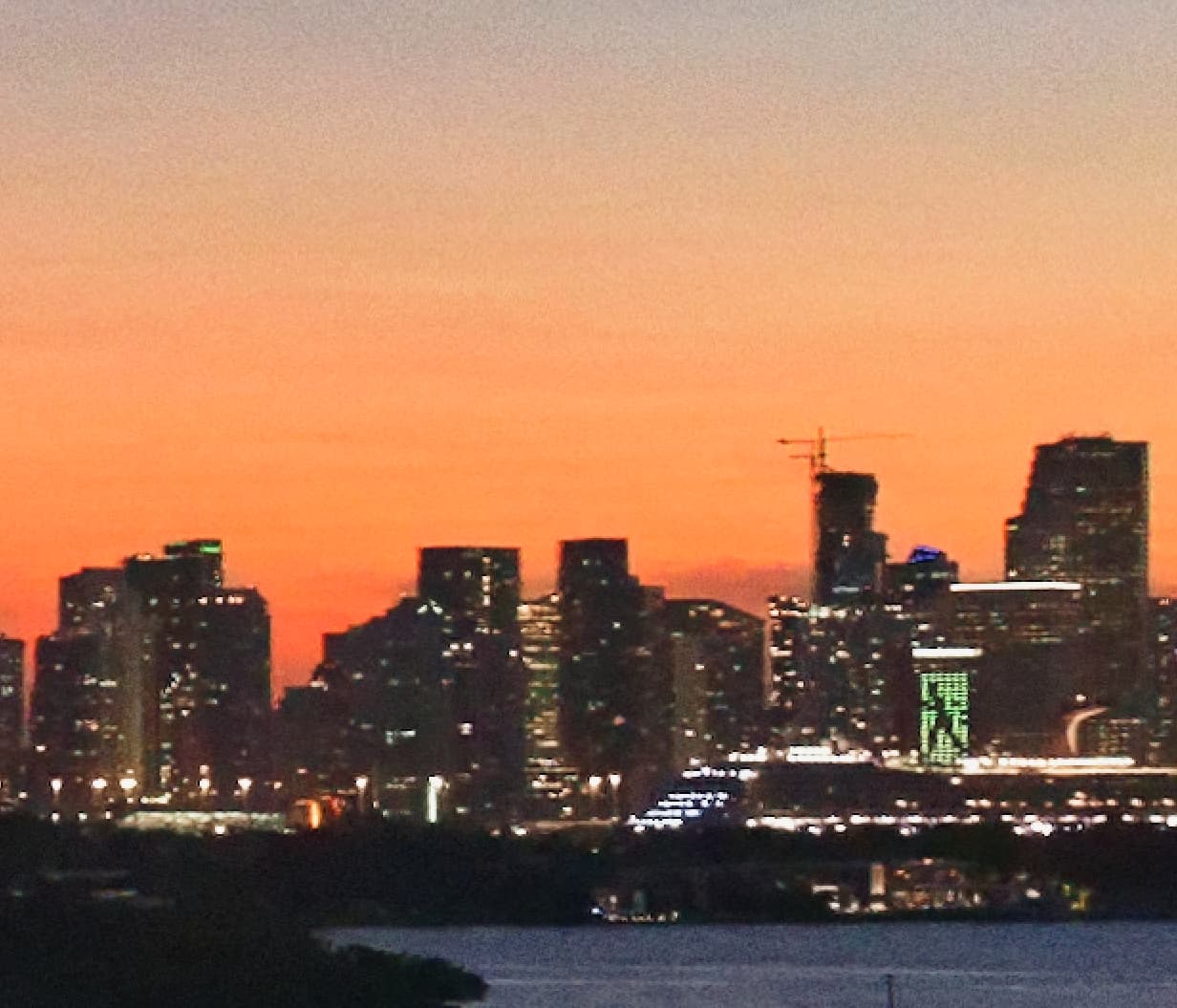
Here is a 200% screenshot from the Nikon version…
… and here is the same from the Leica version…
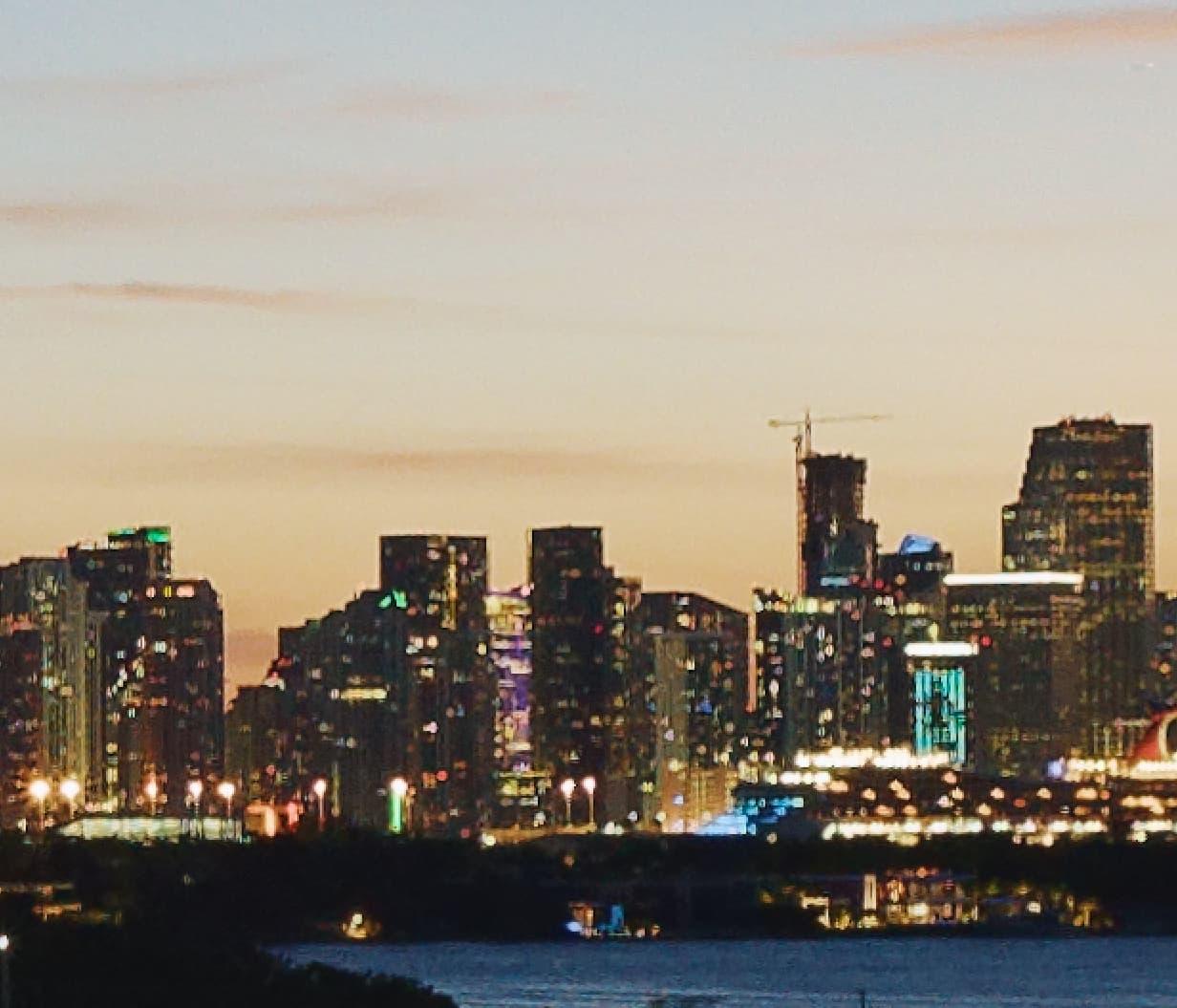
Notice how the Leica version is sharper but also more pixelated. The “running man” is not as easy to see on the Leica version and there are “pixel shadows” around a lot of the edges.
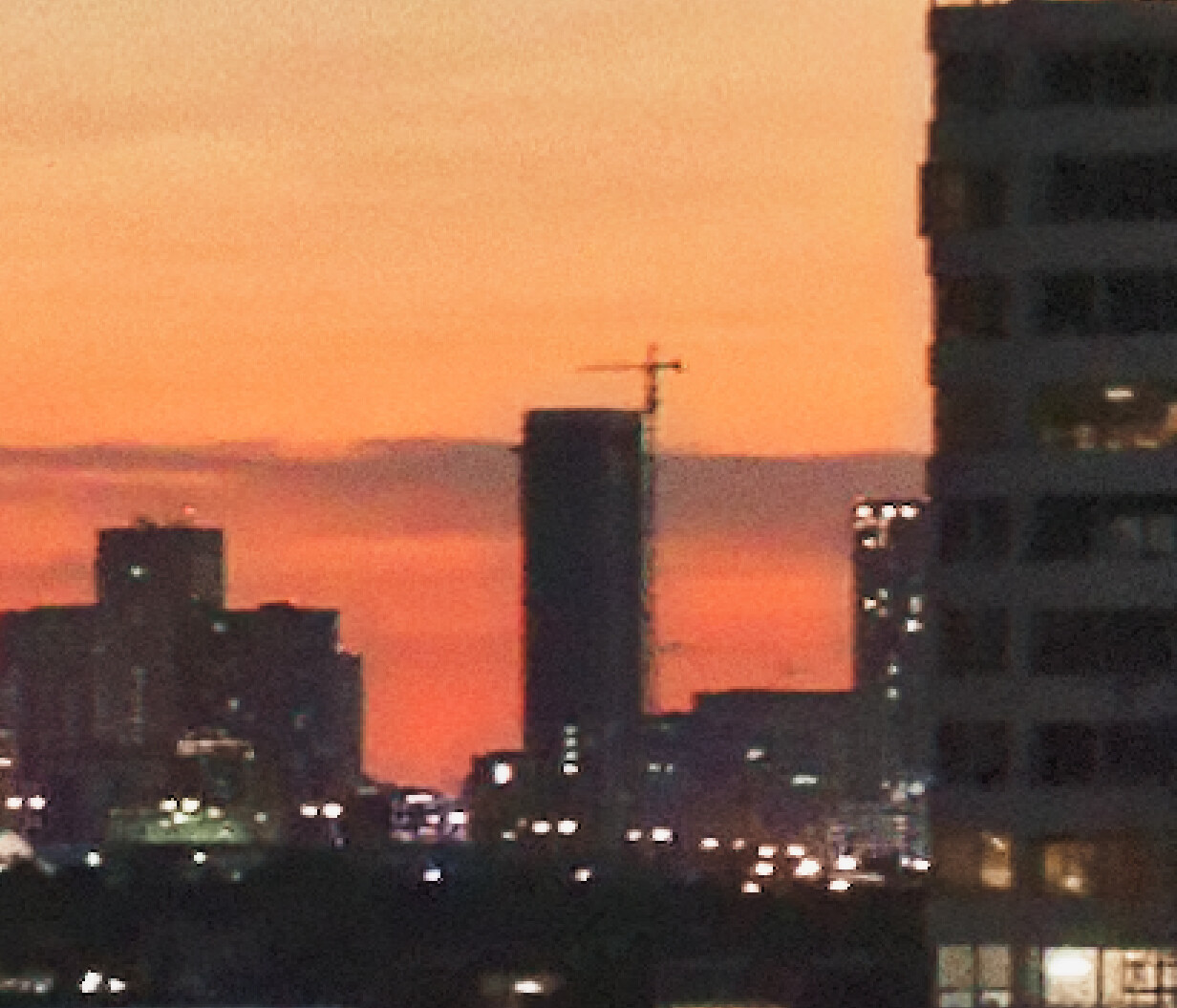
Let me compare the building edges on the right (at 300%)…
Nikon…
Leica…
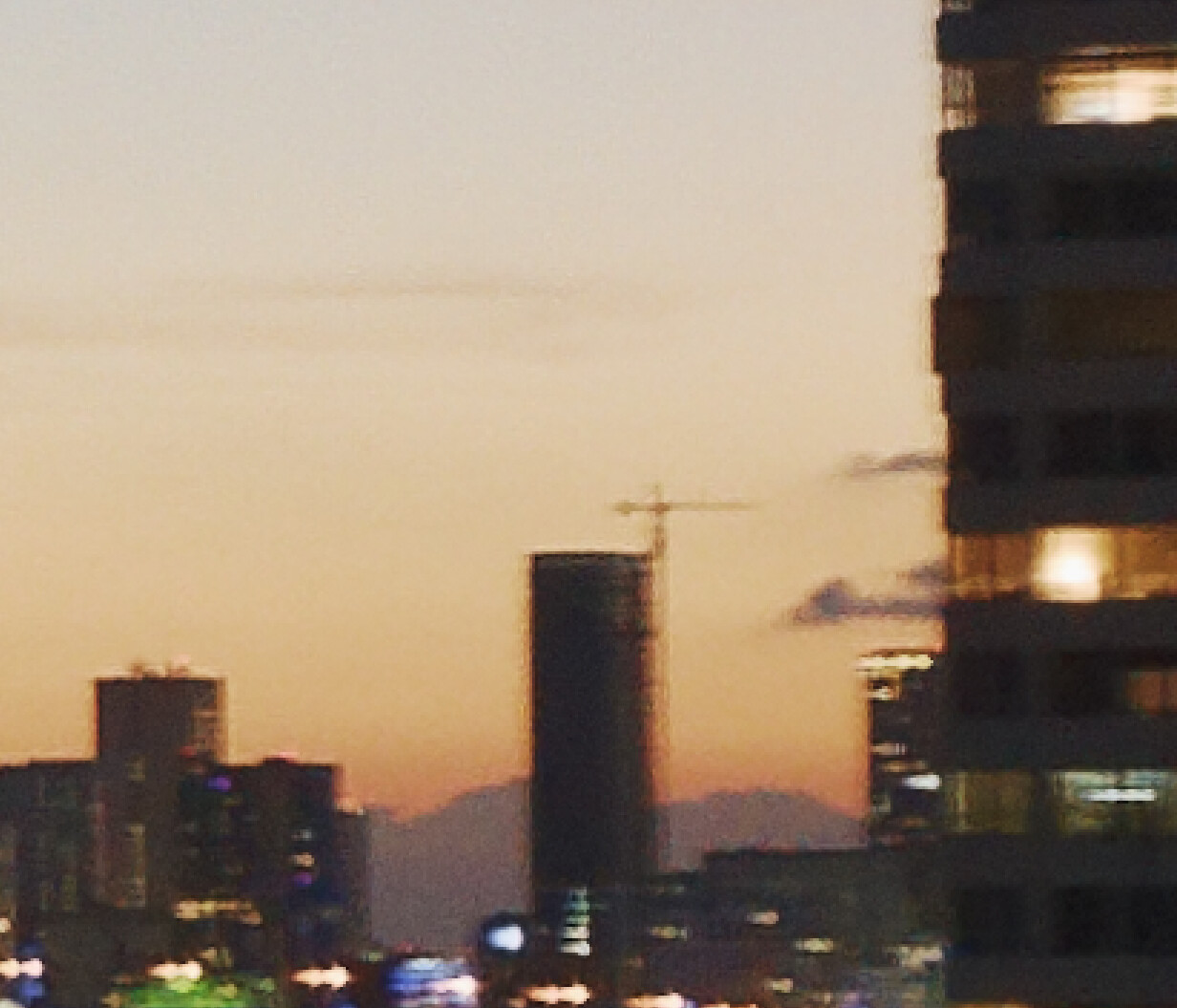
To me, the Leica version looks “frayed” around the edges, whereas the Nikon might exhibit some residual red fringing because the DeepPRIME is not applied until export, but the edges look tidier.
I get the feeling the Leica may be applying some digital sharpening when it takes the image, but that is pure guesswork.
Mind you, you only used f/4 on the Leica, which means you weren’t going to get the best out the lens, especially at the edges. The optimum aperture, for the sharpest images, on a full frame sensor, for maximum depth of field, without running into diffraction, is reckoned to be f/10 and a lot of tests seem to find that many lenses are at their sharpest around f/8.
On our 5" x 4" cameras, we reckon on 2 stops larger than minimum aperture, even with movements applied, which means we are often working with f/32 for landscape shots like this.
If you are going to take daw/dusk images like these, to make them really sing, try to follow the rules of optical physics 
Yes, it means that anything that moves may be blurred, but that is just the camera recording the movement that was there but that you chose to freeze.
When I look at the images more closely, I see that they have been shot at different times of the evening and from different places*. This, in combination with airflows due to temperature differences, can cause some blur, specially in a humid climate and a city environment with all its exhausts from aircons and automobiles.
*Update: Okay, they were clouds, not hills, I’m not used to having no hills/mountains around 
… plus with DSLR one has to take care of mirror shock,
the critical spot around 1 sec (that includes 1/25, depending on the camera)
-
stay away with higher ISO
-
or on a tripod
-
- use the Mirror-up function before exposure and a remote release (cable, infrared …)
→ Using PhotoLab 4 to process sunset photos - #37 by Wolfgang
or the selftimer as @platypus mentioned
→ Using PhotoLab 4 to process sunset photos - #33 by platypus
- use the Mirror-up function before exposure and a remote release (cable, infrared …)
-
- using lenses with VR (Nikon ‘language’) switch OFF the VR function
Both images were shot at f/8. The EXIF data for the Leica can’t show that accurately, as there is no connection between the aperture ring on the lens, and the camera body. If the EXIF data showed f/4 that is a problem many people have - it is not, and can’t be, an accurate number. Funny, at 200% and 300% they look similar, but viewing at 1:1 on my screen, the Leica image appeared much sharper to me. Ignore the display on the large digital sign - it is constantly changing. I’m surprised with the long exposure on the Leica it even came out correctly. Joanna, where do you see the aperture listed at f/4? On my screen, the “Get Info” selection as shown above correctly shows no reading for aperture. This has been a problem for other people, but my macOS shows things accurately.
Yes, I was paying no attention to the time, only to the brightness, which was greatly effected by city light reflecting off clouds to light up my scene. I took photos over a span of half an hour or so, meaning I can easily post two images to compare taken at mostly the same time. I wasn’t paying attention to that, as I was only trying to get a photo at the moment things looked best. About location, that was the same, within one inch. You might be fooled because my Nikon lens is 24mm and my Voigtlander lens is 25mm. I agree completely that the weather “felt” different. Nothing I could do about that, so I ignored it. But I get your point - the images are not, and can’t be, identical.
ISO - I just checked, and I had been using ISO 1600 on the Leica. I wished I had used ISO 800 or less, but then the exposure time would have been longer. I’m used to using the D750 at high ISO settings, and still capturing good images. I haven’t do this so much with the Leica yet. I hoped that having the camera on a Tripod would make even longer exposures acceptable, but this was getting out of my “comfort zone”.
Another mistake - I never even thought about the VR, but you are right, on a tripod it should be switched off. My mistake.
By the way, since I was using the Visoflex viewfinder on the camera, the location data, latitude and longitude, is included in the GPS information.
I will do this again, with the Leica, the next time I see the sky looking promising. ISO on the Leica will be set at 800.
I also want to see what my newest Voigtlander 50mm lens APO-Lanthar f/2 Aspherical VM-Mount lens for Leica M can accomplish. From the tests and reviews, it is almost identical to Leica’s best 50, but instead of $10,000 it is $1,000. I’ve wanted to buy something like this for years, and after reading what people in the Leica Forum had to say about it, I got one from Amazon. If I’m not satisfied, I can return it, no questions asked. That’s one of the things I like best about Amazon. Even if the clouds are terrible, I hope to try that tonight, if I have a cruise ship someplace in the image.
Opticallimits says F4 has the best sharpness. Leica Summicron-M 50mm f/2 - Review / Test Report - Analysis
Comparing with the Nikon Nikkor AF-S 24-85mm f/3.5-4.5G ED VR it’s much better. Nikkor AF-S 24-85mm f/3.5-4.5G ED VR (FX) - Review / Test Report - Analysis
When one compares the images then one compares mostly the lenses.
George
It did to me, at 100%, but when you zoom in, you find it is made of what I would regard as “sharp pixels” rather than the image being truly sharp, but that could be just personal taste thing.
In the Exif palette in PL…
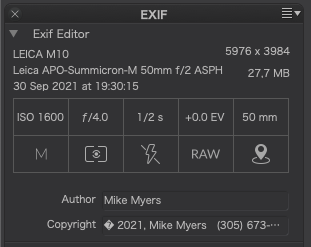
… which also tells me that you were using a Leica APO-Summicron-M 50mm f/2 ASPH lens, which PL obliged by downloading the optical corrections for.
I now realise why I thought it odd that the Leica shot was (apparently) taken with a 50mm lens when it had the same field of view. But is also explains why the lens corrections didn’t work and might well be the cause of the “frayed edges” I mentioned.
If you don’t use a supported lens, PL is never going to be able to fix it properly and you are going to have to 1. be very careful and use the optimum aperture and 2. do any corrections manually.
If I disable the Lens Sharpness and use Unsharp Mask instead, as well as upping the Chromatic Aberration, I get…
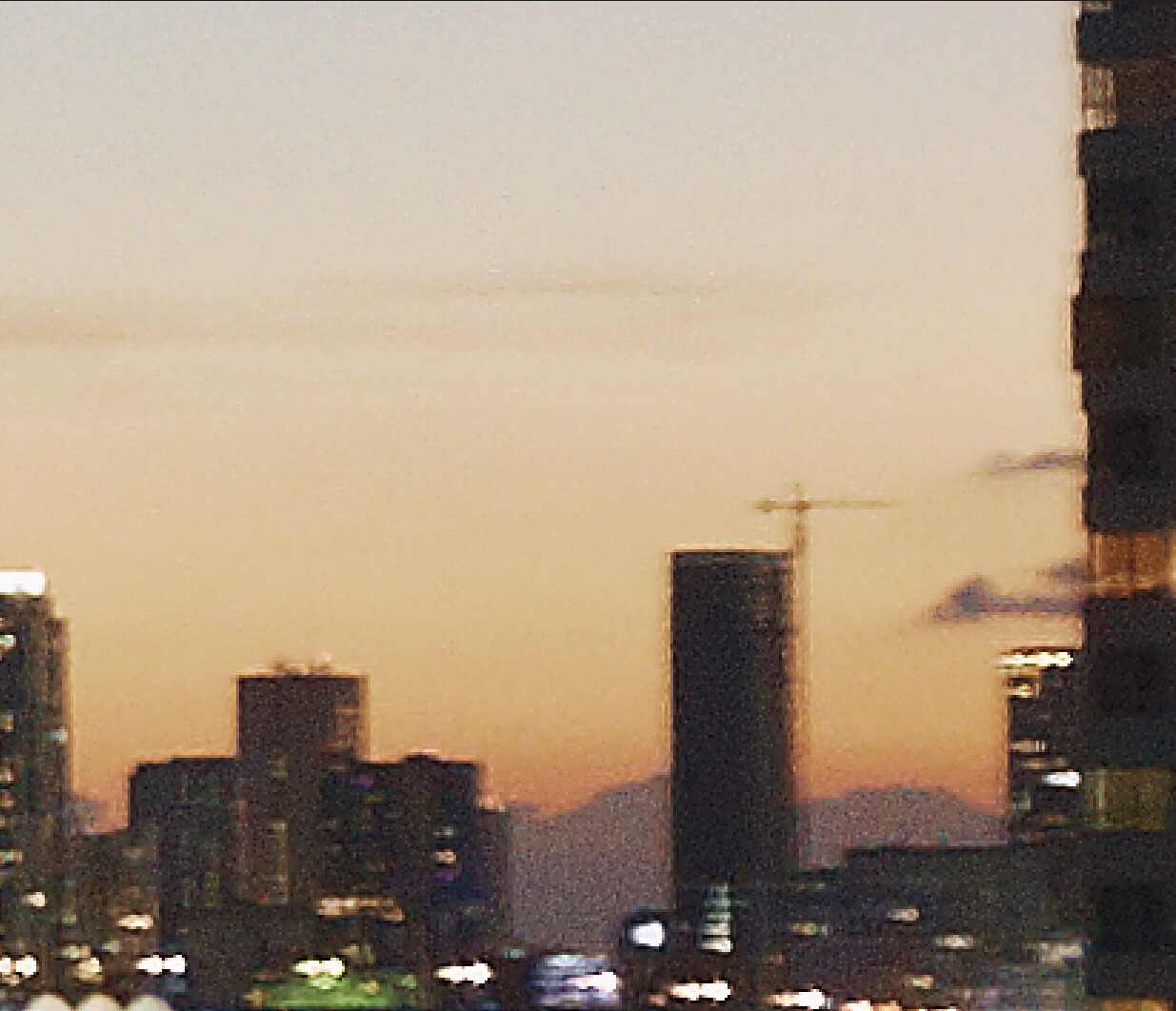
… which is a little bit cleaner at this side, but more sharp in the middle…
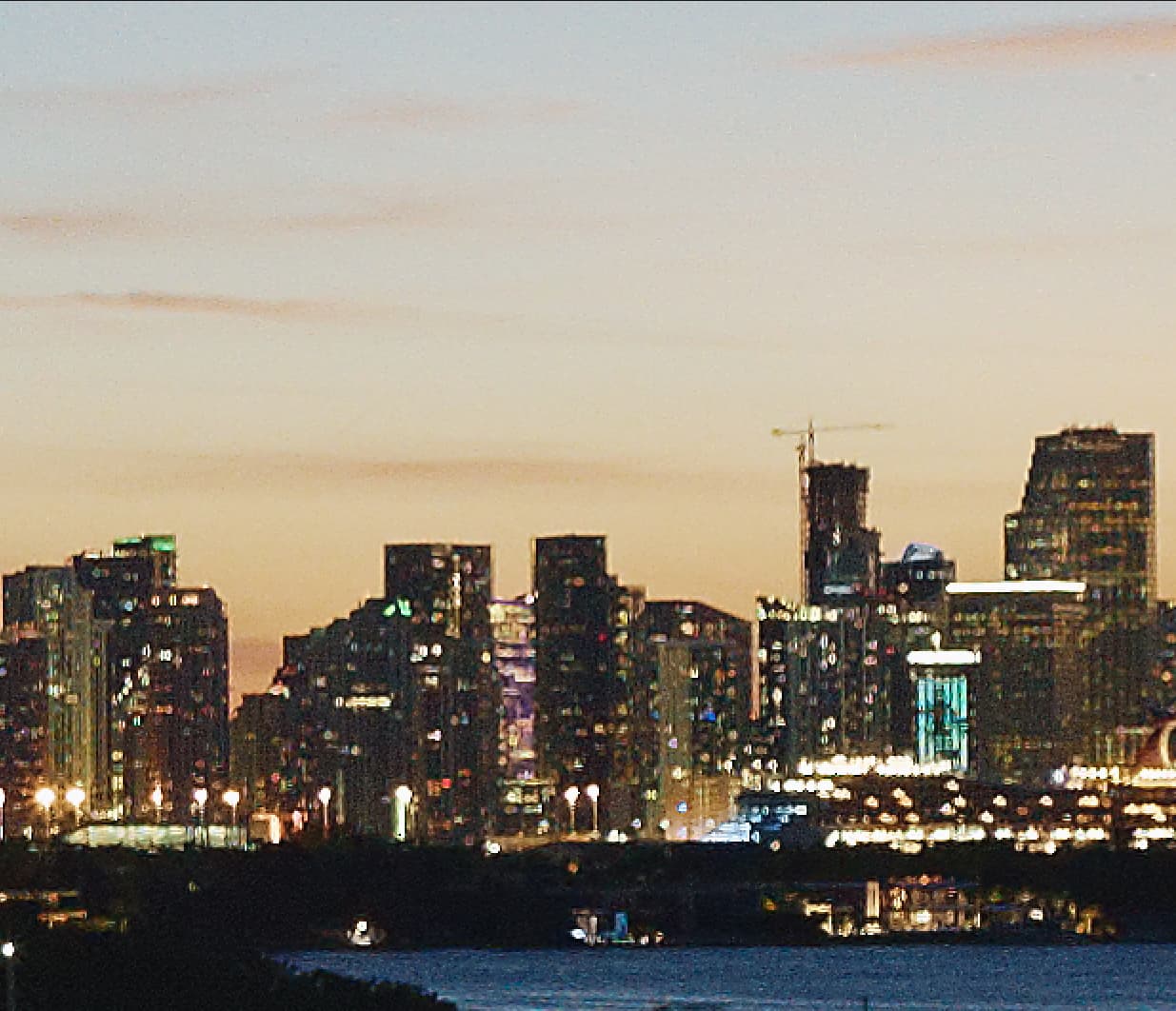
Here is a full size jpeg export of the Leica shot with DeepPRIME applied…
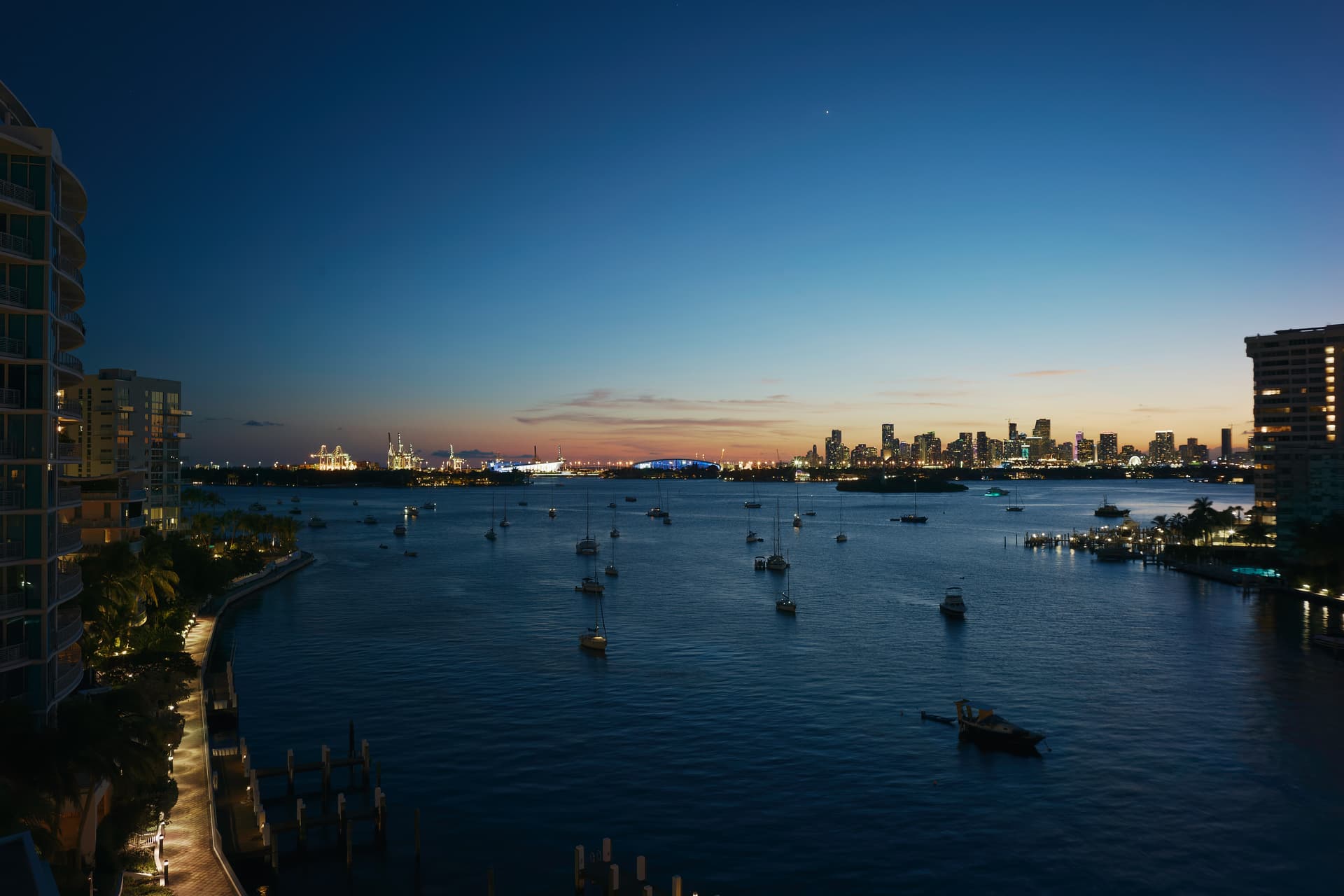
… and here is the same from the Nikon shot…
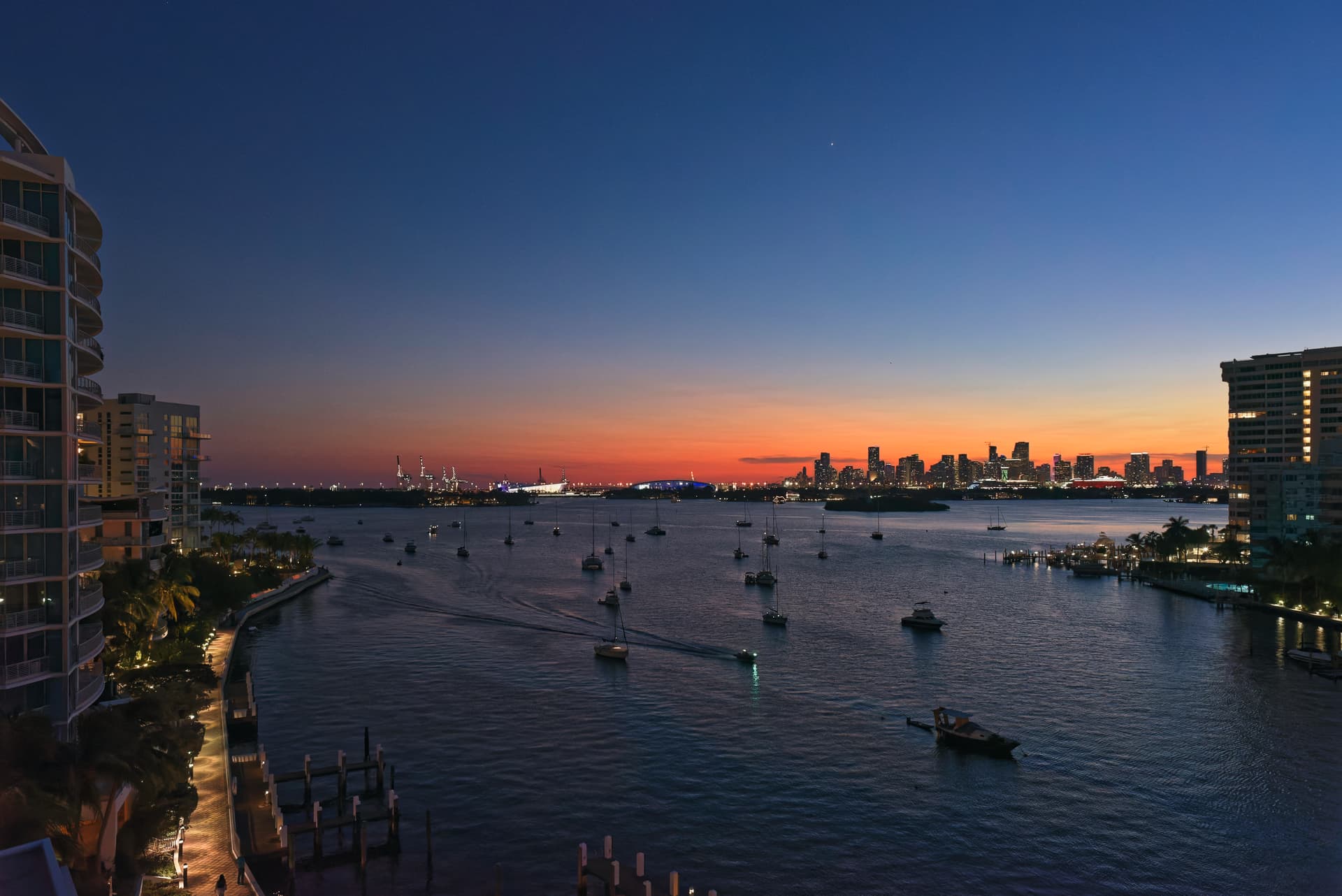
Take a look, especially at the edges of the buildings on the right and the difference is quite marked. The Nikon shot is far cleaner than the Leica.
I’m sorry to have to say it but, unless you use a supported Leica lens, you are never going to get as good results as on the Nikon 
Not sure what to say. My Leica doesn’t really know anything about the lens. There is no electronic connection, and while lenses can be “coded” to tell the camera body which lens is in use, my Voigtlander lenses, and all my old Leica lenses, do not have this.
Leica Lens Coding
Another problem is that there is no connection whatever as to the aperture that was used. PL4 says f/4 which is imaginary - it would have been better to not display anything, than to deliberately display inaccurate information but the EXIF data is wrong, and that’s where PL4 is getting their data.
The newest lenses, both Leica and Voigtlander, supposedly create a better image in the camera, requiring less correction. I’ll find that out today when I shoot with the new 50mm lens. I would do this right now, but it’s all cloudy and yucky outside.
(Unless I spend $5,000 to $10,000 each for the newest Leica lenses, PL4 is never going to get the information it wants, unless/until I can enter it manually.)
Joanna, I’d like your advice. I went out on the balcony with my M10 Leica, and the new 50mm Voigtlander lens. I dropped the ISO to 400, set the shutter to 1/1000th, and the camera thought f/8 would be a good exposure. I opened it in PL4, and only added a watermark, forcing PL4 to create a .dop file.
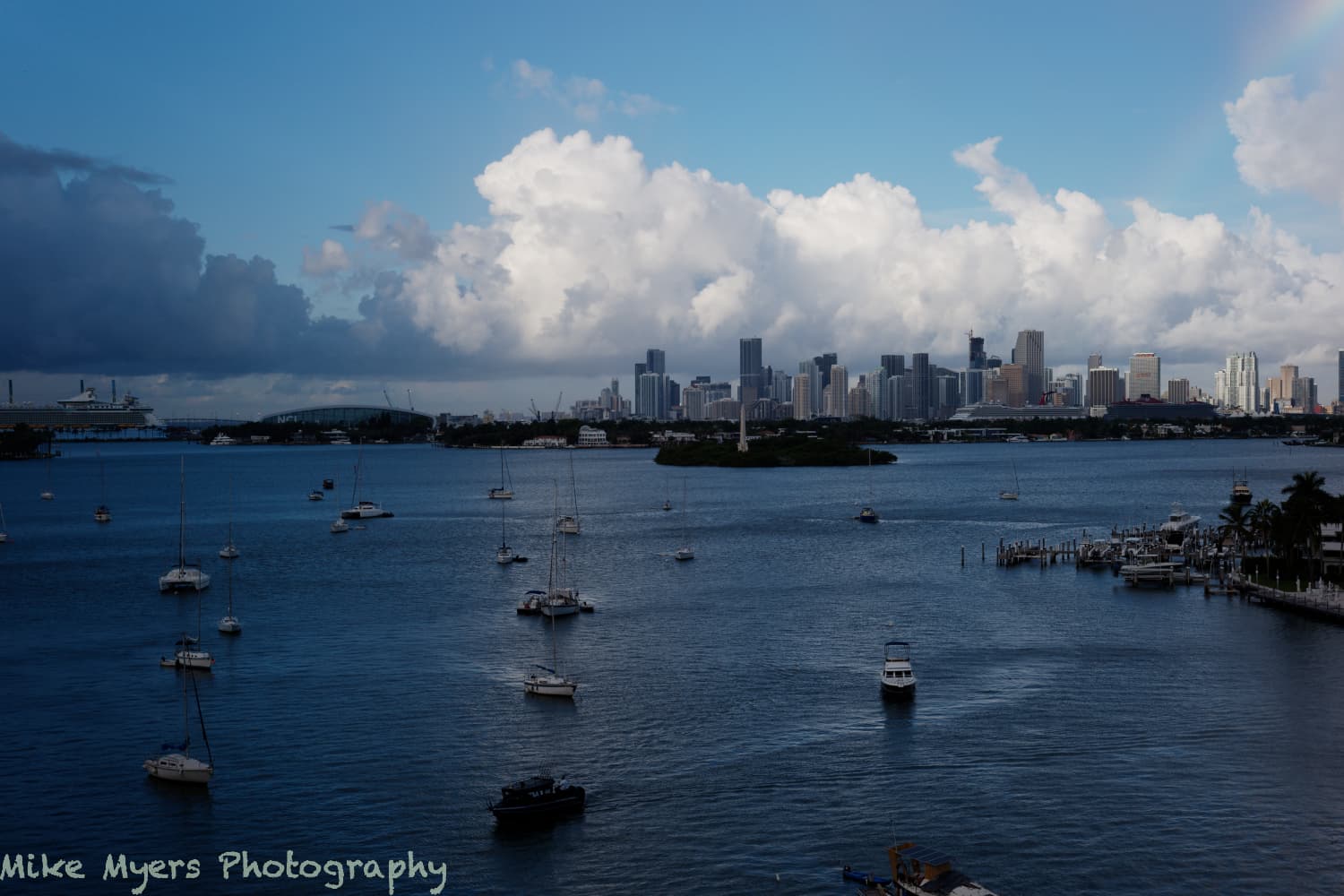
Here is the image, and the .dop - from what you’re saying here, I may never be able to use PL4 to its full potential. On the other hand, I have never gotten any of my lenses to create an image this good - look at the extreme right, and it is still sharp!
Voigtlander also makes a similar lens in 35mm.
(The 24mm Voigtlander lens is around ten years old, at least, maybe a lot older.)
L1003149 | 2021-10-01-Test photo new 50 lens.dng.dop (10.9 KB)
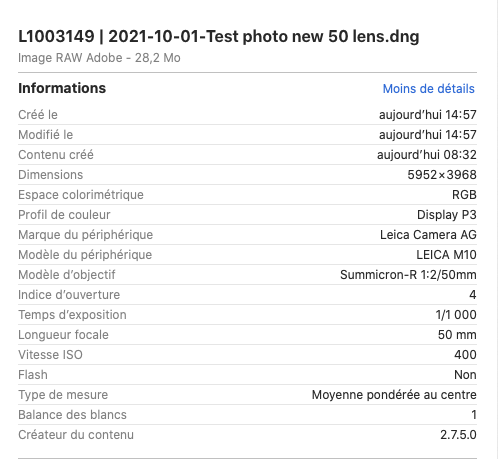
Well, ExifTool shows the EXIF data from the shot as…
Lens Info                       : 50mm f/2
Lens Make                       : Leica Camera AG
Lens Model                      : Summicron-R 1:2/50mm
PL can only go on the metadata the camera writes.
The truth is, unless the metadata agrees with the real lens, PL will not fare any better.
Thars yer prawblem! Of course you can either continue to make Leica rich ar you can transfer your affections to a camera and lens combination that works with the best lens correction and noise reduction software there is.
Maybe Leica used to be the best for 35mm film but, in my opinion, you now need to move up to their top of the range digits and lenses to get as good results as you can already get with your “humble” D750.
About lens sharpness…
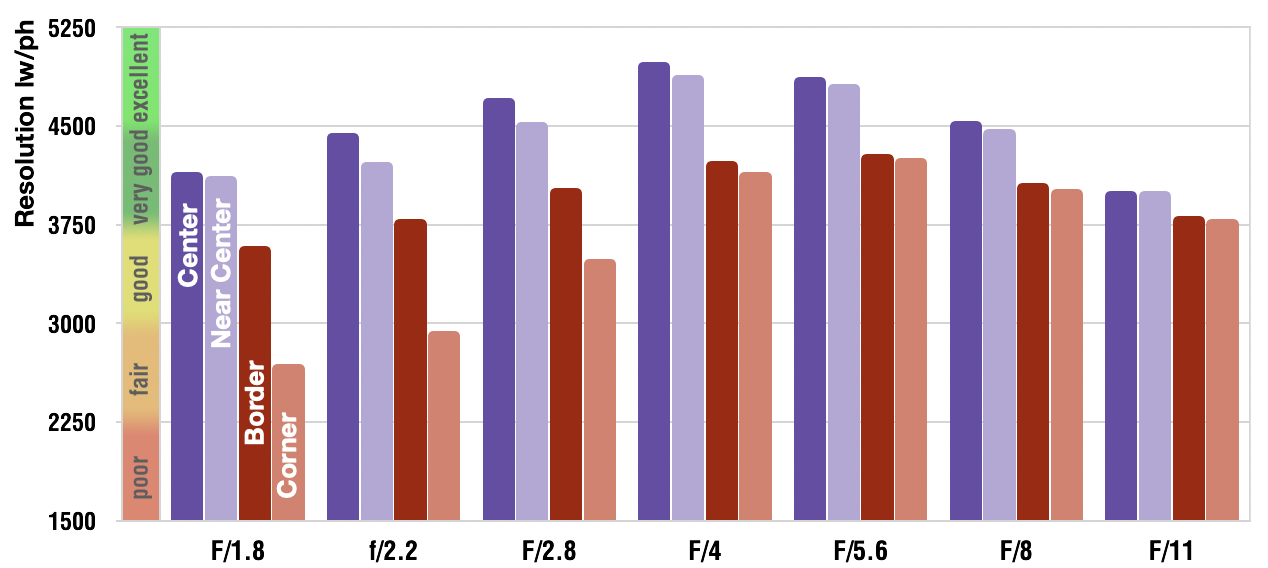
This chart (copied from opticallimits.com) shows, how lens sharpness changes with aperture. This 50mm Nikon lens is quite sharp fully open and in the center, which improves to a certain point (f/4), before getting worse at smaller apertures. Corners and borders are a different story. Their optimum is at f/5.6. At f/11, sharpness is evenly spread over the image area, but lower than at f/4 and f/5.6. This means that the optimal aperture depends on what you want. Best center, best edge, most evenly distributed sharpness, or depth of field?
Note that these curves differ from lens to lens and between samples of the same lens model as well as sensor size. The sweet spot with FF is often around 2-3 stops from the brightest setting.
I will try to find some data on the newest Voigtlander lenses, such as m 50mm f/2 APO-LANTHAR Aspherical. I did find this review:
Viewed at 100%, none of my other lenses looks as good as this lens at the edges of the image, where all my other lenses fall apart.
Among other things, I will try to find out how to get my Leica M10 to not provide any data about a lens, unless it happens to be a lens with Apple’s coding applied. Maybe I can create my own code for this lens, as I did with my old Summicron - I created the setting manually, long ago.
Mike… don’t do that 
 Speed priority might be good for sports photography but certainly not for landscape, where control of depth of field and use of hyper-focal distance are key to a good image.
Not with unsupported lenses. And you will struggle to match the results you get with supported lenses without the benefit of DxO’s lens modules.
Have you tried a Nikon 50mm prime on the D750? I use the Nikon f/1.8 D - it’s not the most expensive but the results are excellent, especially in combination with the PL lens module.
For this shot, I would have used 1/250 sec @ f/8, 100 ISO to give less noise and better dynamic range.
How ever much data you fake for lens, if it isn’t the same make and model that DxO used to create the lens module, it will never come out right.
BTW, here’s the Finder info for that shot…
I had to correct the vignetting manually and tinker with contrast, saturation, fine contrast, etc, but here is a 100% jpeg export
Personally, I would call it “OK” but it doesn’t tell me it as taken on a Leica.