That Lying Histogram! 😅 Not Updating According to Actual Image as Viewed

I am trialing latest PhotoLab on MacOS Sequoia. I had noticed several instances of the histogram not updating, first caught when applying a different color rendering, but I now see it’s even worse than that…

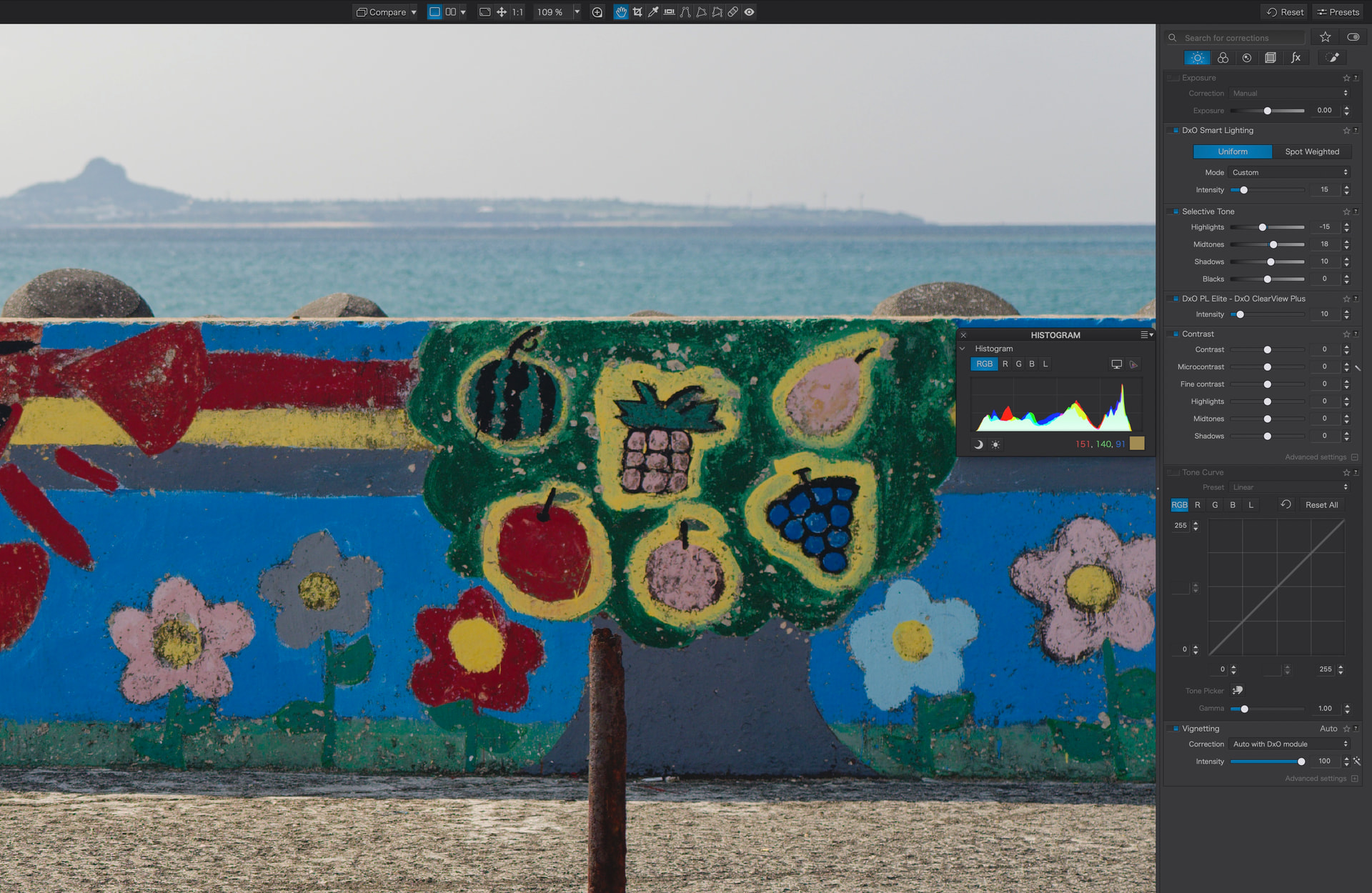
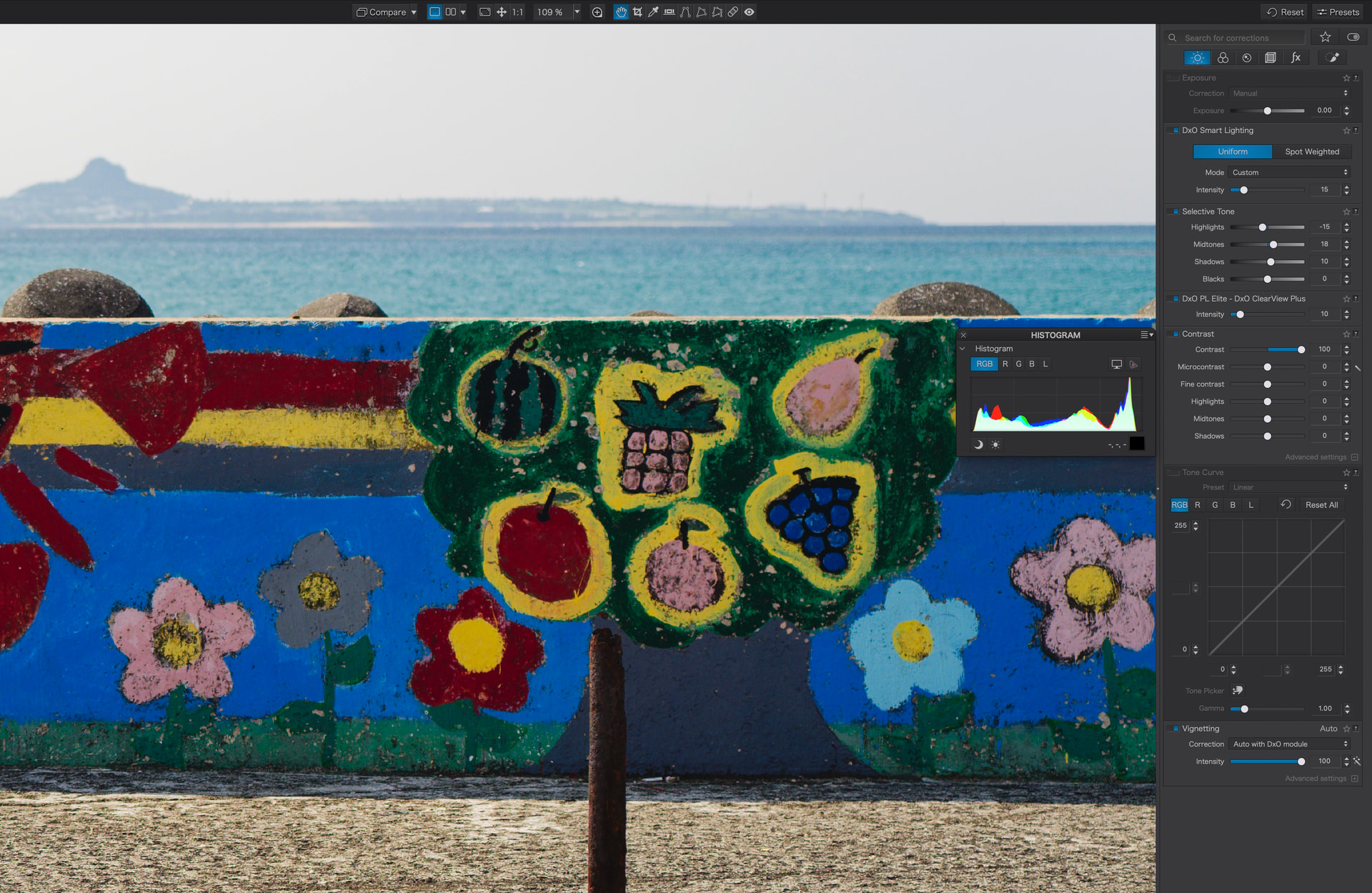
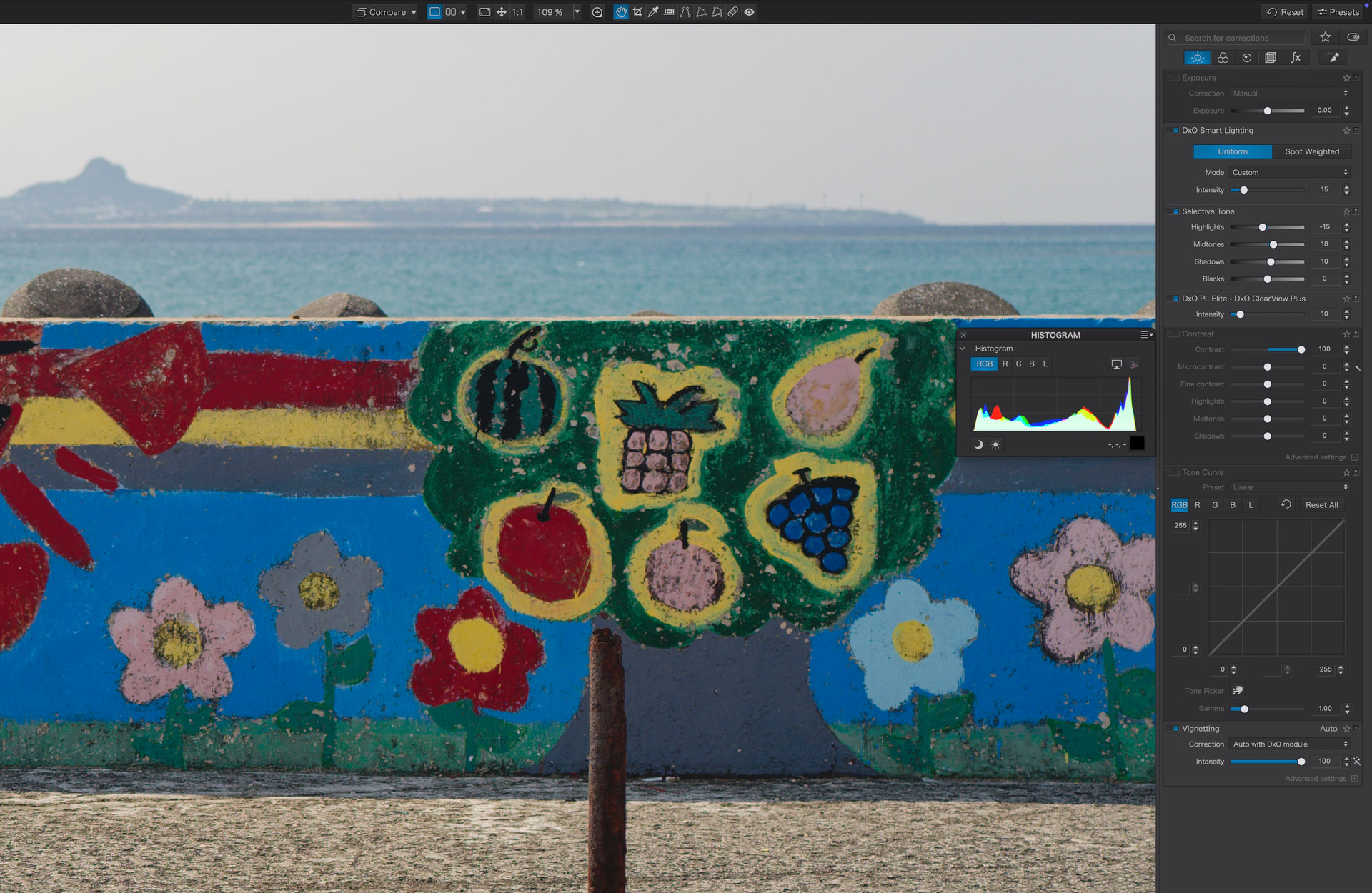
What is actually happening is, if I apply global contrast or a color rendering adjustment, the histogram updates accordingly. But, if I toggle that adjustment off via its panel switch, the histogram just continues to show me what the histogram looked like with it ON!!! That is a problem. The photo can look drastically different but the histogram NEVER updates and shows me an accurate view. I have to turn the adjustment on and reset all values to zero for the histogram to show an accurate representation of what the image actually looks like on my screen at that moment.

The vignette in auto correction mode never updates the histogram at all. This is often a minor adjustment and perhaps not quite critical, but it should be updating even if it is only slight.

Looks like the histogram updates properly when all other adjustments are toggled off.

Anyone else ever experience this?
1 Like

I’m on Windows and I may have misunderstood what you are describing but when I:

  1. make a change to the global contrast, the histogram updates.
  2. deactivate the contrast palette using the blue slider, the histogram updates / reverts to how it was before the global contrast was changed.
  3. reactivate the contrast palette using the blue slider, the histogram updates / returns to how it was after the global contrast was changed.

I can repeat steps 2) and 3) as many times as I like and see the histogram change every time. At no point do I have to return the contrast slider to the centre / zero position to get the histogram to update.

Similarly, if I pick a different rendering from the drop down in the Color/B&W rendering palette, the histogram always updates if I then toggle the blue slider on the Color/B&W rendering palette.

3 Likes

I think you understand correctly, and that you demonstrated that for you the histogram is acting as it should. It does not do so for me, unfortunately.

1 Like

Just like with @stuck… there are no such problems here.

2 Likes

I am still on Windows 10. Like @stuck and @Wolfgang I am not having any difficulties with the Histogram adjustments. so on Windows, at least, it is not an issue. Hopefully some users running PL 9 on a Mac will respond today with their experiences using the Histogram.

Mark

2 Likes

In which case can I gently suggest tht you edit your original post and change the title to something a little less pejorative?

Perhaps update it to ‘Histogram not updating according to actual image as viewed’

3 Likes

Haha. Sorry. It wasn’t said to be pejorative or negative. I was doing it playfully.

Better change the title. Playfully calling the developers liars is probably not the best way to go.

Other than that, I tested all panels against histogram changes and found some panels to change the histogram in either invisible ways or not at all. Please note that the histogram crams 12-14 bits into 8 bits per channel. Some changes might therefore be too minute to show under these conditions.

Panels that did not seem to show changes in the histogram:

Testing:

  • activate all panels, check the histogram
  • deactivate a panel and make it a favourite when the histo doesn’t change
  • filter for favourites
  • change settings to extremes in each panel
  • rerun the 2nd step from above and unmark the favourite if histo changes

Note that most detail panels don’t cause a lot of visible change in the histo. They might therefore be working as expected (in relation to the histo).

You can retest the panels using a photo taken with a really crappy lens. This might show histo changes where I saw none.

Anyways and imo, the histogram seems to work as expected, but I propose that you open a ticket with support.dxo.com, you’re the one who might have found a bug, the honours should all be yours.

Tested with PL 9.9.1 on macOS 15.7.7 on 2019 5K iMac.

2 Likes

Thanks for testing and feedback. Of course, as I mentioned the two panels that were offending, global contrast and the Color Rendering, there was no ambiguity; the changes that did occur and ought to have occurred in the histogram were massive.

Umm… calling the developers liars? Are you serious? Nowhere did I call or imply the devs were liars. That’s outrageous.

1 Like

I agree with you, but please keep in mind that the titles of 2 of your 3 threads may seem confrontational to long term members even if that was not your intention. In addition to the title of this thread, there was your, “Masking so bad it ought not exist.”., which was a extremely negative and angry sounding title.

Mark

2 Likes

Appreciate the understanding. I tried to change the title of the other thread but, apparently, have lost the ability to edit it??? Can’t see how to do it now.

Also, yes, I was angry… flabbergasted I said… but I wasn’t angry with anyone here. I was, as I saw it, reaching out to actual users, assuming they’d have similar experiences since, usually, it isn’t “just me.”

I apologize to the devs and others here who I offended. But let me add, as I think can be seen as the discussion unfolded, that I think PL is very good in what it is actually doing. Sure, I still have questions and complaints about how it does it, and how non smoothly, but I think at the end of an edit, I am getting what I consider better results over LR and other offerings out there. Kudos where kudos are due.

That great, but maybe you can temper your responses when you run into future issues until other members here are given an opportunity to help your resolve them.

Mark

Checked these again with PL8, where the histogram changed with enabling/disabling.

Looks like you’ve discovered a bug indeed. Better open a ticket!

Update: Checked some earlier versions of PL9. They all seem to have the issue.

1 Like

I will do so. Thank you for checking again.

A quick question on enabling global contrast: Is the “auto” tool for Microcontrast also enabled when the panel is enabled?

I ask because it is on mine by default - no idea why DxO thinks we automatically want that but it does apply an edit by default when global contrast is turned on.

I turned it off, set all contrast values to zero, disabled/re-enabled, and my histogram didn’t change.

In Color Rendering - on mine at least - another value is changed by enabling and disabling the panel. By default my shots (without Color Rendering) use some kind of DxO default, “Neutral Color” I believe.

If I turn on the Color Rendering panel, it automatically applies the Default Color Profile, which in my case would be for the Canon R6 - but by DxO.

So again a change is being applied there.

If I change my default Color Rendering profile to Neutral Color, then enable/disabling Color Rendering, again the histogram does not change.

So in both these cases I believe changes are being applied just by enabling those panels by default?

Thanks Fineus.

As for the microcontrast being on by default and applied if the contrast panel is turned on, I think it’s an image by image basis and that PL detects that it thinks it could use such an adjustment. It is enabled by default on some of my images and not on others.

Anyway, if both contrast and microcontrast are set to zero, of course there is no change whether toggled on or off. The microcontrast, at least on an image I just tested, causes such a minor change to the histogram that it is undetectable… at least a plus to minus 100 swing didn’t change my histogram in the least.

So, when the contrast is say plus 100, the image of course changes very noticeably, as does the histogram. If I simply toggle the blue switch off, however, the histogram doesn’t treat that adjustment as being off… the histogram remains showing the plus 100 contrast setting even though that is not what the image is on screen anymore.

I think your explanation of how the Color Rendering setting works fits exactly with what I see. Off is the same as DxO neutral, so if DxO neutral is selected and then the toggle is switched off, nothing changes, either the image or the histogram. If I choose any other setting than Generic rendering and Neutral color, the image and histogram reflect it correctly. If I toggle the Color Rendering off, the image will show what is the default rendering, i.e., Generic rendering, Neutral color, but, not the histogram. It still shows whatever I chose, even though toggled off.

Back to the Contrast for a moment… I have FilmPack installed so the Contrast panel has Fine contrast, Highlights, Midtones, Shadows as well. Those actually work correctly. If they are set, they are reflected in the histogram, and the histogram resets when the panel is turned off, even if I leave the underlying settings in the panel at some non-zero value. It is only the contrast setting itself.

I sent a bug report along with screenshots. Didn’t get a confirmation window, so a little unsure if it went through. I tried to file a bug report on my other issue involving the gradient mask behavior, but wasn’t allowed to send another report, so I don’t know…

Since I have these for the bug report, I’ll post them.

When you visit the website support.dxo.com, you can immediately submit a support request using your e-mail address. Or, you can log in and then submit a support request, which will use your e-mail address on file. Logging in will also let you see all tickets that you’ve ever opened with DxO support. I’ve never been unable to submit a new ticket, even when submitting multiple tickets one after another - so I’m unable to understand why you had trouble.

1 Like

Thanks. I’ll submit again later. I just gave an email instead of logging in, but still expected a confirmation to arrive. Haven’t seen one, so probably failed.