Okay… finally succeeded after one more failed attempt. I stripped the report of the images in case that was the issue. I will send images if requested.
That’s logical.
Maybe neutral means without corrections, all the other are corrections.
George
1 Like
a sidenote
-
for demonstration starting with DxO’s full preset “6 - No Correction”
-
applying DxO’s full preset “4 - Neutral colors” (also) changes Contrast and HSL
-
Color Rendering OFF does not reset the former Contrast and HSL changes
-
with Color Rendering, e.g. set to DxO - Vibrant
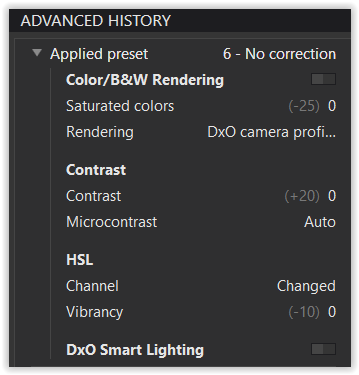
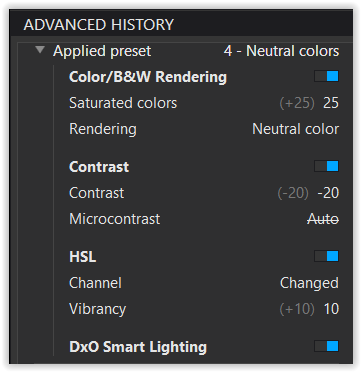
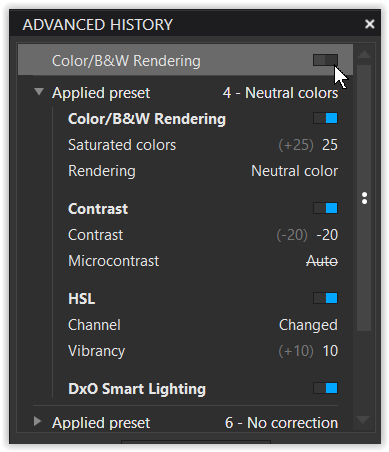
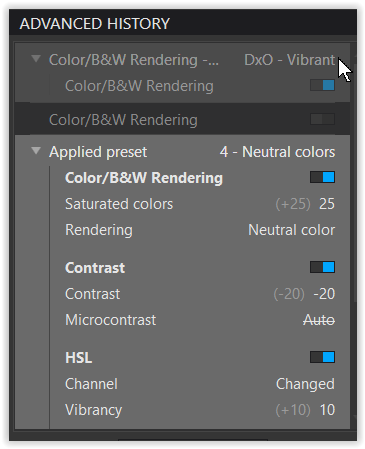
.
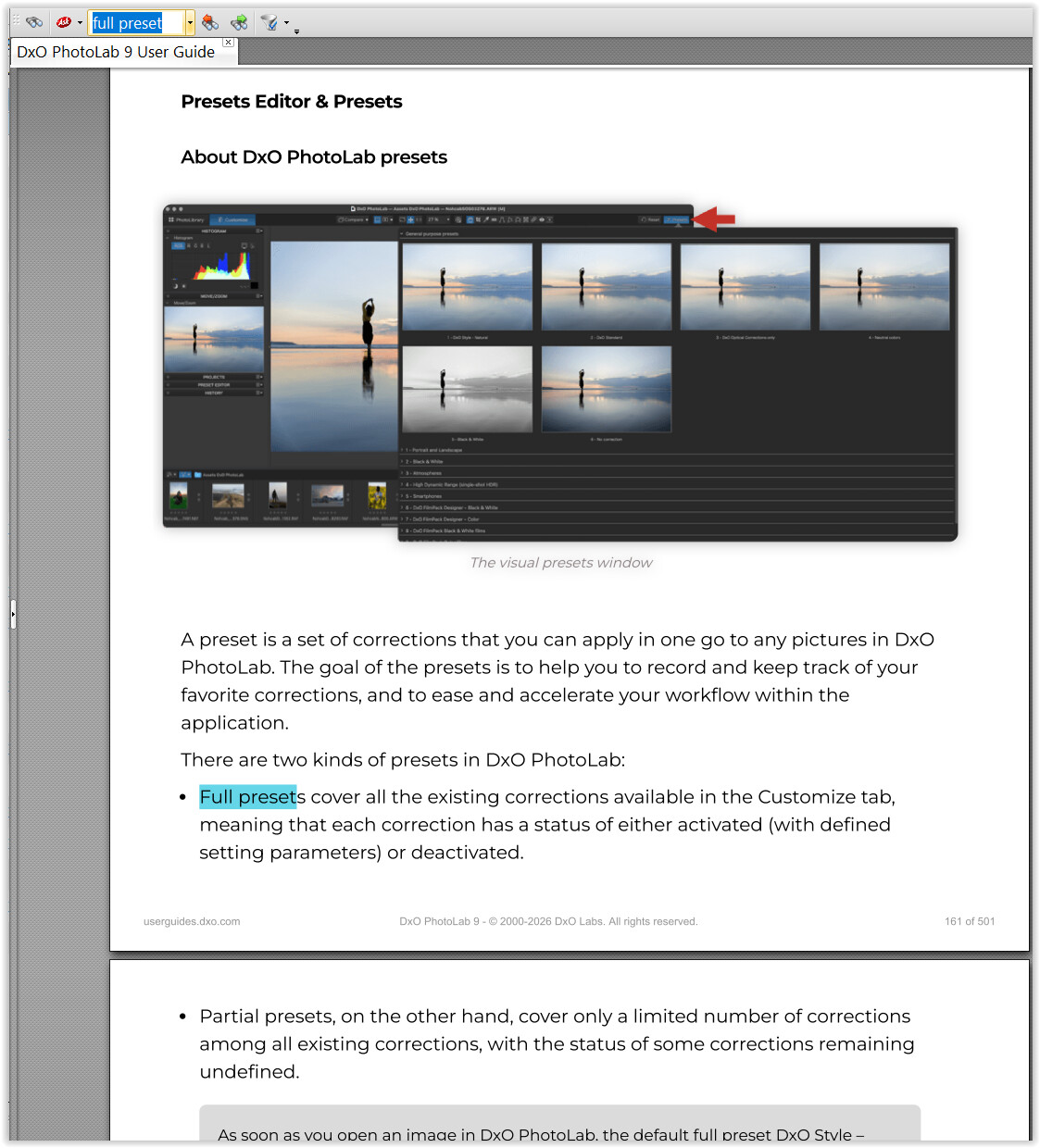
To get more information about the nature of DxO’s presets go to → https://download-center.dxo.com/Support/docs/PhotoLab_v9/user-guide/PL9_manual_EN.pdf (p. 121 ff)
I forgot to ask you …
In the past (e.g., in PL 5), you had to click on the various renderings or FilmPack color filters to apply them and see the effect.
At some point, that changed: nowadays, simply hovering the mouse over them (also with LUT Grading, Style-Toning) is enough to get a near-instant preview, without having to apply the change.
Does that work for you?
Yes, works just fine.
Thank you for the explanation. I think I understand what you are explaining, but if you mean to imply that I might be expecting something to happen that I shouldn’t, I’m not catching what that is. Please tell me directly if that’s what you mean to say….???
Good… otherwise, that could have been an indication that the current PL version is not properly installed.
1 Like
The online manual describes in detail what the various complete presets include.
Then, disabling the rendering function does not reset all settings; for instance, with the “4 – Neutral colors” preset, the Contrast and HSL settings remain unchanged, and neither the image nor the histogram alters.
In contrast, moving the mouse pointer over the various rendering options changes the image preview and the histogram – similar to enabling and disabling the contrast, what as you showed only works partly on your side.
Thank you for checking, then. Appreciate it.
Well, I do now see that as I hover over other color rendering options, while the image indeed changes, the histogram does not. This isn’t important in my opinion, but only a small nicety. When I select a different rendering the histogram updates. Again, though, toggling off is not reflected in the histogram.
In PL8 and Windows 10 everything works fine.
George
1 Like
… and the same applies to PL 9 / Win 11, while @brntoki is using a Mac.
That’s why I mentioned it. 
George
Our Engineering Team has now completed their review and was able to successfully reproduce the behavior you described on their end
The good news is that the root cause has been identified, and our developers are already working on a fix. We would like to sincerely thank you for taking the time to report this issue and for providing the information that helped our team investigate it. Feedback like yours plays an important role in helping us improve DxO PhotoLab for all users.
Just to let you know, above quote arrived via email stating the issue was identified and is being worked on.
2 Likes
Thanks for the update, that’s really good news!