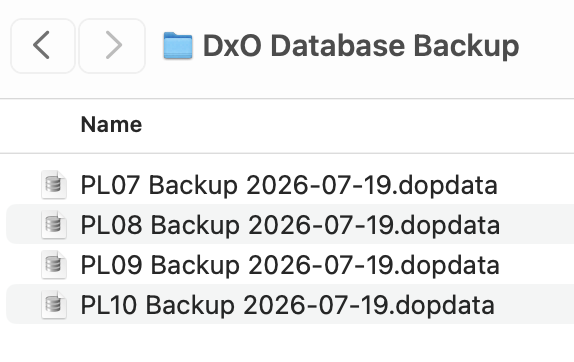
The “new” PL 10 “backup” is in a new format (DxO Backup Sep 6, 2026.dopdata_v10). Does anyone know, or have tried restoring the database to a second computer? Also would it be possible to restore the “pointer” to a different file location? ie…backup is done on laptop with files stored in internal storage. Preserve the work of doing “indexing etc” by using the backup on desktop computer with external storage? Clearly, I am not expecting Mac and Windows interoperability, but simple “Mac to Mac”…thanks. gary
Backups from PL10 can be restored to PL10 on any volume or Mac,
as long as it runs PL10.
The name of the backup has changed, the contents is unchanged though, except that it contains entries that concern new features. The new extension of “dopdata_v10” is unfortunate though, because macOS does not recognise it as a database file. PL10 does recognise the backup when you restore it.
Reassigning a new folder location is not as straightforward though. A few posts mention ways to do it, but they’re not necessarily considered simple by many.
The easy way to move things to a new computer is probably to start PL and make it re-index the photo archive on the new Mac - before restoring the database backup that is. If you left PL in default settings, all files should have the necessary settings and metadata (in the files or .dop and .xmp sidecar files)
Afaik, DxO does not give any written directions for the move to a new computer. If they have, please let us know.
Thanks! This will be a pretty big time and effort saver. I’m looking forward to using that feature once I finally get the initial install fully configured (indexing / modules downloaded etc).
So actually the easiest way to migrate to a new (Mac) is use the Migration Assistant which copies all the app settings to a NEW computer..but installing on a second (or third with Elite version) doesn’t have that option (I don’t think… But maybe that WOULD work…food for thought). Doing a fresh “index” on different computer probably is more fool proof, but going through a LOT of folders would be nice to avoid…thanks
Restoring the database backup is really the easy part. And as long as all your Photos reside on a single remote volume (USB-attached, SAN etc.) it’s all that needs to be done. Else, check out PhotoLab transfer to new MAC
If, like many, your photos are in a subfolder of your home folder, things get complicated and under no circumstances will PL be able to seamlessly work an image on multiple computers. The databases don’t sync and they cannot be relocated by DxO features on Mac. Think of Projects, History, Keyword Lists etc.
That makes sense about it working with external SSD on multiple computers. Thankfully, I very recently moved my photos from internal to external storage to facilitate use on more than one machine. Being able to keep the data in sync on more than 1 machine with backup / restore is a solid bonus..
Thanks
See my post here:
I think it may now be possible, with PL10, to do what you are envisioning.
That’s freaking awesome…thanks! I will pursue this at earliest opportunity.