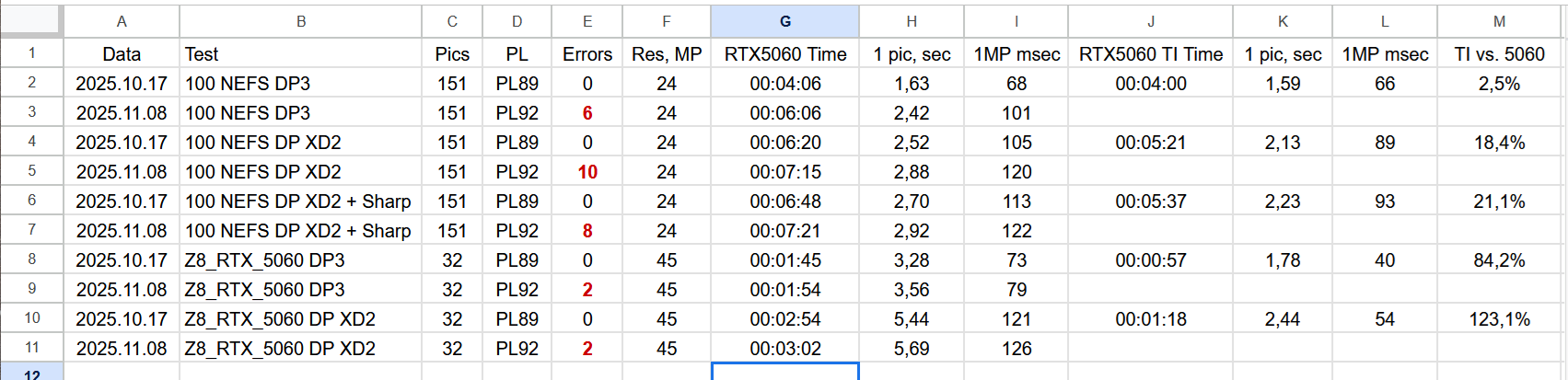
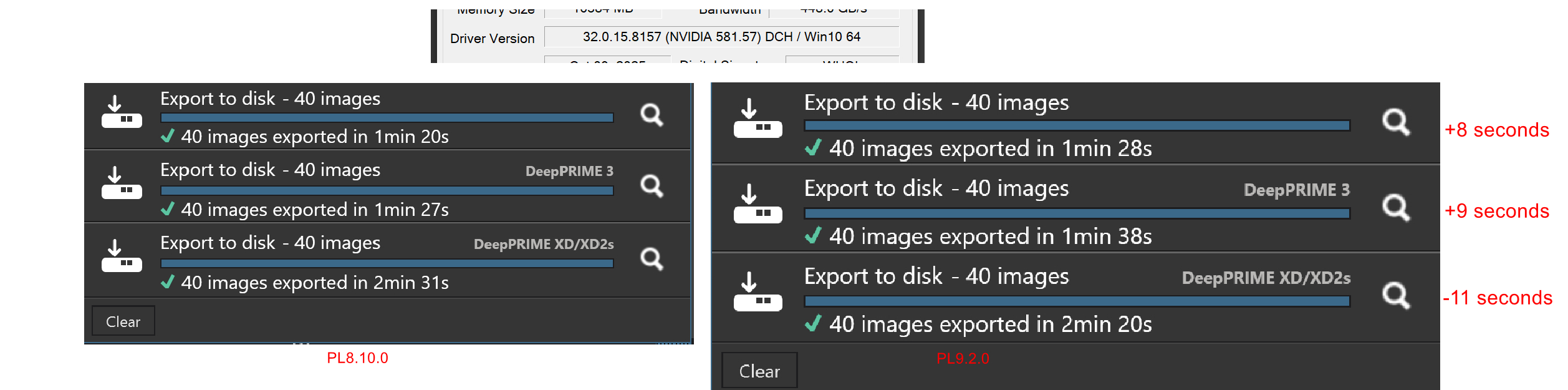
The table shows the results of processing tests on Nvidia RTX 5060 and Nvidia RTX 5060 TI 8G cards.
PC: Intel i7 10700, 64G, SSD
I conducted 2 x five tests on two separate sets of images.
Please do not take the test names literally, but the characteristics of the photos they contain are correct (type of noise reduction, sharpening enabled).
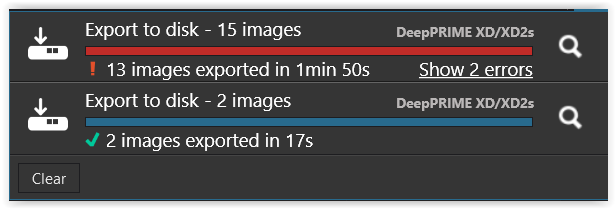
It turns out that the same photos that PL8.9 processed correctly generate errors on the latest PL9.2. The number of errors per photo package: from 2 to 10. It also turns out that the overall processing time on PL9.2 is consistently longer than on PL8.9.
I performed the tests on PL8.9 processing imported to PL9.2, so there is no AI Masking here.
I only had the RTX 5060 TI card on 17 October 2025, so I will not repeat the tests on this GPU using PL9.2.
Does anyone have any thoughts on how to interpret the problems with version 9.2?
One of bugfixes in PL8.10 was:
" Fixed display glitches in the image preview when using OpenCL or AI Acceleration on NVIDIA RTX 50-series GPUs.
"
Maybe the fix will make PL8 exports also slower?
Never had PL9.2 export errors with desktop RTX4070/581.57, also with AI masks used and up to 300 Z8 raws in a batch.
@Adam Most of the recent work that has been done with PL9 has included AI masks of one sort or another!
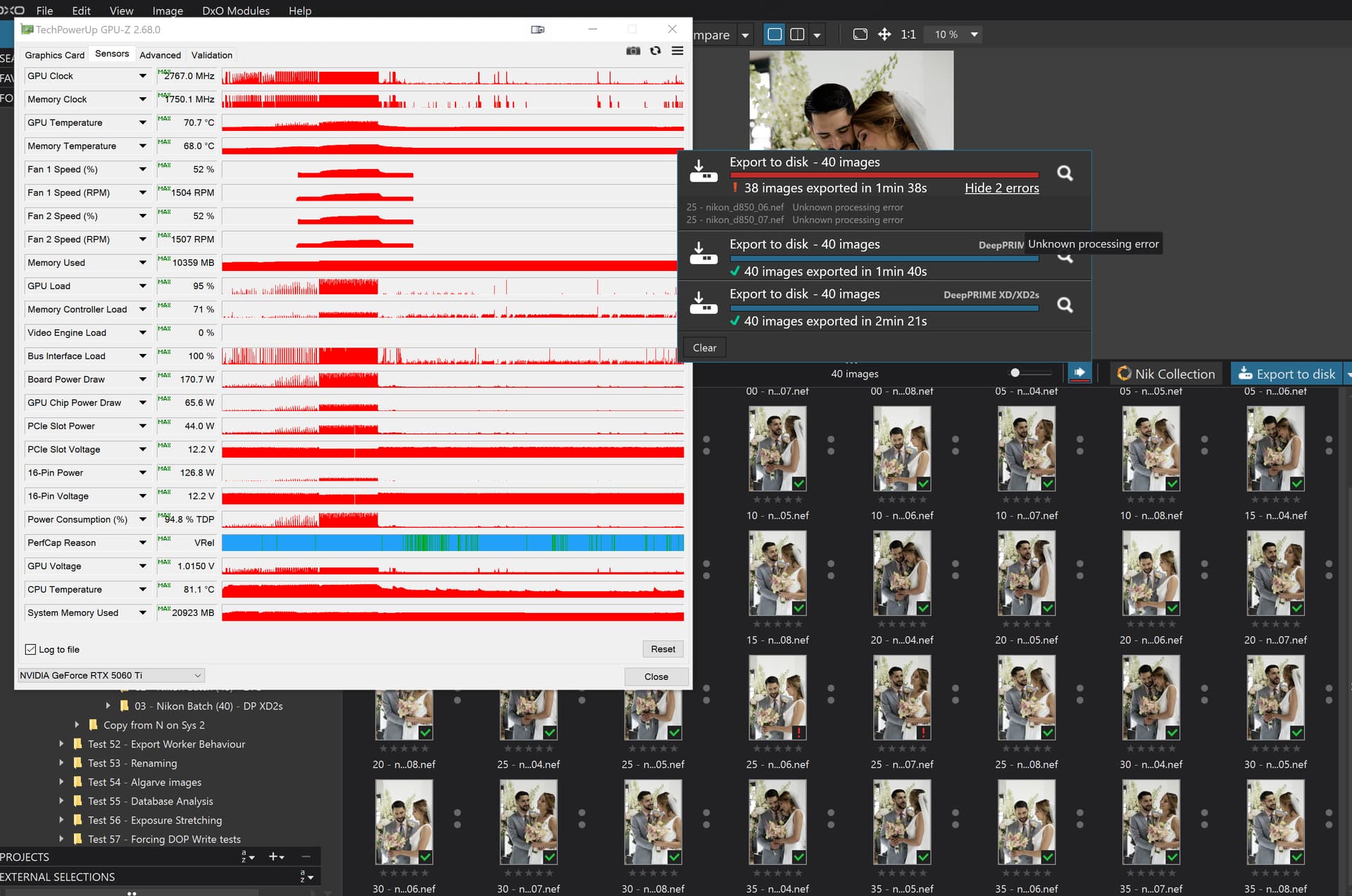
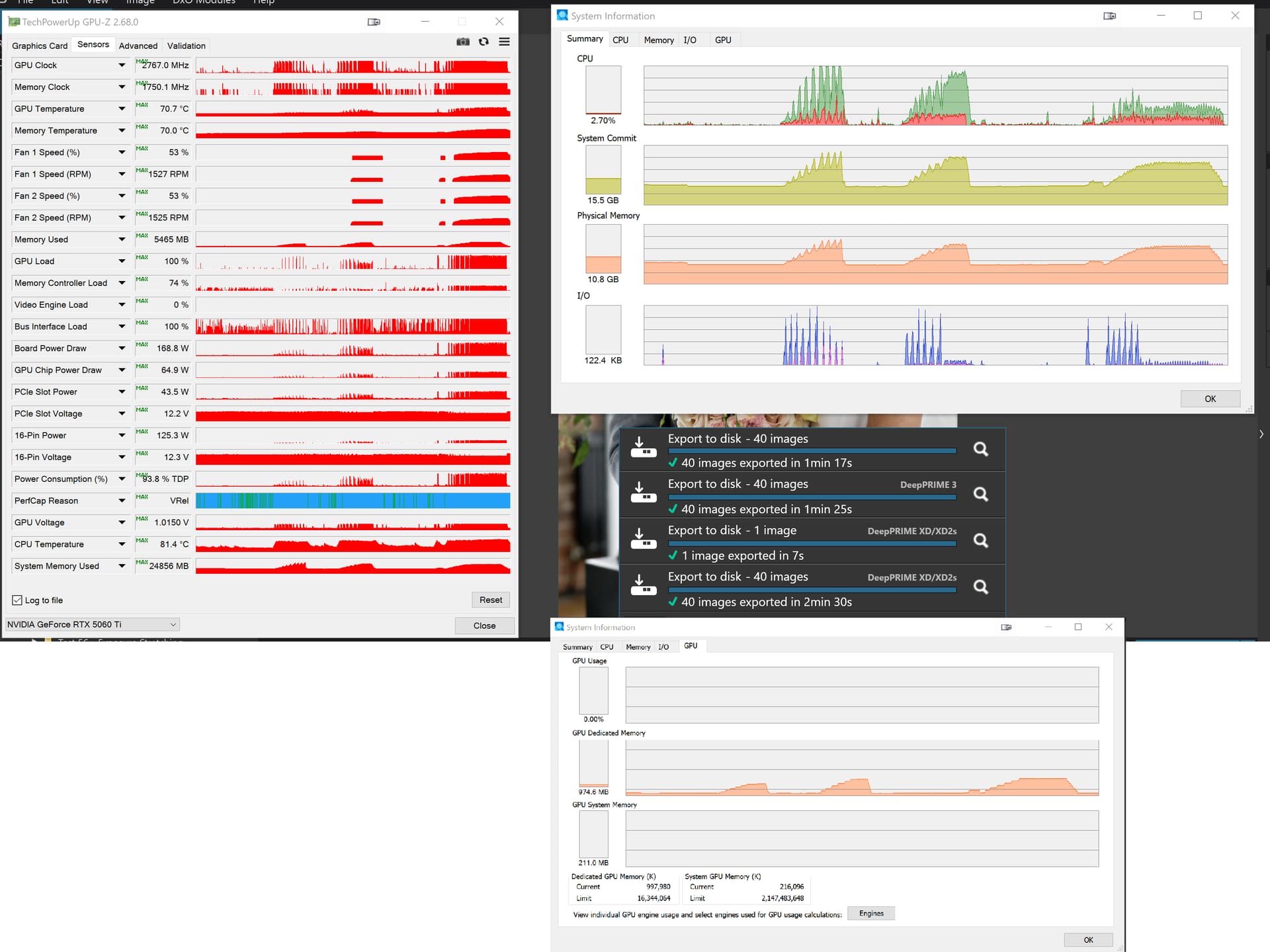
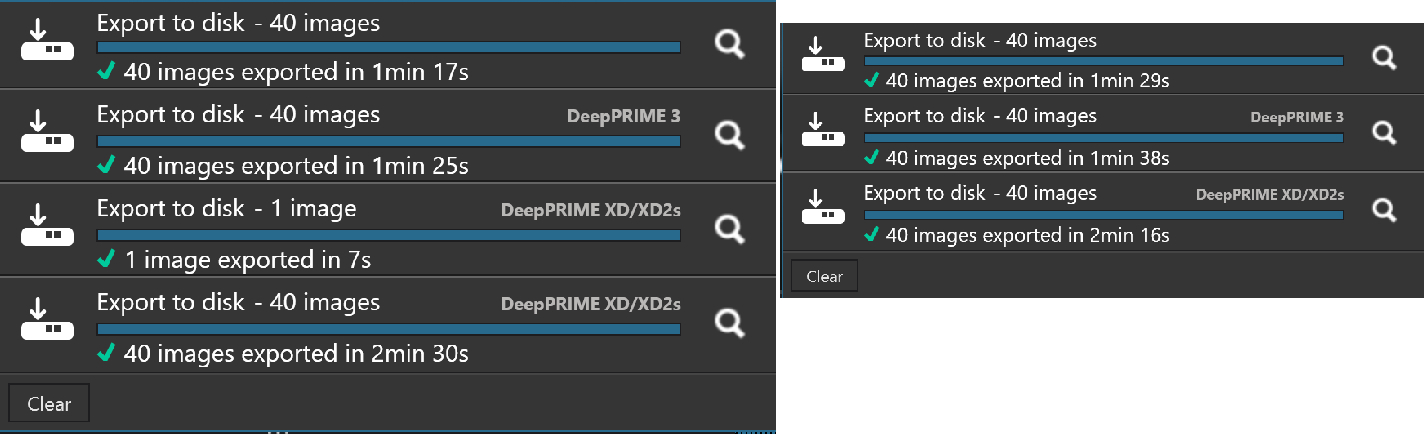
But because of the nature of your issues I went back to testing my normal performance group of, No NR versus DP3 versus XD2s and ran that group of tests on my 5900X with 5060TI(16GB) and this happened
Just did a test with exports PL9.2/8.10, DP3/XD2s. Key points:
no significant difference in DeepPRIME processing time by PL9.2 and PL8.10, perhaps PL9.2 being about 1% faster.
about 1% of export processing errors with DP3/PL9.2, slightly less with XD2s/PL9.2 (something that I’ve not seen before).
no export errors seen with PL8.10.
DP3 runs at about 21mpx/sec, while XD2s at around 11mpx/sec (desktop RTX4070 + i7-14700KF, Z8 raws).
For a workaround, filter by ‘Processing error occured’ and re-run the failed exports (no problem encountered with that). We will have to live with this workaround for some time, I’m afraid. Not really serious issue for me, but annoying.
SETUP.
Win11 24H2, i7-14700KF, 32GB RAM, nvme disks.
RTX 4070, used also for display, 581.57 studio driver, no HDR, G-Sync, etc, Power Management Mode = ‘Normal’, single monitor – 4K @60Hz.
Directory with 300 raws from Nikon Z8, 14-bit, losslessly compressed, mostly low ISO with few over 6400.
Preset including SmartLighting, Clearvision, Selective Tones, Contrast, Lens Sharpness Optimization, CA+LaCA, Vignetting, Distortion, camera “native” rendering.
No Local Adjustments used, no cropping, full resolution JPEG exports at 75% quality, ‘Enable DeepPRIME rendering’ = ON, 2 export “threads” (default).
Tested DP3 and XD2s with default settings.
TESTS.
100 raws export batches:
DP3/PL8.10, 2 runs (on the same set): 217s, 212s, no errors.
DP3/PL9.2, 3 runs: 217s errors on image #27 and #28, 217s with errors on #29 and #30, run #3: 206s with no errors.
XD2s/PL8.10, 2 runs: 401s, 399s, no errors.
XD2s/PL9.2, 2 runs: 393s, 392s, no errors.
300 raws export batches:
DP3/PL9.2, 631s, errors on #275 and #276.
DP3/PL8.10, 638s, no errors.
XD2s/PL9.2, 1176s, errors on #260 and #261.
XD2s/PL8.10, 1197s, no errors.
So, on my PC, jpeg exports using DP3 run at about 21mpx/sec, while XD2s run at 11mpx/sec on average, both for PL8.10 and PL9.2.
ERROR ANALYSIS.
There’s nothing interesting in Windows EventLog, PL DopCor log does not contain any error info either, and the only problem seen there is an unexpected process “initialization” with a different PID. %LOCALAPPDATA%\CrashDumps contains minidump of ‘DxO PhotoLab.ProcessingCore.exe’ (process doing the actual export, controlled by PhotoLab.exe). Hence the error is a result of ‘DxO PhotoLab.ProcessingCore.exe’ crash, which is for DxO to analyze. PhotoLab log contains the following: Processing - Error | Error while processing item ‘D:\Photo\Test300\TEST_0028.NEF’ Processing - Error | Error while processing item ‘D:\Photo\Test300\TEST_0027.NEF’
Followed by hundreds of (rethrown) exceptions until ProcessingCore.exe restarts and export continues. Two image exports fail per error, i.e. the number of simultaneous images processed in parallel, as set in Preferences.
Nvidia driver version: 581.57. I reinstalled the drivers to get rid of this annoying uncertainty. But it didn’t change anything.
Average processing time increase for the same photos on PL9.2 compared to PL8.10: +13.4% (range 7.1% - 16.1%).
Average number of failed exports: 5.68% (range 3.97% - 6.62%).
A total of 28 export errors occurred.
All (or almost all) of the resulting JPG files were created, with only an error tag remaining. Re-exporting these 28 photos was successful, with no ‘second-generation’ errors occurring. The expected value would be approximately 1.5 second-generation errors. The sample size is too small to determine whether such errors can occur at all. In fact, re-exporting with the ‘processing error occurs’ filter in overwrite mode may solve the problem.
On my hardware platform, I must reiterate my earlier observation that export time increases noticeably after upgrading to PL9.2.
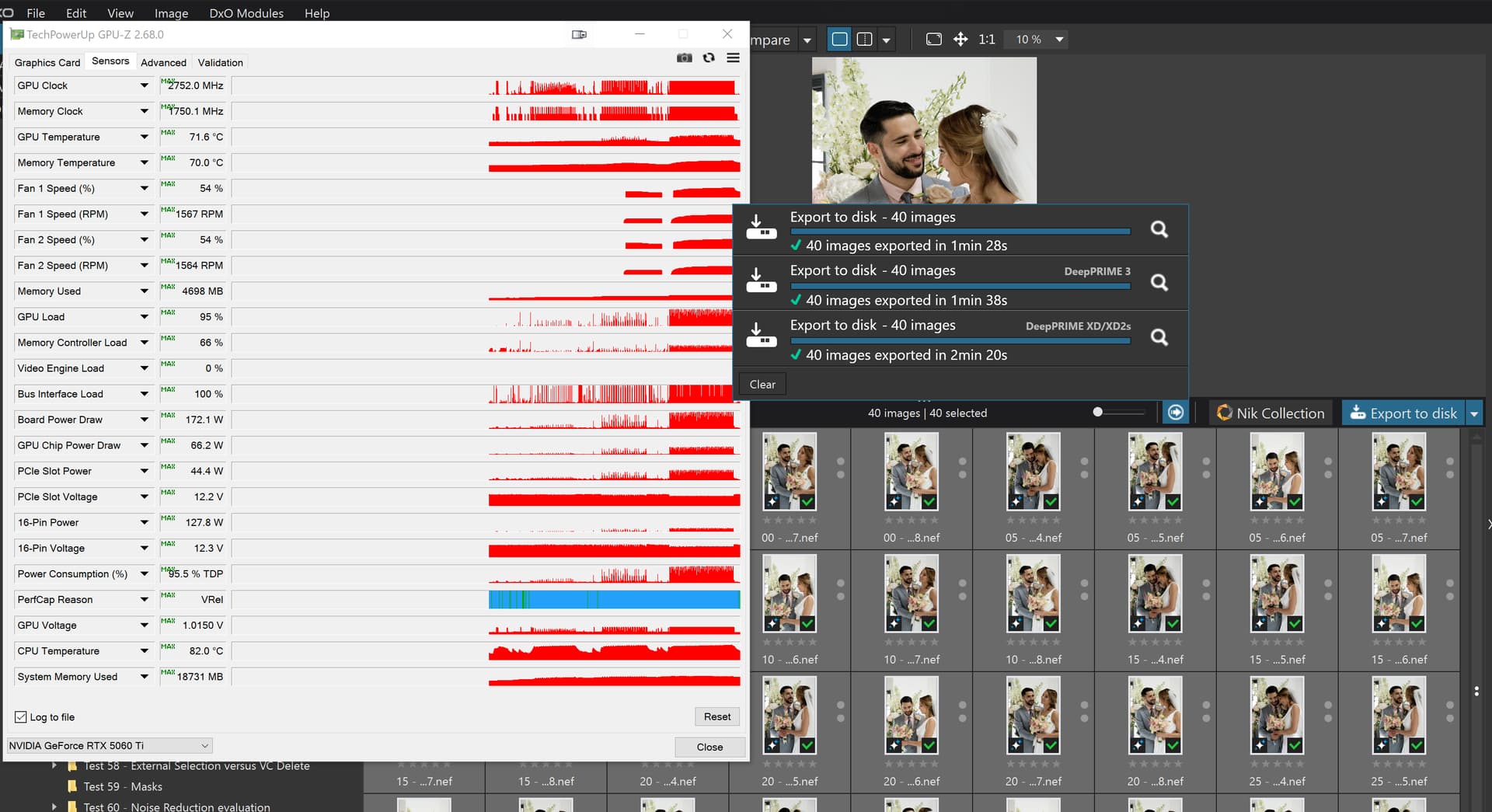
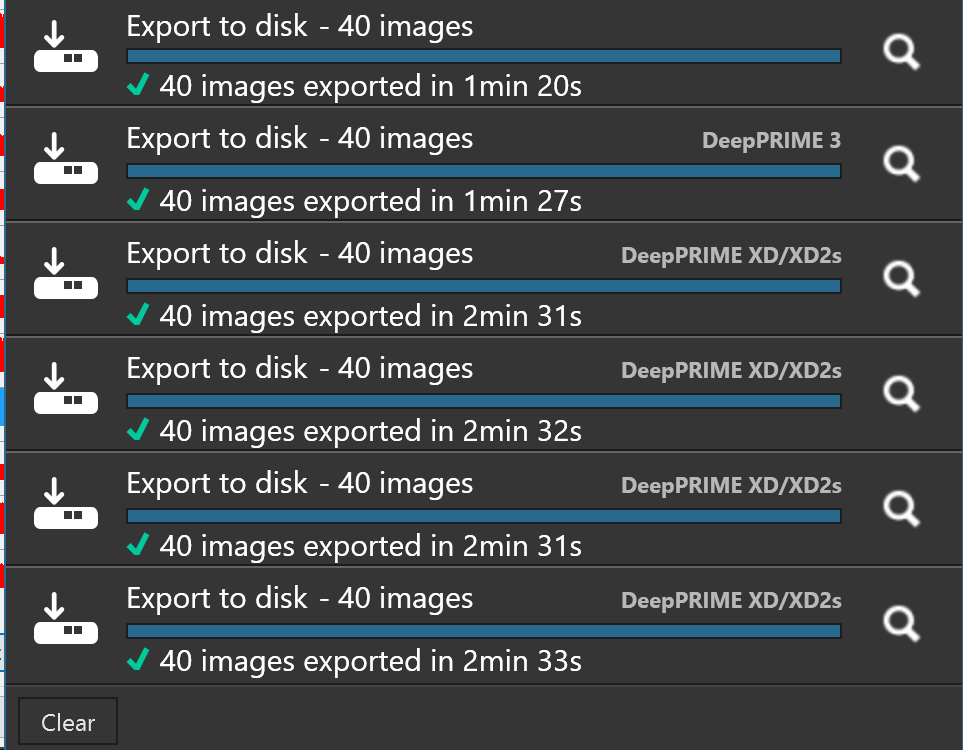
I then ran the same tests with PL8.10.0 and got the following. There was a big delay between the DP3 exports and the XD2s exports while I was on the phone to our eldest son, so the 5900X put itself to sleep and the XD2s export was then done when I woke the PC from Sleep.
Plus at the end of the export PL8.10.0 relinquished VRAM!
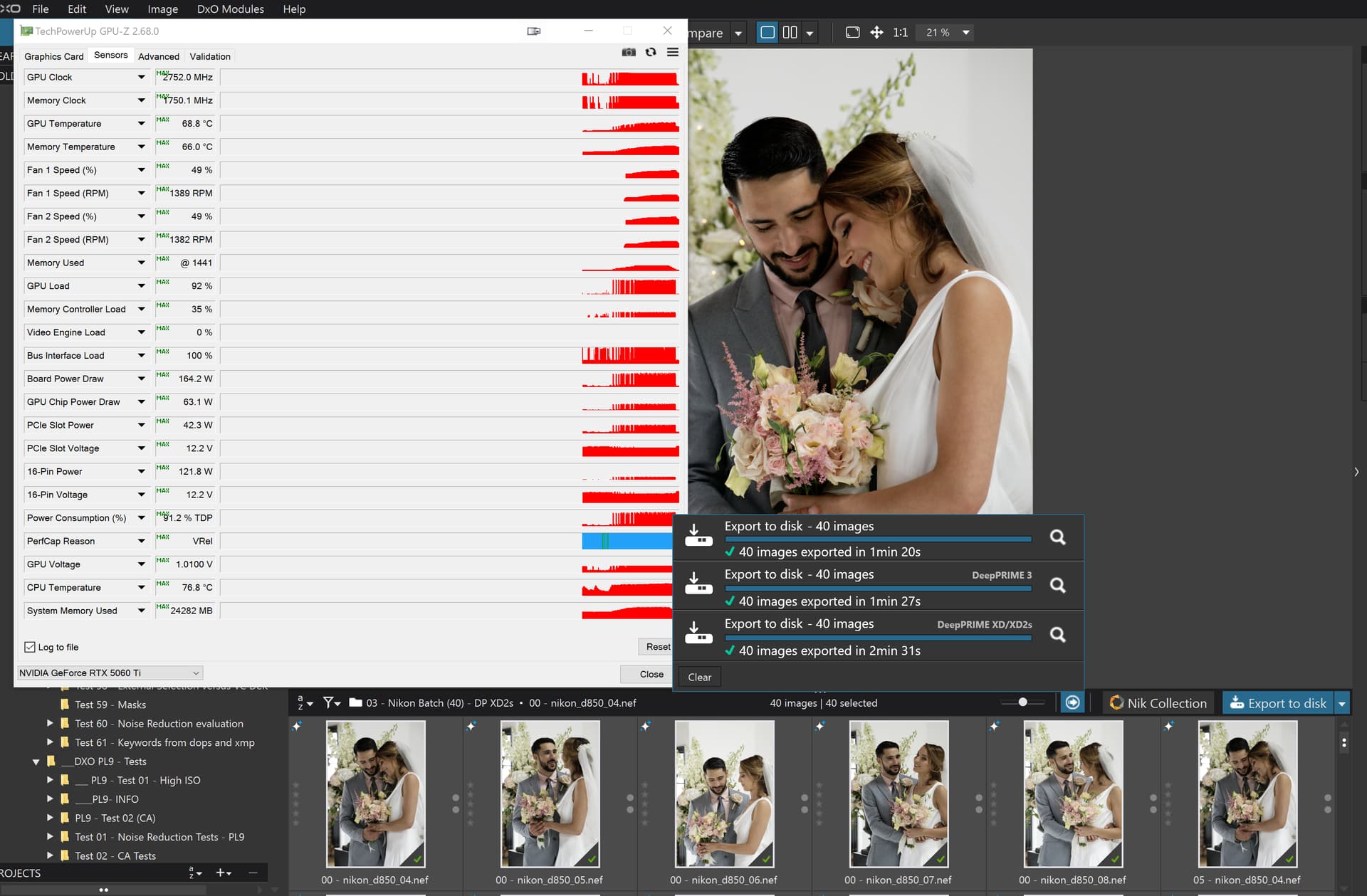
so I haven’t loaded the latest drivers on the 5060TI(16GB) and the PL9.2.0 timings are a bit higher except for XD2s which is actually lower!
Not in my case, they are higher but “only” by about 10%.
I was concerned about the PL8.10.0 XD2s timings because I ran a number of the tests after the PC has gone to sleep of its own accord but the last two tests were one after another, so no export worker memory cleared etc… and we have
The PL9 tests started with the same PL8 DOPs that I copied from the DOPs used for the PL8.10.0 tests and they show times that are faster on PL9.2 than on PL8.10.0 for the XD2s tests!!??
The images tested were physical images not VCs and they reside on an NVME which is reasonably fast and the output goes back to the same NVME.
But clearly it is used. With PL9.2 No NR test for 100 Z8 raws, same as used above, I got 197s, compared to 206-217s I got with DP3, no errors. The ‘Shared GPU Memory’ went up to about 5GB out of about 15.9GB mapped and wasn’t “freed”. Then I run No NR on the full set of 300 raws (without restarting PL), which got 2 errors (with 4 images involved). First when #193,#194 were processed. At that time ‘Shared GPU Memory’ was at max, PhotoLab process restarted DopCor because it lost communication with it, GPU shared memory was freed and the export continued until next error at images #277,#278. No clear suspect this time, PhotoLab process restarted DopCor and export finished. Clearly there’s a problem with ‘Shared GPU Memory’ allocation (might be in Microsoft WDDM code) and another, more mysterious problem with No NR exports. No DopCore minidumps were created in this case (unlike for DP3 and XD2s DopCor restarts). For DP3 tests ‘Shared GPU Memory’ stayed at about 0.3GB, with some part of it used by Windows.
I should mention yet another problem, although pretty harmless. If during PL9.2 session exports are used, then closing down PhotoLab 9.2 causes DopCor process to crash (sometimes), minidump being generated in %LOCALAPPDATA%\CrashDumps. No real problem with that and IIRC some PL8.x versions also had similar problem, which was fixed later.
It seems that you have used AI masks or some other intensive LA before running the test, because the initial VRAM usage was large. For my tests I used “fresh” PL instances, making same type of runs, and then restarted PL before doing a round of another type. During my DP3 and XD2s tests VRAM usage (Dedicated GPU Memory) was below 4GB, iirc.
That’s strange because in my case they are ±2% equal. While using PL9.0.1 and 9.0.2 trial I did short tests (30 raws) with DP3 and XD2s and also didn’t find any significant differences compared to PL8.9. It looked like the engine was the same in both versions.
There’s a report in dpreview of a case when DeepPRIME on PL9.1 was even slower than in your case, relative to PL8.9: Performance tests on PhotoLab 9 | DPReview Forums . However, I have some doubts about validity of the test there, as it looked like some AI masks were used before running the test, perhaps causing VRAM to be exhaused, maybe partially switching to Shared GPU Memory, which is much slower. Just guessing, but I’ve seen similar things happen and documented by NVIDIA with other software. BTW, if I see 11GB out of 12GB VRAM used on my PC, I restart PL9.2, because slowdown or crash is almost guaranteed.
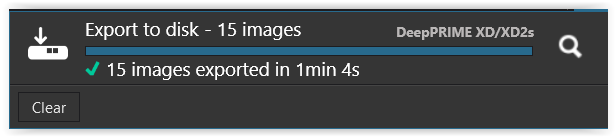
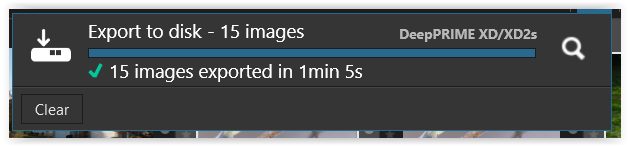
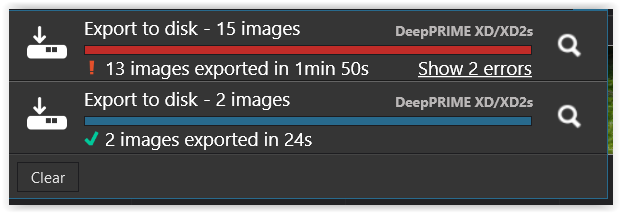
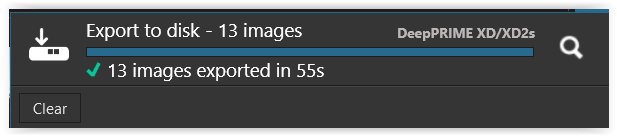
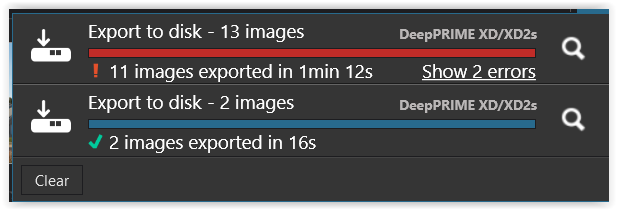
I just repeated the test with a batch of 15 raw files, mostly from different cameras and located in separate folders for PL8.10 and PL9.2 to eliminate side effects.
Each collection was reset to No correction → DxO Standard preset → DeepPrimeXD/XD2s ( → and for PL9.2 cleared the history ) → restarted PL … *)
@Wolfgang One problem that we have is that we don’t have a common set of images but not just a common set but a set that has caused problems on more than one occasion (not necessarily with the same images failing each time but just failures will do).
@Wlodek Not deliberately, i.e. I tried to avoid touching any directory with AI images in them, but I may have automatically opened a directory with AI test images.
What I did do was to copy PL8 images to a PL9 test directory so that I could do the comparison tests and went on to do the PL9 tests immediately without closing and restarting PL9.
So I just set up a test group with the first image from the Nikon test directory of 40 VCs. The setup was done in PL8 and I then went straight into an export test. The PL9 directory was setup outside DxPL by copying the PL8 directory and then adjusting the directory name.
The tests caused no failures and the system is a 5900X with 5060Ti(16GB) with Nvidia 581.57 Studio drivers.
This opens the gap a bit more using the clones of one image to 15%, 13% worse for PL9 but 9% better for XD2s and looking at the memory usage graphs PL9 is using less VRAM, except with the standard default timeouts the export worker stays around.
BUT I did absolutely no editing in PL9 just export one after the other, straight from discovering the directory set up outside of either DxPL versions!?
For what they are worth here is the image and the the DOPs but apart from the one occasion I have experienced “no problems” , @Wlodek but I haven’t scrutinised the logs!!
@Wolfgang I have seen you addendum why did you consider it necessary to remove the “history”.
However, if I read yous addendum correctly it appears that after moving the first two failing images out of the string of images the export failed again at the same point(?).#
If that is correct then it is either the image before the failure point or some combination of some or all of the images before that point that might have contributed to the failure,
I tought removing the history in PL 9 to create equal starting conditions – maybe it’s unnecessary.
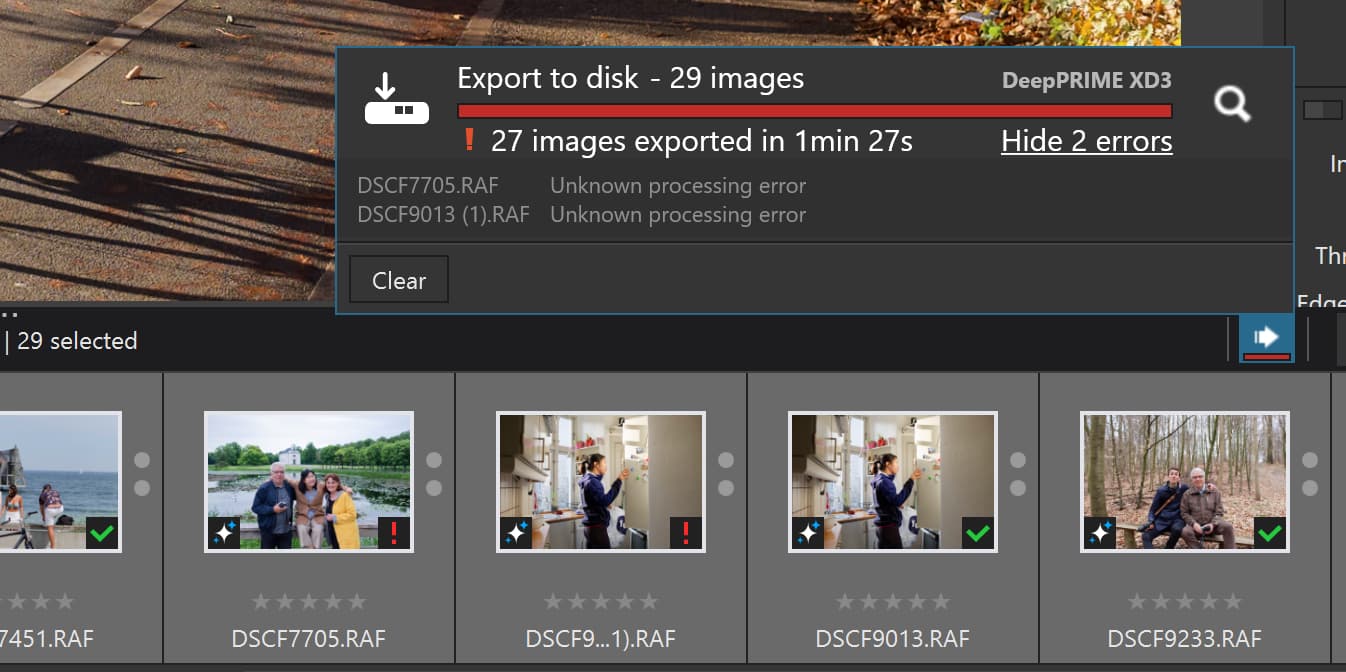
The only pattern I can discern (if one can even call it that) is that in both cases, the unexported images tended to be near the end of the batch. At the moment, I don’t know what to make of this. And I don’t recall observing such strange behavior before PL 9.
@Wolfgang and it shouldn’t be there in PL9 either, it is an error. If you want to upload the images and DOPs somewhere you can then DM me where I can find them and I can see what my machine makes of them.
My “guess” was that the images that are failing aren’t the culprits but rather they are the victim(s).
The image directly before the problem is encountered or that image in conjunction with some or all of the other images or because they exist and have used up some resource or caused a field to “overflow” or … results in a situation where any image that comes next will fail.
@Wolfgang Ghosts aren’t real but your problem is!!
Have a good sleep, the problem will still be there in the morning, sorry that is not very sympathetic I meant to say “No problem is so big that you can’t run away from it”, that’s not very comforting either!
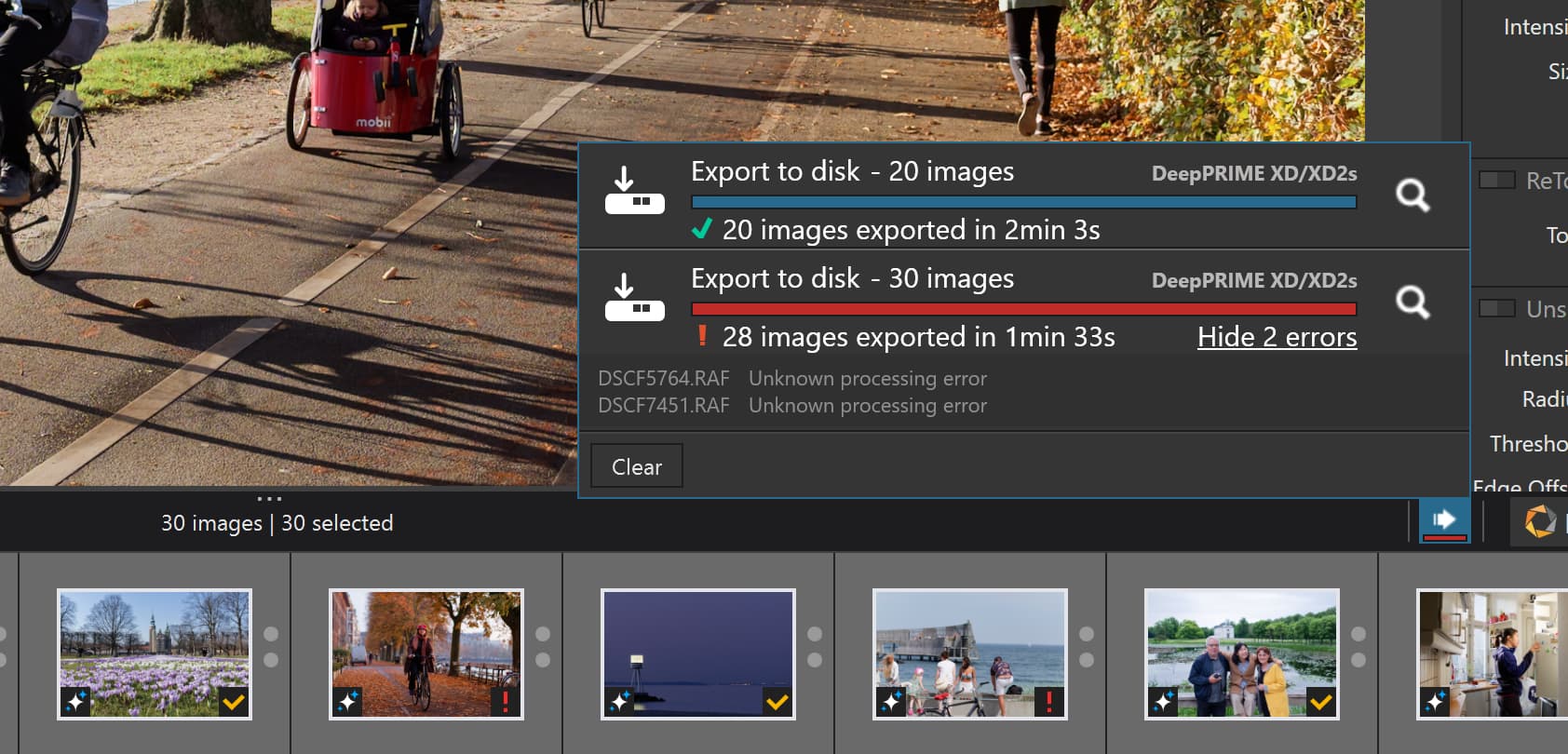
@Wolfgang I “discovered” some images from Fuji cameras that I downloaded some time ago to investigate XD3 with X-TRANS images. But durinf that exercise I also downloaded some Fuji Bayer images as well.
The export of 20 images were all Bayer images and exported with XD2s and was successful but the 30 image directory were all X-Trans images and applying XD2s is effectively applying XD, if I understand things correctly?
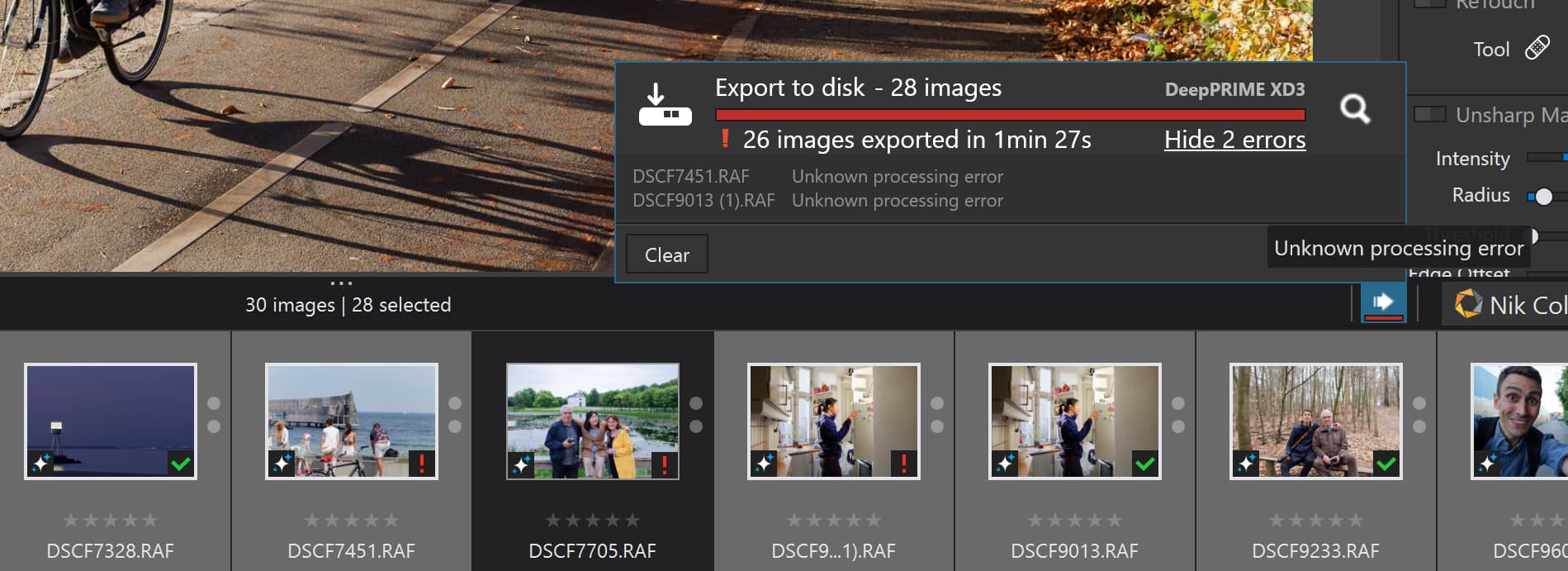
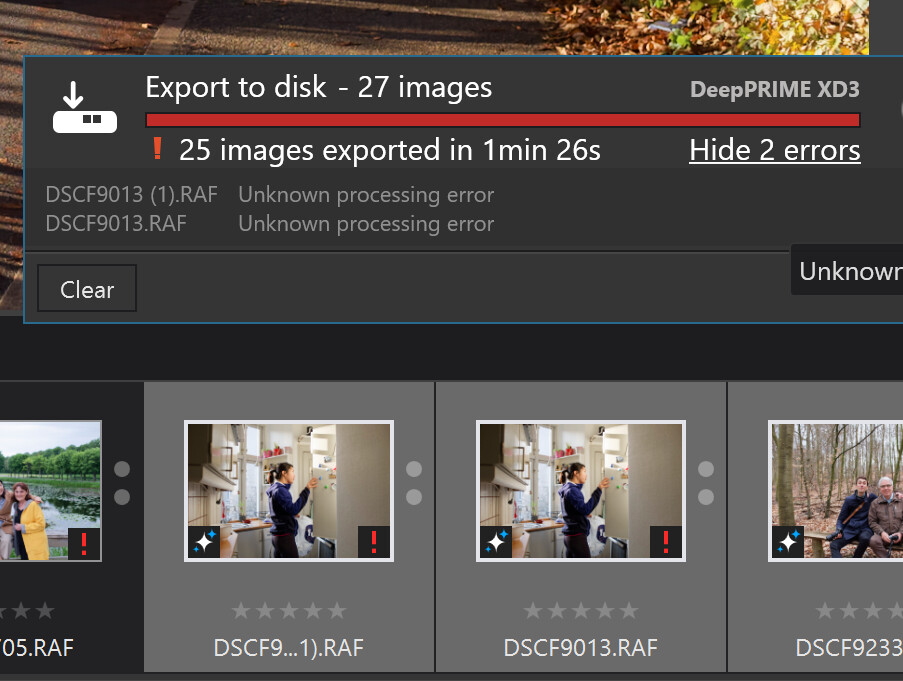
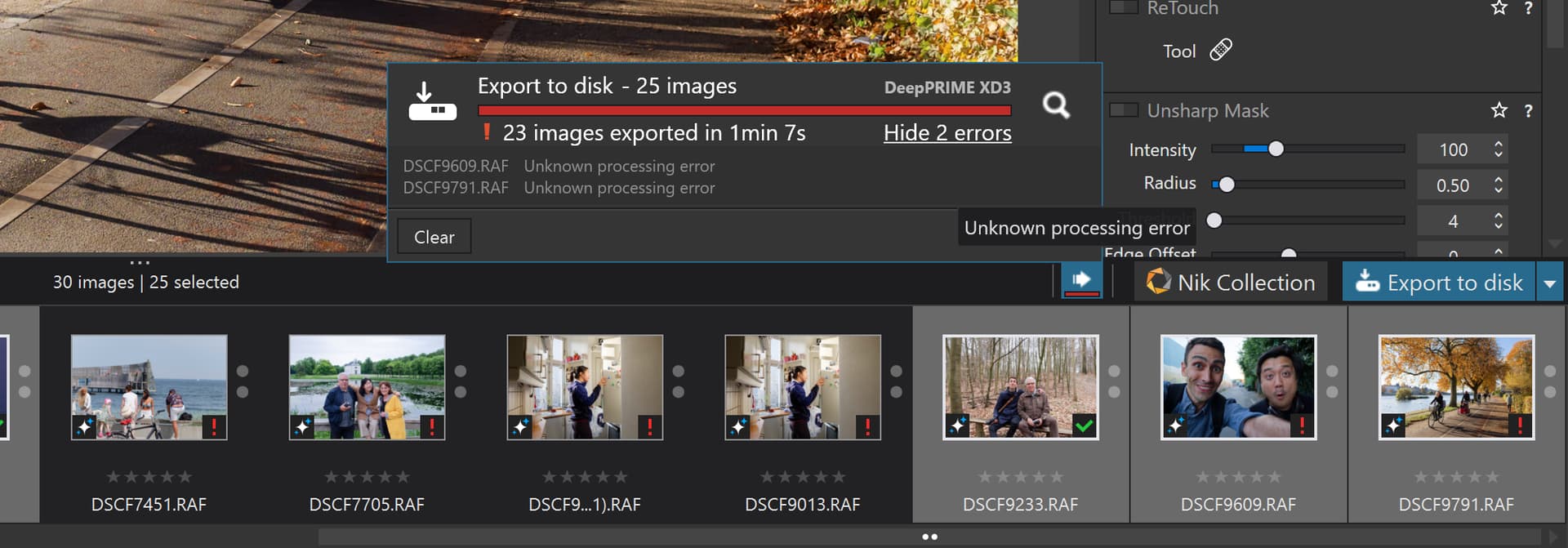
Two attempts at the X-Trans image exports failed and one image was in both failures and is probably the “culprit” (or “victim”) and the second image “just unlucky”, wrong place wrong time!
PS:- I repeated the tests (restarting PL9.2 after any errors) and the problem moved down the list as I excluded images that had received a red ! on the previous run from each following test run.
@Wlodek More likely because you don’t try hard enough . My processors are water (liquid) cooled but none of the GPUs.
The good news is that I now have a reproducible error (of sorts) so I can complain to DxO on two counts, errors with and without AI, i.e. what have they done to the code to make it a pile of …




 . My processors are water (liquid) cooled but none of the GPUs.