During batch export processing (2 threads/Windows) image #1 requires some additional action, so it’s not that rare that processing image #2 ends before #1, but the difference should be marginal. In my case image processing as shown in activity icon finished either sequentially or in this order: #2,#1,#3, the rest in–sequence. I did also export of all 7 images followed by export of the master image only. Result:
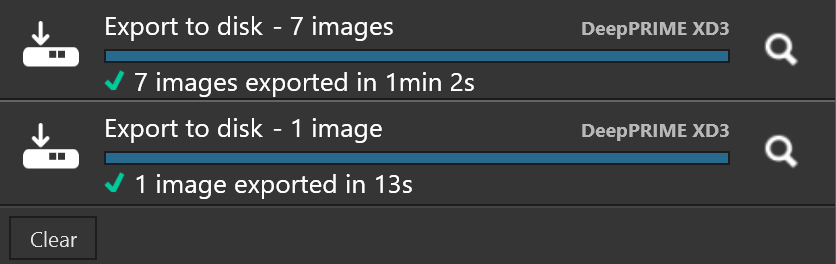
So the average time for the first run was about 9sec per image, but since two export threads were used, it was actually 18sec. Since master image is the only one without LA, it’s processed faster than 18sec when processed standalone. When it’s processed in a batch, as said above image #1 requires some additional work, so it may finish later. However the difference should be small, unlike in your case. You may analyze PhotoLab and DopCor logs to get some idea, but it’s a bit tricky, since PhotoLab log does not currently show image name (but DopCor log does). Note that processing times shown in PhotoLab log are NOT full processing times, you have to analyze both logs together to get that.
Your driver 511.09 is from January 2022, so there might be some compatibility issues with new WinML libraries in PL9.6. Just speculating, it may switch to some old mode and you may run into GPU memory leak problem, as in pre 9.6 versions. Check GPU memory usage in Task Manager, both “Dedicated” (VRAM) and “Shared”. Check with 595.79 studio driver – it still supports GTX1660 SUPER.