Note – the Fuji GFX 100 II uses a Bayer sensor and is compatible with DeepPrime XD/XD2s. However, anyone working with such large files will naturally need a powerful computer.
Maybe of little use to you being a Windows based user but thought I’d download the image and DOP and see how things went on my MacBook.
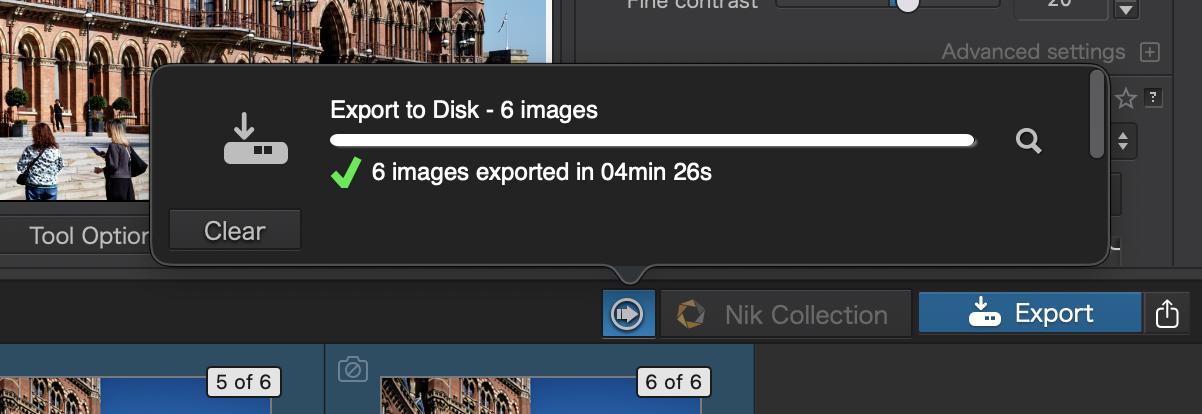
For me all 6 exported fine with zero issues/errors.
However this may be an issue with the DOP being created on Windows but VC 2 & 5 which both have an AI Sky selection give an ‘error’ in that they can’t be found/selected.
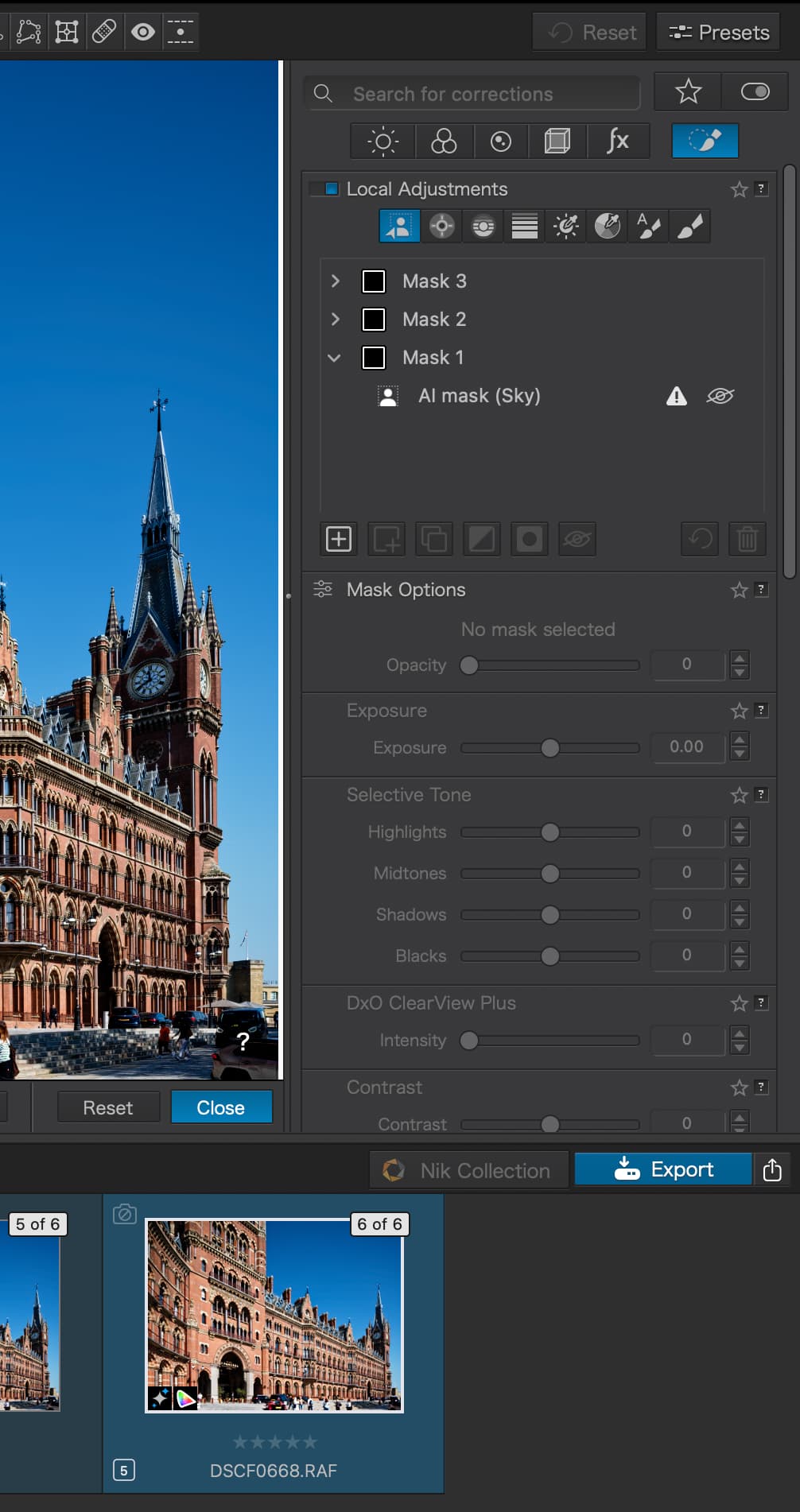
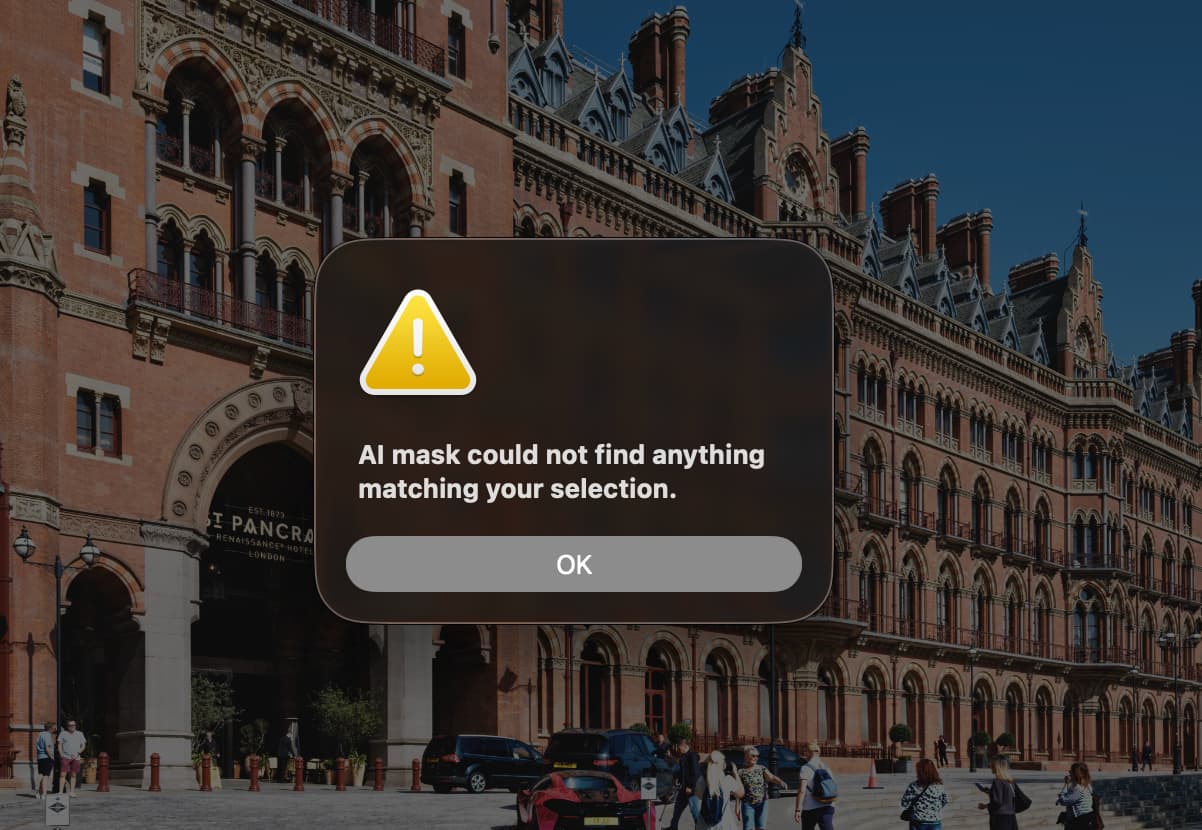
Tried deleting the AI Sky mask and creating a new one but whilst the AI select will detect all other predefined types it fails to detect the sky. However if I use the selection mode it finds the sky and creates a mask.
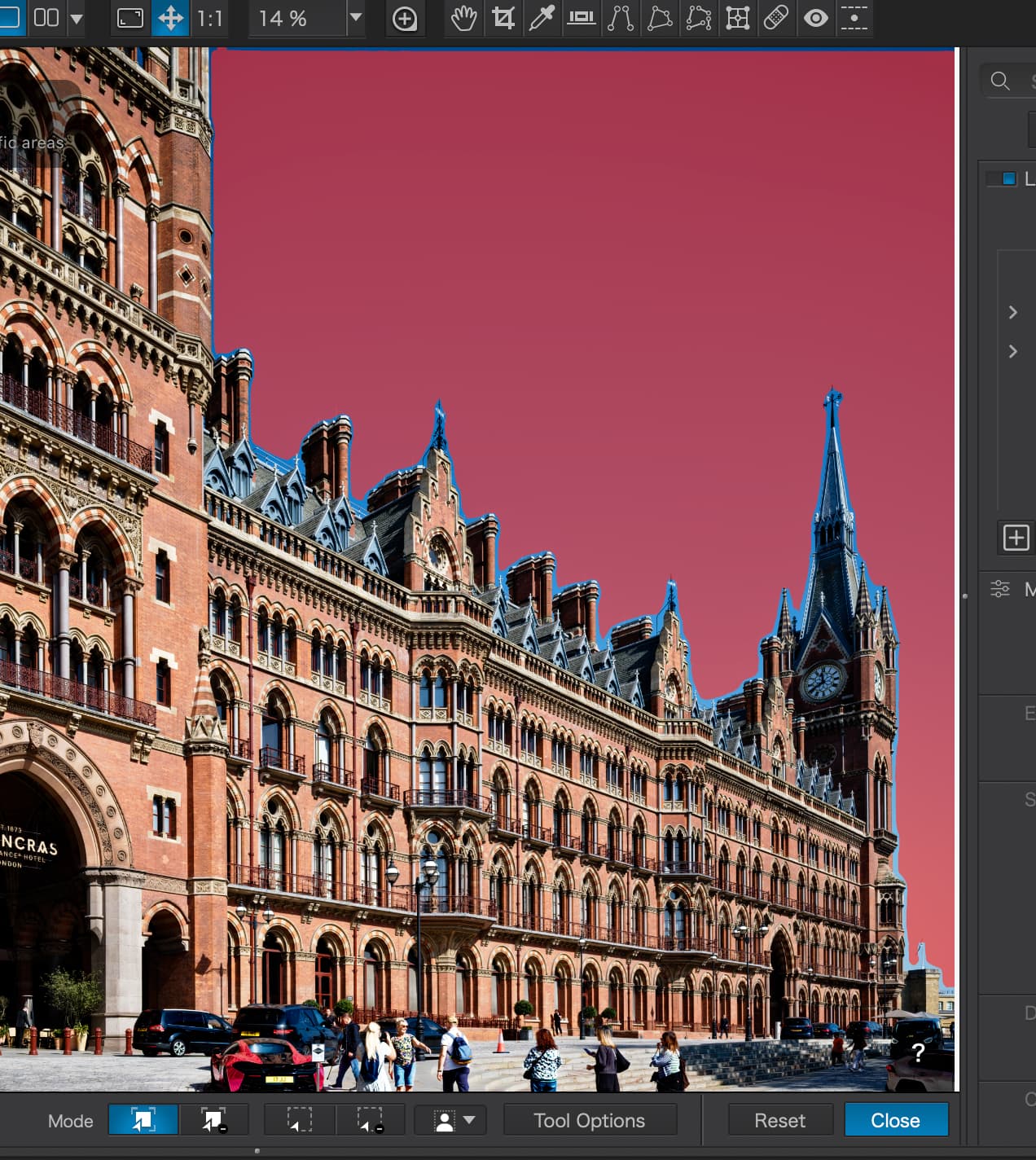
This file also exports correctly but obviously isn’t a true representation of your intention as I couldn’t use the predefined AI mask.
Like I say, I appreciate that its two different systems/OS’s I was just curious to see if it caused any issues with my setup.
For reference though. MacBook Pro M4 Pro 24gb.
1 Like
And it’s wearing…………………
If you think about the percentages, the one thing you would do as a software provider is to make sure it worked on Windows. MAC OS is important but the vast majority of your customers are Windows based. This is commercial suicide.
The AI has no consistency and that why a lot of the failures are inconsistent. This has been rushed off the blocks to hit the company’s financial timetable - the annual launch. This year DxO has outdone themselves. I trust DxO are so quiet because everyone is fixing it, I suspect the silence is because no-one has a clue.
2 Likes
Unless you offer any solid arguments, please keep your wisdom to yourself.
You’ve already vented your frustrations many times, and everyone knows it by now.
5 Likes
@Wolfgang I apologise for not giving you credit for starting that particular “nightmare” for me by “finding” the image in the first place that led to me “wasting” time with the tests.
Although the size of the image may well be a little extreme, under all circumstances the export should work providing the system meets minimum requirements.
Perhaps PL9 just doesn’t like me, understandable but …
@Lost_Manc How “boring” but thanks for conducting the test, it is important to understand the issues of passing DOPs between the two systems and that they can be successful.
I would be less concerned about PL9 (Win) versus the test I “constructed”, if the results were predictable which they, simply, are not, at least for me and neither my CPU nor my GPU are at the bottom of the heap they are about midway!?
@Lost_Manc But it is representative of [4] in my tests, which were also sky selection whereas [1] and [5] were Sky presets
@Wolfgang and the response to that may be on its way. But I complain a lot as well, albeit in the middle of “huge” posts.
They are “huge” because I don’t believe what I am seeing and I am concerned that other users will accuse me of **** (excrement) stirring.
I would like some reaction from DxO because they are responsible for this appalling situation @DxO_Support-Team, @Fabrice-B
As I was typing that and my thumb was hovering over the keyboard it was shaking, I need to do my relaxation exercises!!!


As you can probably guess, that wasn’t the intention.
It’s a stunning image with such beautiful architecture—and very challenging at the same time. I was surprised that I could use the predefined sky preset, which worked so well with this image. But then, after making a few selections, I had to avoid the keyboard until PL 9 displayed a flawless preview. … And I hadn’t even considered batch processing.
@Wolfgang I had forgotten that it worked for you because, even as a single image with my edits and what you described in your post, it never makes it past the starting line on my systems. Or rather it has on two separate occasions in the past, one where it was followed by a failure and another where the failure preceded a successful attempt?
That latter occurrence runs against my advice, i.e. that after an export failure the user should terminate the export worker before attempting another export.
That is never going to happen if a number of images or VCs are all in one export request and yet I have seen situations where a successful run has occurred after an unsuccessful run!
The reason for using the batches is to stress PhotoLab, it is not supposed to stress me, and to see if the detritus from one export is corrupting the next, either in the PhotoLab code itself or the AI model that DxO have created and loaded into the GPU or both at the same time!!
But I ran a series of tests, which I documented with snapshots above, where I export only one copy after another with a restart between each export. The first time every copy except the first failed, but in the tests above two of the AI models succeeded, as well as the test without any AI whatsoever?1!
The difference between those tests and then running an export with all 6 being exported in a batch and the first AI image, with the ‘People’ preset and the last with the ‘People’, ‘Vehicles’ and ‘Sky’ preset both succeeding with all the rest failing is just “crazy”.
If I hadn’t captured snapshots at every stage of the testing I would have thought I was making it up, actually you just couldn’t make up something as bizarre as that!
I have just tried more tests and they are all failing. Please send me a copy of the DOP that worked for you.
Your machine is less powerful with respect to CPU than either of my machines (I believe) but your 4070 is actually more powerful than my 5060Ti(16GB) and definitely more powerful when compared to my 3060(12GB).
I have actually got another i7-4790K which can be connected up, the main i7-4790K is currently being used as my E-Mail server and for writing this, but both only have 2060 6GB cards and I could take the GPUs out of the 5900X and/or the 5600G, both AMD systems, and try to see if ancient intel architecture is part of the puzzle (but they will be tight fit in the case that the “spare” i7-4790K is sitting in)!?
Incidentally the Local adjustment setting I have used are
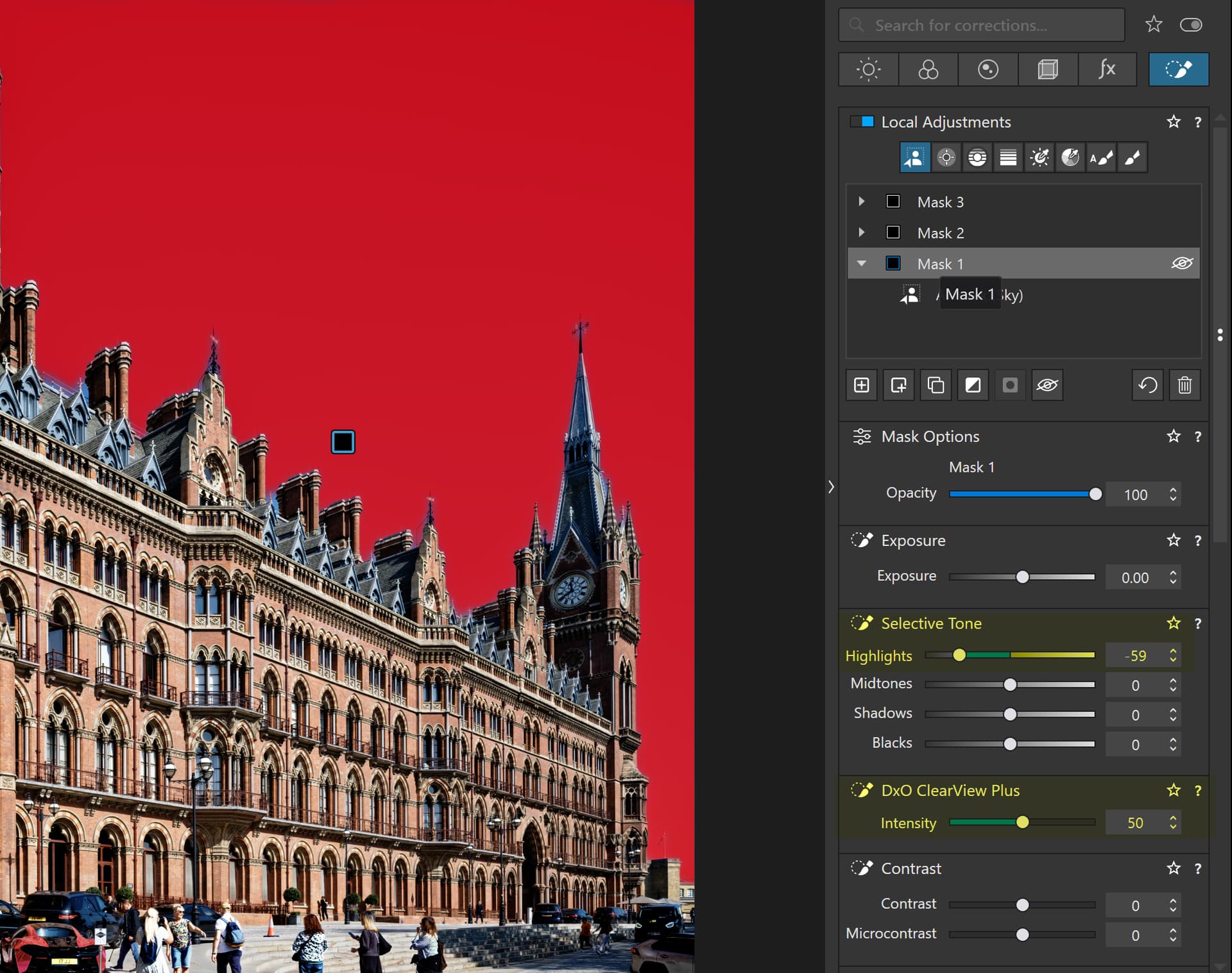
Let’s be fair now. You are a customer that has bought a product that is “not fit for use”. Now unfortunately for you (certainly in North America and Europe) software companies managed to negotiate (buy) an exemption from this. It is legal for a software manufacturer to sell you a piece of junk and there is no redress.
Minimum specifications are pretty meaningless to be honest because there are a series of other variants that can effect the use of the software. And once again, you have redress. Unless you can prove that a company deliberately updated you software to slow down your computer/phone like Apple.
DxO incompetence is not a crime, although it might appear to be. It’s just their failure. And the fact that their failure is compounded by their silence, that’s just bad business and embarrassment.
The truth is (much like Apple shafting their customer by bricking their phones so they had to buy new ones) existing customers will still stay in the vain hope that DxO can fix it. DxO will buy “influencers” on Youtube that will tell everyone that this is great and people will buy it.
This is a hell of a mess. Can DxO fix it? If PL9.3 is anything to go by, not a chance.
1 Like
DSCF0668.RAF.dop (25,1 KB) → VC 1 is the culprit
Just try opening the file without the usual error and then exporting it. This image is driving my machine to the edge (not that it couldn’t handle 2GB files in PS … )
… I have actually got another …
I don’t think it’s worth the effort, and we’re not in a competition anyway. If I had needed such large files, I would have bought a new computer.
(ed)
@Wolfgang That certainly did something!!
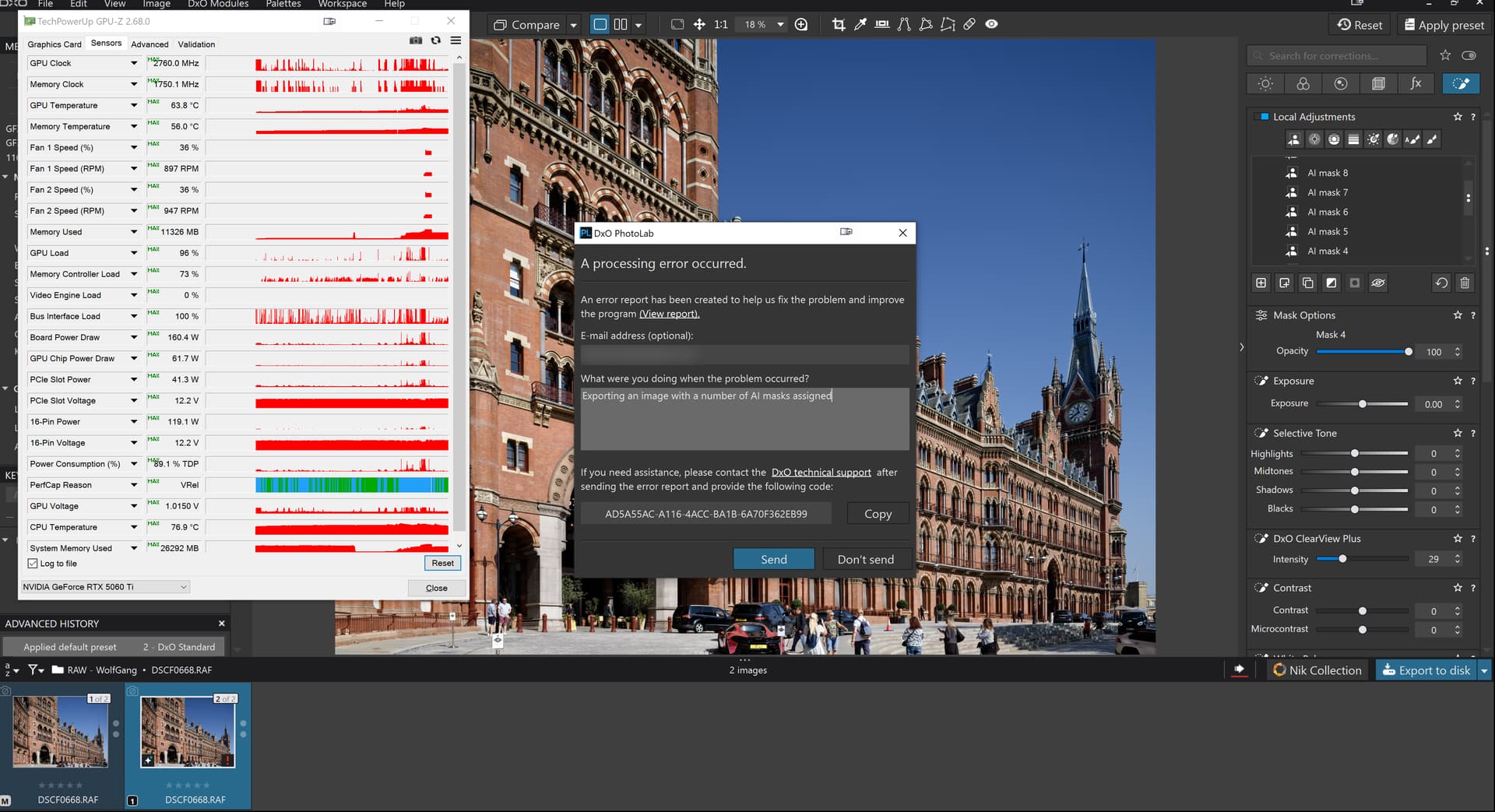
just not what I was expecting.
I’ll update to the latest driver, although my tests with X-Trans images hated that driver and see what happens.
PS:-
I updated the drivers and got
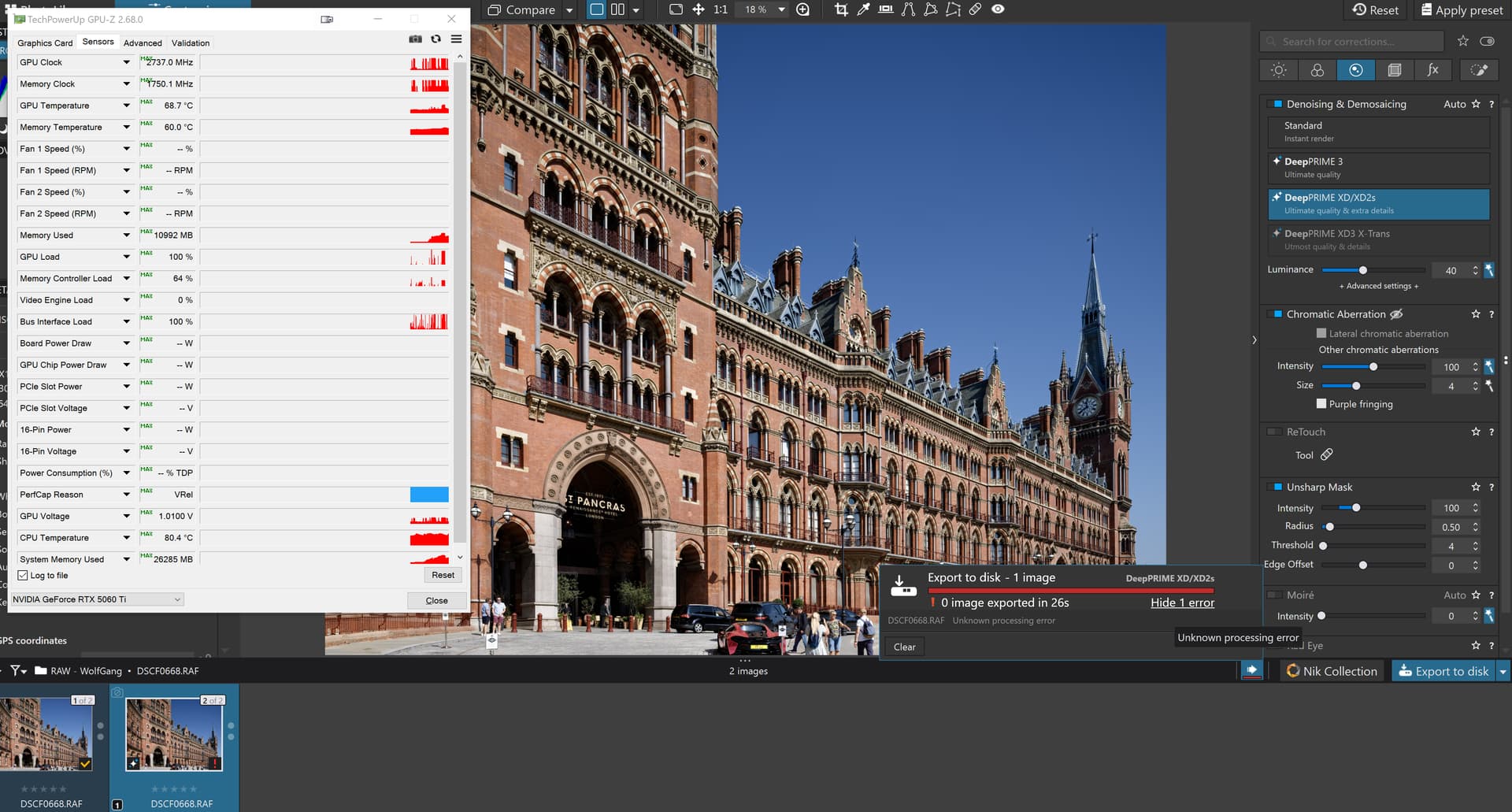
!!??
Well, I am still using 9.1 on my Graphics computer without issue.
i5-10400F CPU; 32gb; GTX1660 Super 6gb; Driver 511.09
As you can see, it is way below the recommended spec.
I can use any or multiple AI preset masks or make my own and they work without crashing.
I did try 9.2 and it introduced the same issues that others have reported. I was hoping 9.3 would work for me but I see a lot of complaints about it.
So, while PL9 is not as fast exporting non AI mask images as PL7, it is still usable.
Quickly rechecked …
It took about 20 seconds until the preview was fully displayed ( → message ).
Then after I started the export.
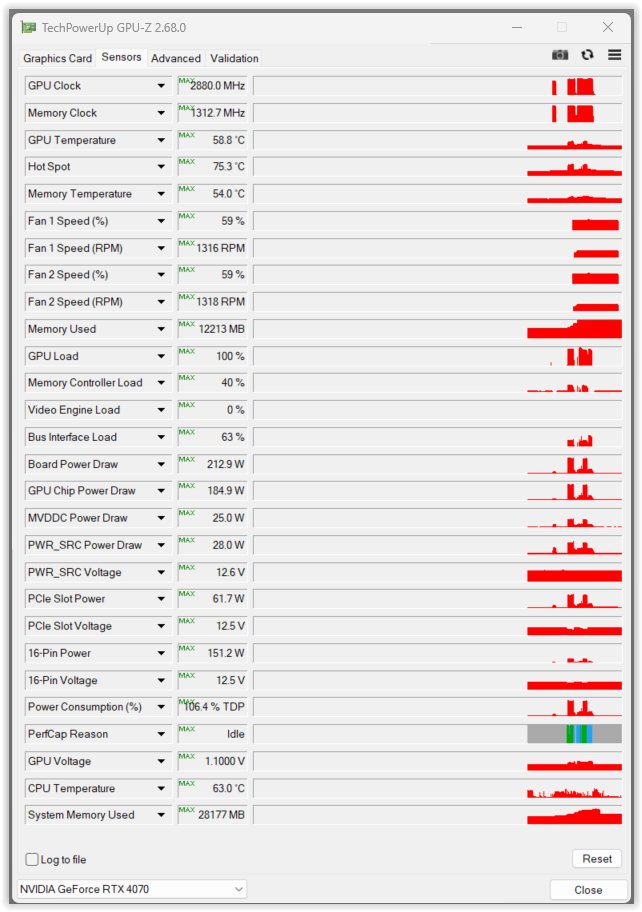
@Wolfgang I ran it again and actually had a screen video capture running but it dumped again so that shows my e-mail address which I don’t want to make public!
But it took 15.628 seconds to display the image without the progress bar and then it dumped after 28 seconds.
When I have worked out how to scramble my E-mail address I will the publish the video but it continues to fail and fail dramatically with a dump! The video contains a timestamp so it is possible to see what happened and when.
This is the problem Alan. There is no rhyme or reason to the problems.
@Gareth So it would appear, 3 dumps with the St. Pancras image and the @Wolfgang DOP so far this morning. The tests were made as I terminated as many background programs as I could to see if any of those were somehow(!?) causing an issue but to no avail.
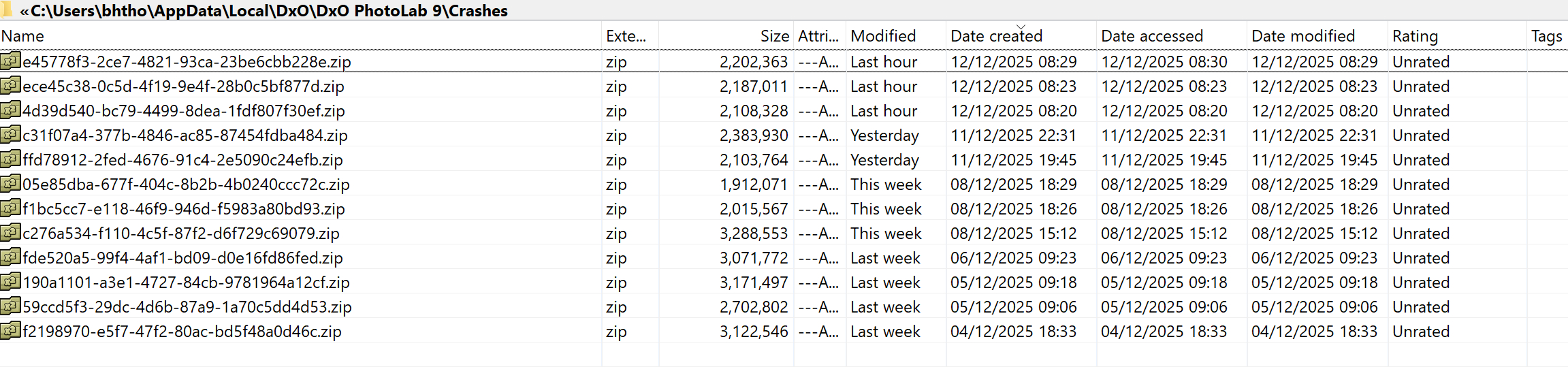
The last one of those was submitted to DxO.
@Allan Allan I am glad you are having a “successful” time, albeit on PL9.1, because I am just frustrated by the fact that @Wolfgang’s image works for him but fails dramatically for me, and that is not being “jealous” just frustrated that I cannot understand why that is the case!
and we must remember @TorsteinH who made the first post in this topic.
As I said, this picture puts my (old) machine to the test.
Out of curiosity, I looked for the master file with the few basic adjustments and it already takes about 8 seconds for the “Full preview in progress” message to disappear (most likely due to the sheer size) … and the VC with the AI masks takes about 20 seconds, but don’t touch anything!
@Wolfgang My wife will be suing me for divorce and you will be cited as the cause!!
So I copied the image to the 5600G-3060(12GB-581.94) and tried it there and it failed, no dump but a failure non the less.
So I created VCs, as you do, 1 for each of the masks and an additional one that started out the same as VC[1] with all masks enabled.
VC[5] failed and that had just your ‘People’ preset!? Each export was done one at a time and between each I terminated the export worker (just in case).
Because Mask 3 had caused a problem on its own, I disabled it in VC[6] and exported that which then contained all your presets, minus the ‘People’ Preset and these are the results, excluding the export with all the presets set because I restarted PL9.3.0 after that failure.
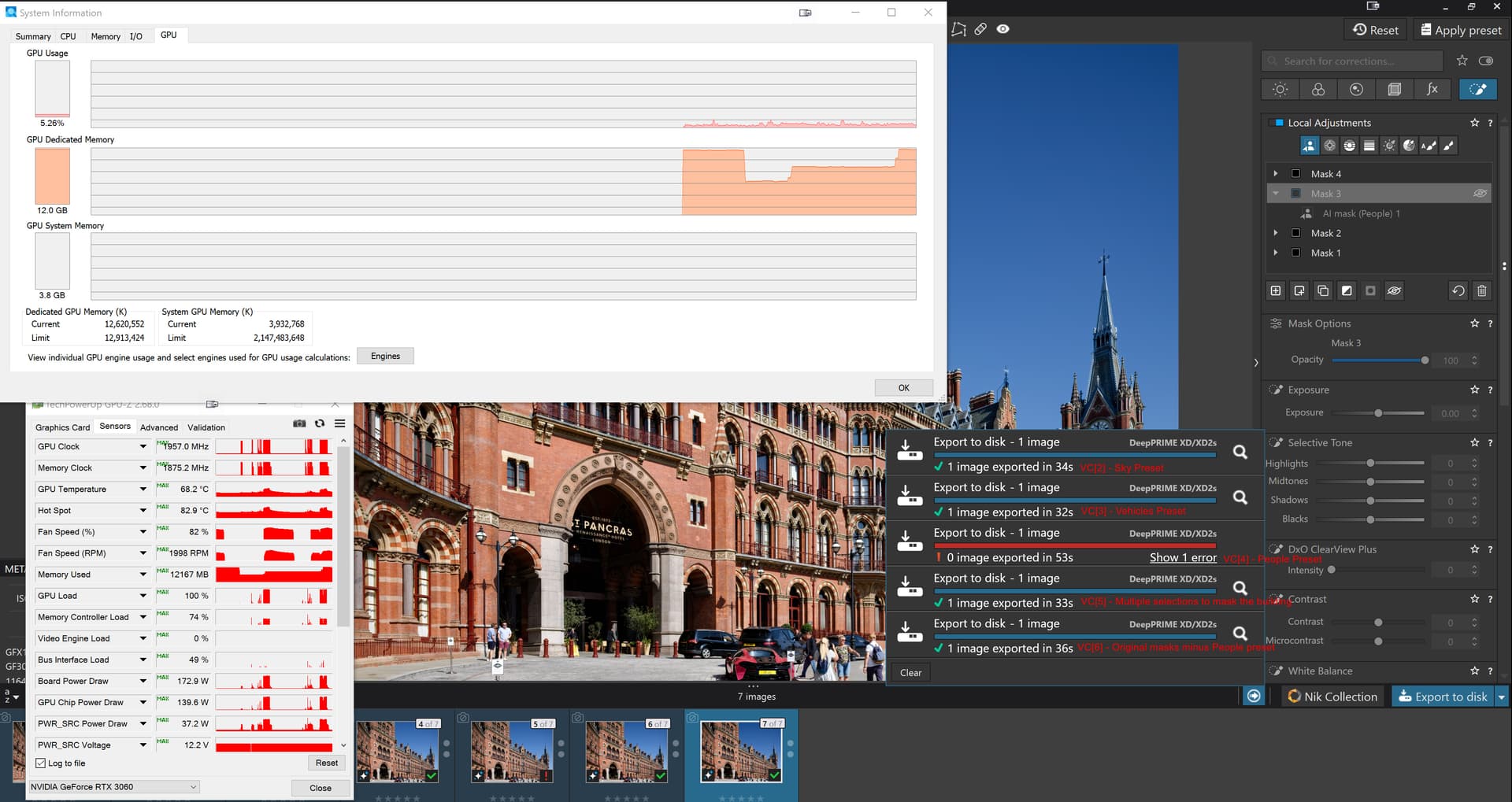
So one of my PCs quite like your edits but obviously has a problem with ‘People’.
The export, minus ‘People’ mask, took 36 seconds. I will transfer the DOP to the 5900X and see what that makes of it!?
PS:-
I went straight for the VC[6] test on the 5900X-5060Ti(16GB-591.44) and it failed so I need to install the earlier drivers and try again!

Update:- on the 5900X-5060Ti(16GB-581.94) all the tests failed except VC[5], the multiple selections that encompass the station frontage, excluding the tips of the spires
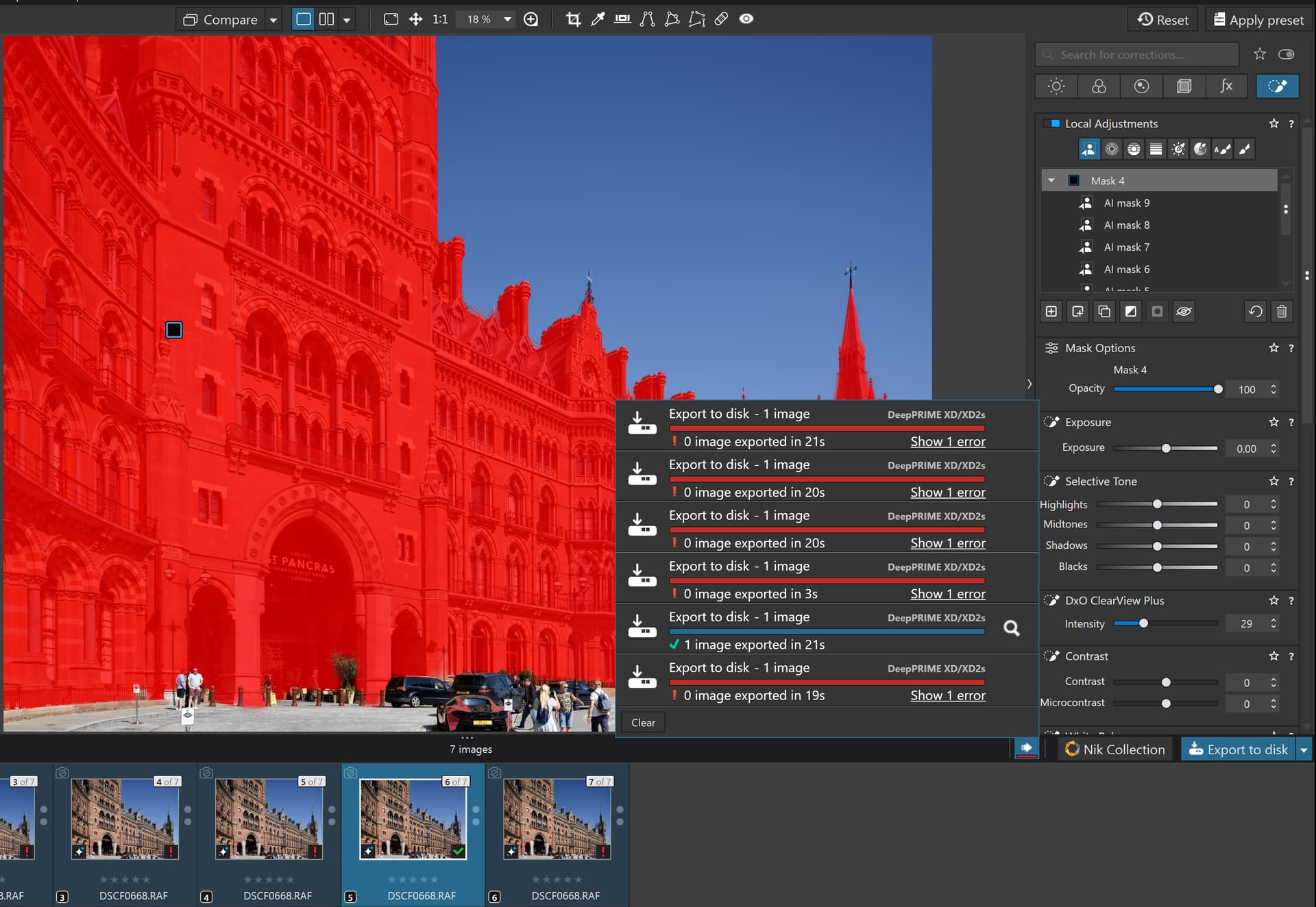
I started with VC[[6], the export which incorporates all but the people and also ended back on that copy after mostly unsuccessful tests.
1 Like
I use Capture One and ON1 Photoraw. These programs have more sophisticated AI tools eg you can feather, refine masks etc and I have had no issues running these programs. I have also used every version of Photolab but V9 wouldn’t work with the subject AI masks. Software programming means choices have to be made on how to accomplish the task. DXO made the wrong choices.
My GPU has 8Gb VRAM and other software works fine, PLV9 was an absolute unworkable mess. Fortunately, I actually bothered to run the trial version which expired last week.
Only another 9 months and V10 will be out. The way things are going I hope we can expect V10 to be an actual working version of V9.
At least I haven’t paid for V9.
2 Likes