My PL8 is rock solid and has never caused me any problems. There are plenty of new functions and improvements in PL9 that are useful to me, which is why I purchased early. But the program has to work reasonably stably before I can use it. At the moment, I’m angry at DxO for selling a program that obviously has not been tested as it should.
I think it’s more likely that it was tested properly, yet DxO decided to release it as planned and fix it gradually. This happens every year, and PL9 is both the best update (for new features) and the worst update (for broken pieces) in a long time. Consider also that the documentation isn’t ready, either - same as usual. Manual isn’t finished and there are practically no updates to the knowledgebase provided by support. Also as usual, it will all get sorted - but early tryers and buyers are left holding the bag in the meantime.
I have used PL since version 4 and was an early user of PL7 and PL8, but experienced nothing like this. Of course, there were bugs, but PL 9 is not in a usable state for me.
I have so far had one PL9 lockup (on macOS), which occurred while indexing images after deleting the database. The visible symptom was an application freeze with the macOS beach-ball of doom.
From the logs, the lock up corresponded to PL9 deciding to update the cafID for an image, after which several things broke. After force-quiting and repeating the index operation, the problem did not re-occur.
Aside from this, there are also quite a few UI glitches in the new masking tools.
Please send support requests for any problem that you see. This will at least help ensure that someone inside DxO is aware of the extent of any problems.
I totally agree that this release should not have been made in this state. With PL8 I had thought that DxO had finally sorted out its release process. Clearly this is not the case!
My PL9 has been very stable. PL9 crashed twice when running PL8 in parallel to make comparisons. Stopped running in parallel and now no problem (so far).
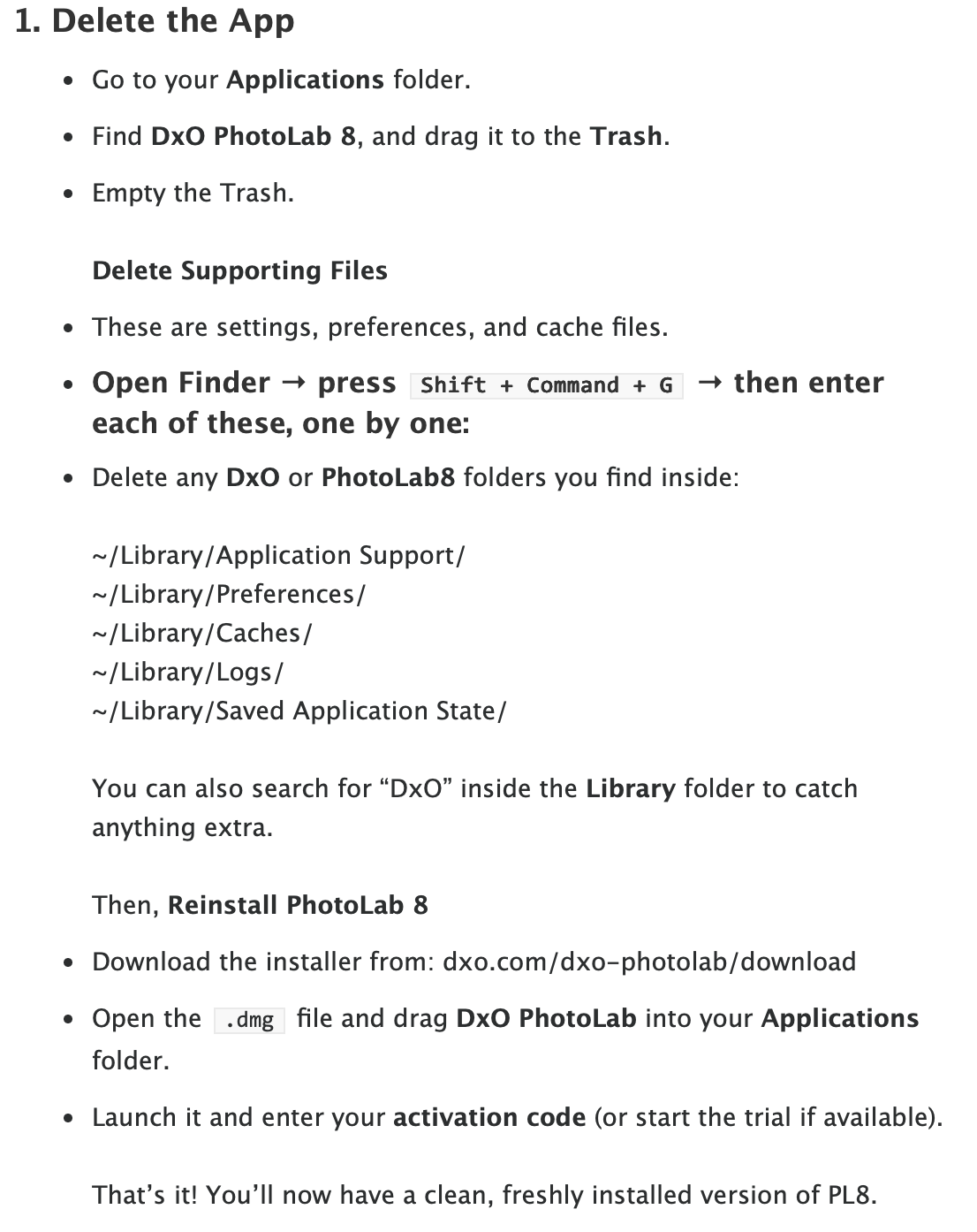
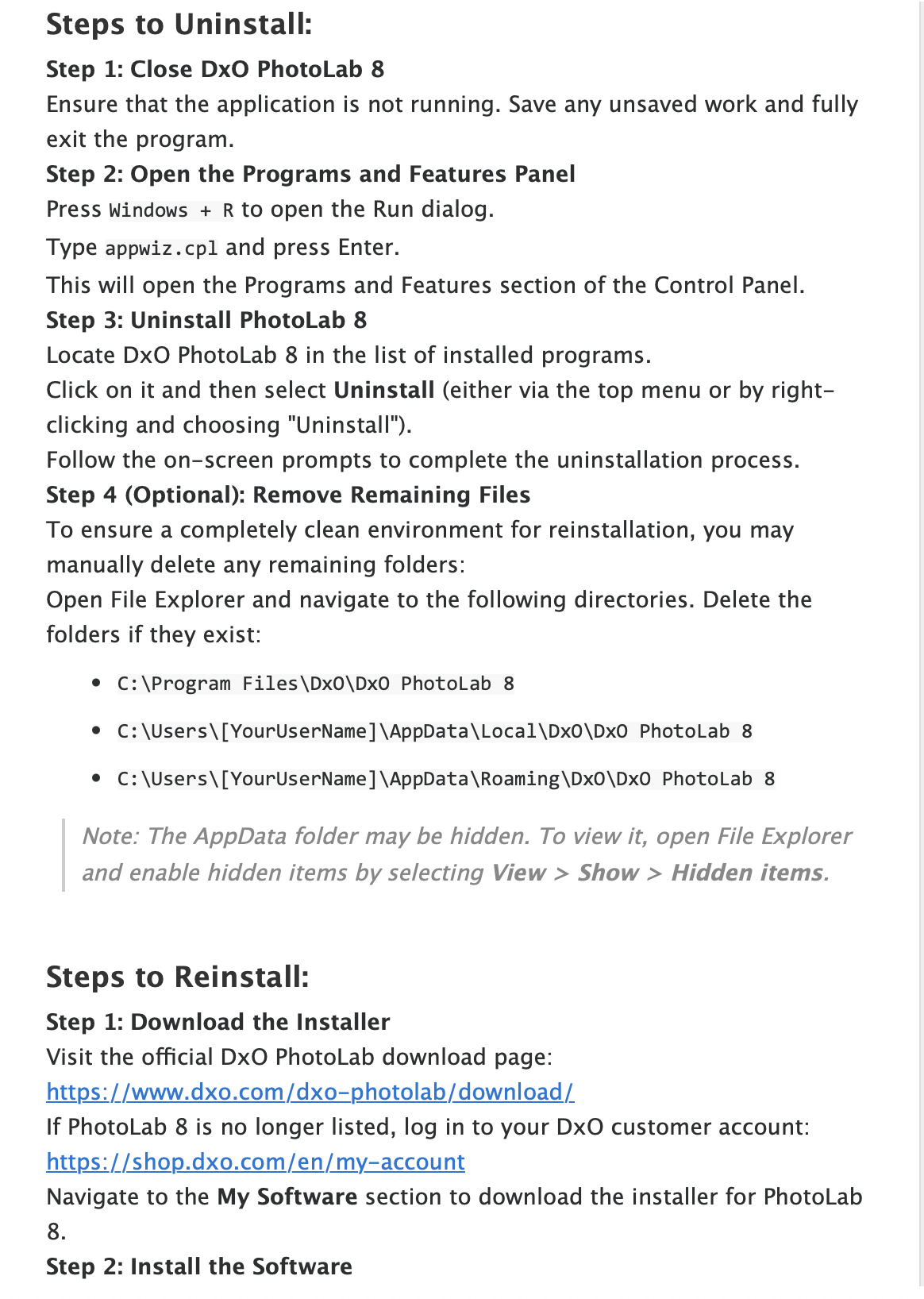
Just a thought… consider a complete uninstall, including the supporting files, especially if coming from a trail version. The are-install a clean version. This may help some users.
In previous versions, many of my lockups/crashes were the result of an installation conflict with one of the supporting files, presumably left over from trial versions or previous versions. These were corrected by cleaning out the DxO associated library files and the license file(s). I’m not computer savvy enough to give a complete checklist, but DxO support and previous forum posters shared some tips too.
Here are the instructions provided by DxO support for my crash issues on PL8.
( Switched to Mac after catastrophic hardware failure on Win11 PC)
Similar to mairamatinsk and erix - trial for PL8 before summer was fine.
Now that PL9 is out, and randomly crashing, I’m regretting not going for PL8 before summer. Neither trial for PL8 nor buying PL8, which I would gladly do, seems possible anymore.
It’s actually really weird that buying a license for PhotoLab doesn’t allow it to be used for older versions. I can’t think of a single business reason for not letting PL9 owners download and use PL8 as well.
I wonder how strict they are with hosting the executables.
I have a downloaded copy of PhotoLab 8, it needs a license key to register and run indefinitely, so presumably if @Uwik bought PhotoLab 9 now and downloaded my copy of PhotoLab 8… they’d be good to go!
Yesterday i get several (PL9). Today (at least until now) not come any (?).
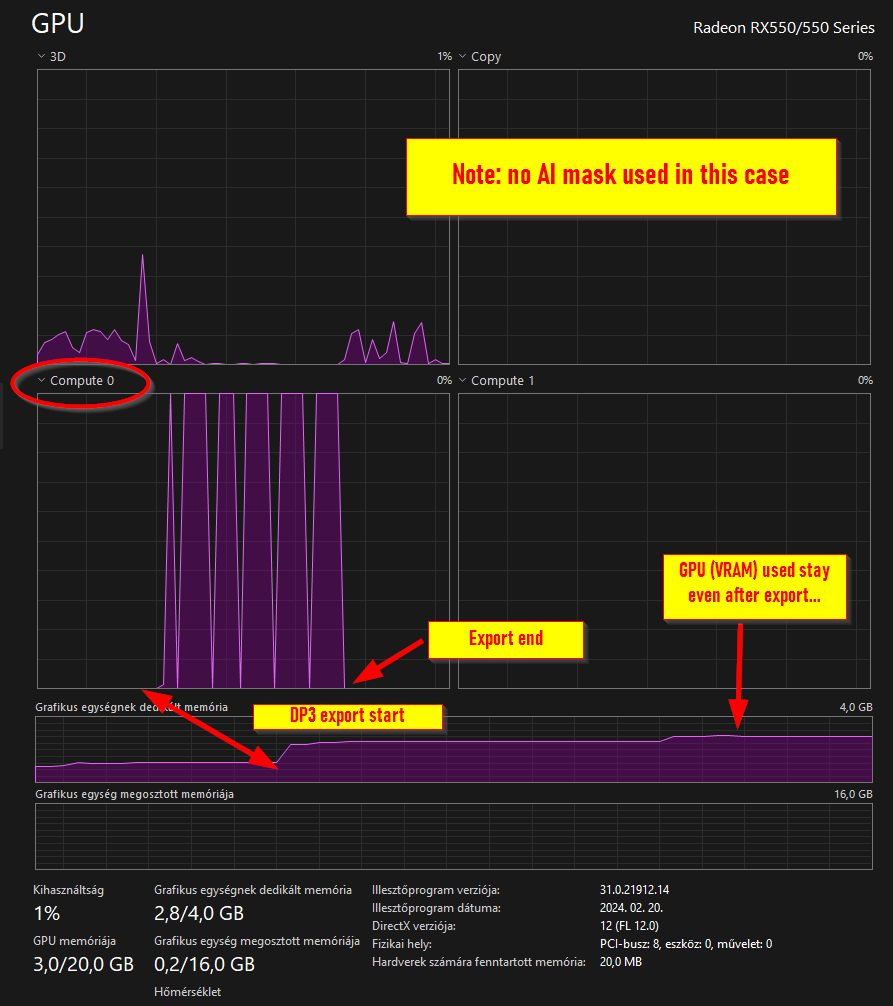
Yesterday i not send crash reports, as i like to get re-productable case(s). My desktop computer is not so fast and not so new, but’s okay for me: 32GB memory, some AMD cpu, old 4GB Radeon GPU.
However, in my personal opinion / experience: Its some way connected with the computer (in Windows 10/11) overall memory, GPU (VGA) memory/usage AND used things like ‘ReTouch’.
I tell a story of mine: i have a pretty old ultranotebook, like 10 years. Windows10, some mobil i5 cpu, 8GB memory, Intel integrated VGA with famously buggy VGA drivers. When i travel, i bring it with me. I’m live in Hungary - so (at least I) i don’t have money for new shiny notebook, that’s what i have, i ‘cook’ the photos during travelling with this. PL5 is just running fine on that (no crash), not a speed demon, but runs. I upgrade to PL 8.x like 6 months ago. And the “Internal execution” errors come up very often. Okay, i say, it was not unexpected for me. DP3 not works at all, etc. But that’s what i have (computer), i start to check, what is the ‘maximum’ its can works out. And many-many test/try later, i find out (at least in this computer) a few thing: If is use any (even one small !!!) ReTouch , 'Internal exec" raised, always. If no ReTouch, usually works okay. Mask amount is works if i not use more than like 5 mask. U-Point and Linear gradient usually works fine, but in the cases Luma or Hue masks “Internal exec” come quite often. GPU driver quality vary, if i downgrade older driver, its more stable. So, i find out some way to work for a few travel photos on site.
So, i have a few idea about this (may totally not valid, but at least some idea, some of it pretty basic logic): ReTouch do things, what more resource hungry what simple minds expect. Mask types what already established in the past, like U-Point, Linear gradient works stable, less resource, less power hungry. More mask goes more troubles. Youtube video playback in the background definitely add more problems. Release memory in some constellations (like use ReTouch) not possible ( I understand this).
So, i guess, this “internal execute” not just related with GPU or similars, but also some constellation during the PL internal render execution order (steps).
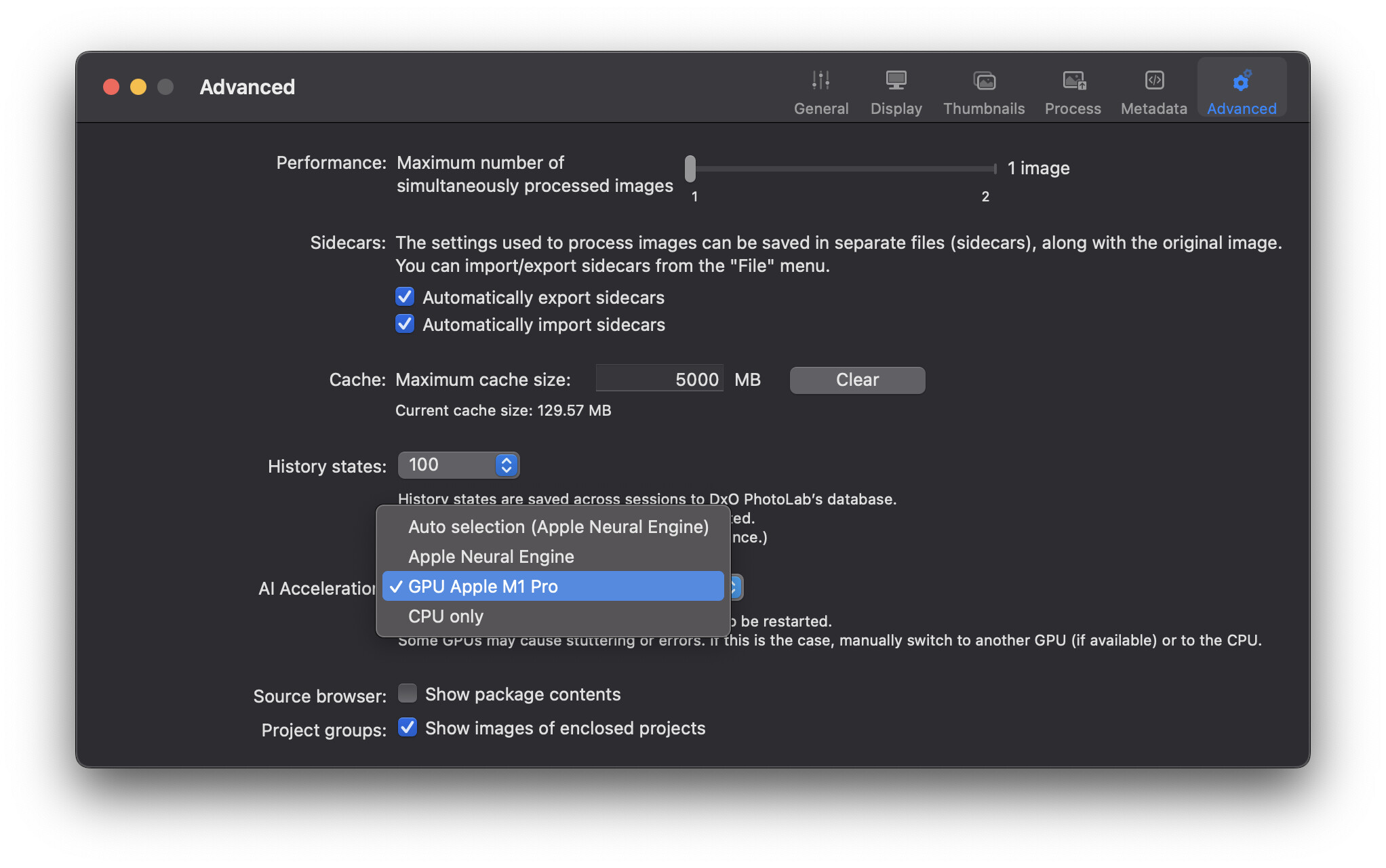
Who isn´t using NVidia GPU:s ?
Apple computer users?.
At least those with silicon have integrated GPU, no graphic cards. SoC (System on a Chip) that integrates the processor (CPU) and graphics processor (GPU).
AMD is trying to compete with nVidia, having recently released new GPUs that compete in both price and performance. People are buying them for PCs. However, nVidia continues to dominate the space:
I wonder which versions the various YouTubers are using. They don’t mention the bugs at all and don’t seem to be affected by them either. 
They might not get much from firms if they we’re honest
I hate to say it, but you’re probably right.
People need to understand that no company on Earth releases software which has been “fully” tested. It’s not practical in terms of time or money. Always keep in mind software is a stack. You have an application (Photolab) interacting with a driver/library (Nvidia, AMD, Intel) on top of an operating system (Windows, Mac OS). The numbers of combinations are vast and no company out there tests them all. All they can do is make a reasonable effort then send it into the wild and triage problems as they surface. The same happens for every app, but on a phone, or a TV, or a car, the environment (hardware + OS) combinations are far less. PCs are the absolute worst case in terms of variables.
The execution errors being reported here have been around since PL7 at least (that was my first version). On PL7 I was fine as long as I didn’t have Affinity Photo open at the same time. PL would use most of my 4GB of GPU memory (GTX 1050 Ti) but it could scrape by. With the PL9 trial, the GPU needs are much higher and my system is now a no go. I cannot export a single photo. I switched to CPU-only and everything works fine. It just takes 5+ minutes per photo.
Glad I downloaded the trial - It is extremely slow on my PC. DxO PL8 was very fast in comparison, guess I will have to wait or skip 9.
I also have PL 9 now. There are some really great changes, that’s for sure. But even though I have a fairly powerful computer, I can see that something is not quite right with the application’s performance. It works quite well for me, I don’t experience any crashes, but it’s not nearly as fast as the latest 8.x versions. I see no reason why typical functions, identical to those in previous versions, should run slower.