PhotoLab image previews

In this post, Joanna mentions previews

DOP / XMP - I’m confused

No matter what the RAW file type, it can contain anything between one and three JPG preview images of varying sizes and quality, alongside the RAW image data block.

Is this in PhotoLab? It seems like the image management program I’m evaluating isn’t finding a decent preview for images I have edited, nor for those where I modified the metadata - by adding keywords or titles. For these images I see a very poor preview.

Are previews generated after editing an image in PhotoLab? Can I run a process to get PhotoLab to create high-quality previews?

Thank you.

From my experience it seems that the Preview is a temporary image that is created when the PhotoLibrary is viewed. When I first open a folder I can see the original images which then update to show the edited image.

For example, if an image has been cropped it momentarily shows the un-cropped image before changing it to cropped. It does not take very long, but as my images are stored on an HDD instead of SSD it is apparent.

I know CaptureOne actually creates a permanent Preview image and I had issues with that as it was not clearing up older previews which led to storage creep on my hard-drive.

Perhaps a suggestion to DXO might be appropriate, but bear in mind there is a performance/storage cost to creating/maintaining these files.

1 Like

I could be wrong, but I don’t believe @Joanna was referring to previews created by PhotoLab (or any other editor).

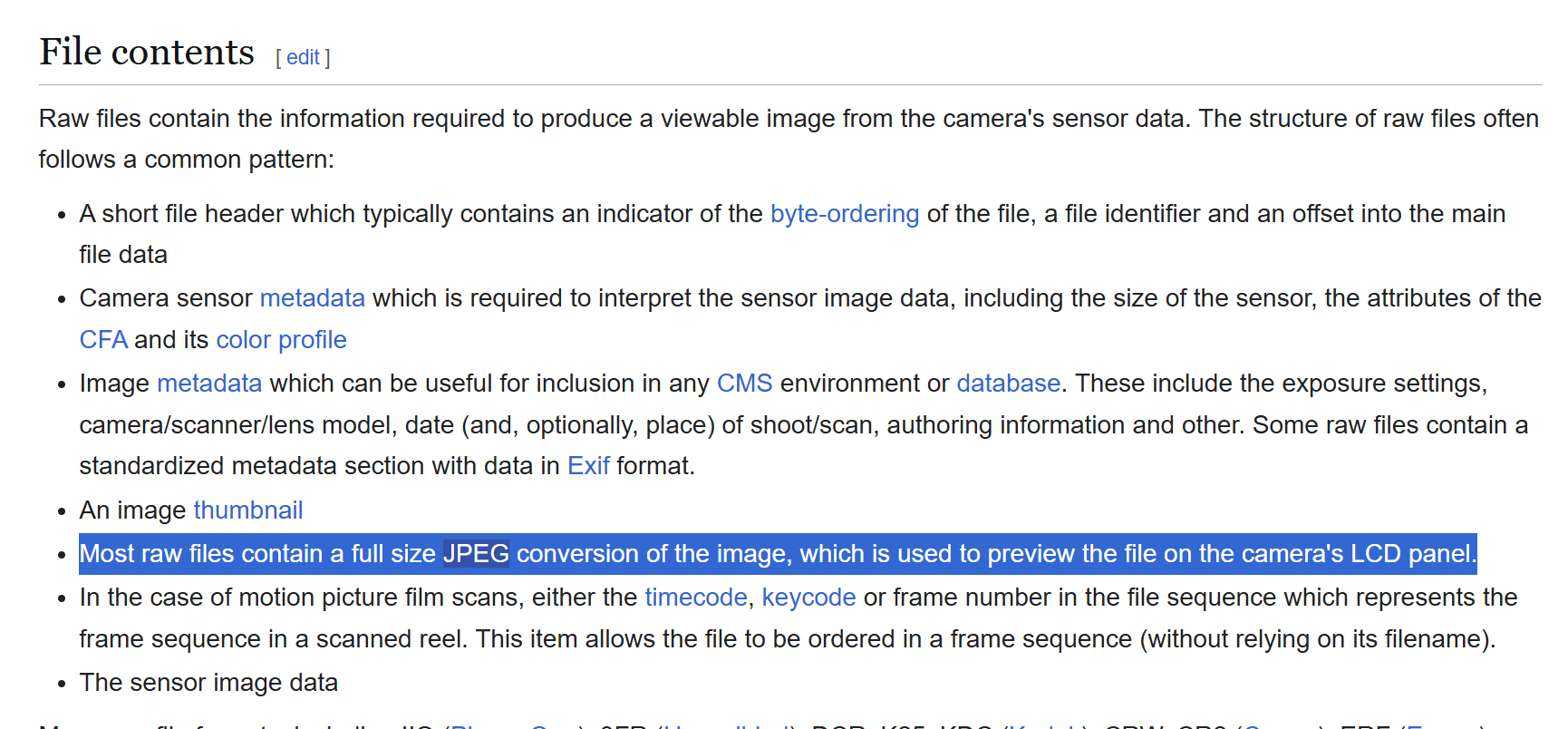
Pretty sure she’s talking about the in-camera created JPG previews that are part of the “bundle” of a RAW file. See this excerpt from Wikipedia which explains a little more:

@FrancisM

RAW files contain at least one built-in preview. This is done by the camera when a photo has been taken and is being stored on the camera’s memory card. The size of the previews is defined by the camera’s firmware. The same goes for the built-in thumbnail, which is a really small preview of about e.g. 600x400 pixels max. in the files I checked.

Apps like Lightroom Classic can be set to display built-in previews or to create its own previews of a size that I can define myself.

Apps like PhotoLab simply creates its own preview of any image file it comes across. Such a pattern can make PL feel laggy, e.g. if it is creating previews of all the thousands of images that might be in the folder one selected in PL’s browser.

And other apps (e.g. image browsers) may just show a preview or thumbnail without ways for user to influence this.


Previews and thumbnails are there to be quickly displayed without further ado. That’s why they are smaller (preview) and much smaller (thumbnail) than the original image.


Now, if an app only shows thumbnails, it’s either a very simple app or it has not yet been configured to display a built-in or app-created preview.

As for previews and thumbnails in PhotoLab: it does what it does and there is not much for the user to do about it. Previews get smaller as exported images get smaller, which feel reasonable, after all, we don’t really want or need a preview that is bigger than “the” image.

PL make thumbnails / previews (to the ‘cache’ folder) only in the “filmstrip” visible photos - and not for all 1000’s of photos in the folder.

Yes, thanks, I should have realized that.

What is very interesting is that many people here have never used Apple Aperture. Apple killed the program over 10 years ago. I’m still stuck on it on an old Mac that is over 10 years old. Despite all this it is faster than any of the new programs I currently use. It can display previews of thousands of photos within a second os two. Do a search and it will provide the results with a second or two.

I think Lightroom and Capture One work at approximately this speed, in my experience.

I used to use Aperture long ago. I don’t remember it that well, but I was certainly upset when it was discontinued.

Since then I used Lightroom for nearly a decade. Once I got used to it, I started to like LR a lot. I have also used Capture One quite a bit.

I don’t recall how fast Aperture was, exactly, but I know that DxO PL is not great when it comes to DAM operations. It’s really the worst of anything I’ve used.
LR and Capture One are both extremely fast at searching through a library, when you compare to DxO PL. PL is really suited to a workflow wherein you know exactly which photo you want to edit, and not for searching through thumbnails or folders.

I’m currently torn between using CO and PL as my primary editor because I do love the results I can quickly get from PL, but I’m (unfortunately?) one of those who likes to browse their entire library and see the thumbnails WITH the edits applied. CO lets me do that, PL does not.

Edit: in Windows. And cover the generic oparations.
Seems under Mac the thumbnail creation runs in the background (based on this comment), may also under Windows if PL idle for a while.

In more details (but not full details) about thumbnails, preview, and “full preview in progress” :

A.) IF you open the folder (and click to the first photo) when the folder/photo NEVER opened before in PL then the following happen:

  1. ‘Thumbnail’ jpg’s created (to ‘cache’ folder) - but only for photos in the ‘Filmstrip’. jpg is small., like 300-400px wide.
  2. Once you click on photo (note: photo never opened before in PL):
    2.1 PL display first the ‘Embedded’ jpg (from the raw)
    2.2 PL create the ‘Preview’ jpg (to ‘cache’ folder). Jpg is small, like 1100px wide.
    2.3 PL display this ‘Preview’ jpg - until the “Full preview in progress” is not done!
    2.4 “Full preview in progress” started. Its not create and jpg - doing to memory. I even wonder why they call it “Full preview”, as its seems its create more-or-less 1:1 full quality for editing (may not render all details before zooming, like CA, etc.)
    2.5 “Full preview in progress” → create (in memory) versions:
    1.) without geometry
    2.) with geometry
    3.) with global adjustments,
    4.) with local adjustments (of photo has local)

IF you click to another photo, like A->B (note: photo was never opened in PL before in this description):

  1. PL create the ‘thumbnail’ jpg and ‘preview’ jpg (to ‘cache’ folder) of photo ‘A’ from the ‘memory’. Its the best time to ‘refresh’ this jpg’s.
  2. The same again with photo ‘B’ as described previously.

B.) IF you open the folder (and click to the first photo) when the folder/photo previously opened before in PL then the following happen:

  1. ‘Thumbnails’ jpg’s loaded (from ‘cache’ folder).
  2. You click on photo:
    2.1 PL display first the ‘Preview’ jpg (from ‘cache’ folder) until the “Full preview in progress” is not done!
    2.2 “Full preview in progress” started. Its not create and jpg - doing to memory. I even wonder why they call it “Full preview”, as its seems its create the 1:1 full quality for editing. Not a preview, but full quality.
    2.3 “Full preview in progress” → create (in memory) versions:
    1.) without geometry
    2.) with geometry
    3.) with global adjustments,
    4.) with local adjustments (of photo has local)

And of course, if you click to another photo, then the ‘thumbnail’ jpg and ‘preview’ jpg (to ‘cache’ folder) refreshed (re-created)

As i remember once the ‘preview’ jpg created (to ‘cache’ folder), than its replaced the ‘thumbnail’ jpg (in ‘cache’ folder) → so, after that the thumbnail jpg not like 400px wide, but 1100px wide.

Pardon, i not remember the pixel width exactly.
May also worth to read thru this (more-or-less the same topic)
(Most of my images aren't worth a 15-minute loading time - #151 by andras.csore)
(Most of my images aren't worth a 15-minute loading time - #160 by andras.csore)

‘Very detailed’ and long description what happen we folder opened, etc. Not just thumbnail jpg’s, but metadata reding, camera/lens module reading, etc.
(Most of my images aren't worth a 15-minute loading time - #101 by andras.csore)

I know CaptureOne actually creates a permanent Preview image

Yes, AFAIK C1 use some medium size and medium quality image, and not 1:1 full quality.
I had intended to use Capture One and was paying for the software for several years, without using it. I never got the courage to switch from Aperture, I gave myself until the end of 2023 to stop using it. I started doing all new editing in PL in mid 2024 because I found that CO is too expensive to upgrade every year, and if you wait a year it gets more expensive - it’s for professionals that make money from their photography. I do read of quite a few complaints about CO from those professionals who probably were told CO is the Holy Grail.

I used to be an Apple “fanboy” until they killed Aperture. Now I think of them as just another greedy company that exists just to make a pile of money. They could have given or sold the software to some other company, they preferred to sour their relationship with their customers.

I am now looking for a DAM that can handle my old Aperture library AND my year and a half of edits in PL. I don’t think I’ll have any luck, specially since there’s no preview. I may have to generate JPEG versions for every image I edited.

Although PL documents the edits in the .dop sidecars, no other app I’ve known of was able to understand those edits. Metadata, on the other hand, can transfer via xmp, although some information might be misunderstood by some apps. PL’s colour labels for one, can be understood by CO, but not by Lr, which can be tuned to accept 5 out of 7 labels through a custom label set.

Apples to Oranges :wink:

Apple killed the program over 10 years ago

Can be fast, but its not in the market. What can we do.
p.s. i use it in PowerMac G5 times.

I can currently see PL creating thumbnails for 21 minutes now with a filmstrip showing 8.5 images. The folder size for the previews hasn’t changed for a while. But it looks like PL is happily creating thumbnails even with an otherwise untouched PL. When I select a different image, the size of the preview folder increases considerably.

Creating thumbnails is done at about 160% CPU. Quitting after about 25 minutes shows that the cache lists 1650 thumbnails (the number of images in the folder) and 16 previews (about 2 film strips worth, I scrolled once to select a different image) File type is “opentry” which can be opened with “Graphic Converter”.

All of the above is on macOS. On Win YMMV.

1 Like

C1 allows the user to specify the size of the long-edge of the preview image. This allows it to be tailored to the screen size.

I’d like to see PL provide an option to create a preview image (user-defined size). They could put it on the same Settings panel where the user can selected whether they want to create XMP files.

I think this would speed up processing when opening previously edited images, though this would require that a new preview be created after editing.

1 Like

If I recall C1 used to be able to read Aperture Libraries into a Sessions folder. But this did not copy across edits.

I recently copied some of my old Aperture libraries into OS folders so I can open them in PL.

I agree with you on C1’s pricing… it’s just too damn expensive for a year-on-year upgrade

This would be in conflict with DxO’s policy to never write to RAW files.
Export to get a separate jpeg.

I don’t think it wrote it to the RAW file, they were placed in a sub-folder

1 Like

All of the above is on macOS. On Win YMMV.

Thanks! I’m under Win. Yep, seems may a difference. It’s explain a few thing.
Also the "untouched PL’ point out: may it’s also good to ‘wait’ under Win, to see its start something after a while (as the ‘thumbnail creation’ set to ‘low priority’ in PL config)
I update my previous comment!

1 Like

You can always control that through the “indexing” feature - either all of your pictures or folder by choise.

… and I just have to say that with the power of my brand new computer together with Photolab 9 I finally can live totally comfortably with both Deep Prime rendering plus high resolution previews made on the fly - which has been a dream come through since at least Lightroom 2.x and many many following really lousy version of Lightroom where we was urged to make tiny previews because of all the performance issues we had. Which other RAW-converter offers that today?

We need high res and noise reduction a la Deep Prime on the fly when working with our pictures - everything else is an unecessary compromise today january 21th 2026.

I don’t understand how indexing is related to image previews.