I think its can’t be as its seems better to be a separated process (export under editing, queue, and as you write, not crash DxO editor process, etc). And i don’t think its can save resources in the end of the day, like masks need to re-created for export, etc.
From ChatGPT (i know, i know, its just ChatGPT), but may worth to mention:
Multi-GPU and Laptop Issues
Problem
- Systems with integrated + discrete GPUs (e.g., Intel + NVIDIA laptops) are unreliable.
As i see (read various forums, etc.), some case voodoo magic can happen if integrated + discrete exist in various software’s. If someone has also integrated and problems raised → than may worth to try to disable the integrated and see its helps on the issue or not.
Its may underrated point. Personally not a big believer it’s raise issues in this days ‘safe’ overclocking (like AMD Adrenaline Tuning - some auto settings), but still. And may many user not realize system is ‘factory’ overclocked (like run once and forgot it, etc.)
Bias example: “Sid Meier’s Civilization VI” is the most sensitive for overclocking in may PC - PL9 just fine in overclocked, Civ crash often.
@Wlodek I agree with @andras.csore keep it separate where I can see it and kill it
@andras.csore I have used ChatGPT to write PureBasic code and it can do an excellent job if I give it excellent and precise instructions, i.e. a bit more precise then “Write me a PureBasic program to read a file”. The only problem has been that it has confused the dialect of the Basic I am using and creates code for PowerBasic I think!?
I am not sure what you are suggesting with respect to my machines, both are hand built standalone Win 10 systems with AMD CPUs, Nvidia GPUs and an assortment of other similar but not identical components and Seasonic Platinum power supplies, 650W for the 5900X and 550W for 5600G.
The Nvidia drivers might be wrong, the DxO code might be wrong or both are, and I have no control over either except to see if it is possible to isolate and reproduce the problem(s)
I have tested the development of this picture with your dop file on my MBP M1, without issue in 21’.
But that has probably no interest for you, since it is a problem of graphic card on PCs…
Comparing, the issues encountered on macOS are kinder jokes !
@be51 Arguably you are correct but other forum members may well be interested in your tests and successful outcome and this is the place to document such issues things.
I reported issues with the latest drivers and PL9.4.0 here Has the export failure issue with AI masks been resolved? - #3 by BHAYT and somewhere along the line I “threatened” to buy a second hand GTX 1070(8GB), the reasoning was that if the problem was with RTX x060 card what about a non x060 card!?
I bought that card but instead of failing after “wasting” time trying to export it failed almost immediately and the card wouldn’t work in my old I7-4790K and Nvidia stopped providing Driver updates for that model, amongst others, so I sold it.
I then conducted tests on my 5900X with a 5060Ti and that could not manage to successfully export any of the St Pancras AI exports!?
@andras.csore One thing that DxO should do immediately is modify the export worker to automatically terminate either
- Immediately a failure occurs with an export attempt
- or when the export that contains a failure finishes
- or when all the exports currently in the queue have finished
But they should go further and provide a user option to terminate
DxO.photolab.ProcessingCore.exe after every export session.
If it is still relevant, I tried with the provided .raf and .dop
It failed with my standard export setting of 6 simultaneously processed images.
(this works with x100vi RAFs and Pentax/Ricoh 24mpix DNGs)
It work without problems after I set it to 2 simultaneously processed images.
Graficscard is a 5070ti
CPU Intel Ultra 7 265k
32 GB Ram
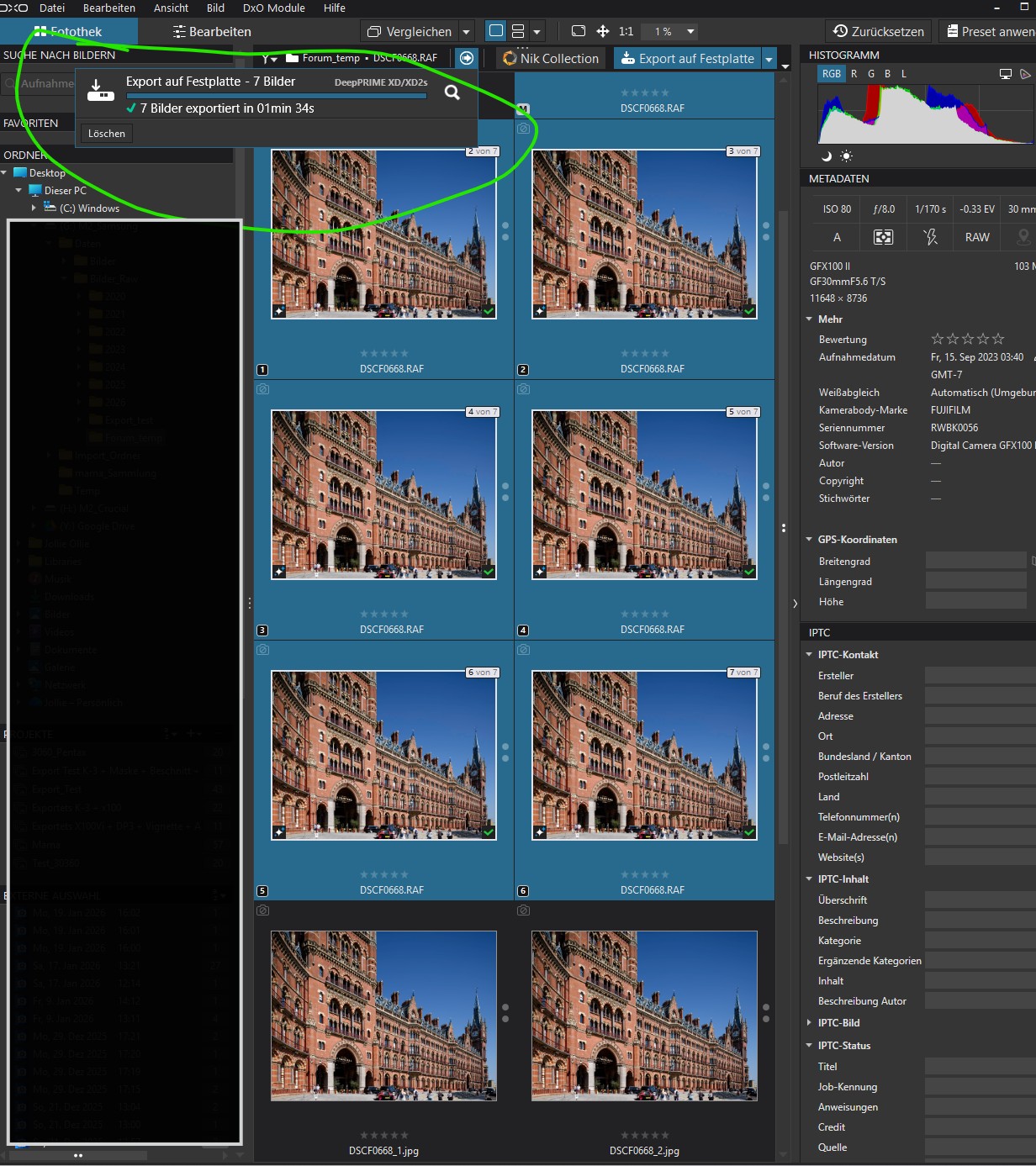
@JollieOllie It might well be relevant but it is also infuriating 
I only ever run with 2 export workers running unless I am specifically testing for potential issues with running more than two export worker copies.
I tried to do an export on my 5900X with 5060TI(16GB) and this is what I got
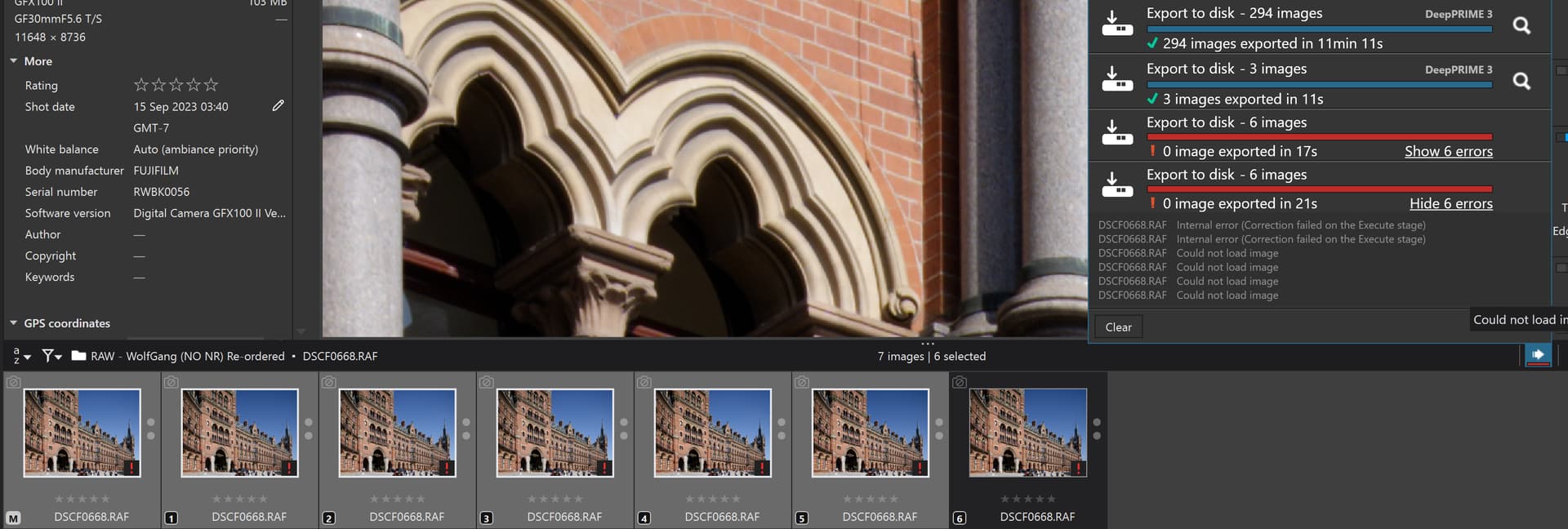
When I tried to export each copy one at a time, terminating the export worker between each attempt only the first export was successful, plus while terminating the export worker on a number of occasions, PL9.4 terminated unexpectedly!?
It could have been that I was careless but it happened more than once!?
Yes, all good ideas!
May (just may) one addition: If error happen → Auto Re-try with CPU only mode.
May some queue control / retry can add. Example: create ‘new Export queue list’ from failed items? (like export again where Filter down to: Processing error )
I start to wonder on something the Export area, but different direction. Especially as i see the GPU prices hike (and near all computer prices rising). Also, as may for some the ‘Export without issues’ is more important than ‘Export performance (speed)’.
In the past i thinking on something like: different settings for ‘Acceleration’ on Editing and Export → to both has a possibility to setup GPU/Auto/CPU only.
However, its may not the best solution for all cases, as example: ‘Manual AI masks + Export with DP3 only’ sometimes can works fine in less GPU VRAM.
So, i wonder on some logic / user preference dropdown/checkbox (not full list, some example):
- If Export item has DP XD2s → Use CPU for Export
- If Export item has Predefined AI masks → Use CPU for export
- If Export item has Manual AI masks → Use GPU for export
- If Export item occur an error, then try it again with CPU for export
- If Export error occur, than restart DopCor and restart from error item.
So, basically the Export process choose once GPU once CPU depend on item.
The Checkbox/dropbox can be ‘big matrix’, and may raise some confusion for some users (may need to hide behind some ‘Advanced’).
Until the user has enough System Memory, but not so much GPU VRAM, why not the DopCor use both… Maybe Export process split automatically to two (2) queue item: 1st for GPU, 2nd for CPU only (and re-start DopCor once with GPU, once with CPU)
In other hand, others also like the improvement on filter: Pre-Defined AI mask, Manual AI mask, and i also like the NR type to add-on.