Node based editing

I love the way PhotoLab (and Nik Collection) handle colours, and the type of image developing that can be done in them. But I’d really, really like to be able to define image processing pipelines, using nodes or a similar interface.

Interestingly, this is actually already the way that Nik Collection works (just without using nodes as the user interface) – every filter in Nik Collection chains onto the previous one, and the order matters. That’s a node-based imaging pipeline!

This, I think, is also the perfect counterexample to people saying that nodes are too hard for beginners to use. Node-based editing doesn’t mean supporting arbitrarily complicated interconnected webs; it really means defining an image processing pipeline where the output of one transform feeds the next. This is what Nik does, and I don’t think many people are saying that Nik Collection is too complicated to be used by anyone except big-budget commercial photographers.

I’d really love to see Nik get fully integrated into PL, and I think nodes are the perfect design metaphor to handle this. Imagine, Nik filters attached to nodes, the order between them defined as a visual links, with some nodes allowing both a 2d pixel array (i.e. image) and masks defining a set of affected pixels

If I had to speculate, I think one of the reasons Nik Collection hasn’t been fully integrated into PL is that Nik allows pipeline elements to be reordered, while PL either has a fixed internal order, or is condensing all the applied transforms into a single render output.

Node based editing for colour grading videos in Davinci Resolve is a lovely workflow, and now with the release of photo grading support in Resolve 21, the raw power and efficiency of this workflow is almost impossible to resist.

Integrating Nik filters into PL would already leapfrog PL above every other photo developing toolkit out there, and node-based filter chaining would put it 10x above everyone else in terms of raw power. There’s a reason why Resolve (video production), Blender (3d animation), along with every piece of music production software, use nodes and filter pipelines – it’s powerful, it’s scalable, and it’s efficient.

Maybe I’m over-optimistic, but I think there’s truly revolutionary potential here. And it’s potential that doesn’t conflict with PhotoLab’s mission to be an excellent image-developing toolkit.

As mentioned above, this feature request overlaps quite a bit with achieving this feature request on the Nik side: Better integration with Photolab

Another workflow that can be enabled with nodes: LUT Grading: "Apply at the end" checkbox for deferring LUT application

I see two requests in this thread

  1. Integration of Nik in PhotoLab (has been requested already)
  2. Node based editing (as prioritized by the thread’s title)

As of now, PL works in what I call “cookbook” manner: We provide the ingredients (images) and a recipe (settings that we make in the tools) - and PhotoLab prepares the image along a sequence of steps that we don’t really know. The benefit we get from this approach is that we don’t have to care about the sequence we use while customizing.

The proposed approach makes results dependent on the sequence of customizing steps. This can be welcome, e.g. with negative conversion, where steps after flipping a tone curve can be done normally, without having to e.g. reduce exposure in order to make an image brighter.

Both approaches look like the opposite ends of a wider range of possibilities and I propose to add a feature that can “make this image the new starting point”, not by default, but by user choice.

And sure enough, all of it should be implemented in an unbroken RAW workflow.

:folded_hands:

1 Like

Separately, I think this also enables things allowing an adjustment mask to feed a tone-curve node, which would address this: Tone Curve in local adjustments

Yeah definitely! even just getting all the basic PL transforms into a single “node” and being able to layer nik collection filters or local adjustments on top without having to render to a tif would be amazing

I prefer the way DPL works right now, results should not be depended of the sequence of customizing.

1 Like

Okay I have several replies to this :smiley:

First, I can’t find any reference to Doseme except for pharmaceutical apps

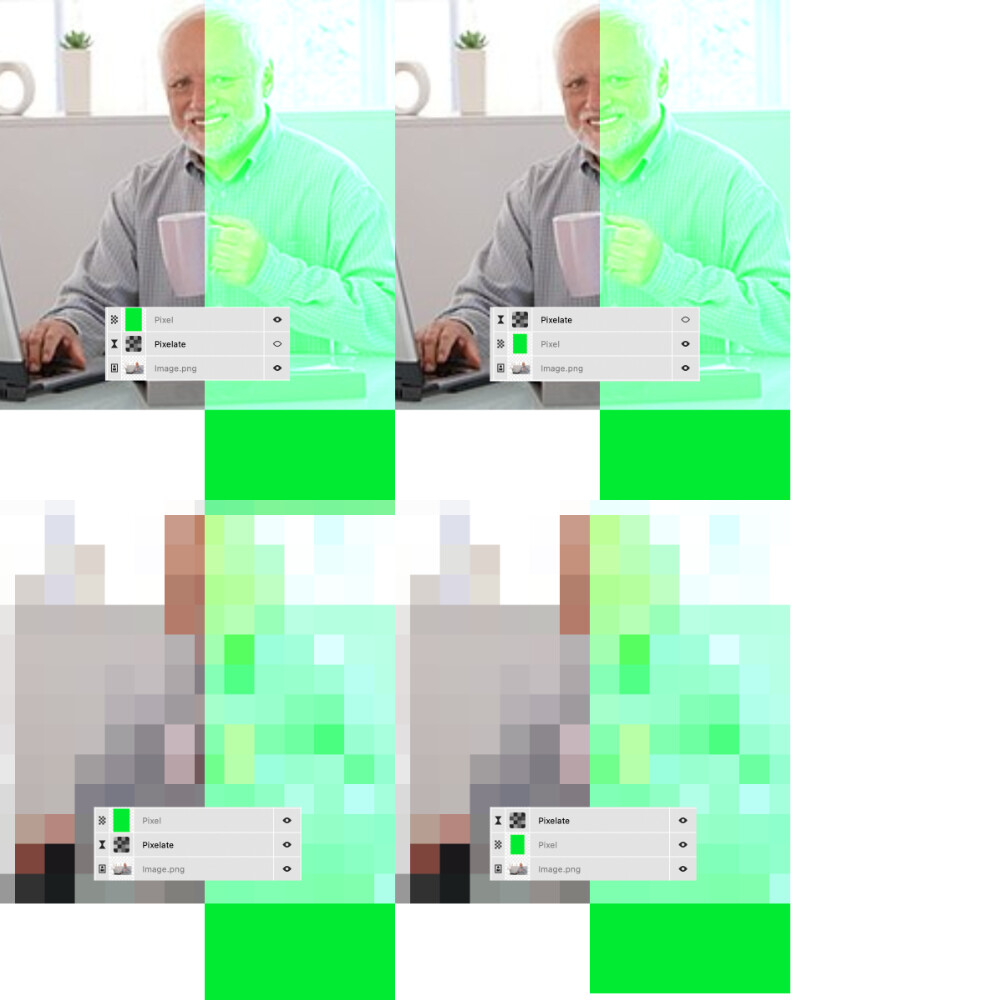
Second, order dependent transforms in image processing is not an implementation detail; it’s fundamental to the math. Consider: (10+12)*2=44 and (10*2)+12=32; the +12 and *2 operators are not order-independent. In general, any non-linear transforms of pixels will have order dependence.

Third, if you don’t like nodes, don’t use them. You could still attach all the default PL transforms to a single node and work as normal. The fact that you don’t prefer a certain workflow doesn’t diminish others’ preference for a different one.

@blix I have nowhere diminished your preference. Why would I do that in the first place. I just stated that I like the parametric system and it is one of the reasons why I choose DXO many years ago. Other converters at that time used the approach you describe above - where the order or commands matter - and I did not like that. Again, this does not diminish your preference at all. As they say: You either like it, change it or leave it.

Agreed, and as far as I understood, the request is about extending the capabilities, not replacing anything…provided that the new feature is user selectable.

Being able to “freeze” a state that was reached parametrically and to continue from there with parametric processing is something that can help in a few use-cases.

The important administrative part of this (or any other) feature is that it’s user selectable. Now, DxO decides and e.g. cuts a feature (like in the dropped include-all-dng) and all we can do as paying customers is grind our teeth or leave. I’d rather like DxO to adopt an as-well-as approach … but that is a different discussion that goes well beyond the request addressed by the OP.

1 Like

Your description isn’t entirely accurate, if I’ve understood the general gist of the thread correctly.
“Node-based editing” involves a sequence of operations where the order matters.
This is certainly true in DxO for some operations: you have to apply geometric corrections before masking, and for “Retouch,” the order does matter.
For many operations, I don’t see what difference the order of execution would make, aside from the cases mentioned above.
On the other hand, I’d like to be able to more easily delete a Retouch operation that isn’t the last one.
A quick reminder for longtime Mac users, if my memory serves me correctly: over 30 years ago, a pre-Photoshop program allowed for node editing on photos with extraordinary performance for the time; it processed the photos in real-time at low resolution and then launched to perform the high-resolution processing.
You can find it in the online museum Live Picture 2.6.1 - Macintosh Repository

Translated with DeepL.com (free version)

1 Like

What I mean when I say that the order in which filters are applied matter, I’m referring to transformations on real pixels as opposed to the interface that the software presents. It is definitely possible for some filters to be applied in any order, and it is also possible for apps to sidestep the issue by enforcing a consistent internal ordering.

Nodes (or layers for that matter), are one way of providing control over the processing pipeline (which is always present under the hood, but not currently accessible in PL)

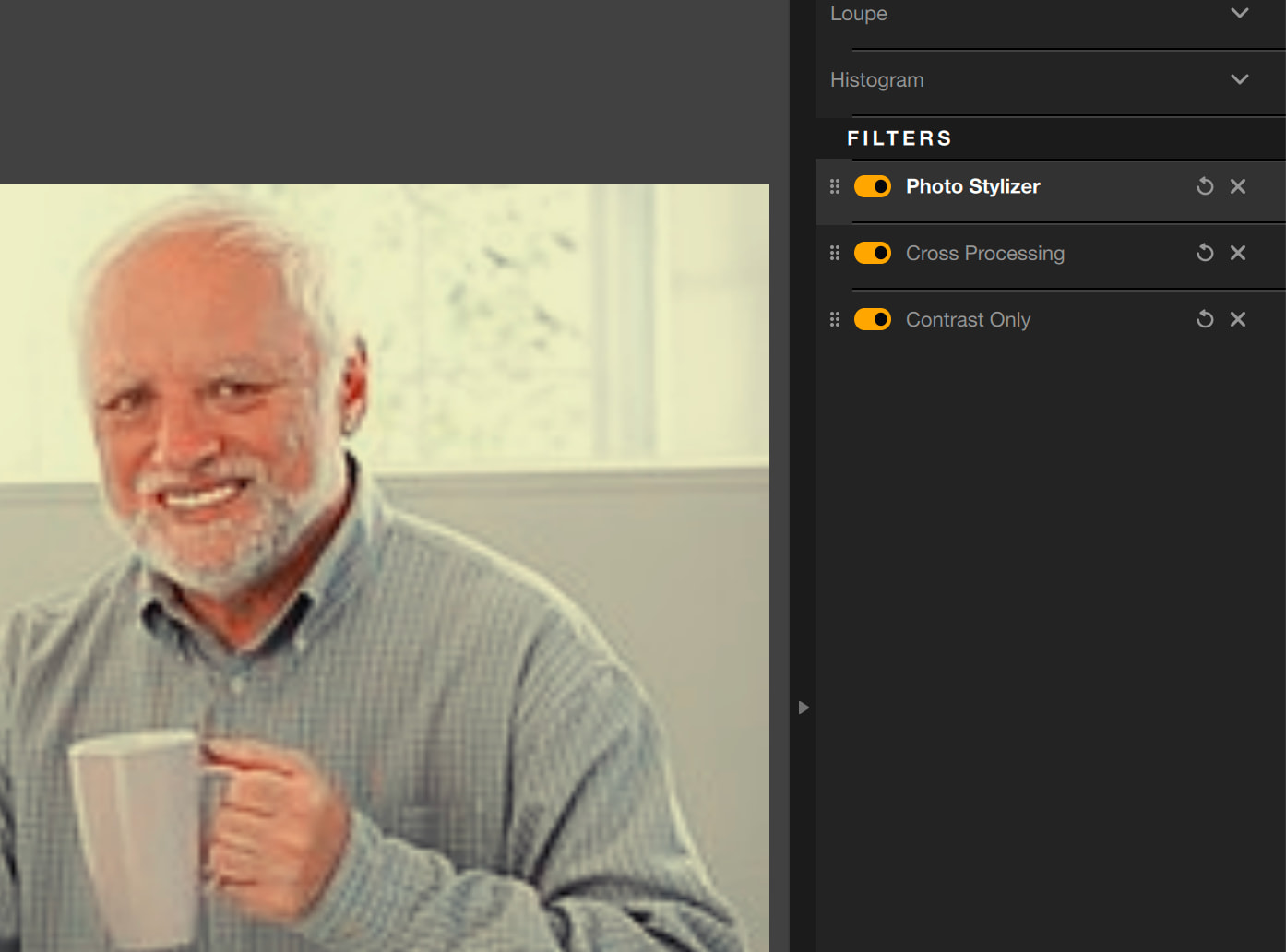
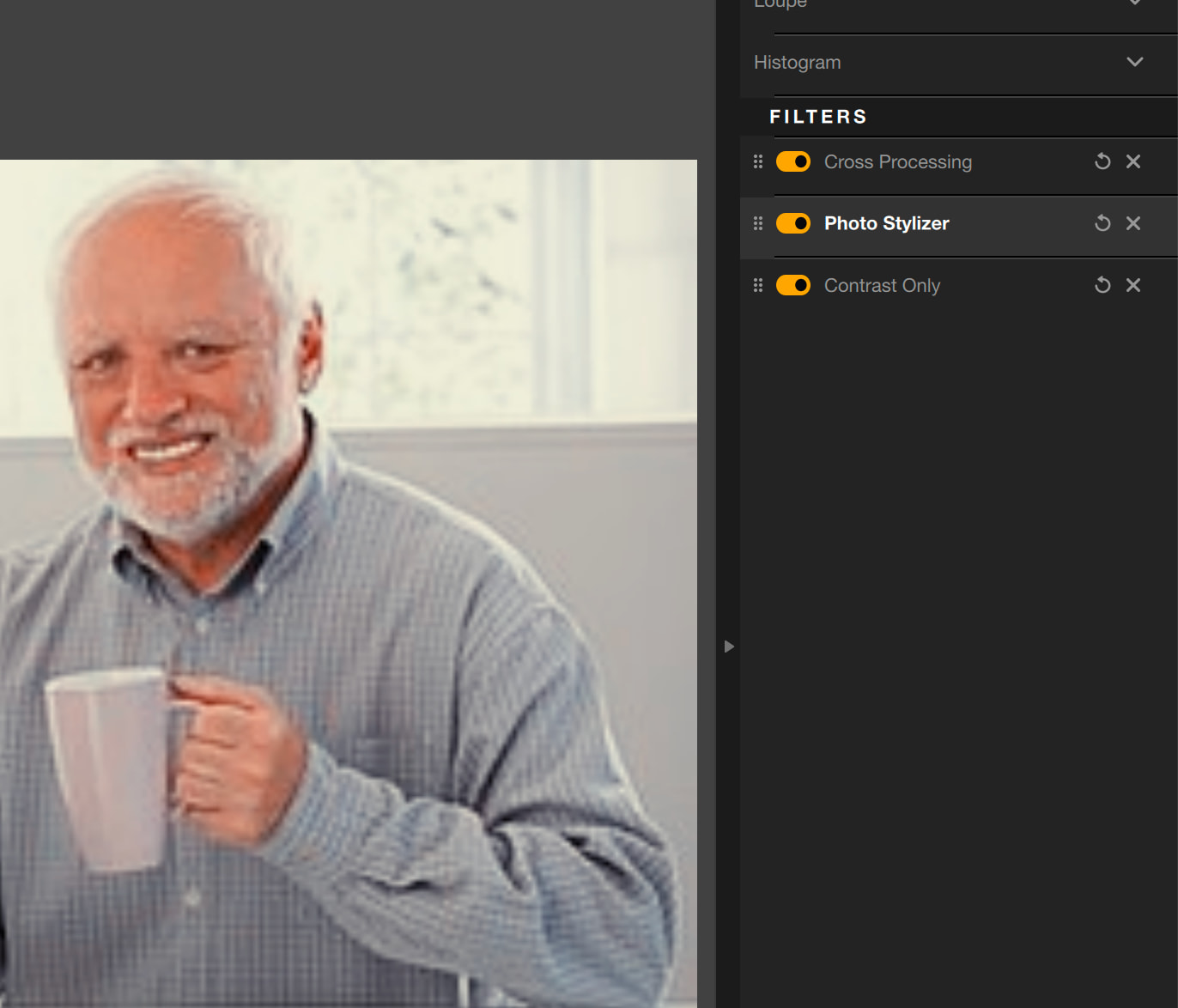
An example with two filters, below:

You can actually see the same idea at work in Nik as well. As far as I understand it, the general case is that order matters, but we’re accustomed to workflows that work around this

This can be done quickly with a virtual copy already, or?

Not in a way that reflects the OP’s intention. VCs are duplicates, the “cookbook” of which still contain all the steps, while (what I call) freezing saves the cooked image as a new starting point.

Freezing is like an export, but not as a bloated TIFF or crummy JPEG, but as a RAW, the data of which has been “cooked” - if we stick to that term for the moment…but it’s unlike an export but an internal hardcopy. No additional file is created on the drive.