I downloaded trial version NIK 8 to my mac. Files were installed and Affinity Photo 2 shows them as plugins. However, when I try to use a NIK filter inside Affinity, I get a message that I can’t use it as a plugin because the filter is currently running outside Affinity. What am I doing wrong? I’ve deleted and reinstalled a few times with no luck.
In AP 2 (and I’m on Windows) there is a menu entry called PhotoshopPlugIns
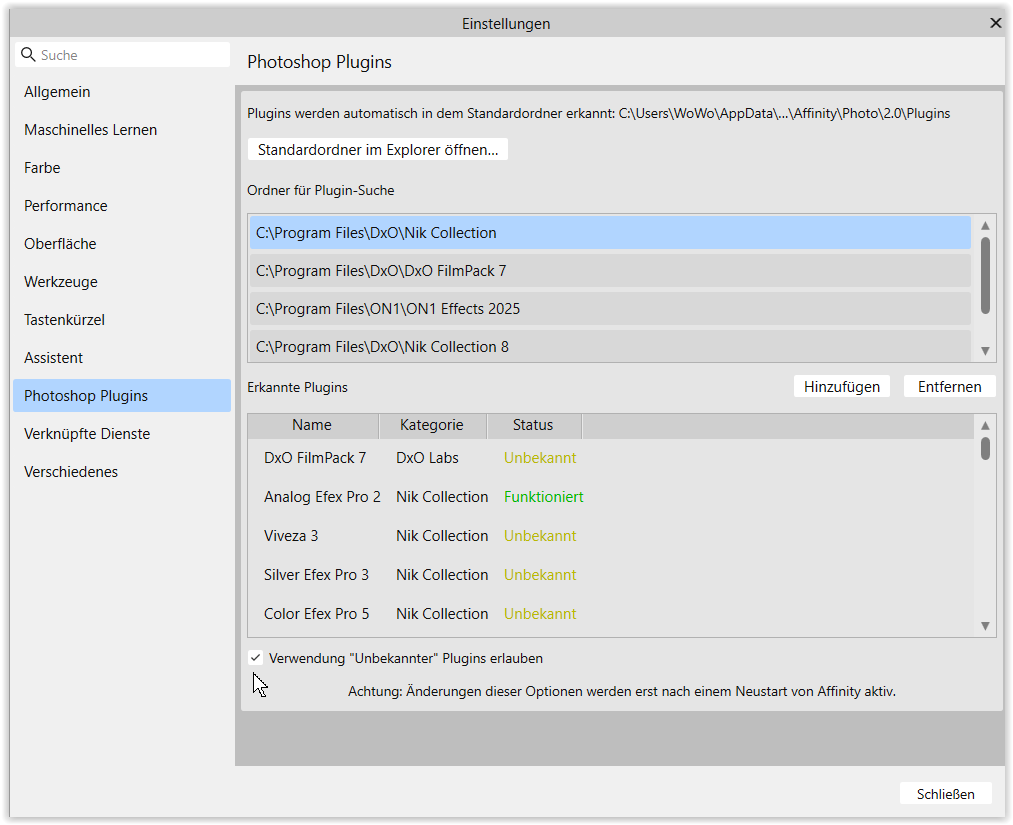
where I have “connected” the various Nik filters, also Nik Collection 8.
Where you see the mouse pointer → Allow “unknown” PlugIns …
Check your version.
.
At my machine it then looks like …
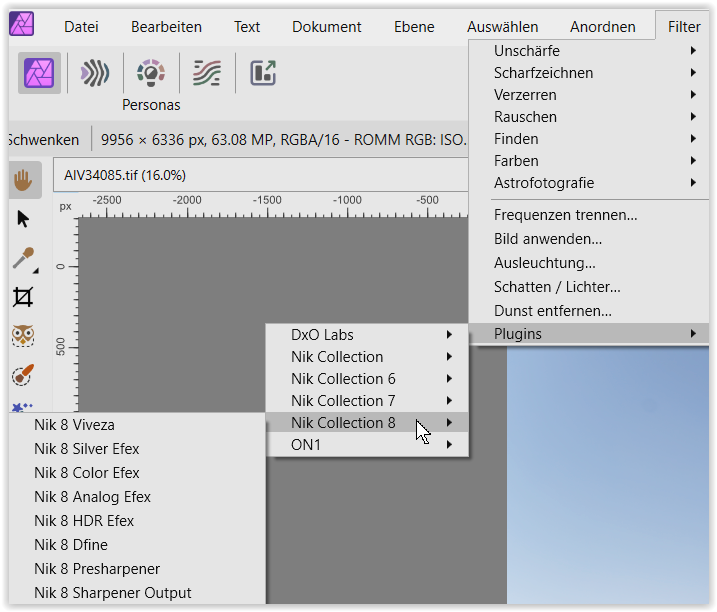
1 Like
@bellnier I have provided a link to a previous thread, which you may find useful:
1 Like
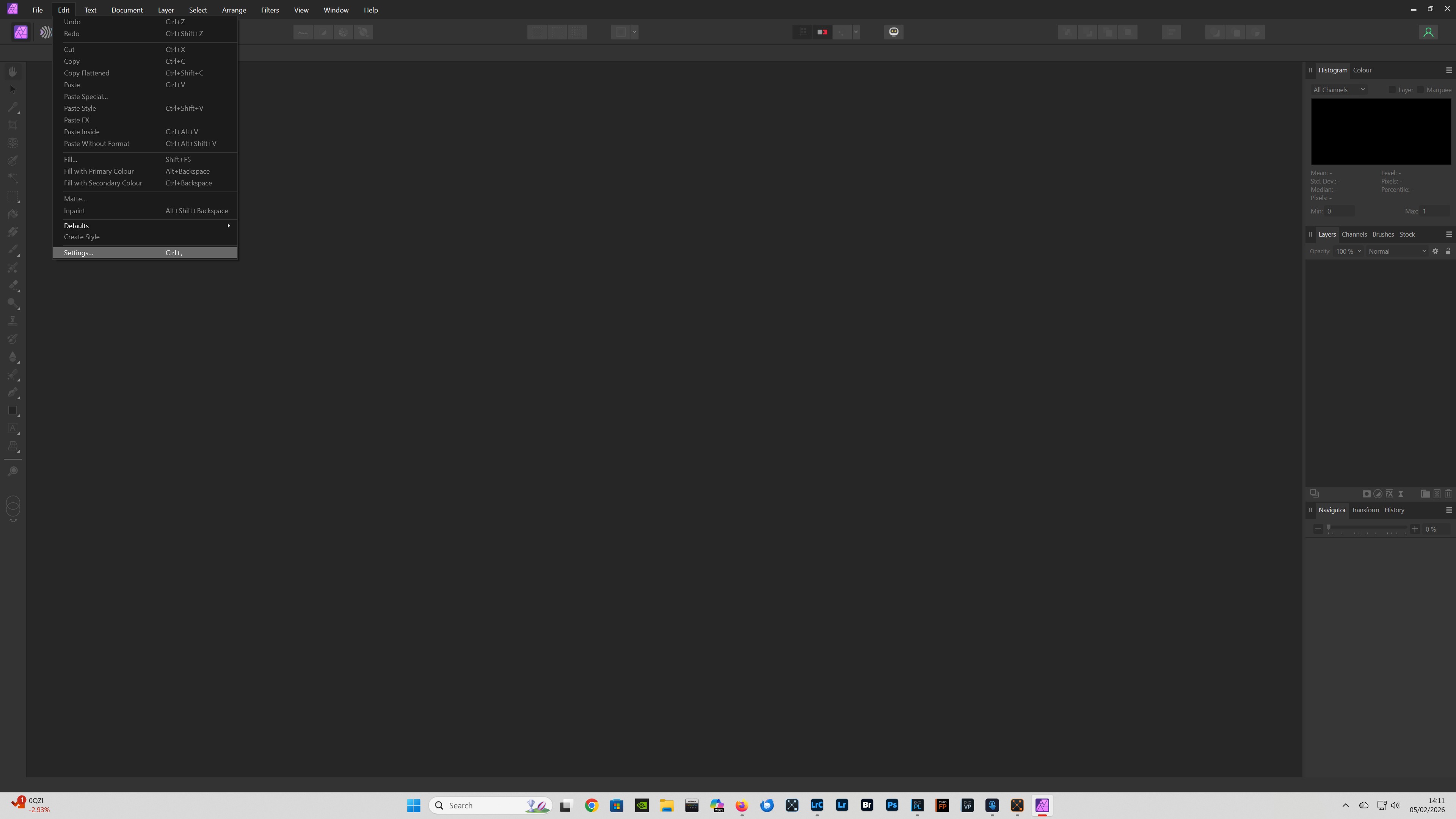
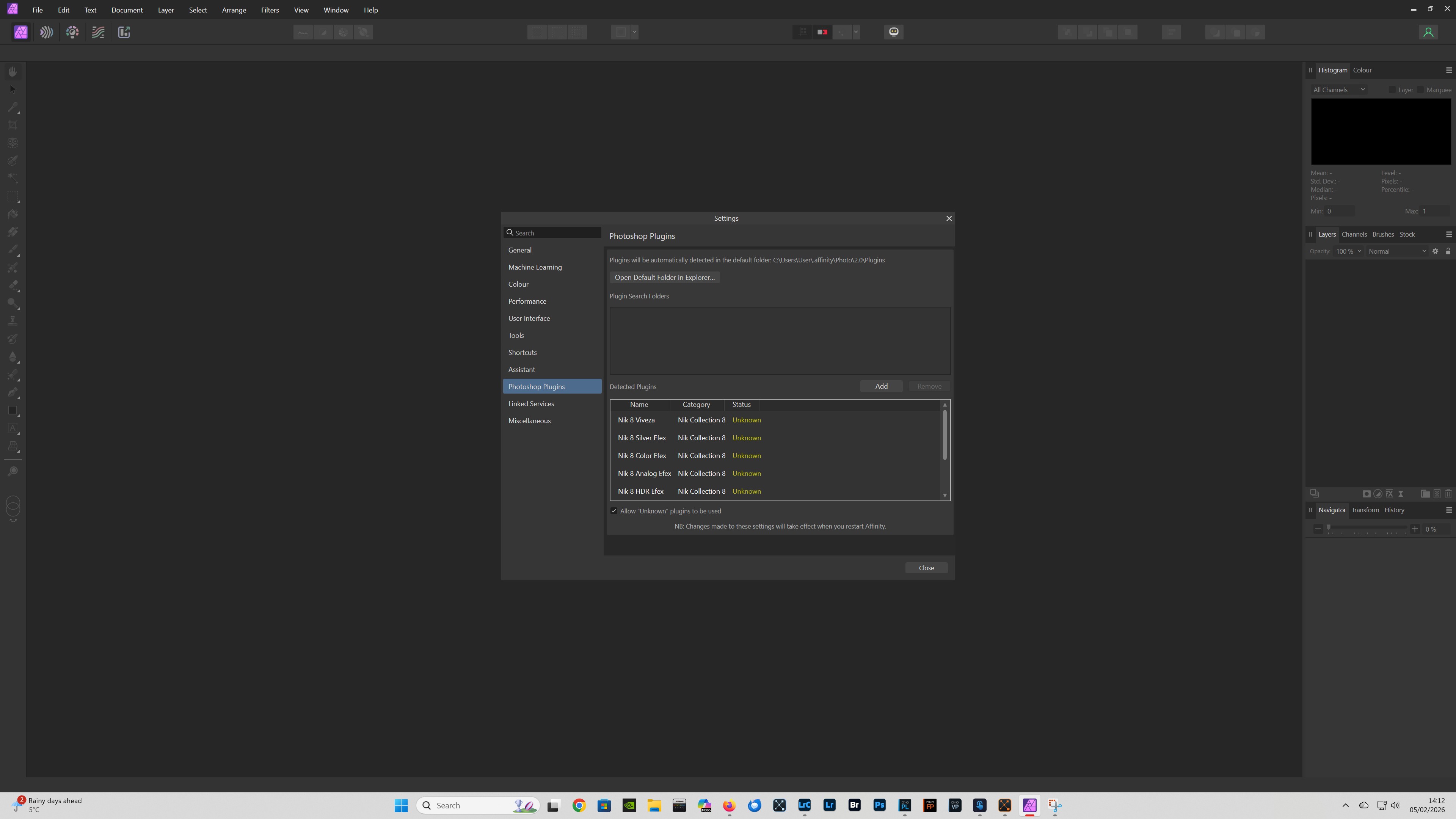
See below should work the same with Mac OS:
In Affinity Photo 2 select - Edit - Settings - Photoshop plugins - ensure Allow “Unknown” plugins to be used is checked. Your Nik plugins should then work.
1 Like
Thanks, but it was already checked. Selecting NIK inside Affinity transfers my image to the NIK standalone app, not as an Affinity filter. Im going to delete the whole thing…it’s the trial no financial loss on my part. Oh well.
@bellnier If your file is opening in the selected Nik filter and can be edited, it sounds like everything is working as expected?
Yes, that’s what it does.
@bellnier
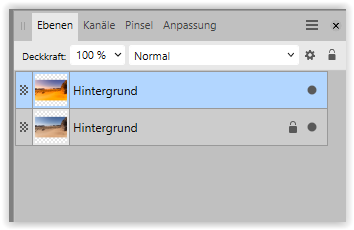
Normally, I duplicate the AP layer before applying a filter. After the adjustment, the filter result is returned to the AP layer, and I can edit the layer if necessary.
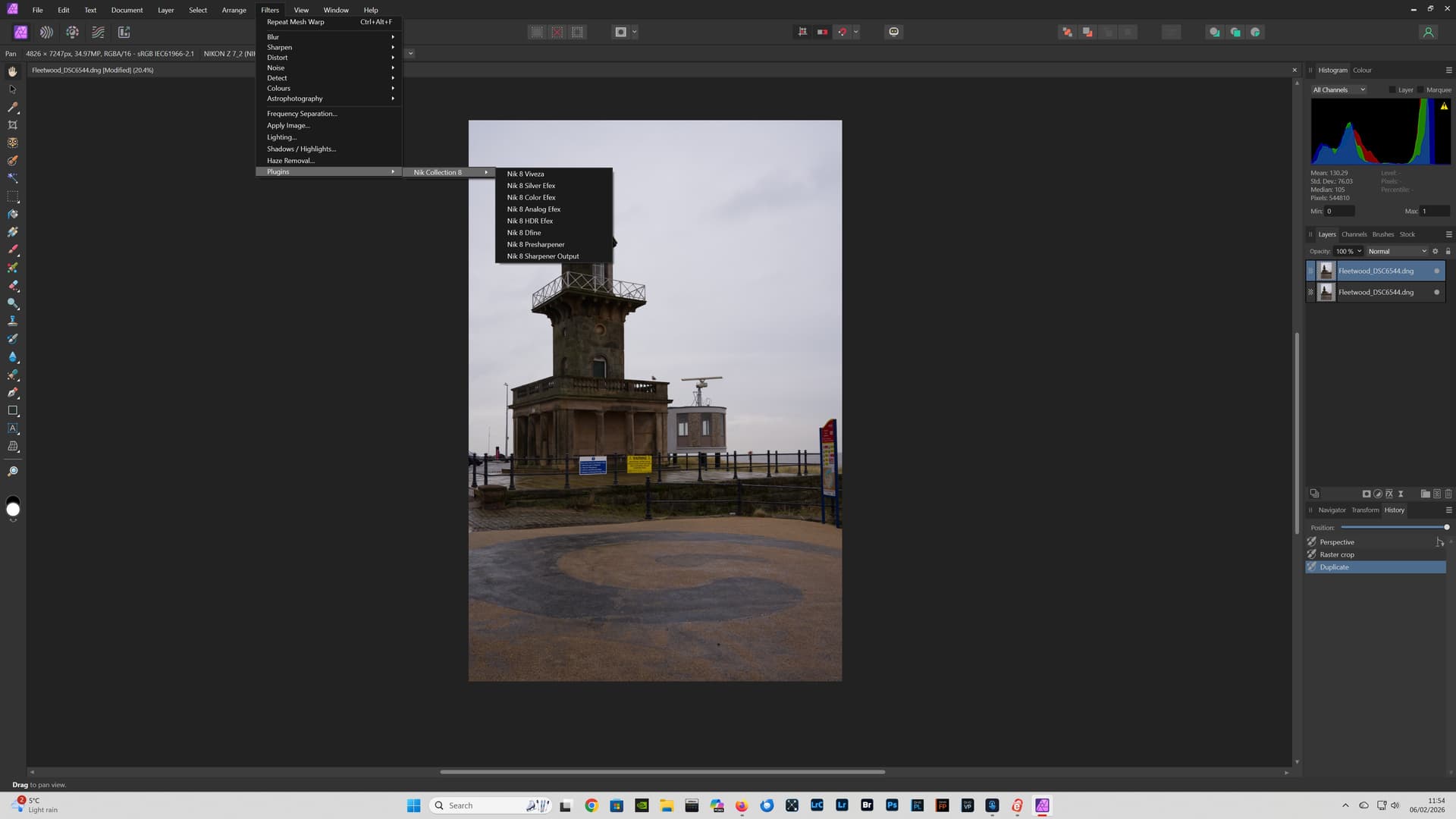
@bellnier (1) Opening a file from Affinity Photo 2 in Nik Collection 8:
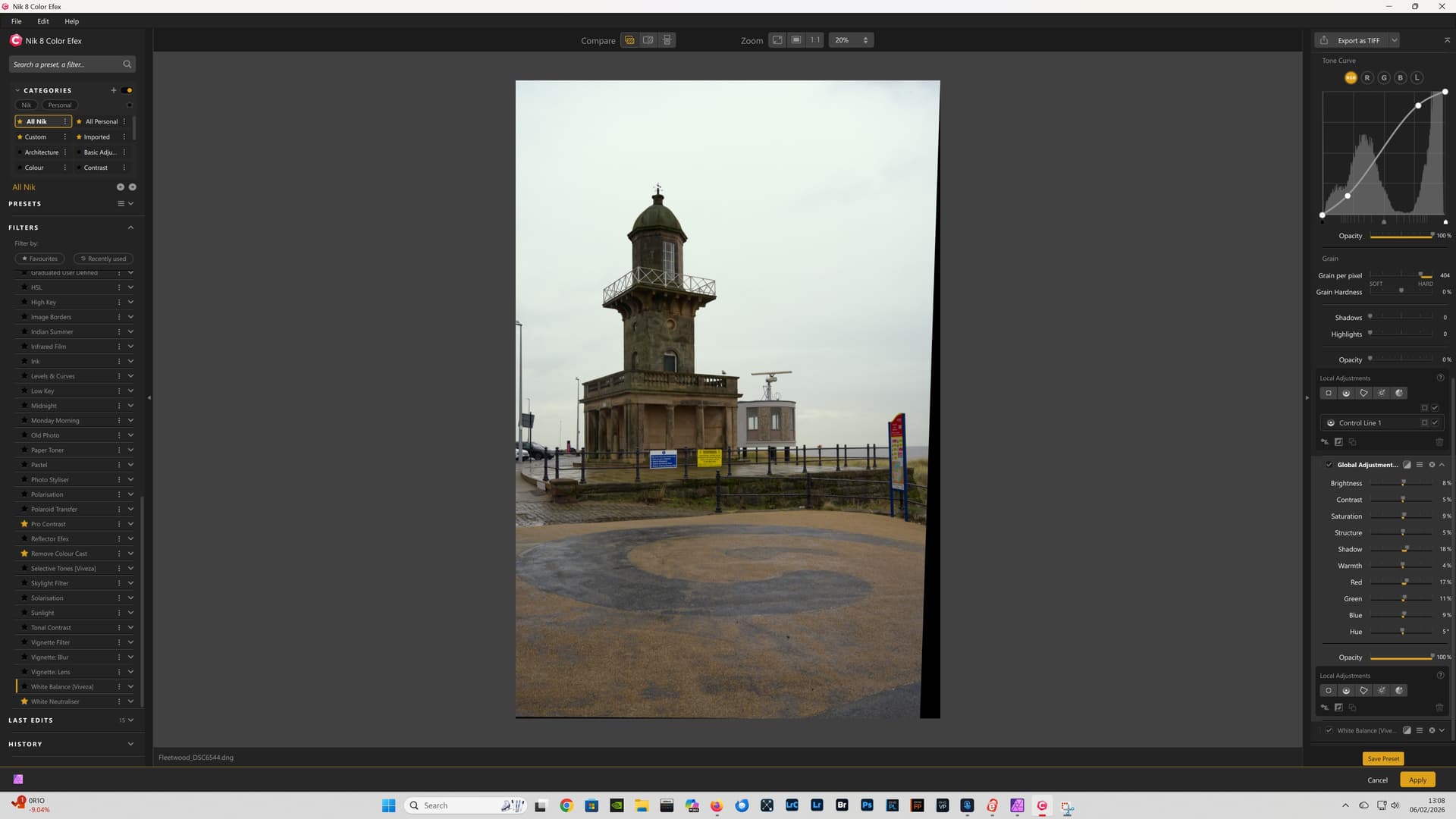
(2) File sent from Affinity Photo 2 open in Nik 8 Color Efex:
(3) File processed in Nik 8 Color Efex returned to Affinity Photo 2:
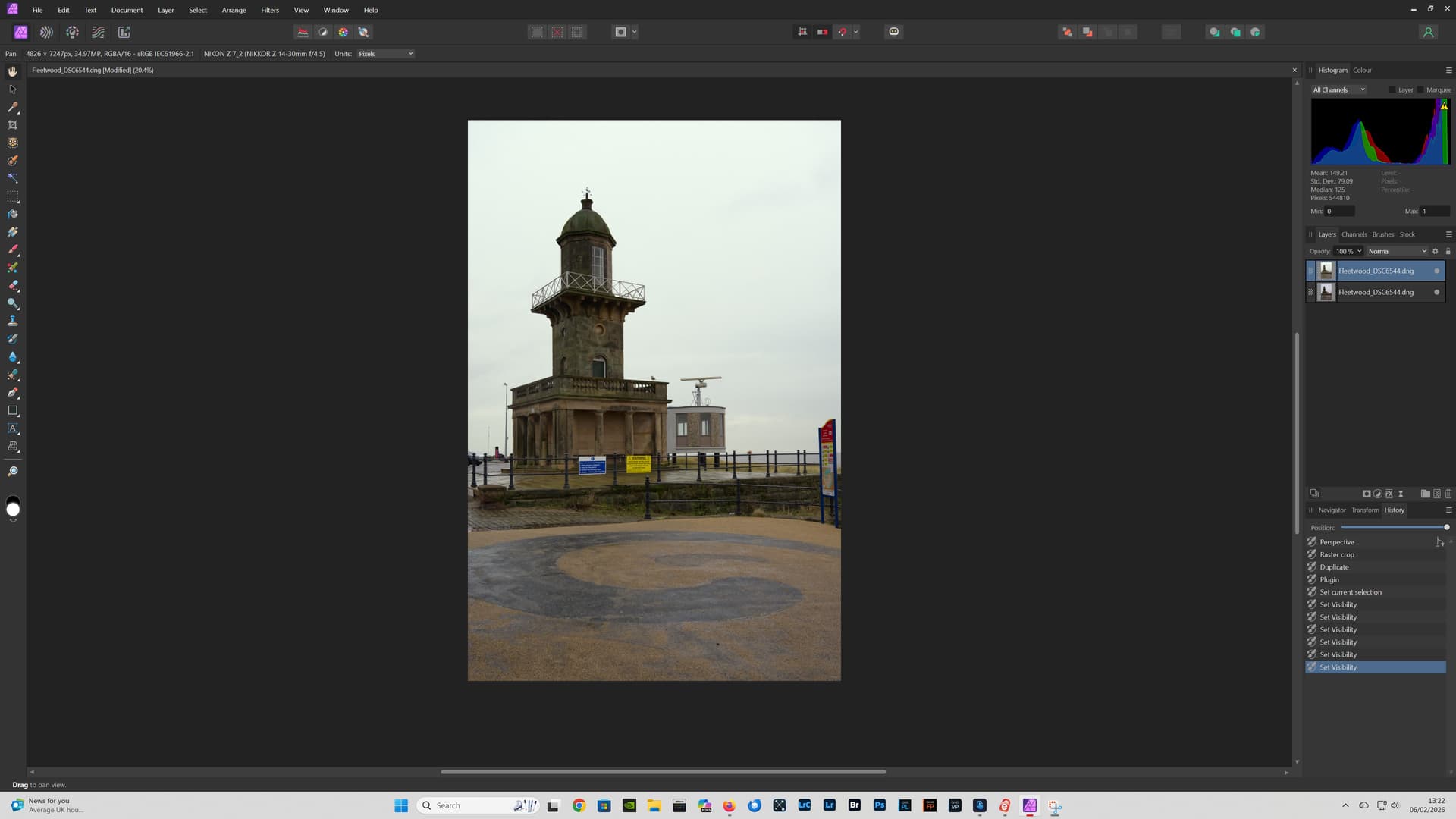
In this example I have used Nik 8 Color Efex, but you can select any of the Nik plugins.
You can also use DxO FilmPack, as an Affinity Photo plugin, if you own the application.
Regards,
Patrick
1 Like