I’m also a imatch user and can echo that it’s very good. I’m an ex Lightroom user. Also tried adobe bridge for a while. Very happy with imatch in conjunction with photolab, well worth the money.
I can only confirm this from my own experience. IMatch and DxO Photolab are an ingenious combination. I’m happy with it.
By the way: IMatch also supports 1 million of pictures, but it‘s Windows only
Guys, please stop suggesting IMatch.
It is probably the best DAM around but the original poster @ESCH states clearly he is on a Mac. As you probably know IMatch is Windows only.
DigiKam has been suggested, it is free and works reasonably well.
As you are on a Mac PhotoSupreme is excellent but paid software.
@Joanna may be able to help you here, as far as I understood she is using Finder with a utility she wrote herself?
Hope this helps.
I am on a Mac and use Photo Supreme. Very happy with it and works perfectly with DXO
Photo Supreme user here too. Brilliant software and worth paying for. If you want something done right sometimes you have to pay.
But not in this case. Lightroom is widely regarded as one of, if not the best DAMs for photos. This part of Lightroom can be used for free. I’ve done it. I’m quite possibly going to do it again soon.
a 300K limit for Imatch is mentioned above. It’s noted in the Imatch forum that there are users with up to 1 million images managed in the system so the 300k limit is not there. I manage my ORF files as the master with the various JPG’s as versions which reduces the work I have to do by over 50% as it catalogues/moves/deletes etc. as pairs or more as relevant to the versions. As the master version is the ORF I have it opening DXO as the relevany software and it works fine
It is probably true that Lightroom is considerad to be the best DAM of the ones that are using it. There are other opinions too. Here is the view from the Lightroom-guru Scott Kelby that also is a sports photographer:
“I don’t use Lightroom. Or the Bridge. Ever.
I’ve tried both. It’s a death-trap for pro sports photography. Every pro sports shooter at an NFL game (or otherwise) uses a program called Photo Mechanic (by a company called Camera Bits). If there are 40 photographers in the photo work room, you see 40 copies of Photo Mechanic open on their laptops.
I used PhotoMechanic for over four years and it is far better, more flexible, scalable and efficient than Photolab BUT it had a weekness for others than sportsphotographers (that could use premade search and replace data to speed up Description-data). For me a lot of the thrill with PM vanished because I still got stuck there with amanual editing of Descriptions and Keywords. iMatch Autotagger finally soved even that with the help of AI.
Imatch has a very broad set of AI-sources available - both cloud based and local and both commercial or free. Both bigger and more costly models as Google Gemini 3 or Open AI 5.2 or smaller online models like Open AI GPT 5.2-mini. For general purposes it will be fine for many using the Mini-models which both Open AI and Google offers.
It is your choice to buy a GPU with at least 16 GB for 1000 U$ or use a more simple and cheap PC with a cloud service like Open AI API GPT 5.2. For many I guess that is far cheaper really since adding metadata with the Open AI API might just cost you a few bucks.
Usage is made in Tokens and 1 miljon tokens kan do a lot. One picture might use 1000 Tokens which gives you around 1000 pictures for 1,75 or 0,25 U$ depending on if the Mini results are Ok or not and you need the bigger one.
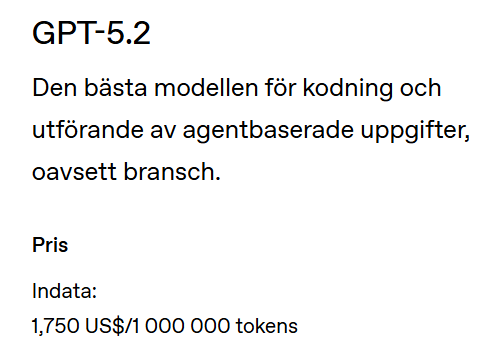
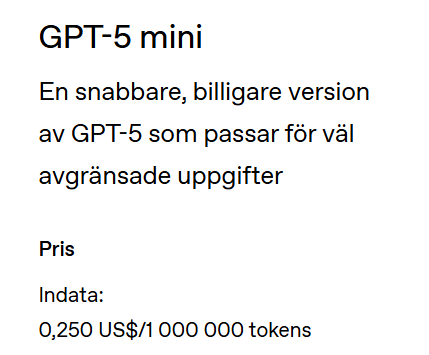
Initially I realized I needed the bigger cloud-models to process safari-pictures with animals if I wanted it to identify species and classify them and also using variables and conditions when adding Keywords (I let iMatch classify them after Mammals, Birds, Reptiles, Insects and so.
BUT here is the kicker:
Since I have a 5070Ti card with 16 GB in my brand new tailormade PC I have the power locally too to run the Ollama AI-platform with Google Gemma 3 12b locally and it to my great surprice manages excellent to make as good job as GPT-5.2 when it comes just to identifying species. Maybee it is because Google has trained it on better data or has a better optimized model than Open AI. It is also better than Open AI to recognize “Landmarks” like know environments or buildings.
It takes a lot of testing to get the prompting right and there are helpful people at Phootols Forums that can kick-start you with helpful prompt examples. In iMatch we configure four types of prompts. Three mostly static like Descriptions, Keywords and Landmarks and one Ad-Hoc to add texts unique for a picture or a selection of pictures. Especially rhe Ad-hoc prompt gives us possibilities to personalize data and it is there we also can give the AI a kick in the right diection when it misunderstands our needs.
It can take weeks to write Descriptions and Keywords for 1000 pictures and just to process 1000 pictures with iMatch Autotagger can be done in 10 minutes BUT normally you don´t let Autotagger lose. Often I rather want to control at least part of the metadata and I always add where a set of pictures are taken and when. Sometimes I need to correct mistakes but in general it might be just a handful of 100 pictures. It is that good and so please look for yourselves in the testexamples below.
@zkarj I know from a couple of years following the AI-debate among photographers that a lot of them are really anti-AI and that is fine but especially professional photographers needs to look into means to make their workflows more efficient. Today prices of pictures are depreciated because the supplies of digital pictures are so enormous and fewer and fewer customers today are prepared to pay extra for some photographers inefficient manual processes in a world where most of these pictures are expected to be free.
… and I hope both these professional photographers and photo enthusiasts takes some time to test what an AI-supported DAM like iMatch really can do for them - because it is a lot both when it comes to Descriptions and Keywords maintenance and usage. In iMatch 2023 when I first started look into Autotagger I definitele did not see or believe that I could leave that texting to AI. Early in 2025 I still saw quite a few problems with the Open AI API for GPT 4.1 that still made Autotagger a bit inefficient since I still needed to do quite a bit of corrections in post. In december 2025 when Open AI released the GTP API for version 5.2 all these problems with version 4.1 was gone. After that I have not the slightest doubts using the AI-support to write those texts anymore It took two years to sort those problems.
Even I from time to time has so special requests for some Descriptions for my historical pictures but they are really the exception but for almost all the rest I leave it to AI almost completely.
The picture below is one of them and it was taken just an hour before the coup in Afghanistan 1978
Swedish text translated into Englisg by Google below. That is a good example on a text that AI whould have struggled quite a bit to write today.
“There is a large roundabout in central Kabul called Pashtunistan Square after the largest of the country’s tribes. Many of the country’s most important ministries are located around it. Around lunchtime, the country’s president and government had already been arrested. Both branches of the Communist Party had taken up arms in Kabul’s military barracks and started marshalling tanks and troops in the city. This was done in a hurry to prevent more of the planned arrests of leading members of the Communist Party. We saw this when we went to post some letters we were going to send from the PTT (post, telegraph and telegram) which was located at the roundabout but understood as little as the locals what was going on. The post office was closed so after taking this and a few other pictures we went to the Khyber Restaurant, also right at the roundabout, to have lunch. About 30 minutes after this picture was taken, the first cannon shot was fired at the ministries around the roundabout. It was the T55 tank that was standing just 10 meters in front of our restaurant windows that fired - all the windows were blown into the restaurant. It was the very beginning of 40 years of misery that we all suffer from to this day. Reprophoto slide converted with brown tone”
Below is a couple of links to some testdata I have published with imatch Autotagger generated texts. 100 animal pictures and 60 pictures with Global Architecture. I also tried the french cloud LLM- model Mistral 3.1 and the local Gemma 3 12b was far better!!! So it is not at all just about the sizes of the models.
(If you don´t see any arrows to click to the right and left in the pictures just use the arrow-buttons.)
100 AI generated classifications and Descriptions on Animals and Plants
60 AI generated classifications and Descriptions of architecture styles on Global Architecture-pictures
I´m a big fan of Mario Westphals work with iMatch and I consider it so far to be the best personal DAM that I have seen and it is a real DAM since it doesn´t just handle pictures and video but alsop Office and PDF-files which makes it a perfect match for small photo centric companies. It can also be used by bigger organisation who needs an AI.driven frontend to bigger corporate DAM that might lack AI-driven image analyzing and automatic production of Description- and Keyword-texts. The cost is very modest (around 1500 U$ that is one third of what PhotoMechanic costs today.
Fair point, but few products match the possibilities of LrC. Unless you want to use AI.
AI will not give me what I need within my lifetime. Of that I am certain. I identify every aircraft (including precise model and registration), locomotive, bird, and location in my photos. LrC does that very efficiently and no AI will succeed with those tasks. No, not even location, because locations aren’t as canonical as many systems seem to think.
With LrC, this is achieved very efficiently using not only the hierarchy, synonyms, non-exporting keywords (for organisation), but also the very efficient process of entering keywords on photos.
I’ve never used iMatch nor Photo Mechanic, but I cannot imagine they are more efficient than LrC in these tasks.
That just leaves ratings, labels, captions, etc, which just about any half-decent application can manage well. Including PhotoLab.
Have you really tried Google Lens? I have many times been very impressed with what it produces being it translating texts in arabic or hebrew, singaleese or thai - even old bible handscripts in hebrew.
It identifies landmarks, buildings and a lot of other things being it just a product you might be interested in and were you can buy it.
It is true that I sometimes write texts AI can´t write since it is not context aware to 100% BUT the thing is that in a lot of cases even that can be handled by ad-hoc-prompting. I will only manage to manually write maybe the first maybe 10-25 Descriptions or sets of Keywords. After that I have no chans againt Imatch Autotagger with Open AI GPT 5.2 or for that matter the local Google Gemma 3 12b - because I get totally bored and lose my edge and starts to write shorter and shorter and less and less usaeful Descriptions. Keywords get fewer and fewer.
If I just let Autotagger just run with my static prompts it will add usable text and Keywords (as many as you like or not) on 1000 pictures in less than 10 minutes. I haven´t seen either PhotoMechanic or any other photo-DAM tool matching that yet because all RAW-converters built in Picture Librarys are much more rudimentary and manual than so.
Everyone is entitled to his believes and you might be one of these not pleased with “good enough” eternally but I can tell you we have seen tremendous improvements the texting quality with both Google Gemini and not the least Open AI GPT 5.2 just the last months compared to earlier versions like 4, 4.1, 5 and 5.1. It is all about our prompting. Not the least when it comes to the structuring of the text. The texts are now much more readable and structured.
This is how the text looks in the bloggapplication in the link above (where all formatting is stripped) for the first picture of the young zebra:
“Animals and Vegetation in East Africa - Ngorongoro Area Tanzania 2012 - A plains zebra stands near the edge of water, captured in a close portrait bathed in warm light. The zebra’s bold black-and-white stripes are striking, with a clearly visible dark muzzle and alert ears. The background is softly blurred, drawing attention to the zebra’s head and neck. The zebra is a grazing herbivore that lives in open savanna and grassland, often near water. It feeds primarily on grass and lives in social herds, each member possessing a unique stripe pattern. This is a Plains Zebra, a member of the Equidae family, scientifically known as Equus quagga. Species common name: Plains zebra Family: Equidae Scientific name: Equus quagga”
This is how it looks in Photolab and iMatch where all the formatting is kept:
Animals and Vegetation in East Africa - Ngorongoro Area Tanzania 2012 -
A plains zebra stands near the edge of water, captured in a close portrait bathed in warm light. The zebra’s bold black-and-white stripes are striking, with a clearly visible dark muzzle and alert ears. The background is softly blurred, drawing attention to the zebra’s head and neck.
The zebra is a grazing herbivore that lives in open savanna and grassland, often near water. It feeds primarily on grass and lives in social herds, each member possessing a unique stripe pattern.
This is a Plains Zebra, a member of the Equidae family, scientifically known as Equus quagga.
Species common name: Plains zebra
Family: Equidae
Scientific name: Equus quagga
For me this has came in a totally different light when having to add metadata to tens of tousands of pictures. For me it would have been a totally hopeless project without iMatch Autotagger AI. I have handled 20 000 ready made pictures so far in just a few months. With almost any other alternative on the market today adding Descriptions and Keywords would have been a totally manual and terribly time consuming and inefficient task that use to get most people to give up on projects like that. Finally this has been doable with the help of iMatch Autotagger and suitable both cloud-based and local models like Open AI API GPT 5.2 or Google Gemma 3 12b. Unlike Photolab or Lightroom we can chose freely between a lot of different AI-sources of our liking.
Example of the new AI Image Critics at Fotosidan (the Photo Page) in Sweden
The photographer profession is known for it´s many conservative people not the least when it comes to AI but still quite a few was positively impressed by this example: inkluding the Improvement recommendations. The differeent aspects of the critics was given a point from 1-10 too. I don´t know the used AI-source but it might be Open AI API for GPT 5.2. There is no fundamental difference between the image analyze used in this example and what we have in iMatch Autotagger - it is mostly just a matter of instructions and practical prompting. AI has already in just a couple of years become very competent and what we get out of it in practise is up to ourselves to a very high degree.
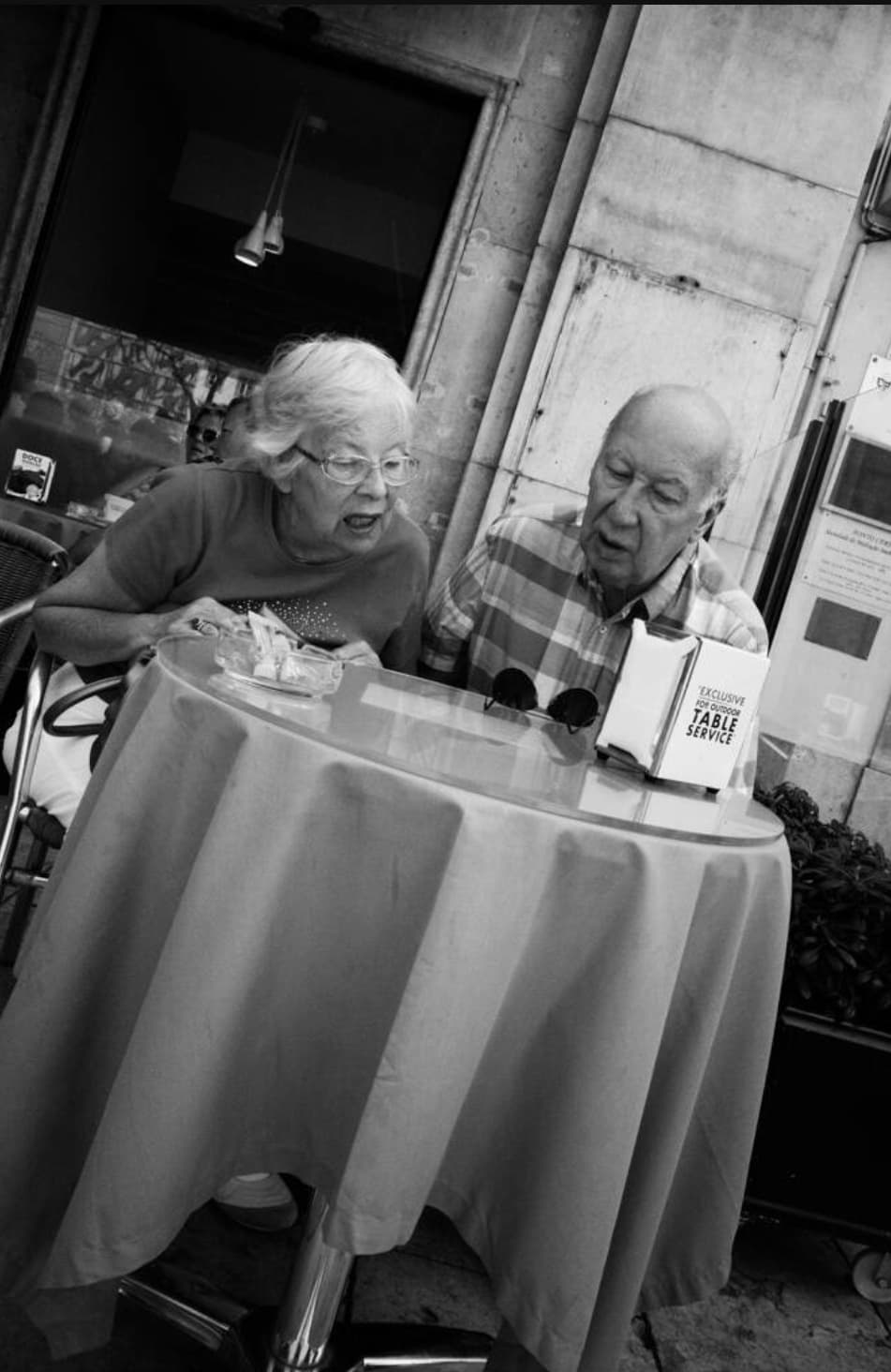
The image “DE130424_0091.jpg” is a strong and present scene where the composition around the round table and the tilted camera create dynamics, while the concentrated interaction of the two people gives high intensity in content and feeling. Black and white rendering and good focus placement contribute technically, even if the background sometimes competes somewhat with the main subject. With a slightly more refined background, more consciously used depth of field and a finely adjusted crop, the image would further strengthen its already strong story.
Composition
8
The image is clearly centered around the round table, which functions as a dominant foreground element and leads the eye up towards the two people. The tabletop forms a strong, bright surface that delimits the subject and creates a clear main area, which follows the principle of concentrating the subject to a limited area so that the eye has a resting point.
The diagonal lines created by the tilted camera give the subject an extra dynamic and break the static feeling that often occurs when the main subject is in the middle of the frame. According to compositional principles, such changes in angle can add drama and enhance the experience, especially when the subject itself is mundane.
The placement of the two people slightly above the center of the frame means that their faces end up close to the upper thirds, which uses the rule of thirds to create tension compared to strict central symmetry.
The background is relatively calm but still contains structure (wall, opening, details) without completely competing with the main subject. However, there is a certain risk that the dark fields and edges in the background steal some attention from the faces, which according to compositional principles can make the image somewhat more unsettling than necessary.
The camera angle is slightly elevated in relation to the table, which gives a good overview of the surface and objects, but at the same time it is at a level where the viewer still feels close to the scene. This fits well with the idea that small variations in position and angle give different expressions and can be used to emphasize the feeling of presence.
Creativity
8
The choice of subject – an elderly couple in an everyday situation at a café table – is linked to the idea of personal, interpersonal motifs where emotions and relationships are at the center rather than spectacular views.
The use of a tilted camera and the clear shape of the round table create a slightly unexpected, almost playful image solution that breaks with a more traditional straight-on portrait. This is in line with the call to vary camera angles and dare to break with norms to create more individual images.
The choice of black and white reproduction strengthens the expression and concentrates attention on body language, facial expressions and shapes rather than colors. According to the theories, black and white can be used together with contrast to increase intensity and give the image a more concentrated expression.
The image works with a clear pair of opposites – everyday environment but a very expressive moment – which ties in with the idea of creating intensity by highlighting human emotions and small but significant situations.
Technical quality
7
Black and white toning with medium contrast provides good separation between the main subject (the people, the table) and the background. This follows the advice to use contrast to emphasize the subject and create intensity, without losing all detail in shadows and highlights.
The sharpness seems to be good on the two people, especially in the facial region, which is central when people are the main subject. Theories point to the importance of letting the sharpness end up in the right place so that the eye understands where the center of gravity in the image is.
The background is not completely dissolved but still has some detailed structure. This makes the environment understandable, but it also means that competing details can take some attention away from the main subject – something that is highlighted as a common problem when too much of the image is sharp.
The exposure seems balanced: there is no indication of large, eroded highlights or completely blacked-out shadows, which are otherwise typical technical errors according to the review of common mistakes.
Possible light grain/noise and the harsher contrast give a rawer character that suits the direct expression of the subject; this can be seen as a conscious choice rather than a flaw, in line with the idea that technical perfection is not the same as a good image.
Contents
9
The strength of the image clearly lies in the interpersonal situation: two elderly people who together focus intensely on something on the table. Their posture and inclination towards the center create a common zone of concentration, which gives the image the kind of intensity associated with direct, emotional subjects.
The character of the moment – the facial expressions and the open mouth – conveys a sense of ongoing dialogue or reaction. According to the theories, such direct expressions can create immediacy and make it difficult for the viewer to defend themselves against the impressions.
Improvement suggestions
Strengthen the main subject by removing or toning down distracting background details using the image cropping and camera angle. A slightly tighter cropping upwards and to the right would reduce competition from dark areas and edges behind the people, in accordance with the advice to limit the image area to the essentials when too many details threaten to drown out the subject.
Try an alternative cropping where the two faces end up even more clearly in one of the thirds points, for example by cropping from the left or bottom edge. This would further enhance the feeling of dynamism compared to a more centered solution.
Work with depth by letting the background go slightly more out of focus, either at the time of photography (larger aperture) or by dampening the contrast there in post-processing. This would make it easier for the eye to find a resting point in the faces, in accordance with the principle of not letting too much in the image be equally sharp.
Explore alternative camera angles – for example, a slightly lower position closer to the edge of the table – to see if the relationship between the table and the faces can be made even more intense. Small movements forward/backward or sideways can provide a different balance between foreground and background and create even clearer direction in the lines.
Consider two versions with different degrees of contrast in the black and white: one slightly softer to bring out more nuance in skin tones and one harder where the expression becomes more dramatic. Consciously controlling contrast is one of the tools mentioned to influence the intensity of the image.
Interesting. (Fellow IMatch user.) I tried to find ‘AI Image Critics’ at Fotosidan.se, but had no luck, perhaps because I don’t speak Swedish. I assume you have a link?
Hi.
You need to be a paying Plus user/subscriber to gain access to the feature.
Indeed. It is possible to search on all sorts of metadata, just using the Finder search facility. You can even use Finder tags as a substitute for keywords and/or colour labels.
The only thing you can’t do with Finder is assign keywords to the xmp:subjecttag.
Sounds interesting! Where can I find documentation about searchable metadata fields, plus information about the syntax for more advanced Finder searches?
Update: I just had a look at Apples documentation about advanced search in Finder, what I am missing is more information about which metadata is searchable and how. For example a simple search on keywords returns the right files whereas when using the “advanced” search and the “keyword” search field nothing is returned…
@Joanna would you mind sharing some of your experience about advanced Finder searches and how to build an utility? My coding skills are extremely rusty (they date back to the 80ties and Fortran) but maybe I can build a simple system of saved searches if I just can get started …
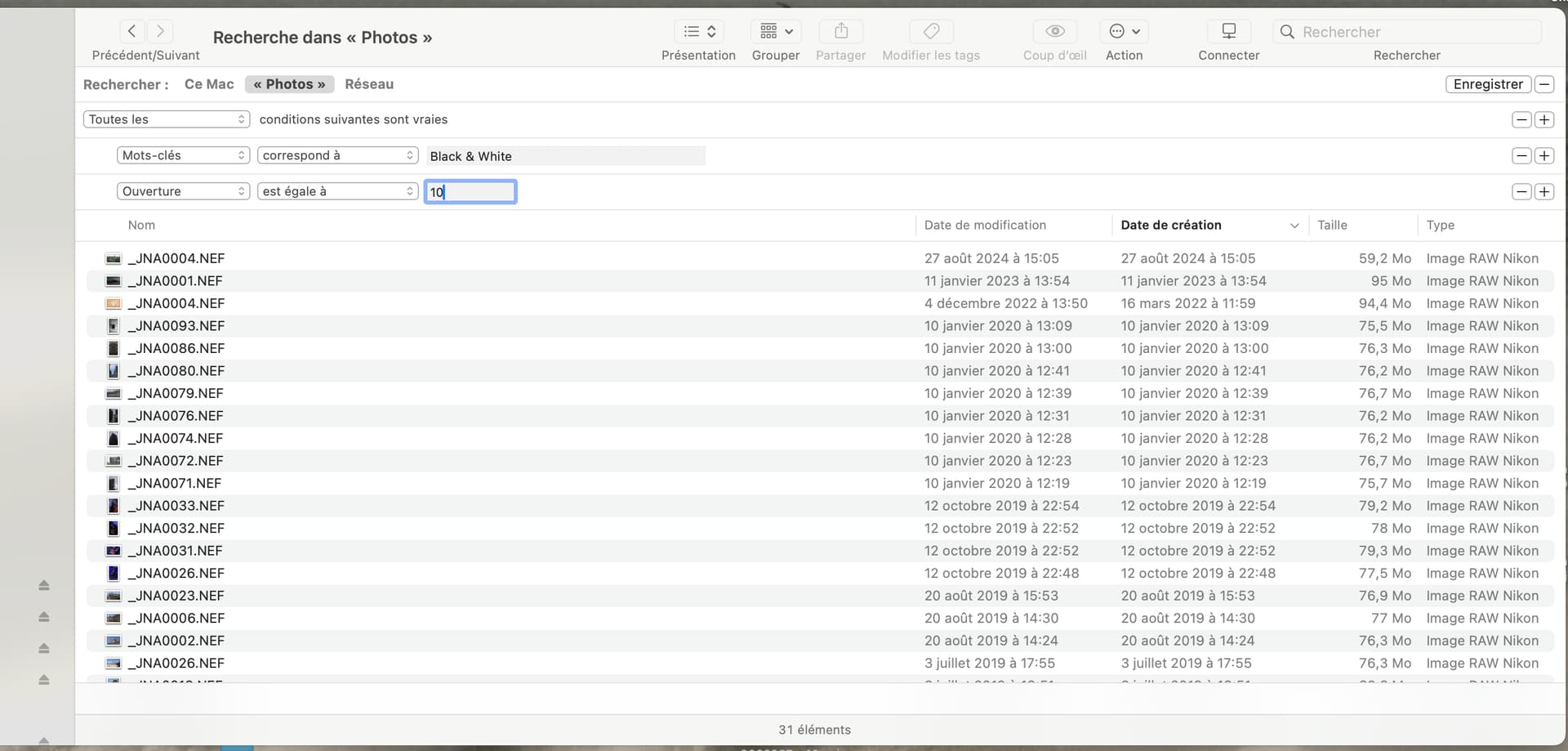
Here is a series of screenshots of how to create a search on a specific keyword and then add an aperture criterium…
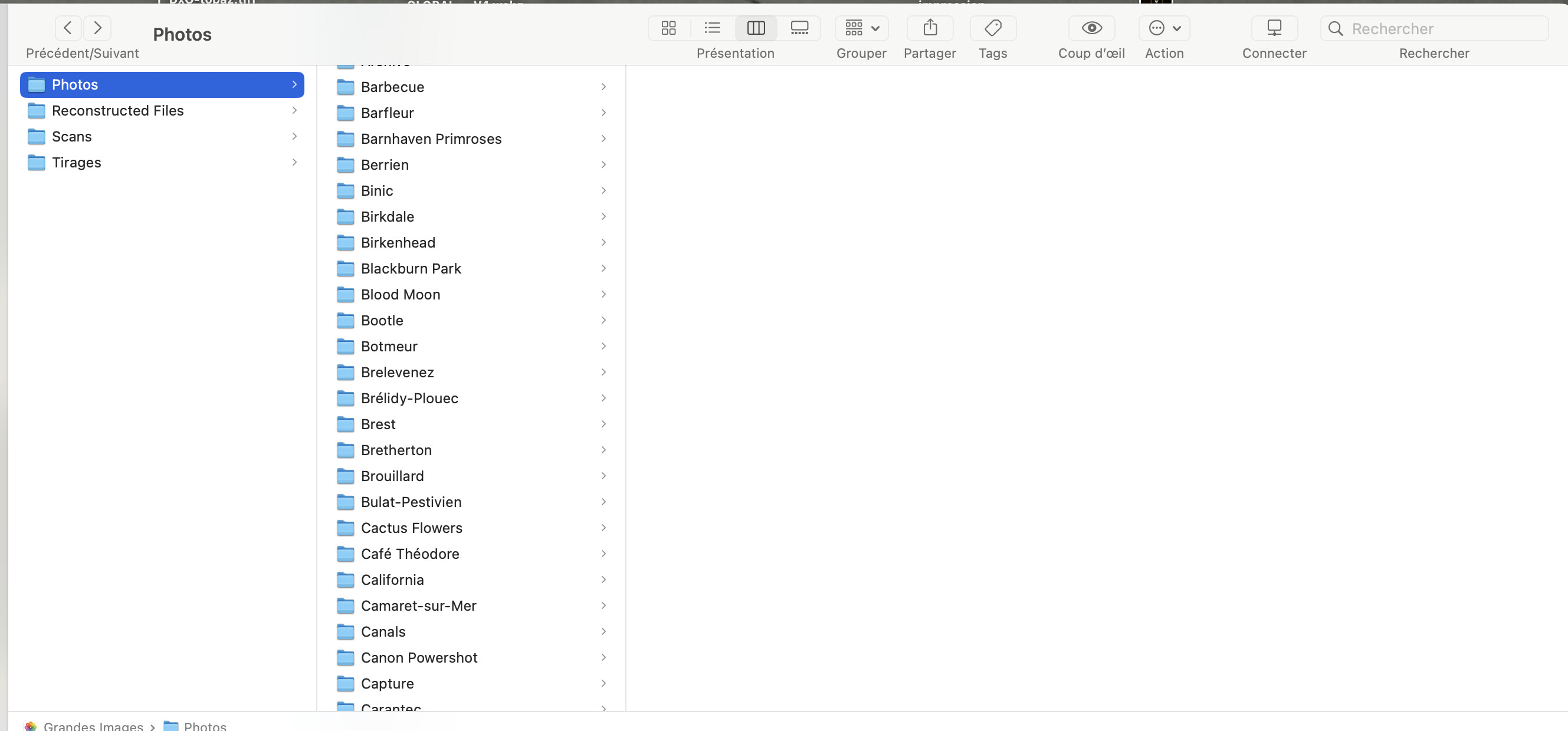
Go to the search field and press Cmd-F…
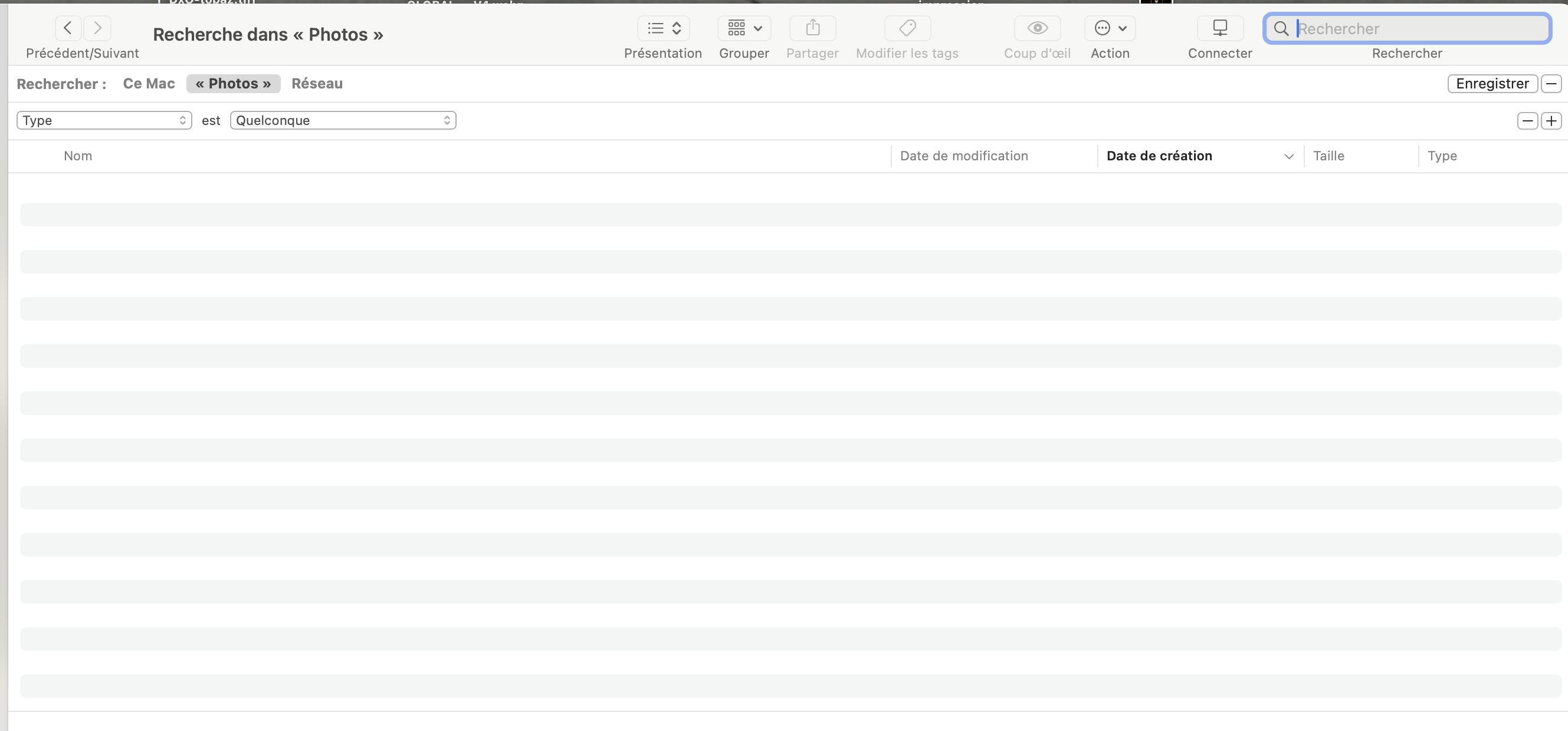
… then choose the search criteria…
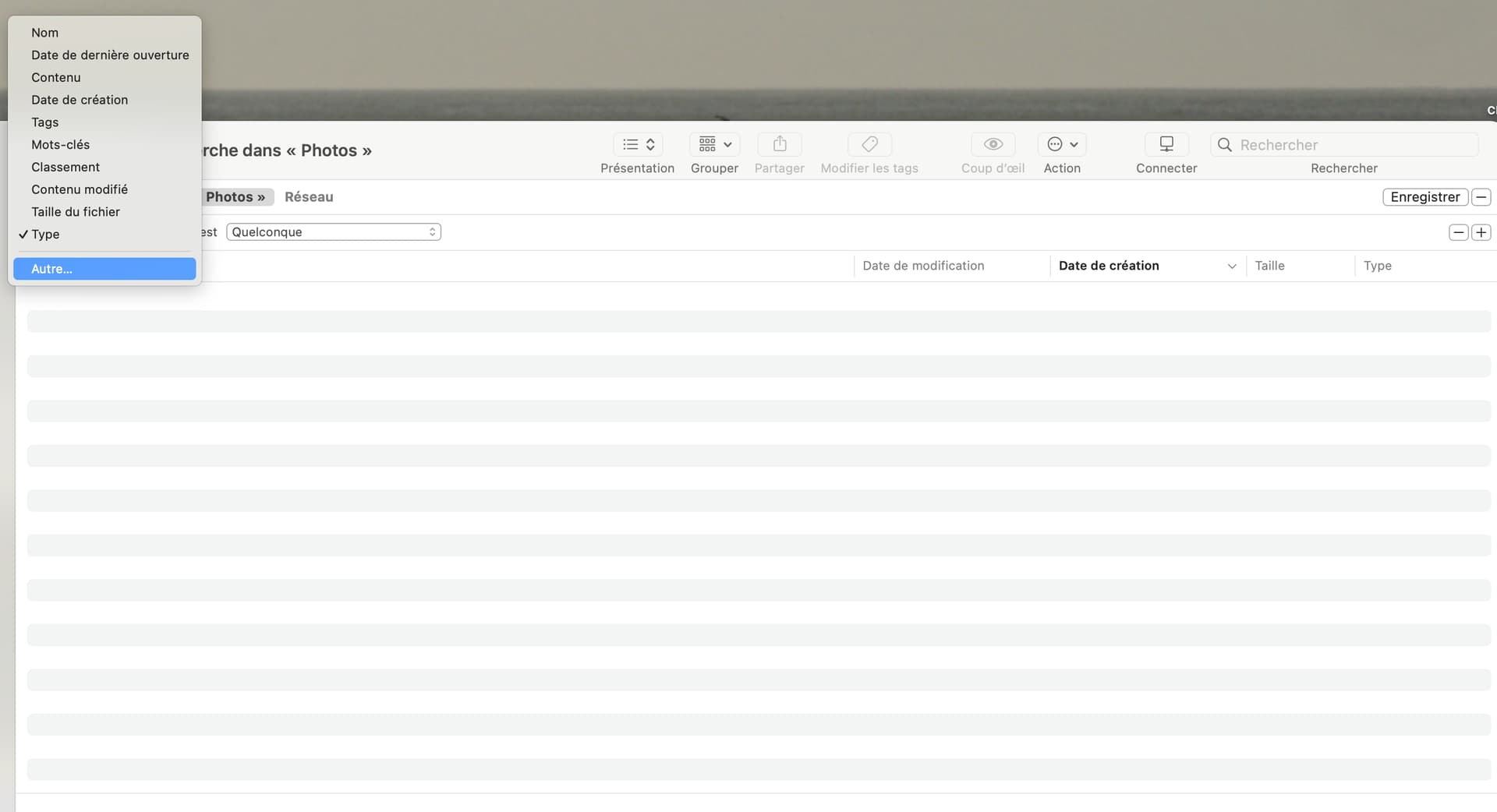
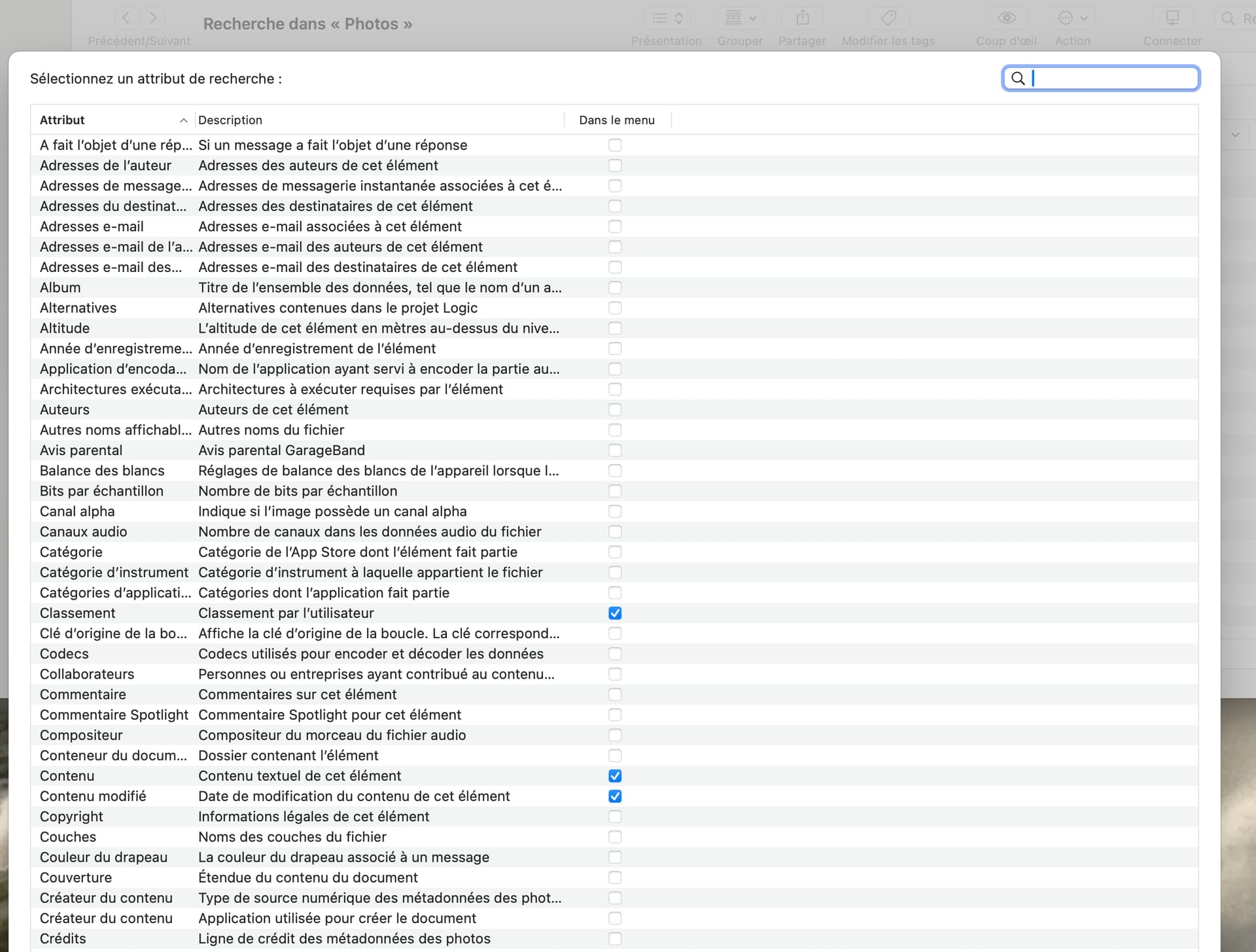

… not forgetting that you can create combined criteria (and/or/etc)…
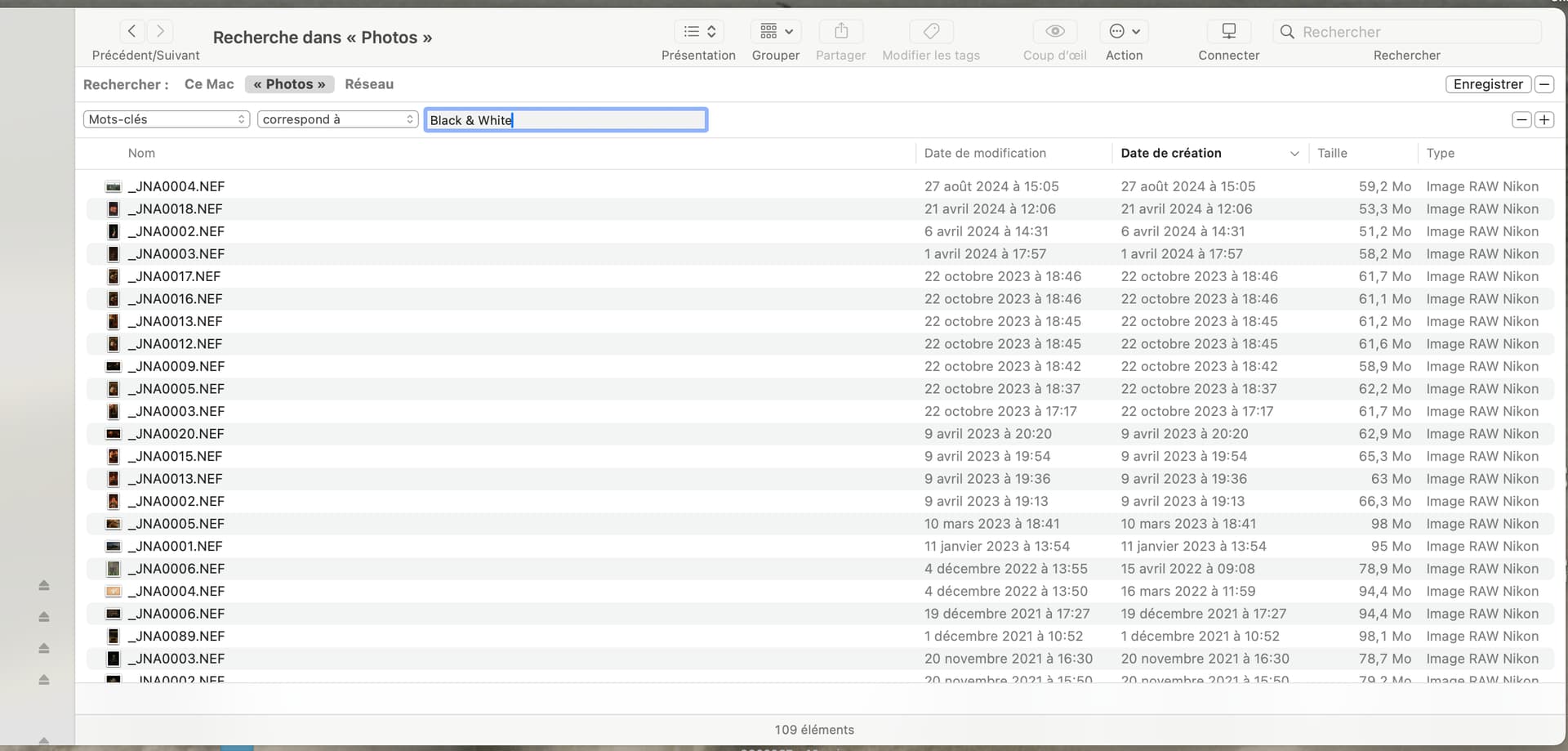
Finally, you can just save the search to wherever you find most convenient…
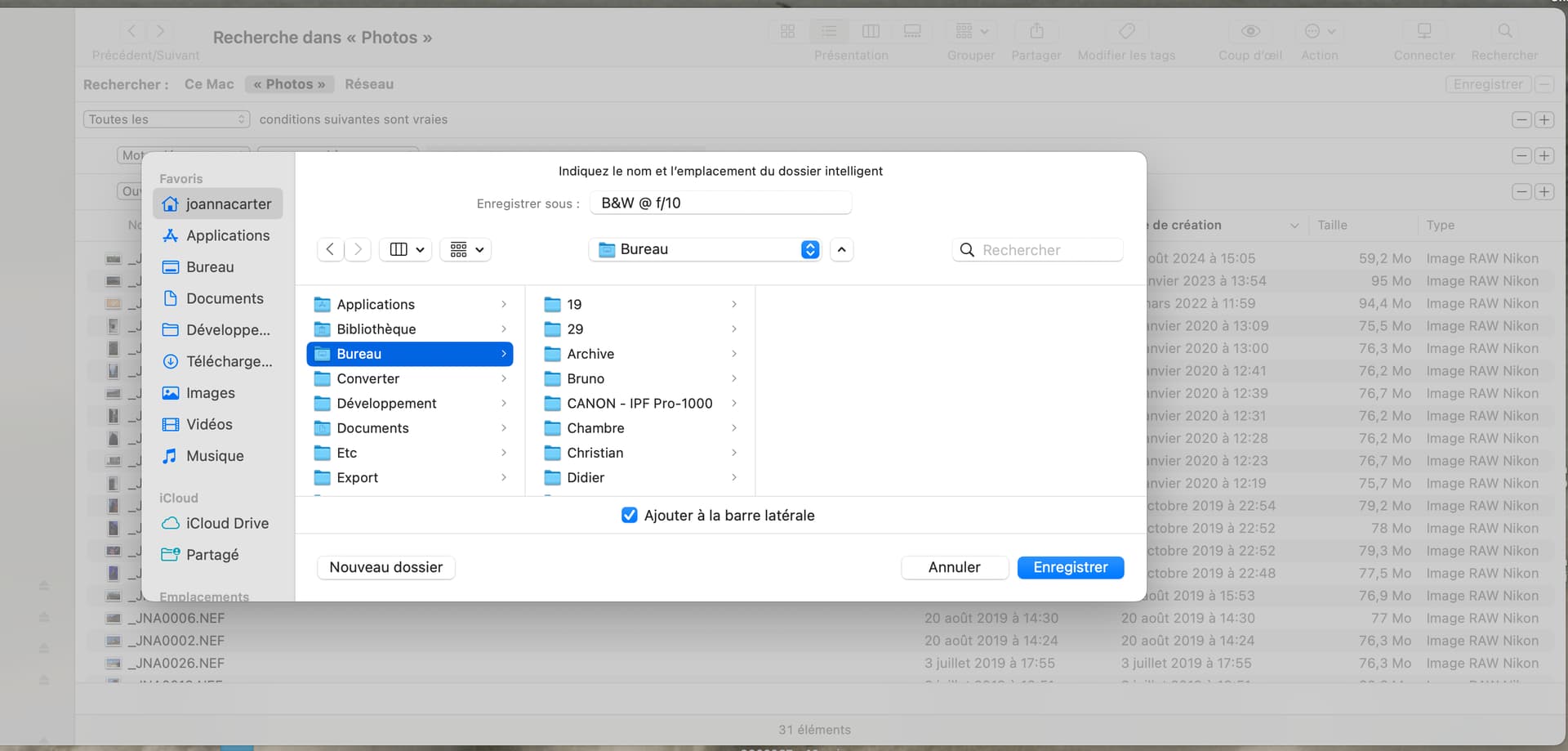
The search also, optionally, gets added to the sidebar…

If you only want to create saved searches, you really don’t need any programming skills, just use the tool that Apple has provided, as I showed above..
What does need programming is a means of adding keywords to files. But, for that, unless you want to learn the Xcode programing tool and the Swift programming language, the easiest way is possibly to use ExifTool from the command line.
You will find several references in some of my posts to the app I wrote but that took me almost three years…
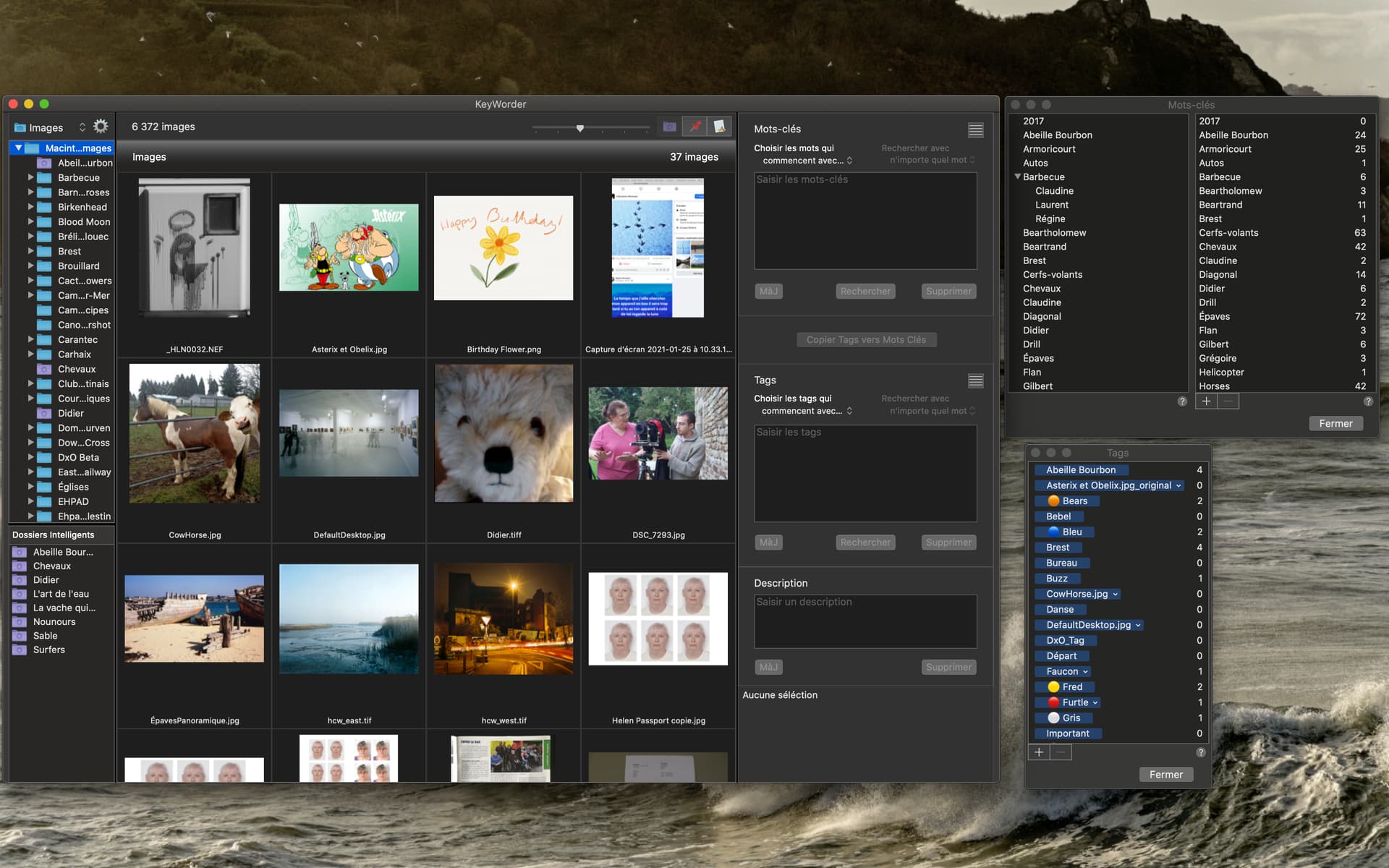
If I may break in with some suggestions for @ESCH ……
Apple Photos can add keywords to files.
There is no need to have your images in iCloud, you can create a local library in Photos.
The main caveat here is that (as far as I have experimented with Photos) it can only write flat keywords, hierarchical keywords are not supported.
If you don’t want to use Exiftool from the command line as @Joanna suggested you may want to look into XnViewMP. It is free, not a full blown DAM, but it can add both flat and hierarchical keywords to files.
Hope this helps.
Sort of.
I can confirm this.
I don’t know for sure about XNViewMP but, if you want keywords actually written to the RAW file and hived off to an XMP sidecar, this won’t work.
Side note: I have been using my app, which leverages ExifTool, and I have never ever had a corrupted file.