@Stenis Its more likely that your tests are not using the same image as mine!
@mwsilvers and @Stenis I was about to say that none of my “complaints” were solely about DxO but that is not entirely true and DxO are far from blameless!
We had a rushed release which should have been tested by the Beta Testers on the latest drivers available at the time, and the problems would then have emerged or did that happen but for various reasons DxO went ahead and released the product anyway!?
I find your apologies for/to DxO and condemnation of a frustrated userbase ill phrased, to put it politely. You are using the “classic” supplier response “you have been using this so what did you expect”.
The users are suddenly to “blame” for discovering a gaping hole or two (or more) in the product. Plus DxO have been conspicuous by their absence on the forum and any communication with a frustrated user base. Is a stable release going to be a Christmas present to the users!?
NVidia has at least provided an apparent fix, which I don’t think is all it is cracked up to be, i.e. it may be better for some or possibly all users but it doesn’t fix all the problems, or so my tests lead me to believe.
Alternatively, in the examples I provide below the drivers are now functioning correctly but the DxO export code is at fault!? Either way I as a user are impacted or I would be if I was doing this for real rather than just testing the software.
The older drivers seemed immune to the problems (actually they are not) and the 5000 series cards seem to be fine on the latest drivers, although I haven’t yet tested my 5060Ti(16GB) on the new drivers.
So here goes.
The problem I am reporting here was first discovered on my 5600G 3060(12GB) on the “recommended” (workaround) drivers for that card (572.83) and then repeated on the latest drivers on the same machine (581.57).
The image is here so you can see if the 3060Ti(8GB) survives when the 3060(12GB) fails, and that may well be the case!?
P1140511.RW2 (23.1 MB)
P1140511.RW2.dop (119.3 KB)
P1140511.xmp (1.1 KB)
I finally ran the test on the 5900X 5060Ti(16GB) this morning, the other tests were done last night, and no matter what order I repeated the tests on the 5060Ti(16GB) I could not induce a failure on that GPU.
The test is on a single image with 9VCs and goes
- Run an export run with all images set to NO NR (please check that is the case because in one of my tests it looked that way but they were actually still set to XD2s - the test failed anyway but …)
- Set all images NR to DP3 and export again
- Set all images NR to XD2s and export again
On the 5060Ti with the Studio version of 581.57 (NVidia kindly informed me when I turned that machine on that there were newer drivers available) we have
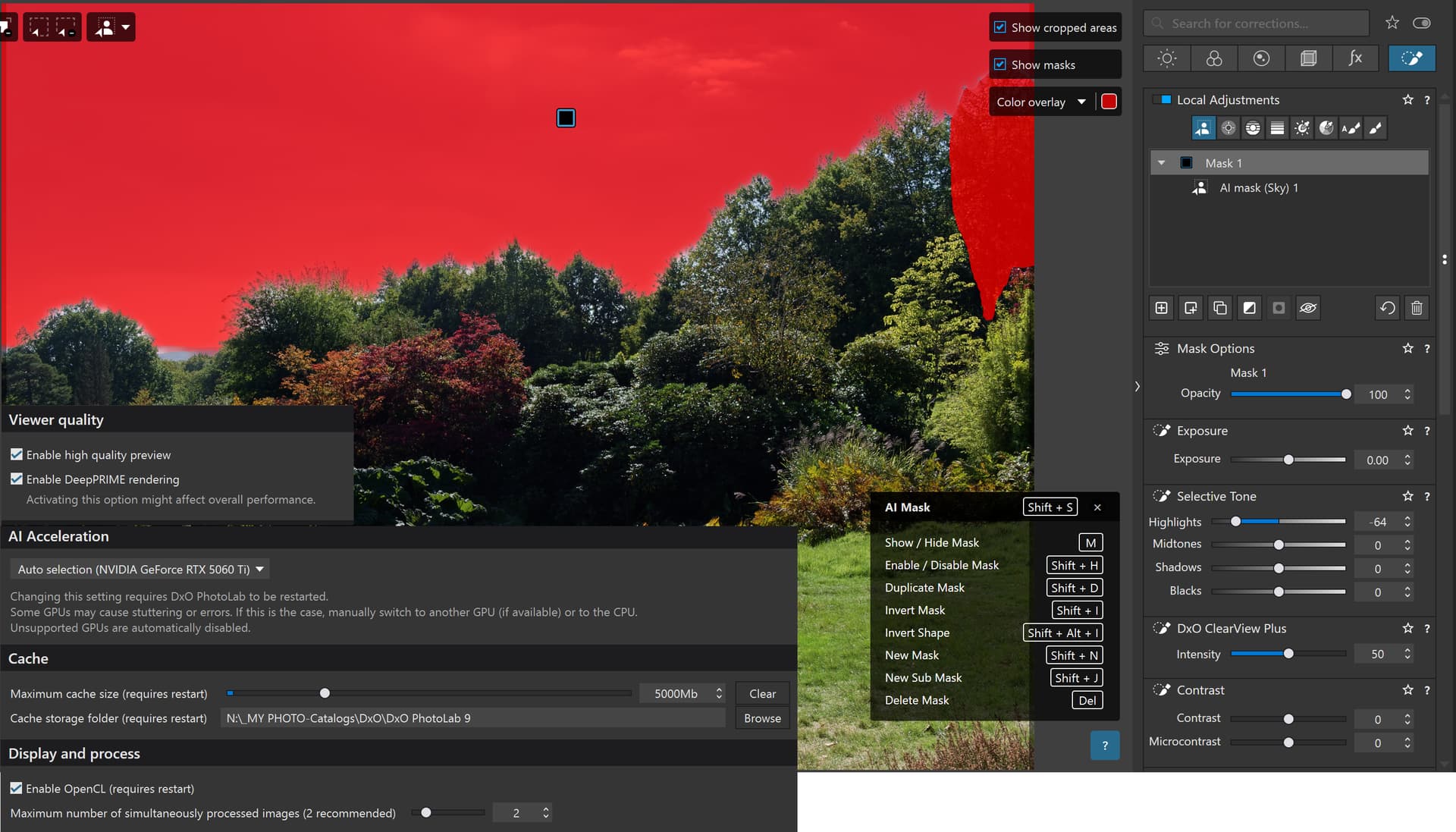
Note that there is a simple “Sky” preset selection and the highlights have been reduced and Clearview set to 50 so that I can visually see that the AI has been applied and to give the export process something to do with the AI selection.
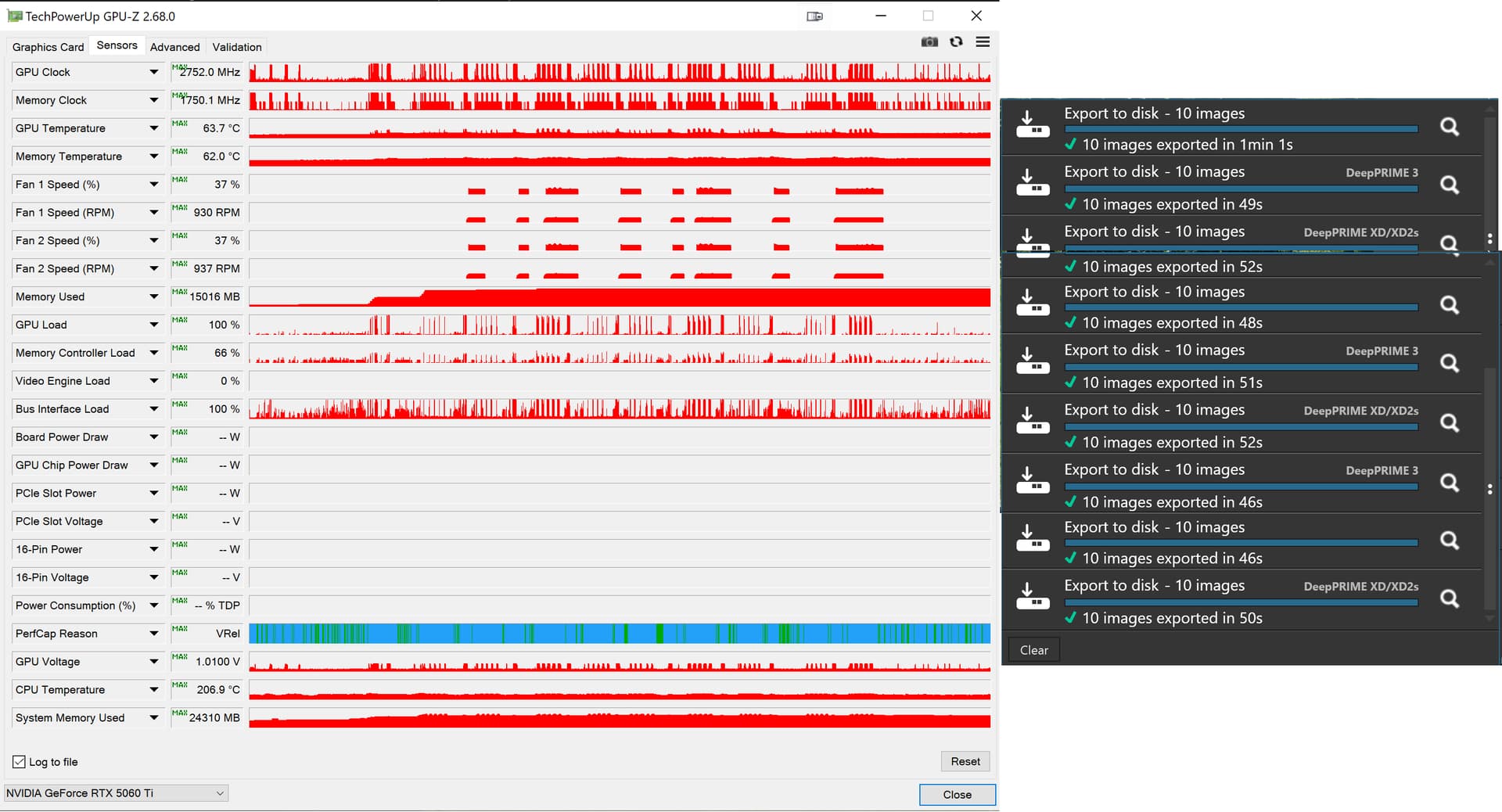
No matter what I did the 5060Ti(16GB) held up perfectly. It consumed nearly all the VRAM but that appears to be the case on both my 12GB 3060 and on the 16GB 5060Ti, my tests seem to result in the VRAM consumed being always close to the limit!?
But as for the 3060(12GB) that is a different story both on the recommended drivers for that series of GPU and on the latest drivers.
Test 1 on the 3060(12GB) on 572.83:-
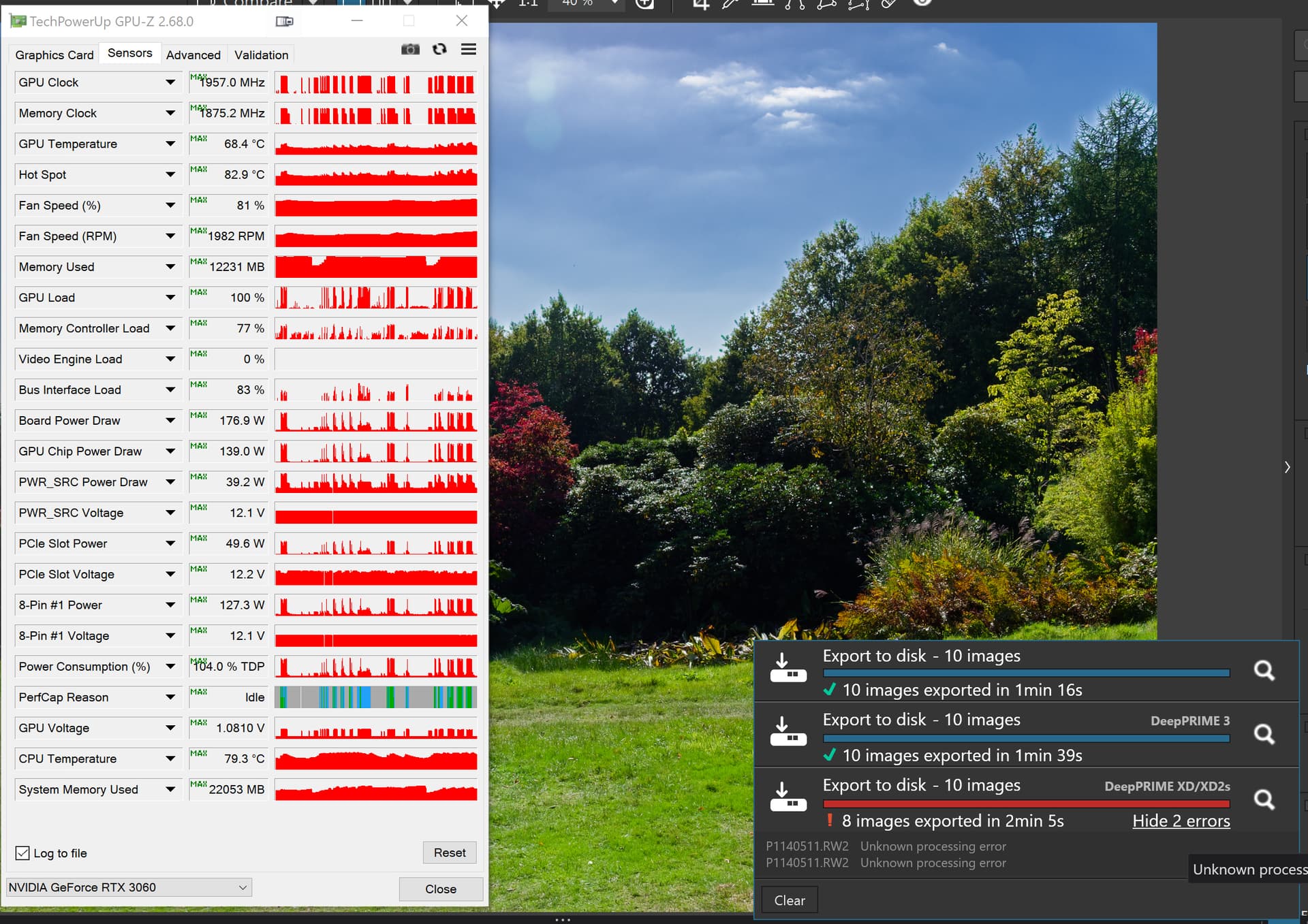
Please note that the failure is not attempting to open the image but rather during the export and after repeated exports have been completed successfully.
Test 2 on the 3060(12GB) on 581.57:-
Yes I got the test order wrong but it still failed (on the third export, what is special about the third export!?)
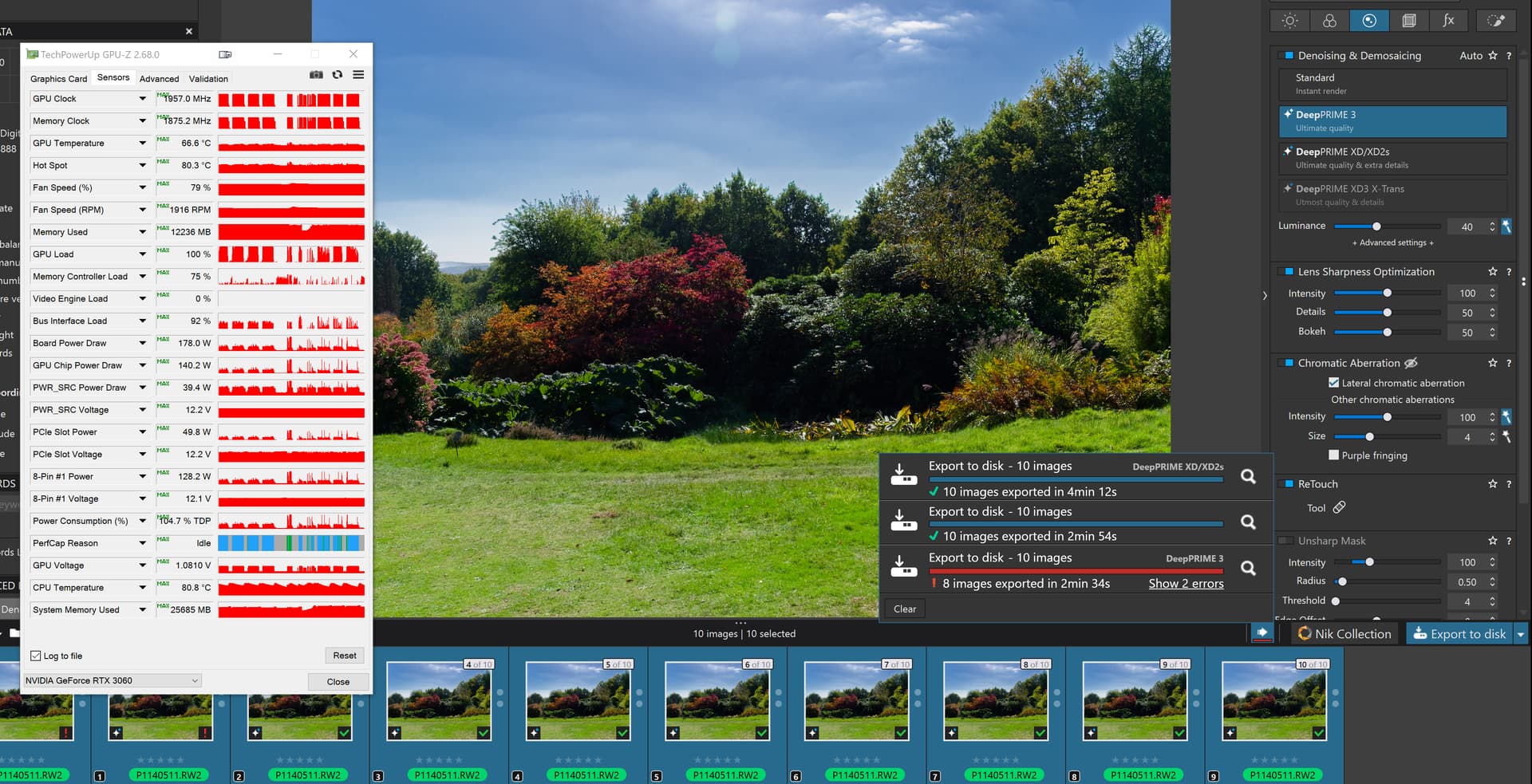
Test 4 on the 3060(12GB) on 581.57:-
I had to re-run the test in the correct order. For the tests on the 3060(12GB) I not only deleted the database between tests but also restarted the PC.
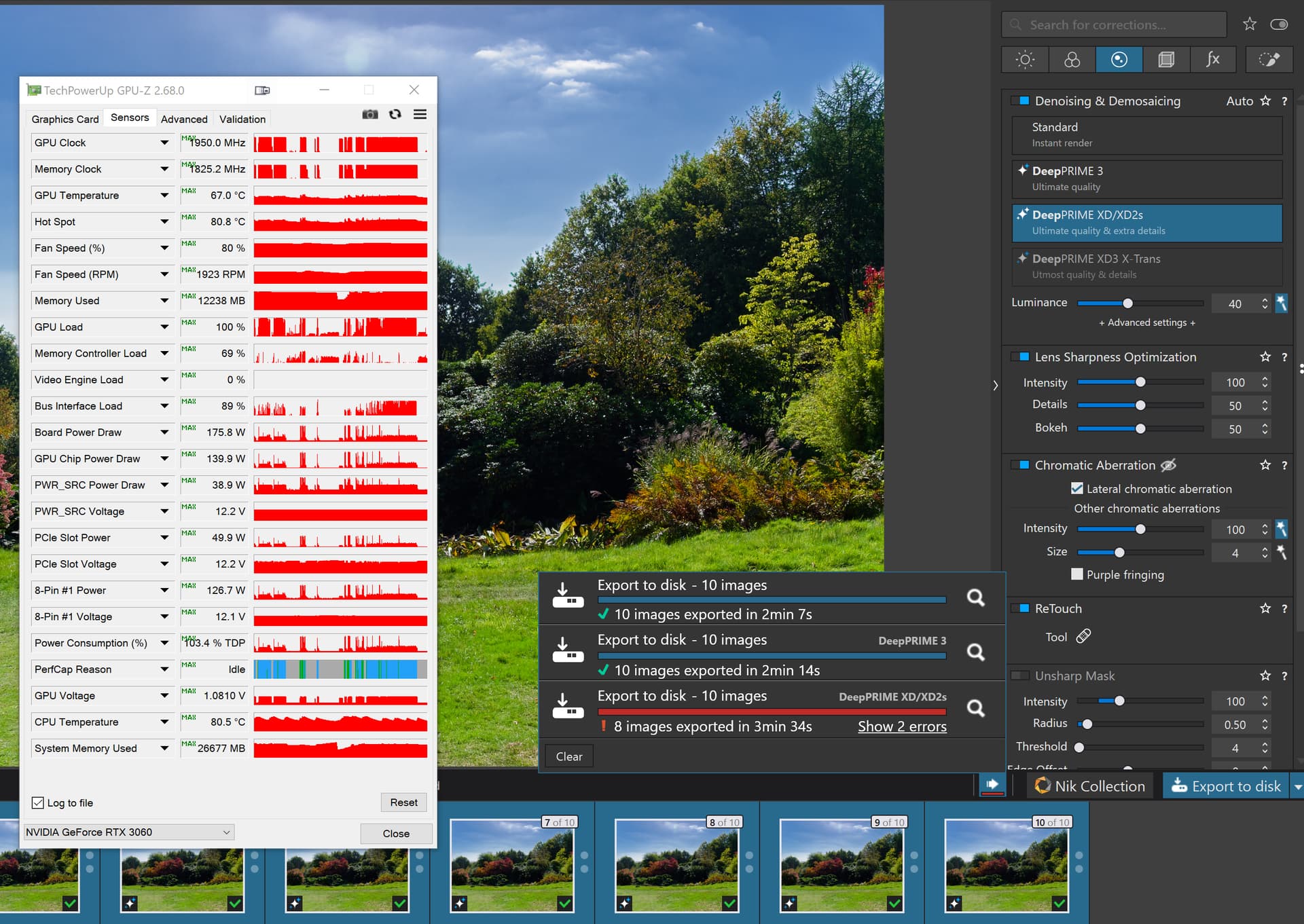
Conclusion:-
581.57 might work for you but on this simple test it doesn’t work for me.
I just turned on my 3060(12GB) machine (having let Microsoft update the 5060Ti machine before I turned it off it to conserve energy - so no foot warmer then) and went straight into a “NO NR” test on my “problem” image and
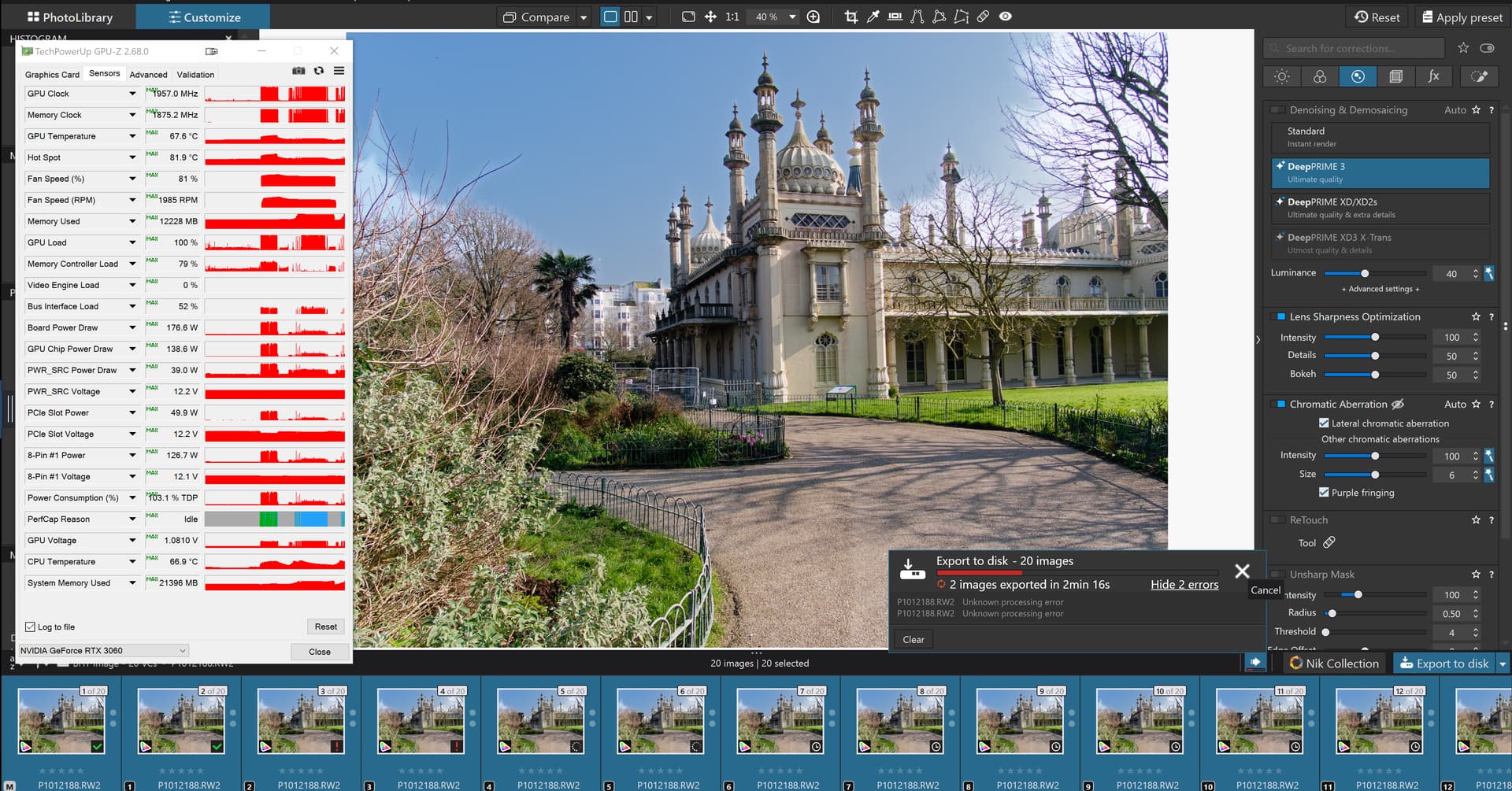
I won’t consider the problem fixed until I can open any image with the “Sky” preset set without the

which does appear to be occurring less often with the new drivers and/or have no red anywhere to be seen in the exports
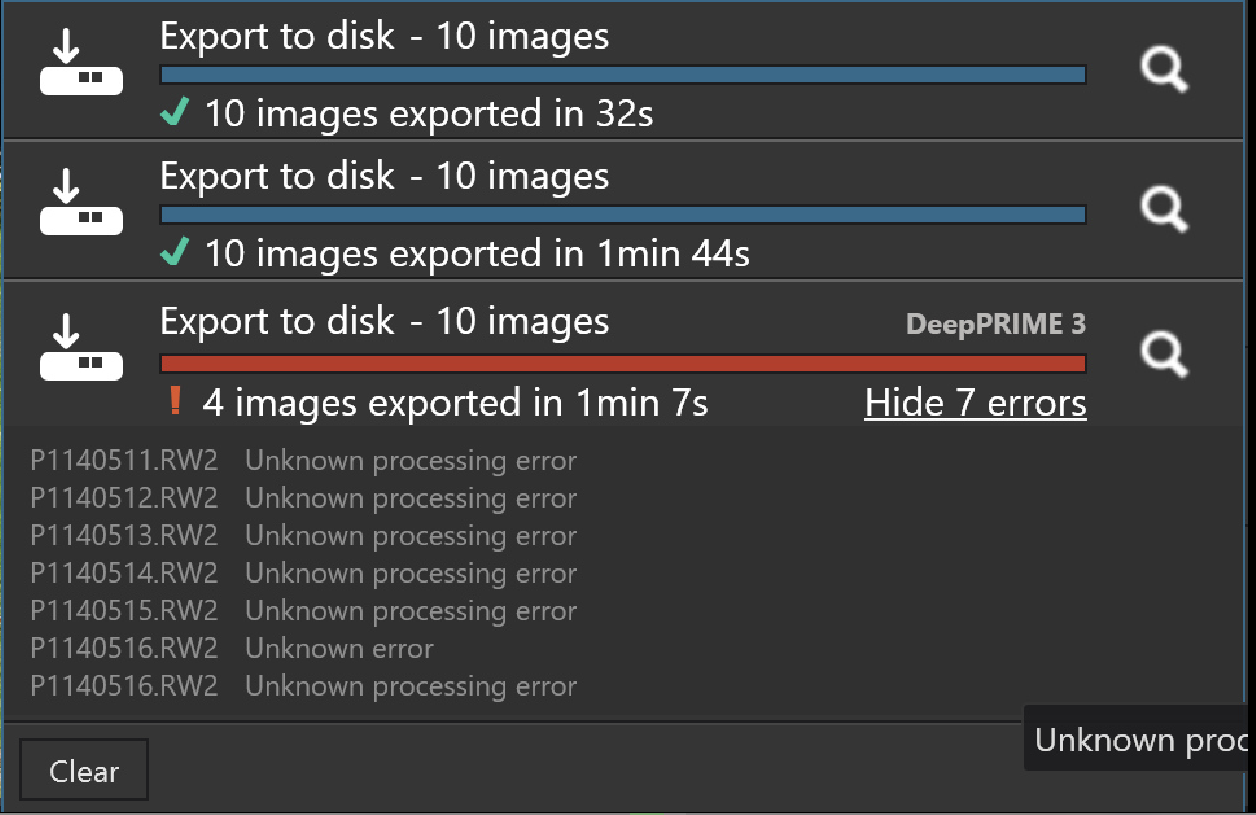
regardless of who is responsible for the error because it isn’t me, I find them I don’t create them.
NO USER is responsible, the supplier of the software is and if it is their supplier that is to blame, totally or in part, that changes nothing.!
@mwsilvers and @Stenis polite comments please, I was deeply saddened by your comments.
@Fineus The GTX seems hold up better the the RTX (my old GTX cards are 2GB and 4GB so now completely useless for any testing whatsoever).
@Fineus and Luminar, and ON1 and ACDSee and … Most leave DxO’s “Sky” preset in the dust.