Just installed and it seems to work for me! 
I confirm, AI Keywords works for me too.
1 Like
Wouldn’t it be nice if DXO informed us of a fix
Well I’ll be damned, after (only a couple of tests on a couple of images), it seems to work for me too.
Tentatively hopeful, here…!
1 Like
Exporting using a predefined mask is significantly slower than using the manual AI mask. The problem with the ReShape Fusion and Deep Prime/XD2s combination (local correction with the Luminance and Lens Sharpness sliders) still exists.
1 Like
There have been reports of problems with other graphics cards so its sounds like a range of issues a few sorted with this update
1 Like
I’ve experienced both of those too (AI masks being slow to export/edit with) as well as ReShape Fusion not being happy with AI masks (in my experience).
The auto-brush is still an option but that’s not really what the highlight of PL9 was meant to be.
From 581.57 release notes, fixed application issues:
DxO Photolab 9: Stability issues when using the AI masks [5475130]
They have to check it first. Fixes often bring new bugs.
1 Like
I will test this new driver this afternoon. If it fails to work correctly I can always reinstall the older driver I had been using.
Against my will decided to be a guinea pig and updated from 576.80 to 581.57. Works fine so far.
Tried for few hours using AI masks in various combinations, including AI mask presets (Sky, etc.), exports, frequently zooming. I didn’t try anything strange, just my normal use cases. Didn’t get any ‘InternalError’ in PhotoLab, no more errors coming from nvlddmkm in Windows System EventLog.
Of course other AI masks problems remain but these are not about stability.
Tried successfully also Capture One and Affinity but just as a sanity check.
CONFIG:
Win11 24H2, i7-14700KF, 32GB RAM, nvme disks.
RTX 4070, used also for display, no HDR, G-Sync, etc, Power Management Mode = ‘Normal’, 4K @60Hz monitor via DP.
PL9.1.0, PL DeepPRIME preview = ON, high quality preview = OFF (don’t know what the latter is good for, no difference seen here), DP3 or XD2s in 99% cases.
Nikon Z8 (45mpx), 14-bit raws, losslessly compressed.
1 Like
Not quite fixed for me as described below in my updated support ticket:
With the latest Nvidia drivers 581.57 I can now create AI masks from the pre-defined dropdown list. I can export a single image with these masks but then PL gives the same error as reported in this support request when exporting another image with predefined AI mask.
If a pre-defined AI mask is not found then the internal error is shown and the symptoms are the same - I cannot do any AI masking until I restart PL.
Additionally, after the error, exporting other images with non-predefined AI masks take ages to export.
I have to restart PL to remove the error.
All other AI masking functions appear to function correctly so far as long as I don’t use predefined AI masks.ng
Just got the ‘GPU will not respond to more commands’ error (with 581.57) when trying to use ‘People’ AI preset on a photo without any people, after some time of intense AI masks usage. Error event 153 logged 3 times by nvlddmkm in Sys EventLog. Not reproducible after PL restart. So the stability problem is still there, just happens (much?) more rarely with 581.57 than with 576.80.
PL log:
2025-10-15 10:59:56.097 | DxO.PhotoLab - 15756 - 27 | DxOCorrectionEngine - Error | Exception caught while calling ExecuteTileImage : Non-zero status code returned while running DmlFusedNode_0_9 node. Name:'DmlFusedNode_0_9' Status Message: D:\DATA\Bamboo\Builds\FWK-ONNXRUNTIMEPKG0-ORTPKG\ort_src\onnxruntime\core\providers\dml\DmlExecutionProvider\src\DmlGraphFusionHelper.cpp(1066)\onnxruntime.dll!00007FFD7743E8FA: (caller: 00007FFD774CE624) Exception(2) tid(4658) 887A0006 The GPU will not respond to more commands, most likely because of an invalid command passed by the calling application.

2025-10-15 10:59:56.097 | DxO.PhotoLab - 15756 - 27 | DxOCorrectionEngine - Error | InternalError: In Block SemanticMasksObjectDetection@node_1637[1].Execute
In Block DxO::Node::Execute [ identifier=SemanticMasksObjectDetection m_internalMode=Preview m_outputScale=1 m_inputROIs[DxO::EngineDef::kMainImage].StringRepr()=[ (x=0, y=0, w=4128, h=2752) ] outputs.imagesWithROIs.at(EngineDef::kMainImage)->value=outputImage=computeOutputInfoOk=true outputImageValidROI=[ ] outputROIs=validateOutputPolicy=FullOutputData outputROI=[ (x=0, y=0, w=4128, h=2752) ] invalidROI=[ (x=0, y=0, w=4128, h=2752) ] validROI=[ ] priority=10 ] [ ctx=000001F90BDD7AC0 ]
Correction failed on the Execute stage
2025-10-15 10:59:56.124 | DxO.PhotoLab - 15756 - 19 | DxOCorrectionEngine - Error | Exception caught while calling ExecuteTileImage : D:\DATA\Bamboo\Builds\FWK-ONNXRUNTIMEPKG0-ORTPKG\ort_src\onnxruntime\core\providers\dml\DmlExecutionProvider\src\ExecutionProvider.cpp(962)\onnxruntime.dll!00007FFD77422F36: (caller: 00007FFD77422CB2) Exception(4) tid(4848) 887A0005 The GPU device instance has been suspended. Use GetDeviceRemovedReason to determine the appropriate action.

2025-10-15 10:59:56.124 | DxO.PhotoLab - 15756 - 19 | DxOCorrectionEngine - Error | InternalError: In Block SemanticMasksObjectDetection@node_1647[1].Execute
Thanks so much for letting us know! I am installing now!
@Wlodek It looked good in a number of my tests but having just redone so tests without AI for my topic on the changes to Export workers I picked up a version of the test directory that already had AI “Sky” set.
So this is my 5600G 3060(12GB), 10 images with “Sky” selected and the export without any NR set worked but was very close to the 12GB of the 3060. With all 10 images selected I set DP3 on all and tried another export and got this
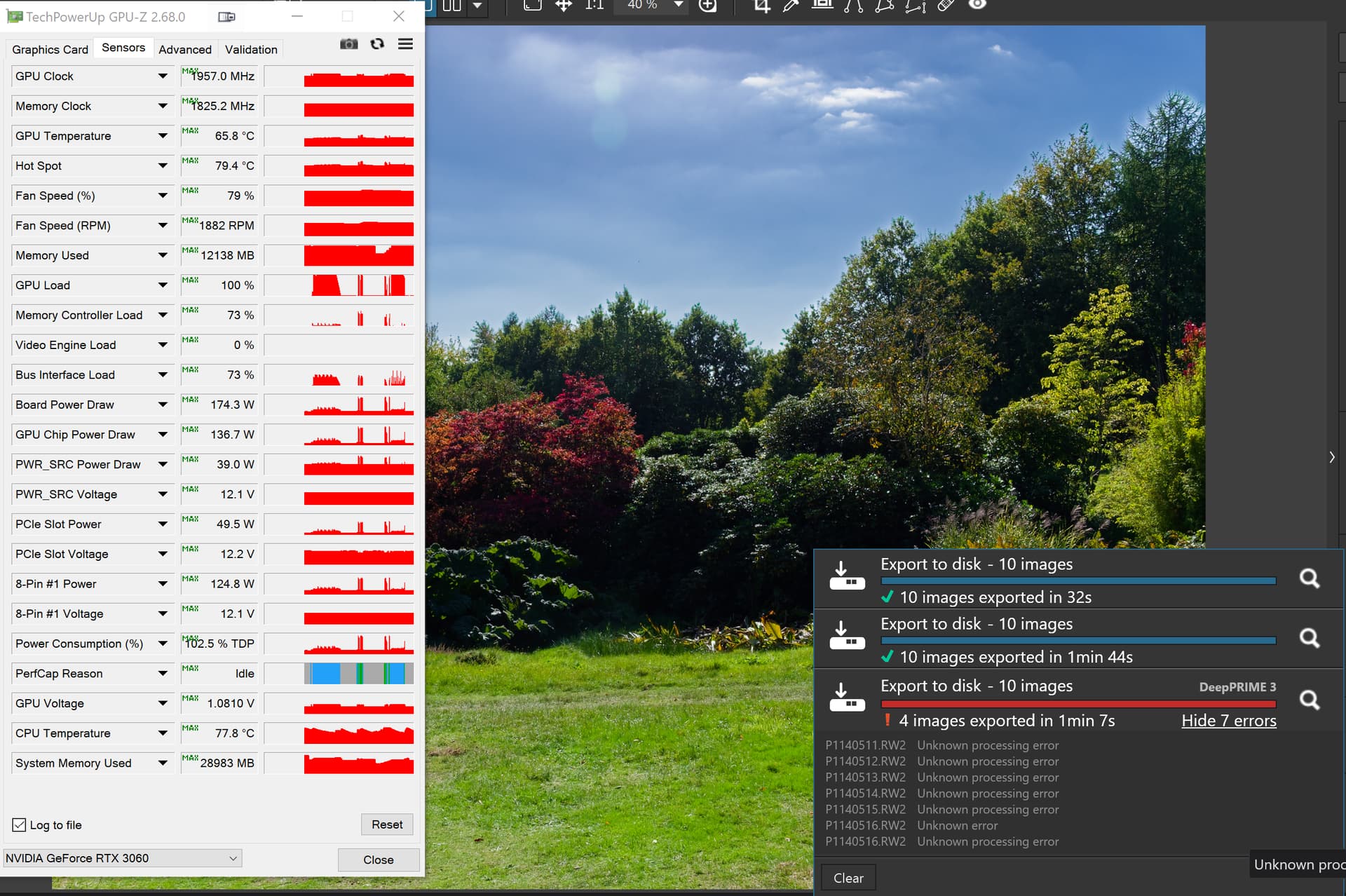
Latest drivers but it reflects my first tests with this new driver release when I had left the Export workers set at 6, just asking for trouble and PL91 obliged
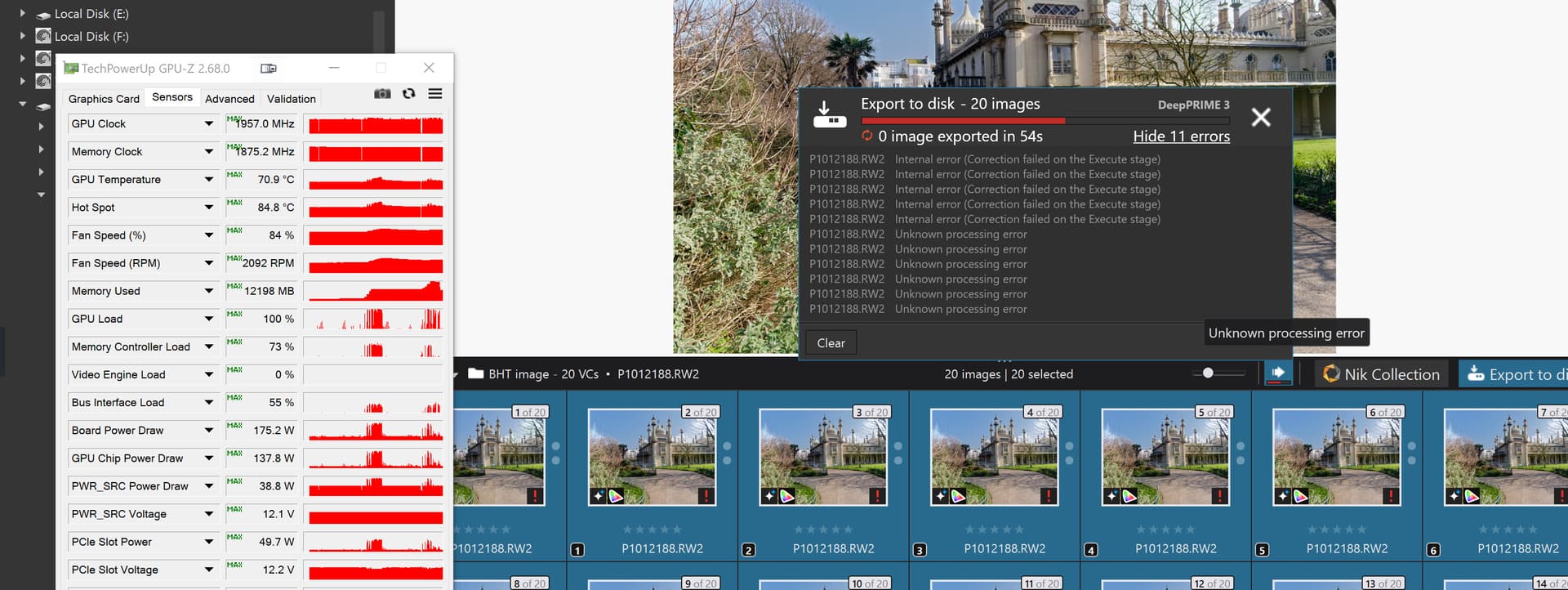
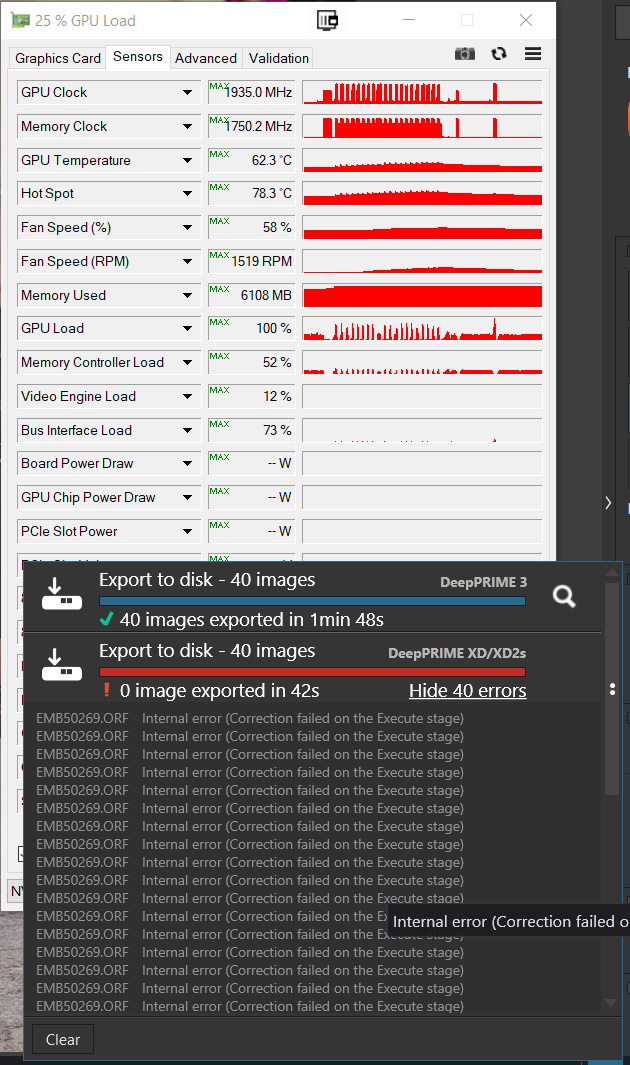
I then tackled one of @Allan’ images with 40 copies, having reset the export worker count back to 2, and it worked with DP3 set but I then changed that to XD2s and went into another test and it failed
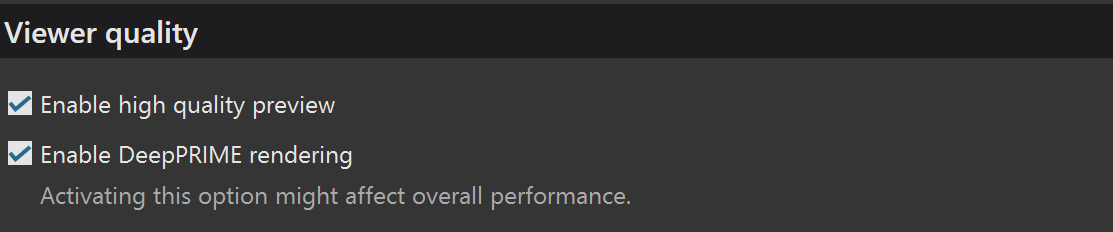
For the test I showed above of Autumn Colour and “Sky” presets that ultimately failed, just opening the directory and moving from image to image had the “Preview in progress” for each image, and yes I have both options selected
As a 3060(12GB) user I would say that the new drivers work when you are lucky but do not attempt one task followed by another followed by a … failure!!
Export with AI predefined masks is still non working (for example - sky AI mask). Export to JPG ends with an error. Other general AI masks are working (as before with older drivers).
Seems to be working here (RTX 4070) so far. Just quick tests, though.
Everything seems to work great now!
Windows 11 16GB RAM Nvidia RTX 3060 Ti 8 GB VRAM
It now works with predefined masks and even with high-res previews and Deep Prime 3 during exports. Exports seems to take around 22 sec per picture with that setup.
With the same predefined AI-masks but without high-res and Deep Prime 3 it took around 15 sec.
It now also work to use these AI-predefined masks and copy them and applying them with Copy Correction Settings and Paste Correcting settings in order då let AI apply those masks from the master copy even to the other destination pictures.
So I haven´t so far seen any problems at all.
Nvidia has, as already have been flagged, added the line below under “Fixed application bugs” in the release info for driver version 581.57 for RTX 3060 Ti from 14th of October.
- DxO Photolab 9: Stability issues when using the AI masks [5475130]
So, for now I´m totally happy with how it works.
3 Likes
It looks like the 3060 Ti 8GB has a little bit better performance than the 3060 12GB GPU. The 3060 is just on the edge what it looks. Maybe they will optimize the code even a bit more a little later so even that card will work properly.
I am glad that you and I spoke privately regarding these issues the week after PhotoLab 9 was released. Your voice has been one of the few thoughtful and clear headed ones in the weeks that followed as poster after poster blamed and condemned DxO as solely responsible for the AI masking issues.
I had said from the beginning that this was a joint issue between DxO and Nvidia and those affected would need to patient as it was resolved by them. We quickly got a partial work around by using older Nvidia drivers, and two updates to PhotoLab, before the release of Nvidia’s latest driver. Still the anger against DxO grew on this site. Although, this new driver is a big step, there is still more finetuning to be done.
Nvidia has acknowledged the issues caused by their drivers. It is a vindication for those of us trying to add reason to a discussion mostly controlled by angry users looking to place blame and unwilling to exercise a little patience while the main AI mask issues were being resolved.
Mark
1 Like
Me too @mwsilvers! The problems with all these people that do NOT READ but just writes in frustration still after we had sorted some of these problems with work around example was that those work arounds drowned in a flood of unconstructive buzz.
First I was pretty pissed off too but I always tries to find a workaround if there is one - and there was one while we waited and that was fine during the waiting for DXO and Nvidia to sort this.
There is no more complex environment than Windows since it is so open for all the markets “peripherals” and extra equipment of all sorts which also means drivers of all sorts and all sorts of different quality. There have always been driver problems even since we used Windows on top of MS-DOS in machines where we only had 1 Megabyte - 640Kb accessible for drivers. THAT was a REAL challenge. I worked in a distributors support then and that was a real challenge and no times for smiles it was a frozen hell really. The IBM PS/2 machines were even worse since they had even less memory available for external drivers. We had a thick paper with all their exceptions too.
It was first after Windows 3 was released that changed because it was the first version that could handle all the RAM in the machines. Still problems though because “Plug and Play” that Mac have had for long arrived to Windows a lot later and in Windows we didn´t really get a proper support for ICC-color profiles before Windows 7 and that took a looooong time to happen and it was really than Windows could be a proper alternative to Mac even for photographers.
I´m really happy Nvidia finally fixed the problems. I was a bit surprised though because I really thought too that DXO was the main source of these problems. So, let that be a lesson for us all too. Maybe the biggest part of these problems really was Nividia after all and not DXO.
As I have said before too: Of some reason people always tends to expect nothing else than 100% of software workers and computer software, despite everything else (including outselves sad to say) in this sub 100% fucked up world is far from 100%.
Thanks for your help and helpful testing!
2 Likes