If this is the case, no version of PhotoLab has ever closed successfully on my Mac(s). Maybe this is due to some background code that never terminates?
Database backups are free of those sidecars though.
If this is the case, no version of PhotoLab has ever closed successfully on my Mac(s). Maybe this is due to some background code that never terminates?
Database backups are free of those sidecars though.
With software, you pay for the right to use the software and accept whatever is thrown at you. Check the EULA.
@platypus If that is true on Macs then I am sorry if I was apparently spreading false rumours but for all versions of PhotoLab on my various PCs those two files are always absent when PhotoLab has terminated successfully (UPDATE - not any more it appears.)
If they are still there after PhotoLab has closed (successfully) it typically means I have been using “DB Browser for SQLite” and/or “SQLiteStudio” to “peek and/or poke” into the PhotoLab database and they are still running!
Please see UPDATE below.
The biggest issue if PhotoLab terminates prematurely is the state of the DOPs. As you are well aware, because we have discussed it more than once in the past, the writing of DOPs is typically batched and, consequentially, delayed.
In my experience the potential delay seems to have increased somewhat but providing nothing untoward happens, certainly before the coming of PL9, then they will be written and any pending writes will be completed before PhotoLab terminates normally.
You are correct but I was referring to user backups, i.e. copy the database to a secure location with or without a new backup name, rather than backups done via PhotoLab, which will not contain those adjunct files, and although I was being excessively cautious in my post above I am not convinced they are needed but
UPDATE:-
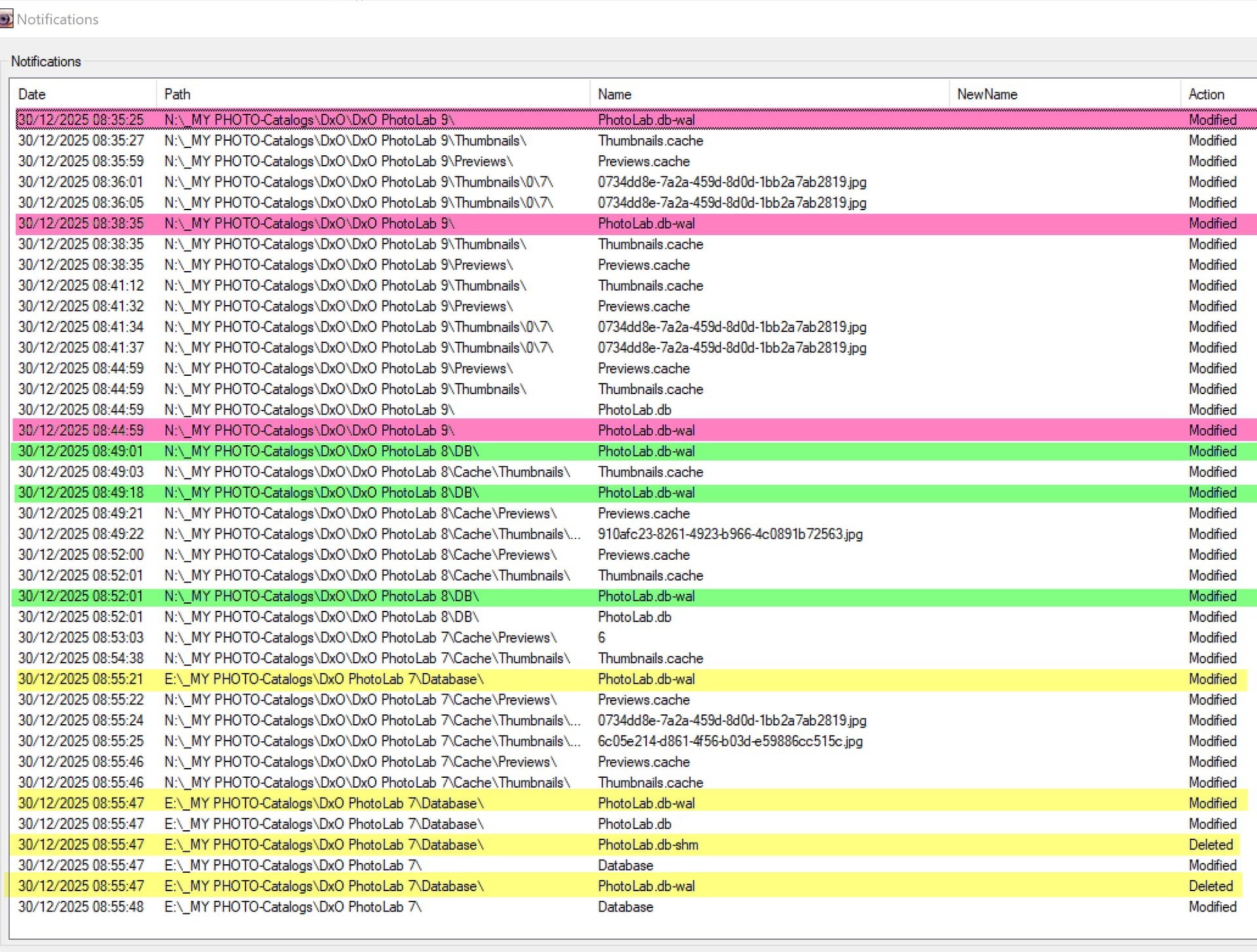
@platypus I decided to check your comments about the -wal and -sbm files not being removed so I tested PL9 with ‘FolderMonitor’ running (and by reviewing the directories) and on PL9 I got no wal removal after an ‘Exit’? The PL9 tests were abnormal termination and then ‘Exit’.
So I tried with the latest version of PL8 with ‘Exit’ only and again no deletion of those files.
I then tested PL7, the database sits on a different drive from PL8 and PL9 so I missed tracking the initial creation event for those files but added the E:\ drive to the monitoring list and captured the deletions!
So I was correct but not since PL7 it appears, so my apologies for not checking before posting!
FolderMonitor 2025-12-30.txt (10.3 KB)
PS:- Opening and closing the database in either “DB Browser for SQLite” or “SQLiteStudio” opens the database and creates/opens the -wal and -shm files and closes and deletes both those files, if it is the last program using the database. This is the same behaviour that PL7 exhibits but PL8 and PL9 leave those files intact!?
It might be more honest to put that in the strap line, something like : “Probably the best photo editing software in the world, but if not, carnage. But we’ve got your money so tough”. Something like that?
Because something is legal, it doesn’t make it right. Because of the dominance of American software companies (they have a virtual monopoly in so many area) they have designed all software law hand in hand with the American government. This is the way that they have for years hidden behind their legal small print, because they helped design it.
Because of this nothing changes. We still see the same mistakes, Win98 still loads faster than Win11, and the customer still gets a vastly underwhelming experience. It is the reason that so few people buy software any more. The software industry is kept afloat by corporates that pay through the nose, but can afford to do so.
What I love is the way that they delivered change that was not asked for and it appears isn’t that well received. It seems they read the room badly. Just because other applications have AI masking, it doesn’t mean that we all want it. It’s like buying a Ferrari, to find that it has a built in tow bar for towing your caravan.
I have no confidence that the performance issues will be resolved because DxO’s minimum requirements were set too low in the beginning. But the softness of DeepPRIME XD3 X-Trans (compared to DeepPRIME XD) will never be resolved. A Fuji specific 2upgrade that degrades your photos is truly unbelievable.
Like car companies. Ford had the Mondeo, Mercedes had the SLK, BMW had the M series, Lightroom Classic - DxO had PL7. In the future you’ll find obscure sites that have a download of PL7 like a mythical creature - I suspect it will be the last great Photolab, and that is sad.
@Gareth Personally I want “Sky” masking, in particular, albeit one that finds all the sky elements no matter where they are hiding, but many PhotoLab users have stated, in the past, a hope that PhotoLab doesn’t go down that path.
However, a lot of users seem to have tried the capability and the complaints are not about its existence but rather about its reliability and, as in my case, its ability to mask completely and correctly.
Hopefully the accuracy can be improved but the reliability and the potential demands it places on existing hardware are an ongoing problem.
Your Ferrari with a tow bar analogy is wrong. Users can simply ignore AI masking and continue to use the product as if it doesn’t exist, whether that makes the upgrade less appealing or not depends on the user.
With respect to the XD3-X softness compared to PL7, that issue has been present since XD2s was introduced with PL8, better noise reduction but, potentially, at the price of sharpness.
According to my tests (unpublished and not appropriate for this topic) XD2s may well have become even worse with PL9 , i.e. has the XD2s algorithm (AI model) changed between PL8 and PL9 (possibly even between the latest release of PL8 versus earlier PL8 releases)!?
@Gareth But I do try to justify my criticisms of PhotoLab and DxO with concrete testing and excruciatingly boring descriptions of those tests in the forum, and if it takes a long time to read my posts it takes a lot longer to prepare them.
I suggest ot use my previous SQL script. Works under Windows. It’s with simple Database Folder update so the thing. Advantage: not need to “visit” folders one-by-one, All folder still registered in database. And also all Project works, all ‘Cache’ folder existing thumbnail and preview work history keepd,
Off course, if just few folder moved, its may less interesting, but for 100’s of folders with tons of photos is can be quite nice.
Happy new year! 
Szia Endre! Írtam fentebb egy SQL script-et ami átviszi a history-t is, meg mindent is. Bármi kérdés, írjál. Üdv: András. p.s.: BUÉK!
In that case, probably best to use a Luminosity Mask - - tho, admittedly, for that capability you’ll need a Film Pack license.
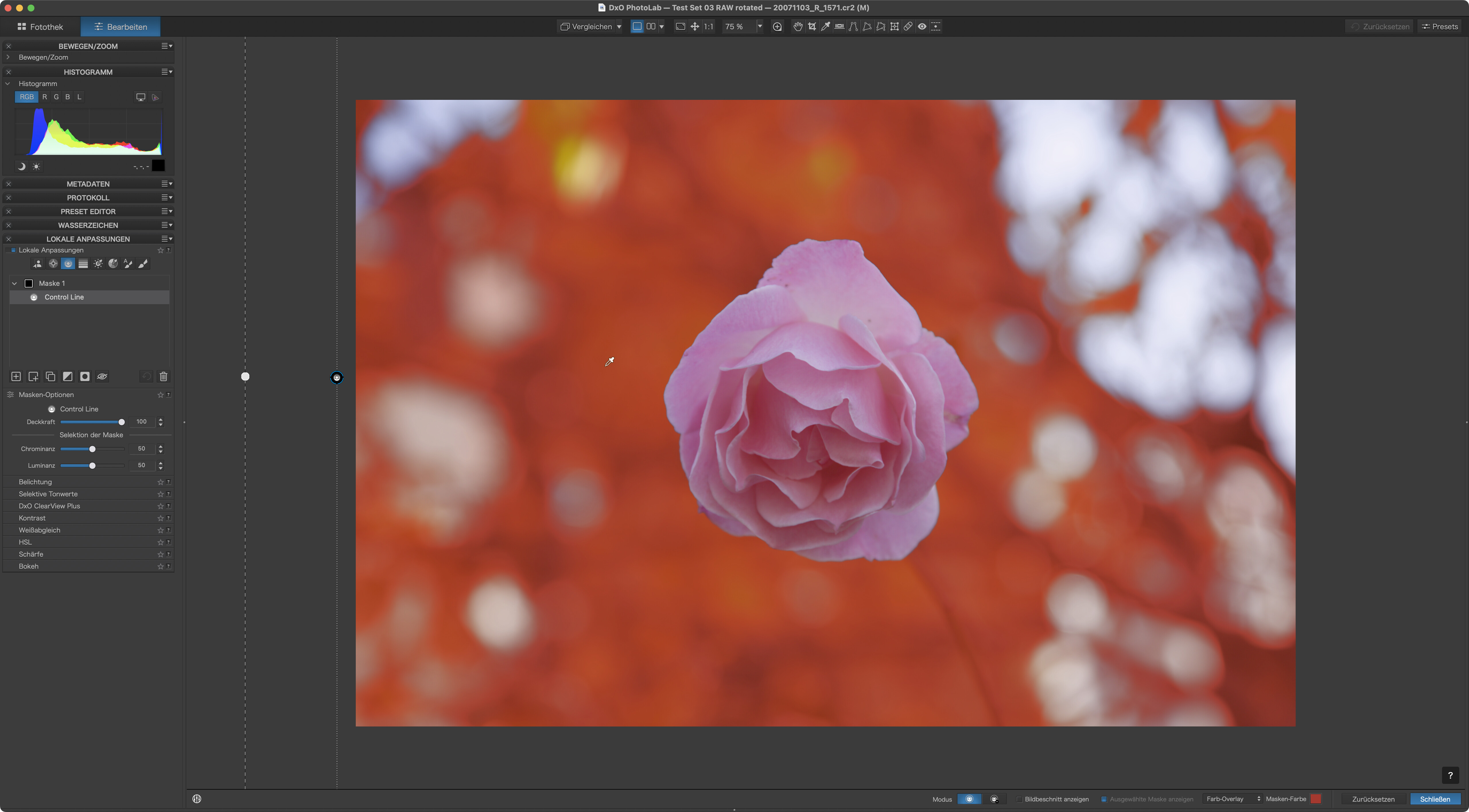
Let’s not forget the good old control line mask. No further licenses required.
…but it doesn’t help to move images to an external drive 
Depend. Usually its ‘setup once’ for existing usb stuffs.
Can be nice if Card reader provide 12 drive letter - may not a bad idea ‘fix’ them to drive letters start from ‘M’. Some people like to assign ‘Travel’ USB drive to drive letter: ‘T’ and so on. Also can be nice if someone do some backup/copy scripts.
I don’t think it’s a good idea to move to an external drive.
Yep.
Its also depend on workflow and budget. Example: my ‘travel notebook’ is ancient, very small storage - so external drive is a must - and no budget to replace the ‘travel notebook’ for new one. Of course after i come back home, i copy the content to local drive. Not uncommon if someone travel a lot than the external USB drive is the ‘Main drive’.
To my knowledge - that’s never happened me on any of my Intel or Mx Mac’s running a released version of PL.
It’s must be a local problem on your machine.
…the .shm and .wal db-”sidecars” have been there on any macOS and Mac hardware, no matter how I terminated PhotoLab. That’s about 10 years on several Macs and OS releases.
Even if I reset e.g. my MacBook Air to factory firmware and install PL from scratch, the files will be there. If that should be a problem, it looks like PL doesn’t delete the files on exit.
@Joanna , have you ever had the DB without its sidecars after ending PL with command-Q?
You are so confident in your statement “It’s must be a local problem on your machine” - do you regularly check the folder that contains these files? Many Mac users don’t even know how to get into the Library folder.
On my Mac I’ve always the 3 database files, PL running or not, and this for every version since v1.
I guess I misunderstood your wording. 
I understand it as your PL never properly closed successfully as in quit.
The db files are always there for me as well and have always stayed after PL is being shutdown.
The whole lot just says: I always have the DB and its shm and wal “sidecars”. If the latter should be absent when PL is closing…it means that PL never closed on myMacs.
Other than that: I’ve deleted the DB sidecars and PL was still delivering … which means that the presence or absence of the sidecars does not seem to matter as long as PL is NOT running when the sidecars are put in the bin.
As for moving: to make sure that all files have their dop-files, I tweak a backup of the DB and restore the tweaked backup. And as soon as indexing has finished, all dop files will be on the drive - iff PL is set to automatically export sidecars.
Indexing the full archive is currently a lot faster on my (5k, 2019) Intel iMac:
PL 8.4 build 1 was provided by DxO for testing and due to a ticket I had opened. As a prerelease, build 1 has not been published. The published release is labeled build 37.
Updating the apps to their current official releases slowed down indexing and all releases now take about 22 minutes. Too bad.
Note that I tested several runs to verify. Times differ slightly when scanning the archive with/without sidecars.
Szia András !
Örülök, hogy van itt még egy magyar. Ha magyarul akarunk eszmét cserélni, inkább az email formát javaslom, hogy ne zavarjuk a fórum alapvető nyelvi környezetét.
I’m glad that here is another Hungarian. If we want to exchange ideas in Hungarian, I recommend the email format instead of, so as not to disturb the basic linguistic environment of the forum.
@Bencsi you should remove your email address from your post asap. Unless you don’t mind it being harvested by less than friendly bots and used to send you spam.
Thanks for your advice. As you can see, my intention was to change the communication language with another Hungarian member only. I hope, it will not generate too much span in some days. After I will delete it.
Endre
Rather than make your email address public, you can use the Private Messaging System of this forum to have one-to-one (or group) conversations with specific members of the forum. Click on the person’s name and then on the big blue ‘message’ button.