I’m a bit late to the party, but I’ll try to clarify a few things.
Correct, you can combine positive and negative Control points, Autobrushes and Brushes within the same submask.
For better illustration, I refer to them as a “pair” since they are treated as such!
When you “Add” 1 Point and “Protect” second, then invert the mask twice then you do not end up in the same place as you started - The 2 point will be “Add” as well instead of “Protect”
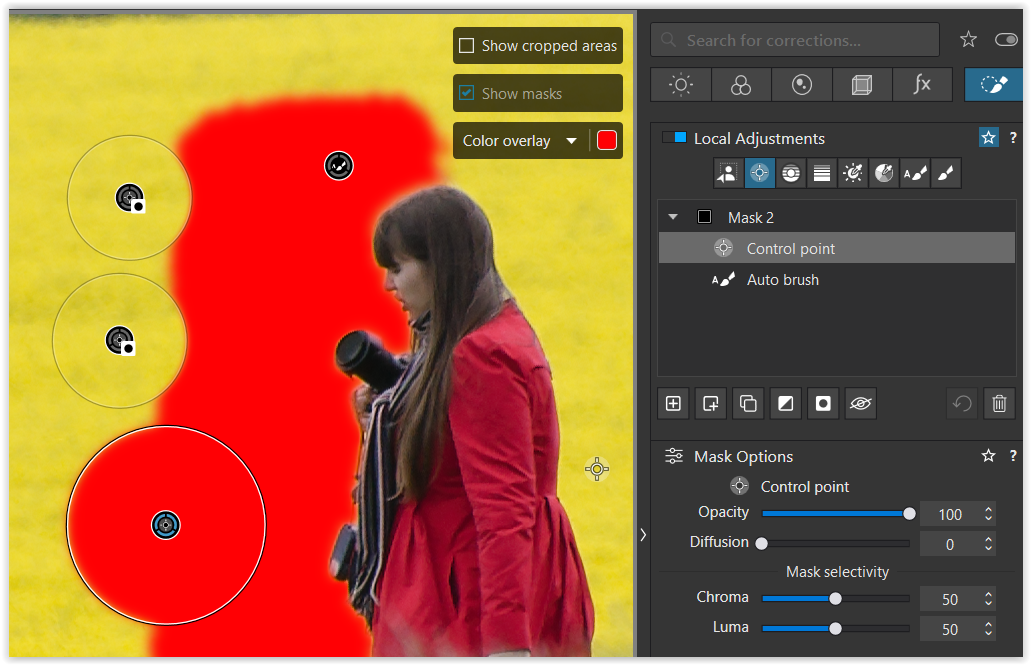
While holding down the < ALT > key I added a second (smaller) Control point to subtract from the first selection, indicated by the → “Invert shape” gizmo.
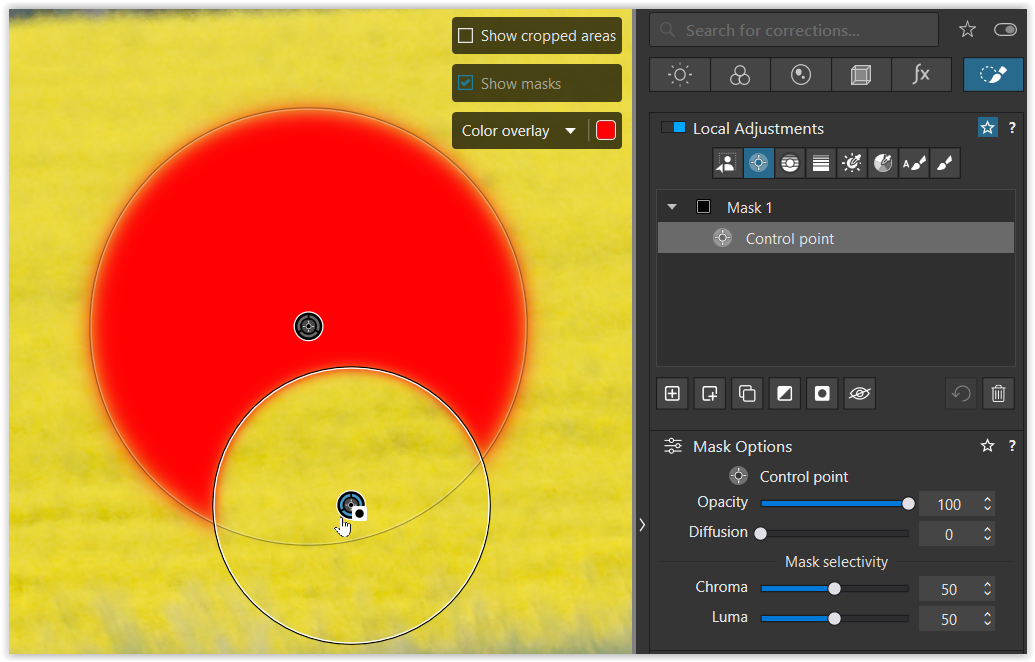
Clicking “Invert shape” does not deactivate the last action here,
but rather inverts both selections that are treated as a “pair”.
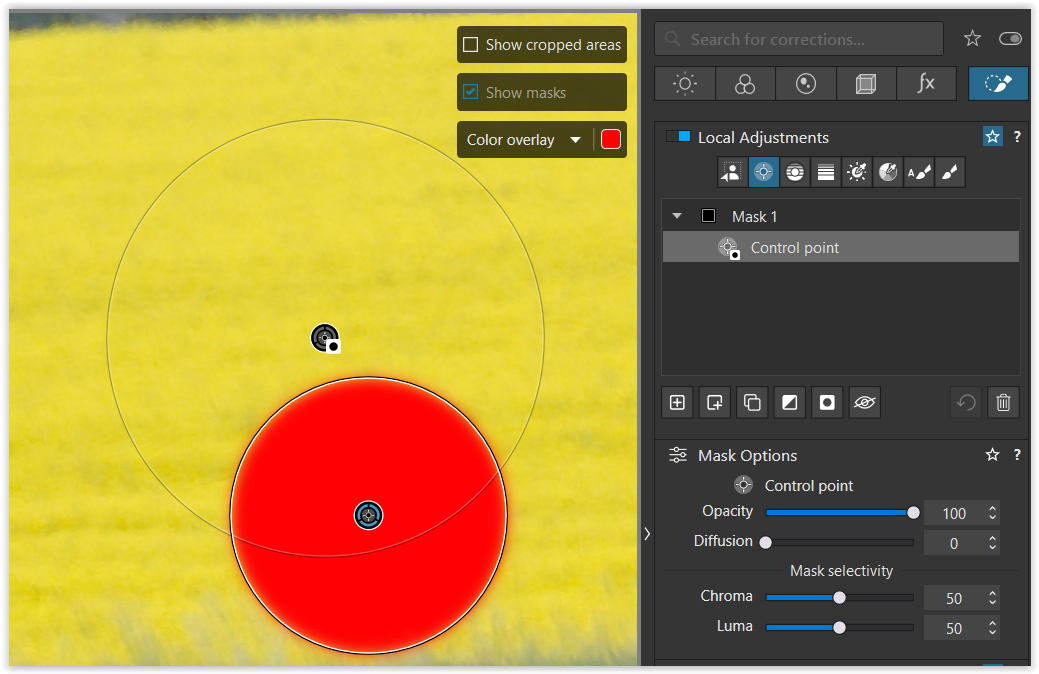
To check the “pairing,” disable its visibility
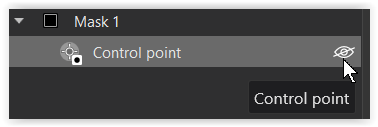
and it will deactivate both CPs.

Previously, we corrected a mask/selection directly.
Since DxO introduced dedicated submasks, both methods can be used for Control points, Autobrush and Brush. – But submasks are used to correct selections made with AI, Control lines, Graduated filters, Luminosity and Hue masks – and for “cross-corrections”.
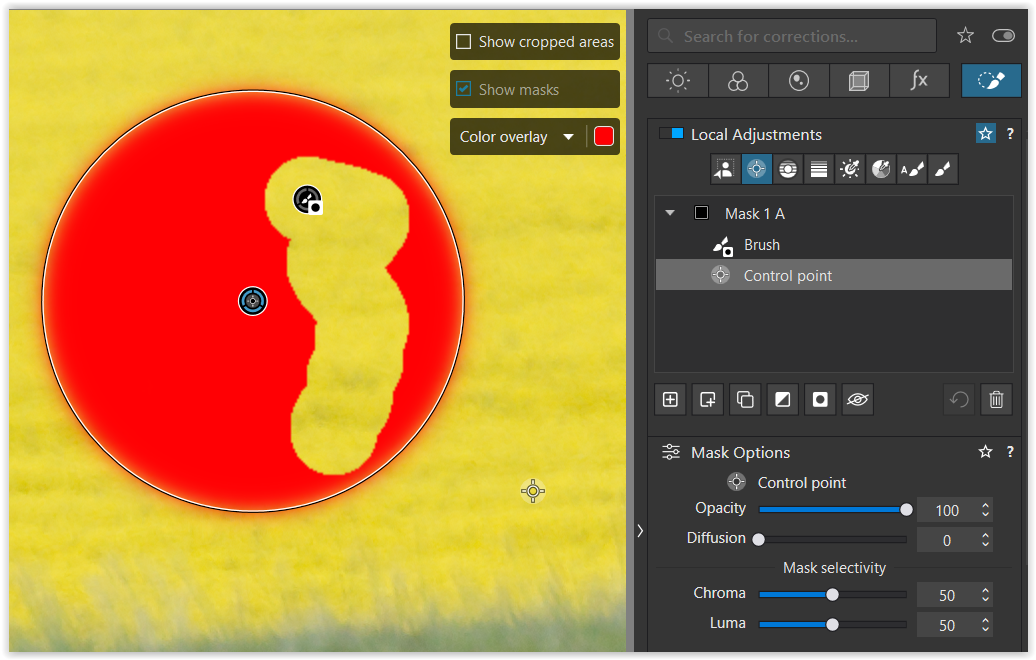
Submasks with the “Invert Shape” function must remain above the mask to be corrected.
.
@John-M
I’m seeing something along a similar line, with Control-points;
- I create a sub-mask - say, a selection using Auto-brush
– and I make a slider adjustment - say, a tweak to WB-Temp- I next add another sub-mask, in this case using a Control-point to select a part of the selection made by the Auto-brush
– I apply “Invert shape” to the Control-point
– for the sub-parts selected by the Control-point, this cancels out the change to WB-Temp that was applied via the Auto-brush … As expected.- Then, I click on the original Control-point and I add some more Control-points to the area selected by the Auto-brush
– BUT, these areas (selected by the additional Control-points) are NOT cancelled out.
Your observation is almost correct…
At first glance, the two smaller (positive) control points appear to incorrectly enlarge the originally selected area (Autobrush). – But they belong to the “Control point” sub-mask and are “paired” with the first control point.

- Now, if I reset the “Invert shape” status on the Control-point sub-mask (that is, with “Invert shape” switched OFF) then the opposite applies !!
– Areas selected by the additional Control-points ARE now cancelled out - - but the area selected by the original C-P is not.
No, “Invert Shape” doesn’t get deactivated / switched OFF here. – Actually, the “paired” Control points are inverted. The first (larger) Control point becomes positive and adds to the selection, while the two smaller ones subtract from it.
.
I think this is a bug because it makes no sense how it works.
[ … ]
So creating sub-CPs does not take into account the fact the original CP has been inverted.
Hmm, no. While it can be irritating, I wouldn’t call it a “bug”.
[ If you create a CP with one or more additional CP sub-masks and then Invert Shape it works as you would expect with all CPs working in unison. ]
That’s correct. The Control points are all “paired”.


.
Another strange behaviour: If you create a CP with one or more sub-CPs and then Invert Mask on the CP, only the sub-CPs seem to be active.
Control points in separate submasks are no more “paired” and behave individually.


.
Additionally, if the CPs are in a separate Mask group then they appear to work properly.
Just like before, as soon they are no more “paired”, they behave individually.

.
Hope, that’s understandable.