Hi there,
I am not unhappy with the performance of my GPU (RTX 3060 12GB), but curious if a more potent one really would result in better performance.
My thought:
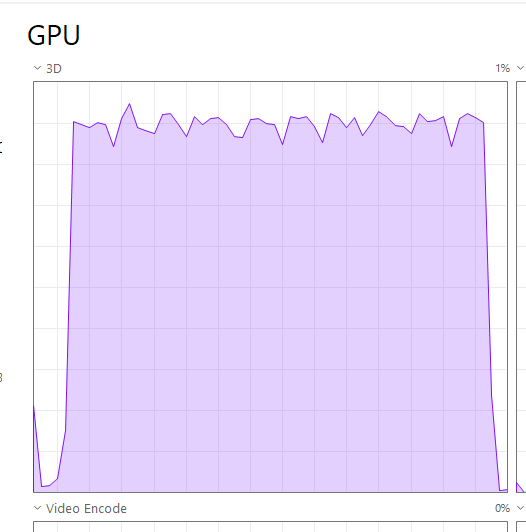
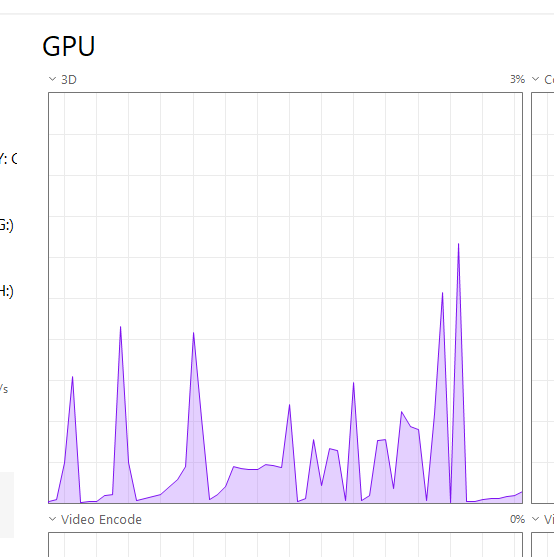
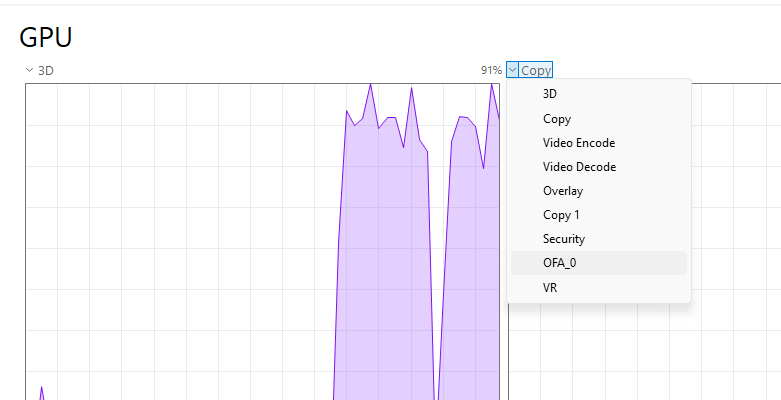
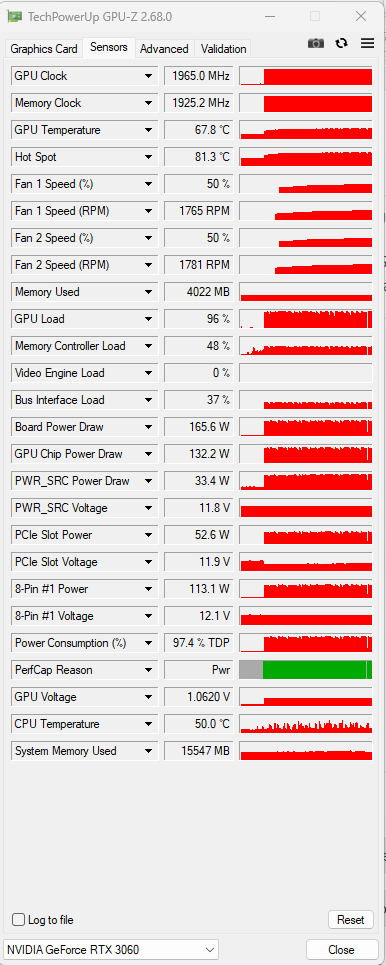
I cannot utilize my GPU to 100%. It’s close when I export .raf with DP XD3 (1. Pic), but it’s much less, when just edit or use the loupe tool or AI or such (2. Pic)
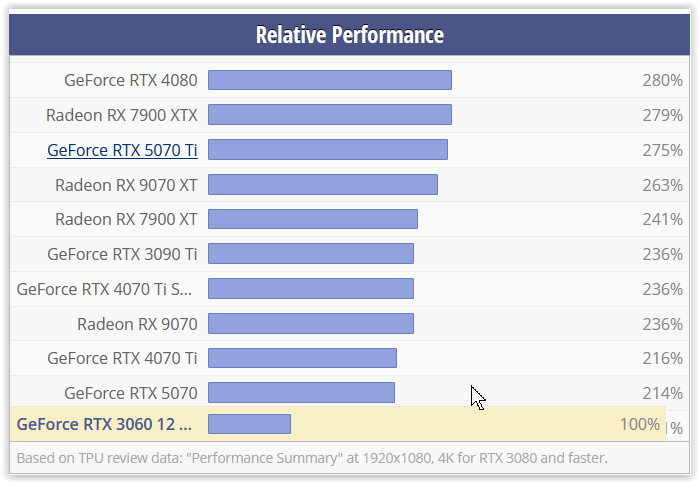
So, would a more powerfull GPU. like a RTX 5070, result in any performance advantages?
Or would the spikes in the taskmanger just become shorter, because PL9 can’t make use of the more powerfull GPU?
Which is mostly normal. With DeepPRIME3 you would typically get much lower GPU usage than with XD2s or XD3. You may increase number of export threads from the default 2 to 3 when using DP3, but at the risk of exports becoming unstable. Some parts of processing require to be run on a single logical CPU, so it’s impossible to get 100% load all of the time. Efficiency depends much on NVIDIA driver and some Windows code, which manage GPU “kernels” execution. Don’t worry about it.
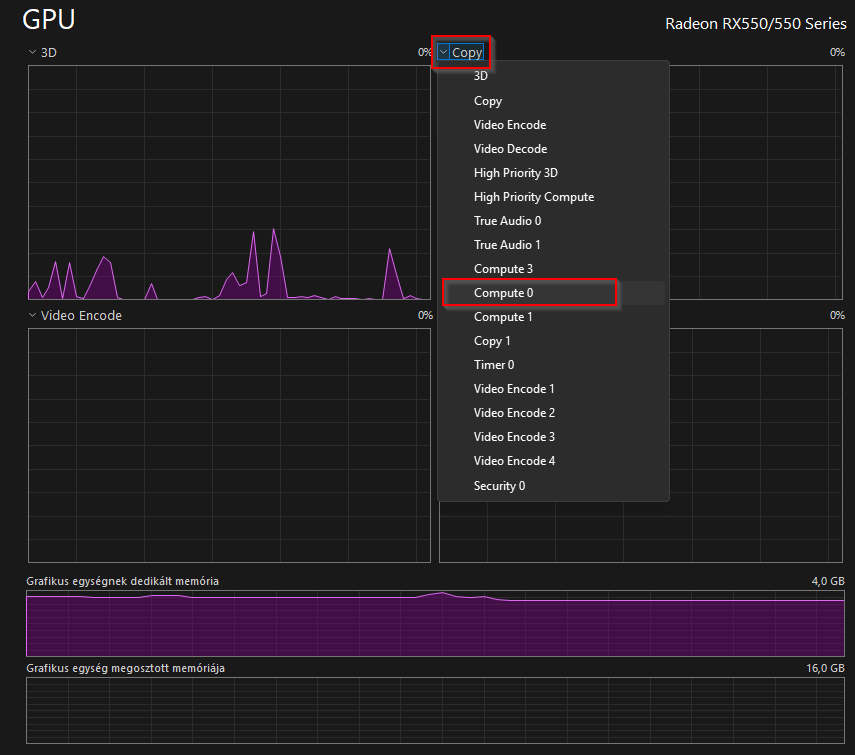
So maybe NVIDIA does not register engines with ‘Compute’ name for 3060? Maybe it has something to do with Win version? I’m using the same driver with RTX 4070, Win11 24H2 26100.7462 and I can see Compute_0 and Compute_1 (in my case the busy one) engines in TaskManager, performance counters, etc. Strange.
Thanks so far. But ist there an answer to my question?
It try to find out, if it makes sense to invest in more modern card. What could/would be the real world benefits to me?
Faster export probably? Anything else?
Probably less delay between shots when reviewing - that was the major reason I upgraded my ancient PC - and that’s with v8 which does not do a lot of the things that v9 does before putting a photo in front of you.
Hi!
Recently, I switched from an RTX 1060 Ti 8GB graphics card to an RTX 5060 Ti 16GB, using DxO PhotoLab 9 with both cards. I experienced approximately a 4–5× speed increase when exporting the same images with multiple AI masks and DeepPRIME XD / XD2s denoising enabled.
I would expect that in your case, using an RTX 5070 Ti, the processing time improvement would be around 7–10× (at least 6×) compared to an RTX 3060 Ti.
No. It’s 3x to 4x times faster than the 3060 12gb (non ti). I can’t compare with the 3060ti. But I guess double to trifold faster.
I think you wanted to write 1060ti in your last sentence?
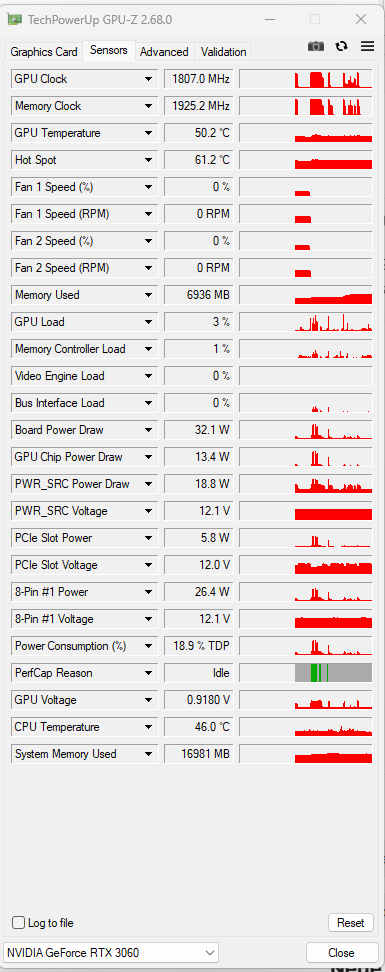
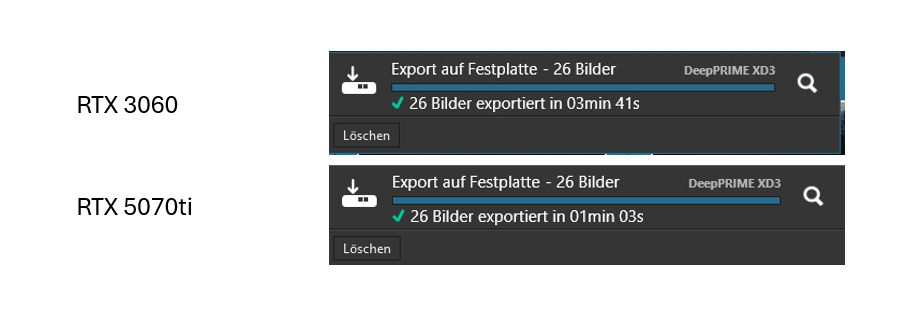
See the pic above:
3m21s to 1min03s for the export of the same set of pics.
I am sorry, I wrote wrong that I switched from RTX1060 Ti 8 GB. In fact I switched from RTX 3060 Ti 8GB. I meant the speed increase of image export was subjective not measured value. I think that amount of the GPU memory matters as well. It is only my observation. I am really satisfied with that.
PL does tell you how long an export takes / has taken. Click the fat arrow at the top of your PL image browser window. There’s a startup delay that seems to be added to the total so export at least a few images to get a closer per-image time. For instance exporting a single 45MP image on my PC takes 5 seconds but when I do 70+ and divide the number of seconds by the number of images it’s a bit under 2.5. I’d add that I’m using PL8 not 9 but I’d guess it’s the same UI there.
mwsilvers
(Mark - New Jersey, USA, Win10, RTX 4060, PL9, FP8, VP5, Nikon Zf )
16
That is because starting an export has some additional overhead time, so a single exported image takes more time per image than batched exported images which take less time switching between images.
On my old Windows 10 machine, with an added RTX 4060 card, my 24.5 mp Nikon raw files take 8 to 10 seconds when exporting a single file using DeepPRIME XD2s. When I export a batch of 20 of them they average 4.9 seconds per image. That is Twice as long as on your machine with larger raw files but it is still quite acceptable to me.
The additional starting overhead is not shown in UI. What @bobkoure observed is a result of parallel processing of two images (the default setting in Preferences), so for batches we get about half of the time required for each image separately (applies to Windows). On my machine XD2s processing of two 45mpx images in parallel saturates the GPU (RTX4070). For DP3 processing I can use 3-4 export threads but it becomes unstable sometimes, so I stay at default also for DP3, even though GPU and CPU are not saturated. Note also that processing time depends on the image, cropping, and other corrections used. The variance can be quite large.
EDIT: I should have been more precise. The time shown in UI does does not include the starting and initialization time of the DopCor process (DxO.PhotoLab.ProcessingCore.exe), but it includes some GPU programming overhead required for the first export using given DopCor instance.
mwsilvers
(Mark - New Jersey, USA, Win10, RTX 4060, PL9, FP8, VP5, Nikon Zf )
18
Whether I specify 2 or 4 in parallel the first image still takes 6 seconds for DP 3 and 8-10 seconds for XD2s. That is also the same amount of time it takes for the first image whether I am exporting a single image or a batch. From my perspective the first image of an export always takes additional time which I referred to as startup overhead.