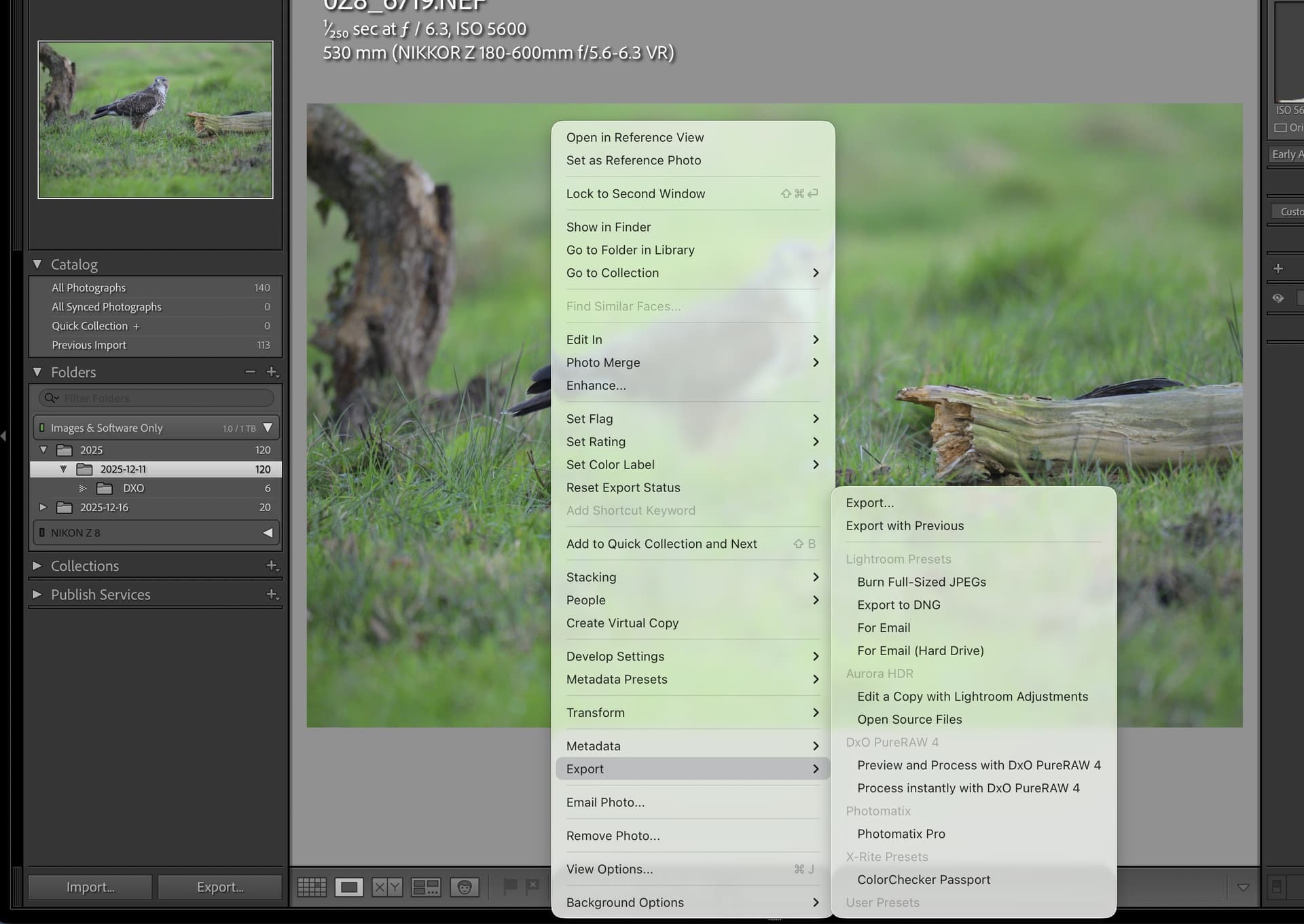
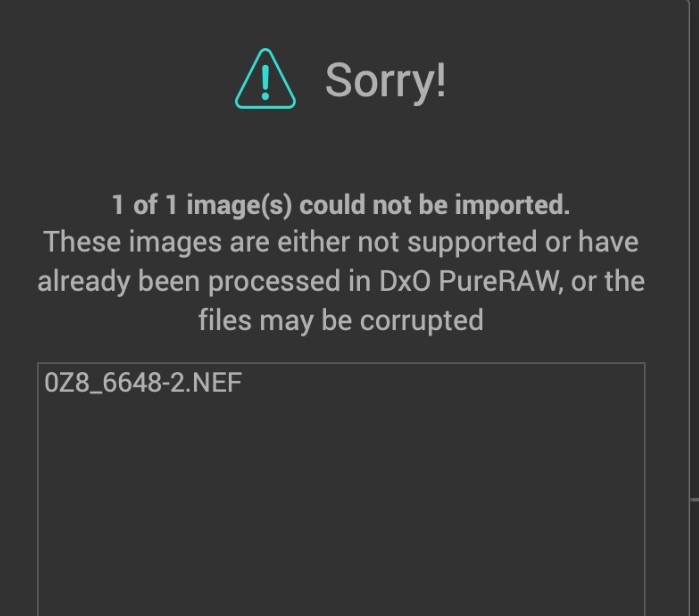
Hi, a little help please. I have used Lightroom for some time but no expert, for some reason when I try to send an image to DXO Pure Raw 4 it refuses the image/s saying format not recognized or image already processed with DXO, I have tried deleting my catalogs, also uninstalling everything I kind find to do with Lightroom Classic and uninstalling Lightroom, images are imported as RAW straight from card. Mac Mini M2 with latest updates for both Mac and Lightroom Classic, If I send an image direct from it’s folder it works as should. I see there was a similar problem back in March 2024 ( PureRaw 4 , Impossible open raw files from Lightroom Classic ) but could not find a definitive answer from DXO Labs. Thank you.
Welcime to the forum @Russ2
There are two ways to send an image from Lightroom Classic to an external editor.
- Use the context menu (edit with) to send a copy as an RGB image
→ PuR will not do as expected - Use Lightroom’s module options to send the original, unedited RAW
→ PuR will open the image and let you customise it
Lightroom has this “Module Manager” menu item. Click on it and you’ll be able to see if the plugins of PuR are present and active. If that’s not the case, come back here.
Hi, Thankyou for the advise.
I went down the road of the previous article that I highlighted in OP, Opened an Image after going to folder in finder from lightroom menu, chose the one image to send to DXO after I closed DXO and returning to Lightroom I can now go FILE/PLUGIN EXTRAS/DXO to open any image from Lightroom.
Don’t no why Lightroom didn’t work this way in the first place. Russ.
Spoke to soon, when switch off computer on restart back to same problem 
Have sent request to DXO Labs
So after reporting the issue to DXO this is there response.
**
Rose** (Support & Assistance)
Dec 26, 2025, 5:39 AM GMT+1
Hello Russell,
Thank you very much for your detailed follow-up and for testing this so thoroughly. We also appreciate you sending the RAW files and sharing the results of your additional checks.
After reviewing your case and the files provided, we can confirm the following:
-
The behavior you are seeing in DxO PureRAW 4 is expected.
-
Nikon Z8 and Nikon Z6 III RAW files are not supported in DxO PureRAW 4, regardless of how the files are imported (directly from card, via Lightroom, Finder, or third-party software).
-
This is why PureRAW 4 reports “format not recognized or image already processed”.
-
DxO PureRAW 5 does support both cameras, which explains why the exact same files open and process correctly in the PR5 trial, as you observed.
Regarding your question about why the files may appear to work when exported from ON1 Photo RAW or accessed from certain folders: in those cases, the files are no longer treated as untouched native RAW files by PureRAW 4, which can lead to inconsistent behavior. However, this does not change the underlying limitation—PureRAW 4 cannot officially process RAW files from the Nikon Z8 or Z6 III.
In short, this issue is not related to macOS Tahoe, Lightroom, or file corruption. It is strictly a camera compatibility limitation in PureRAW 4. Camera and lens support only expands with new major versions of the software.
Thank you again for your patience, your detailed testing, and for sharing your findings with us.
Am I missing something here? The RAW files are not supported by the software!!!
Russ.
Yes, you are missing something…
Regarding your question about why the files may appear to work when exported from ON1 Photo RAW or accessed from certain folders: in those cases, the files are no longer treated as untouched native RAW files by PureRAW 4, which can lead to inconsistent behavior. **However, this does not change the underlying limitation—
PureRAW 4 cannot officially process RAW files from the Nikon Z8 or Z6 III
…but…
- DxO PureRAW 5 does support both cameras
I think that is fairly clear. You need to upgrade to Pure RAW 5
This is in contradiction with PR release notes, according to which Z8 is supported since PR3.3 (and so in PR4.any) and Z6III since PR3.15 and PR4.4.
Thank you for your reply however Nikon Z8 and Z6 iii NEF files are shown to work from DXO Pure Raw 3 and previously worked from Lightroom to my DXO Pure Raw 4 on my MAC system. Russ.
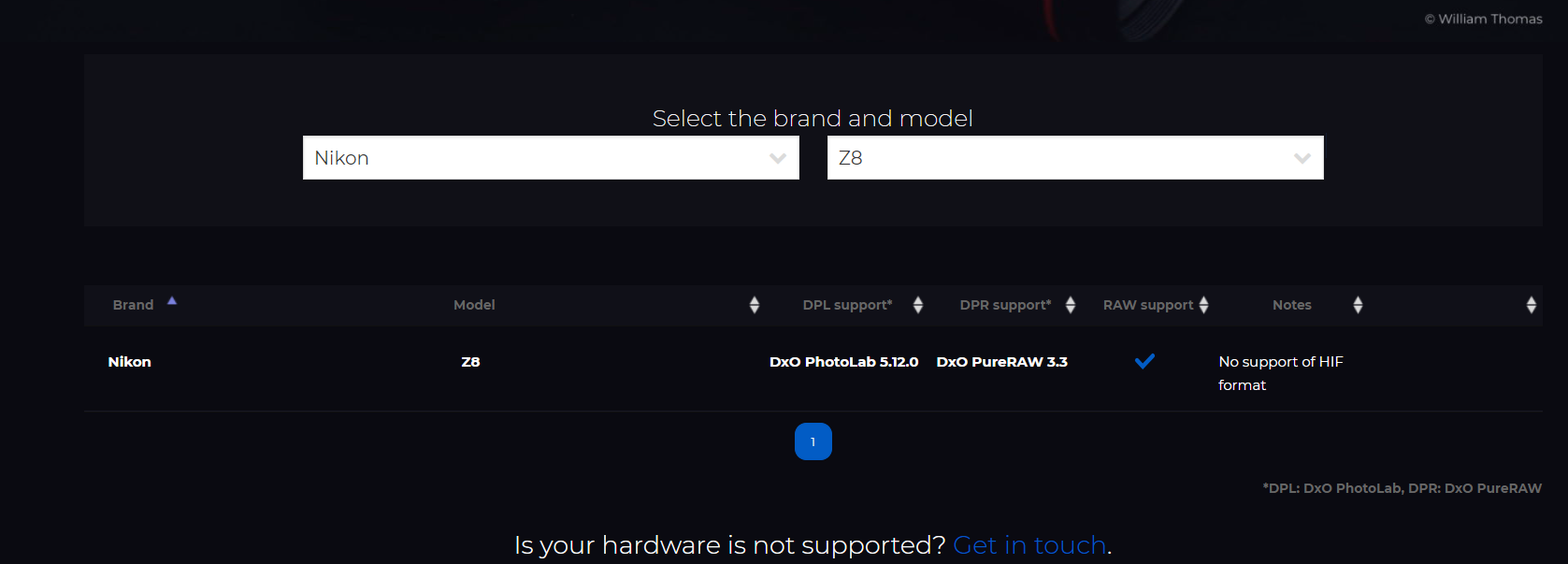
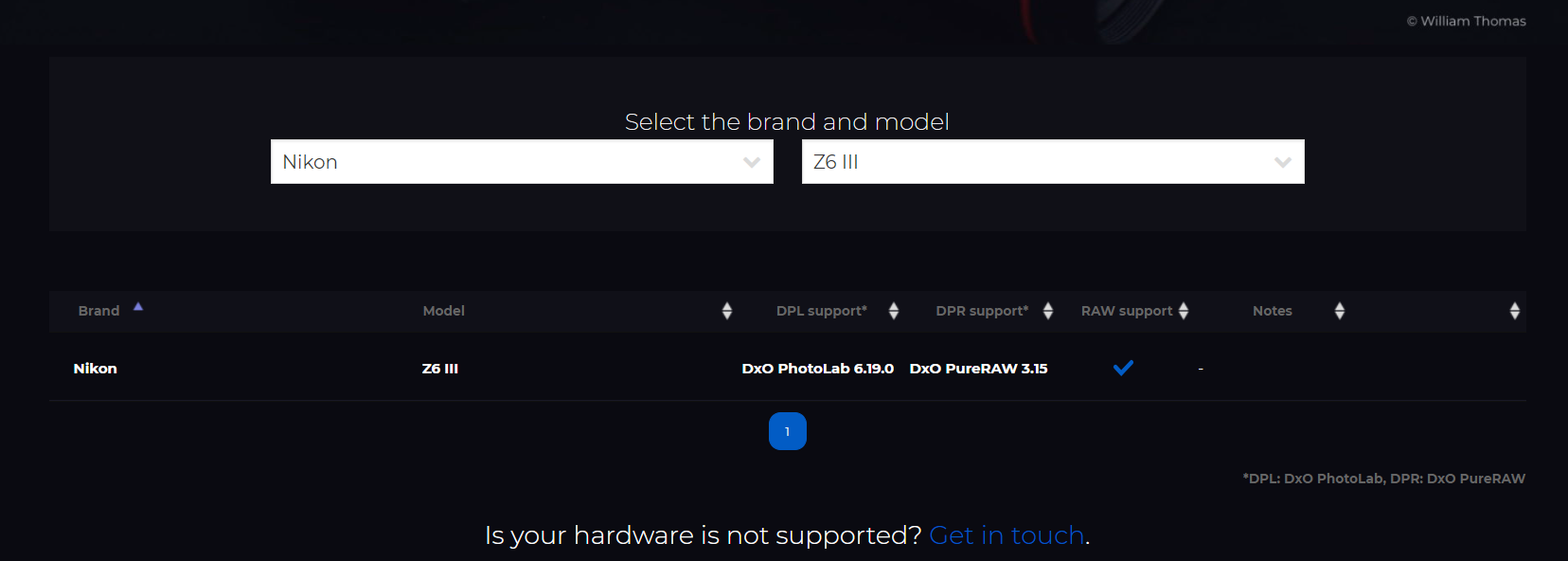
Thankyou for the confirmation I posted my reply seconds after you. Russ.
In which case, you need to re-contact support and send them a screenshot of that page. Somebody in support doesn’t know what somebody is talking about.
Either that or the module database has been messed up
Thank you already sent.
1 Like
Please see below:
Slide 1: Lrc 15.1 (Windows) but Mac should work in a similar fashion - Plug-in Extra - PR4 plug-in
Slide 2: DxO PR4.15.0 downloading optics module for a Nikon Z8
Slide 3: Nikon Z8 NEF Lossless compressed, about to be processed in PR4
Slide 4: Exported DxO DNG from Nikon Z8 NEF
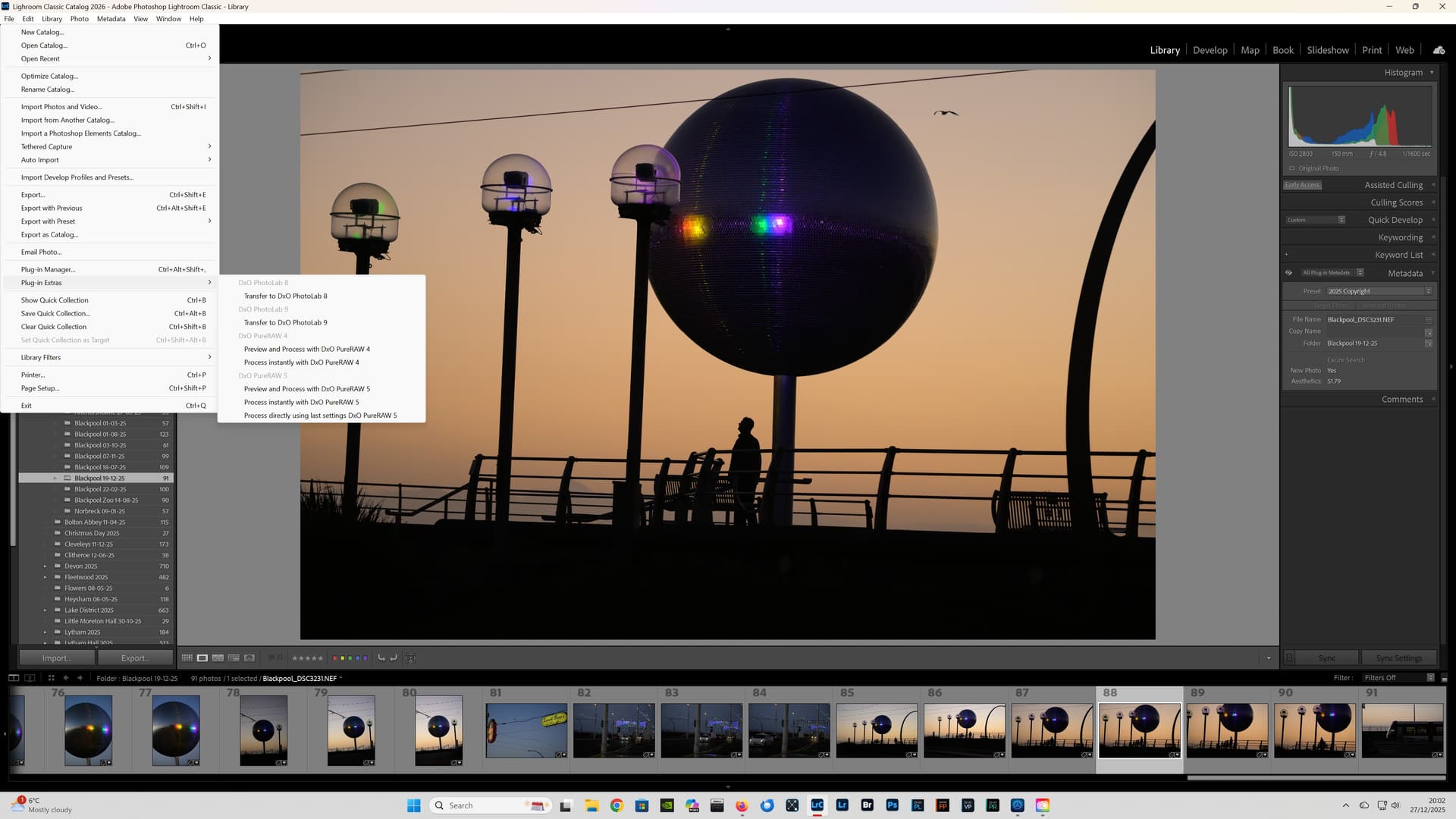

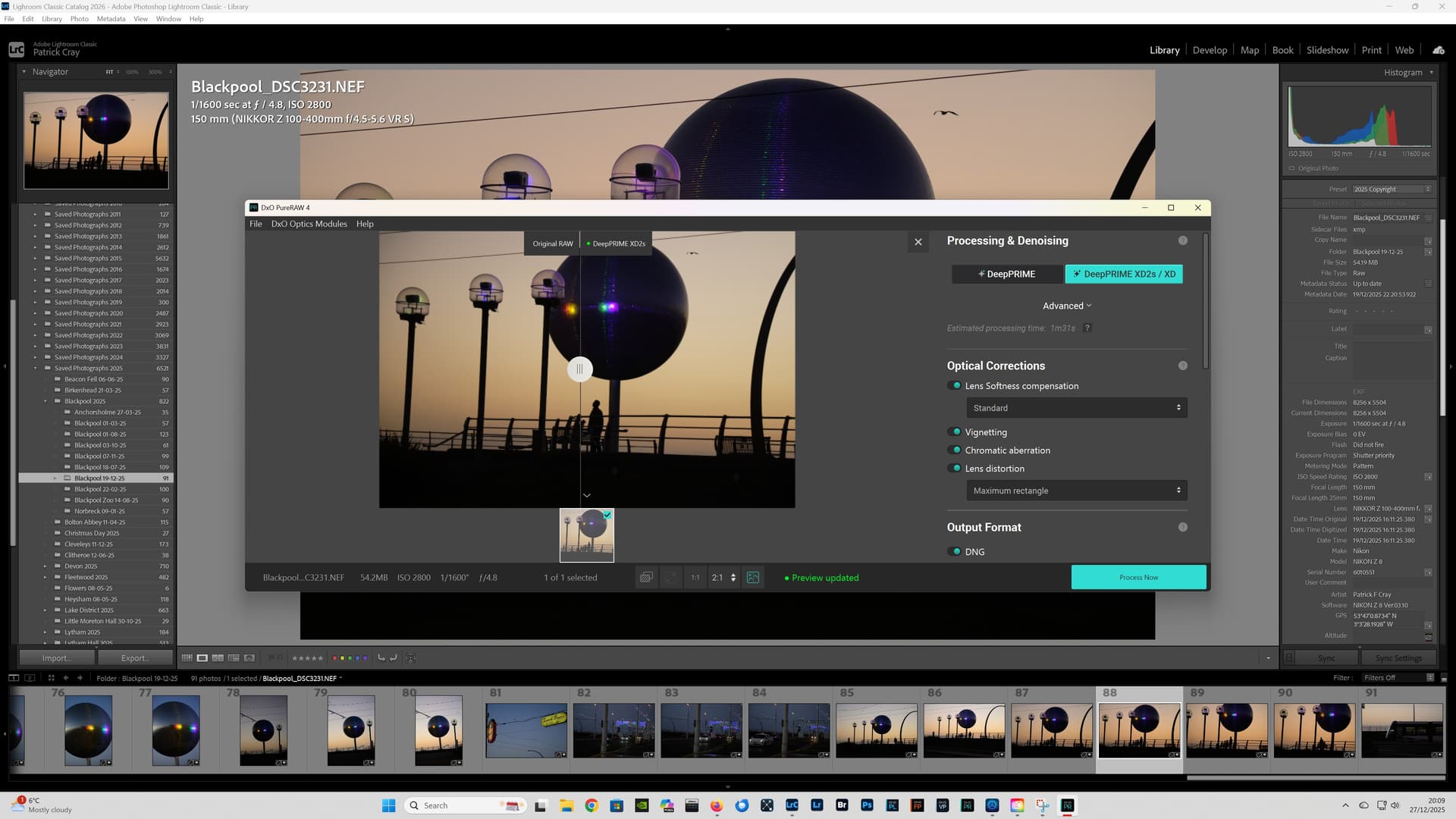
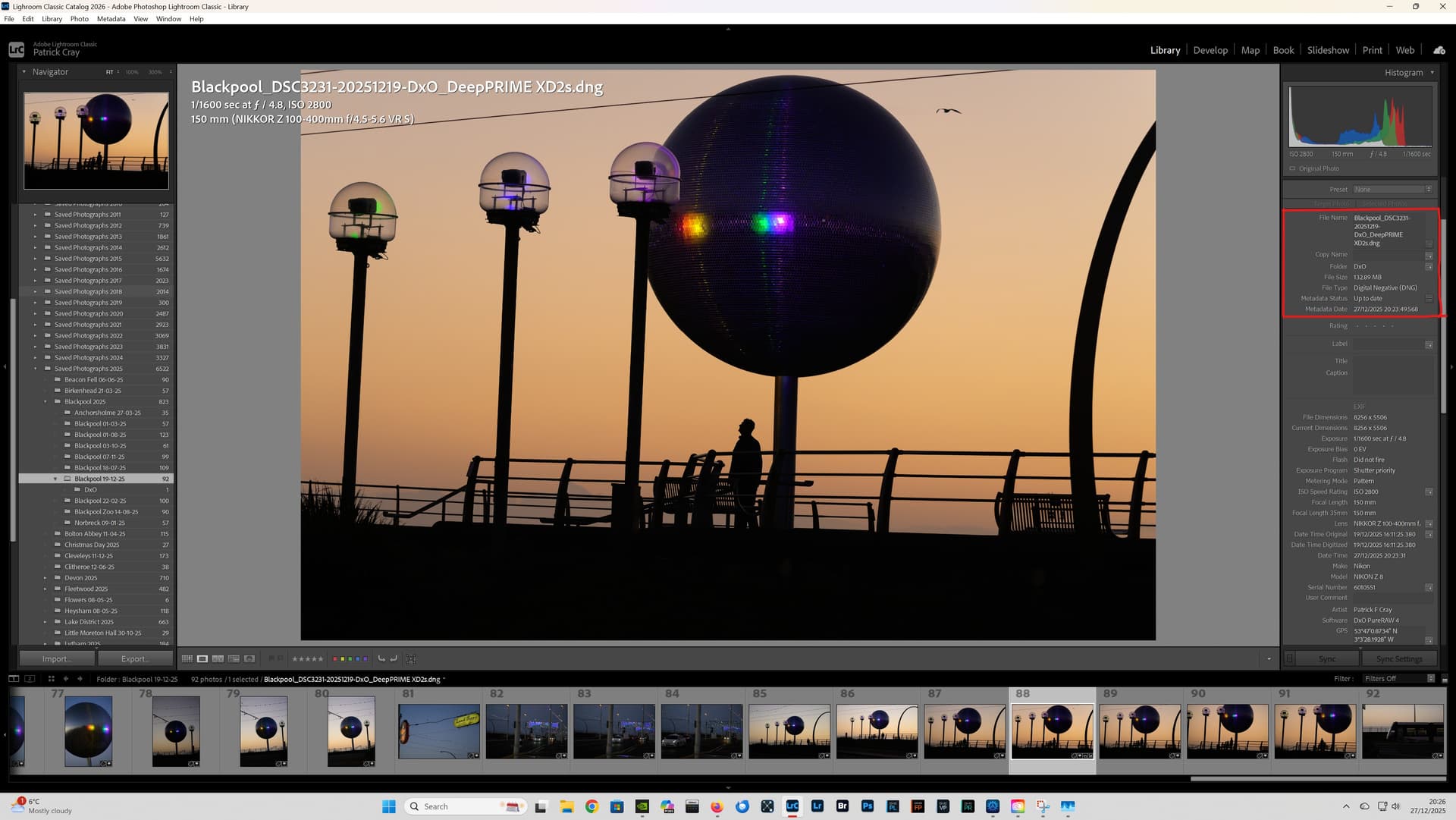
@Russ2 The Nikon Z8 was launched May 2023 & PR4 in March 2024. I have no idea why DxO Support, have stated PR4 does not support Nikon Z8 files, it clearly does?!
Are you running the latest version of Lightroom Classic?
Have you checked the Lightroom Plug-in Manager, to see if the PR4 plug-in, is installed correctly?
Are you accessing the plug-in via File - Plug-in Extras as outlined by DxO?
Please consider uploading one of your NEF files, to see if another forum user can process it using PR4.
Regards,
Patrick
The “–2” in the filename looks suspicious. Was it preprocessed? Can you post the file here for others to check, or do it yourself with exiftool?
Just back indoors with fresh images, 300 of them  . Received this reply from DXO today ‘
**
Rose** (Support & Assistance)
Dec 28, 2025, 3:17 AM GMT+1
Hello Russell
Thank you for your reply, and I sincerely apologize for the confusion caused by my previous message.
After reviewing the case again, I need to correct an error on my part. The Nikon Z8 and Nikon Z6 III are supported in DxO PureRAW 4. My earlier statement saying they were not supported was incorrect, and I’m sorry for the mistake.’ They have sent me a diagnostic tool to check for a problem so will do that in next couple days and come back with any results. Thank You for the replies. Russ.
1 Like