I thought you might be interested in a denoising trick I’ve stumbled on. Previous to using dxo i started out with ON1 which to be fair has a pretty decent denoiser although not as good as DXO’s. However I’ve found that on quite a few images, especially noisy ones, if you run them through DXO first, save as a tiff then denoise in ON1, you often get even better results. Anyone else tried this? ON1 were offering their stand alone denoise free recently but not sure if its still available.
mwsilvers
(Mark - New Jersey, USA, Win10, RTX 4060, PL9, FP8, VP5, Nikon Zf )
2
If you care about clean results and the retention of very fine detail, I would strongly advise against doing that. DxO’s XD3 denoising is more than capable of denoising any raw file without the need for additional assistance, especially from ON1.
My extensive personal experience with ON1 denoising is that it creates artifacts as a result of over sharpening and over zealous detail enhancement, even at moderate settings. Even if ON1’s denoising didn’t have issues, using two different denoising tools on the same image is just a recipe for disaster and should be avoided. However, If you are happy with the results you are getting, probably nothing I say will dissuade you from continuing to do it.
I sometimes leave a little noise in a shot that started extremely noisy (because if the photo is obviously pushing boundaries, then it looks natural). But sometimes I want things to be buttery smooth in areas that thruthfully are, and then I just push the sliders a bit. It’s astonishing what XD3 can achieve without losing too much detail.
Welcome in! Yes, stacking denoisers can sometimes work surprisingly well, especially if the first pass cleans up the ugly chroma noise and the second one is used gently for what’s left. The catch is that it can also start eating fine texture pretty fast, hair, foliage, fabric, distant detail, that sort of thing. If you’re doing DxO first, I’d keep the ON1 pass fairly conservative and compare at 100 percent, not just fit to screen, because that’s where the “wow, cleaner” can turn into “oops, plastic.” TIFF as an intermediate makes sense, though of course it adds another big file to babysit. Would be interesting to know whether you’re using DeepPRIME, DeepPRIME XD, or XD2 before sending it over.
Thanks for the reply. Could you explain why it’s a recipe for disaster? Whilst I agree it doesn’t always work, on some images it really has made a big improvement to fine detail without leaving any artifacts even at high magnification. Is it ok/possible to post an image on here to show results?
I’m using xd3. I agree you have to be careful but from my experience I’ve found it brings out extra fine detail that dxo is missing . Maybe im using xd3 wrong? Ive tried adjusting the setting but found it quickly gets very grainy if you turn up the detail. Any help or suggestions appreciated.
If you want clear images and are already using Photolab, I don’t understand why you would take such a big step backward and use a program that produces such poor results.
It depends on what you mean by “detail”, which is somewhat personal thing. If you set PL Microcontrast to +100, you’ll get more “detail” than you probably want. Early XD versions suffered slightly from excessive microcontrast, with Topaz denoise affected even more. A raw example would let us know what we are talking about.
I’ll try and get a few images up for comparison this week. Ive spent a lot of the afternoon toying with the settings on dxo10 and Ive found that adjusting the sliders in the unsharp mask panel can make a big difference but you have to be careful.
mwsilvers
(Mark - New Jersey, USA, Win10, RTX 4060, PL9, FP8, VP5, Nikon Zf )
14
If you have profiles for your lenses available, as a general rule, you should be using the available Lens sharpness optimization tool rather then the Unsharp mask. Using both together tends to over sharpen images and create edge halos.
If you have a FilmPack license and you want the appearance of additional sharpening beyond using Lens sharpness optimization, apply a small amount of Fine Contrast which is in the contrast panel. If you don’t have a FilmPack license try carefully applying small amounts of Micro contrast in that same panel. Fine contrast is the better choice if you have it available. You might also consider using one of the 3 Luma contrast presets in the tone curve. I generally only use the Light contrast (Luma) preset. The medium and strong tone curve contrast presets tend to look less natural when applied to my images.
There is a tendency for less experienced users of PhotoLab to over apply sharpness and contrast settings giving unnatural looking results.
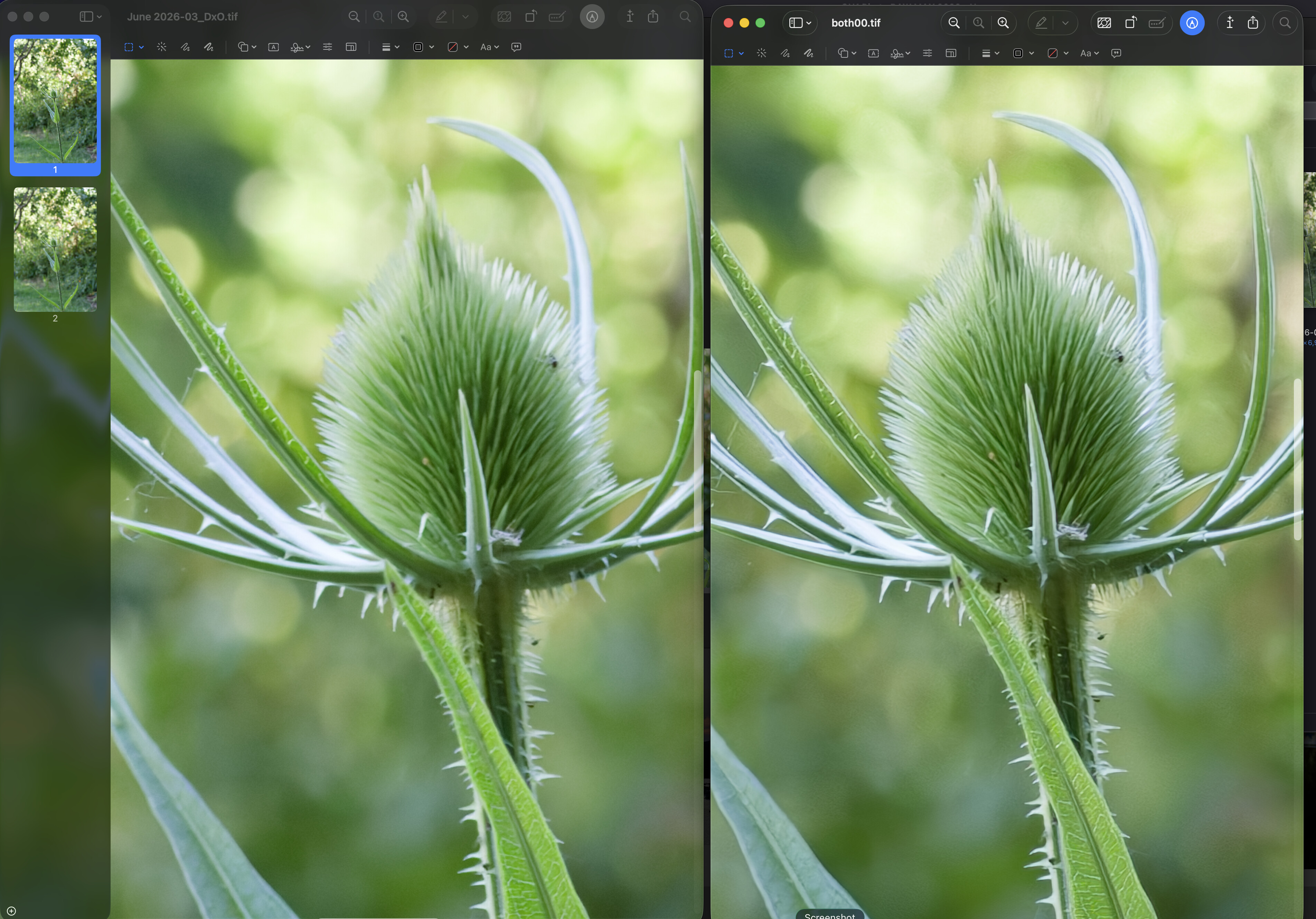
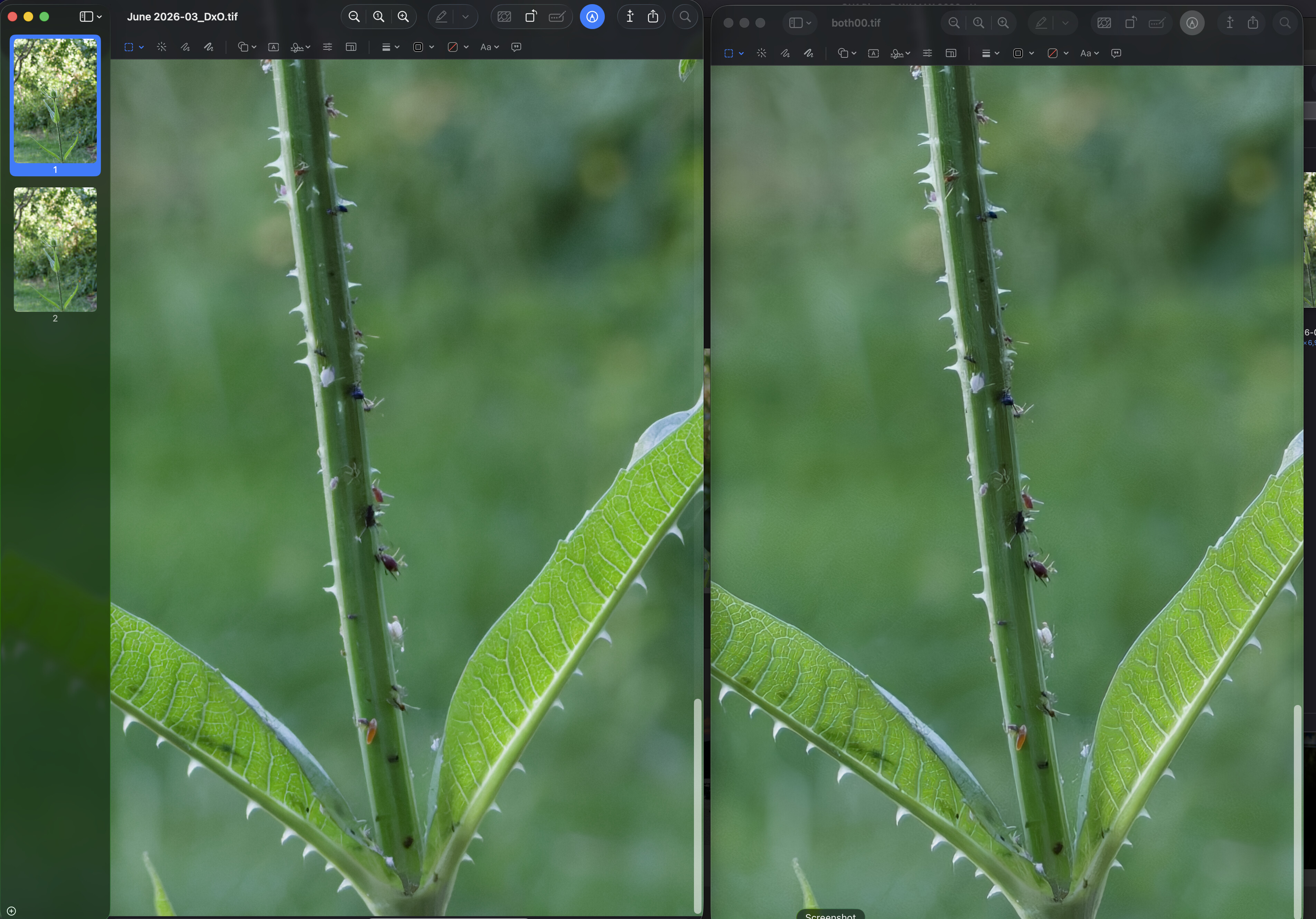
Ive denoised some images but the finished size is around 750mb so Ive screen shotted some results. The original file was iso 5000. I appreciate a screen shot may not show up subtle differences. At normal viewing sizes I think the “both“ is best but I realise this is all subjective. If you zoom into around 400x you can see artefacts but for me that is pixel peeping and pointless. Im not trying to convert or influence anyone, just offering an opinion.
I think I’ve mislead you with the ‘both’ statement. What i was referring to was both dxo ON1 denoise being used on the image , not both no-noise and tack sharp. I rarely if ever have used tack sharp as I don’t like the results.