With the introductions of Stacks in PL9 I was expecting RAW+JPEG photo pairs (for those shooting that way) to be automatically put in a stack of two images, with RAW on top and JPEG second. Maybe even better having on option to change that default. However PL still do not recognize photos shooted as a RAW+JPEG pair.
With a stack one could change the top image to be the JPEG if he wants to use it, or make it the raw if he wants to process it.
1 Like
I’m the first one to chase after DxO but in this case, the problem is solved by simply filtering out jpg (or RAW) as the case may be.
Most photographers will find themselves either gravitating to the RAW or the jpeg. If one has a jpg workflow it doesn’t make much sense to use PhotoLab as one’s photo editor (I do it occasionally with mobile photos as PhotoLab can’t handle DNG or until recently Apple Pro RAW and still can’t handle Apple RAW).
Not sure there’s even a setup here with RAW and jpegs which would keep everybody happy (which one goes on top, which one provides the default preview). A whole page of preferences for viewing RAW/jpeg doesn’t fit into the PhotoLab software philosophy (very close to Apple of Steve Jobs vintage) of simplicity and the right choices made by the programmers and designers.
As opposed to unlimited features and unlimited preferences which is what we face in Microsoft world historically and most of the time with FOSS/Linux.
To filter out the JEPGs also hides JPEG exports – so it’s not a ‘real’ solution. 
Sorting order would be a nice addition.
I usually run PhotoSupreme as DAM in which I have the in-camera jpg as thumbnail unless I’ve exported final edits from DxO PL - then the PL exports are shown on top as thumbs.
Most other software I have displays all subfolders and files under a topfolder and automatically show the RAW and JPEG side by side. Normally I have my originals in the topfolder and the derivates in the subfolders which means that it sometimes even is original JPG and derivates of that side by side. Even PhotoMechanic can be set up to work like that too. I was hoping that was fixed even in this version of Photolab but it did not happen.
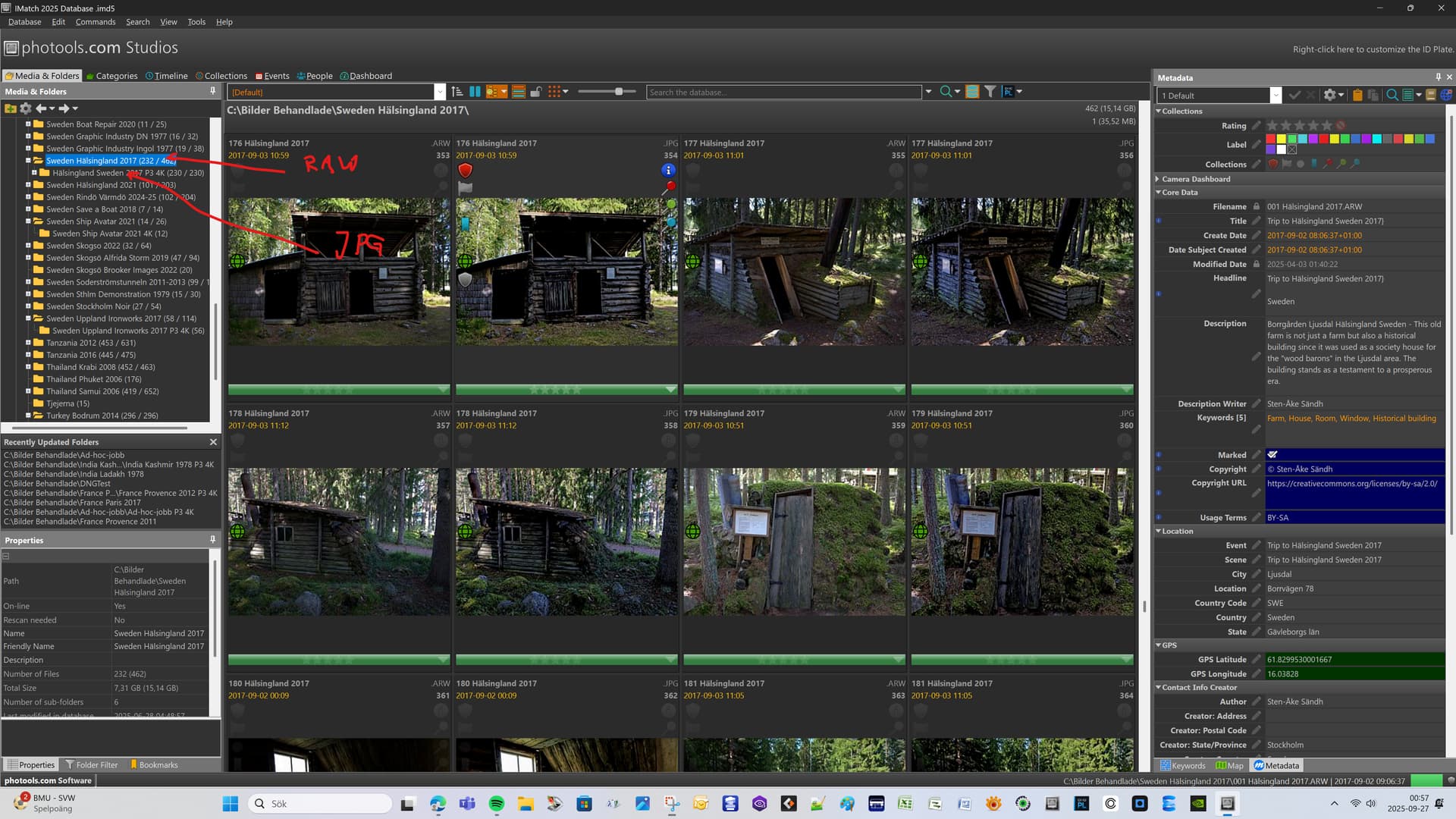
iMatcch also have a concept with so called “Buddy-files” that can be set up and if you do that you can get an update on say a RAW to update even the derivates automatically but I haven´t used it because I have found it pretty complicated to get it to work.
Even the Autotagger AI-function in iMatch can easily be configured to add the same AI-generated Description- and Keyword-texts to a RAW-JPG-file set.
The lack of small useful features like the ones I have described is often what distinguish real professional tools from more general and more archaic tools in RAW-converters.
Surely noone is exporting into the same folder where the original RAW files sit? Ladies and gentlemen, our computers have file systems. Use them. The file system on macOS and Windows are the two applications which have been mostly widely tested to reliably manage files.
Since long I’m an advocat to stack (ooc) jpeg-file with the corresponding raw-file, however NOT by filtering out, which would hide the exported ones also in subfolders etc.
That’s definitely true.
Photosupreme allows to stack photos and use thumbs quite freely and based on your own folder structure and/or naming conventions.
Setting everything up in the beginning force you to think and plan. Both in PSu as in the export receipts in PhotoLab.
But when it’s all done - it such a smooth ride. 