I have switched from the Adobe suite (LR plus PS) to PL elite complete and typically to the current production release of the application (now PL8). However, for myself and in particular my student clients, I can find no equivalent to the aftermarket guides/documentation available for the Adobe suite for photography. One example of what is available for LR:
My post here is NOT an endorsement of the above or any other such guide; however, it was brought to my attention by a student client. I am looking for any reference (not necessarily recommendation) of an “equivalent” of the above for DxO PL current – not DxO PureRaw. My understanding is that PureRaw is a simplified and “stripped” version of the capabilities of PL elite complete; this is nothing that PureRaw does that PL elite complete cannot do. Any information would be appreciated.
There aren’t as many content creators for Photolab as it doesn’t have the global chokehold that Adobe does, but there are some who create really useful tutorials etc. for it:
For many Lightroom-centric tutorials I find myself applying the general editing tips by learning the equivalent tool in Photolab.
The big differences between them for me are the Texture/Clarity sliders, which in Photolab tend to involve more messing around with Contrast settings (and ClearView if you’re feeling brave), and everything to do with Masking.
Masking in Photolab is a fair bit different to LR and not nearly as powerful in some cases (in my opinion). The lack of subject masking and sky-select, inability to intersect masks or “add/subject from mask” makes Photolab less powerful in some cases.
From: https://tutodxo.com/en/red-eye-removal/
It is a traditional function, but with the DxO touch. PhotoLab automatically detects red eyes.
In case not all red eyes recognized, the manual selection remains possible.
Red eyes are automatically detected on the image having disadvantage, blue eyes are corrected to black.
End excerpt. I posted a question on the subject of red-eye. Unless there has been a change in PL, the DxO algorithm/expert system/AI only detects “almond” shaped human eyes, not the “round” eyes of most other animals (mammals, birds, reptiles, etc.). Not all eyes reflect “red” as well. Manual correction is possible, but very time consuming depending upon what has to be corrected. Thus, the recommended web site is inaccurate on this one point; but without a more detailed perusal, in particular by someone who knows the details and tricks of PL (not myself), other items of misinformation remain undetected. Thanks for the URL.
Both the Fstoppers tutorial (specified for PL 7 in the response from “platypus”, not the current PL 8) as well as the response from “Fineus” are for videos. A video is not suitable as a reference guide. I much prefer a searchable (and preferably “index” at the end) written (eg, PDF) document to which one can refer for a specific issue (eg, redeye, image detractor removal such as signage , etc). Thank you for the response.
A more general suggestion. Amongst the responders to this forum, there are experienced PL users (experts on PL just as “The Lightroom Queen” claims to be for the Adobe rental product). It should be possible to solicit donations from the PL user community (in particular, working photographers who use PL instead of the Adobe suite) to compensate the experts to write a detailed step-by-step reference guide, and to update it as DxO releases new or changed capabilities or user interfaces for PL (usually, major release numbers, but sometimes releases within a major release). Despite the documentation being offered with an Adobe authorship (“from” Adobe) on LR and PS, there is a thriving market for explanations such as provided by the Lightroom Queen (and many others). This is because, as with camera manuals (including detailed instructions from Nikon Professional Services USA for working photographers with, say, Z8 or Z9 bodies), the manufacturer manuals are either unclear, incomplete, or easily subject to misunderstanding. I personally use aftermarket manuals from working photographers who also write such manuals for my Nikon Z8, Z9, and OMDS OM-1 II. There are just too many settings and options for a working photographer typically to test them all – it is more time and cost effective to read about subtle features and what is best for a particular situation. For both Nikon and OM bodies I have my own “presets”, just as I had for LR/PS and now have for PL, but all of these were developed after reading the aftermarket manuals and (limited) experimentation for the cameras and the Adobe products, but but only by experimentation (“trial and error”) for PL.
I thought of writing a PhotoLab Reference with per tool descriptions and use cases…but it’s something that takes a lot of time and that will need regular maintenance due to yearly updates.
@wildlifephoto , you write about “students” … why not give them something to do instead of something to read? Like “how many ways to make an image brighter or darker can you find? Which way do you like best and why?”
Not everyone learns easily from reading, but many profit from experimentation. A few nudges here and there could teach exploration as an alternative to (sheepishly) following directions.
At one epoch of user interface (UI) technology, I would agree with you concerning experimentation – when a camera had a shutter speed, an aperture, and perhaps match-needle weighted through the lens metering. The number of combinations of the settings on both modern automated bodies (such as the Nikon Z9 or the OMDS OM-1 II, both of which I personally use) makes this prohibitive. Do I “sheepishly” follow pre-sets available for license (either free or for fee)? NO. Do I start with these in many cases and then experiment? Yes. In particular, with current UIs, including PL8, there are interactions between one setting and another – choice A for option 1 may influence choice D for option N, say. A proper guide lists these and in some cases, even displays some results of the changes. I no longer urge unguided experimentation – just too many options today. Morever, as you comment, with each revision, the UI and results change. This is true both in workflow applications (such as PL) and in camera firmware (bodies, lenses, and computer controlled lighting such as flash).
It would be great if we could be handed a well-written, accurate, deeply detailed, and always up-to-date How To manual for DxO PhotoLab 8. The plain truth is that Adobe commands such an enormous number of subscribers that people like the excellent Lightroom Queen can make part of her living from her website, her forum, and her extremely well-written, accurate, detailed, and up-to-date books. She fills a void with a service that a fair number of people are willing pay for.
From what I can tell, DxO has nothing like the audience that Adobe is blessed with. And yet some have stepped in to fill the void for users like you without expecting much in the way of reward. Links to many of these sources have been given above.
I’m a new user of DxO PhotoLab and have read and re-read the online manual that DxO provides, as well as this forum. I have scoured the sources mentioned in this forum post. I have haunted YouTube for anything that pertains to PhotoLab.
And I have been successful in customizing the PhotoLab UI to my liking and settling on a workflow that gives me pleasing results with my photos. In truth, once you get all of the automatic adjustments that DxO provides set up, you will find that photos taken in focus and with good exposure look very good when first opened in PhotoLab. There may be nothing left for you to do. But, as with all raw processing software, you may wish to crop and apply the available tools in an effort bring out your vision for the photo, or to at least see what you saw when you shot the photo. And that will take some experimentation on your part.
The reality is that as a working photographer, I have limited spare time to determine all of the details of a software application or modern camera UI – far too many functions, options, and interoperability of such functions/options. No one (including myself) is requesting that anyone provide a real, detailed manual, kept up to date, without proper compensation for the effort involved. I currently license for fee manuals (including in some cases, camera body “presets”) for all of the interchangeable lens “pro” camera bodies that I have in current use. However, I am careful about which such manuals I do license for fee and prefer those that include all future updates for the body in question (as revised firmware is released). Thus, there would be one PL8 manual license fee including all DxO revisions to PL8, but this would not apply to PL9 when released. The fee should be competitive with similar fees for LR and PS manuals, etc.
DXO Photolab is great software but there has never been a good user guide for it. Learning how to use it is sort of a trial and error experience, punctuated by hunting for information on the DXO website and the internet. Unfortunately this publication is not very good. The information is rather superficial, limited mostly to a run-down of the various features of the program. Furthermore, there is not index, so it is of little use as a reference. I am glad I bought the kindle version, which at least was quite a bit cheaper than the print version, which, if another reviewer is to be believed is poorly printed. I hope someone, someday, publishes a good user guide for the software. Until then I’d suggest you save your money.
Reviewed in the United States on December 28, 2024
Just got this delivered so this is cursory:
Delivery was erratic- delayed twice but then suddenly showed up 4 days before second delayed delivery date.
The book has very brief but useful information that will help beginners to the software.
But I have to say “Really guys?”. For a 200 page small format book priced at $40 the printing is on the cheapest matte paper of a discount book. It makes it difficult to trust the author’s settings and results because you can’t really clearly see the results.
So the illustrations and sample photos are washed out defeating some of the purpose of the book.
And it looks like it won’t hold up over time. Especially for a reference book.
Charge a few bucks more and print it on satin paper for crying out loud. If you are able to do so I recommend getting the digital download over the paperback.
One person found this helpful
End excerpts.
Based upon the above reviews (ignoring perhaps the quality of the paper upon which it is printed, as I prefer a PDF file that I can read in the field and do a quick search), it appears that this particular guide will not meet the need. I do not need an introduction, as I have been using releases of PL for a number of years and PL has produced JPEG (and TIFF) image files accepted by clients with perhaps a bit better yield than using the Adobe suite (due to the optics modules of DxO). However, I do not regard myself as having a “mastery” of everything PL8 elite complete can do.
Interaction of tools is indeed something that PhotoLab excels in … and I have never come across tutorials, manuals, videos etc. that address that fact in depth … and that is why I thought of writing something myself.
Most manuals, guides, tutorials, videos more or less content themselves in showing how to push and pull a slider and leave the why to push/pull exactly that slider to the esteemed audience.
I wasn’t talking about unguided experimentation, but about guided experimentation in limited fields. Give a task, define the scope and then discuss individual discoveries in plenum. This helps to develop, with PhotoLab, skills that can be applied in other apps. Whether you can proceed like this or not, I cannot say because I don’t know what the conditions are for your teaching (formal/informal, time, budget, level…)
There are many options indeed, but whether they are too many or merely enough depends on whether one prefers fast food over home cooking. Approaching the multitude of tools in PhotoLab is best done (imo) by creating a custom workspace that eliminates all the tools that one thinks go beyond essential. If you look at your own customising, you’ll probably find tools that you’e never used so far (put them in a palette), others are used almost always (put them in a palette) and the remaining tools go into a third palette. There is no need to have a tool in just one palette, if the situation is unclear, but them in two palettes.
I’ve used custom palettes for years, but they don’t “live” with updates, they freeze a situation and need occasional review or re-adjustment.
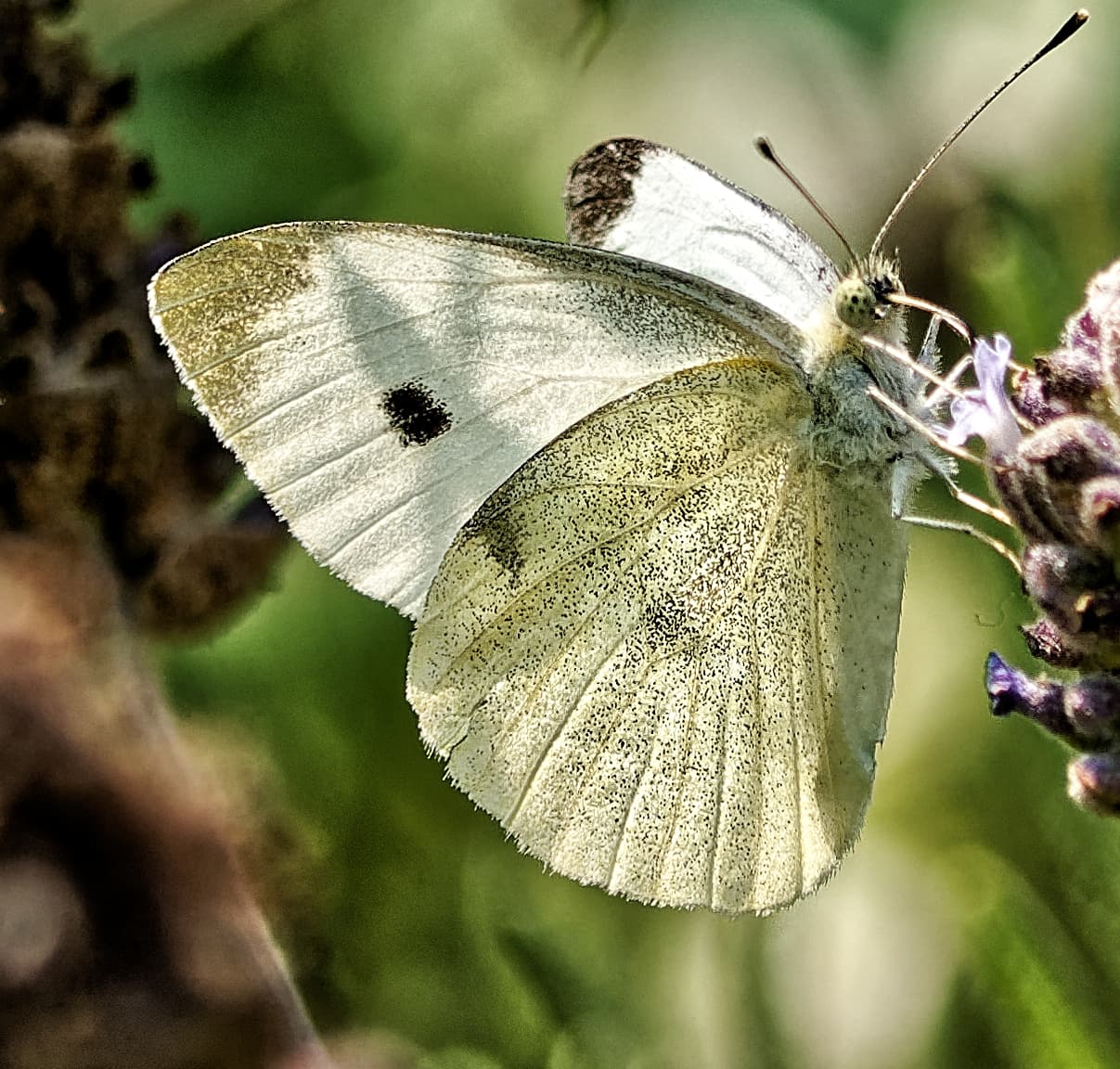
My comment concerning experimentation perhaps was not clear. As an example, I am attaching, my copyright, of a JPEG from PL8, my presets, and then cropping and some sliders on highlights, midtones, shadow, etc., of a lepidotera using my OM-1 II kit.
. The preset is my own, specific to my view of this category of images (with different presets for other categories of my own designations – not supplied by DxO). However, there are many more adjustments I could try by experimentation. This is a slow process, and perhaps would require revision with subsequent PL releases. I had a similar set of “presets” for Adobe, mostly PS as I used LR primarily for intake and “quick and dirty” adjustments. However, most of those presets started with PS packages I found for particular subjects (such as insects) that I subsequently modified. There appear to be no such relevant “starting point” packages for PL. I fully understand that this is due to the comparatively fewer number of working photographers who use PL instead of PS (although many working photographers do use the DxO NIK collection plugins), but this makes the issue somewhat self-perpetuating. The guide to a “full” use of PL does not exist, but is available for PS or LR. The situation with many enthusiasts/prosumers or casual amateurs is to use the “cookbook” presets if the resulting image seems satisfactory and because they typically are not presenting an image to a “discerning” client.
Progress in learning happens when someone can apply an acquired skill in a wider scope because that someone has understood the principle behind an actual how-to. This makes teaching and learning more complicated than many people think. Exactly knowing how you customised your greenish butterfly (sorry for the simplification in words) will not necessarily help with orange butterflies.
To know that “if it’s too green, make it less green” is one thing, how to do it is a different thing and grasping the whys is yet another.
You might have come across the following " How can I improve this image?".
Okay, that image does not seem to match some of the unwritten requirements. But what are those requirements?
List your requirements (list, not think of) in complete sentences containing one single property/requirement like
“I want my image to look sharp”
“I want my subject isolated from the background”
etc.
Once you have that list, check the image against the list … and you’ll find the property that needs some attention - and probably the appropriate tool(s) for the job.
Isolate subject from background:
global settings won’t probably do
locally adjust sharpening
locally adjust brightness
locally adjust colour (saturation, vibrance, hue)
how far can I go and preserve a natural look (another requirement!)
Things are anything but simple, but they can get easier to handle if done consciously.
I apologise if I seem curt, but I have other things to do besides this correspondence. I understand and show student clients the points you make, as well as how automation in modern (unfortunately, due to pricing, in “professional”) bodies have simplified many things (improved yield of keepers, reduced setup time) – Adams zone method is “built into” modern through the lens metering systems on the sensor of mirrorless bodies, subject acquisition and AF tracking on the sensor of mirrorless bodies has improved yield on birds in flight as well as front/back focus issues, or modern digital image workflow has eliminated traditional tedious emulsion push/pull, dodge/burn with masks, and dichroic enlarger heads, etc. The issues are not the theory or even good practice (rule of thirds, but not slavishly followed, etc.), but the actual settings. Unlike motor cars in which there are standards for the locations of steering, speed and acceleration, braking, etc., controls, user interfaces and functions are NOT standardized across applications or environments. The issue I have is not “where is green tint”, or “adjust tint in this part of the image only”, etc, but HOW TO DO THIS IN A PARTICULAR APPLICATION. (As for such things as tint, one needs a calibrated display and thus a calibrator to be able to judge such things – I do have both). Again, not the “why”, but the “how” for specific camera bodies and workflow applications. For cameras, there are such guides; for LR/PS, there are such guides. (Guides vary in thoroughness and detail – for Nikon bodies, I have found the guides from Thom Hogan to be the most useful, and some of the information from Nikon USA Nikon Professional Services to be much less so – there are equivalents to theHogan guides that I have found for the OM-1 II, although there are several that I have found of use.) However, there are no such guides for PL that I have found. Thank you for your previous comments.
One of the forum members advertised his book about PL a while ago. Certainly not about PL8 though, but there might be updates. Can’t remember the names of author or book, but if you search the forum, you might find the respective posts.
PhotoLab is still a niche product with its very restrictive selection of supported gear. I don’t expect loads of books about it, like a new book each year that fits the current version of PhotoLab. A few books are available from amazon, searching barnes&noble for PhotoLab brought up Stephen King books,
Anyways, succeed in what you do and don’t waste your time looking for unicorns. (YMMV)
I shall be interested in being a test reader for the eBook “PhotoLab: The Compendium”. I use calibre https://calibre-ebook.com/ to read Ebooks. Presumably the Ebook will be downloadable/convertable to PDF. Please reply.