For me it’s a scam since they took my money and ran away. It’s not like I asked for a refund a year later; it was only a few days later, certainly before the two-week cooldown period, when it was clear that the software was unusuable in its current condition. And it’s the only software that crashes on my machine and believe me I beat it senseless every day with all sorts of apps many of which include the use of AI and make heavy use of the GPU, too. As I said I even bought different hardware to rule out any problem with my machine, but that’s much more than DxO has apparently done on their end. As I said, unless they start treating customers the way a serious business would, come out and acknowledge the issues and find a way to show some good faith, they’ve lost me as a customer already. I’ll see if I can open a case with Visa for a refund, not sure if it will go anywhere, though.
I am amazed by how much work people on this forum are doing for DXO to help them understand the nature of this very complex issue. I started on that road too, and went down the rabbit hole for a week, but in the end, I looked for alternatives, and discovered On1 which works for me. I deleted my PL9 trial, kept PL8 and I’ll spend the next year finding out if I really need PL at all.
Releasing a new version with so many fatal compatibility issues is a real unforced error by DXO. I would never have looked for anything else, and would have just paid the inflated upgrade price without hesitation. Now they’ve likely lost me. And I sure I’m not the only one.
The fact that they have run away is a sign that they do not have any solutions to the problems. To fail to acknowledge the problems in the first place is cowardice, plain and simple. Sometimes companies get things wrong, the next stage is to acknowledge that and confirm that you are going to do something about it.
It is apparent that they do not intend to do that. I suspect this will in time lead them back into bankruptcy court. The venture capital company involved will not be best pleased by current events but I doubt if anything will change in time.
The trade press will become aware shortly and that could be terminal. No amount of paid-for lackeys on Youtube will change things.
Just had a nose at ON1. Think I’ll down load the trial, full price is pretty good to be fair. I’ll try out a few shots and see how it goes. Thanks for the heads up.
@Gareth One of my major complaints about PL9 is that is “Sky” detection isn’t really up to much. But while doing a quick test to get a snapshot of PL9.2.1’s attempt at the “Sky” preset I wondered what would happen if I used “F11” with the mask in place and this is what I got
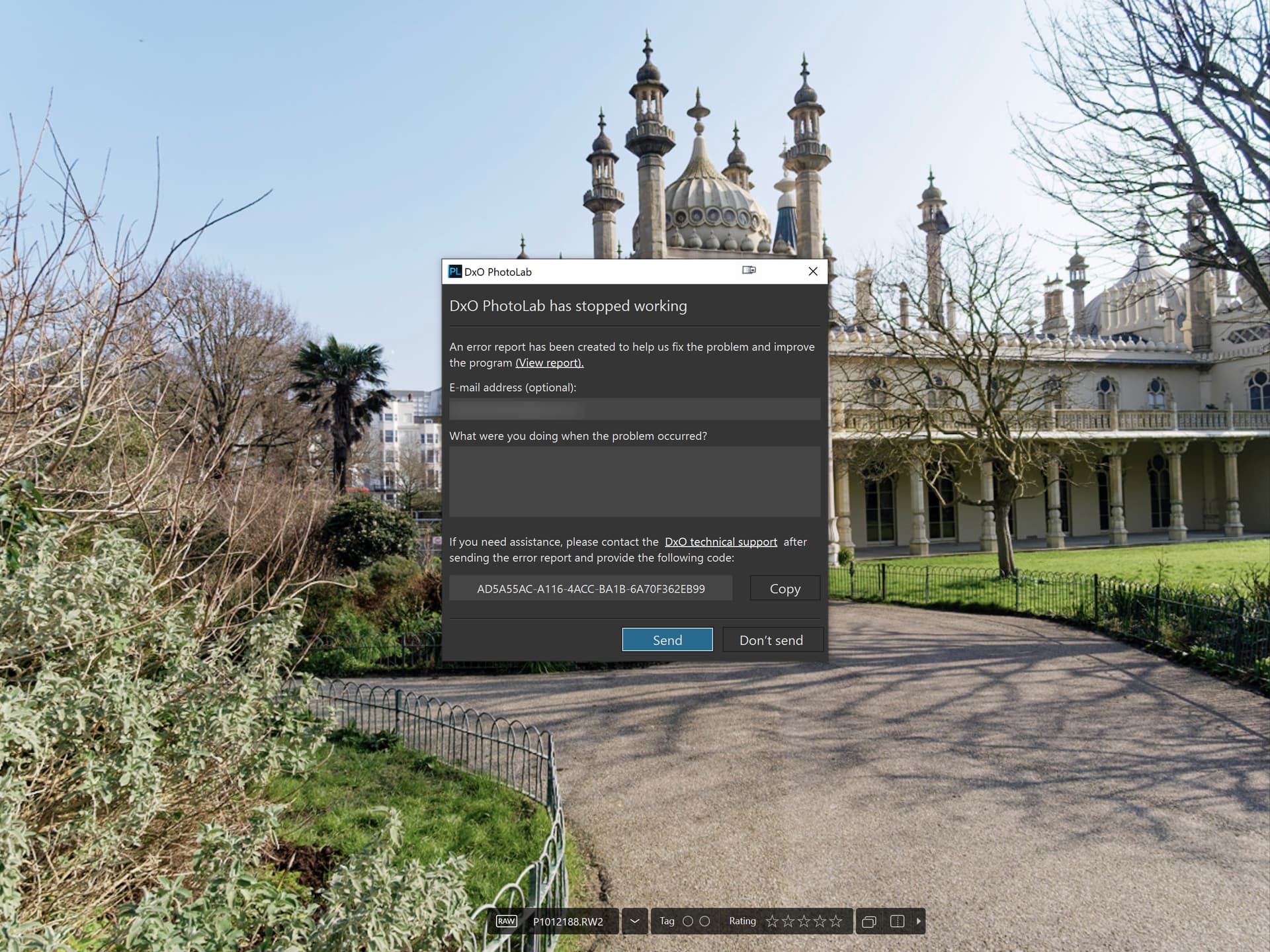
and while trying to enter the details, this popped up and PL9.2.1 went away!?
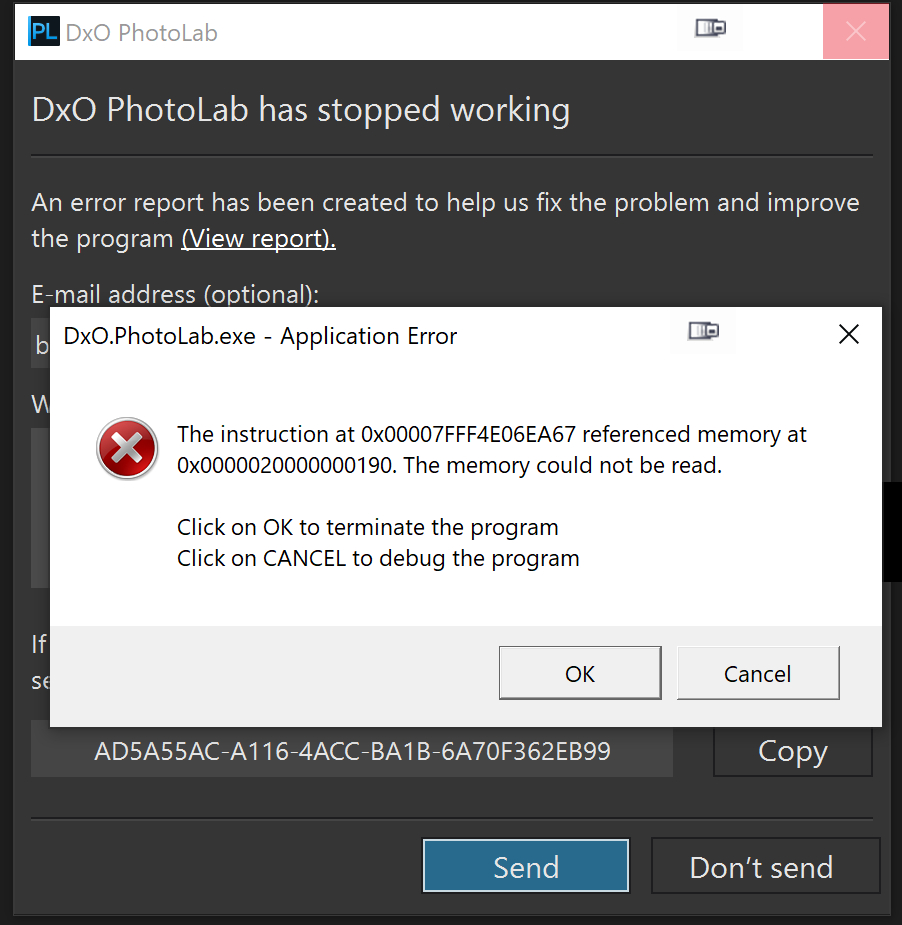
So that wasn’t very promising!?
But it looks like this
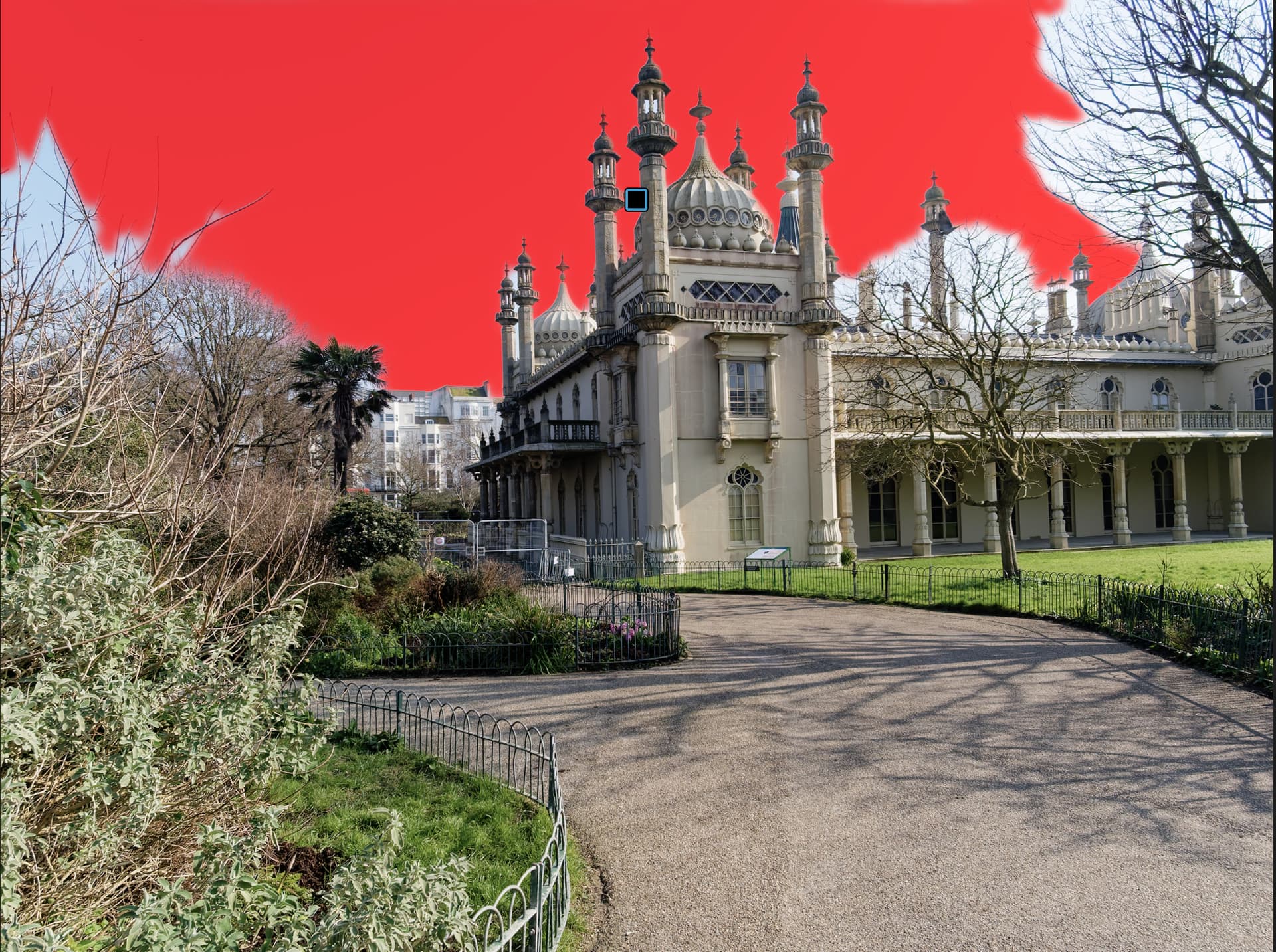
Obviously PL9 is unable to detect “Sky” in the minarets!
The next best is ACDSee 2026 but that is selecting some areas in the domes that at least PL9 doesn’t but it manages to find the “Sky” in the minarets.
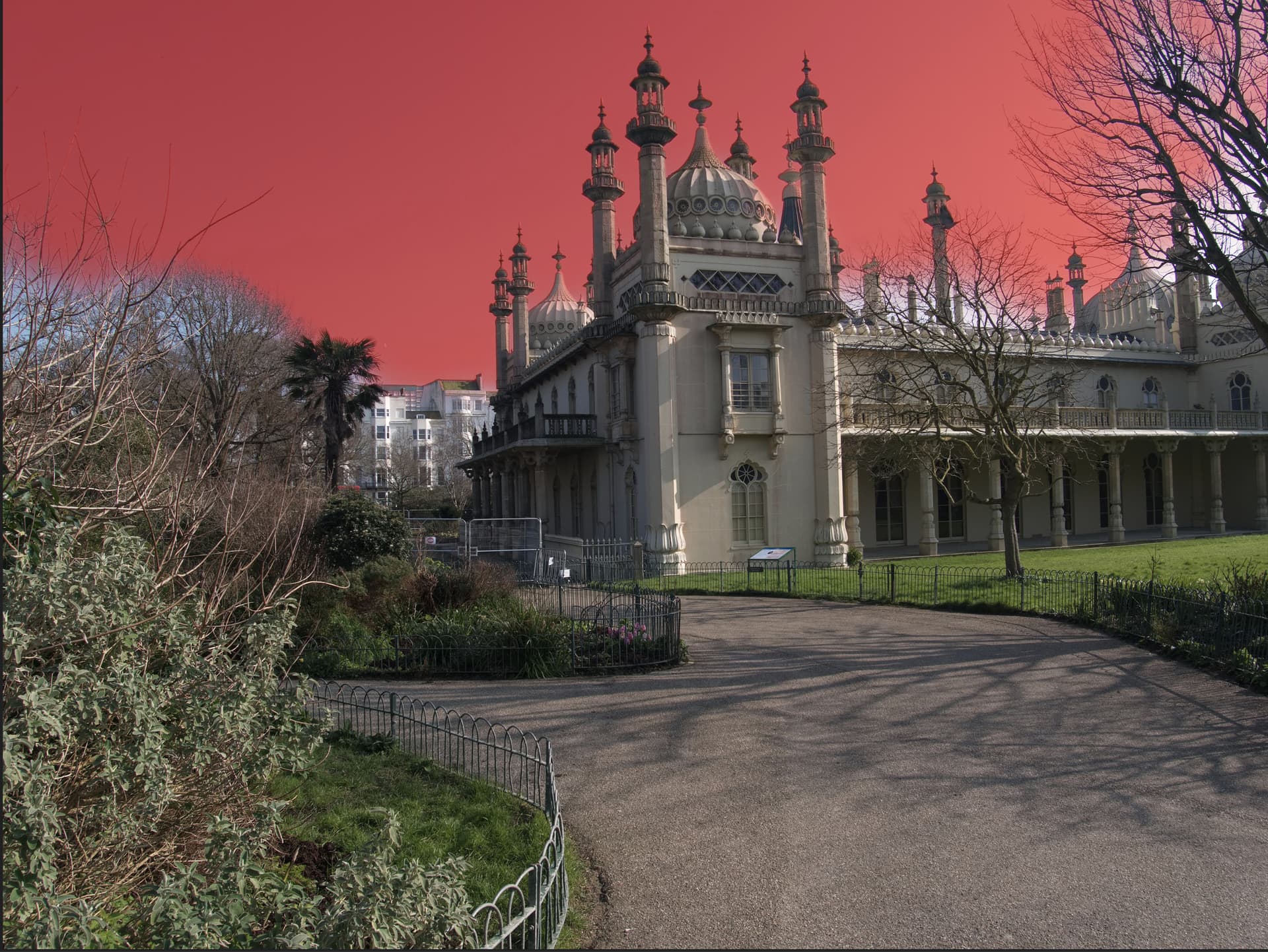
Then comes ON1 which is better still but there is still areas in the domes and the structure of the minarets that is being selected.
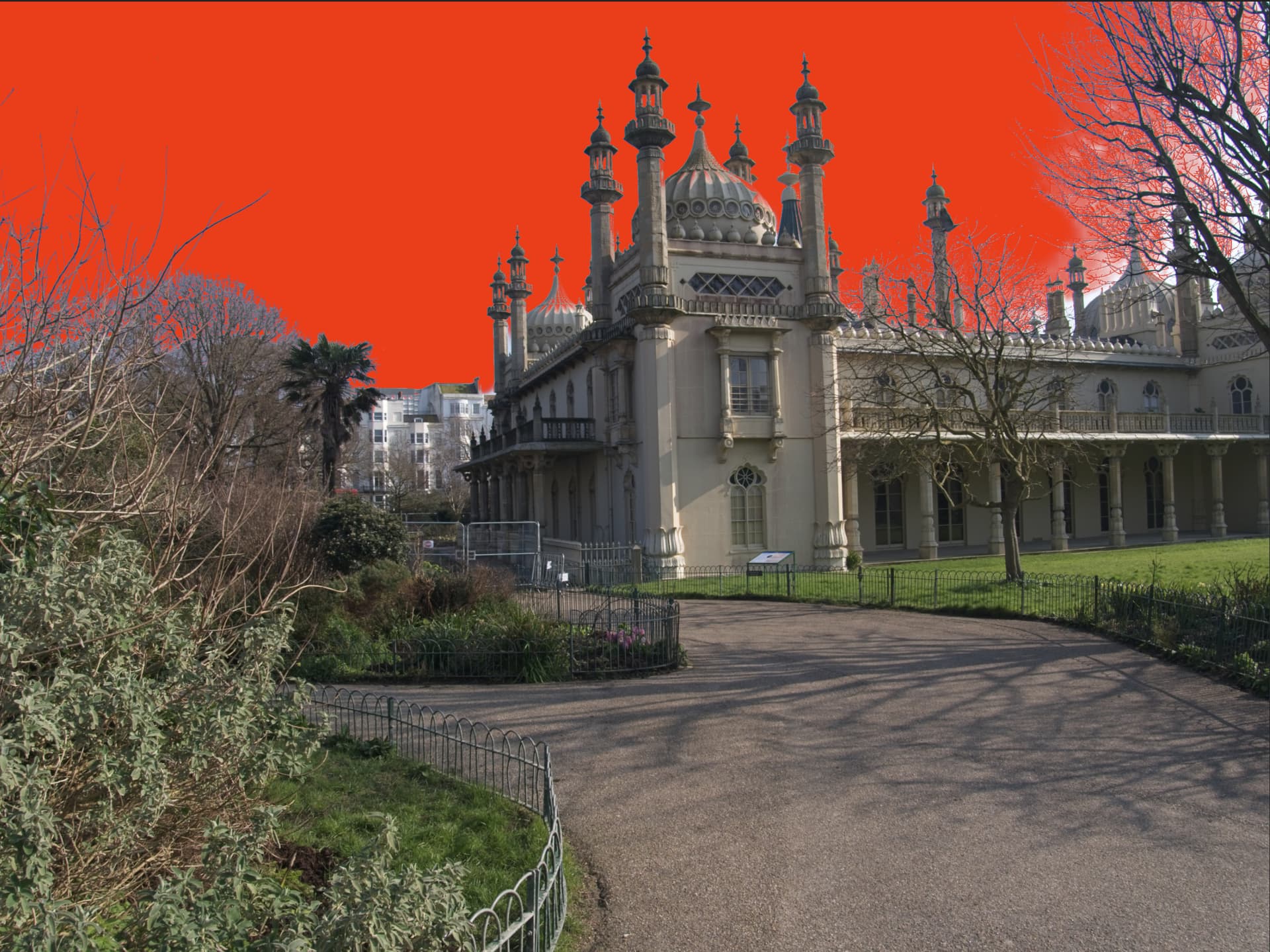
Finally I have Skylum Neo and have chosen a “Sky” replacement that should show what is and what isn’t being selected.
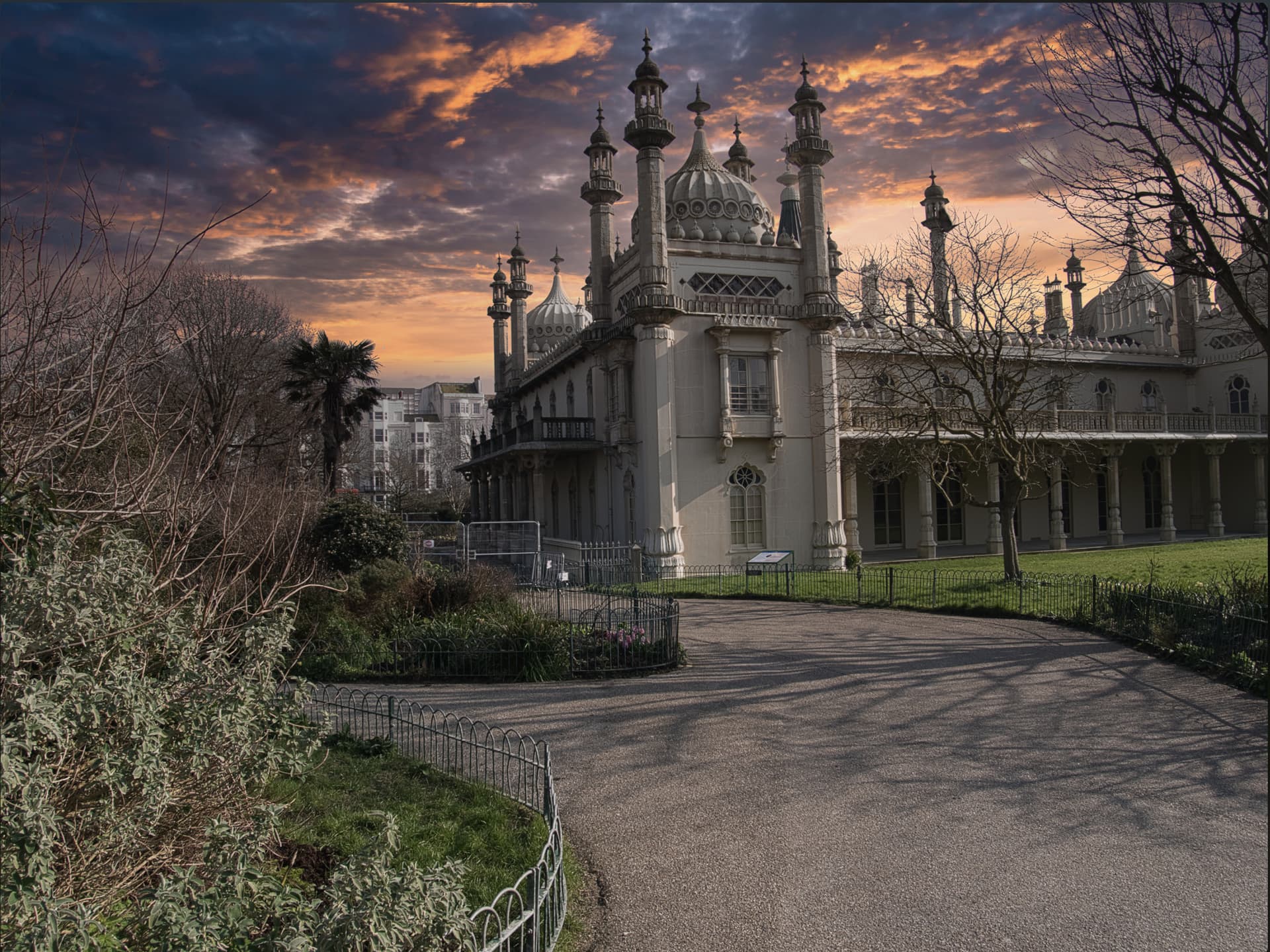
Something for PL9 to aspire to.
None of these appears to consume large amounts of VRAM but Neo informed me that there was an update available but when I requested it to be applied it stated that a running copy needed to be closed, except the only copy was the one that was trying to apply the fix!?
But, as far as I know none of these products will allow me to stop part way through an edit and resume that whenever I want to or not, as I choose.
That was the reason I bought OpticsPro 11 in the first place and continue to use it now.
All the products I tested here are licensed versions, bought when the offer price was at its lowest and Neo was all of £14 .74, in the hope that I will buy more presets etc.
It certainly looks like it might have a use if I want to add a more realistic “Sky” after editing in PhotoLab, although typically I want my snapshots to capture what it was actually like rather an an “idealised” image

Each to their own but replacing whole skies is not my thing. I want the picture I took to bear some resemblance to the moment in time. I am not looking to create a “new reality”. There’s plenty of that going on at the moment.
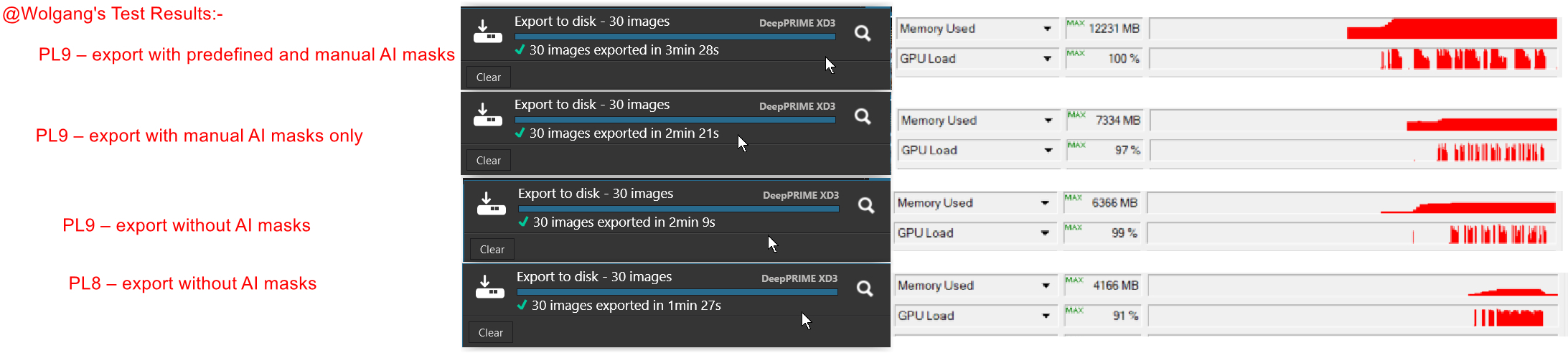
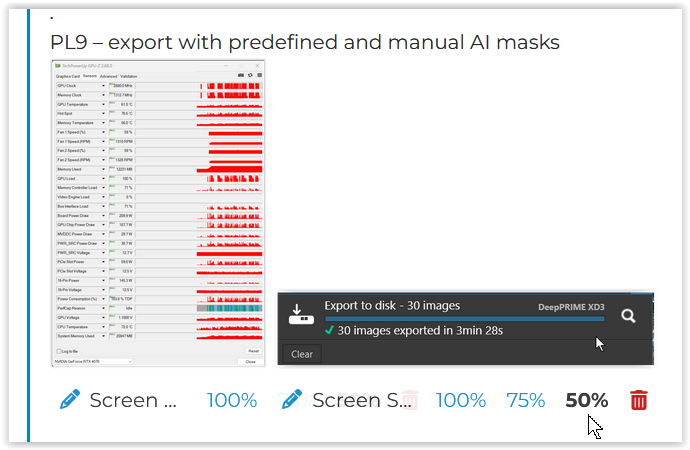
Oh well … I cleared the database and cache + kept the manual mask + replaced the three predefined masks by new ones for background, sky and people, so that all corrections should be similar to before.
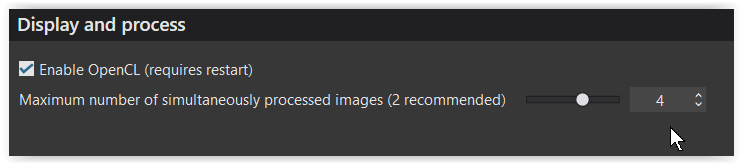
However, I have increased the number of images processed simultaneously to → 4 !
.
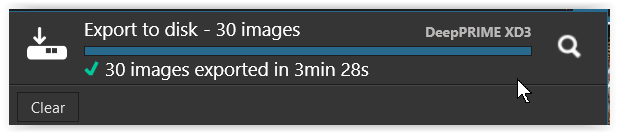
PL9 – export with predefined and manual AI masks
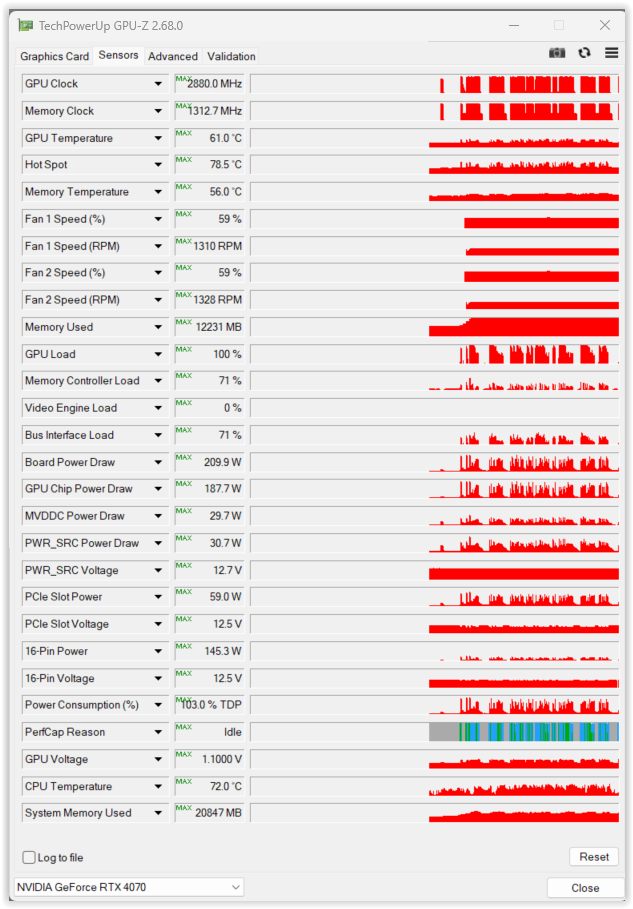
.
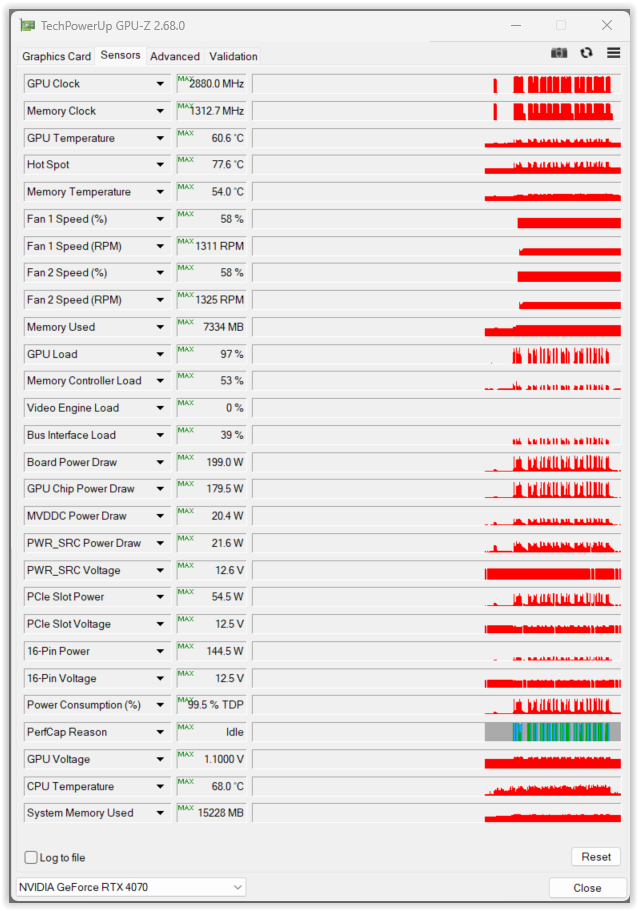
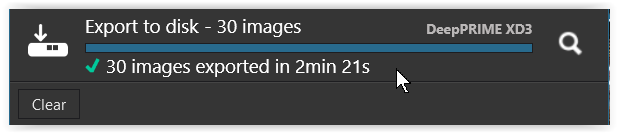
PL9 – export with manual AI masks only
.
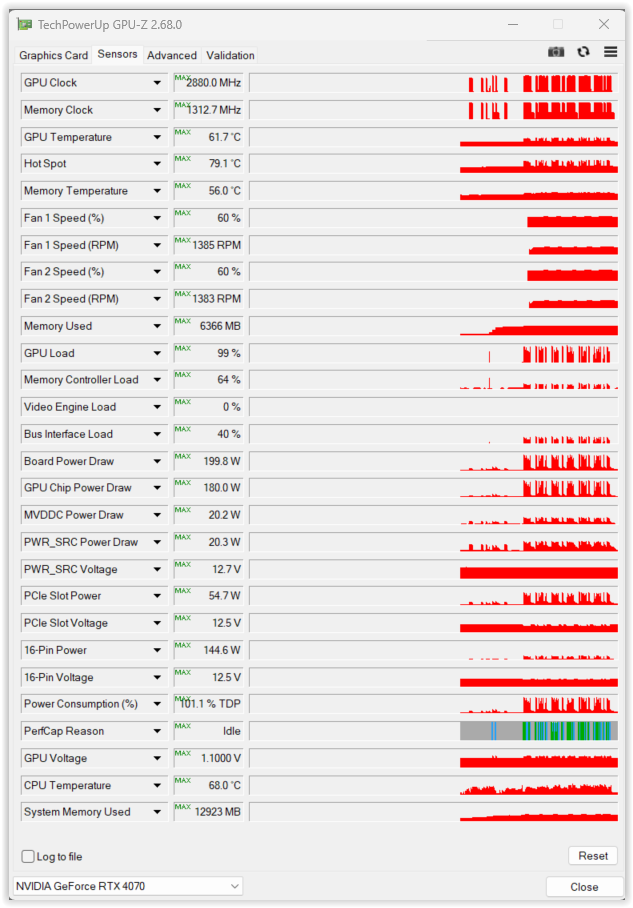
PL9 – export without AI masks
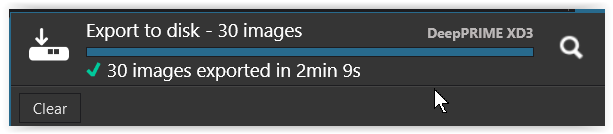
.
PL8 – export without AI masks
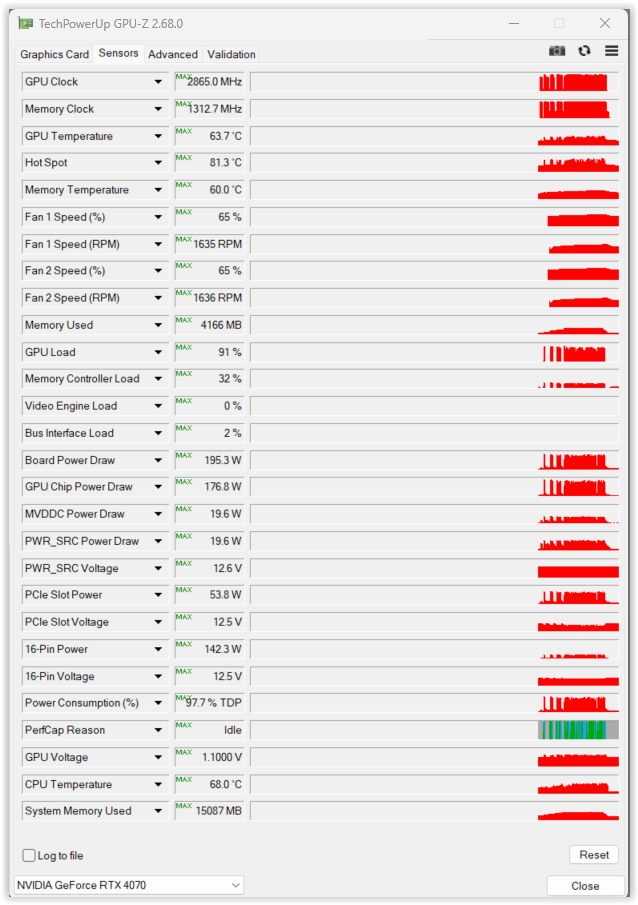
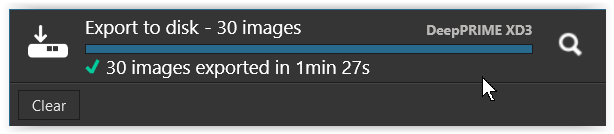
@Wolfgang Firstly, how exactly did you get your side by side configuration in your post?
Secondly, I took the liberty to re-arrange your results in a table, hopefully with the correct result alongside the correct description!
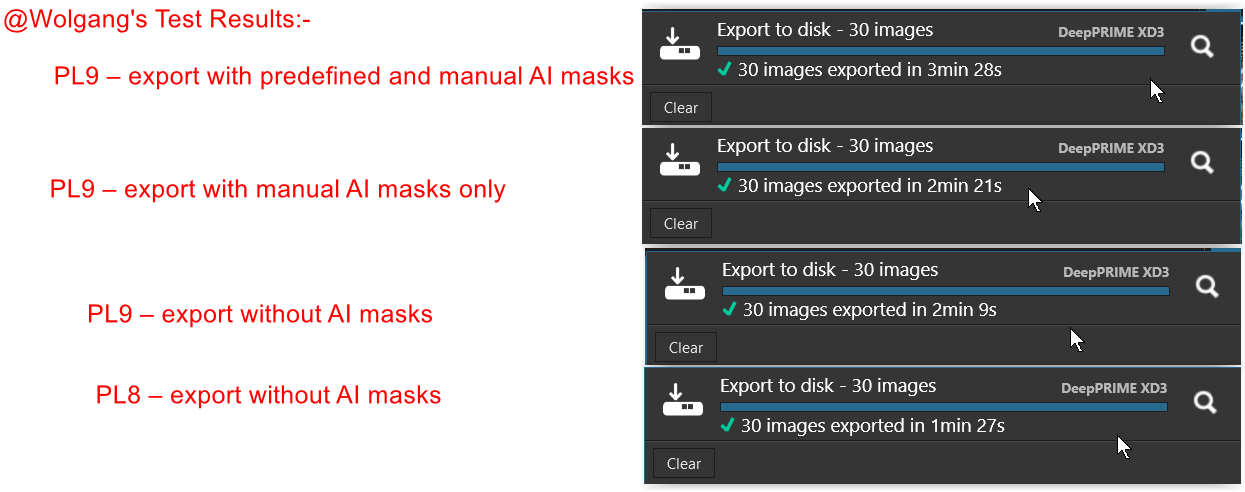
or perhaps even better
Thirdly, I presume the increase to 4 workers was to see what you 4070 could do if given the chance.
Your results compared to my 3060 with 2 workers
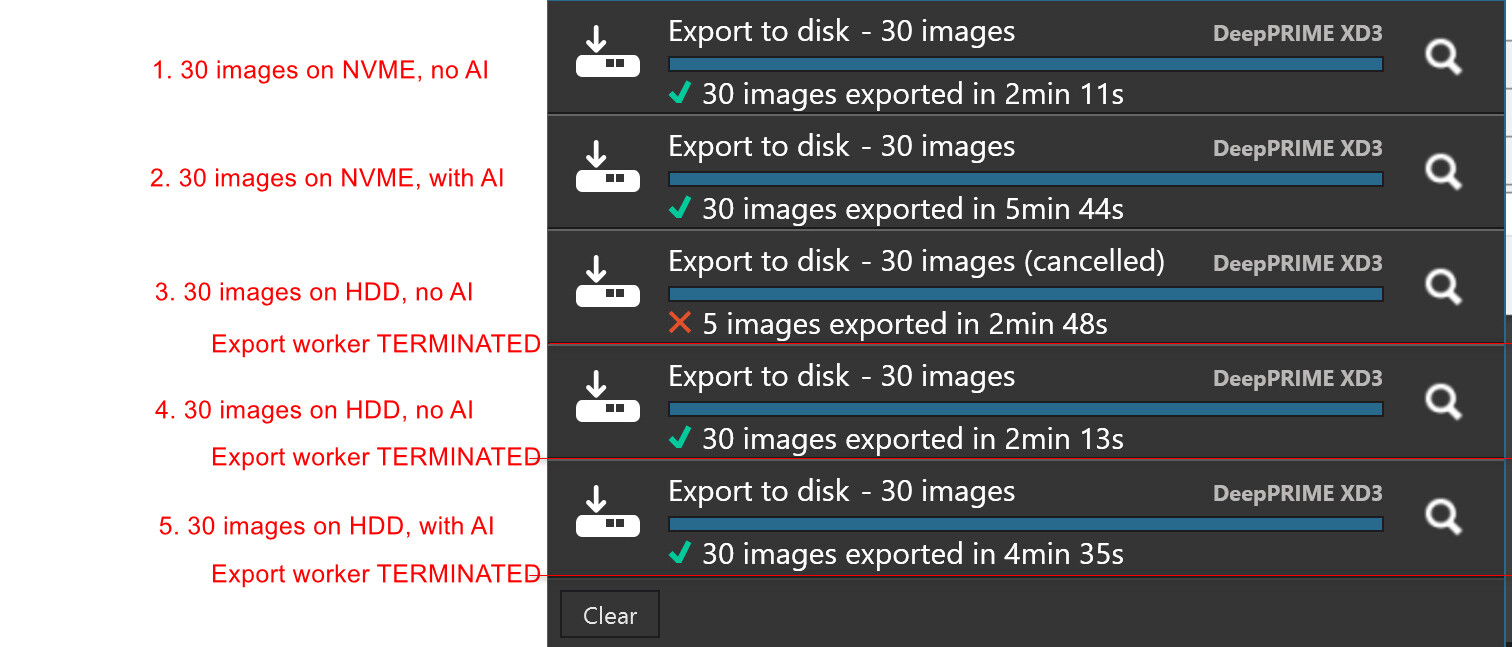
I repeated the tests on the 5900X + 5060TI(16GB) (I apologise for including the VRAM size in my references but since PL9 that has become much more significant and it should also include the driver version. i.e. 5050TI(16GB-591.44n or even better it should include ST or GM for “Studio” or “Game Ready” but I am not exactly sure which version I have actually installed).
I ran tests with AI + 2 workers and then 4 workers, put the machine to “Sleep” and then ran the NO AI tests with 2 and then 4 workers. and the final outcome was
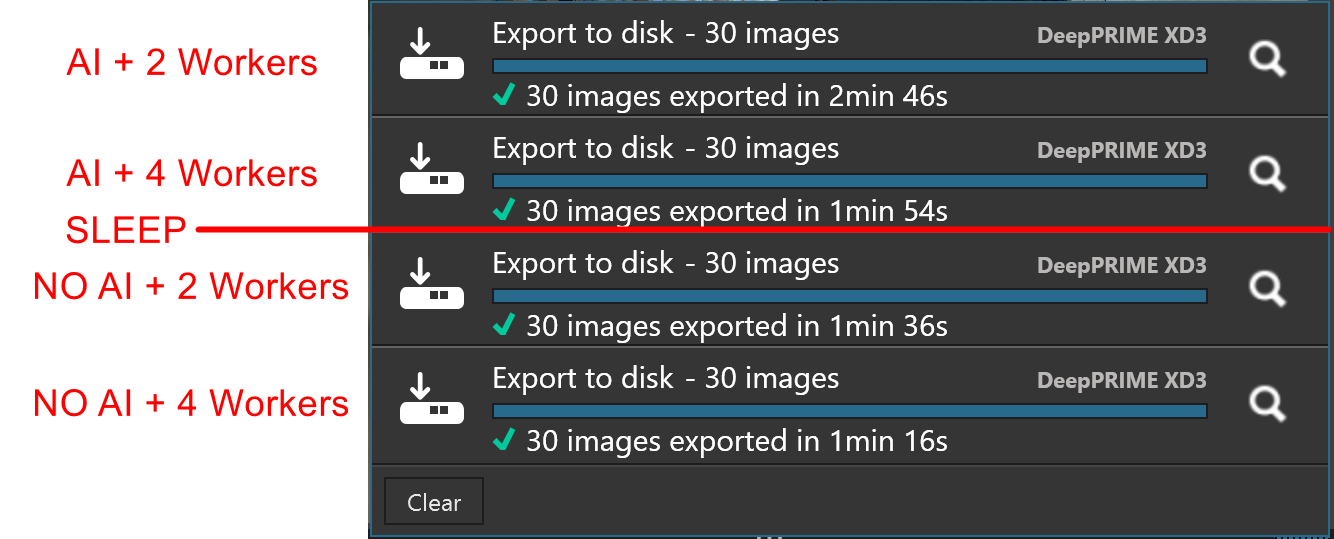
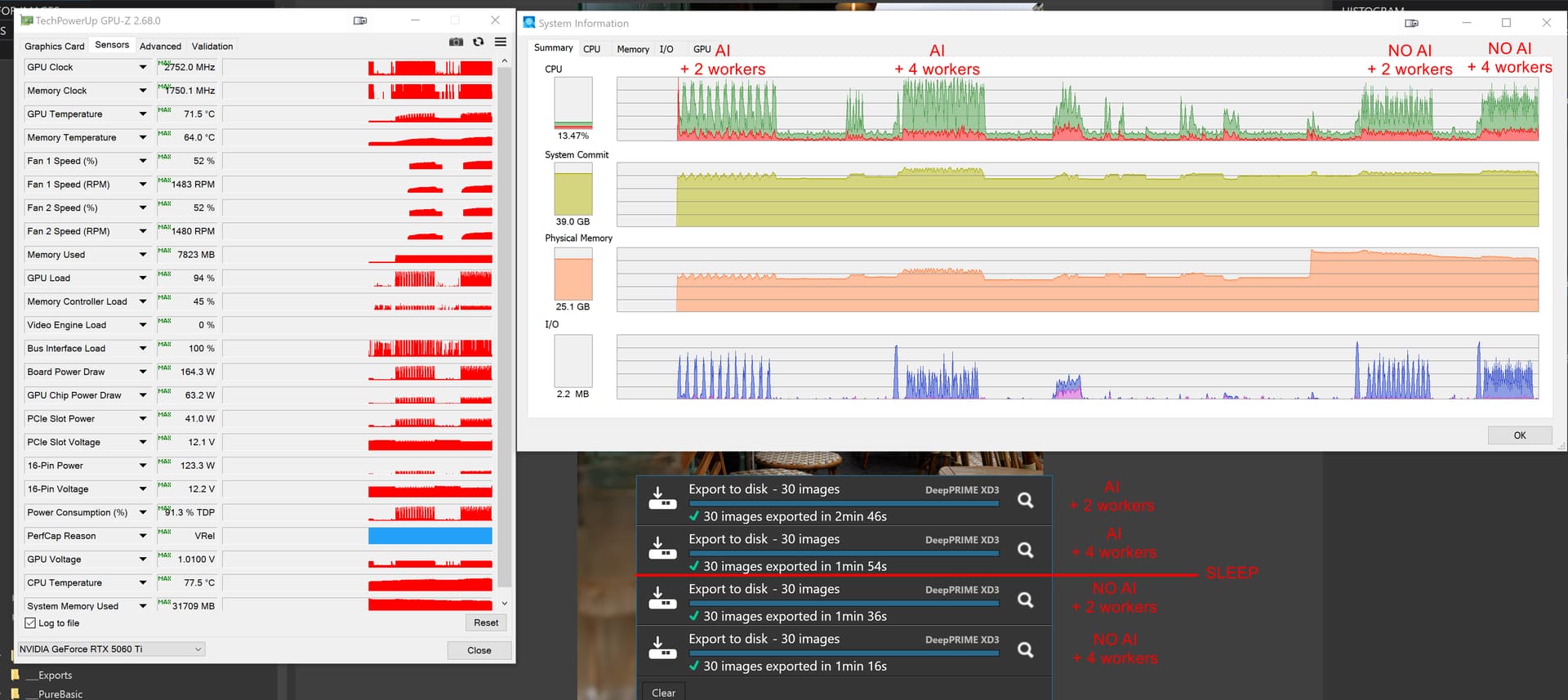
The AI runs gave
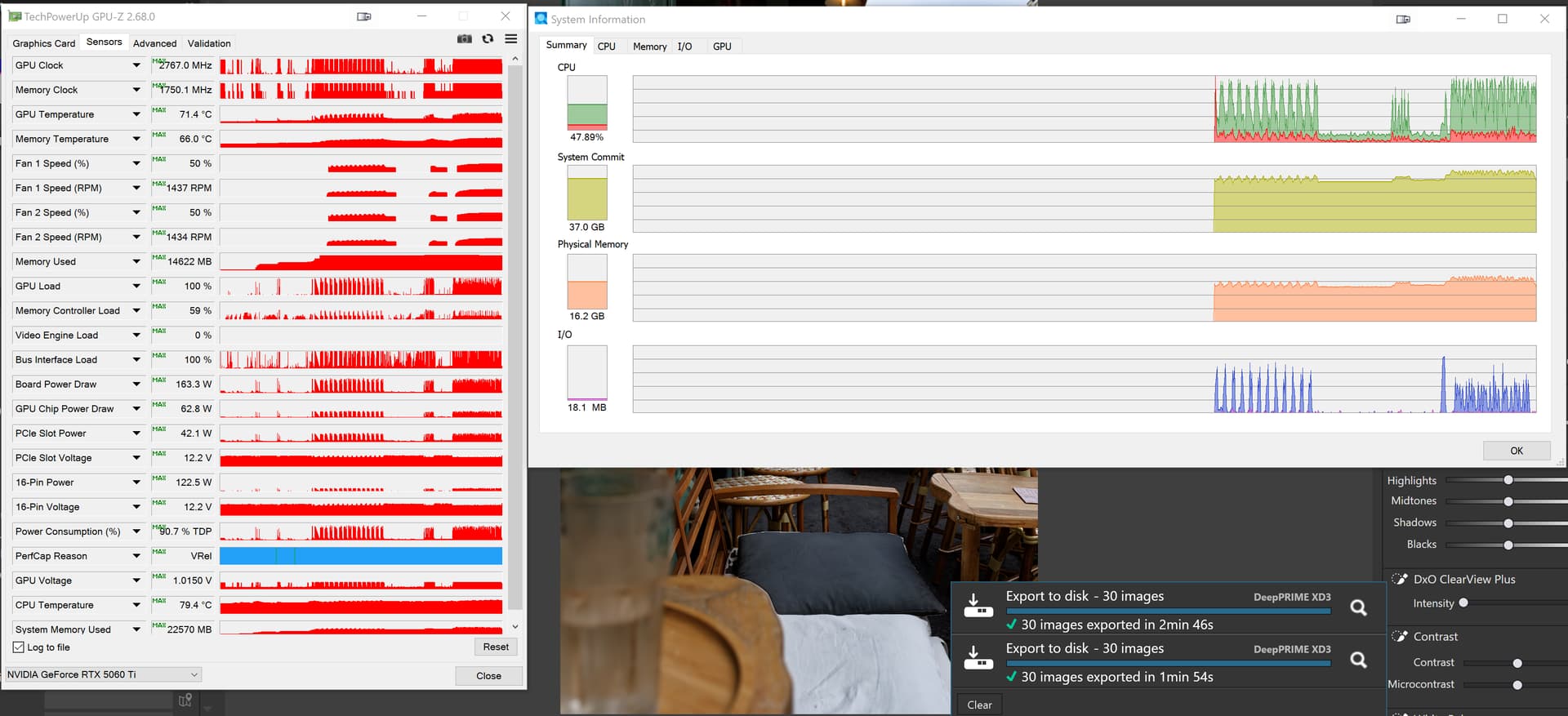
@Gareth I had stated
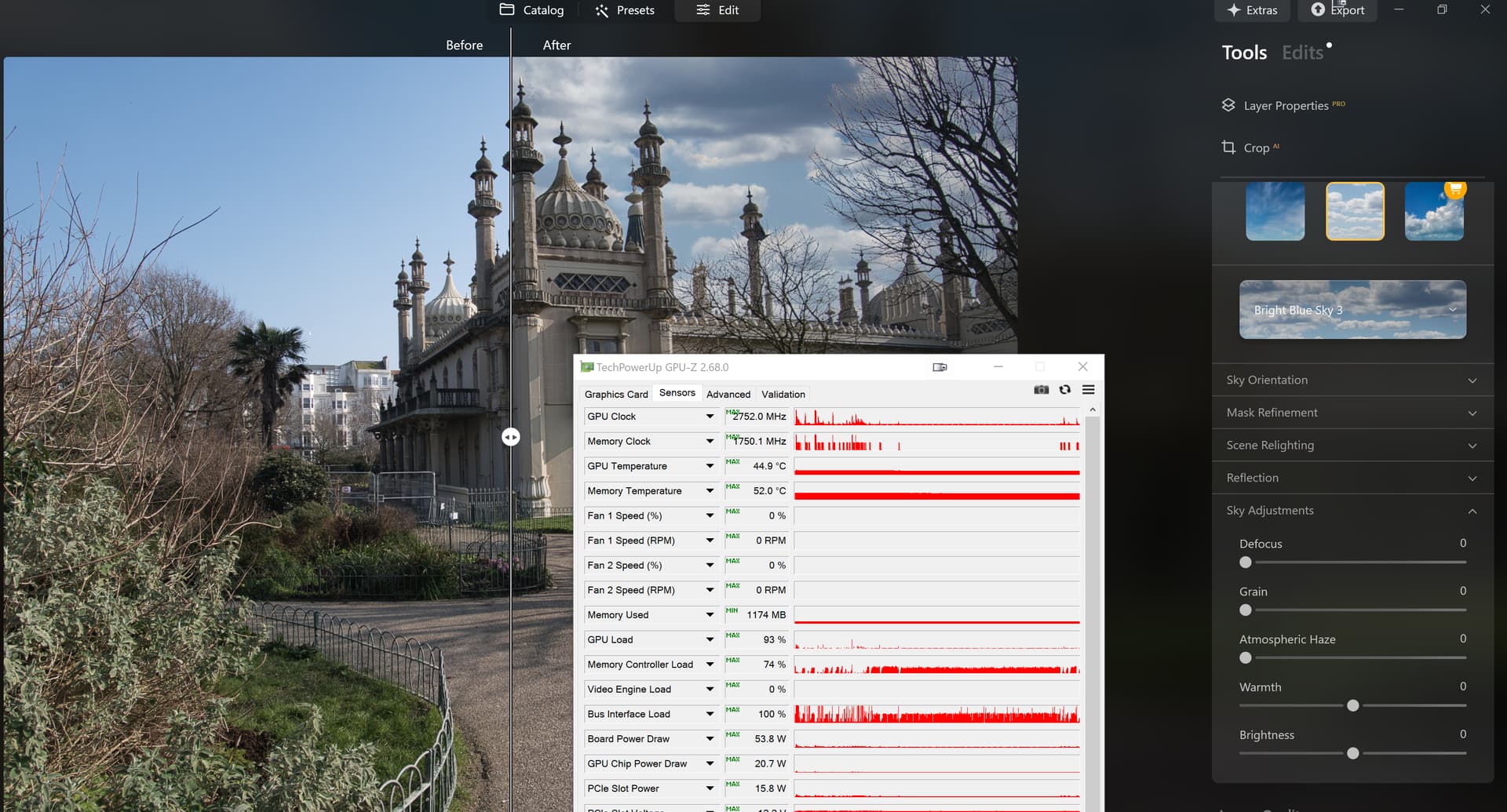
but when PL9 was released with AI “Sky” I was hoping that they might have leap-frogged the competition, instead they are some way behind and during my tests I had forgotten to monitor the VRAM usage but after all the tests it had not exceeded 5GB, however, I was only looking at “Sky” masking and no other edits were applied.
So my tests were simply to determine what was on offer from the competition but that Brighton Pavilion image does look better with the Neo substitute “Sky”, just a shame about the barriers across the left side of the Pavilion!
My Luminar Neo offer came from “nowhere”!? I suspect it came for them analysing their list of “once upon a time” users, because when I signed up I found my account with all the codes and the number of licences available and used from a long time ago, something not possible with DxO until PL9!
The more I look at it the more I feel it has possibilities with respect to post-processing PhotoLab images and minimal VRAM used.
I am trialing ON1 at the moment. It is very different but I have been re-processing some of my RAWs and it’s very good. The lens adjustment seems to work for my Canon EF100-400 MK2 even though it is paired with the Fuji X-H2S. I am struggling to see a downside atm.
Thirdly, I presume the increase to 4 workers was to see what you 4070 could do if given the chance.
Already restarting “from scratch” I used the given image to determine if and to what extent the export workers had an impact. Checked the values from 1 to 6 and from 4 onwards the export time no longer improved significantly.
For comparison with 2 export workers, when the NVidia studio drivers 581.57 and 591.44 showed practically no time difference.
ADDENDUM
My PC is an older machine whose lifespan I extended with a new GPU (+ PSU)
→ see here and here.
That is, I’m not expecting performance like that of current computers,
but a (comparable) export shouldn’t be any slower than with PL 8.
I wanted to come back to this, as I did a bit of shooting over the weekend (well, Friday) and edited the shots today using PL9.
Up until now I’ve been a very vocal critic of PL9 - first AI masking didn’t work at all, then it sort of did, plus usability-ending performance issues.
This time I tried not using AI masks at all. Not the baked-in ones anyway. I stuck to control lines, points, auto-brush and AI object selection (the one where you create a rectangular selection box and it uses AI to try and mask whatever it thinks is relevant in the box).
The above AI masking didn’t always work but do you know what? Sometimes it really did… especially on simple objects.
And performance was… acceptable for 10 (or so) images to be edited in one session of editing, before it became necessary to restart the program. At the very least, changing things in sliders (both global and in masks) didn’t cause a critical slowdown.
I’m certainly not saying that there are no problems and that everything is fine.
I am saying there are ways around some of the most hideous problems - namely not using pre-baked AI masking at all.
For a version that made AI masking a cornerstone of its sales pitch, DxO clearly have work to do, and I’m right there with you in my disappointment at their (lack of) handling and customer service on these issues.
But if you’re looking to use PL9 at all, this is at least a way to just keep swimming… while we pray for anything more meaningful in terms of performance or functionality fixes.
I think the issue I have is that we are all paying for the AI masking, some of it works, some of it doesn’t and some of it works now and again.
We are paying for a software product that has defined minimum requirements. These minimum requirements do not seem to be close to the mark (for most people). Now the question you have to ask is:
- Did DxO not know that the minimum requirements would cause such problems? The reality of this would be that DxO didn’t Beta test it properly and rushed it out.
Or
- Did they deliberately set the minimum so low, to encourage more people to upgrade and not put people off? If this is the case…………….. well……………… I don’t think I need to say anything more.
Pick your poison as they say. Which ever direction you go, it’s very bad. DxO’s silence is deafening.
I wonder if you have researched the meaning of minimum requirements vs recommended requirements. If not, you might find it enlightening.
As an example, Lenovo states on their website, “ Minimum system requirements detail the least powerful setup that you need to run the software at all, though not necessarily well. Recommended system requirements, on the other hand, specify the hardware and software setup that provides a good user experience, ensuring the software runs smoothly and effectively. “
The other definitions I found in my brief search are very similar to Lenovo’s. While we may argue semantics, it seems to me that DxO’s minimum requirements are appropriate. Based on the definitions I found, no one using minimum requirements should expect good overall performance or for all features to work optimally.
Mark
My hardware exceeds not only the minimum but the recommended hardware by at least double and it still crashes and it’s still slow when it doesn’t. Slow would be one thing, forcing me to reboot the machine because it seizes so hard or error logs that specifically name the PL executable are another. That’s bad coding, there’s no way around it.
In short, yes. https://download-center.dxo.com/Support/docs/PhotoLab_v9/release-notes/PL9_release-note_win_EN.pdf
I don’t think they actually know why there are so many varied problems. “Dagenham Dustbin”
My system exceeds recommended specs in some ways, falls short in others (Win10 rather than Win11, a 1080Ti rather than a 3070… but then my 1080Ti has more memory than the 3070).
I will say again that AI masking generally works for me now, with very occasional crashes rather than the previous consistent ones when PL9 first launched. However using the baked in AI masking is a death sentence for performance.
Minimum specs should the minimum that is required to run he software, not some of the software. You aren’t purchasing some of the software.
I am having constant issues with manual masks. I have had numerous requests back and forth with support but never any suggestions or settings suggestions. Right now, every image seems to fair on execute stage, and crashes the app continously. It’s getting old. I bought a new PC just for this version. 32 gig ram, Intel Ultra 9, RTX5070ti, 1TB. I just wish they’d list a full list of setting to check on the PC to make sure nothing is affecting anything. But no answers.
What’s mad is that your system (on paper) far outpaces mine - CPU and GPU at least (and I expect it’s newer RAM too, DDR4 or 5 probably?)
Yet even if it isn’t fast (in some cases becoming unusable), mine is generally stable.