Now … what’s your experience with this new machine?
Yeah. DDR5 ram…. I’m really frustrated.
1 Like
@mwsilvers I was about to respond to an earlier post of yours when I discovered PL9.3.0 so I updated, selected a directory ready to create more VCs for a test on my 5600G-3060(12GB 591.44) and this happened immediately
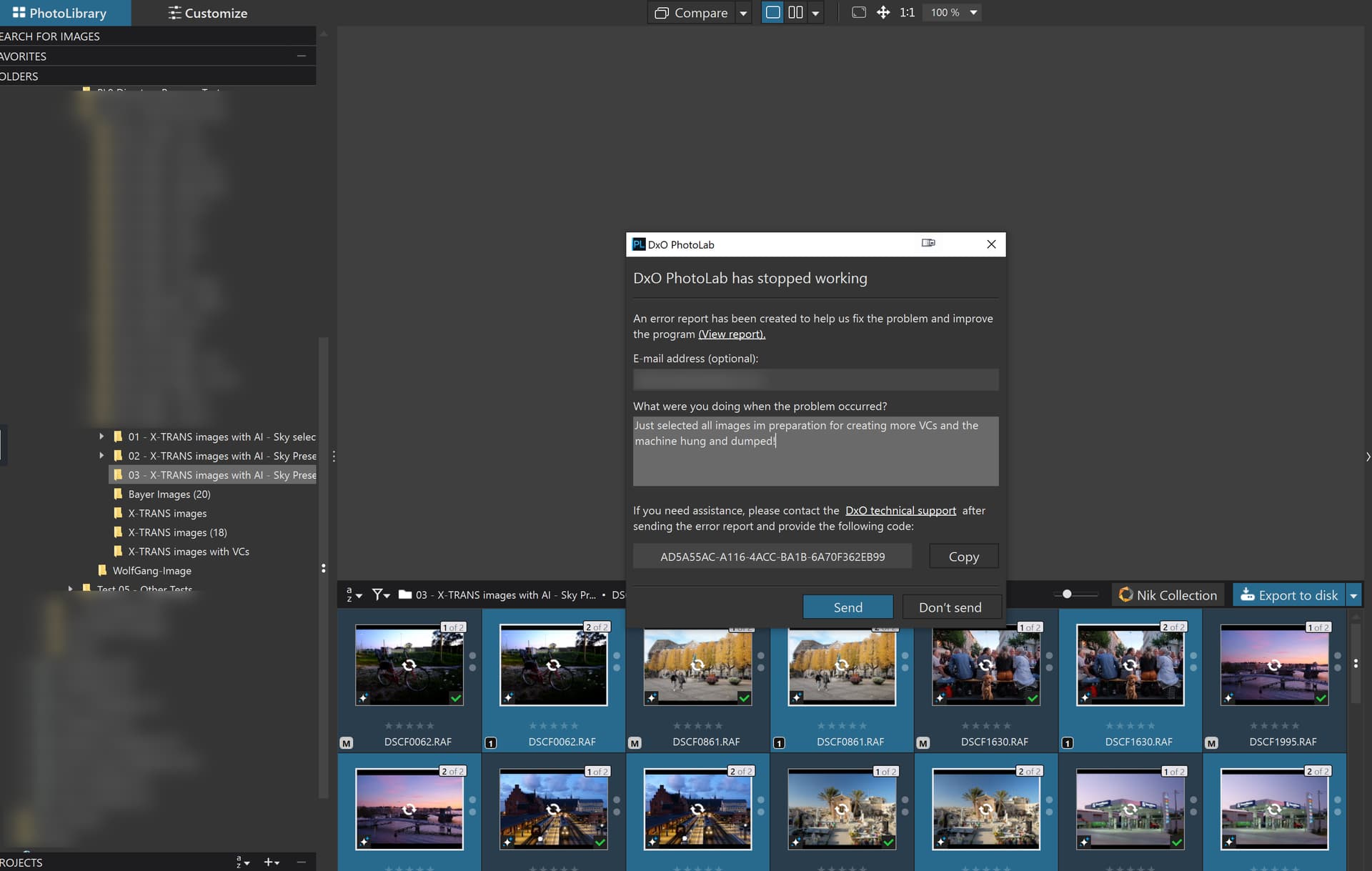
So what was it you wrote about “runs smoothly and effectively.”
I am not impressed!
2 Likes
If I play around with any Ai (obviously not using subject which seems unusable for most) it’s going to have a crash on processing either on the 1 image, or a few down the line. I copy/paste my edits for runs of say BIF. Before I copy correction settings, I delete any Ai over the bird, fox, whatever, and copy the lighting, color, and paste to each image in the series one at a time. I’m not even batch processing. Yet, it will fail on execute stage, or simply crash altogether, And PC tells me it crashed, and asks if I want to restart? As I’m typing this, there’s a new update as I reopened PL9! Maybe this is the answer…
If I play around with any Ai (obviously not using subject which seems unusable for most) it’s going to have a crash on processing either on the 1 image, or a few down the line. I copy/paste my edits for runs of say BIF. Before I copy correction settings, I delete any Ai over the bird, fox, whatever, and copy the lighting, color, and paste to each image in the series one at a time. I’m not even batch processing. Yet, it will fail on execute stage, or simply crash altogether, And PC tells me it crashed, and asks if I want to restart? As I’m typing this, there’s a new update as I reopened PL9! Maybe this is the answer…
UPDATE - Ran new update. About 8 images in. App crashed. It was spinning during a pasted set of corrections and crashed.
Just realized that OpenCl was on. Switched back to GPU, so retesting to see how that goes with Nvidia 591.44…
As a heads up. ON1 is a steep learning curve but……………………………………………..
the results are pretty good. The AI stuff (proper AI stuff) works really well. I am running it on a separate machine which is a AMD Ryzen 5 3600 and a AMD Radeon R9 Fury.
I have used the autofix (Brilliance AI), then three subject masks (DxO calls AI) and these rendered well, sharpened, lens adjustment and noise reduction and exported 100% jpeg.
No crashes, rendered quite quickly, not sure exactly how fast but pretty quick. I need to learn a lot more but promising start to the trial.
£97.85 one off payment!
2 Likes
@CountryLapi Sorry to hear about that. I am currently trying to set up an 18 x 12 = 216 X-Trans images, 18 original + 11 VCs per original.
It “broke” my 5900X + 50506Ti(16GB 591.44) when it encountered the first image but I finally ran it successfully when I reverted to a much earlier driver
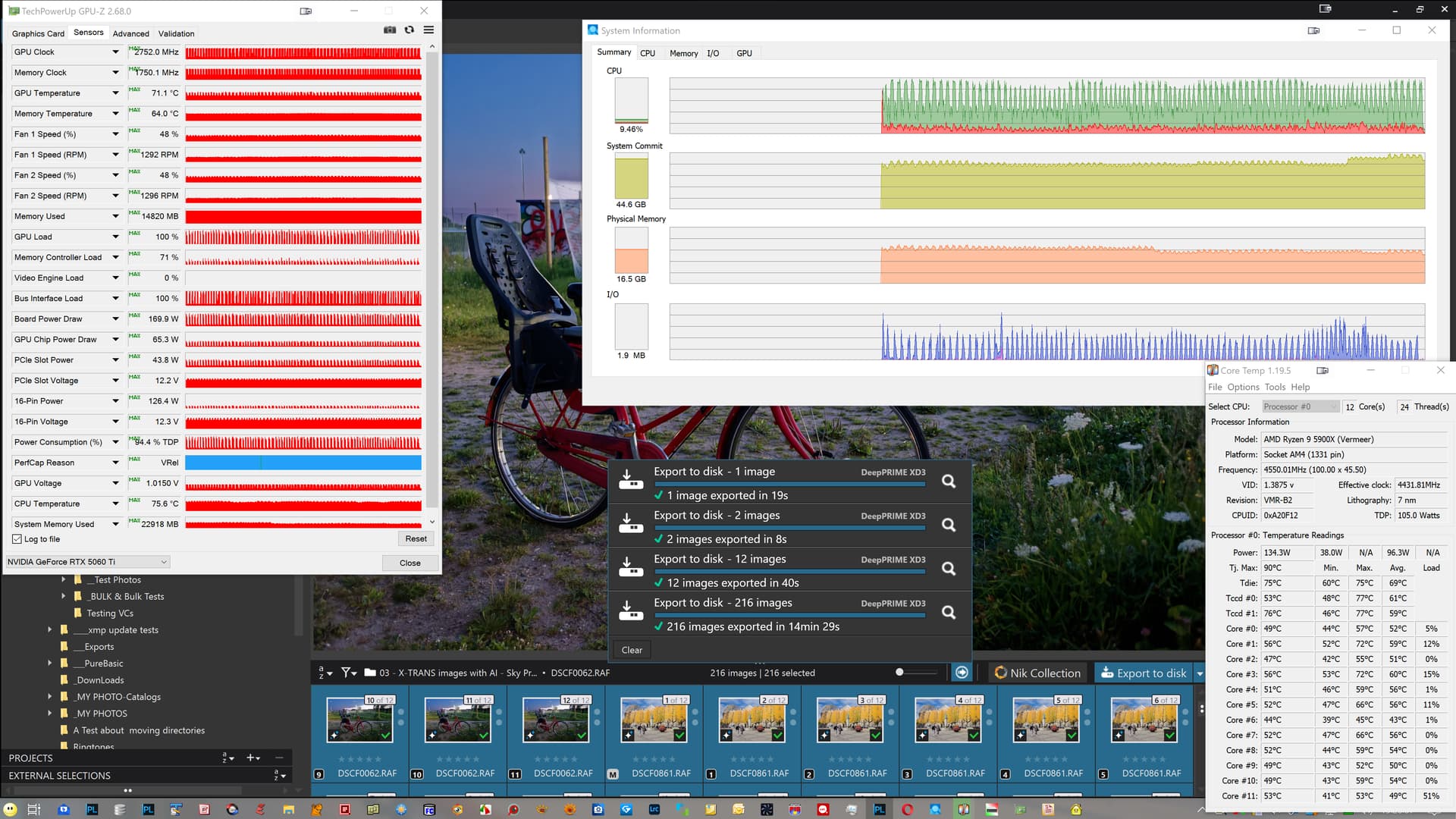
Each image has a basic edit ('1 - DxO Style Natura’l and a single AI “Sky” preset, with the “HighLights = -95” and “ClearView = 50”, and yes I am trying to stress the software, which should have been done during Beta Testing not after the product was released!?
With PL9.3.0 the exports fail immediately which is what was happening on the 5900X with 591.44 drivers, so I will revert to an earlier set of drivers and see what happens, hopefully not this
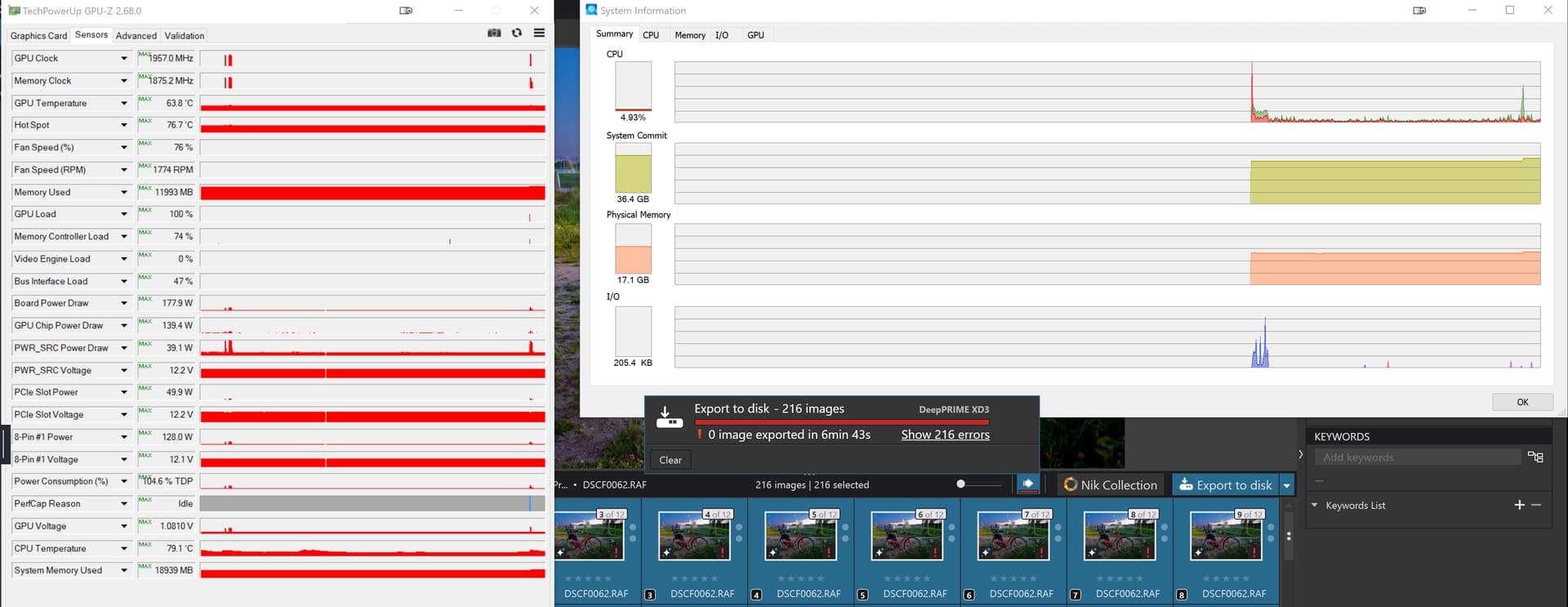
I asccidentally left the failed run going while I tried to sort out the monitor connections so that my cheap 4K 27" screen was connected to the motherboard HDMI!
You have probably found this resource already but just in case, I believe it is also accessible to non-users of the software, i.e. during the trial period etc.. but it still doesn’t allow me to do editing the way that I want to do it!!??
My machine is below DxO’s recommendations. I am still running Windows 10.. I have an i7-6700 @3.40 ghz machine from 2016 with the original 24 GB of RAM. Last year I replaced the original 300 watt power supply to a more robust 750 watts, added a 2 TB WD Black SSD for my C drive, and updated the graphics card to Nvidia RTX 4060 with the latest studio driver from December 4th 2025 installed.
As an added note, a few years earlier my mother board failed and was replaced by a Gen 3 ASUS motherboard that supported all of the hardware I already had at that time without any changes. Having that newer motherboard allowed me to add the more current hardware changes I made last year with no problems.
I am using PhotoLab 9.2.1 on this partially very old and partially updated machine with absolutely no significant issues other than the AI masking drop-down menu which is still very slow and buggy and using it seems to increase export time significantly.
Other than that, I have no significant issues to report. I manually add AI masks. Adding these masks does slow down exports somewhat, and adding a lot of masks slows it down much more. My current camera is a Nikon Z f with a 24.5 megapixel full frame sensor which probably allows for much faster processing of my raw files than from other cameras sensors with a much higher megapixel count.
Without AI masks, my single image exports for DeepPrime 3 take around 6 to 8 seconds, with DeepPrime XD2s exports take around 11 seconds. If I add a couple of manual AI masks, the single image export times generally double. I have DeepPRIME full-time viewing and zooming in the edit window turned on. My overall experience with running PhotoLab 9.2.1 on this machine is excellent.
I use PhotoLab almost every single day, and most of the time I do very significant editing using a lot of features. While certainly not a speed demon, the overall response time is very good and is not significantly slower than any other PP software I have used on this computer over the years, which is many different programs, including the previous eight versions of PhotoLab, Since installing 9.2.1, I have not had a single internal error nor a single crash of the application.
I cannot say why my experience with PhotoLab 9.2.1 on this very old machine with some hardware upgrades is so much better than the experience. a number of other users posting here are having, including some with far superior hardware.
I wish I was in a better position to provide useful feedback, but that would require having direct access to the Windows machines having difficulties in order to analyze first hand any potential points of failure. Initially, I would love to know which startup programs are being loaded in those machines having difficulty, what other software has been manually started by end users and is running alongside PhotoLab, and what peripheral hardware is being used.
Mark
@mwsilvers The answer is simple, it all depends on what you attempt to do with your system be it up-to-date or “ancient”.
If you are “lucky” you can have a reasonably O.K. experience, if you are unlucky or have a particular knack for breaking PhotoLab, then you may be able to discover and recreate scenarios where it falls flat on its face or flat on its back, whichever expression you prefer.
Most of the problems I have encountered are using the DxO provided presets and I typically stick to those because when the system is working correctly there isn’t much in it from a performance perspective and that should be the case with respect to the reliability of the product as well, which it absolutely isn’t.
I discovered a case yesterday with some X-Trans images that fell apart
It could be argued that if all Beta Testers were as “fortunate” during Beta Testing as you seem to be right now on the production releases then there is an excuse for the state of the product, i.e. perhaps no-one “tripped” over the problems during Beta Testing.
But my take on that is if DxO were better at running the Beta Testing then they would have ensured that sufficient testing was done to flush out more of the problems.
One real problem with PL9 is the variability of what seems to work for some but not others.
So with respect to the images I posted just above this post, they have been successful in a number of previous tests but when I decided to waste more electricity and tried to put together a large test batch on my 5900X - 5060Ti(16GB - 591.44) it failed during the build process and then never worked for any images during exporting.
Going back to earlier drivers resulted in a successful export of 216 images with a single “Sky” preset applied to each and using XD3 Noise reduction.
I was then able to come forward to the last driver I was using just prior to 591.44 and exports of a smaller batch worked without a hitch.
But I still have problems with the St. Pancras image which I have not managed to export successfully once!? Actually that is a lie
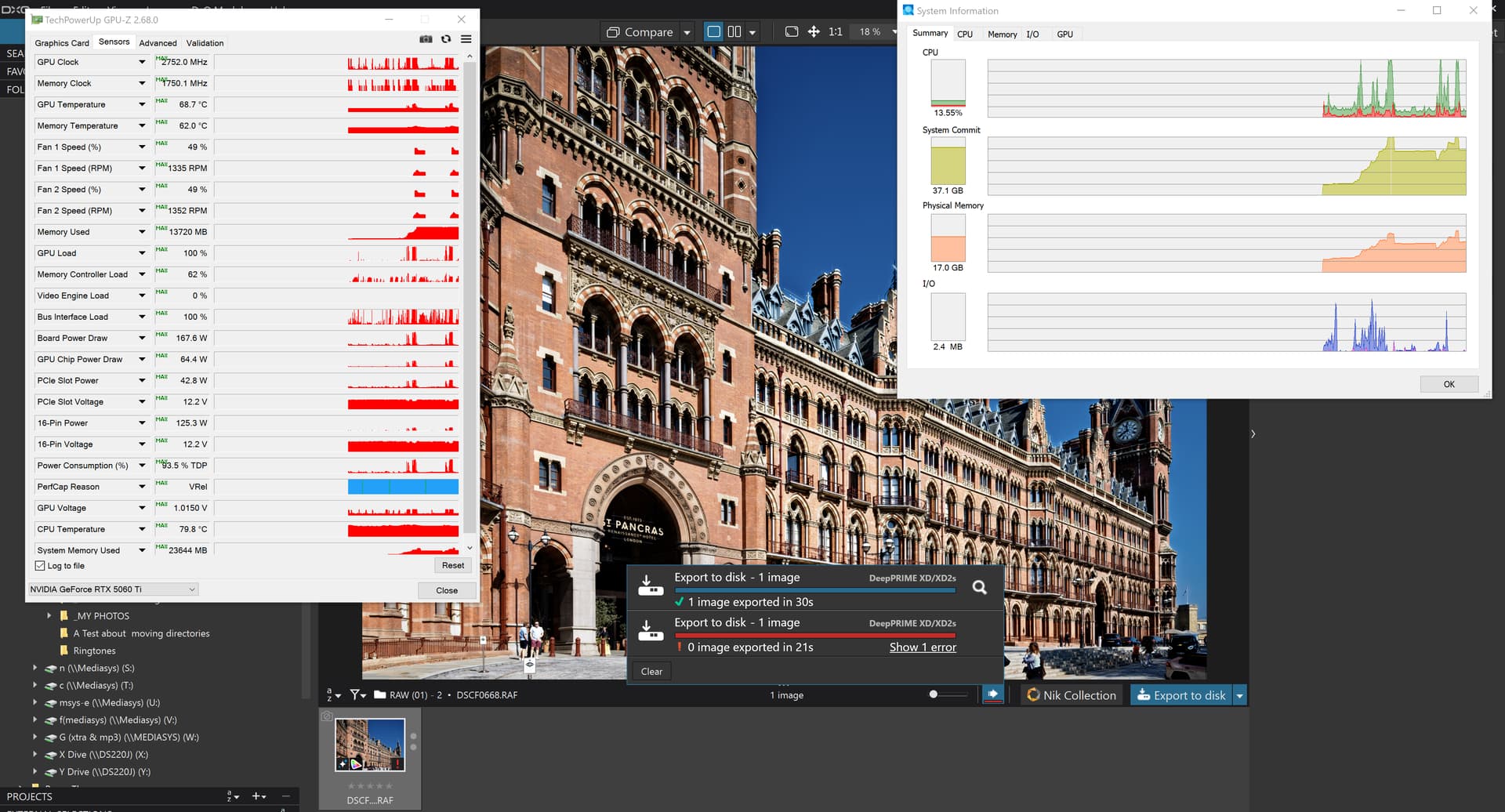
but a second attempt failed miserably - why!?
But this one was the other way around and I didn’t make notes about whether I terminated the export worker after the failure, which is the minimum to do after an export failure.
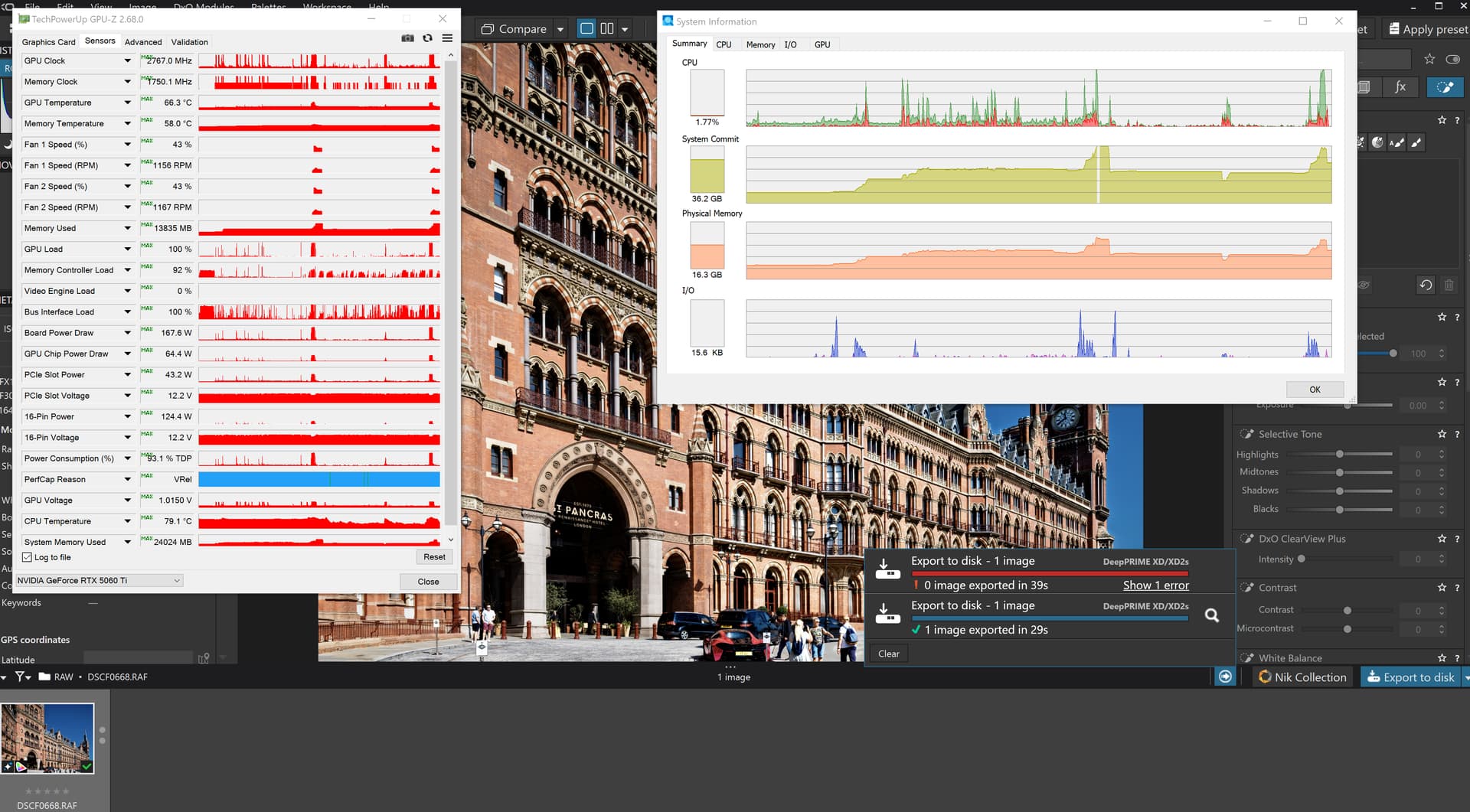
So, those that are able to do what they do and not encounter any major faults, may that continue but I have seen enough “Red” to last me until …
Incidentally, the images that flushed out the PL9.2.1 and now PL9.3.0 errors with the Nvidia 591.44 drivers have been very successful in the past
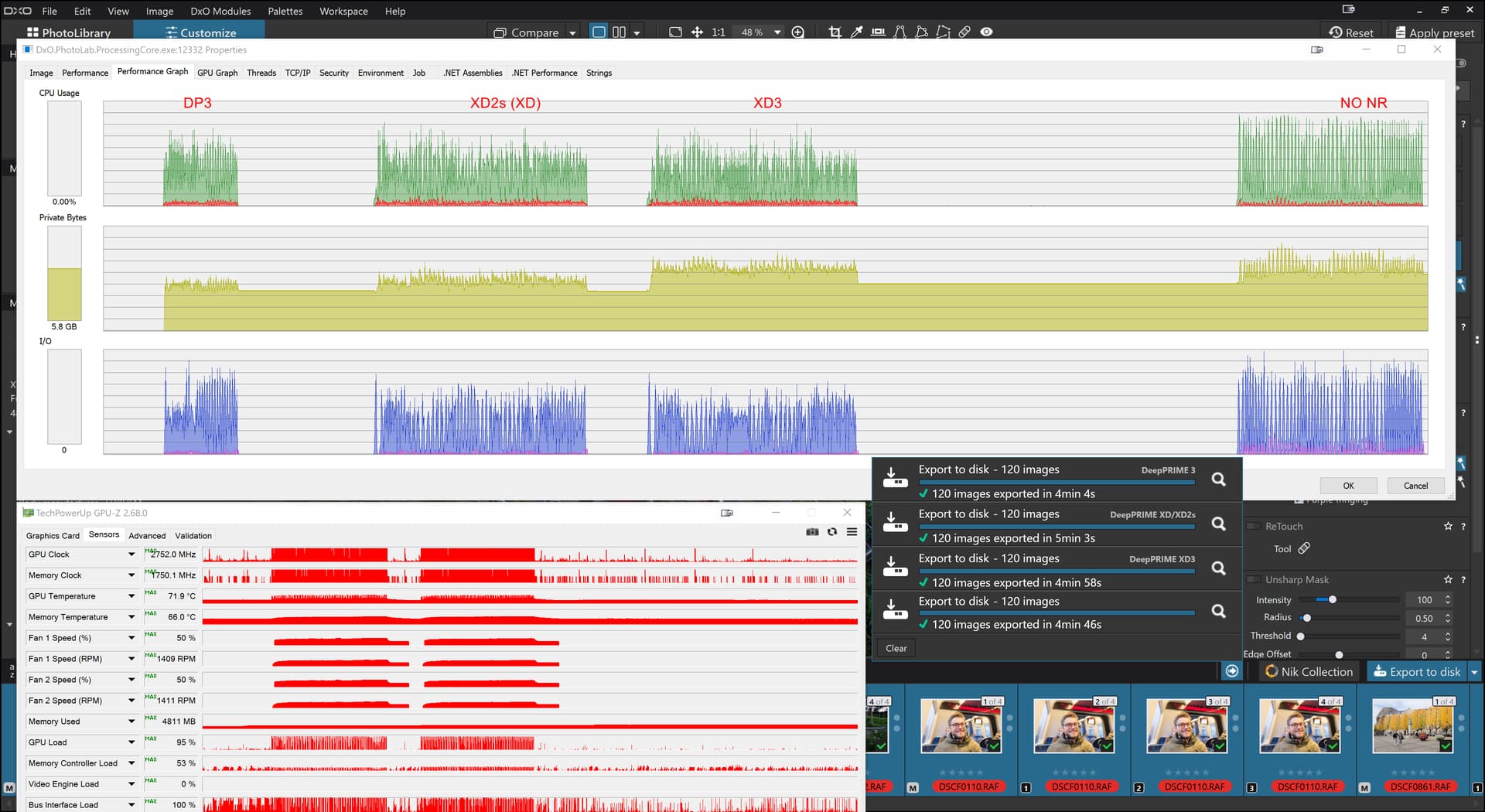
so I wasn’t expecting the failure on the 5900X - 5060(16GB 591.44) last night and was hoping that PL9.3.0 would actually work on my 5600G - 3060(12GB 591.44) but it appears that neither of those releases actually like working with 591.44 but are happy to work with 581.44!?
The difference in performance on the X-Trans images ion the two machines is 14 Minutes 29 seconds versus 28 minutes 13 seconds almost twice as long on the 5600G- 3060 versus the 5900X-5060Ti
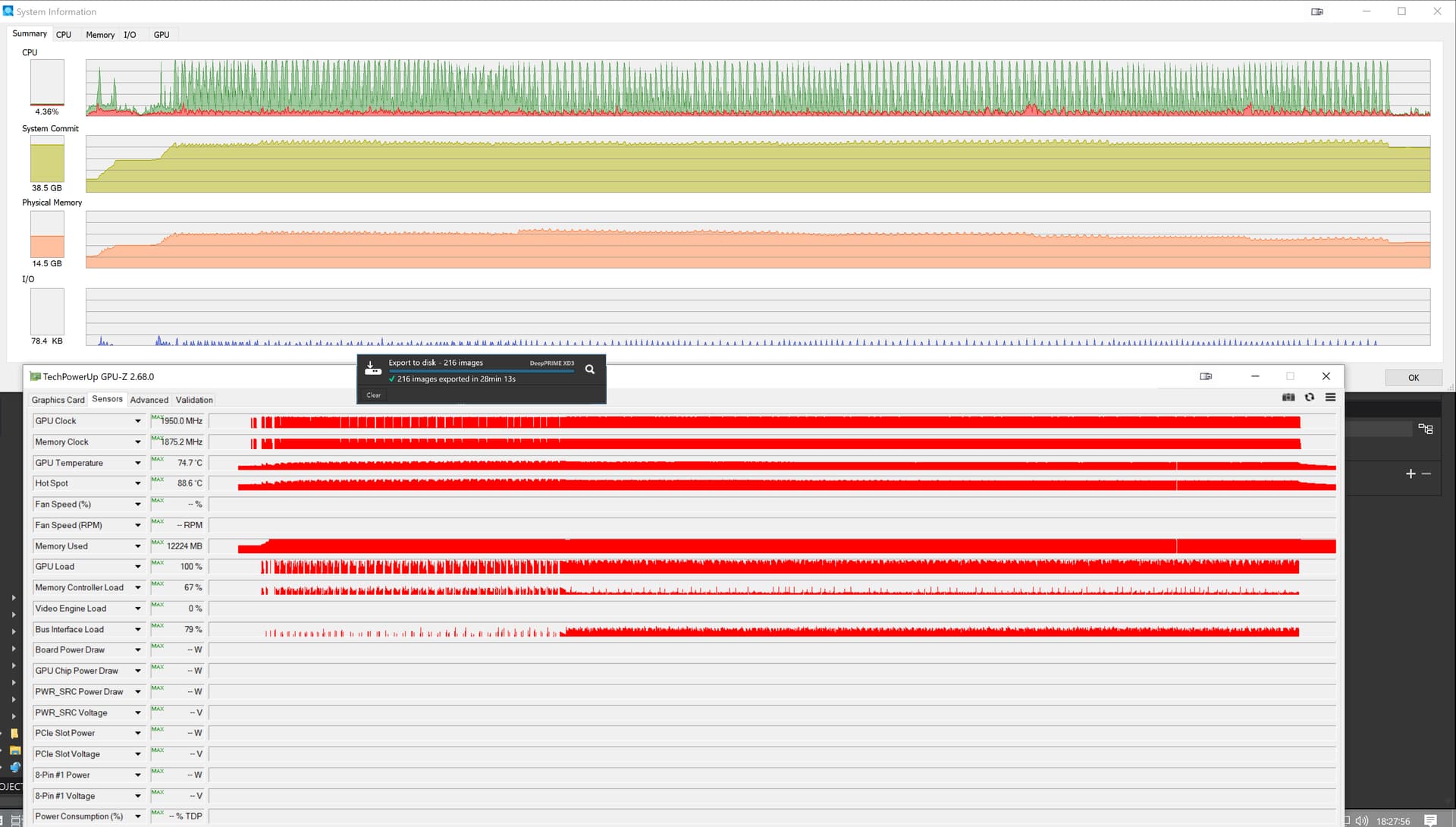
Bryan
That is a topic that may be better discussed privately.
Mark
Yes, thanks. I won’t pretend it’s easy to adjust to ON1 but basic results at the earliest stages are encouraging. I am seeing no difference in denoise or sharpening. ON1’s AI is proper AI. Just one click it alters the photo, then you can adjust how you see fit but initial adjustment is amazingly good.
I am converting RAW files to jpeg that are as good and better than DxO and I have only just got here. And I know it can do much better when I have learnt it.
Anyone want to buy my PL9?
3 Likes
Not surprising 4 is a the ‘sweet spot’. In the past i work in the ‘heavy’ video business and do video transcoding ‘farms’, and do test for weeks to find out what is the max throughput for paralel transcoding threads (in one machine). Usually it was 4, and after (more than 4) that the throughput not change too much. Of course it was a different than photo stuffs, but in other applications i also see / test similar ‘2-4-6’ is the ‘good number’.
How is it (ON1) with sharpening and noise reduction?
Those - for me - are key selling points. I feel I can get sharper and better denoised images from PhotoLab than Lightroom. That, and a sunken cost, are why I continue to make PhotoLab my editor of choice.
If competitors can beat DxO in those areas then I’d be very interested to know it.
1 Like
Disappointing. Not a patch on PhotoLab.
2 Likes
Damn. I know I could use multiple editors and pass images from one to another but that could be cumbersome and I want one RAW editor, not many.
2 Likes
I have seen a few videos on Youtube. A lot of people think the gap between ON1 and DxO is fractional if at all. Some report it is better. To me after testing 4 RAWs I saw little difference. I think my ON1 skills will improve and the adjustments I make will be better as I learn.
The AI is on another planet (and it works without crashing). You bring up a landscape, hit “Brilliance AI” and it renders a RAW from X-h2S in 10-15 seconds (on a Ryzen 5 + AMD Fury 4MB). The result, you can tweek in any way you want but the first hit from the AI is amazing.
Trial it for free, I am.
1 Like
Do you want to abandon PL?
I see that you say you have problems, especially with AI masks. I find that they work quite well and it is enough to examine the dop files to see the fineness of analysis which is much superior with what we did with the brush.
Okay, we can do better but the overall quality and ergonomics of DxO are excellent. Processing times have lengthened with the AI but for a better result: I see it well when I withdraw old photos.
I don’t deny the bugs but on my Mac M1, it works very well ; perhaps, it is worse on PCs.
I see that many people do analyzes and comparisons between software in all directions while spending a lot of time. It would seem more relevant to me to choose a software and to deepen its operation and to devote more time to the photo itself than to dissecting the technique.
2 Likes
I have been with Photolab for 5 years and only use PL. But the problem is two fold, or maybe more. 1 - lens corrections are not really lens corrections. They are lens and camera corrections. So my Fuji X-H2s is covered, my Canon EF100-400 MK2 is on the list but I cannot use them together and get lens corrections. Even thought someone like ON1 can. 2 - DxO have habit of ignoring problems or kicking them into very long grass hoping people will forget or just put up with the status quo. This is more recent. 3 - PL9 is a disaster commercially. They have a plethora of Youtube mercenaries telling us all how good it is, but in the real world, we know, it’s not. Apart from the crashing on both Windows and MAC os, AMD and Nvidia GPUs, any CPU you care to mention, we can find a crash. The masking is moderate, as polite as I can manage. The AI masking is multi-generationally behind the competition and is guaranteed to crash, say, kindly, 25% of the computers.
And whilst all this is going on…………………………………. DxO’s response is predictably, nothing. Ah, not quite right. They rolled out 9.3 and the output from PL9.3 doesn’t have lens correction applied, by the look of it.
So I am running PL7, I am trialing ON1 and I am benching PL9 until DxO can get it together or until I sell it. It is at present virtually unusable for me and so if anyone wants my PL9 let me know. I think the upgrade price was £89, which is a good price but only if it works. My guess is I won’t get any takers and I can’t blame you.
1 Like
I do get what you are saying. Software companies want to tie you in, either by subscriptions or by other means.
The user experience is very good on PL7, very good. I really enjoy using it. The lens correction issues and others and now the current plethora of problems. It’s just not a good look and means that I have looked over the garden fence for the first time in 5 years and realised that there are alternatives and maybe I should be less of a sheep.
The denoise and sharpening on ON1 appears to be very good and although I need to spend more time on what is a steep learning curve, from what I have seen, it is good. Their lens correction works for me instead of reading my exif information incorrectly.
The masking is undoubtedly better but that is because they have been doing it longer.
It’s given me food for thought. Instead of being frustrated by DxO’s various issues, I can vote with my feet if I want to or if I think this is a better option for me.
One thing I would say is never believe anyone on Youtube that is an affiliate. I kind of knew the truth of this but this has opened my eyes.
1 Like