AI Mask is the issue

Life is too short for me to bother taking a look back at old forum posts but sometime ago someone posted that there were items on the “to do list” that has not been addressed in 3 years. At that time there were staff members that contributed and no-one contradicted him.

The problem is that this is becoming a trust issue. There are enough people with serious issues for this not to be “the odd case”. So DxO either did know there would be problems and ignored it, or they didn’t know. Not sure which is worse to be honest.

1 Like

Thank you, I look forward to seeing how my system reacts to your image.

Had a free moment so I tried the following quick things on my Mac mini:

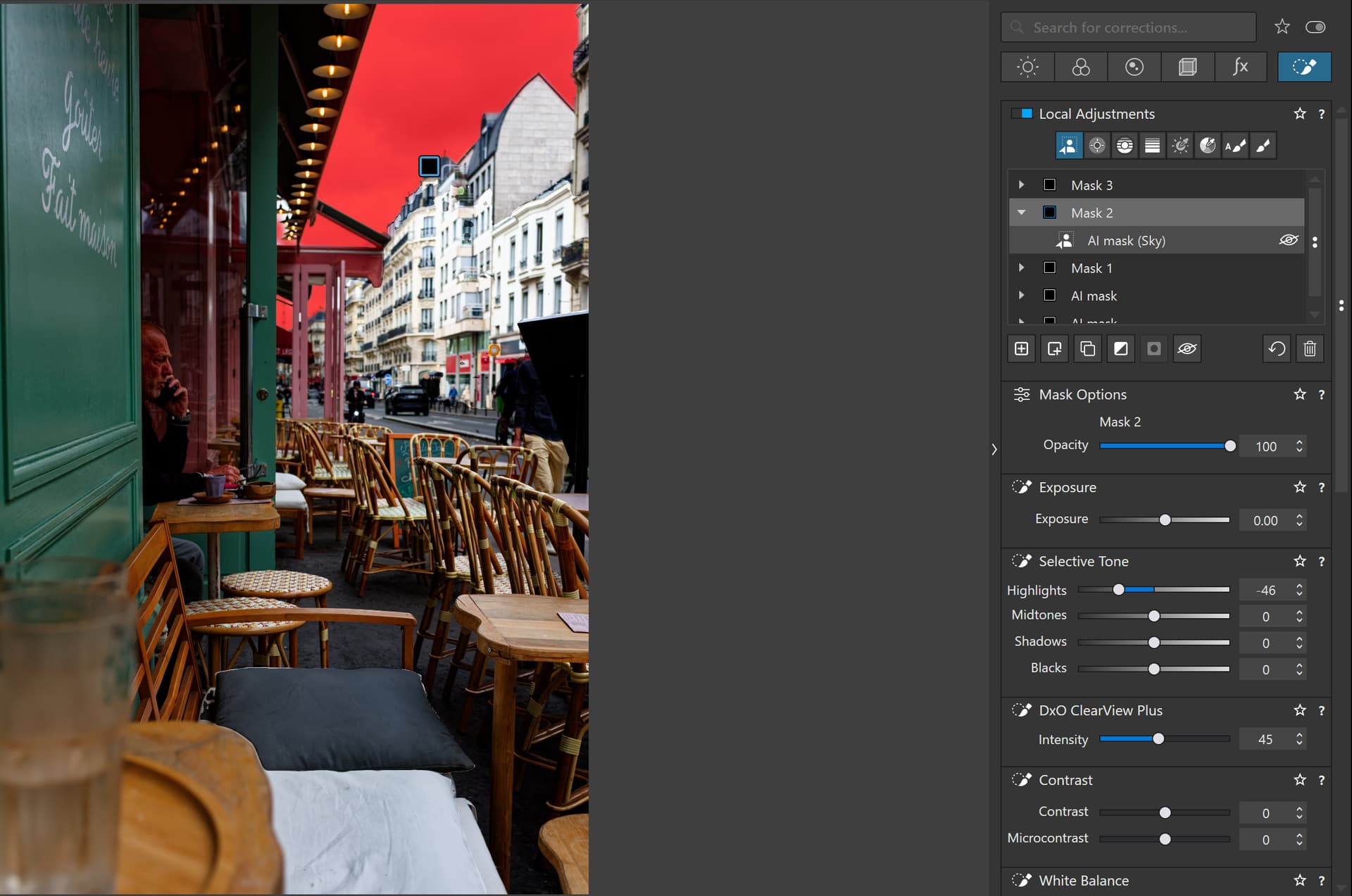
Images 29 VCs opened instantly; updated all 29 previews in about 2 seconds. There was an alert icon (first time I’ve ever seen that) in the mask list for the AI mask (Sky) with the following message: “Unable to select the chosen predefined mask”. Other mask were there and they seemed fine.

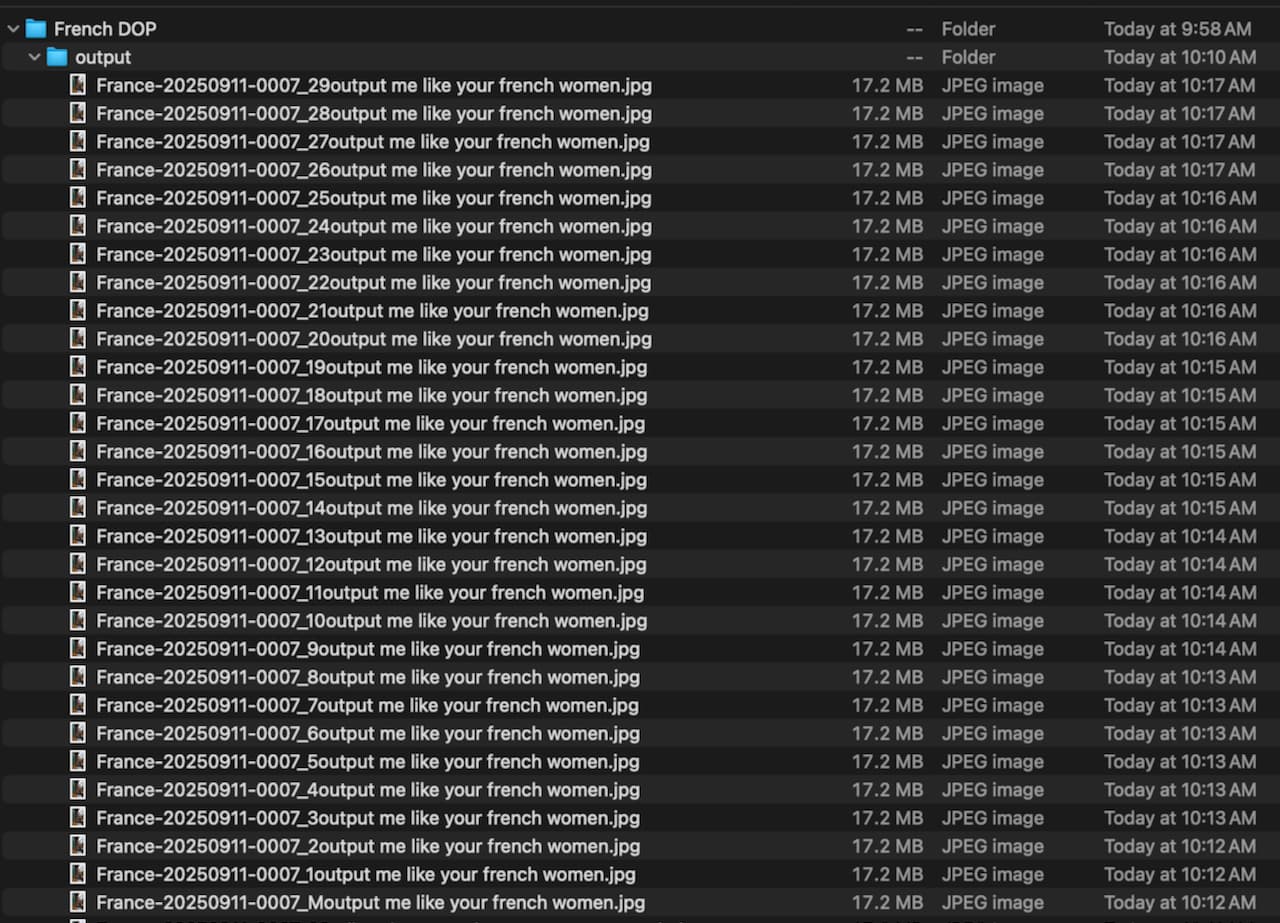
Then I selected all 29 versions and batch exported them to the same folder that I downloaded your files to. The export took just over 5 minutes. While they were outputting I clicked around on my Mac, checked email, edited a screen shot in Photos etc etc no lag or beach balling, did not fiddle with PL while it was exporting.

After that I went back and deleted the Sky mask which worked and after a second of preview correction could edit.

Maybe I’m lucky but in the three months I’ve been using Photolab 9 I’ve never had a crash or had to restart it EXCEPT when I accidentally pointed it to a folder containing +92,000 jpegs (an old Aperture library export). That folder is now labeled DO NOT ATTEMPT ANY OPENING IN ANY APPLICATION.

I also noticed for the first time that the PL dock icon has a progress bar while exporting, very nice.

Used this version for testing (w/o xmp-file).

First, I checked the file with the NVidia studio driver 581.57, when PL9 showed up with the known error message. Deleted all VCs, disabled Local Adjustments to then see the image, re-activated the LAs and added 29 VCs …

Installed the latest NVidia studio driver 591.44 to run the test again (have to be patient until the master file is rendered properly :expressionless: )


Otherwise, I didn’t check much.

  • The famous cheetah was correctly selected with AI Animals and then exported.
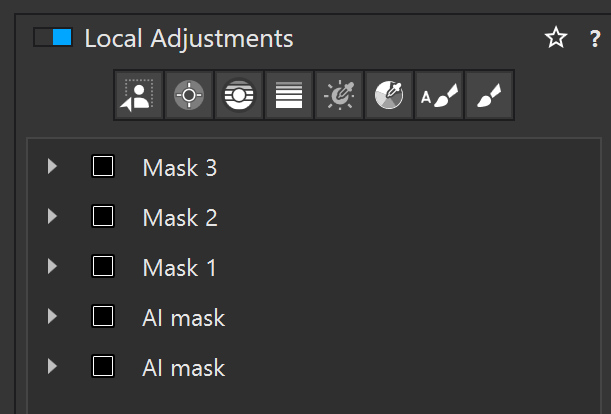
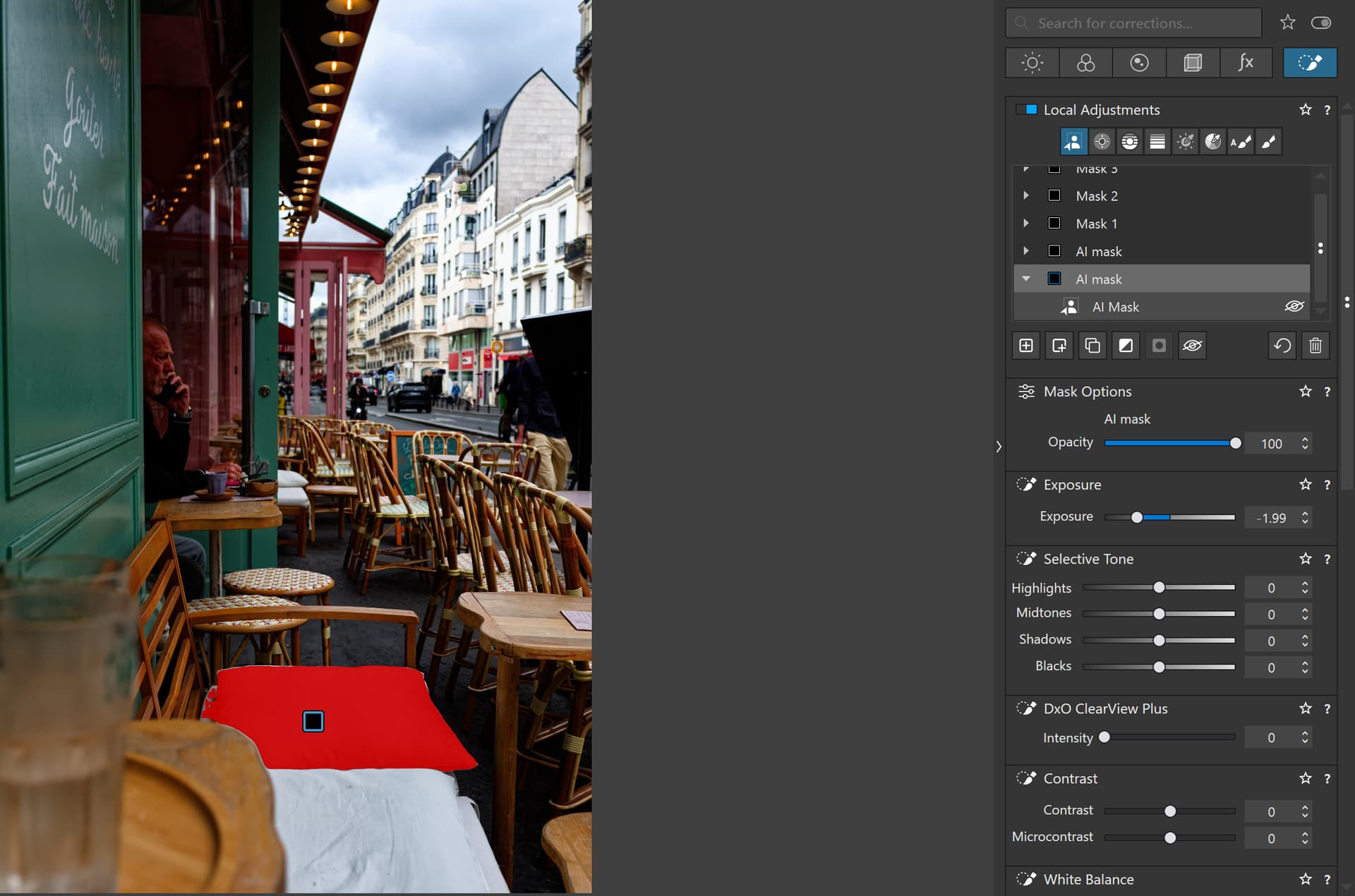
  • A 100 MB file of St. Pancras Station with 3x predefined AI masks (sky, vehicles, people) and 1x manual AI selection was exported on the next attempt. *)

*) edit

@calvingrinder Thanks for giving it a try and it appears that you worked out how to put snapshots into a post.

I use FastStone Capture for all my snapshots but that is a Windows only product and pretty easy to use.

I believe that the reason for you lack of incidents is that you are using a Mac, whereas Windows users must use either a GPU embedded in the CPU, typically under powered but better than nothing (just), or a GPU from Nvidia, Radeon or Intel, or one of their third-party “outlets”.

The disadvantage is the size of the cards, bigger than a Mac mini, the amount of power consumed and heat generated and the cost. The advantage is that for standard systems it can be upgraded, providing there is sufficient money, power and any increased heat can be removed.

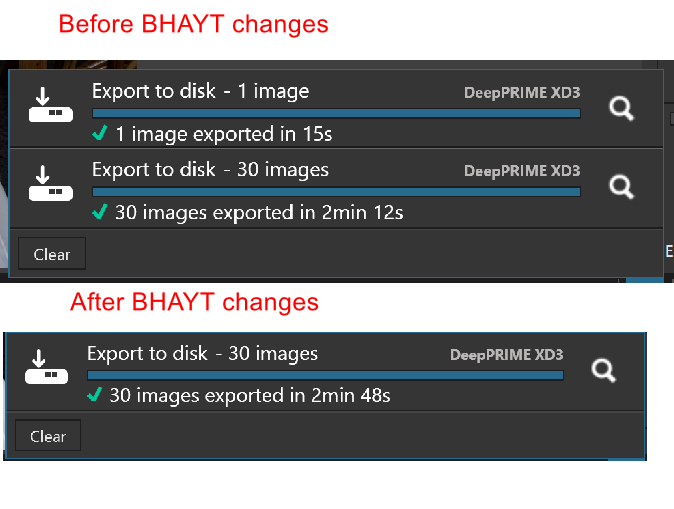
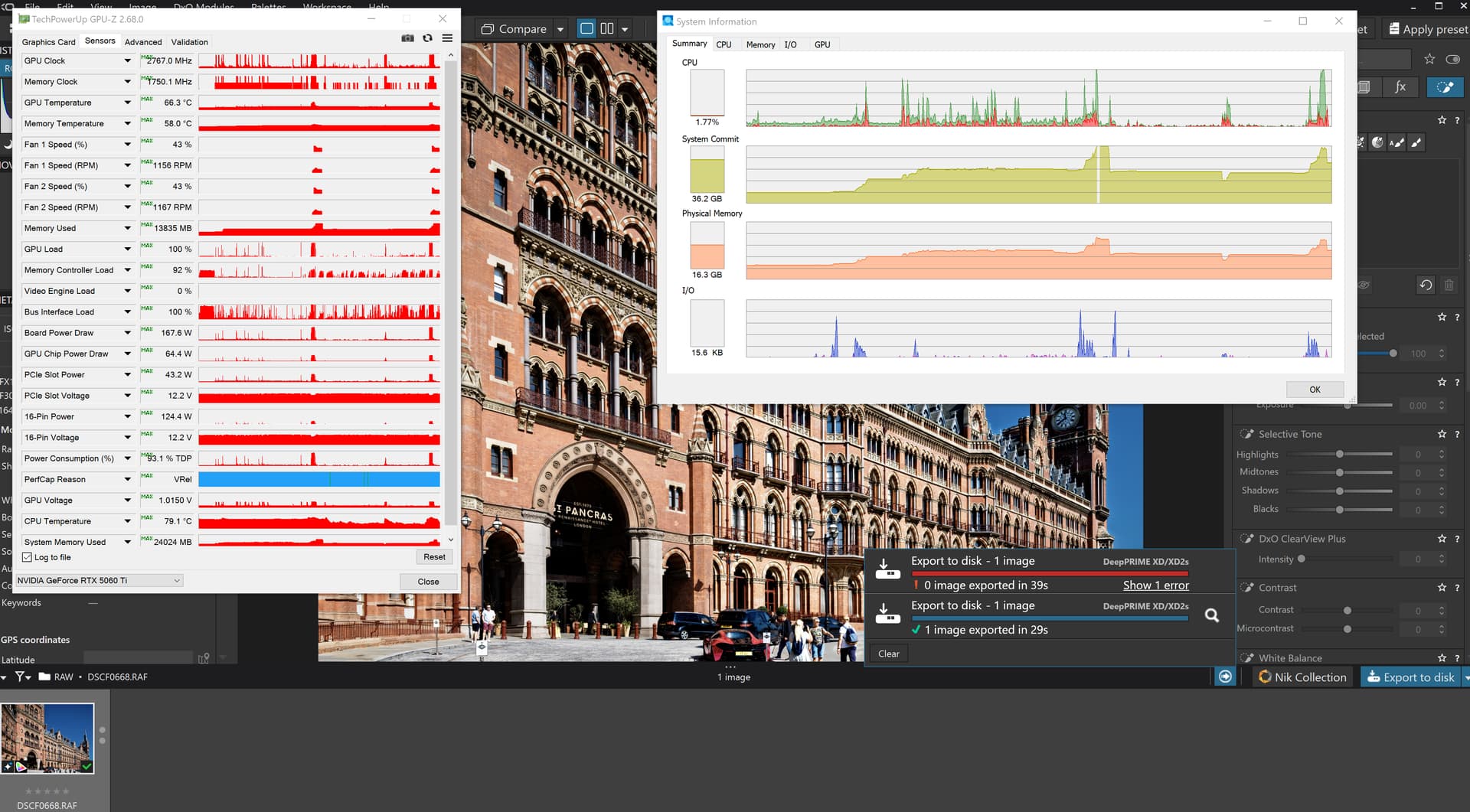
The reason for putting together a batch using VCs is to “stress” the GPU and the DxO and Nvidia code, in my case, and see if anything breaks. It also gives a figure that represents a more realistic time to export an image, although a batch of 30 is a bit small to “stress” much of the product.

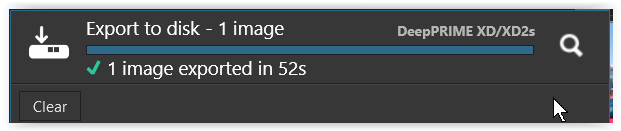
Without the batch a single image took 15 seconds but a batch of 30 took 2 minutes 12 seconds before I changed the AI masks applied and

But in the first tests I had exported an image just prior to the batch test

So, I woke the machine after a long sleep, the sleep will have cleared the VRAM and the export worker would still be running.

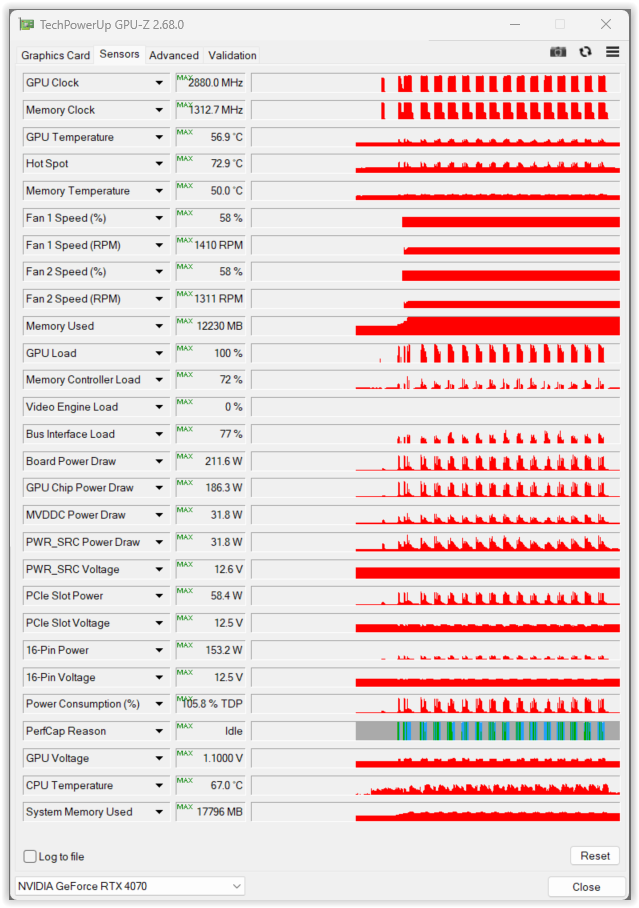
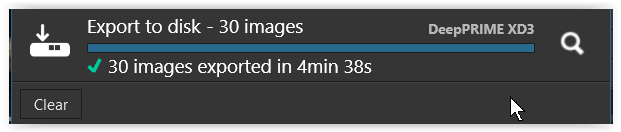
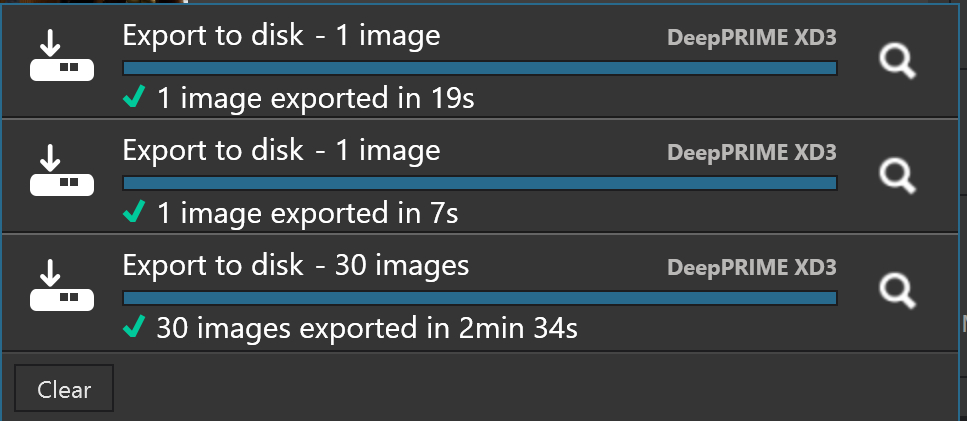
Exported one image deliberately, one image accidentally and then all 30 images and got the following

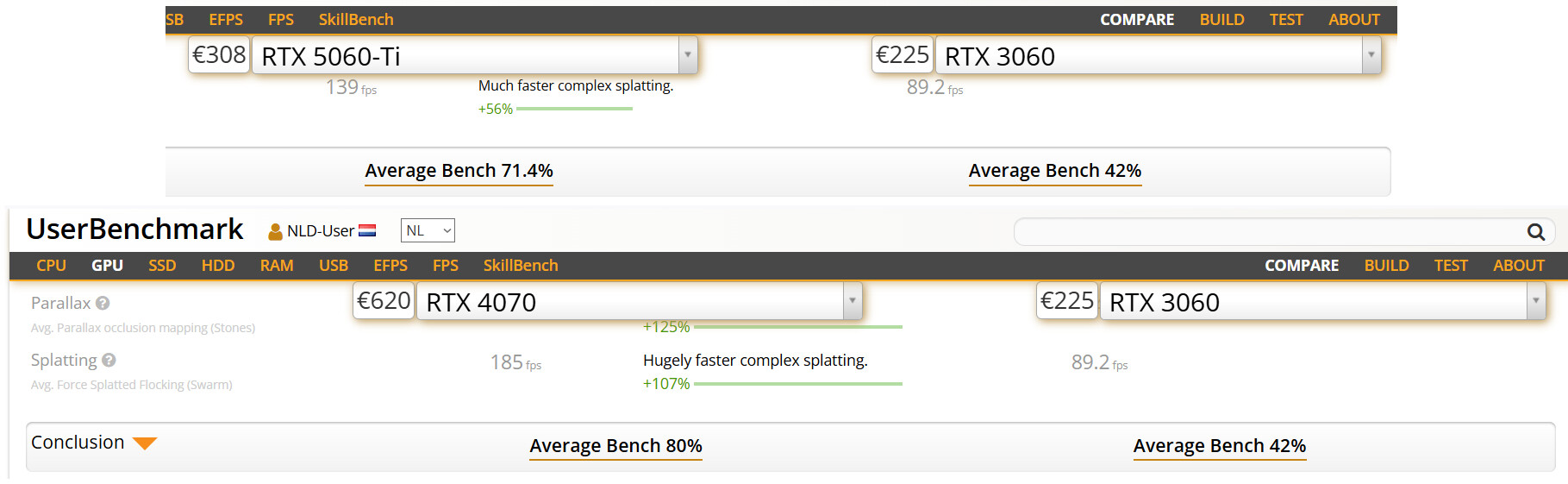
I also investigated the cost on an M4 and was impressed by the low price, albeit for a low spec machine, i.e. a bit more expensive than my 5060Ti(16GB) and with the same amount of memory!?

But then I entered your specification and that was almost twice what it cost me to build my machine, about £1,129 for the 5900X(32GB) + 5060Ti(16GB) and £1,018 for the 5600G(32GB) + 3060(12GB) but the 3060 has decreased in price by about £80 since I bought it so if I rebuilt that machine now it would cost about £938, all prices include VAT

Neither of my machines is vaguely mobile and the 5600G could be replaced with a 5900X but then I would have a 5600G spare!?

Thanks again for undertaking the tests.

Before I finished I copied files to the 5600G + 3060(12GB) and reran the test there. Somewhat slower on a processor half the power of the 5900X and a GPU that is roughly just under 0.6 of the 5060Ti!

and the figures are

@Wolfgang’s thank you for testing.

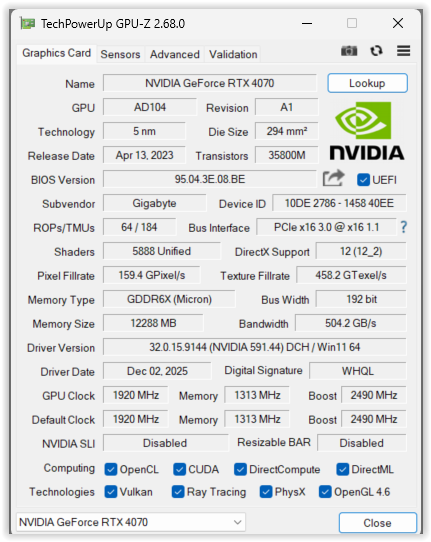
Your times are just slightly faster than the 5600G + 3060(12GB), which is interesting since your 4070 is almost twice as fast as the 3060 and faster that the 5060Ti.

The Mac seems to have the measure of the PCs I am using, for the first rendering of an image with AI but not necessarily faster for exporting.

Hopefully these experiments will add to the debates about how powerful a PC needs to be and how much needs to be spent.

I finally ran a batch without any AI and got this

Half the time that it took with the 5 AI masks included but there are still delays while waiting for the screen image to be rendered but I do have both the preview options set.

A potential Bug:-

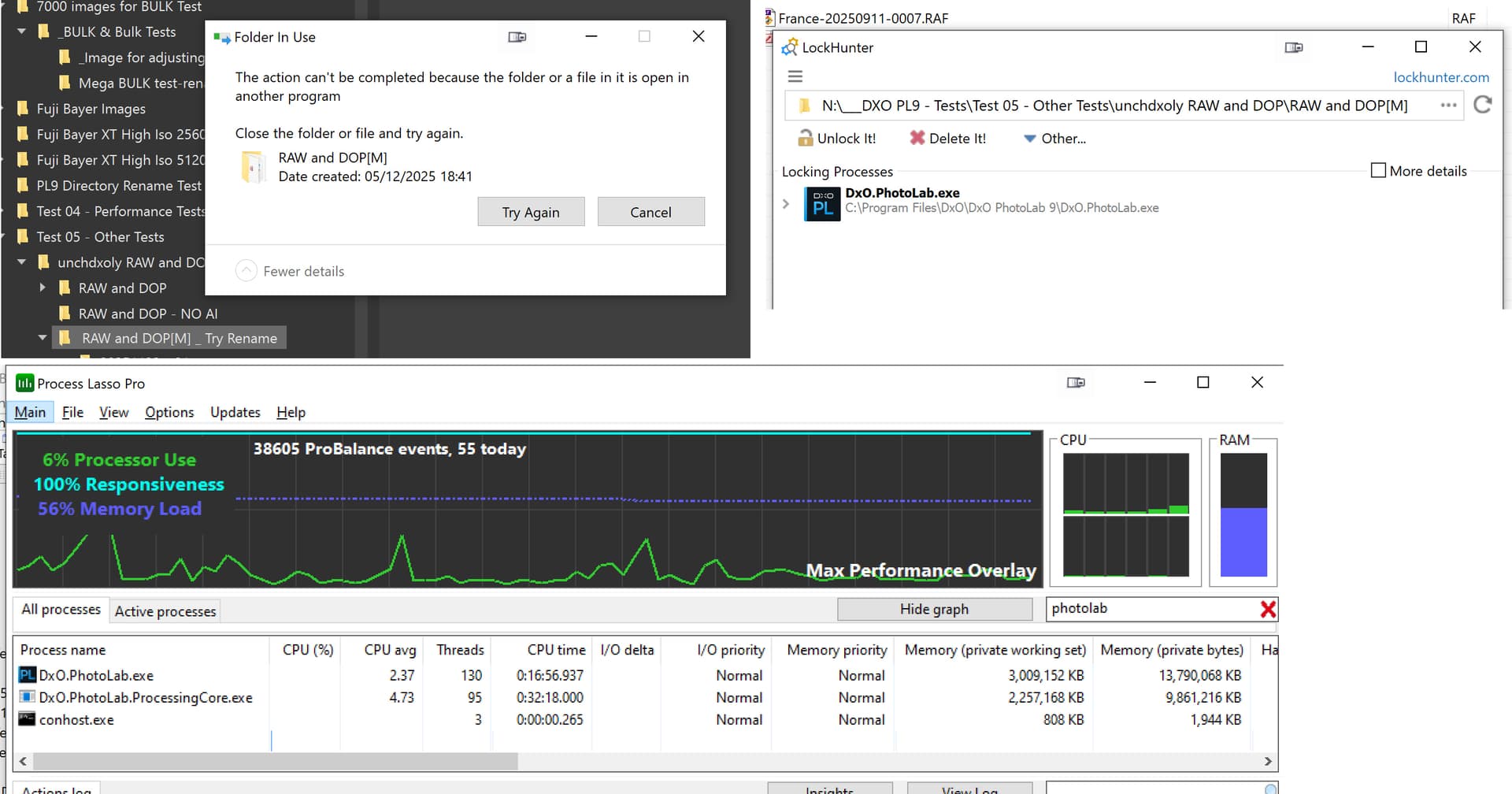
I have encountered this a number of time when attempting to rename directories inside PL9.2.1

As far as I can tell PhotoLab is blocking itself and the locks need to be released by LockHunter. I got the renaming wrong, having released the Lock and needed to do it again!!??

I am not sure this is right. If DxO ‘s problems were Windows related that would mean alienating over 90% of their user base. No-one would be stupid enough to do that, would they?

@Gareth If you replace the word “stupid” with “careless”, and I don’t mean doesn’t care but rather that it was a mistake or a calculated risk.

The advantage of the PC architecture is that we can choose a variety of hardware and if you are as stupid as I am and use a use a floor standing “lump”, you are free to upgrade it, power and money (and cooling) permitting.

But that means that DxO are writing for and testing code for the varieties of PCs we can buy and/or build, the latter in my case.

In this case the “testing” seems to be an ongoing exercise with Nvidia GPUs in particular and is still not totally resolved I believe, but the latest set of drivers, 591.44

2025-12-06_083009_

seems to be offering more than anything that has gone before. The later tests in my posts above were done with both machines running with that set of drivers.

I need to test with problem images and groups of images where I have encountered problems before, the test image above is using XD3 and I need to do some tests with my usual images, which use XD2s, to see if the machines seem to be stable with those “problem” images.

I don’t think it was intentional, actually it was a calculated risk because the product was released with warnings about certain GPUs, but I think it does point to a flaw in the way that DxO conduct Beta Tests, you can’t have a “hackers” party unless the “hackers” can communicate e.g. via a forum.

Arguably it seems to not be entirely DxO’s fault but they may have done serious damage to a large part of their user base, although it doesn’t change the reason why I chose OpticsPro originally and continue to buy PhotoLab yearly, as I did again during this Black Friday “sales”.

@Wolfgang You had to ruin my quiet, wet Saturday didn’t you!?

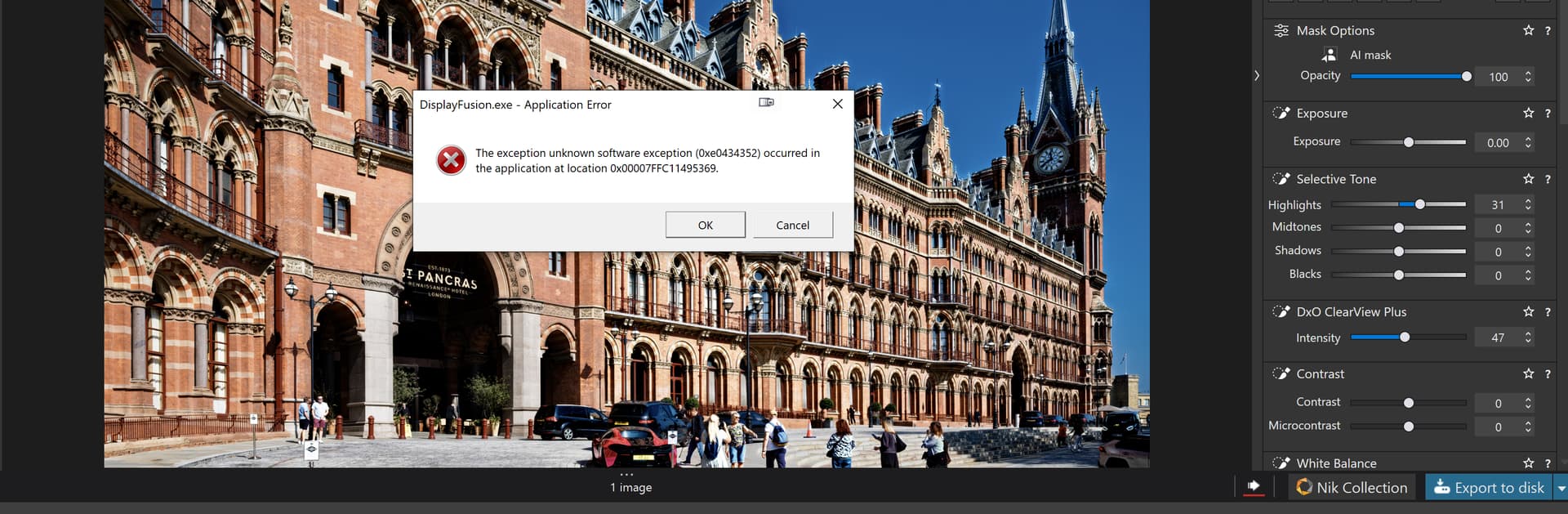
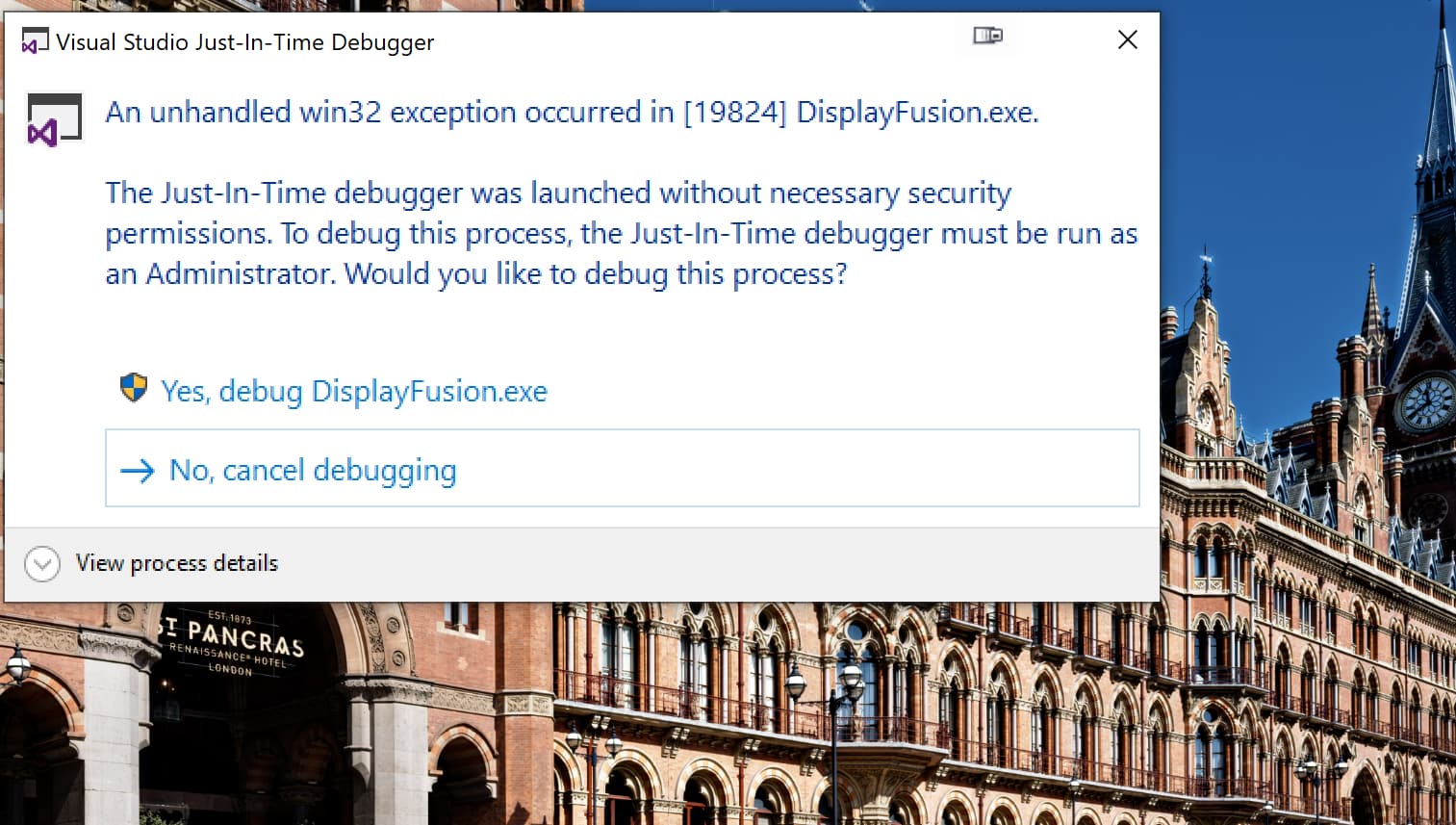
First attempt with my similar AI edits caused a crash with “DisplayFusion” on my cheap 4K screen?! Closely followed by a fault from PL9.2.1

But the next run was successful, even though it was run straight after the failure, i.e. not after a restart.

So I created 19 VCs and started a disastrous test, which resulted in a dump (submitted) about 5 errors into the run

Restarted and it failed (dumped) almost immediately (not submitted)

So another test to add to the arsenal of “poisonous” tests!!

Tried again with just the first image and that failed, no dump but just the standard failure.

Plus you have to question the competency of coders who decide to leave a lock in place that prevents users from renaming directories in PhotoLab!!??

One part of PhotoLab owns the Lock and another part wants to Rename it, as I requested, and stalemate!!

Fortunately LockHunter unlocks the file and the rename can be continued, via “Try again”.

It not quite as difficult as you make it sound. There are millions of configurations available in the PC world. Take one motherboard, with many different components, then the difference types of RAM, and the speed of that RAM. GPU variations, CPU variations etc etc. You would think, an impossible task but no…….

Most PCs that can run anything like PL9 will be looking at RAM that is either DDR4 or DDR5. The speed, not that important. Matching to the hundreds of CPUs available is not required. Just whether the CPU is capable of dealing with the volume and speed. GPU is a little more complicated but if it was rocket science, companies like DxO would not exist.

It seems that those with disposable MACs are not having much of a problem, those with Windows based PCs seem to be having problems even when their spec suggests they shouldn’t. That is economic suicide. If DxO think that because they are virtually the only vendor providing a single purchase product, that will protect them, they are sadly mistaken. They need to acknowledge the problems and resolve them swiftly. Unfortunately, the swift resolution of problems is not DxO’s strong suit and that could be. I’d like to think that behind the scenes there are people running around going “Oh sh*t, we have a problem”. Sadly, I doubt it. The silence is deafening.

PL 9 is reliably unreliable. A “Dagenham Dustbin” - a Ford Cortina made on a Friday afternoon when the workers were………………….. well planning their weekend frivolity rather than focusing on the job in hand.

1 Like

@BHAYT

This image is giving me trouble. First, I couldn’t see / edit the Mac version and deleted everything.

Later I downloaded the file you posted (assuming your DOP file contains your masks and settings as you saved them on your PC). However, the same problem occurred as with the Mac version, so I deleted / recreated the VCs and then exported the file … as already reported.


To be on the safe side, I checked again today, copied the image and the DOP file into a new folder, renamed it, restarted PL9, deleted the aforementioned test version with the original name, re-indexed the folders and exported the renamed file plus VCs … with a similar result.

.
In separate copy, I then deleted all masks, set PL9 to DxO Standard preset (in order to make any settings at all), applied DeepPrime XD3, recreated the VCs and exported again.

The same thing in PL8

@Wolfgang That image seems to be causing you problems I will copy the directories for that and the St Pancras image to the 5600g+3060(12GB) machine and see what happens there.

Why is should seem to work on the 5900X + 5060Ti but not on your machine doesn’t make much sense, unless I got something very wrong with the image.

One of the problems with the whole PL9 AI “Saga” is the variability in the experiences of users. It seems hard to get a consistent set of results across a number of users!?

PL8 outperforming PL9 doesn’t come as a surprise but again I believe on a previous set of tests, which I don’t think I posted, PL8 wasn’t that much better than PL9.2.1.

5600G - 3060(12GB) Runs:-

For some reason the first AI and then a non-AI run were a disaster, PL9.2.1 was running like a sloth!?

I abandoned the Non-AI run and restarted PL9.2.1 which seemed to have been having a “bad day”.

After the restart I got

Much better! Please note that these are with @unchdxoly’s original edits, plus 2 of his original 5 AI masks but with 3 of the AI mask selections replaced with 3 I assigned on my 5600X for the earlier tests.


I’ll try again and include PL8 tests later.

I managed renaming directories containing images successfully on this machine!?

Yes, it’s reliably unreliable. Just what you want in your software :roll_eyes:

I’ve not been in the position to take many photosfor some months but when I have 9 has been a sod

I’ve not used AI much but I have had a number of mockups. I unintalled and reinstalled 9 and first use it did it again

Never get a PL crash reports only the MS ones. I havent had such a buged program for some time and last time DXO had sorted most of the problems. Yes it’s always them

@Gareth Agreed, but that is mostly being caused by the new AI (or so it appears) and it would be good to identify why @Wolfgang is experiencing problems while I am (mostly) not, notwithstanding the rogue start on the 5600G(3060)?

While Nvidia may well have to “share” some of the blame with DxO, I also believe there are problems with the new export worker/export worker architecture. More of that later in the post.

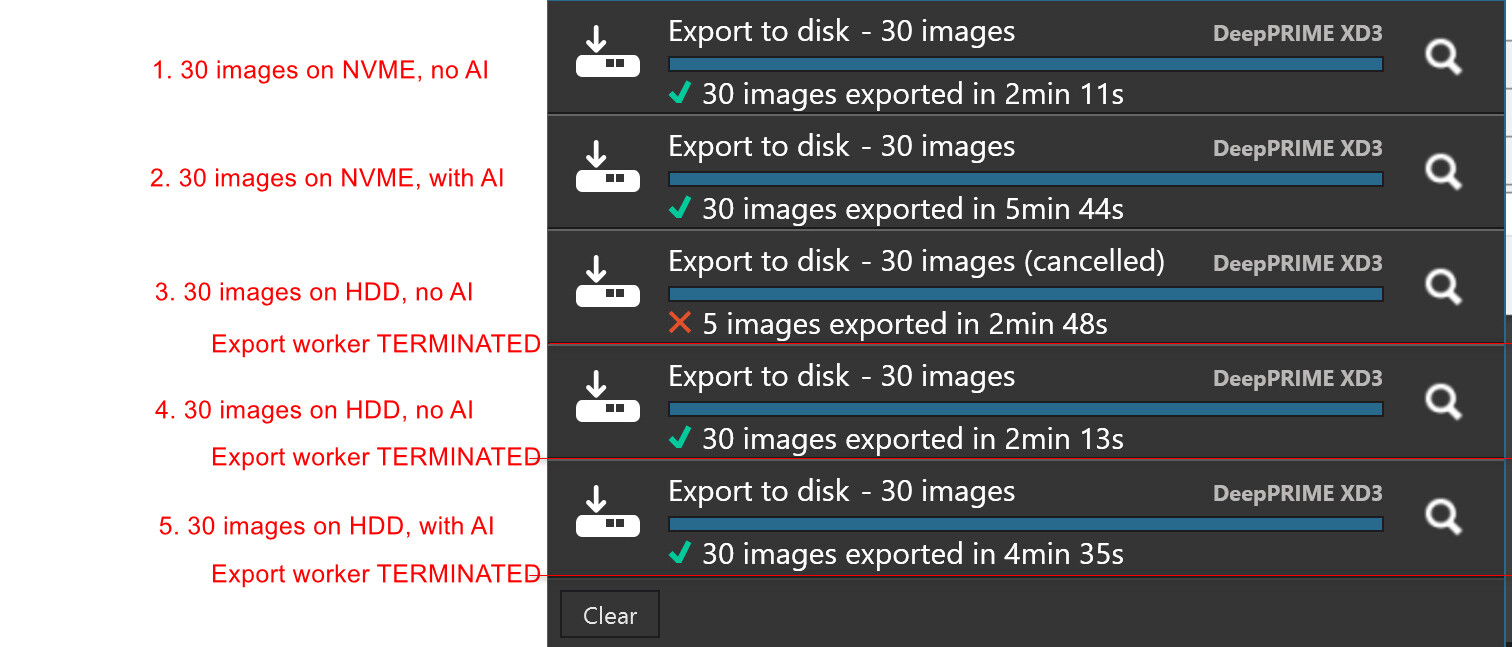
@Gareth and @Wolfgang I continued testing but with the directories on my 8TB HDD. i.e. reading and writing to an old fashioned HDD rather than an NVME, which uses a PCie Gen 4 connection.

The run summaries are as follows, and both the GPU usage and the CPU usage graphs are interesting :

or better

Aborted run + successful no AI run:-

Non AI run + AI run:-

Recommendation|:- After every AI run of any size terminate the Export worker

It will restart immediately but any potential, residual export “junk” will be cleared.

My issues are with an AMD Radeon GPU…………….. I suspect the problem is more fundamental. The components are able to handle the data in most cases. My CPU, GPU, VRAM and RAM are not maxed out. I suspect that the data is bottle-knecking somewhere. That’s why so many different systems that meet minimum requirements are failing. DxO still silent about the issues? Ostrich - sand?

I am using it but without using any masks or the loupe. On my machine they are unusable.

Still DxO are silent………………………… let’s all pretend it works?

1 Like

I was considering upgrading my PC but if you can’t get it to work on a 5900X + 5060Ti - then there’s no point. I could upgrade and it will still fail.

Looks like most people will have to suck it up until there is a viable alternative. I think they will lose a lot of people over this. I have a zero tolerance policy when businesses shaft me. It’s getting close to that now. There’s no point in have “market leading lens corrections and noise reduction” if your software doesn’t work properly.

1 Like

Just wanted to add to the discussion that I have a ticket open regarding crashes since 2 weeks ago; I’m in the same boat, hardware that far exceeds the recommended platform. I started with an Intel Arc A770 16gb board, spent hundreds of hours trying everything from Windows settings, drivers old and new, etc to no avail; I went ahead and replaced the GPU with a AMD Radeon 9060 XT 16Gb (because I’d heard of Nvidia problems, too), but PL crashes just the same when using AI masks and/or exporting. And this is the icing on the cake: I had a picture open and was working on a AI sky mask, left it open, went to grab a coffee or do something in the kitchen and when I went back to the computer I was greeted with the familiar “DxO core has crashed” message. Not exporting, just sitting there doing nothing made it crash. The software is unusable the way it is; a couple of days after I purchased it I requested a refund but the request was flat out closed with not even an acknowledgement or an answer. Actually the answer from this and what I see everywhere seems to be: “we have your money, it sucks to be you, too bad”. For a company and product that positions itself as an alternative to Adobe, they’re a far cry from there and in terms of publicity, this treatment of their customers will really blow in their faces. They should come out and offer a free subscription for another year or something to show some good faith, but I don’t hold my breath; it’s certainly the first and last time I buy anything from this company unless they start acting like an honest business and not a scam, which is what they are to me right now.

@Gareth The item you quoted was that it did work on the 5900X(5060Ti) and on the 5060G(3060) as well but it still failed when attempting multiple exports with the 100MB St Pancras image.

If I export 1 St Pancras image from one directory and another from another directory then both are successful but if I attempt to do one image after another in the same export run then it fails. I can’t help but suspect the new export worker rather than the Nvidia drivers!?

But can’t prove which it actually is!!

@Gabe That is unacceptable, if the software is “not fit for purpose” the contract should be cancelled and the money refunded

While I believe that the bad coding and bad testing are unacceptable, I don’t believe it is a “scam” but rather a monumental “screw up”.

What is unacceptable is the way the users are being treated, DxO have retreated behind the barricades they erected some time ago, with essentially zero interaction with the user-base.

The problems we are discussing here deserve a more open dialogue, any form of dialogue would be useful, with the user-base @DxO_Support-Team.