Many thanks for the image and the dop!
I made a few measurement, and has some observations. May some of it interesting.
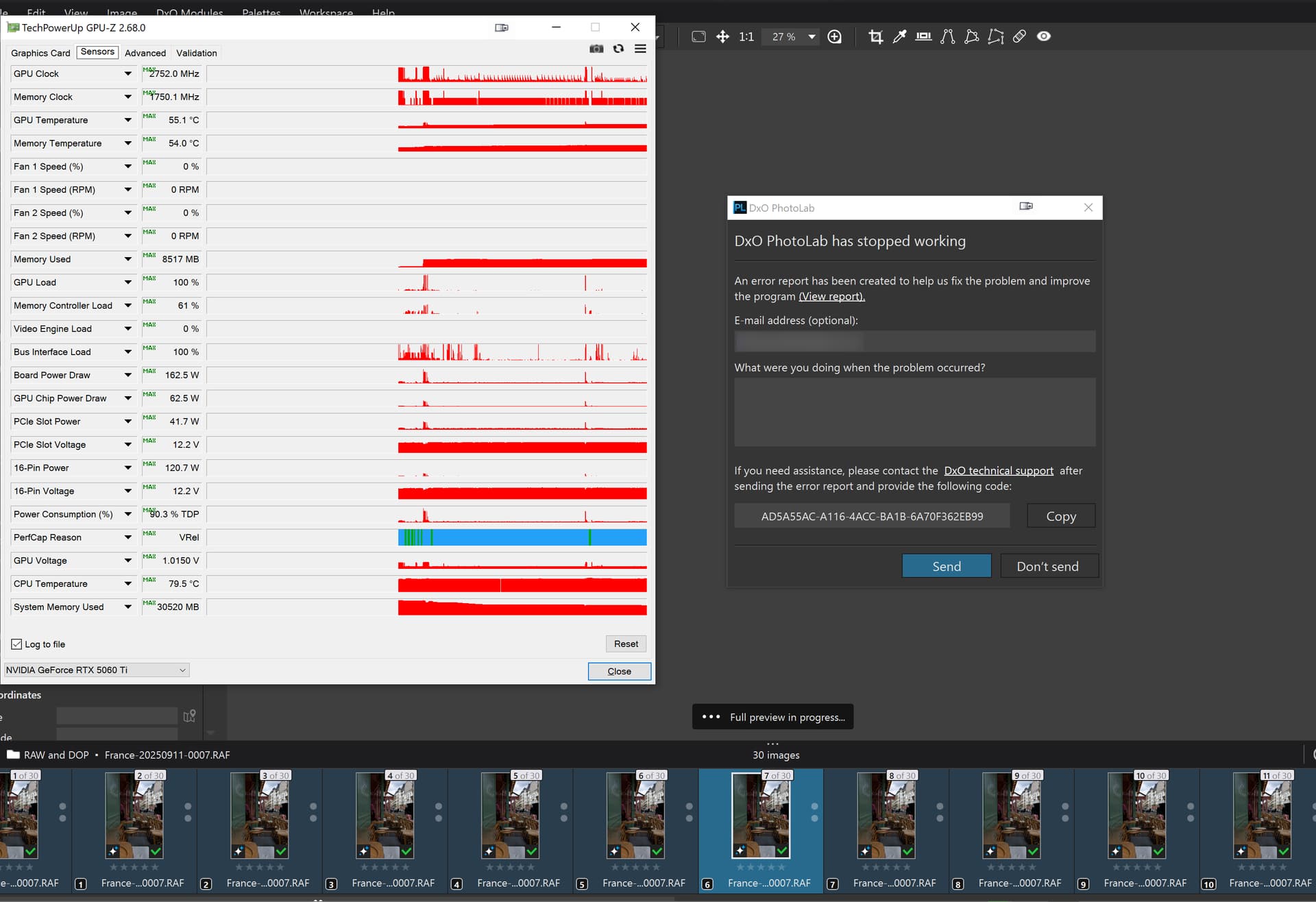
I’m under Win11. Its read Mac .dop fine. In any change on values → its can’t write the changes to dop well → so PL crash. However enable/disable masks works (i guess its not save this instantly). Update: No, its not.
It has 5 mask (from bottom to top):
- AI pre-defined: People
- AI pre-defined: Background
- AI pre-defined: Clothes
- AI manual (pillow, upper)
- AI manual (Building, left side)
I made a copy of the RAW, and copy / paste all correction setting from yours to get ‘clear situation on Dop’. But i also test with yours (no difference)
I switch to CPU only mode, to get a bit ‘larger duration’ for more better measures.
I measure the ‘Full preview in progress’ duration.
Before each test: i select the photo (i made with Virtual copies), wait until ‘Full preview’ finish → Quit from PL → Start PL → And the last selected is open by default → does measurements. So, each of the test runs is ‘clean state’..
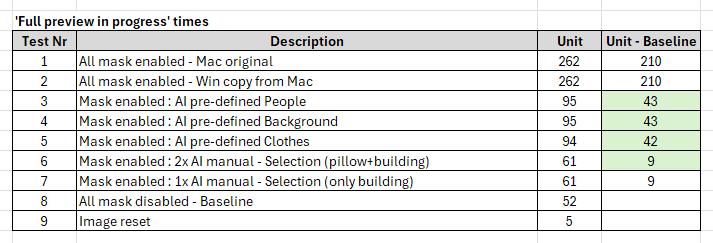
Here the results:
‘Unit’ - some measured ‘duration’ - I intentional write as ‘unit’.
Rows:
- Measured with the original .dop.
- 'Copy corrections" → ‘Paste all corrections’ to copy of the raw
- Only mask: People enabled. All other mask disabled.
- Only mask: Background enabled. All other mask disabled.
- Only mask: Clothes enabled. All other mask disabled.
- Only mask 4 + 5 → AI manual (pillow, upper) and AI manual (Building, left side) enabled. All other mask disabled.
- Only mask 5 → AI manual (Building, left side) enabled. All other mask disabled.
- All masks disabled (mask disabled, and not LC overall turned off)
- Image reset (no correction, no mask at all)
Row 8 → its a ‘baseline value’, as all mask disabled → that’s the value what the photo (with global corrections) is loaded (Full preview in progress)
Column: ‘Unit - Baseline’ → its the mask(s) calculation value.
Observations - part 1:
The tested AI pre-defined masks runs in the same ‘duration’. Doesn’t matter its People or Clothes. All like 43 ‘unit’
The AI manual (selection) mask ‘duration’ is very small, and seems more Manual AI mask not change too much overall.
Observations - part 2:

The matting (combination) of masks also takes time (not surprising)
As if all mask enabled → 210 unit. The sum of the separated mask values → 137.
So, mask ‘matting’ takes like 35%
Observations - part 3:

The AI manual vs AI pre-defined mask calculation value looks like 20%. So, 1 (one) AI pre-defined mask takes like 5 times more than one or two (1-2) Manual AI mask.
Observations - part 4:
I re-create masks from scratch, where the manual AI masks is very-very same (of course pre-defined masks is the same) - but not the same changes on mask. When all mask enabled, the result is the same: 262 unit. In few cases it was more, but after multiply runs i think its the same. The baseline value is also the same.
Remarks:
- As its ‘CPU only’ measures, its may not scale up well against ‘GPU acceleration’ measurements, and may also not for export times. But i think, at general its valid (rule of thumb).
- Computer performance during measurements may vary - like CPU throttle (Boost/Turbo, and after thermal limit is goes back to base) and similar. I measure a few point twice or more, and results variations is negligible (if any)
- The ‘Only Manual AI mask’ measurements a bit strange. But in some of my previous measurements, manual AI mask is small , like 1-4 unit at general, and in average its ‘linear’ (no big differences). Anyhow, its small value.
- I found a bit strange thing - what may related, may not. If image is ‘reset’ → its 5 unit. But why the ‘baseline’ is 52 unit? Bit strange, isn’t it? 5 vs 52! So, as i try (not fully tested), i see the followings: If i add to ‘reset’ image some global adjustments, its still like few unit. If i add the same local adjustments (like CP), still a few unit. Hmmm. If i add the AI Masks, and disable the masks, quit from PL, open again → the ‘baseline’ goes up to 52 unit. Hmmm. Strange.
- I not test masks ‘matting’ time other than that. So, i cant say its linear, or takes more in the case of Pre-defined AI masks. But i guess its takes more on Pre-defined.
Overall:
- Measured in ‘CPU only’ mode
- Seems one (1) AI pre-defined takes like 5 (or more?) time to calculate than one (1) manual AI mask.
- Mask ‘matting’ also takes time. In this example measurements like 1/3 of the ‘whole’ calculation time.
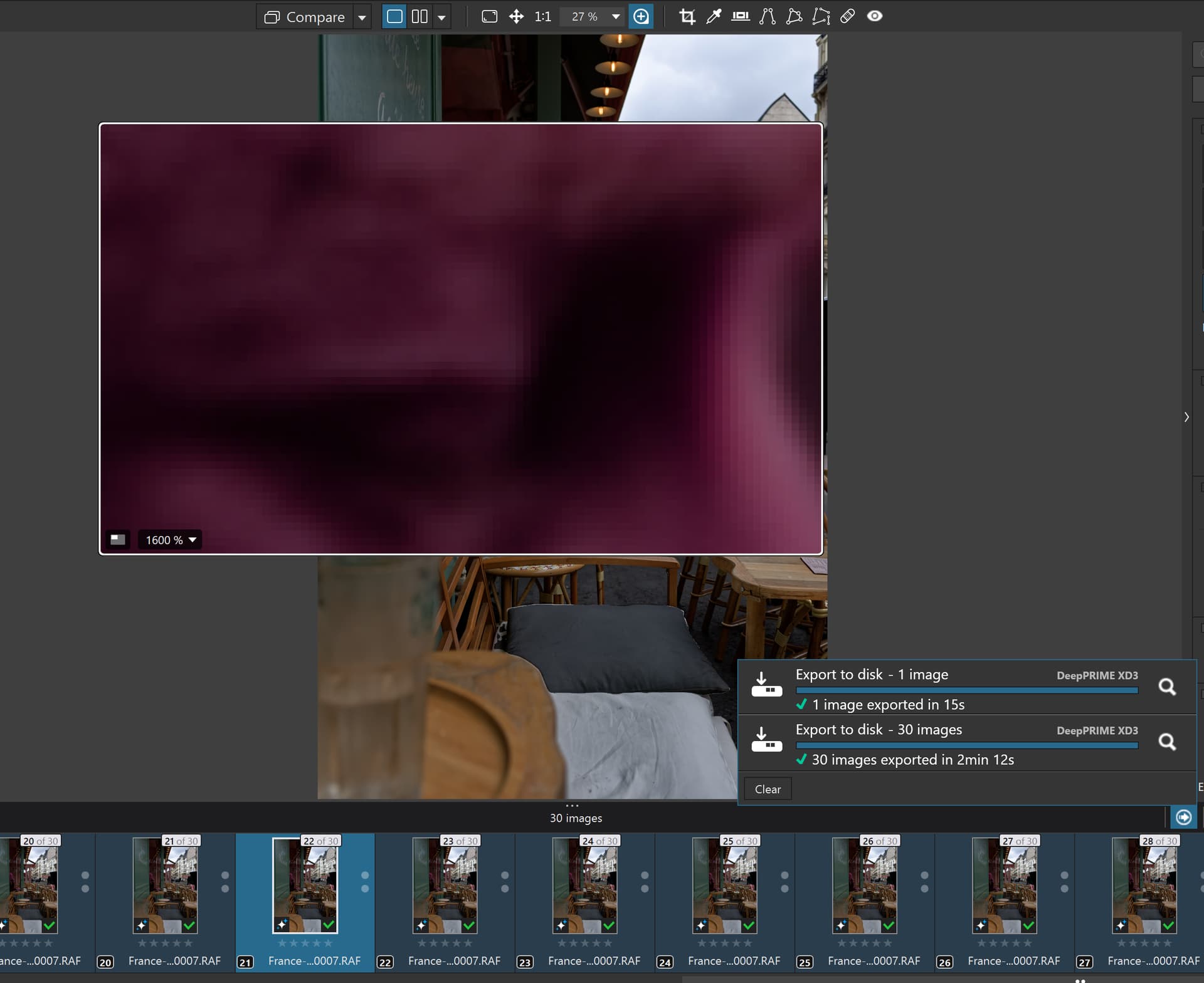
Paris is beautiful in each season. And when i open, i see instantly where the masks!
But goes back to the ‘original point’:
At general i think its mainly because of ‘pre-defined’ masks. And Export is a separated process. In Win its the DopCor process. And as its a separated process, its ‘calculate again’ the masks.
May export has its own issues (i read in the forum), but i think most of it related with GPU VRAM (or whatever its called in Mac) amount and may some constellation of things.
I think, near all AI mask ‘issues’ (performance or ‘internal error’) goes back to ‘pre-defined’ masks. And mainly ‘pre-defined’ mask vs GPU VRAM amount. And this may also impact - in some case - the export stuffs. As export use the same masking method!
@Fineus - its may interesting for you.



 !
!