The WB tool contains a few presets like daylight, cloudy, shadows etc.
I propose to add a preset that applies the same reference multiplier to each channel (R, G, G, B)
Reference multipliers are to be automatically derived from the camera model that was used. Reference multipliers are often seen with the green channels.
This preset allows to see a RAW histogram and to see if channels are really clipped or not.
Canon cameras mostly use 1024 as reference. In these cases, the multiplier is to be set to 1024 for each of the present channels (R, G. G. B). The multipliers for different WB presets and auto WB can be found in metadata. Example (not complete list)
[MakerNotes]    Color Data Version              : 10 (1DX/5DmkIII/6D/70D/100D/650D/700D/M/M2)
[MakerNotes]    WB RGGB Levels As Shot          : 2072 1024 1024 1827
[MakerNotes]    Color Temp As Shot              : 4776
[MakerNotes]    WB RGGB Levels Auto             : 2072 1024 1024 1827
[MakerNotes]    Color Temp Auto                 : 4776
[MakerNotes]    WB RGGB Levels Measured         : 2072 1024 1024 1827
[MakerNotes]    Color Temp Measured             : 4776
As you can see in the list of the op, the RGB image’s WB is calculated from the values of the raw file and the multipliers define what WB that RGB image will have. Dxomark.com shows such matrices for the sensors they have evaluated. I’m a bit remote now and can post a link later
Dxomark matrices are for camera colorspace transition to sRGB, while R/G, B/G levels probably target XYZ (not sure for Canon). But this is only a very small part of the whole “colorspace” transitions story, mostly proprietary/secret, with demosaicking inside. What would be the added value to existing color/tint sliders? I don’t see any.
The reason for this special WB preset is to produce a histogram based on RAW data and setting the multipliers to one value each achieves exactly that according to what can be found on sites about UniWB. UniWB sets cameras to display RAW histograms and this special WB preset would make PhotoLab display a RAW histogram.
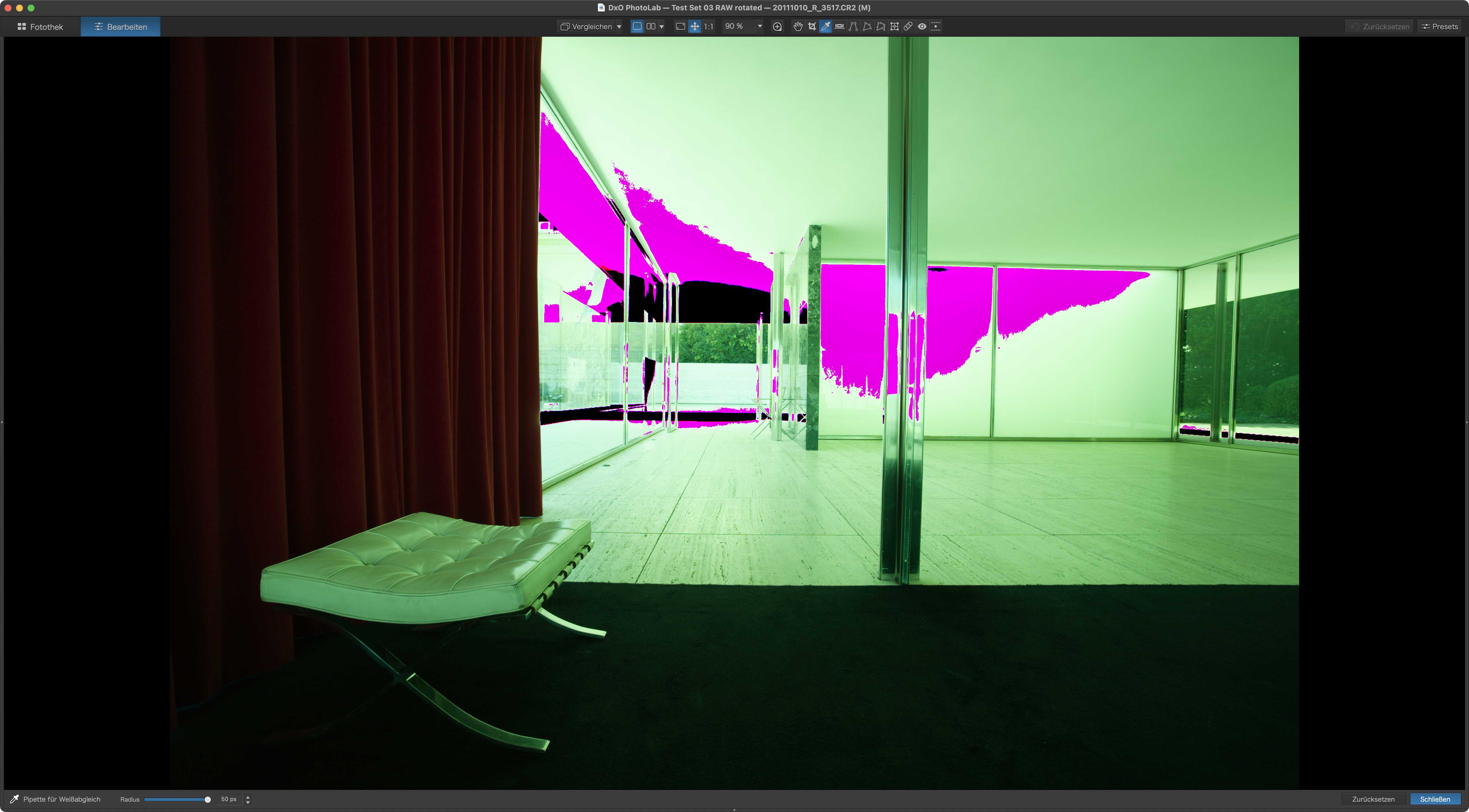
Under these conditions, images have a pronounced greenish tint and images taken at UniWB settings show the sliders for Temp and Tint at the corresponding places. Changing Temp and Tint would change the image and the histogram looses its RAW data display.
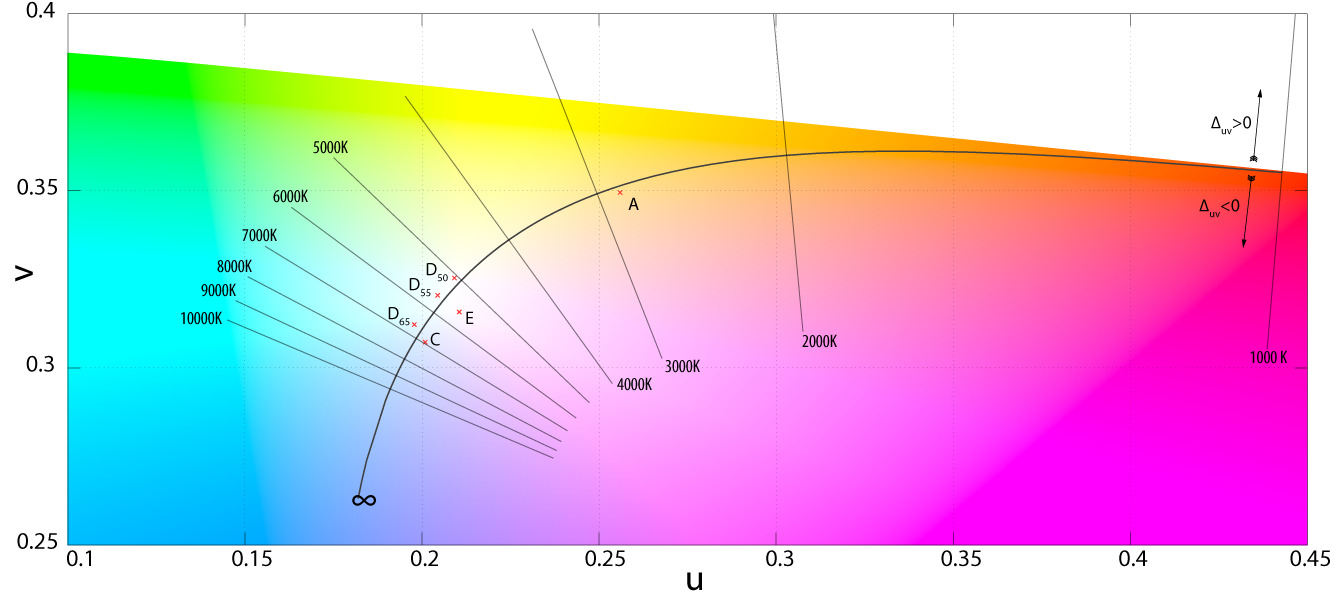
In general, the temp slider shifts the location of the white point of the colour space along the Planckian locus. The Tint slider is perpendicular to the curve along which the Planckian locus travels. The tint slider endpoints therefore depend on colour temperature, the magenta end is always some hue of maagenta while the other end changes from yellow (at low K locations) to cyan (at high K locations). This is usually not shown in the UI though.
A RAW histogram is an input histogram in the demosaicing proces. When converted to a desired color temp and color space you get the output histogram. Some more things might happen in that process as gamma correction. That output histogram is the representation of the image as you see it. Your input diagram might show by example a value of 200,150,125 and the output histogram a value of 255,170,160. The red channel in your input hsitogram would suggest you have some possibility to raise the exposure but that would result only in more clipping.
So what’s the use?
A RAW histogram is an informational tool that can be used to assess exposure of images before any processing has been applied. It can help to learn how a camera reacts to whatever lighting comes along.
For normal use (and those who rather just shoot) a RAW histogram is not necessary, but it adds value for those who want to dig into technical aspects. It adds to PhotoLab a basic capability that has otherwise to be acquired with apps like RawDigger.
But the practical result?
You mentioned the multipliers. If a multiplier is larger as 1 then that channel will increase in value. If you want to know if you’ve some room in exposure them you must correct the max values in the output histogram with the multipliers, dividing with the multiplier. And these multipliers are unknown. They just become known when the image is taken and eventual corrected.
I just don’t know what use the so called raw histogram is. Except for some technical stuff. But not for photography.
Wasn’t there a topic here some time in the not too distant past (think started by @Joanna) abotu how if you use the white bal. eye dropper on a pure white in an image PL applies a UniWB to the image, which makes the image take on a green cast?
Doesn’t that ‘feature’ of PL go some way to meeting this Feature request?
I use FastRawViewer to cull my images before processing in PL. FRV had a raw histogram and tools to visually see how far you can push the lowlights and how much detail is in the highlights. Two keyboard shortcuts to enable these options which are super easy to use and quickly see what info is in the raw image.
Once culled and star ratings added I use PL to edit. This workflow is very quick, easy and efficient - no need for a raw histogram in PL.
I don’t remember any such post, but in fact, PhotoLab adds a green tint when an image is WB’ed from a completely blown highlight (marked black by highlight warning)
Whether that preview corresponds to one taken with a camera set to UniWB, I cannot tell because I’ve not thought about it yet.
BTW, creating, with your camera, a custom WB setting from a completely blown image produces a UniWB setting. Not all cameras allow to WB under these circumstances, others allow it but produce results that aren’t quite UniWB. And a UniWB setting is meant for RAW, not JPEG.
The practical use of a raw histogram is to clearly see if what looks like blown highlights are truly blown and therefore unrecoverable. Due to its processing, PhotoLab occasionally marks highlights as blown, but they can be recovered. Not because PhotoLab has some secret ingredient, but because it can compensate the things that made PL mark the highlights as blown in the first place.
If you have no use for a raw histogram, you needn’t worry about it. If you want to know more about it you might find some reading on https://www.rawdigger.com