I am currently using PL8.17.0. I have been re-editing some photos previously processed in earlier versions of PL. However, when I load the raw images, the keywords are often not displaying in the metadata.
I have the setting ‘Synchronise metadata with XMP files’ selected in the Preferences. PL saves both an XMP file and a DOP file alongside the raw file. However, I haven’t been using that setting more than a couple of years; previously I was only saving keywords to DOP files.
Note that all my raw files now have an XMP file associated with them. DxO has retrospectively added XMPs to raw files, even when they were originally processed only with DOP sidecars. This might have happened during a re-indexing process.
I think what is happening is that PL is always trying to find keywords in the XMP and ignoring the DOP. There is a note in the Preferences window which says that if I enable the ‘Synchronise metadata with XMP files’, then: “For a master image metadata from .dop files will be ignored; metadata from .xmp files will be used instead”. I’ve checked the contents of the XMP and DOP using a text editor. XMPs associated with photos that are more than a couple of years old don’t have any keywords written in them. In contrast, all DOPs have keywords (whether or not the XMP also has the keywords).
Is there any way to force DxO to load metadata from the DOP file if there is also an XMP file associated with the image? I have tried unclicking the ‘Synchronise metadata with XMP files’ box and re-indexing the folder but this doesnt seem to do anything.
Thanks
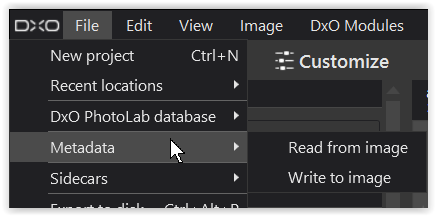
 , did you try this …