Did the backups you folks recommended then updated PL. Went smooth as glass and as far as I can tell everything’s working as expected.
THANK YOU
Happy New Year!
I’ve been using PL 9.2.0 Build 31 running on macOS Sequoia 15.6.1
Thinking about updating to the latest PL version, but have held off after the reading the recent spate of issues folks have been reporting on in the forum. That chatter seems to have died down.
Except for some AI mask wonkiness I’ve had no other issues. The last thing I need to happen is my editing system going bug-nutty, but I suspect the new builds will help with the wonkiness. Despite the issues I find the AI tools/older Control Point combination very powerful.
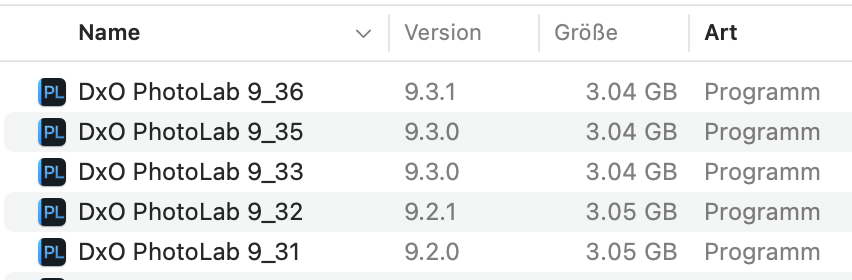
Note the added build number. “Version” can be added to Finder via cmd-J
Caution: DxO updated the database with PL 9.2. Going back to 9.1 or earlier creates a new (and empty) database. PL will open a warning, but then, the damage has already been done.
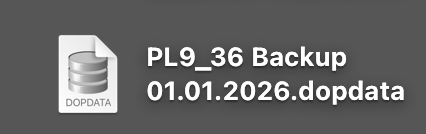
Make sure to have a database backup using the respective item in PL’s file menu. I change the name of the DB to match the name of PL as shown above.
So long as they don’t change anything about the database or DOP file format.
Personally, I might delay an update a little if I see issues reported here, but generally they all seem to have been solved relatively quickly. At least the ones that actually break functionality. There’s still weirdness and slowness in there, but it doesn’t stop me editing.
Thanks everyone- good suggestions all. I think I’ll also force a fresh SuperDuper clone of my boot drive.
I’ve never had to replace a corrupted install or corrupted instance of ANY program on my Macs since Apple switched to their NeXT/BSD based OS. It’s one of the reasons I use Macs; they get out of the way and let me concentrate on my photography. Life’s too short to be juggling video cards and drivers in addition to shadow detail IMHO
Spend your time wisely; it’s the only money you got.
Two software suites come to mind - early versions of Adobe CC was a nightmare as they did things on their own and didn’t follow Apples protocols - and then SilverFast scanning software is not friendly.