Hi, I’m new to PhotoLab, still trying to get familiar with it.
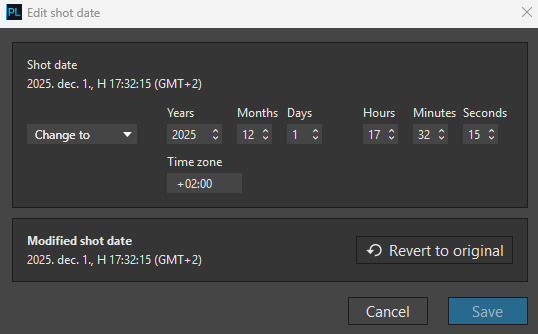
I notice there’s a feature Edit Shot Date, which gives option to set timezone. From my observation, the tz we set with this feature will be written in exported jpeg as exif fields OffsetTime and OffsetTimeOriginal. Two doubts here…
Is there any PhotoLab feature that read or relies on the timezone info? Does presence/absence of tz in photos affect how PhotoLab behaves?
Shouldn’t Shot Date’s tz be applied only to OffsetTimeOriginal? Googling suggests OffsetTime is the tz for photo’s last modified time, not for the time when it was shot. It’s not uncommon that photo shooting and editing occurred in different location of diff timezone.
I not test the read, but if you change TZ in PL, then sorting can change.
I not test fully / cross cases, but its definitely change. At general most software if its absent, then think its the local (OS set) TZ (or in Databases may the Db default TZ).
Anyhow, PL definitely store in the Database.
See screenshot below: I add to (previously empty) TZ in PL → +2 (GMT+2)
Cool! Thanks for sharing the insight. May I know where do you access/view the Database setting (the last screenshot)? I couldn’t locate it in PL 9.2 (MacOS).
May I know where do you access/view the Database setting (the last screenshot)? I couldn’t locate it in PL 9.2 (MacOS).
Where is the PhotoLab database located?
The database is on the main hard disk of your computer, in the following location:
(Windows): Disk C:\Users[USER NAME]\AppDataRoamingDxO PhotoLab [VERSION]\DatabasePhotoLab.db Mac (macOS): Macintosh HD > Users > [USER NAME] > Library > DxO PhotoLab"
I mean the database screenshot that you shared (with 2 columns). Did you manually identify the DB file location then manually open it with certain software? Or does PL has a menu to access that screen directly?
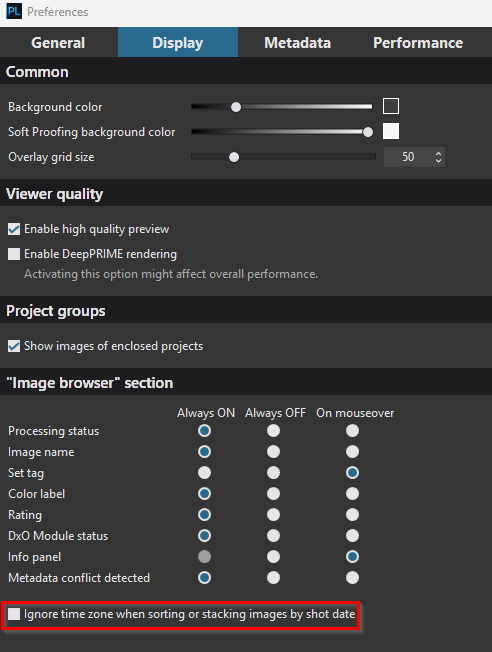
I notice your first preference screenshot looks quite different from what’s on my machine, probably there’re UI differences between windows and macos.