Traffic Lights (picked, untagged, rejected) only visible on hover

Photolab3.3.3.60 Mac OS Mojave
My “picked, untagged, rejected” indicators show only when I hover over the image in Photolibrary or Customize view. In Full Screen mode, the selection is visible, but that may be because there is only the one image being displayed.

I seem to recall the red, green or nothing designations showing all the time in the filmstrip when I was in the Customize view in older versions of PL.

If I have to constantly search for my “picks”, it is a waste of my time. Using the filter to move through the categories is another time waster.
Thank you.

Is this a bug?

1 Like

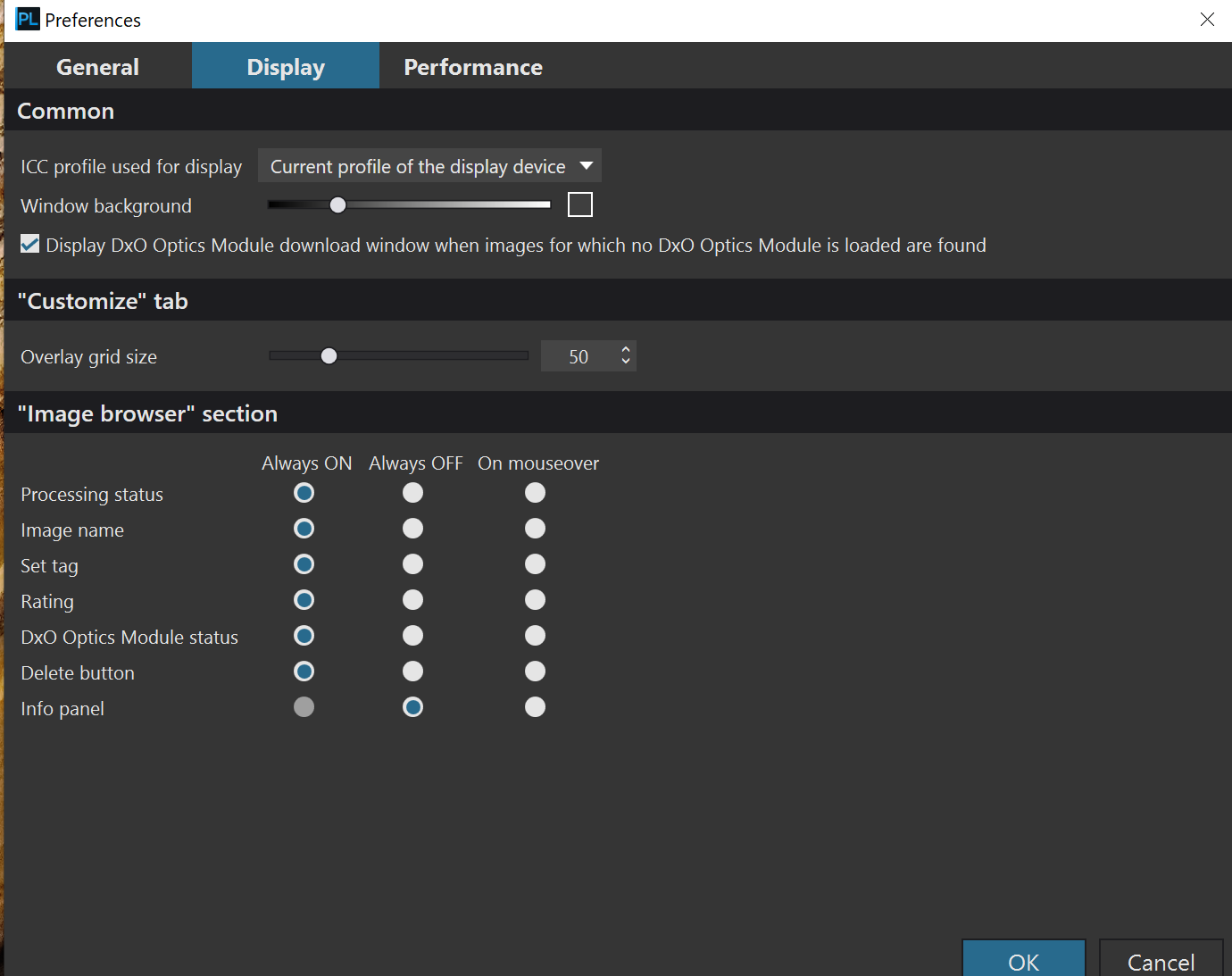
I’m on a PC, but you should have something similar to this in the Display tab of Preferences. Select “Always On” instead of “On mouseover”.

Mark

As Mark says … Also, explicitly for your requirement; it’s the “Set tag” option.

John M

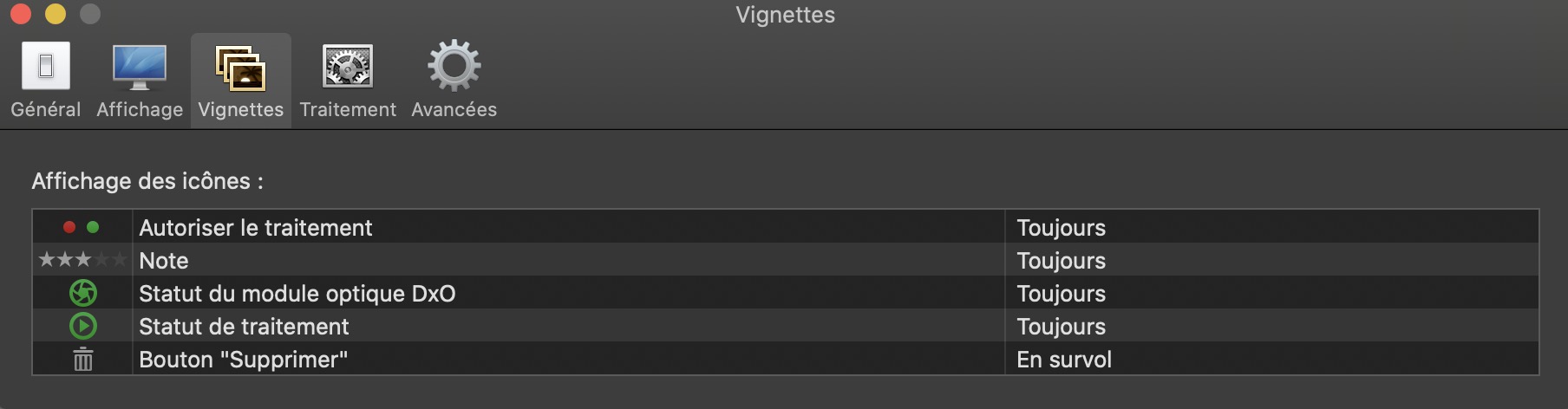
And on Mac in French, in Preference panel > “Vignettes”, it’s “Autoriser le traitement” which should be on “Toujours”:

Patrick.

1 Like

Thank you very much! Merci beaucoup! It is fixed!

Nice thanks - I note that even rollover stopped working on the latest MacOs(sequoia 15.6) update so this is the only way to get traffic lights now.

Just checked here and on mouseover works fine on Sequoia.

1 Like