Maybe I’m a bit slow this morning. I can use Time Machine, but how do I use TimeWarp from within PL9.1?
On ne peut pas le faire…
Peut-être (ça n’engage que moi) que l’interface de Time Warp est incompatible avec celle de PL9.
La fenêtre d’affichage de Time Machine est “classique”, celle de Time Warp l’est moins.
We can’t do it…
Perhaps (and this is just my opinion) the Time Warp interface is incompatible with that of PL9.
The Time Machine display window is “classic,” while the Time Warp one is less so.
C’est ce que je craignais. Cela aurait été tellement agréable d’éviter tous les clics de souris excessifs que nécessite Time Machine.
Je suppose qu’une solution serait de créer une série de préréglages à partir des rendus de Time Machine ?
That’s what i was afraid of. It would have been so nice to avoid all the excessive mouse clicks that Time Machine involves.
I suppose one way around it would be to create a series of presets from the Time Machine renderings?
Time Warp (or, is it “Ageify” ?) in FP is simply the process of applying the rendering you see in Time Machine to the current image.
In PL that’s done by selecting one of the Time Machine images - and then applying it (to the underlying image) by clicking on the “button” that follows the wording “Matching Renderings” … it’s a little subtle !
I’m not at my desk right now. Are you saying that doing this will automatically cycle through an age progression of images from within PhotoLab like it does in FilmPack 8 standalone or will it work like match renderings always has in the time machine? I don’t think that the Time Warp feature as implemented in FilmPack 8 as a separate feature from the Time Machine is available from within PhotoLab 9.
Mark
Unless I’m missing some obvious button, it works like it always has (in PL9 anyway) - you can click through the various ages and press “Match Rendering” to the rendering of your choice.
The image used in the example on DxO’s website isn’t anywhere I can see inside Time Machine but the filters are there. Here’s the same filter in the FilmPack 8 advert video:
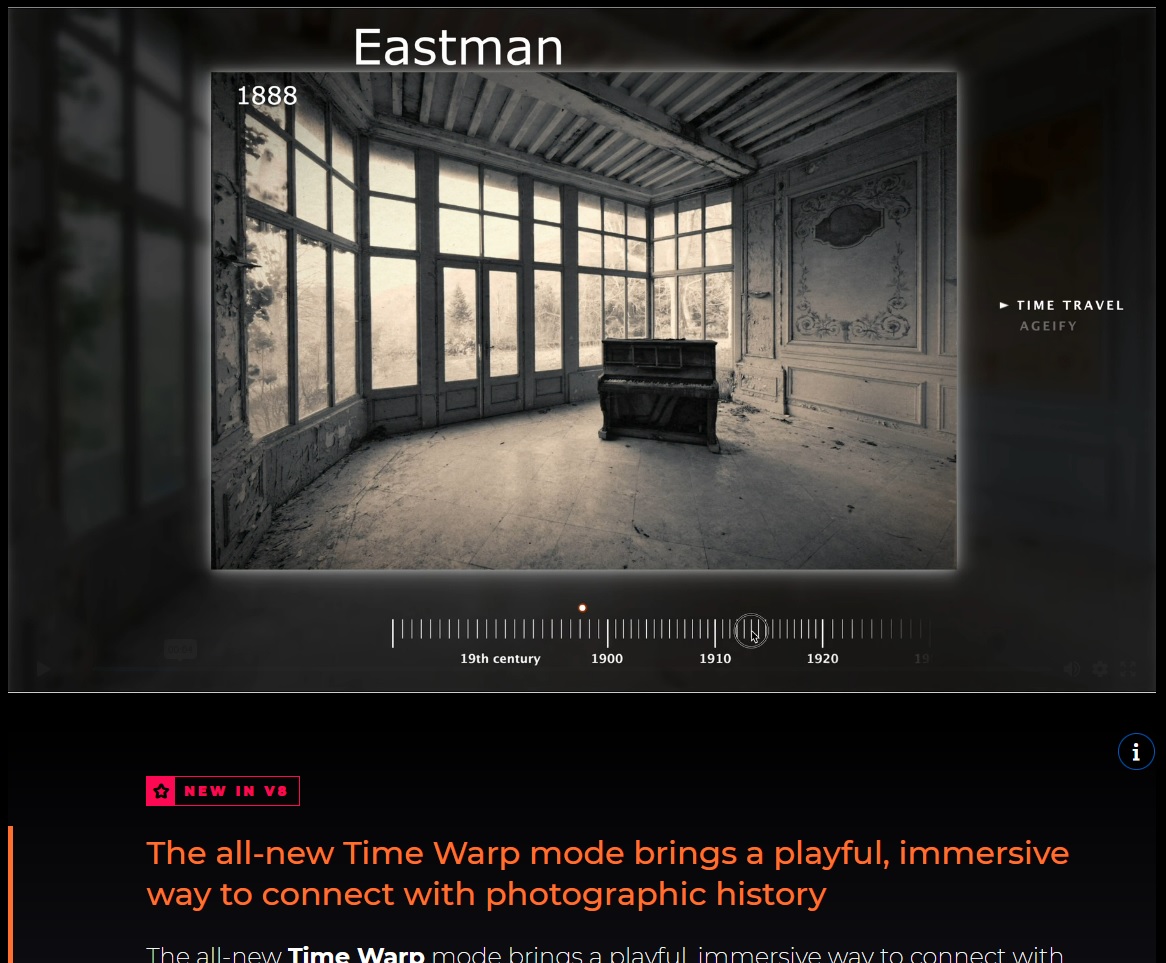
And here it is in Time Machine (and applied to one of my own images below that too).

This is all in PhotoLab 9.1… but it looks like the way of navigating it shown working in FilmPack 8 isn’t exactly the same as the process in PL9 itself.
What we are seeing in PhotoLab 9 seems to be a slightly upgraded Time Machine feature that has been available for some time in both FilmPack and PhotoLab. It is separate from the new Time Warp feature in FilmPack 8. So far I can’t find the new Time Warp feature anywhere from within PhotoLab. John’s response to my earlier query seems to be about the Time Machine feature rather than the Time Warp feature.
Mark
Yes - that’s how it works in PLv9
I see nothing updated in the PL9/FP8 Time Machine since PL8/FP7. The renderings even continue to use the Classic (Legacy) working color space. I just tried Time Warp and Ageify in the standalone FP8 app: while they make for interesting demos of FilmPack features, I find that I don’t care that they’re not integrated into PL.
Completely agree. For those of us who only use FilmPack from within PhotoLab there are not a lot of reasons to upgrade from FilmPack 7 to version 8.
Mark