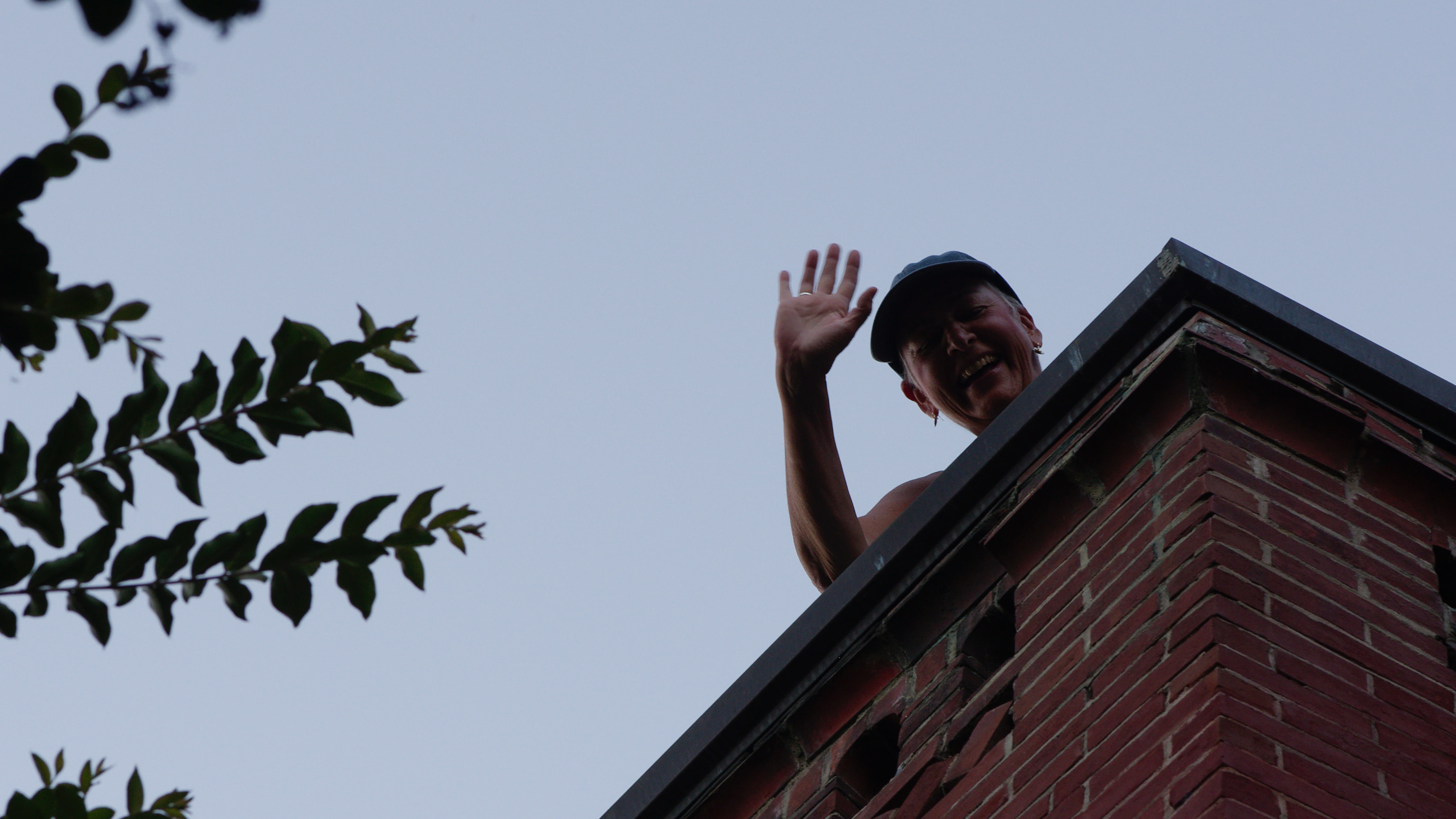
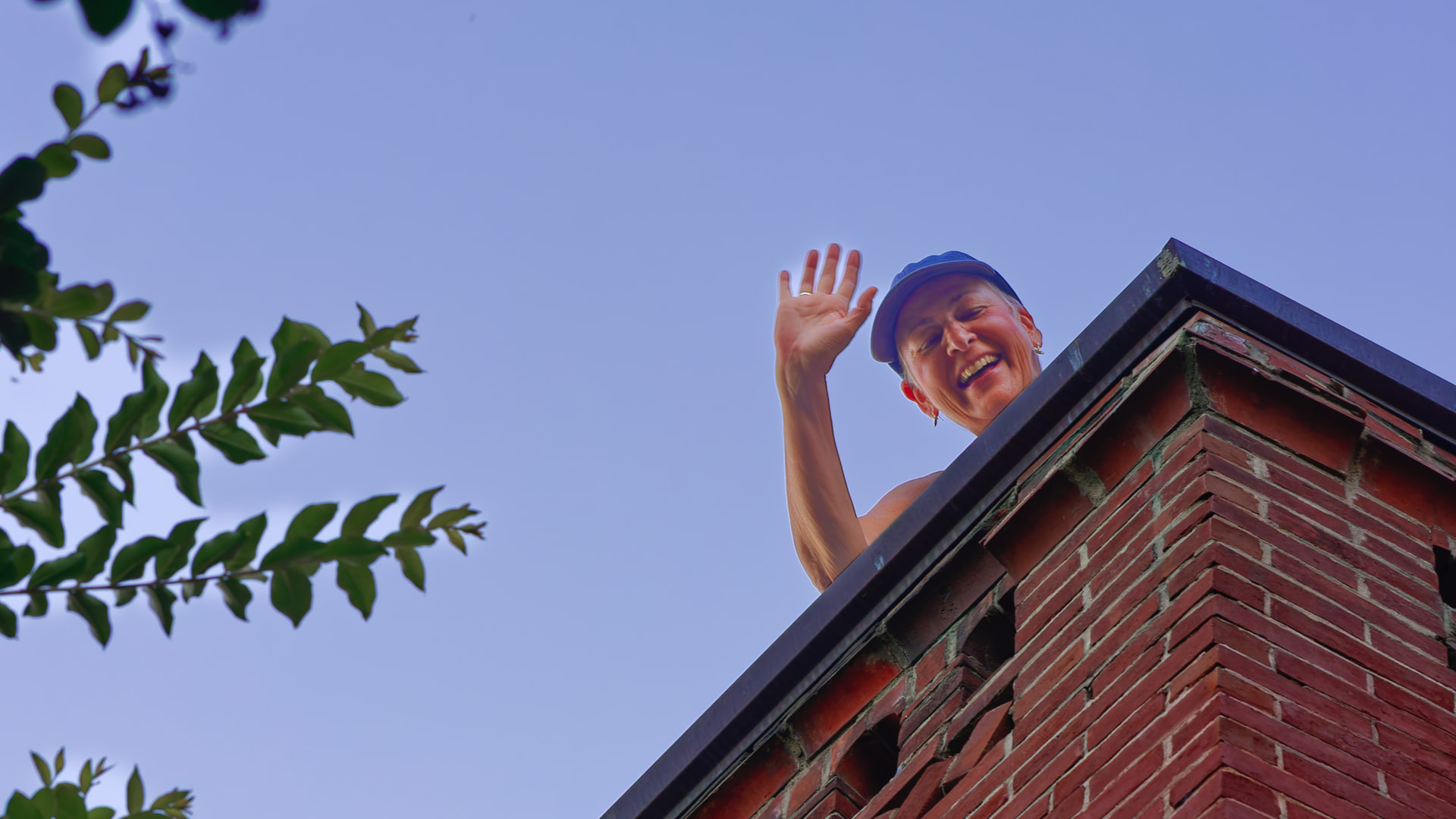
Below is an image I was working on. It’s a toss-off and nothing special but it got stuck in my workflow when I started playing around with AI masks on it.
Nikon D750, 85mm f/1.8, ISO 400, f/9.0, 1/200 sec, -0.7 EV. I was about 10 meters beneath the subject looking into the sky, 7:45 pm, therefore well into twilight.
The first export shows the uncorrected RAW export: flat sky, face in deep shadows. About what I expected.
The second export has two AI masks applied: People and Sky. The People mask brought out the face but it botched the fingers. The Sky mask missed an area of sky amongst the tree leaves and branches.
Is it unreasonable to expect that AI mask processing be able to catch these areas? The fingers I can kind of understand because they are so small, but sky behind trees and leaves is probably a common application. The sky was very nearly a uniform color, and very distinct from the foliage, so it should not be too difficult to detect.
This is a known issue. Search the forum and you’ll find the ‘fix’ is to not use a sky mask but to use a control line instead. If I remember correctly, @Joanna has posted about this more than once.
I see this often when using the sky mask and now refuse to use it. The Control Line does a far better job as does a series of control points. People on here will not like me saying this but my opinion is that the Ai implementation is PL is really second rate - Lr, Neo and ON1 (as examples) leave it standing. In fact the sky mask often misses the sky altogether!
It is certainly not unreasonable to expect better.
AI masking is a weird beast, sometimes it works brilliantly and other times not at all.
I’ve had clear images of dogs, people, and vehicles, and AI masking has failed to detect them all.
OTOH I’ve copy/pasted settings from one image to another and the AI mask has re-detected - perfectly - the same types of things as above. There seems little rhyme or reason about whether it’ll be successful or not.
And in my specific case, in version 9.8 at least (I’ve not yet updated as I’m working on a wedding and wanted something stable) I’ve found drag-selecting AI mask areas sometimes completely gives up when near an image border.
PhotoLab is currently doing as you and others have seen and reported.
Future releases might and eventually will mask such items perfectly
How long will it take companies to perfect their AI masking? Can’t say, some will buy technology (Adobe/Topaz) and others will try to progress on their own. In both cases, effort is massive and I wonder how long we can get AI features without price hikes.