I am getting terrible results in PL9 opening DNG images taken on the iPhone. PL9 completely and irretrievably blows the highlights. Here is an example comparing a DNG image opened in PSE Camera Raw (which appears largely the same as it does in Apple Photo) with the same image opened in PL9.
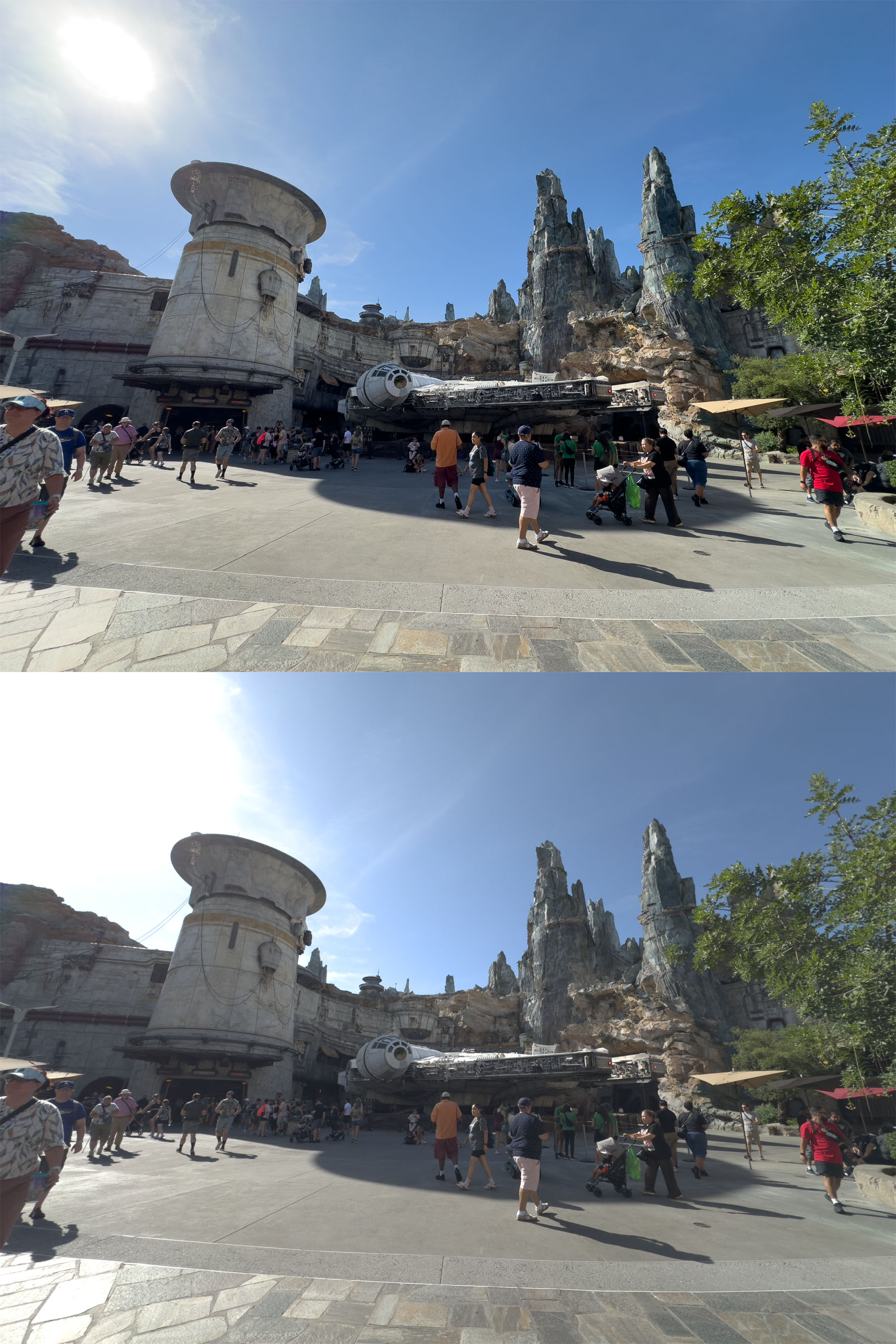
Try using the DNG embedded profile rather than the DxO camera profile and / or try turning on or off the built-in tonal balance toggle. Then try adjusting the tone curve (luminance) and fine contrast after that. Suggest examining the ProRaw file in FastRawViewer etc. to see if the highlights are truly blown. If they truly blown, no editing program can bring them back. The blown areas can be repaired but not recovered, as there is nothing to recover.
Thanks for your suggestions. Turning on “built-in tonal balance” in the “Color/B&W Rendering” section did the trick. Also, selecting DNG embedded rendering improved the contrast.
1 Like
Great - glad that helped! If I may, I’d like to expand a bit on my earlier post.
I’ve now edited in PL9 dozens of my iPhone 15 Pro ProRaw files and many iPhone 16 Pro sample images downloaded from the internet. I’ve yet to edit a file where I preferred the DxO camera profile to the (Apple) DNG embedded profile.
You found that toggling on the built-in tonal balance helped this image and it often does. With other images, however, you will find this is not the case. Nik Bhatt from Nitro (Gentlemen Coders) has produced an excellent video (link below) on how to edit ProRaw files. He explains why it is sometimes necessary to reduce or even turn off local tone mapping (LTM) to get the best highlight detail and color out of these files. I’m not sure if the PL9 built-in tonal balance equates to LTM or is something else in addition, but it behaves in similar fashion. I hope that a future PL9 update will introduce a slider to adjust ProRaw tonal balance.
I also have to remind myself that in PL9 we have access to terrific local editing tools. Sometimes that is all that is needed. This is one important area where PL9 is superior to Nitro. The ProRaw files (linear DNG) are very malleable in post and easy to edit.
1 Like
Thanks again! I don’t understand why PL9 doesn’t use appropriate defaults on these image files like Camera Raw to give a reasonable starting point that doesn’t blow the highlights.
I haven’t liked any of DxO’s presets for any camera, ever. Whatever their presets (including default values for many modules) are trying to accomplish, they always exaggerate it. You’re better off starting with an empty preset and build your own default preset with toned down defaults as starting points. Then you will be able to get some really beautiful results.
Interesting. Which cameras do you have in mind?
I have/had Nikon D700/D4/D780/Z8 and DxO standard rendering is quite similar to Nikon’s ‘PictureControl Standard’, tending to ‘Neutral’ if you decrease the intenisty.