Synchronization between iMatch and Photolab 9 doesn´t work

I have used PhotoMechanic and/or iMatch DAM many years with automatic sychronization of metadata and it has worked perfect all that time BUT not any more what I can see with Photolab 9.6.1 and iMatch.

I have tested now and it works as it shall with PhotoMechanic but not with iMatch. So it might after all be something iMatch related.

I can synch manually still with iMatch.

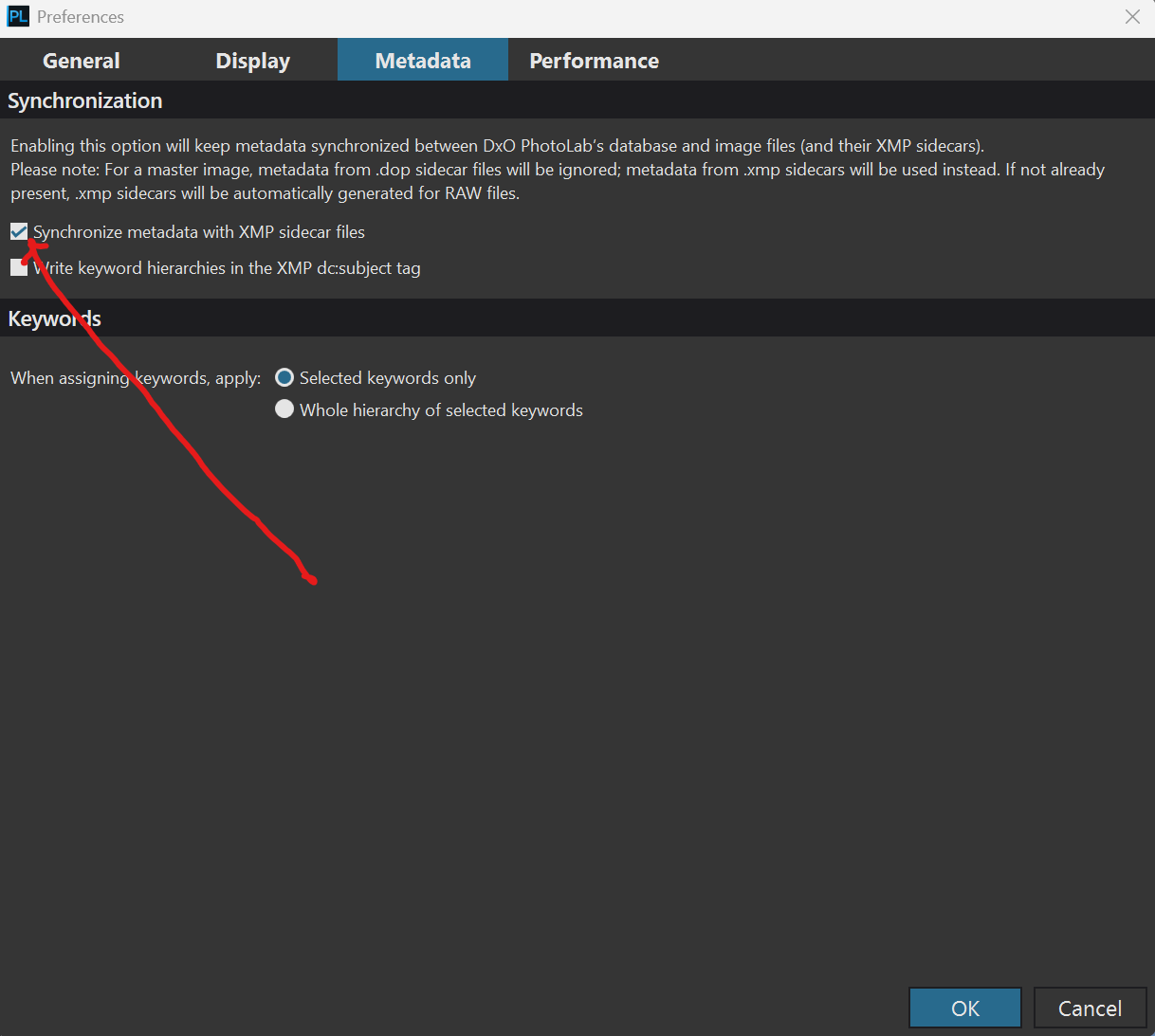
I tested some more - at least the manual synch seems to work reliably now. So there is nothing wrongh with the IPTC/XMP-data itself in the files. Of some reason the autosynch doesn´t trigger so I wonder if there is some time stamp problem or so - that iMatch doesn´t set that correctly as Photolab expects it.

@Stenis

perhaps it is linked to my demand ; if you make a go and return between DxO and another software, the only link is the dop file (or xmp file according to the data.)

No it is not when it concerns the metadata. The link is the XMP-metadata and a timestamp. It has worked perfectly fine before even with iMatch DAM and still works as it shall with PhotoMechanic. Probably something is wrong with iMatch.

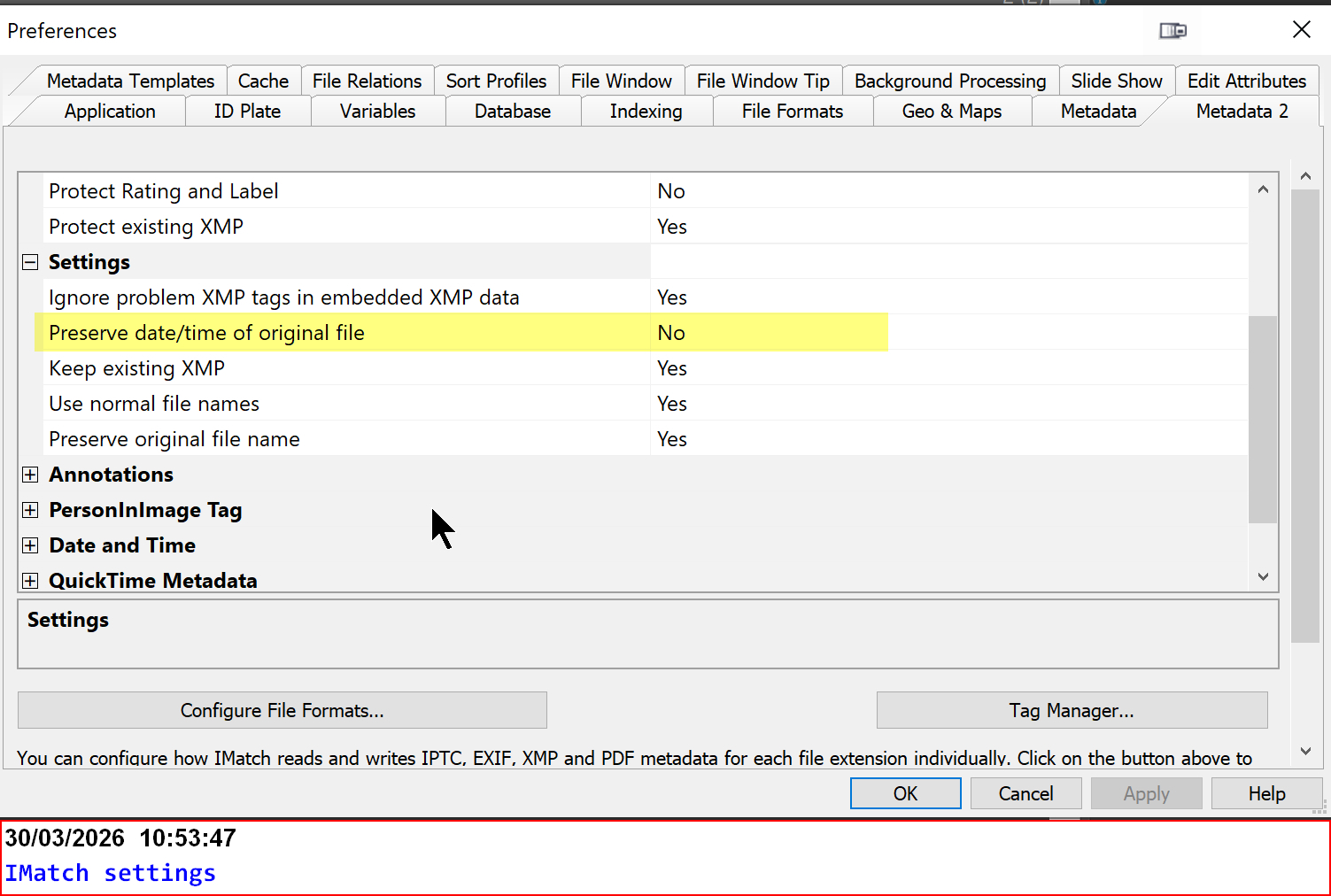
“Preserve date of original file” was set to Yes

I might have changed it because I feared the “Create Date” would be over written but that doesn´t happen.
So it is no problem to set it to No and now it works as it should.

Having Create Date over written would make me sad. :slight_smile:

@Stenis I am glad that you got there in the end I presume that you are referring to this flag?

PhotoLab appears to be “driven” by only one field, the “Date modified” field. It will have been informed by the Operating System of any changes when it is watching a directory

My tests were conducted with the latest version of IMatch and everything worked as expected.

PhotoLab is concerned about only one date, the ‘Date Modified’ for the files it will scrutinise. If that field remains unchanged then although PhotoLab will receive the following data, as ‘FolderMonitor’ does, it will ignore the event(s) if the that date hasn’t changed!

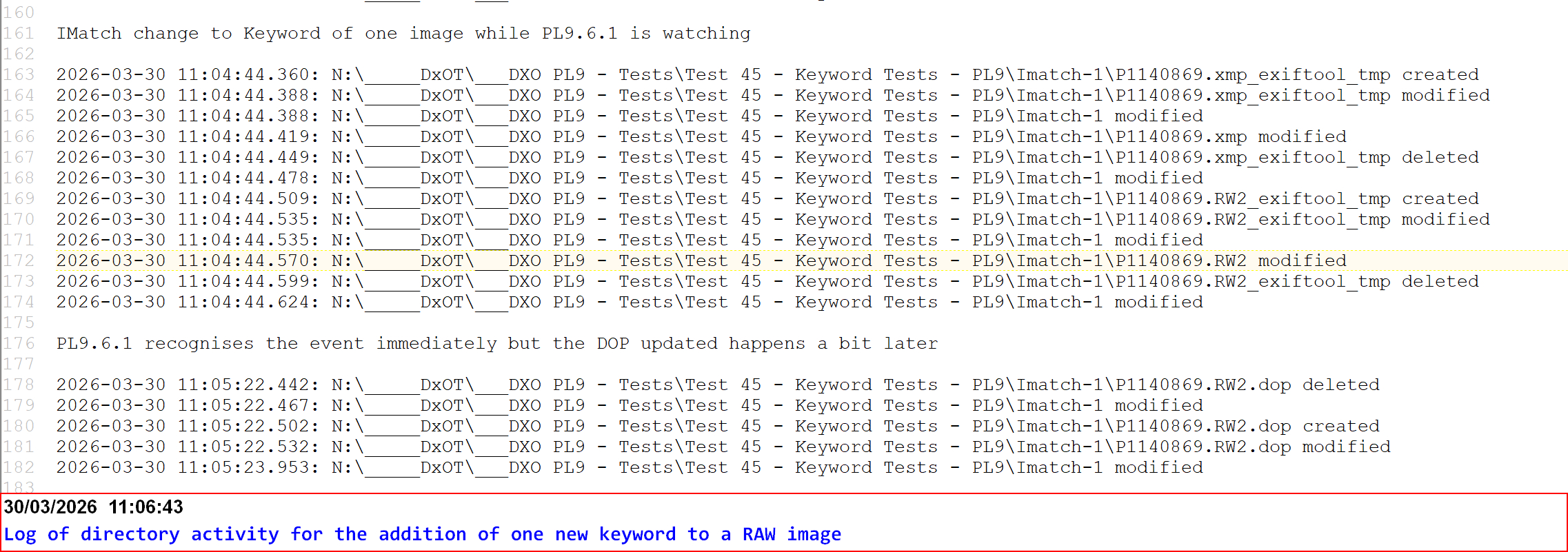
IMatch uses ExifTool to handle the actual sidecar and image changes. The PhotoLab display will be updated immediately but the DOP changes will occur in PhotoLabs own time!

The log includes the events that change the directory as well as the contents of the directory (files), there is an option in ‘FolderMonitor’ to ignore logging such directory events.

All the events that ‘FolderMonitor’ is capturing will be conveyed to PhotoLab as well but that will be restricted to the folder PhotoLab has opened at that time.

Every time you move directories, PhotoLab will relinquish its request to monitor the old directory and add the new directory in its place, such requests will only be made if there are images in the directory (I believe).

I am now wondering about ‘Projects’ which can contain images from many directories, a test for another day.

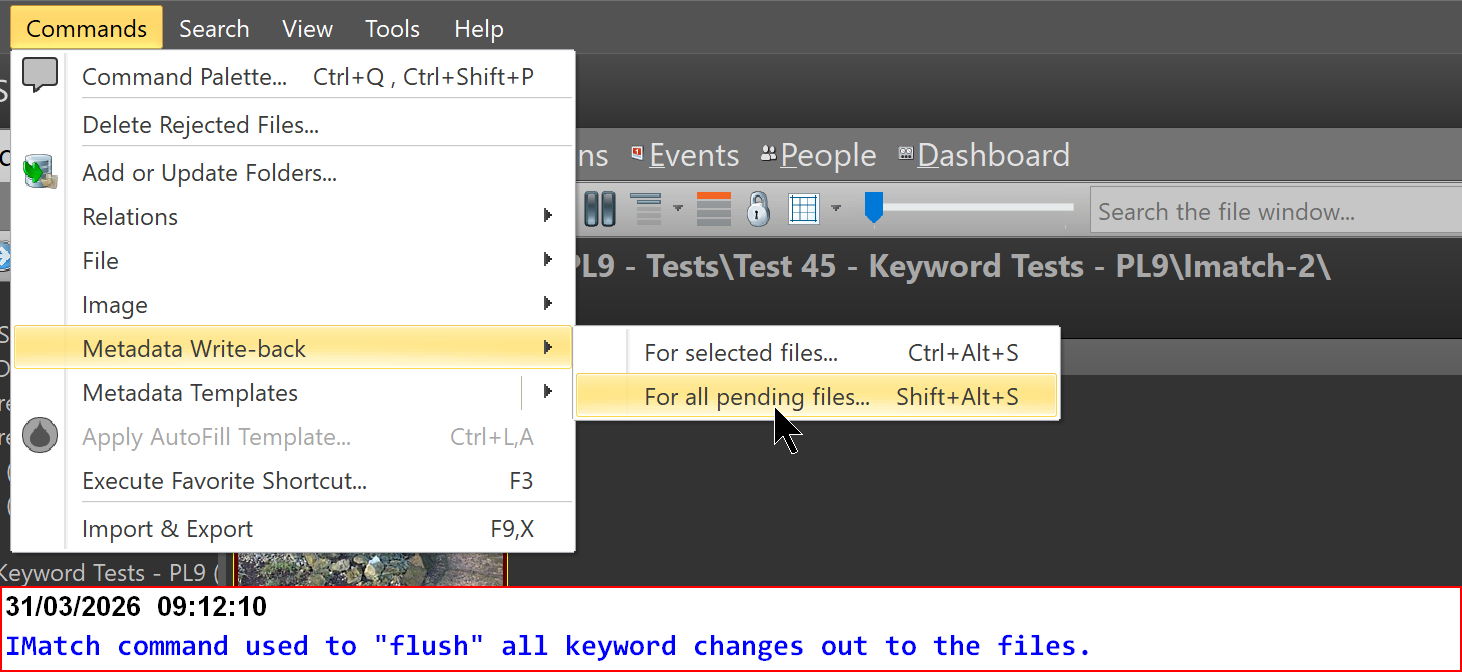
Yep, that is the way it is working. In fact the update is triggered when I actively forces iMatch to write “pending transactions” to the files. Shift+Alt (CMD)+S. has to be pressed sometimes to really clear the buffers. Of some reasons that three finger action also sometimes is needed to get iMatch to comtinue processing the Autotagger queu.

Mario Westphal has flagged that that menu-option causing the synch to stop is an old feature not needed these days. He might even have got more convinced in that decission after my mistake.

@Stenis Because PhotoLab has lodged an “interest” in the directory with the operating system and the operating system “sees” all. BUT if the modified date has not changed since the last time PhotoLab “dealt” with the image it will ignore the event.

I tested the ‘Projects’ “issue” with PhotoLab yesterday. I created a number of directories with one image to add to the test case I created to test your problem and added those images to a ‘Project’ and left PhotoLab with that ‘Project’ selected.

I then used IMatch to set or change the Keywords for those images one by one and then used the command to “flush” all the updates out to the files

There was a flurry of activity shown in ‘FolderMonitor’ but I deliberately refrained from checking the PhotoLab screen and then I saw the DOP activity I was watching for, that showed that PhotoLab had been informed by the Windows that a “change of interest to PhotoLab” had occurred

I am a little concerned about the size of the request to the OS for large projects containing images from many different directories, e.g. the maximum size of the request (or requests) that can be made but I have no intention to try to determine what that limit might be.

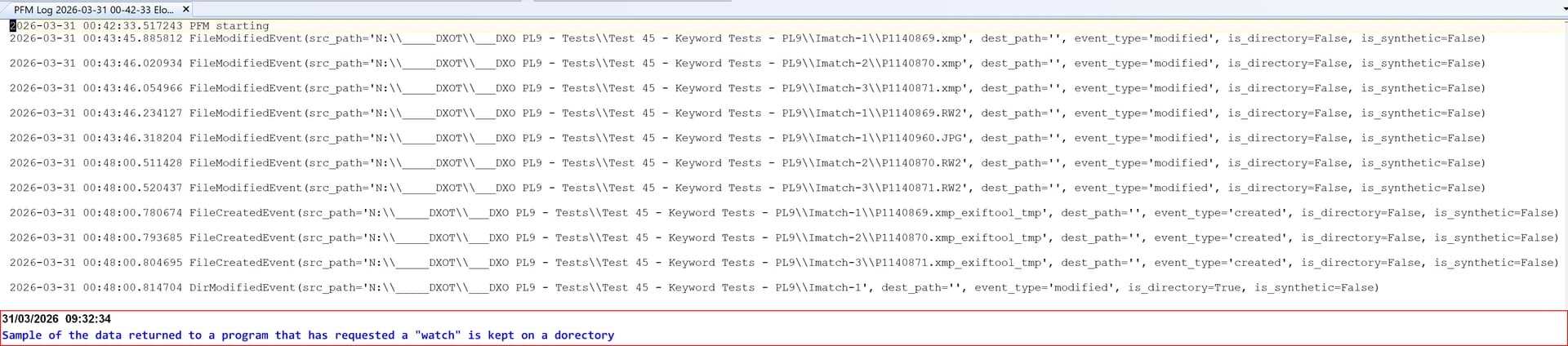
Here is a sample of the Log of data from the OS from my Python version of ‘FolderMonitor’

and yes you can submit a request to the OS to return all activity for a drive!

PS sorry that last snapshot is not good for the eyes this might be better

2026-03-31 00:42:33.517243 PFM starting
2026-03-31 00:43:45.885812 FileModifiedEvent(src_path='N:\\_____DXOT\\___DXO PL9 - Tests\\Test 45 - Keyword Tests - PL9\\Imatch-1\\P1140869.xmp', dest_path='', event_type='modified', is_directory=False, is_synthetic=False) 

2026-03-31 00:43:46.020934 FileModifiedEvent(src_path='N:\\_____DXOT\\___DXO PL9 - Tests\\Test 45 - Keyword Tests - PL9\\Imatch-2\\P1140870.xmp', dest_path='', event_type='modified', is_directory=False, is_synthetic=False) 

2026-03-31 00:43:46.054966 FileModifiedEvent(src_path='N:\\_____DXOT\\___DXO PL9 - Tests\\Test 45 - Keyword Tests - PL9\\Imatch-3\\P1140871.xmp', dest_path='', event_type='modified', is_directory=False, is_synthetic=False) 

2026-03-31 00:43:46.234127 FileModifiedEvent(src_path='N:\\_____DXOT\\___DXO PL9 - Tests\\Test 45 - Keyword Tests - PL9\\Imatch-1\\P1140869.RW2', dest_path='', event_type='modified', is_directory=False, is_synthetic=False) 

2026-03-31 00:43:46.318204 FileModifiedEvent(src_path='N:\\_____DXOT\\___DXO PL9 - Tests\\Test 45 - Keyword Tests - PL9\\Imatch-1\\P1140960.JPG', dest_path='', event_type='modified', is_directory=False, is_synthetic=False) 

2026-03-31 00:48:00.511428 FileModifiedEvent(src_path='N:\\_____DXOT\\___DXO PL9 - Tests\\Test 45 - Keyword Tests - PL9\\Imatch-2\\P1140870.RW2', dest_path='', event_type='modified', is_directory=False, is_synthetic=False) 

2026-03-31 00:48:00.520437 FileModifiedEvent(src_path='N:\\_____DXOT\\___DXO PL9 - Tests\\Test 45 - Keyword Tests - PL9\\Imatch-3\\P1140871.RW2', dest_path='', event_type='modified', is_directory=False, is_synthetic=False) 

2026-03-31 00:48:00.780674 FileCreatedEvent(src_path='N:\\_____DXOT\\___DXO PL9 - Tests\\Test 45 - Keyword Tests - PL9\\Imatch-1\\P1140869.xmp_exiftool_tmp', dest_path='', event_type='created', is_directory=False, is_synthetic=False) 

2026-03-31 00:48:00.793685 FileCreatedEvent(src_path='N:\\_____DXOT\\___DXO PL9 - Tests\\Test 45 - Keyword Tests - PL9\\Imatch-2\\P1140870.xmp_exiftool_tmp', dest_path='', event_type='created', is_directory=False, is_synthetic=False) 

2026-03-31 00:48:00.804695 FileCreatedEvent(src_path='N:\\_____DXOT\\___DXO PL9 - Tests\\Test 45 - Keyword Tests - PL9\\Imatch-3\\P1140871.xmp_exiftool_tmp', dest_path='', event_type='created', is_directory=False, is_synthetic=False) 

2026-03-31 00:48:00.814704 DirModifiedEvent(src_path='N:\\_____DXOT\\___DXO PL9 - Tests\\Test 45 - Keyword Tests - PL9\\Imatch-1', dest_path='', event_type='modified', is_directory=True, is_synthetic=False) 

Great feed back and test verifications! Thanks for sharing.

One thing that really is of concern is to make sure the changes in iMatch really is written to the files. Why this isn´t an automated procedure I guess is a performance related thing.

This is actually the “only thing” I can say really irritates me with iMatch. It is nothing that leaves me sleep less but it is something I constantly do :slight_smile:

@Stenis I agree that it is annoying but suspect it is a performance issue.

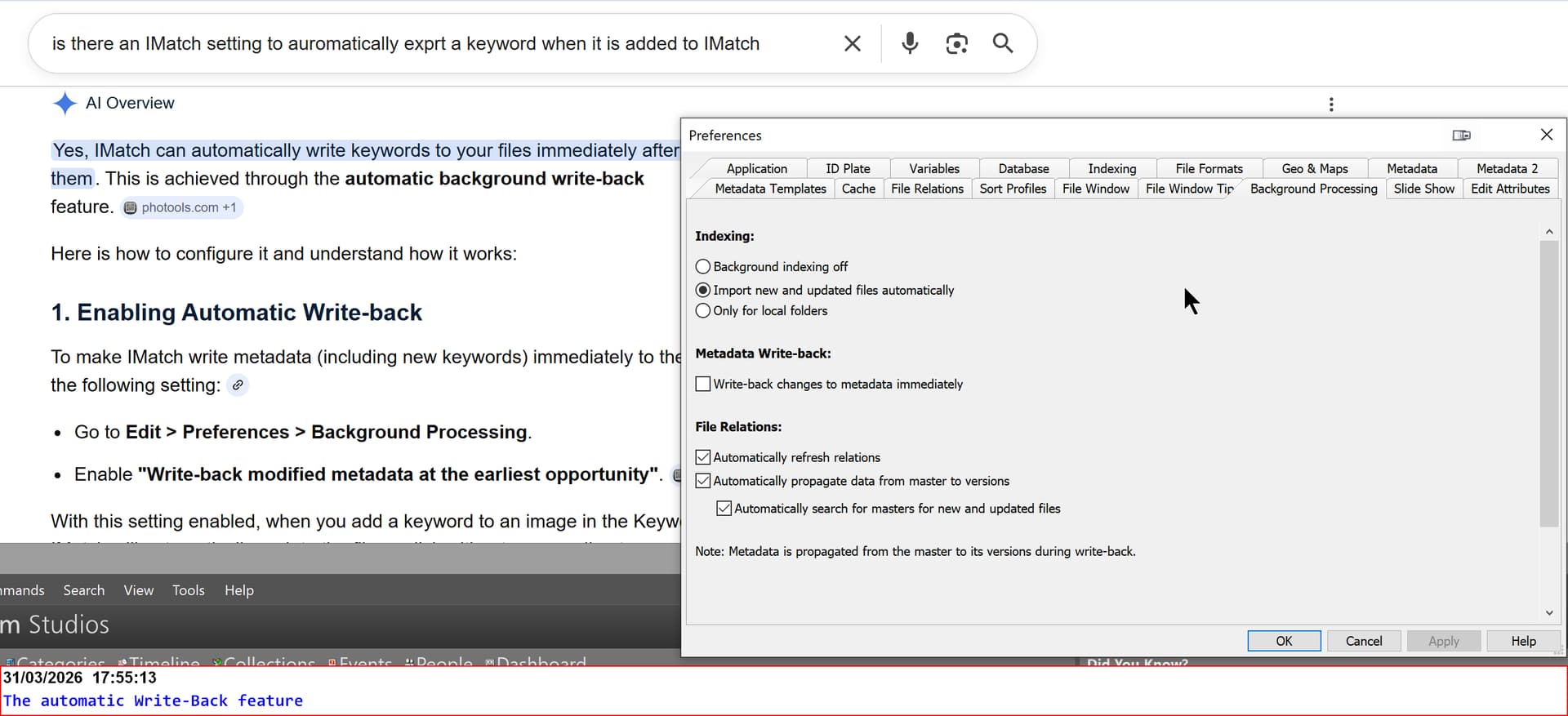
However I asked the “all knowing” internet and the following was the response.

The AI Overview seems to have got the feature heading slightly wrong but …

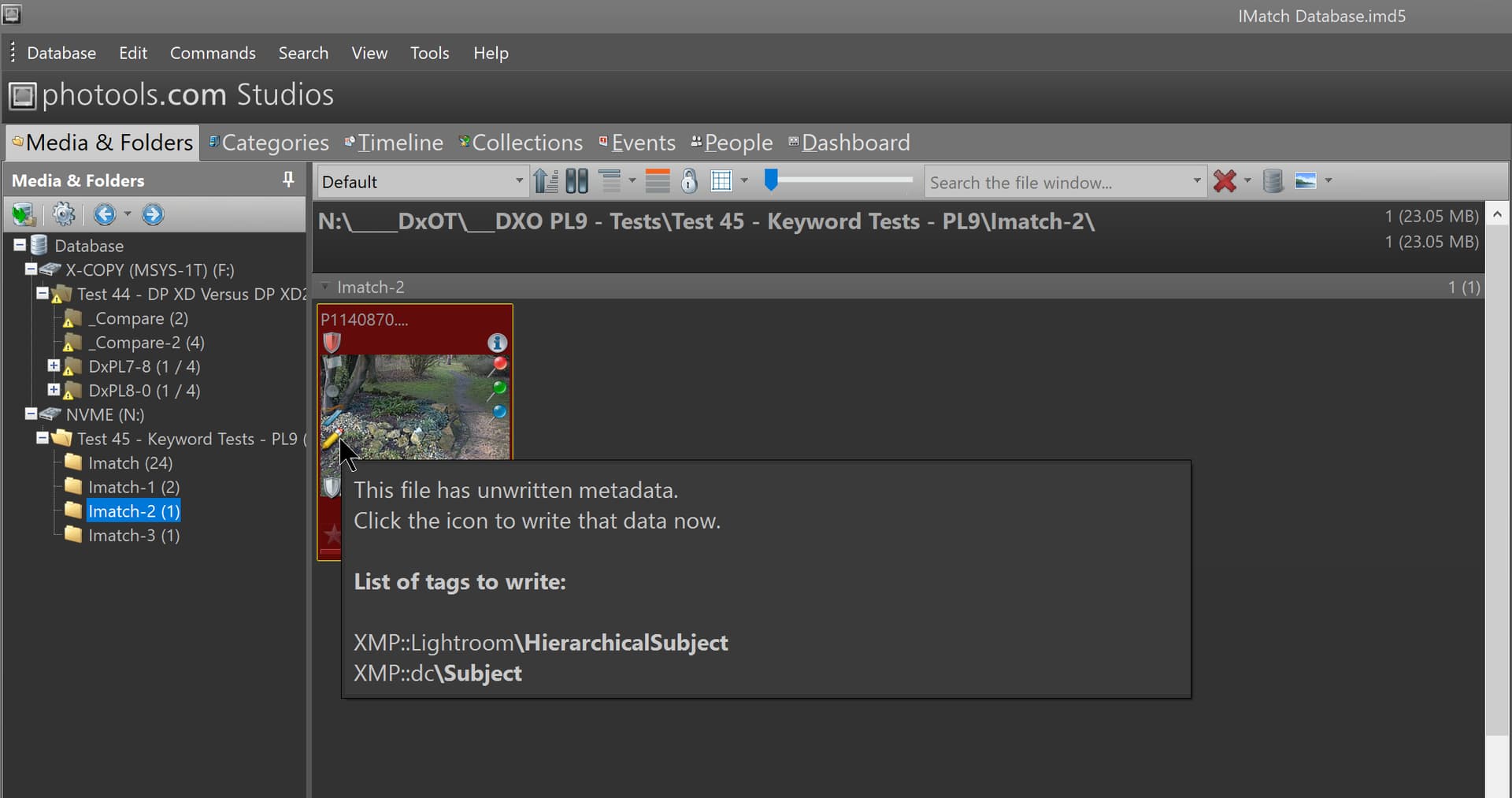
I was surprised when I had to export from IMatch explicitly but do remember the icon that indicates external updates are pending.

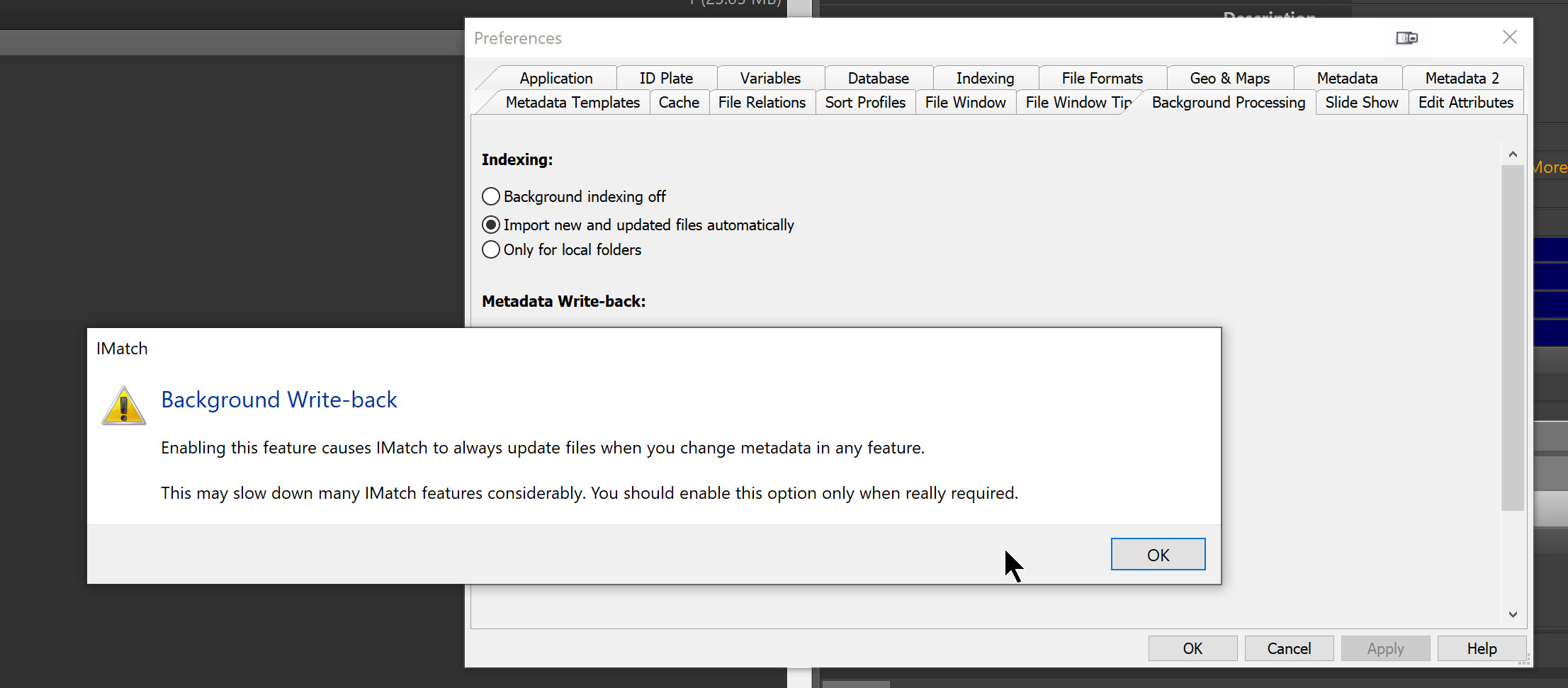
When I went to set the option I got the following

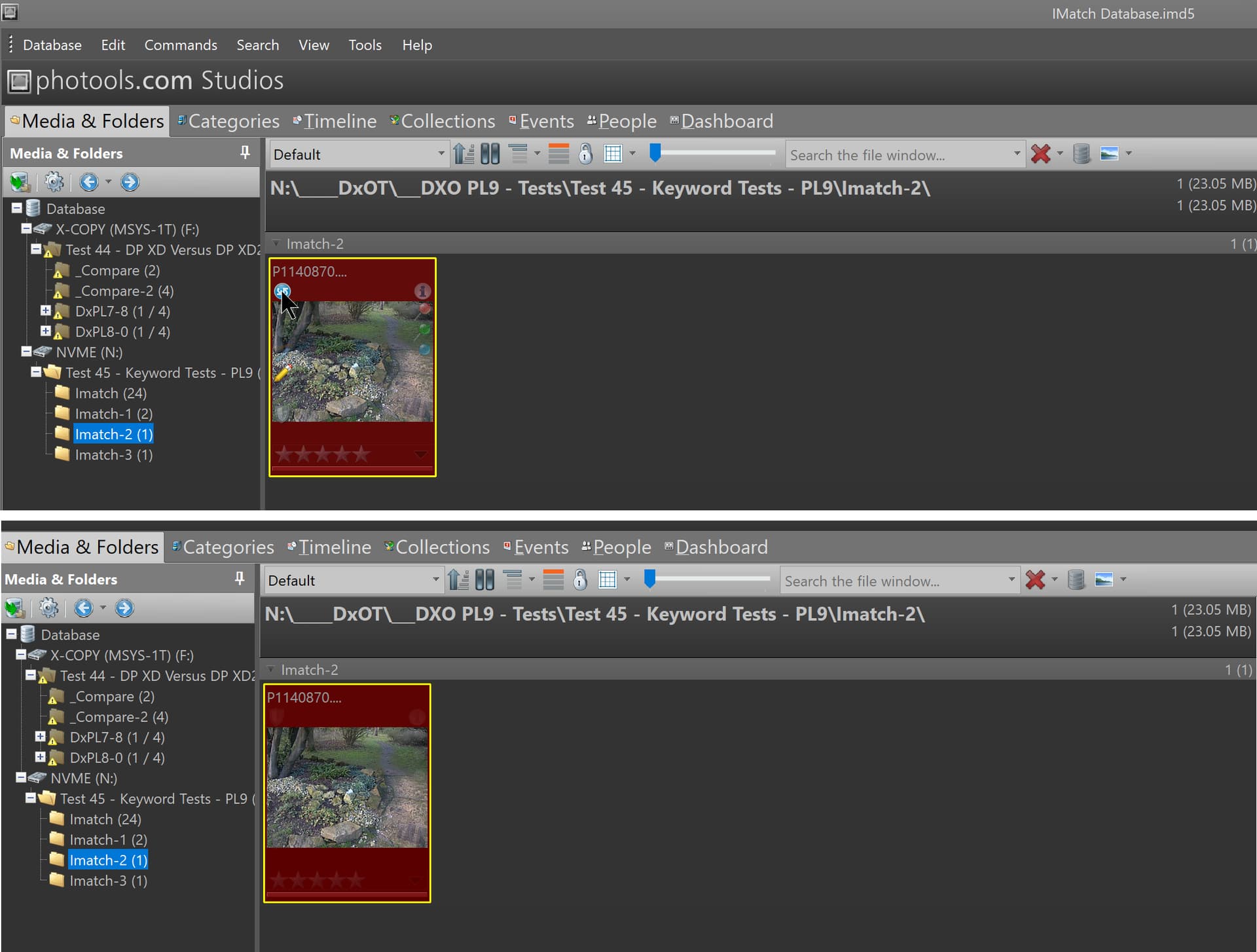
Setting it, the pending write for the image had a new icon added but I lost the text when capturing the snapshot but it went ahead and performed the pending write

Hope that helps.

I know about that. I match is crazily advanced when it comes to reading and writing metadata since there is setting down to each and every format how to handle this in detail and THAT I don´t even think of changing.

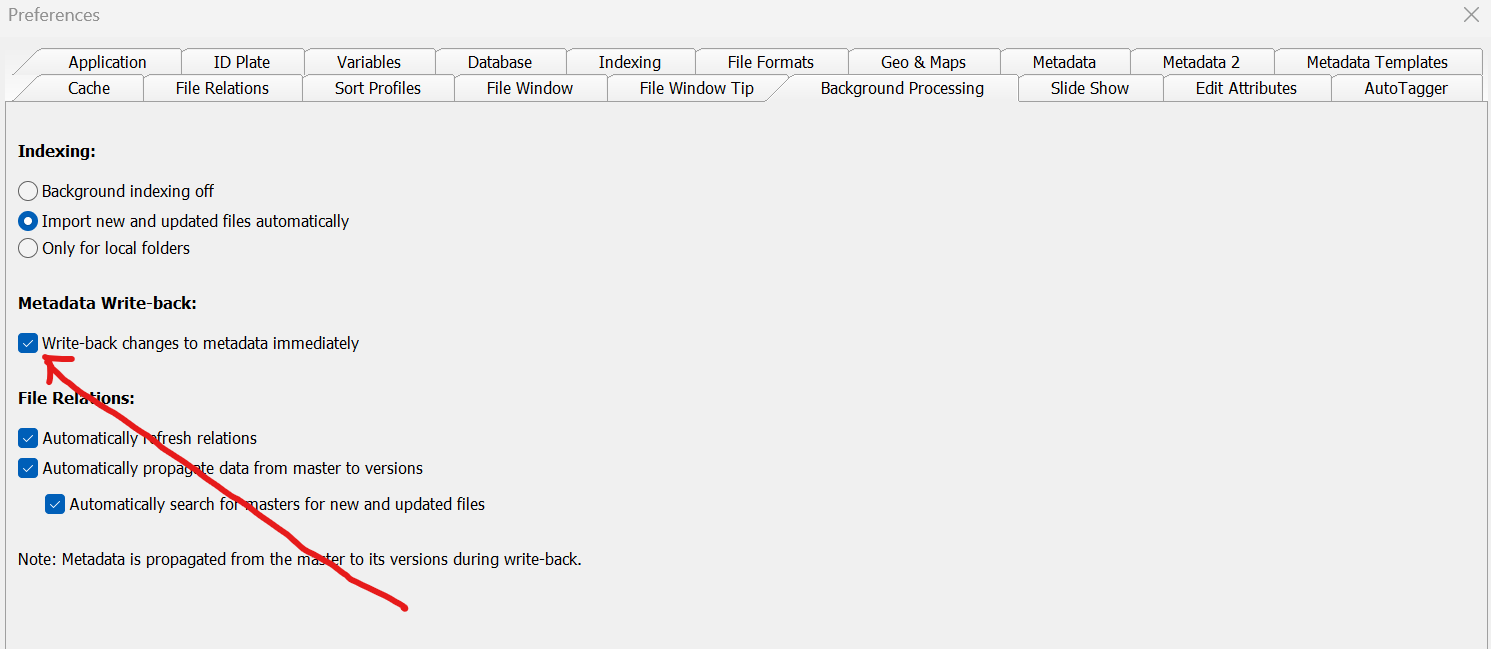
I have had that check box "un checked” earlier of performance reasons because with my old computer it really was needed then. It felt “spongy” and non-responsive BUT I will test again since my present computer is really fast and more than twice as fast as my older one.

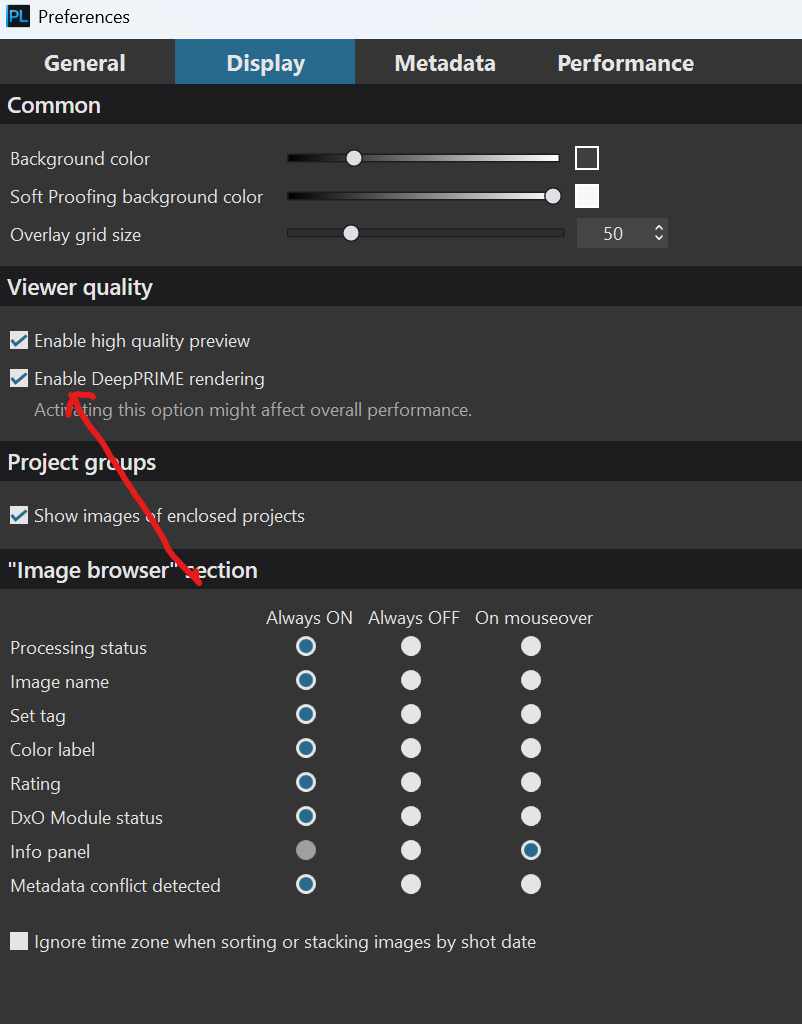
It is really like “Enabling Deep Prime” rendering of “previews. Even that was impossible earlier before Photolab version 9 and the raw power of my new machine.

There is really a trade off checking that “metadata write back before”:

You will experience a wait state having it on with a slow machine and in that case it might be less anoying having to “manually” execute write backs than having it on.

…. BUT with a much faster machine that might be a much less problematic issue since having it set “un-checked” also affects the Autotagger AI-processes that might freeze waiting for a “write back” to happen. When the Autotagger queue has froozen the only thing to release it in my case at least (except doing it via the the “Database Tools” in the menu is to execute the much faster three-finger grip “Shift-Alt (Cmd) + S”

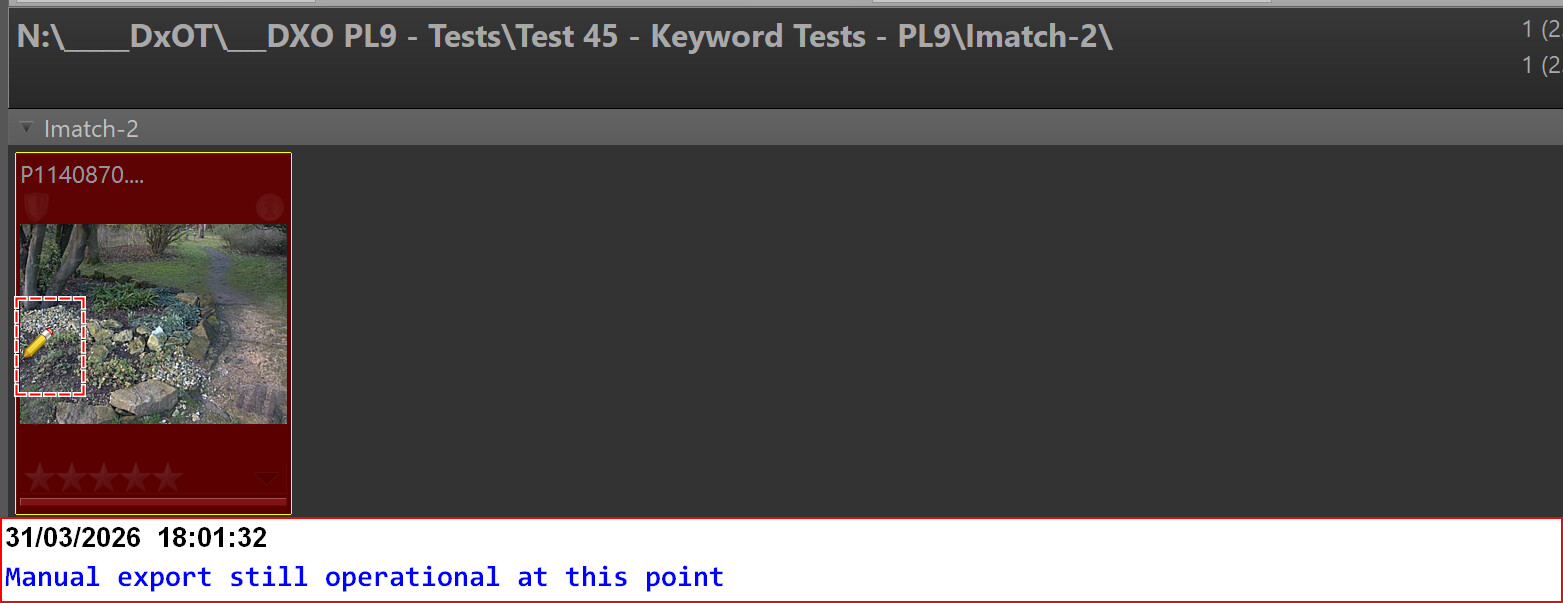
After having tested once more I still think it it seems to be faster to keep it “unchecked”. Having that check box always checked and constantly forcing immediate write back (between every image processing Autotagger performs) seems to be less effective than forcing an update manually by pressing Shift + Alt (Cmd) + S (to get rid of the “write pending transaction yellow pen symbol”). Batch processing of these pending updates seems faster.

@Stenis I wasn’t recommending using the option just stating that IMatch provides options, perhaps too many, whereas PhotoLab provides too few!

The good news is that you can stick with what you are used to and which provides the speed you require for other functions and if the pencil icon is on then there are updates pending

It is, so stick with what you are used too but remember to flush those pending updates back to disk periodically, certainly before you start processing in any other piece of software that needs those images.

Bye for now.

Bye!

That is a very elegant way to tie it all together :slight_smile:

iMatch is terribly competent - but also very very complex. It also makes many things its own way not all the time all that “guy´s guessing friendly” either. But it is also a fact that both the application built in help and the Help-system are very good. ….. AND if that doesn´t save us the often instant Five Star support of Mario´s will. Using both iMatch and Photolab puts us at both ends of that scale att the same time. It sometimes gives me a surrealistic feeling.

Yes, iMatch is very competent and support is exemplary. I use imatch for everything DAM. When I need to manipulate the image itself, I just call the editor (that is Photolab Elite) from inside iMatch and after editing I return to iMatch. I would advice to leave DAM to one software and one only.

1 Like

Yep, I do no metadata editing at all in Photolab sinced it is just so much better and more efficient in iMatch. The integration between iMatch and Photolab is very efficient and seamlees too. It works very well with Topaz Photo AI 4 too. F3+F2 gives me Topaz instantly with selected pictures and F3+F3 gives me Photolab instead. I hardly think of them as indivial standalone applications anymore.

1 Like