TL;DR: The exported file quality is (way) better than the in app preview and in every cases PL images are cleaner, sharper and with better colors than LR. I will post a complete answer in 11h due to Forum restrictions.
Hi, I just began the trial of photolab 9 so, please, be indulgent.
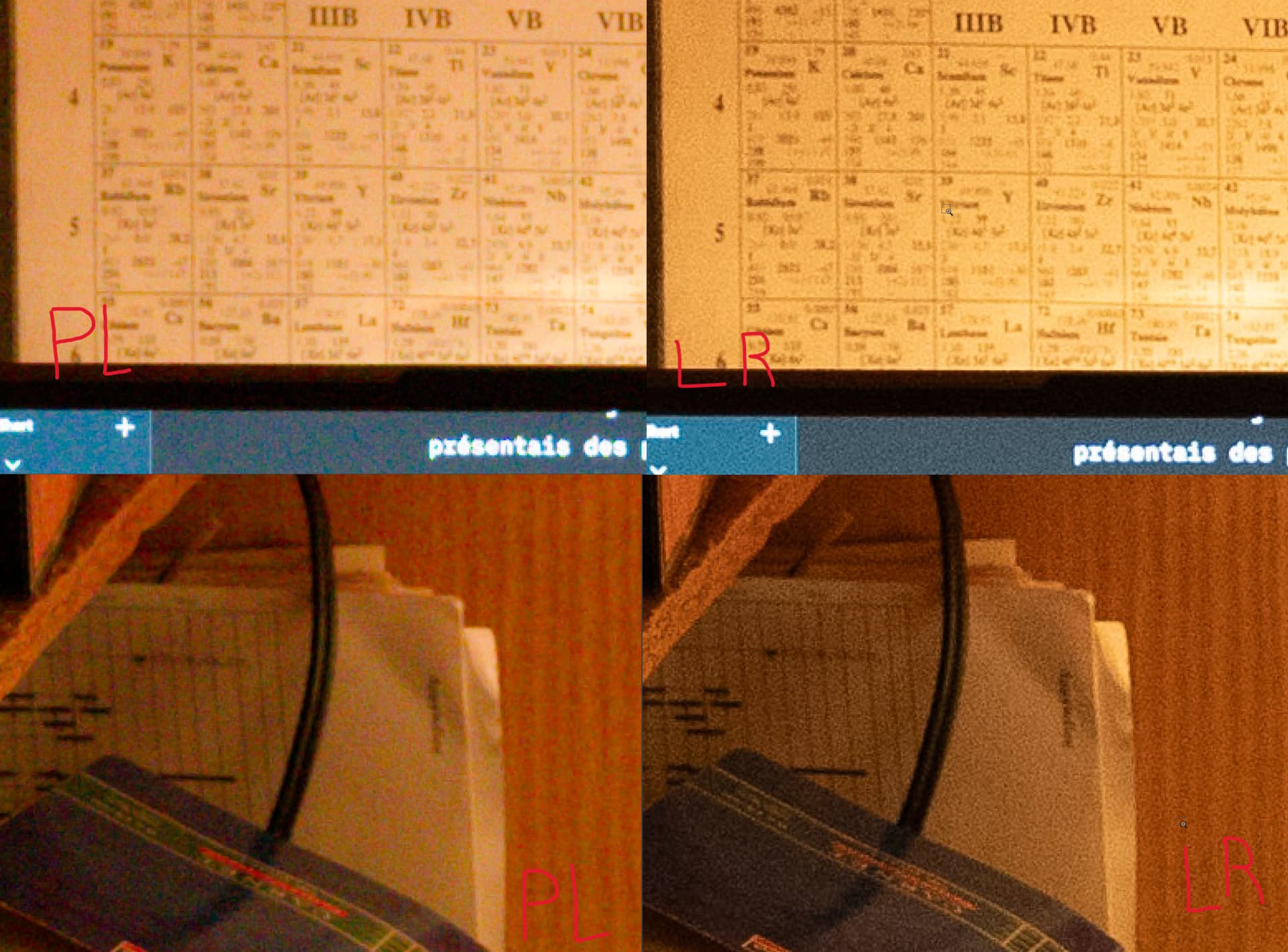
I am very impressed with the quality of the pictures taken in daylight, but I tested some low light/high iso photo (4000)and I was disappointed by the result, especially when compared to lightroom: The photos are not sharp, and if you look at the screenshot, DxO doesn’t even render a straight line.
I have tried to play with some setting but I am running in circle here so maybe you could help find what I am doing wrong.
Thanks!
Screenshots taken after importation, no editing, zoomed 400%. the more a “tweak” (contrast, sharpness,…) the worst the result :’(
If you’re finding LR gives a better result than PL (!!) then there’s definitely something not-quite-right somewhere in your set-up or application of corrections …
I think that depends on the size of the final image. I have my display set at 2560x1440 and the images from my 50mp (8640 × 5760) camera look fine in preview.
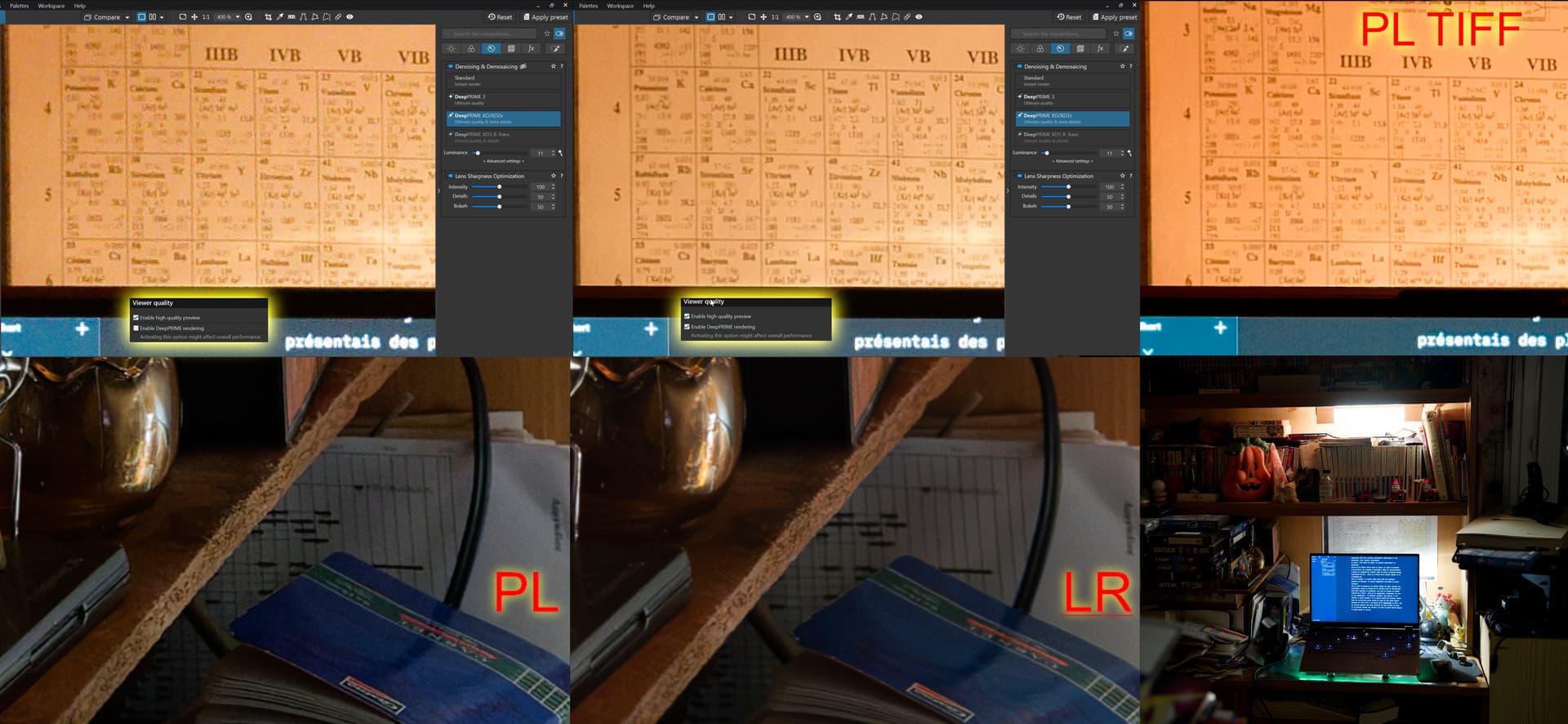
When DeepPRIME rendering is enabled, the preview is much closer to the exported TIFF, whose quality is outstanding (see the first row of the screenshots).
I also tried other users’ suggestions:
I exported TIFF files from both PL and LR using exactly the same settings (no compression, 16-bit, etc.) and then compared the images. In every case (with and without white balance correction, low and high ISO), PL images are cleaner and sharper than those from LR. The colors are also closer to reality in PL.
In the second row of the screenshots below, the only adjustments I made were white balance correction, lens correction, and noise reduction (although I reduced it slightly in PL, as I found the default value a bit stronger than Lightroom’s). Apart from the noise reduction in PL, I didn’t adjust anything else.