Stop Presets being applied in PhotoLibrary

Is there a way of only applying presets when using the Customize tab?

I have enable high quality previews and enable deep prime rendering checked.

This is fine when working in Customize.

Slows down too much when previewing multiple images in the PhotoLibrary.

I could change denoising to standard and simply switch over to XD3 for every image I edit.

As I edit more images, I suppose the PhotoLibrary would start to slow do again…

I really want just the unprocessed image shown in PhotoLibrary at all times.

Is this possible?

Thanks.

In the settings, you can choose which preset is used by default, or even not to use one.

Yes. I want to use one. Only in the Customize tab. Not the PhotoLibrary.

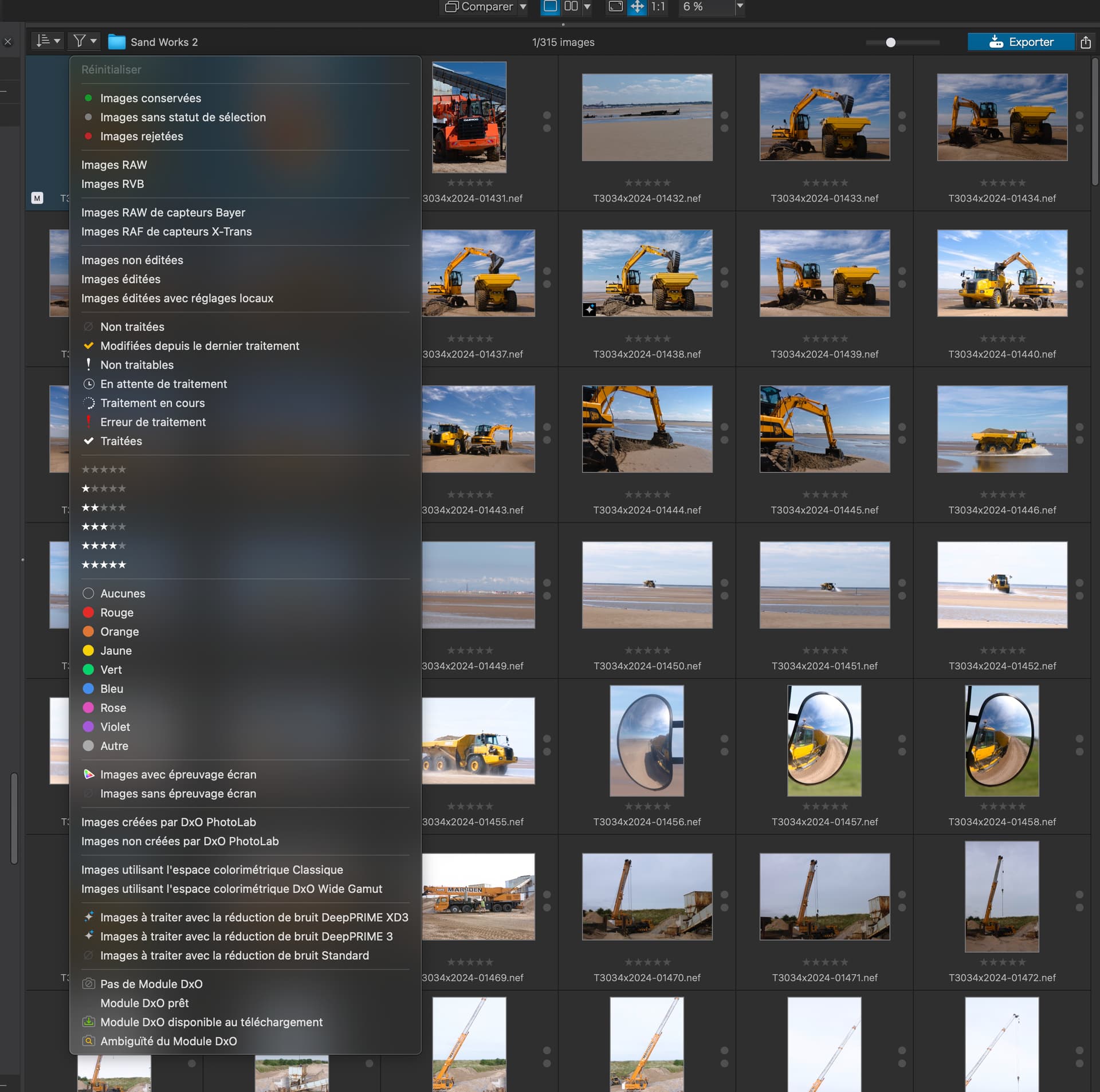
Have you played with the Filter menu on the Library tab?

1 Like

No. I’ll have a look thanks.

Hope mines not in French! :wink:

1 Like

PL doesn’t differentiate between PhotoLibrary and Customize.
You can set no presets by default and apply one manually when you go to Customize.

3 Likes

I don’t know, there’s no pleasing some people :zany_face:

3 Likes

One of the key properties of PhotoLab is to apply a preset to all the images that are in the selected folder. Let me explain.

  • PL cannot “not apply a preset”:
    Even if the default preset is set to “No Correction”, PL calculates previews from RAW data of all those images in the selected folder. The original, built-in preview is only shown before PL replaces it with its own preview.
    The least that PhotoLab can do is, to apply the “No Correction” preset.
  • All images of the selected folder:
    The more images are in the selected folder, the more time and resources PL will take to create its own previews of these files. Therefore, and that is something like an agreed best practice, it’s best to
    keep the number of images per folder in the low hundreds max.

It’s of no use to wonder why DxO has implemented PL like this. The answer will always be that they did what they did. And although DxO reads posts here, there has been no sign yet to release that “always-on” handbrake, e.g. with a setting that prevents PL from calculating previews before it is asked by the user to do so or before an image is actually selected.
2 Likes

Thank you. I will try this approach.

Thank you for the explanation.