Silver Efex and FIlmPack?

I find the choice of film types in silver efex Pro 8 rather limiting. There seems to be no way to add other film types. What the recommended procedures – if there is one – to select a film type in FIlmPack and transfer that image to Silver efex? Just of it all in Photoshop, perhaps as layers? (I’ve not tried that … yet.)

Thanks

film type from film pack are all in Nik, if you don’t see them in Silver efex they’re probably in Color Efex.

2 Likes

I have Silver Efex pro 8 but only Filmpack 7. is that a problem?

The list of B&W films in FIlmPack 7 is much larger than the list in Silver Efex Pro.

So, what do you miss then?

In Nik 8 SEP you can hover over the Film Types (RHS)


then release the mouse

to see the “response” for

  • color sensitivy
  • contrast
  • grain

to choose from and then adjust to your liking (RHS).

Or your start at the LHS to choose one of the many presets
and then adjust to your liking at the RHS.

.

Whereas in FP 7 standalone you can choose from of the Presets
and then adjust to your liking.

2 Likes

I’ve found that the easiest way is to apply the FilmPack look first and then jump into Silver Efex for the fine-tuning. It definitely feels like the film grain and contrast behave more ‘naturally’ that way. Using PS layers is also a solid backup if you want to mask things in later.

May I recommend using a suitable color file as starting point for Nik SilverEfex to take advantage of the film type/sensitivity settings. – This is significantly more effective for controlling grayscale conversion than a single color filter that can be applied later if needed.
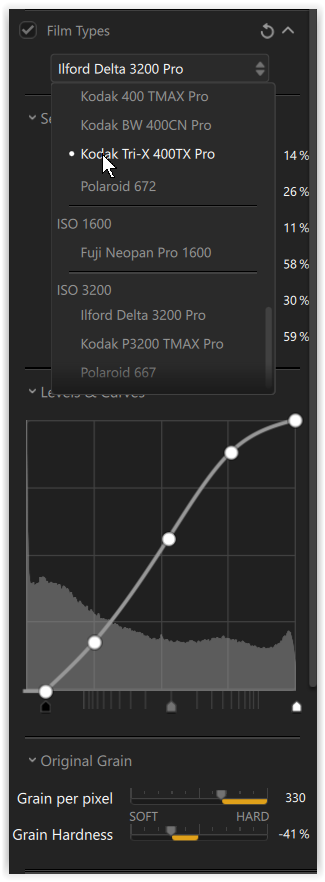
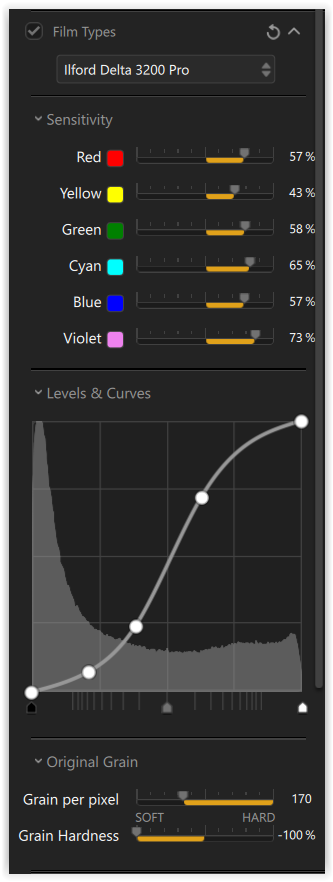
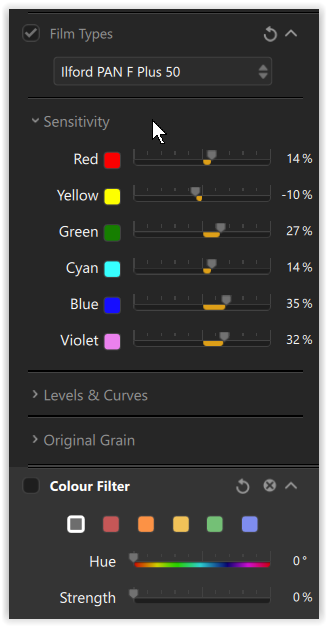
screenshot from Nik 8 SEP

.

If you are going to stick with PL and FP, choose a B&W film, make use of the channel mixer and add a color filter …